


The Rise of Vibe Coding: How Agentforce Vibes Is Redefining App Development
The future of enterprise app development no longer starts with code — it starts with a conversation.At Dreamforce 2025, Salesforce introduced a technology that feels less like programming and more like collaborating with an intelligent colleague.It’s called Agentforce Vibes, and it brings to life a brand-new way to build software: Vibe Coding. Imagine describing what you want an app to do — and watching it come to life within minutes. No syntax, no manual setup, no trial-and-error debugging.Just natural language, context awareness, and intelligent creation.That’s the promise of Vibe Coding — and it’s not a concept for the future. It’s here now. Table of Contents 1. Keynote Spotlight: Humans & AI, Side by Side A rallying cry for the “Agentic Enterprise” The Intelligence Behind Agentforce Vibes From Code to Conversation Making Development Fun Again Built for the Enterprise: Governance First Seeing It in Action: The Live Demo Moment What It Means for Salesforce Teams Preparing Your Organisation for Vibe Coding A Shift in the Developer’s Role From CRM to Creative Collaboration The Bottom Line: Development Has Never Been This Human YOU MIGHT ALSO LIKE 1. Keynote Spotlight: Humans & AI, Side by Side A rallying cry for the “Agentic Enterprise” A New Way to Build: What Is Vibe Coding? When Patrick Stokes, Salesforce’s EVP of Product & Industries Marketing, took the stage to unveil Agentforce Vibes, the demo was less about technology and more about possibility.He smiled as he described it: “It’s the fastest, and frankly most fun way to build anything — just from a description.” The idea behind Vibe Coding is beautifully simple.You tell Salesforce, in plain English, what kind of app, automation, or process you want.The AI agent interprets your words, understands your intent, and generates the structure, logic, and UI — instantly. Vibe Coding is not a marketing phrase; it’s a new philosophy of creation.Coined by AI researcher Andrej Karpathy earlier this year, the term captures the essence of working with AI instead of through it.Rather than typing commands or dragging workflows, you guide an intelligent collaborator that already understands the language of your business. This isn’t low-code. This is no-code, powered by context. The Intelligence Behind Agentforce Vibes So, how does it work?Agentforce Vibes connects directly to your Salesforce org — meaning it has full awareness of your data model, fields, relationships, and metadata.When you describe what you need, the AI leverages this context to design working applications automatically. Say you tell it, “Build a customer feedback tracker that notifies managers when satisfaction scores fall below 80.” Within seconds, it will: You didn’t write a single line of code. Yet you just built a functional, enterprise-grade app. The real power comes from Salesforce’s Data Cloud foundation.Because the AI can access structured and unstructured data together, it doesn’t guess — it reasons.It builds intelligently, using the exact semantics and processes that make your business unique. From Code to Conversation If we look at how app development has evolved, Vibe Coding is the natural next step.For decades, developers wrote code manually. Then came low-code platforms, which replaced syntax with visual builders.Now, Salesforce is taking the next leap: natural-language development — where code fades into conversation. The difference is profound.Instead of thinking in terms of functions or scripts, you think in terms of intent.Instead of assembling technical components, you describe outcomes.And instead of waiting weeks for IT to prototype an idea, business teams can test it the same day. As Stokes emphasized during his demo, the key is context.Agentforce Vibes doesn’t just translate words — it understands meaning.When you say “onboard a new employee,” it knows you’re referring to HR data, permissions, tasks, and forms that already exist inside Salesforce.It connects the dots automatically. Making Development Fun Again In a world of increasing technical complexity, “fun” is a word rarely associated with enterprise software.Yet that’s exactly how Salesforce described Agentforce Vibes — and it fits. Developers aren’t being replaced; they’re being liberated.Instead of spending hours scaffolding objects or writing boilerplate logic, they can focus on architecture, performance, and innovation.Admins and business users, meanwhile, gain the ability to build safely and confidently, without fear of breaking the system. Marc Benioff, Salesforce’s Co-Chair and CEO, put it perfectly: “The AI is elevating the developer. And the AI is elevating every aspect of the enterprise.” That’s the essence of Vibe Coding.It turns development from a technical chore into a creative experience. Built for the Enterprise: Governance First Speed is powerful, but governance is non-negotiable — especially in the enterprise world.That’s why Salesforce designed Agentforce Vibes with security, compliance, and transparency built in. Every generated change is logged.Every deployment can be reviewed, tested, and rolled back if needed.Administrators can define permission scopes for what the AI can create, ensuring sensitive data or processes remain protected. For industries like finance, healthcare, and government, these safeguards mean one thing: innovation without compromise.You can move faster and stay compliant. Agentforce Vibes is also deeply integrated with Salesforce’s DevOps pipeline.From sandbox creation to test automation and release management, the entire lifecycle is observable and auditable — giving enterprises the control they expect. Seeing It in Action: The Live Demo Moment One of the most talked-about moments at Dreamforce 2025 was the live demo of Agentforce Vibes.A user simply typed: “Create an internal service app that categorises customer emails, tracks sentiment, and escalates unhappy cases to management.” Within minutes, the AI: No IDE. No setup wizard. No manual deployment steps.Just instant, working software. The crowd’s reaction said it all — it felt like watching the future of enterprise development unfold in real time. What It Means for Salesforce Teams At CloudVandana, we see this shift as a defining moment for Salesforce professionals.For years, our community has pushed the limits of what low-code could achieve.Now, Vibe Coding takes us beyond that limit — to a place where ideas flow faster than code. For admins, it means more autonomy.For developers, it means more creativity.For business leaders, it means faster results, lower costs, and fewer backlogs. The development lifecycle
Welcome to the Future — Live and Wired at Dreamforce 2025
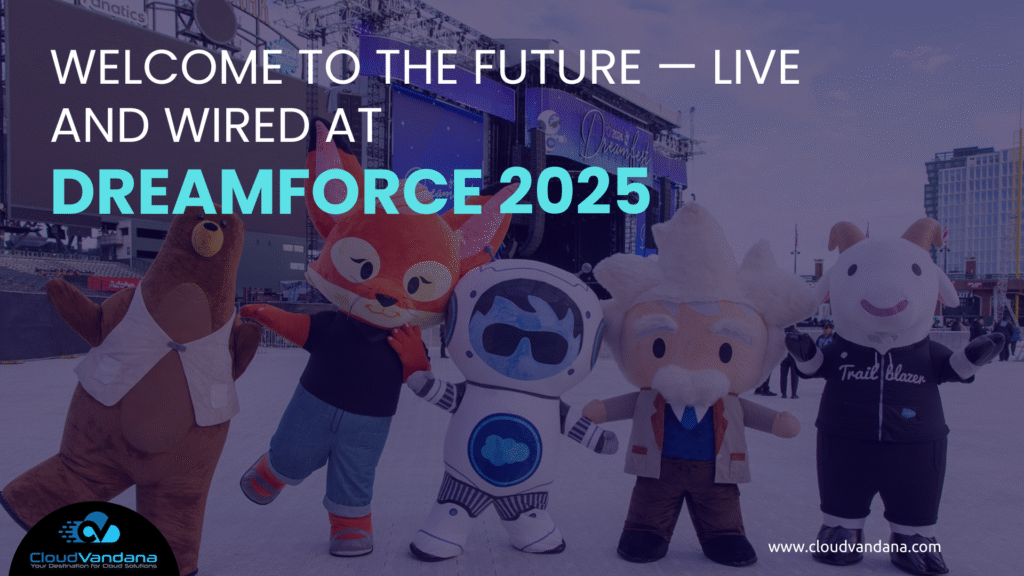
Three days. Thousands of Trailblazers. One unforgettable experience. That was Dreamforce 2025: the streets around the Moscone Center in San Francisco throbbled with a high-voltage mix of technology, innovation and human connection. From the moment you stepped in, the energy was unmistakable: a celebration of what comes next. Big announcements. Immersive demos. Hands-on sessions where you didn’t just hear about the future — you touched it. For CloudVandana and our community, this was more than an event — it was a compass pointing toward the next era of enterprise software, where humans + data + AI agents converge. Here’s your comprehensive, polished and engaging guide to the Key Take-Aways you absolutely can’t miss from Dreamforce 2025 — the announcements, the deeper messages, and why they matter to you. Table of Contents Three days. Thousands of Trailblazers. One unforgettable experience. 1. Keynote Spotlight: Humans & AI, Side by Side A rallying cry for the “Agentic Enterprise” Major product highlight: Agentforce 360 The underlying heartbeat: Data 360 Why this matters 2. Data 360: The Brain Behind the Agentic Enterprise From storage to activation Key features to note Implications for CloudVandana & your practice 3. Power Partnerships: OpenAI & Anthropic Fuel the Next Wave Deepened alliances What this means 4. Admin Innovation: Building Trust, Scale & Oversight Highlights from the Admin keynote Why this matters for you 5. The Bottom Line: From CRM to Cognitive Orchestration A change in frame The next challenge Why this matters for CloudVandana 6. Closer Look: What You Should Be Doing Now a) Assess Your Data Foundation b) Evaluate Your Agent-Readiness c) Build Governance, Ethics & Oversight Framework d) Rethink the Role of IT, Admins & Developers e) Re-frame Your Customer Value Story f) Organise for Adoption & Change 7. Thematic Waves from Dreamforce 2025 Theme 1: Agentic Workflows Are the Next Big Frontier Theme 2: Data is the Foundation — Not an Afterthought Theme 3: Trust, Governance & Ethics Are Non-Negotiable Theme 4: The Way We Work is Changing — Again Theme 5: Speed to Production Matters 8. Industry & Vertical Highlights Worth Noting 9. Experience, Culture & Networking — The Human Side of Dreamforce 10. Key Take-Away Summary Table 11. What’s Next: Road-Map for CloudVandana’s Community 12. Final Reflections YOU MIGHT ALSO LIKE 1. Keynote Spotlight: Humans & AI, Side by Side A rallying cry for the “Agentic Enterprise” At the opening keynote, Marc Benioff didn’t just talk about the future of CRM — he signalled a re-definition of it. The message: the world of business is shifting from “managing contacts in a database” to “orchestrating intelligent agents, human collaboration and data in seamless harmony.” That shift is captured in the phrase the keynote introduced: the Agentic Enterprise. An enterprise where the intelligence is agent-driven, but human judgement, context, ethics and trust still lead. For CloudVandana’s clients, this sets the framework: not just “implement AI” — but “integrate AI meaningfully”. Major product highlight: Agentforce 360 The anchor announcement: the general availability of Agentforce 360, which unifies across Sales, Service, Marketing, Commerce, Slack, Tableau, and MuleSoft under one agent-centric architecture. It flips the script: instead of building workflows via code or drag-and-drop, users can now prompt the AI in natural language and watch full-scale automation unfold.This was a standout moment in coverage: “Agentforce 360 … the fastest product we’ve ever launched” according to the keynote narrative. The underlying heartbeat: Data 360 But the secret sauce behind all this isn’t just the flashy UI or the agent builder. It’s the new architecture called Data 360 — a relaunch of Salesforce’s data-engine for the era of agents. It emphasises that data isn’t just a repository to query, but something to activate. The keynote stressed that agents can reason, surface insights from structured and unstructured sources, and do so under governance and transparency. Why this matters For organisations like yours that use Salesforce (or are thinking about how to use Salesforce): 2. Data 360: The Brain Behind the Agentic Enterprise From storage to activation In one of the standout sessions (and echoed across many break-outs), the message was clear: data is no longer “just there”; it must be activated. Data 360 is positioned as the engine that links structured and unstructured data, giving agents and humans a full operational picture. Think of PDFs, diagrams, sensor feeds, CRM records — all brought into one continuum so that the agent doesn’t just respond, it reasons. Key features to note Implications for CloudVandana & your practice 3. Power Partnerships: OpenAI & Anthropic Fuel the Next Wave Deepened alliances One of the biggest backend moves at Dreamforce 2025 was the expansion of partnerships with leading AI-model vendors — namely OpenAI and Anthropic. What this means 4. Admin Innovation: Building Trust, Scale & Oversight While headlines often focus on big product launches, Dreamforce 2025 also offered tangible, actionable updates for admins, builders and architects — which are critical for real-world delivery. Highlights from the Admin keynote Why this matters for you 5. The Bottom Line: From CRM to Cognitive Orchestration A change in frame At its heart, Dreamforce 2025 is signalling a shift in how we think about enterprise software. It’s not just CRM anymore. It’s not just “automate this process”. It’s about cognitive orchestration — agents working with humans, data driving decisions, workflows being fluid rather than rigid. The term “Agentic Enterprise” captures this: where the enterprise is not built around tables, tabs and roles only — it is built around agents that act, reason, escalate, collaborate. The next challenge According to the key analysts and participants this year: the real challenge isn’t adopting AI — it’s integrating it meaningfully. Adoption is table stakes. The real game: building enterprises that are not only smart — but deeply human, contextual, trustworthy. Constellation Research Inc. This means as a partner / consultant (or as a business using Salesforce) the questions become: Why this matters for CloudVandana For our community, for our clients, and for our roadmap — this moment is a turning-point. 6. Closer Look: What You Should
Salesforce and OpenAI Partnership: From Automation to Agentic Intelligence
The Next Leap in AI-Powered Business When two innovation powerhouses like Salesforce and OpenAI join forces, it’s not just another partnership — it’s a signal of where the future of work is heading. In October 2025, Salesforce — the world’s #1 AI CRM — and OpenAI — the company behind ChatGPT — announced an expanded strategic partnership designed to redefine how enterprises operate. Together, they are weaving AI deeper into the fabric of daily work, customer engagement, and commerce. This collaboration brings Salesforce’s Agentforce 360 platform directly into ChatGPT, and conversely, brings OpenAI’s frontier models, including GPT-5, into the Salesforce ecosystem. The result is a unified experience where teams can query sales records, review customer conversations, generate insights, or even build visualizations — simply by typing natural language prompts. The announcement isn’t about one more integration. It’s about collapsing the walls between where people work and where intelligence lives. Table of Contents The Next Leap in AI-Powered Business A Partnership That Bridges Two Worlds From Apps to Agents: A Paradigm Shift What’s Inside the Integration: A Unified AI Experience 1. Agentforce 360 Apps Inside ChatGPT 2. Agentforce Commerce Meets Instant Checkout 3. ChatGPT and Codex Come to Slack 4. OpenAI Capabilities Inside Agentforce Platform Why This Matters: The Evolution of the Workplace The Commerce Side: Turning Conversations Into Conversions Reimagining Workflows in Slack From Automation to Autonomy: The Agentic Enterprise Vision Quotes That Capture the Moment What It Means for Salesforce Customers and Partners Enterprise Impact: Security, Control, and Trust The Bigger Picture: AI as a Business Layer What Comes Next Final Thoughts: The Beginning of Connected Intelligence Request a Free Consultation YOU MIGHT ALSO LIKE A Partnership That Bridges Two Worlds The Salesforce and OpenAI partnership marks a defining moment in enterprise AI — one where conversation becomes the new interface of work. For years, Salesforce has powered business operations across CRM, analytics, service, and commerce. OpenAI, on the other hand, has revolutionized how humans interact with machines through language. Bringing these two together enables a new class of experiences — fluid, multimodal, and deeply contextual. Marc Benioff, Chair and CEO of Salesforce, described it best: “By uniting the world’s leading frontier AI with the world’s #1 AI CRM, we’re creating the trusted foundation for companies to become Agentic Enterprises.” That phrase — Agentic Enterprise — captures the essence of what this partnership means: a business where employees, AI agents, and systems work together as one intelligent network. From Apps to Agents: A Paradigm Shift Until now, enterprise users interacted with business systems through a patchwork of dashboards, reports, and workflows. The future, as envisioned by Salesforce and OpenAI, is different. Here, AI doesn’t just automate tasks — it collaborates. Employees will be able to: In other words, Agentforce 360 meets ChatGPT, creating an environment where enterprise data, reasoning, and execution are available in a single conversational interface. Sam Altman, Co-founder and CEO of OpenAI, said it succinctly: “Our partnership with Salesforce is about making the tools people use every day work better together, so work feels more natural and connected.” This is exactly what the modern workforce craves — less friction, more flow. What’s Inside the Integration: A Unified AI Experience This collaboration isn’t just conceptual. It introduces tangible integrations that merge the strengths of both platforms. 1. Agentforce 360 Apps Inside ChatGPT Salesforce apps will soon be available within ChatGPT’s “Apps” ecosystem, allowing users to pull CRM data, generate dashboards, or run queries — all from inside the ChatGPT interface.Imagine asking: “Show me this quarter’s top 10 opportunities by region.” And getting an instantly generated Tableau chart — powered by Salesforce data — right in ChatGPT. 2. Agentforce Commerce Meets Instant Checkout On the commerce side, Agentforce Commerce is joining the Agentic Commerce Protocol, which powers Instant Checkout in ChatGPT.This integration allows merchants to sell directly through ChatGPT’s conversational interface while keeping full control over their customer data, fulfillment, and payments — powered by Stripe and Salesforce’s secure architecture. A user searching for “best hiking boots” in ChatGPT might now see results from a Salesforce merchant, complete with product details and an Instant Checkout button — transforming search intent into purchase in seconds. 3. ChatGPT and Codex Come to Slack Slack, which already underpins millions of enterprise conversations, will now host ChatGPT and Codex integrations.Teams can ask ChatGPT to: Meanwhile, Codex, OpenAI’s programming agent, can write and debug code inside Slack threads — contextually aware of conversations, repositories, and environments. The result? A workplace where AI is a colleague, not a tool. 4. OpenAI Capabilities Inside Agentforce Platform Salesforce’s Agentforce 360 Platform will now embed OpenAI’s reasoning, voice, and multimodal intelligence natively. Customers will be able to select OpenAI as their preferred large language model (LLM) for the Atlas Reasoning Engine and Prompt Builder — making it easier than ever to build intelligent, voice-enabled, and visual-first enterprise agents. Why This Matters: The Evolution of the Workplace The announcement signals more than product synergy — it represents a philosophical shift in enterprise design. Work is no longer about switching between dozens of tools.It’s about bringing intelligence to where people already are. For employees, this means: For leaders, it means faster decisions, better visibility, and more consistent customer experiences — all while maintaining the security and governance that enterprise environments demand. Slack alone supports over 800 million weekly users and 5.2 billion messages per week. Now, each of those conversations can become a gateway to enterprise insight. The Commerce Side: Turning Conversations Into Conversions One of the most exciting aspects of this partnership is Agentic Commerce — a new architecture that redefines how shopping happens in conversational environments. Traditionally, e-commerce meant websites, product catalogs, and checkout pages.Agentic Commerce changes that by bringing secure, end-to-end transactions directly into ChatGPT. When customers express intent (“Show me the latest Nike running shoes”), Salesforce merchants using Agentforce Commerce can instantly surface their catalog — and the customer can complete a tokenized, privacy-compliant transaction without leaving ChatGPT. For businesses, this is groundbreaking.It reduces
Agentforce 360: Inside Salesforce’s Vision for the Agentic Enterprise
The Next Leap in the Salesforce Evolution Every decade, Salesforce redefines how businesses work. From pioneering cloud CRM in the 2000s to driving automation and analytics in the 2010s — and now, leading the AI revolution — Salesforce has always operated ahead of the curve. At Dreamforce 2025, the company did it again. The unveiling of Agentforce 360 marks a seismic shift in enterprise technology — not another AI feature, but an entirely new model of work: the Agentic Enterprise. In this new paradigm, AI doesn’t replace people; it elevates them. Salesforce calls it the age of augmented intelligence — where humans, AI agents, and data collaborate in one trusted ecosystem to achieve results beyond traditional limits. Table of Contents The Next Leap in the Salesforce Evolution What Is the Agentic Enterprise? Agentforce 360: The Platform Powering the Shift 1. Agentforce Platform 2. Data 360 3. Customer 360 Apps 4. Slack: The Agentic OS The Journey to Agentforce 360 Key Milestones: Human + AI = The New Workforce Model Proven in the Real World: Customer Impact Why Agentforce 360 Matters for Enterprises 1. Trust-Centered AI 2. Contextual Intelligence 3. Seamless Integration 4. Industry-Specific Depth 5. Empowered Workforce Inside the Technology: How Agentforce 360 Works Hybrid Reasoning & Atlas Engine Agent Script Agentforce Voice Agentforce Builder Agentforce Vibes Slack: The Agentic OS of the Enterprise A Thriving Partner Ecosystem Why It’s a Game-Changer for Salesforce Admins and Consultants CloudVandana’s Take: Preparing for the Agentic Future Final Thoughts YOU MIGHT ALSO LIKE What Is the Agentic Enterprise? The Agentic Enterprise represents the next evolution of the connected enterprise. It’s where every team, process, and interaction is powered by a network of intelligent agents — all grounded in trusted data. These agents don’t just automate repetitive tasks. They understand business logic, learn from data, and make decisions that enhance human performance. Imagine: That’s the Agentic Enterprise in action — always on, always learning, always elevating human potential. Agentforce 360: The Platform Powering the Shift At the heart of this transformation lies Agentforce 360, Salesforce’s new AI-first platform. It’s the culmination of four major releases over the past year — each building toward this unified system where humans, agents, and data coexist seamlessly. 1. Agentforce Platform The foundation of enterprise-grade AI agents.It introduces a conversational builder, voice capabilities, and a new hybrid reasoning engine that blends logic-based workflows with LLM intelligence. Admins can now design, test, and deploy agents using natural language — no manual configuration or coding required. 2. Data 360 Salesforce’s trusted data core has evolved into an intelligent context layer.With Intelligent Context and Tableau Semantics, every AI agent can access structured and unstructured data — from PDFs to analytics — and understand it like a human consultant would. The result: contextually aware AI that delivers grounded, personalized responses. 3. Customer 360 Apps All Salesforce apps — Sales, Service, Marketing, Commerce, Field Service, and beyond — are now agentic by design.Agents can autonomously qualify leads, create quotes, launch campaigns, or resolve support tickets while syncing seamlessly with existing workflows. 4. Slack: The Agentic OS Slack becomes the command center where humans and agents collaborate in real time.It’s no longer just a messaging app; it’s the interface where AI expertise lives — surfacing insights, summarizing updates, and executing actions through natural conversation. The Journey to Agentforce 360 The announcement of Agentforce 360 wasn’t a sudden leap. It’s the product of an entire year of iterative innovation. Salesforce didn’t just theorize about AI agents — it built and tested them across real customers and use cases. Key Milestones: With Agentforce 360, all these capabilities converge — forming a unified platform that transforms Salesforce beyond CRM. It’s now the AI Operating System of the modern enterprise. Human + AI = The New Workforce Model One of the most powerful aspects of Agentforce 360 is how it reshapes the human-AI relationship. Instead of framing AI as a replacement for people, Salesforce positions it as a partner. Agents handle routine, high-volume tasks — freeing employees to focus on creativity, strategy, and innovation. For example: Proven in the Real World: Customer Impact The proof of the Agentic Enterprise lies in its outcomes. Salesforce’s customers are already reporting remarkable efficiency gains: These numbers signal something bigger than automation — they signal transformation. Why Agentforce 360 Matters for Enterprises For Salesforce customers and partners, Agentforce 360 represents more than just a product update. It’s a strategic evolution of how organizations connect data, people, and systems. Here’s why it matters: 1. Trust-Centered AI Agentforce 360 operates entirely within Salesforce’s governed data model, ensuring reliability, compliance, and explainability. Every action an agent takes can be traced, audited, and refined. 2. Contextual Intelligence AI agents are only as good as the data they understand. With Data 360 and Tableau Semantics, enterprises can finally connect unstructured insights — from emails, tickets, or reports — into actionable knowledge. 3. Seamless Integration Because Agentforce 360 is native to the Salesforce platform, it integrates with existing Customer 360, Slack, and AppExchange infrastructure.This means faster deployments, no data silos, and full compatibility with partner ecosystems. 4. Industry-Specific Depth Salesforce has rolled out Agentforce for Industries, offering pre-built agents tailored for verticals like life sciences, manufacturing, and public sector — reducing time to value and increasing adoption speed. 5. Empowered Workforce With conversational interfaces and no-code builder tools, non-technical teams can now deploy agents that perform meaningful work. This democratizes AI — making it accessible to every department, not just IT. Inside the Technology: How Agentforce 360 Works Let’s take a closer look under the hood. Hybrid Reasoning & Atlas Engine Salesforce’s Atlas Reasoning Engine combines deterministic logic with LLM reasoning. In practice, this means agents can reason flexibly like humans, but act predictably like software. Agent Script A new scripting layer allows developers to define an agent’s capabilities, guardrails, and tool access. It’s like giving each agent a “constitution” that defines what it can and cannot do — ensuring trust and control at every step. Agentforce Voice
Salesforce Administration & Managed Services: The Complete Guide
Introduction: The Backbone of Every Salesforce-Powered Enterprise In the fast-evolving digital landscape, where every interaction and insight counts, Salesforce stands as the nerve center of modern business operations. It’s not just a CRM—it’s the foundation upon which organizations build relationships, scale growth, and deliver exceptional experiences. Yet, like every powerful engine, Salesforce performs at its best only when maintained, tuned, and managed with precision. That’s where Salesforce Administration and Managed Services come into play.They are the unseen architects behind the dashboards, reports, and workflows that fuel productivity and decision-making. They ensure that Salesforce doesn’t just store data—it drives strategy, innovation, and revenue. This guide explores the full spectrum of Salesforce Administration and Managed Services—how they work, why they matter, and how b usinesses can use them to future-proof their operations. Table of Contents Introduction: The Backbone of Every Salesforce-Powered Enterprise What Exactly Is Salesforce Administration? The Changing Role of a Salesforce Admin in the Modern Era From Setup to Scale: How Salesforce Admins Keep Systems Running Seamlessly Common Pain Points Companies Face Without a Dedicated Admin What Are Salesforce Managed Services? The Shift from In-House Management to Managed Services Why Managed Services Have Become Indispensable for Salesforce Success Key Components of Salesforce Managed Services a. Proactive System Monitoring b. Regular Health Checks and Optimization c. Security Management and Compliance d. Release Management and Upgrades e. End-User Support and Training Salesforce Administration vs. Salesforce Managed Services The Synergy Between Admins and Managed Service Teams Benefits of Partnering with a Salesforce Managed Services Provider Cost Efficiency: A Smarter Way to Manage Salesforce Strategic Scalability: Growing Without Growing Overheads Continuous Innovation Through Expert Governance The Technology Layer: Tools That Power Managed Services How Managed Services Ensure Peak CRM Performance Managed Services for Different Salesforce Clouds a. Sales Cloud b. Service Cloud c. Marketing Cloud d. Experience Cloud e. Commerce Cloud Choosing the Right Salesforce Managed Service Partner Questions to Ask Before You Outsource Salesforce Administration Common Myths About Salesforce Managed Services Real-World Use Cases: How Businesses Achieved 10x Efficiency The Future of Salesforce Administration in an AI-Driven World How CloudVandana’s Managed Services Elevate Business Value Conclusion: A Continuous Partnership for Continuous Success Frequently Asked Questions (FAQs) YOU MIGHT ALSO LIKE What Exactly Is Salesforce Administration? Salesforce Administration is the discipline of managing, customizing, and optimizing the Salesforce platform to suit a company’s unique business processes. It’s part science, part strategy, and part intuition. A Salesforce Admin ensures that every component—from user roles and permissions to dashboards and automations—functions in harmony. They bridge the gap between business needs and technology. When a sales leader wants cleaner pipeline visibility, or a marketing manager needs smarter segmentation, the admin is the enabler who makes it happen. It’s not about maintaining software—it’s about crafting a system that breathes efficiency into every workflow. The Changing Role of a Salesforce Admin in the Modern Era A decade ago, Salesforce Admins were primarily system operators—handling user setup, running reports, and fixing basic issues. Today, they’ve evolved into strategic collaborators and digital transformation enablers. Admins now understand business models, KPIs, and customer journeys. They sit in meetings with leadership teams, advising on automation opportunities or data governance frameworks. They champion CRM adoption, ensure compliance, and support cross-functional alignment. In short, today’s Salesforce Admin isn’t just an operator—they’re a catalyst for organizational agility. From Setup to Scale: How Salesforce Admins Keep Systems Running Seamlessly From the moment a Salesforce org is set up, it enters a cycle of constant evolution—new users, new data, new goals. Admins ensure that everything remains coherent amid this flux. They maintain data hygiene, design efficient page layouts, and keep validation rules in check. They test automation logic, manage integration points, and anticipate the impact of every configuration change. When your team sees a seamless lead flow or a real-time analytics dashboard, it’s not magic—it’s the handiwork of a well-trained admin ensuring every gear turns in perfect sync. Common Pain Points Companies Face Without a Dedicated Admin Many companies underestimate the complexity of Salesforce management—until things start breaking. Without a dedicated admin, data duplication multiplies, workflows clash, and reports become unreliable. Users lose confidence in the system, and adoption plummets. Consider this: A sales team spends more time correcting data errors than closing deals. Marketing campaigns misfire because lists aren’t segmented properly. IT scrambles to fix automations that trigger incorrectly. Over time, what was once a robust CRM turns into an expensive liability. An experienced Salesforce Admin prevents that spiral. They bring order to chaos, clarity to data, and continuity to business operations. What Are Salesforce Managed Services? Salesforce Managed Services go beyond administration—they provide ongoing expertise, optimization, and support through a dedicated team of certified professionals. It’s a strategic partnership where experts proactively monitor, maintain, and evolve your Salesforce environment to meet business goals. Think of it as having an entire Salesforce command center—one that not only fixes issues but also anticipates them. From release management to automation audits, from security compliance to process re-engineering, Managed Services cover every angle of Salesforce excellence. The Shift from In-House Management to Managed Services In-house teams are often stretched thin. As Salesforce becomes more integral to operations—integrating marketing, analytics, and AI—internal resources can’t always keep up. Recruiting certified talent, maintaining training cycles, and handling platform updates adds up quickly. Managed Services eliminate these challenges. Businesses get a pool of experts available on demand—admins, developers, architects, and consultants—without having to expand headcount. It’s like extending your internal team with external mastery, ensuring that every update, feature, or bug fix happens without disruption. This shift allows organizations to focus on what truly matters: strategy, growth, and customer experience. Why Managed Services Have Become Indispensable for Salesforce Success In the modern enterprise, speed and precision define competitiveness. Managed Services provide both. They turn Salesforce from a static CRM into a living ecosystem that evolves with your business. With continuous monitoring, performance tuning, and proactive support, managed teams keep your system optimized, your users productive, and your data secure. They not only solve
The Salesforce Winter ’26 Release Is Here — And It’s All About Smarter Automation and AI
Introduction: A New Chapter for the Connected Enterprise Salesforce never stands still. Every seasonal release brings new ways to simplify processes, empower users, and help organizations operate more intelligently. The Winter ’26 Release is no exception — it’s a major step toward smarter automation, deeper AI adoption, and tighter security. With this update, Salesforce is reinforcing its promise of the AI + Data + CRM era — empowering users to not just work faster, but think smarter. From Flow automation improvements to Agentforce capabilities, and from developer productivity tools to security enhancements, Winter ’26 is full of upgrades that make the platform more powerful, flexible, and intuitive. Whether you’re an admin, developer, architect, or business leader, this release matters to you. Let’s unpack the highlights, explore the biggest changes, and see how to prepare your org for a smooth upgrade. Table of Contents Introduction: A New Chapter for the Connected Enterprise 1. Key Dates and Release Timeline 2. The Big Themes of Winter ’26 3. Flow Automation: The Star of the Release 3.1. AI-Powered Decision Elements 3.2. Debugging for Screen Flows 3.3. Flow Version Comparison 3.4. Use New Records Instantly 3.5. Flow Run Permissions 3.6. Apex Class Permission Enforcement 3.7. Automation App & Action Hub 4. Admin Experience: Small Changes, Big Impact 4.1. Type-Ahead Field Picker 4.2. Multi-Column Sorting in List Views 4.3. Field History Tracking Improvements 4.4. Dashboards with Reference Lines 4.5. Safer CSV Exports 4.6. Smarter Permission Set License Management 4.7. Password Reset by Email 5. Developer Enhancements: More Power, Less Friction 5.1. Trusted Mode for Lightning Web Components 5.2. ApexDoc Integration 5.3. Local Development for Single Components 5.4. Simplified Package Dependencies 5.5. Live Test Monitoring 5.6. Lightning Out 2.0 6. AI & Agentforce: Salesforce’s Intelligent Future 6.1. Meet Agentforce Grid 6.2. Smarter Sales and Service Agents 6.3. Service Assistant with Similar Case Search 6.4. Pricing and Licensing Update 6.5. Revenue Cloud Innovations 7. Security & Governance Upgrades 8. User Experience Enhancements 9. Key Takeaways for Teams Admins Developers Business Users 10. What You Should Do Next (Roadmap) 11. Visual Idea Suggestion 12. Conclusion: The Era of Intelligent Automation 13. CloudVandana’s Take YOU MIGHT ALSO LIKE 1. Key Dates and Release Timeline Before exploring the features, it’s important to note the rollout schedule. 💡 Pro Tip: Refresh your sandbox before the preview window so it matches your production org’s configuration. This ensures smoother testing of flows, automations, and integrations. 2. The Big Themes of Winter ’26 Every Salesforce release has a heartbeat — a few key themes that define its direction. Winter ’26 revolves around three: 3. Flow Automation: The Star of the Release Flow continues to dominate the conversation. Salesforce is steadily making Flow the only automation tool across the platform — and Winter ’26 supercharges it. 3.1. AI-Powered Decision Elements Flows can now use AI to interpret unstructured data such as emails, chat logs, or form responses.Imagine a service case flow that reads a customer’s message, detects sentiment, and automatically routes it to the right team — no manual tagging needed. Why it matters:This brings intelligence into everyday automation, eliminating rule complexity and making workflows far more adaptive. Image Idea:A visual diagram showing “AI Decision Element inside Flow Builder” with arrows depicting text → sentiment detection → routing logic.Alt: Salesforce Flow Builder with AI Decision Element analyzing text and routing cases automatically. 3.2. Debugging for Screen Flows A small but mighty improvement — modern debug mode now works for Screen Flows. You can test user inputs, track each element’s output, and visualize how data moves through the flow without leaving the builder. Why it matters:Debugging screen flows used to be trial and error. Now, it’s visual, fast, and developer-grade. 3.3. Flow Version Comparison Ever lost track of what changed between versions? The new Version Compare tool displays side-by-side differences — nodes added, elements modified, variables removed. Why it matters:It helps admins audit changes, maintain documentation, and comply with change-management best practices. 3.4. Use New Records Instantly When a flow creates a record, that record’s fields become immediately available downstream — no more “Get Records” element required. Why it matters:This removes an entire step from many flows, making automation faster and cleaner. 3.5. Flow Run Permissions Security takes center stage. From Winter ’26 onward, users need explicit permissions to run flows.Profiles and permission sets must now include “Run Flows” access; otherwise, users may see errors after the upgrade. Why it matters:It tightens security by ensuring only intended users trigger sensitive automations. 3.6. Apex Class Permission Enforcement Flows that invoke Apex now check if users have access to the underlying class.This bridges a long-standing gap between declarative and programmatic access control. Why it matters:Protects against unintended data exposure and enforces consistent governance across automations. 3.7. Automation App & Action Hub Salesforce introduces an Automation App — a central hub where you can view and manage all automation assets.Inside it sits the new Action Hub, showing all invocable actions and their dependencies. Why it matters:Admins gain visibility into what actions exist, where they’re used, and how they interconnect — perfect for troubleshooting or auditing automation sprawl. 4. Admin Experience: Small Changes, Big Impact Salesforce admins often feel invisible heroes — maintaining orgs behind the scenes. Winter ’26 gives them several quality-of-life upgrades. 4.1. Type-Ahead Field Picker When configuring list views, admins can now search for fields instantly instead of scrolling through endless dropdowns.It’s a micro-improvement that saves hours over time. 4.2. Multi-Column Sorting in List Views You can now sort by up to five columns simultaneously — perfect for large data sets where multiple dimensions matter (e.g., sorting by Region → Industry → Stage). Why it matters:Gives users Excel-like control inside Salesforce without exporting data. 4.3. Field History Tracking Improvements Admins can now view tracking limits, total tracked fields, and which objects are nearing thresholds.Also new: the User object now supports up to 20 trackable fields (Beta). Why it matters:Simplifies compliance, auditing, and user-level change tracking — especially in regulated industries. 4.4. Dashboards with Reference Lines Dashboard charts
Top 5 Integration Patterns Every Salesforce Architect Should Know
The Centrality of Integration in Salesforce Architecture Salesforce has become the centerpiece of enterprise customer engagement. But its true strength is not confined to the CRM interface or the data it holds. The real power emerges when Salesforce communicates fluently with the vast ecosystem of systems that surround it—finance, HR, supply chain, data warehouses, and third-party SaaS applications. Without integration, Salesforce risks becoming just another silo, disconnected from the broader digital fabric of the business. Integration is the lifeblood that allows enterprises to deliver seamless workflows, accurate reporting, and responsive customer experiences. Imagine a customer service agent who can instantly view a client’s recent orders from SAP, payment status from Oracle, and support ticket history from ServiceNow—all while working inside Salesforce. This is the type of orchestration modern organizations expect, and it is only possible when architects select and apply the right integration patterns. For Salesforce Architects, understanding these patterns is not optional—it is essential to delivering systems that are robust, adaptable, and business-aligned. Table of Contents The Centrality of Integration in Salesforce Architecture Why Integration Matters in the Modern Enterprise The reality of fragmented ecosystems Customer experience as the ultimate driver Salesforce as the Hub of Enterprise Connectivity The CRM as a system of record Salesforce’s evolving integration landscape The Role of the Salesforce Architect in Integration Strategy Beyond technical execution Balancing speed, scalability, and governance Integration Pattern 1: Remote Call-In (Inbound to Salesforce) Concept and Core Mechanics of Remote Call-In Use Cases Where Remote Call-In Excels Design Considerations and Pitfalls Security and Governance Best Practices Integration Pattern 2: Remote Call-Out (Outbound from Salesforce) Understanding Remote Call-Out Architecture Common Business Scenarios for Remote Call-Out Handling Latency and Error Management Real-World Design Example Integration Pattern 3: Data Virtualization (UI and Data-Level Access Without Duplication) What Data Virtualization Means in Salesforce Context The Benefits of Avoiding Data Duplication Performance Trade-Offs and Caching Strategies Example: Accessing Legacy Systems Through Virtualization Integration Pattern 4: Batch Data Synchronization Defining the Synchronization Approach Ideal Use Cases for Batch Processing Designing for Volume and Scalability Common Pitfalls in Batch Integration Integration Pattern 5: Event-Driven Architecture (EDA) The Rise of Event-Driven Paradigms Salesforce Platform Events and Change Data Capture Use Cases: Real-Time Notifications and System Decoupling Designing Event Meshes and Future-Proof Systems Comparative Analysis of the Five Patterns When to use what Layering patterns together Governance and Documentation for Integration Success Emerging Trends: APIs, AI, and Composable Architecture Conclusion: The Architect’s Responsibility in Building Resilient Enterprises Elevating Enterprise Integration with Expert Guidance YOU MIGHT ALSO LIKE Why Integration Matters in the Modern Enterprise The reality of fragmented ecosystems Modern organizations run on dozens, sometimes hundreds, of specialized systems. Finance may run on SAP, HR may live in Workday, marketing teams may depend on Marketo, and data teams may lean on Snowflake. Each system is optimized for its unique purpose, but the specialization creates fragmentation. Left unmanaged, these systems become silos where data lives in isolation, processes break down, and decision-makers face conflicting truths. Salesforce often sits at the center of this chaos, but even it cannot fulfill its role as the “single source of truth” without connectivity. If integration is neglected, sales teams may be quoting prices on outdated product catalogs, service teams may be working with incomplete customer histories, and leaders may be analyzing reports based on partial datasets. Fragmentation doesn’t just create inefficiency; it undermines trust across the organization. Customer experience as the ultimate driver At the heart of integration lies the customer. End users do not care about technical complexity or backend fragmentation. They expect that every touchpoint with a brand—whether through sales, support, or marketing—feels consistent, relevant, and timely. If a customer purchases a product online, they assume support agents will know about it instantly. If a service request is logged, they expect that billing and renewal processes will reflect the change. Integration bridges the gap between these expectations and operational reality. When done right, it creates the seamless experiences that build loyalty and differentiate a brand. When ignored, it leads to disjointed conversations, repetitive questions, and a loss of credibility. Salesforce as the Hub of Enterprise Connectivity The CRM as a system of record Salesforce is often the beating heart of customer data. It stores leads, opportunities, accounts, and service cases—the touchpoints that shape an organization’s relationship with its clients. Yet Salesforce does not exist in a vacuum. Critical data such as product availability, billing history, and shipment tracking resides in other systems. Without integration, Salesforce provides only a partial snapshot of reality. By acting as the central hub of enterprise connectivity, Salesforce brings disparate datasets together into a unified view. This does not always mean every piece of data must physically reside inside Salesforce; rather, it means Salesforce acts as the trusted orchestration point where customer context can be viewed holistically. Salesforce’s evolving integration landscape The integration toolkit in Salesforce has matured dramatically. What started with simple APIs has expanded into a powerful ecosystem: MuleSoft for enterprise-grade integrations, Salesforce Connect for virtualization, Platform Events for real-time messaging, and External Services for API-first orchestration. This diversity allows architects to craft integration strategies that are both flexible and forward-looking. Instead of being forced into a “one-size-fits-all” approach, architects can select the right pattern for the right scenario. Whether the business needs real-time responsiveness, cost-efficient access, or batch-based reliability, Salesforce provides the mechanisms to deliver. The Role of the Salesforce Architect in Integration Strategy Beyond technical execution The role of the Salesforce Architect extends far beyond writing Apex code or configuring APIs. Architects must act as strategic advisors, ensuring integrations serve business priorities. They translate executive visions into technical blueprints, balancing innovation with pragmatism. For example, while a developer may focus on making a single outbound API call work, the architect considers questions like: How will this scale when transaction volumes triple? How will this comply with security standards? What governance model ensures consistency across teams? By taking a holistic perspective, architects prevent short-term fixes from becoming long-term liabilities. Balancing speed, scalability, and
Salesforce Integration Playbook: Connecting Your Business Ecosystem
Introduction: The Age of Connected Enterprises Enterprises today thrive on connectivity. The modern economy is no longer built on isolated tools and departmental silos; it is built on ecosystems where data, processes, and teams move fluidly across digital landscapes. Customers expect seamless experiences—whether they’re buying a product, raising a support ticket, or engaging with a marketing campaign. Employees, too, demand efficiency and real-time access to the information they need. But without integration, these expectations collapse. Systems may be best-in-class in their own right, but if they fail to communicate, value remains locked away. Integration is the glue of the digital enterprise, turning scattered parts into a cohesive whole. Salesforce, as the global leader in CRM, sits at the very heart of this new age of connectivity. Its ability to unify sales, service, marketing, and analytics makes it indispensable—but only if it is integrated intelligently with the rest of the business ecosystem. Table of Contents Introduction: The Age of Connected Enterprises Why Integration is the Backbone of Salesforce Success The Fragmentation Challenge in Modern Enterprises Salesforce as the Nexus of Business Systems Core Principles of a Salesforce Integration Strategy Scalability as a Non-Negotiable Security as the Silent Architect Real-Time vs. Batch Processing Mapping the Integration Landscape CRM and ERP: Bridging Operational Gaps Marketing Automation and Salesforce Service Platforms and Case Management Collaboration Tools and Knowledge Flow Data Governance as the Cornerstone Master Data Management Imperatives Synchronization vs. Duplication Data Quality and Validation Layers API-Led Connectivity: The Integration Standard REST vs. SOAP in the Salesforce World Event-Driven Architectures Middleware and iPaaS Platforms Custom Integrations vs. Pre-Built Connectors The Efficiency of AppExchange Solutions When to Build from Scratch Integration Use Cases that Deliver Immediate ROI Automated Lead Routing from Marketing Inventory and Order Management Sync Customer 360 with Unified Data Views Common Pitfalls in Salesforce Integrations Over-Customization and Technical Debt Ignoring Change Management Poor Testing and Deployment Routines Best Practices for Designing Resilient Integrations Modular and Reusable Architectures Monitoring and Error Handling Frameworks Sandbox Testing Environments Security Framework for Integrations OAuth and Token Management Encryption in Transit and at Rest Compliance with Industry Regulations Measuring Integration Success KPIs that Matter Business Impact vs. Technical Metrics The Human Dimension: Aligning Teams for Integration Collaboration Between IT and Business Units Training for Continuous Adaptation The Role of AI and Automation in Integration Intelligent Data Mapping Predictive Error Detection Future Trends in Salesforce Integrations Composable Architectures Integration of Edge Devices and IoT AI-Powered Business Ecosystems Case Study: From Silos to Synergy Crafting Your Own Salesforce Integration Playbook Conclusion: Building a Borderless Business Ecosystem Frequently Asked Questions (FAQs) YOU MIGHT ALSO LIKE Why Integration is the Backbone of Salesforce Success Salesforce is a powerhouse platform, celebrated for its flexibility and depth across sales, service, and marketing. Yet, even with its robust capabilities, it cannot deliver the panoramic view required for bold, enterprise-level decision-making when standing alone. Imagine a sales team finalizing contracts without visibility into stock levels, inadvertently committing to delivery timelines that operations cannot fulfill. Or consider a customer service representative attempting to resolve an issue without knowledge of the client’s purchase history, prior support tickets, or billing details. These gaps do more than inconvenience—they erode customer trust, slow down response times, and create costly inefficiencies that ripple across the organization. Integration solves this by transforming Salesforce into a true control tower. Instead of existing as a single, albeit powerful, application, Salesforce becomes the hub through which the entire enterprise communicates. Orders from ERP systems, campaigns from marketing automation platforms, financial ledgers from accounting tools, and every customer interaction converge into a unified environment. This convergence eliminates blind spots and empowers employees at every level to act with confidence, context, and speed. For leadership, the benefits are even more profound. Integration enriches dashboards with insights that go far beyond CRM activity. Instead of viewing sales pipelines in isolation, executives can interpret them alongside inventory availability, marketing ROI, service response times, and financial forecasts. The result is true business intelligence—decision-making powered not by fragmented data, but by a synchronized rhythm that reflects the entire ecosystem. Ultimately, success in Salesforce is never about isolated features or standalone modules. It is about creating an interconnected landscape where information flows as effortlessly as conversation between colleagues. Integration makes Salesforce not just a tool, but the orchestrator of enterprise coherence—where data alignment drives agility, and agility becomes the foundation of sustainable growth. The Fragmentation Challenge in Modern Enterprises Every modern organization is powered by an intricate network of applications. Enterprise Resource Planning (ERP) systems track finances and supply chains. Marketing automation platforms orchestrate campaigns and funnel leads. Human Resource systems manage recruitment, performance, and payroll. Meanwhile, industry-specific software ensures compliance, manages logistics, or supervises production workflows. Each of these applications is designed with precision to solve specific business problems. In theory, they all add value by driving efficiency in their respective domains. Yet in practice, this multiplicity of tools introduces layers of complexity. Each system tends to operate in isolation, storing data in its own format and guarding it within its own architecture. Instead of harmony, enterprises often find themselves dealing with discord. The promise of digital acceleration is undermined by the reality of disconnected platforms. What should be an engine of growth becomes a patchwork of inefficiencies. The result is fragmentation—a digital Tower of Babel where systems speak in different tongues. Employees are left juggling between interfaces, manually transferring data from one application to another, or second-guessing which source contains the most accurate record. Decision-making slows down, errors creep in, and frustration grows. On the customer-facing side, the consequences are even more damaging. A service agent may promise delivery of an item that the inventory system shows as unavailable. A billing department may issue invoices for products that were already returned. These inconsistencies erode trust and create friction at every touchpoint. Fragmentation quietly corrodes productivity, accuracy, and morale. Employees feel as though they are working harder just to stand still. Customers perceive unreliability and take their business elsewhere. Over
How to Choose Between Salesforce Consulting and Staff Augmentation

Introduction: The Crossroads of Salesforce Growth Every organization that invests in Salesforce eventually encounters a turning point—a moment when the platform that once felt like a straightforward customer relationship management (CRM) solution evolves into something far more complex. What begins as a tool for managing leads and opportunities gradually grows into a mission-critical ecosystem. It expands across departments, powering sales, service, marketing, analytics, and increasingly, artificial intelligence–driven automation. At the early stage, a single internal administrator or developer often suffices. They can configure dashboards, manage users, and build simple workflows to keep the engine running. But as the business scales and customer expectations rise, the cracks in this model become undeniable. Integrating multiple Salesforce clouds, ensuring compliance with ever-tightening regulations, and managing vast, interconnected datasets push beyond the comfort zone of a small internal team. Issues like technical debt, lack of governance, or poorly designed integrations begin to surface, threatening the stability of the entire operation. At this critical juncture, leadership must make a decisive choice. They can either bring in a Salesforce consulting partner—armed with architects, strategists, and industry playbooks—to design and deliver a structured transformation, or they can reinforce their existing workforce through staff augmentation by embedding specialized professionals who provide the extra capacity and skills needed to keep projects moving. This decision is far more consequential than it appears on the surface. It is not simply an operational adjustment—it is a strategic inflection point. Choosing the wrong path can lead to ballooning costs, delayed rollouts, stalled innovation, and frustrated end-users. Months of effort and millions of dollars can evaporate if execution outpaces vision or if strategy lacks the muscle to deliver. But when organizations choose wisely, Salesforce transforms from a mere business tool into a true competitive differentiator—an engine of agility, growth, and sustained advantage in an increasingly digital-first marketplace. Table of Contents Introduction: The Crossroads of Salesforce Growth Why Salesforce Expertise Has Become a Strategic Imperative Defining Salesforce Consulting Core scope of consulting engagements The role of certified consultants and architects Understanding Staff Augmentation What augmentation means in practice Typical roles businesses add through augmentation Key Differences Between Consulting and Staff Augmentation Strategic advisory vs. tactical execution Duration and scope of involvement Ownership of outcomes Business Scenarios That Call for Consulting Large-scale digital transformation Complex integrations and architecture redesign Regulatory compliance and data governance Business Scenarios That Call for Staff Augmentation Short-term skill shortages Handling project backlogs Scaling without permanent hires The Cost Dimension: Investment vs. Budget Control Risk Management: Accountability in Each Model Speed of Execution: Who Delivers Faster Results? Knowledge Transfer: Building Internal Capability Cultural Alignment and Team Integration The Role of Certifications and Partner Ecosystems When to Blend Consulting with Augmentation Common Pitfalls in Choosing the Wrong Model Decision-Making Framework: Questions Leaders Must Ask Industry Examples: Consulting Success Stories Industry Examples: Staff Augmentation Success Stories The Future of Salesforce Resourcing Models Conclusion: A Balanced Path to Sustainable Salesforce Success Frequently Asked Questions (FAQs) YOU MIGHT ALSO LIKE Why Salesforce Expertise Has Become a Strategic Imperative Salesforce has evolved into a digital nervous system for modern enterprises. No longer confined to pipeline tracking, it powers Data Cloud to unify customer information, industry-specific solutions like Financial Services Cloud or Health Cloud, and Agentforce to deliver AI-driven agents capable of handling service requests, compliance checks, and even sales guidance. Yet this very power introduces staggering complexity. A poorly designed object model can choke reporting accuracy. A rushed integration with an ERP system can create data silos that undermine decision-making. Compliance oversights can expose organizations to fines and reputational damage. According to a 2024 Forrester survey, companies that approached Salesforce projects without expert involvement were three times more likely to face stalled adoption within two years. In a hyper-competitive environment, missteps like these are not trivial—they are existential. Expertise in Salesforce has shifted from being a “nice to have” to a strategic imperative. Without it, organizations risk building digital houses on shaky foundations. With it, they gain agility, foresight, and a pathway to outperform competitors. Defining Salesforce Consulting Core scope of consulting engagements Salesforce consulting engagements are not about adding extra hands. They are about bringing in strategic partners who can view the enterprise holistically. Consultants begin by conducting discovery workshops, interviewing stakeholders, and mapping business processes to identify inefficiencies. From there, they design target-state architectures—blueprints that not only solve immediate challenges but also anticipate future growth. A consulting engagement might include: These engagements are outcome-focused, often measured not by hours logged but by transformation milestones achieved. The role of certified consultants and architects Certified Salesforce consultants and architects carry a level of credibility that goes beyond badges. They’ve seen patterns repeat across industries and know the pitfalls to avoid. For example, a Salesforce Technical Architect understands not just how to configure APIs but how to orchestrate them in a way that safeguards scalability and compliance. They are strategists, engineers, and change agents combined. Their job is to make sure technology serves the business, not the other way around. And because consulting firms often employ teams rather than individuals, clients gain access to a collective brain trust—specialists in integration, analytics, and industry-specific compliance—all under one roof. Understanding Staff Augmentation What augmentation means in practice Staff augmentation is fundamentally different. Instead of outsourcing strategy and ownership, companies embed external Salesforce professionals into their teams. These individuals follow internal leadership and execute tasks as if they were employees. It’s akin to renting specialized muscle—you retain control of direction, while the augmented staff deliver execution power. This approach is especially common in organizations that already have a mature internal Salesforce strategy but lack the bandwidth to execute it. Typical roles businesses add through augmentation Augmented professionals come in many forms: These roles blend seamlessly with internal staff, often participating in standups, sprint planning, and backlog refinement sessions. Key Differences Between Consulting and Staff Augmentation Strategic advisory vs. tactical execution Consultants serve as strategic advisors. They envision the future state, design scalable solutions, and assume accountability for outcomes. Augmented staff,
10 Questions to Ask Before Starting a Salesforce Implementation
Introduction: Why Asking the Right Questions Matters Planning a Salesforce implementation? Discover 10 essential questions to ask before you begin. Learn how to define business goals, manage data, budget effectively, and drive adoption with expert tips and insights. Start your Salesforce journey the right way. Salesforce is the world’s #1 CRM, but let’s face it—implementations don’t always succeed. According to a Forrester Research report, nearly 50% of CRM projects fail to meet expectations due to poor planning and lack of alignment with business goals. What’s striking is that these failures rarely happen because the technology is flawed. Instead, they occur because organizations rush into the process without asking the tough questions that shape a roadmap for success. Marc Benioff, Salesforce’s co-founder and CEO, once said: “The only constant in the technology industry is change.” That statement is particularly true for CRM adoption. Salesforce is not a one-time setup; it’s a living platform that evolves with your business. Without the right preparation, even the most well-funded implementation can turn into an expensive, underutilized system. That’s why before you start your Salesforce journey, you need to pause and ask the right questions. The following ten aren’t just theoretical—they are the questions that separate success stories from stalled projects. Table of Contents Introduction: Why Asking the Right Questions Matters Question 1: What Are Our Business Objectives? What business problems do you want Salesforce to solve? How will this impact revenue, customer retention, or efficiency? How will we measure progress against these goals? Expert Insight Question 2: Who Are the Stakeholders and Decision-Makers? Key Considerations Question 3: Do We Have a Clear Data Strategy? Steps to Take Before Implementation Why This Matters for Success Question 4: Should We Customize or Configure? Question 5: What Integrations Are Needed? Key Questions to Ask About Integrations Why Integrations Matter Question 6: What Is Our Change Management Plan? Question 7: What Budget and Resources Are Required? What to Include in Your Budget Why This Matters Question 8: What Is Our Timeline—and Is It Realistic? Key Timeline Questions to Ask Why Phasing Matters Question 9: Who Will Be Our Salesforce Partner? Question 10: How Will We Measure Success? Conclusion: Your Salesforce Success Starts with the Right Questions Frequently Asked Questions (FAQs) YOU MIGHT ALSO LIKE Question 1: What Are Our Business Objectives? Every Salesforce implementation should begin not with the technology, but with clarity of purpose. Ask yourself: Why are we investing in Salesforce at all? Too often, organizations adopt Salesforce simply because it’s the market leader or because competitors use it. While that reasoning may sound safe, it’s a trap. Without clear objectives, even the most advanced CRM quickly becomes an expensive database that no one fully utilizes. Think of Salesforce as a vehicle. Buying a Ferrari doesn’t automatically make you a better driver—it only pays off if you know where you want to go, how to drive it, and why that journey matters. Similarly, Salesforce’s capabilities only matter when they’re connected to strategic business goals. According to Gartner: “Technology implementations fail when organizations focus on the tool rather than the outcomes.” This means Salesforce should not be viewed as the end goal but as a strategic enabler that supports your company’s broader vision. What business problems do you want Salesforce to solve? Instead of thinking in terms of features, frame your objectives in terms of pain points: By pinpointing pain points, you ensure Salesforce is tailored to solve real problems rather than becoming a shiny but underused tool. How will this impact revenue, customer retention, or efficiency? Not all objectives are equal. Some improve the bottom line directly (e.g., boosting upsell revenue), while others create indirect value through efficiency and customer satisfaction. For example: When defining objectives, connect them to tangible outcomes that leadership understands—growth, savings, and loyalty. How will we measure progress against these goals? A vague objective like “We want better sales performance” is dangerous because it’s impossible to measure. Instead, apply the SMART framework (Specific, Measurable, Achievable, Relevant, Time-bound): By setting measurable KPIs—such as case resolution times, lead-to-opportunity conversion rates, or customer Net Promoter Scores—you transform Salesforce into a performance engine rather than a passive record-keeping system. Expert Insight Salesforce’s Chief Marketing Evangelist, Mathew Sweezey, once said: “Technology doesn’t transform businesses. Business models do. Technology only amplifies the direction you’ve already chosen.” This reinforces the idea that your Salesforce implementation should be the amplifier of a strategy, not the strategy itself. 💡 Pro Tip: Don’t settle for vague goals like “better sales.” Instead, make them measurable: “Increase qualified leads by 30%” or “Reduce case resolution times by 25%.” Question 2: Who Are the Stakeholders and Decision-Makers? A Salesforce implementation is not just an IT project—it’s an organizational transformation. That means it impacts nearly every team, from sales and service to finance and marketing. Success depends on getting the right people involved at the right time. One of the most common mistakes companies make is allowing only one group—like the IT department or the sales team—to drive the entire project. While both are important, they don’t represent the full picture. If Salesforce is designed only around technical requirements, it may miss practical business needs. On the other hand, if it’s designed only around sales, it might ignore how marketing, support, or finance use the system. That’s why it’s crucial to bring in a mix of perspectives: Salesforce MVP Geraldine Gray puts it well: “If your users don’t feel like they’ve been heard, they’ll find workarounds. And that undermines the system before it even gets off the ground.” In other words, if employees feel excluded from the design process, they’ll simply go back to spreadsheets, emails, or other tools instead of embracing Salesforce. Key Considerations When mapping out stakeholders, ask yourself: 💡 Pro Tip: Establish a governance team early—consisting of executives, IT leaders, and end-users—to guide the project and prevent siloed decision-making. Question 3: Do We Have a Clear Data Strategy? Data is the lifeblood of Salesforce. The platform thrives on accurate, clean, and reliable



