


The Ultimate Guide to Using the Schema Builder in Salesforce
Schema Builder in Salesforce is a powerful tool that allows users to design and manage their data models visually and intuitively. This comprehensive guide will walk you through the various features and functionalities of Schema Builder, including how to create custom objects, define relationships between objects, and optimize performance for your Salesforce org. Whether you’re a beginner or an experienced Salesforce user, this resource will help you unlock the full potential of Schema Builder and streamline your data management processes. Introduction to Schema Builder in Salesforce Schema Builder is a powerful tool within Salesforce that allows users to design and manage their data models in a visual and intuitive way. With Schema Builder, you can easily create custom objects, define relationships between objects, and optimize performance for your Salesforce org. Whether you’re a beginner or an experienced Salesforce user, this guide will provide you with an introduction to Schema Builder and help you streamline your data management processes. Understanding the basics of data modeling Data modeling is a crucial aspect of managing your data effectively in Salesforce. It involves designing the structure and relationships of your data to ensure it is organized and accessible. In Schema Builder, you can create custom objects to represent different entities in your organization, such as customers, products, or orders. You can then define fields within these objects to capture specific information. Additionally, you can establish relationships between objects, such as a one-to-many relationship between a customer and their orders. By understanding the basics of data modeling, you can optimize your data management processes and make the most out of Schema Builder in Salesforce. Designing complex data models using Schema Builder Schema Builder in Salesforce provides a powerful tool for designing complex data models. With this feature, you can create custom objects and define their fields to capture specific information. This allows you to organize your data effectively and establish relationships between different entities. For example, you can create a one-to-many relationship between a customer and their orders or a many-to-many relationship between products and categories. By utilizing Schema Builder, you can optimize your data management processes and ensure that your Salesforce instance is tailored to your organization’s unique needs. This ultimate guide will walk you through the steps of designing complex data models using Schema Builder, helping you unlock the full potential of this valuable tool. Best practices for optimizing performance When using Schema Builder in Salesforce, it’s important to follow best practices to optimize performance. One key tip is to limit the number of fields on your custom objects. Having too many fields can slow down your system and make it difficult to navigate and manage your data. Instead, focus on creating only the necessary fields that you need for your specific business processes. Additionally, consider using formula fields or roll-up summary fields to calculate and display data rather than storing it in individual fields. This can help reduce the overall number of fields and improve performance. Lastly, regularly review and clean up your data to remove any unnecessary or outdated information. This can help keep your system running smoothly and ensure that you’re only working with relevant and accurate data. By following these best practices, you can optimize the performance of your Salesforce instance and make the most of the Schema Builder tool. Advanced tips and tricks for maximizing the use of Schema Builder Once you have mastered the basics of using Schema Builder in Salesforce, it’s time to take your skills to the next level with some advanced tips and tricks. These strategies will help you maximize the use of Schema Builder and optimize your data models for even better performance. One advanced technique is to leverage the power of relationships between objects. By creating lookup or master-detail relationships, you can establish connections between different objects and easily access related data. This can streamline your processes and make it easier to navigate and analyze your data. Another tip is to take advantage of custom indexes. By creating custom indexes on frequently queried fields, you can improve the speed and efficiency of your queries. This can be especially useful for large datasets or complex queries that involve multiple objects. Additionally, consider using validation rules and triggers to enforce data integrity and automate certain actions. Validation rules ensure that data entered into your system meets specific criteria, while triggers can automatically perform actions based on certain conditions or events. These features can save you time and effort by reducing the need for manual data validation and processing. Lastly, don’t forget to review and optimize your data models regularly. As your business evolves and grows, your data requirements may change. Take the time to assess your existing data models and make any necessary adjustments to ensure they continue to meet your needs. By implementing these advanced tips and tricks, you can take full advantage of the capabilities of Schema Builder in Salesforce and optimize your data models for maximum performance and efficiency. Do you want to know more about Salesforce schema builder or plan to implement Salesforce CRM in your workforce? Your trusted Salesforce partner can assist you with the best solution that is best suited to your business. Call our experts and get a free consultation. Call Now. Request a Free Consultation YOU MIGHT ALSO LIKE
How to Streamline Your Migration to Salesforce Processes
Migration to Salesforce can be a complex process for your business data, but it doesn’t have to be. With this comprehensive guide, you’ll learn how to make the migration process quick and painless! From planning and prepping to executing the flow, this post contains step-by-step instructions for a successful migration to Salesforce. Migration to Salesforce Processes Research Before the Implementation Before you start the migration, it’s important to research the existing data and how it will fit into the new Salesforce system. Run reports to look for patterns, inconsistencies, and volume of data. Analyze what would fit best in which Salesforce object, organize the records, and ensure any manual input is consistent. Also, make sure to understand how new apps could benefit your business process as well as any local legislation that regulates data entry. Outline Your System Requirements To ensure the migration is efficient and successful, it’s essential to define the system requirements. This includes making sure there are no technical dependencies and limitations, understanding how many data types need to be migrated, and what fields need to be transferred. Also, develop a comprehensive system architecture document detailing information on storage rates, user roles, API limits, and reporting structure. Then, create a test plan to review the accuracy of migrated data before finally launching it into production. Understand Your Data Sources and Migration Tools Once you outline your requirements, it’s time to understand what data sources exist and the migration tools available for the seamless transition. Identify all sources of data- whether that’s from internal databases, SaaS systems, or external third-party vendors. Then, identify the Salesforce-provided tools such as Data Loader, Workbench, and AppExchange applications to determine which will be required during the migration. Finally, assess your current architecture to make sure all resources needed are present; this enables you to understand any extra costs associated with the migration process. Develop a Detailed Migration Plan To ensure that your migration achieves all your business objectives, you should create a detailed execution plan. This includes planning the timeline of the project, assigning responsibility to team members, and understanding potential issues and dependencies. As part of this process, document the source data in detail- including the structure, content, and layout -so you can analyze it thoroughly to identify any discrepancies between legacy systems and Salesforce processes. Analyze the Data Post- Migration and Identify Any Issues After you have completed the migration, it’s important to review and analyze the data post-migration. This is to help ensure that the data has been migrated correctly and you can identify and troubleshoot any potential issues that may have arisen during the process. To ensure that all data is accurate and complete, use analytical techniques like cross-checking the original source system with Salesforce records. Taking extra time to analyze post-migration will greatly improve your chances of a successful migration process! Are you planning to migrate your business processes to Salesforce and stay one step ahead of the competition? Please feel free to schedule a call with the Salesforce experts of CloudVandana and take your business to the next level. Call Now. Request a Free Consultation YOU MIGHT ALSO LIKE
A Simple Guide to Picking the Best Salesforce Service Provider

Are you looking for a Salesforce service provider to help you streamline your business processes? Finding the right one can be tricky, with so many companies offering different services and features. In this guide, CloudVandana will examine the key factors to consider when choosing a Salesforce service provider to ensure you find the best fit quickly. Table of Contents Research Different Providers Check Support Services and Customer Reviews Analyze the Features Offered Compare Cost Structures Assess Security Policies YOU MIGHT ALSO LIKE Research Different Providers Once you have identified the Salesforce-related services you need, it’s time to start researching potential providers. Check out their websites, look at customer reviews and reviews on other platforms, and check out comparative analysis reports to get a better overall picture of each provider. Make sure that the provider you choose has a strong track record of helping businesses like yours achieve their goals. Check Support Services and Customer Reviews While checking the track record of each provider, make sure that you assess their support services, as well. Consider what types of customer service the provider offers and if they fit your needs. Customer reviews can also be incredibly helpful in making your decision – look for any patterns of customer satisfaction or dissatisfaction when evaluating providers. Analyze the Features Offered Take the time to compare different Salesforce service providers to take advantage of software-specific features. Look out for custom add-ons that can help enhance your team’s performance and ensure that your user interface (UI) is intuitive and sales-centric. Does the provider offer technical assistance? Does their system integrate with other tools you will need? Analyzing the features of each provider can give you a clear picture of which works best for you. Compare Cost Structures Every provider will have different features, user interfaces, and cost structures, so it’s important to compare them before selecting one. Cost is typically based on either a flat fee or a pay-as-you-go model, depending on the number of users. Make sure to factor in any setup fees, training, and support services, as these can be additional costs. Don’t forget to factor in any long-term contracts or discounts you may get from special offers or discounts available at certain times of the year. Assess Security Policies Security must be one of the top priorities when picking a Salesforce service provider. Ensure the company’s security policies meet industry standards, as you don’t want your data to be at risk. Look for third-party certifications like ISO 27001 or SOC 2 that show they have taken steps to protect customer information. Pay special attention to compliance with GDPR if your data is subject to GDPR. Lastly, ensure their system architecture meets all compliance guidelines that Salesforce sets. Are you looking for a reputed Salesforce Service provider to enhance your organization and stay ahead of your competitors? Please feel free to contact us and stay ahead of the competition. Call Now. Schedule A Call Request a Free Consultation YOU MIGHT ALSO LIKE
Maximize Efficiency and Streamline Operations with Salesforce Managed Services

With Salesforce Managed Services, you can unlock the full potential of this powerful platform and ensure that your business operates at its peak performance. If you want to revolutionize your business operations and take your organization to new heights of efficiency, look no further than Salesforce Managed Services. As a leading provider of cloud-based solutions, Salesforce offers a comprehensive suite of services designed to streamline operations and maximize productivity. From implementing and customizing Salesforce to providing ongoing support and maintenance, our experts will work closely with you to optimize your operations and drive success. Say goodbye to manual processes, data silos, and inefficient workflows – with Salesforce Managed Services, you can automate tasks, integrate systems, and gain valuable insights to make informed business decisions. Don’t let your competitors get ahead – embrace the power of Salesforce Managed Services and experience its transformative impact on your organization. What are Salesforce Managed Services? Salesforce Managed Services refers to a range of services provided by Salesforce and its partners to help businesses optimize their use of the Salesforce platform. These services go beyond the basic implementation and administration of Salesforce – they are designed to offer ongoing support, maintenance, and optimization to ensure that businesses get the most out of their investment in Salesforce. With Salesforce Managed Services, businesses can leverage the expertise of Salesforce professionals to continuously improve their operations, streamline processes, and drive efficiency. Salesforce Managed Services typically include services such as system administration, customization and development, data management, user training and support, integration with other systems, and ongoing monitoring and maintenance. By outsourcing these tasks to Salesforce experts, businesses can free up their internal resources to focus on core competencies while benefiting from the deep knowledge and experience of Salesforce professionals. Salesforce Managed Services can be customized to meet the specific needs of each business, ensuring that the services provided align with the unique goals and requirements of the organization. Whether you are a small startup or a large enterprise, Salesforce Managed Services can be tailored to fit your needs and help you achieve your business objectives. The benefits of using Salesforce Managed Services Using Salesforce Managed Services offers a wide range of benefits for businesses of all sizes and industries. Let’s take a look at some of the key advantages you can expect when leveraging Salesforce Managed Services: 1. Expertise and Knowledge Salesforce Managed Services provides access to a team of experts who have deep knowledge and experience working with the Salesforce platform. These professionals understand the intricacies of Salesforce and can help businesses navigate complex challenges, optimize their operations, and implement best practices. By leveraging the expertise of Salesforce Managed Services providers, businesses can tap into a wealth of knowledge that would be difficult to replicate internally. 2. Cost Savings Outsourcing Salesforce administration and maintenance tasks to a Managed Services provider can result in significant cost savings for businesses. Instead of hiring and training internal staff to handle these responsibilities, businesses can rely on the expertise of a Managed Services provider at a fraction of the cost. This allows businesses to allocate their resources more effectively and focus on strategic initiatives that drive growth and innovation. 3. Enhanced Efficiency and Productivity Salesforce Managed Services can help businesses streamline their operations and improve overall efficiency. By automating manual processes, integrating systems, and optimizing workflows, businesses can eliminate bottlenecks and reduce the time and effort required to complete tasks. This not only improves productivity but also allows employees to focus on value-added activities that drive business growth. 4. Scalability and Flexibility As businesses grow and evolve, their needs and requirements change. Salesforce Managed Services offer scalability and flexibility, allowing businesses to adapt their Salesforce instance to meet changing demands. Whether it’s adding new functionalities, integrating with other systems, or expanding user capabilities, Salesforce Managed Services can accommodate the evolving needs of the organization. 5. Proactive Support and Maintenance With Salesforce Managed Services, businesses can benefit from proactive support and maintenance, ensuring that their Salesforce instance is always up-to-date and performing at its best. Managed Services providers monitor the system, identify potential issues or bottlenecks, and take proactive measures to address them before they impact the business. This proactive approach minimizes downtime, improves system stability, and ensures that businesses can rely on Salesforce to support their operations. Salesforce Managed Services offers a range of benefits for businesses looking to maximize efficiency and streamline operations. From accessing expertise and knowledge to achieving cost savings and enhancing productivity, Salesforce Managed Services can help businesses unlock the full potential of the Salesforce platform. By partnering with a trusted Salesforce Managed Services provider, businesses can optimize their operations, drive success, and stay ahead of the competition in today’s rapidly changing business landscape. Streamlining operations with Salesforce Managed Services Streamlining operations is a top priority for businesses in today’s fast-paced and competitive environment. With Salesforce Managed Services, businesses can achieve significant improvements in efficiency and productivity by streamlining their operations. Let’s take a closer look at how Salesforce Managed Services can help businesses streamline their operations and drive success. 1. Automating manual processes Manual processes can be time-consuming, error-prone, and inefficient. With Salesforce Managed Services, businesses can automate these manual processes, freeing up valuable time and resources. By leveraging the power of Salesforce automation tools such as workflows, process builders, and flow, businesses can eliminate repetitive tasks, reduce errors, and improve overall efficiency. Whether it’s automating lead management, opportunity tracking, or customer service processes, Salesforce Managed Services can help businesses automate their operations and achieve significant time and cost savings. 2. Integrating systems In today’s digital landscape, businesses rely on a multitude of systems and applications to support their operations. However, these systems often operate in silos, resulting in data duplication, manual data entry, and inefficient workflows. Salesforce Managed Services can help businesses integrate their Salesforce instance with other systems, such as ERP, marketing automation, and customer service platforms. By integrating these systems, businesses can streamline data flow, eliminate data silos, and ensure that information
From Cost to Benefit: How Software ROI Can Transform Your Business

The software ROI can be a game-changer for your business. By investing in the right software solutions, you can streamline your operations, improve your productivity, and ultimately increase your bottom line. In today’s fast-paced business world, every company seeks ways to maximize their return on investment (ROI). One area that often gets overlooked is software investment. Many businesses view software as a cost rather than a benefit. In this article, we’ll explore how software ROI can transform your business and why it’s worth investing in the right tools. Whether you’re a small business owner or a large corporation, understanding the benefits of software ROI is essential to staying competitive in today’s digital landscape. So, let’s dive in and discover how you can turn your software investment from a cost to a benefit. Understanding the concept of ROI Return on investment (ROI) is a measure of the profitability of an investment. It is calculated by dividing the net profit of an investment by the cost of the investment. ROI is expressed as a percentage, and it is used to evaluate the success or failure of an investment. When it comes to software investment, ROI can be a powerful tool for measuring the success of your investment. By calculating the ROI of your software investment, you can determine whether you are getting a positive return from your investment. This can help you make informed decisions about your software investment and ensure that you are investing in the right tools for your business. Benefits of calculating software ROI Calculating software ROI has a number of benefits for businesses. First and foremost, it allows you to measure the success of your investment. By calculating the ROI of your software investment, you can determine whether you are getting a positive return from your investment. This can help you make informed decisions about your software investment and ensure that you are investing in the right tools for your business. Additionally, calculating software ROI can help you identify areas for improvement. If your software investment is not providing the expected ROI, you can use this information to identify areas for improvement and make changes to your software investment strategy. Finally, calculating software ROI can help you communicate the value of your software investment to other stakeholders in your business. By demonstrating the positive ROI of your software investment, you can help others understand the value of this investment and ensure that it receives the necessary resources and support. How software ROI can transform your business Software ROI can transform your business in several ways. First and foremost, it can help you streamline your operations and improve your efficiency. By investing in the right software solutions, you can automate manual processes, reduce errors, and increase productivity. This can help you save time and money and free up resources to focus on other areas of your business. Additionally, software ROI can help you improve your decision-making. By providing you with accurate and timely data, software can help you make informed decisions about your business. This can help you identify opportunities for growth and avoid costly mistakes. Finally, software ROI can help you stay competitive in today’s digital landscape. By investing in the right software solutions, you can keep up with the latest trends and technologies and ensure that your business remains relevant and competitive. Steps to Calculate Software ROI Calculating software ROI may seem complicated, but it can be broken down into a few simple steps. The first step is to determine the cost of your software investment. This includes the initial purchase price of the software, as well as any installation, training, and maintenance costs. The second step is to determine the net profit of your software investment. This includes any cost savings or revenue increases that can be directly attributed to the software investment. The final step is to divide the net profit by the cost of the investment and multiply the result by 100 to get the ROI percentage. By following these steps, you can calculate the ROI of your software investment and determine whether it is providing the expected return. Factors to consider when calculating software ROI When calculating software ROI, there are a number of factors that you should consider. First and foremost, you should consider the expected lifespan of the software. If the software is only expected to be used for a short period of time, the ROI may not be as high as if the software is expected to be used for a longer period of time. Additionally, you should consider the potential for cost savings or revenue increases. If the software is expected to save your business money or generate additional revenue, the ROI may be higher. Finally, you should consider any potential risks or uncertainties associated with the software investment. If there is a high degree of risk associated with the investment, the ROI may be lower. Examples of software ROI in different industries Software ROI can be achieved in a variety of industries. For example, in the manufacturing industry, software can be used to automate processes, reduce errors, and increase efficiency. This can lead to cost savings and increased productivity, which can result in a positive ROI. In the healthcare industry, software can be used to improve patient outcomes, reduce costs, and increase revenue. This can result in a positive ROI for healthcare providers. Finally, in the retail industry, software can be used to improve customer experiences, increase sales, and reduce costs. This can result in a positive ROI for retailers. Common mistakes to avoid when calculating software ROI When calculating software ROI, there are a number of common mistakes that you should avoid. One of the most common mistakes is failing to consider all of the costs associated with the software investment. This can lead to an inaccurate ROI calculation and can result in poor investment decisions. Additionally, failing to consider the potential for cost savings or revenue increases can also result in an inaccurate ROI calculation.
IT Consulting Services: The Key to Digital Transformation
As companies across industries race to embrace digitalization, the demand for IT consulting services has skyrocketed. These services offer a range of solutions to help organizations navigate the complex world of technology and leverage it to their advantage. From cloud computing to cybersecurity, IT consulting experts provide tailored guidance to businesses looking to optimize their operations and stay ahead of the curve. In this article, we’ll explore the benefits of IT consulting services for organizations seeking to embark on their digital transformation journey. Whether you’re a small startup or a large multinational corporation, partnering with a reputable IT consulting firm can be the key to unlocking your full potential in the digital age. So, let’s dive in and discover how IT consulting can help drive your business forward. Table of Contents Understanding IT Consulting Services The Importance of Digital Transformation Benefits of IT Consulting Services for Digital Transformation IT Consulting Strategy Creating Your IT Consulting Plan IT Consulting Tips Conclusion YOU MIGHT ALSO LIKE Understanding IT Consulting Services IT consulting services provide businesses with expert advice and guidance to help them make informed technology decisions. These services offer a range of solutions that can help businesses improve their operations, enhance their customer experiences, and stay ahead of the competition. IT consulting firms provide businesses with various services, including cybersecurity, cloud computing, data analytics, and software development. These firms help businesses identify areas where technology can enhance their operations and provide tailored solutions to meet their specific needs. The primary goal of IT consulting services is to help businesses optimize their technology investments. IT consulting firms help businesses identify areas where technology can enhance their operations and provide tailored solutions to meet their specific needs. These services help businesses achieve their goals and objectives by leveraging technology to improve their operations and enhance their customer experiences. The Importance of Digital Transformation Digital transformation has become a necessity for businesses to remain competitive. Technology adoption has allowed companies to streamline operations, improve productivity, and enhance customer experiences. The benefits of digital transformation are numerous, and businesses that fail to embrace digitalization risk being left behind. Digital transformation is not just about technology adoption but also involves changes in business processes, culture, and mindset. Digital transformation allows businesses to leverage technology to improve operations and enhance customer experiences. This transformation requires a strategic approach, and businesses must clearly understand their goals and objectives. Digital transformation is a journey, and businesses need a roadmap. IT consulting services can help businesses develop a digital transformation strategy tailored to their needs. Benefits of IT Consulting Services for Digital Transformation IT consulting services offer a range of benefits for businesses seeking to embark on their digital transformation journey. These services provide businesses with expert guidance and advice to help them make informed technology decisions. Some of the benefits of IT consulting services for digital transformation include: 1. Expertise and Knowledge IT consulting firms have a team of experts with extensive knowledge and experience in various technology areas. These firms provide businesses access to the latest technology trends and best practices. They offer businesses insights into how technology can improve operations and enhance customer experiences. 2. Cost Savings IT consulting services help businesses optimize their technology investments, which can result in significant cost savings. These services help companies to identify areas where technology can reduce costs and improve efficiency. IT consulting firms also allow companies to avoid costly mistakes by providing expert guidance and advice. 3. Tailored Solutions IT consulting services provide businesses with tailored solutions that meet their specific needs. These services help businesses achieve their goals and objectives by leveraging technology to improve operations and enhance customer experiences. IT consulting firms work closely with businesses to understand their needs and develop solutions that meet their requirements. 4. Competitive Advantage IT consulting services can give businesses a competitive advantage by helping them stay ahead of the curve. These services help companies identify emerging technology trends and best practices that can be utilized to improve their operations and enhance their customer experiences. IT consulting firms also help businesses develop a digital transformation strategy tailored to their needs. IT Consulting Strategy Developing an IT consulting strategy is critical in the digital transformation journey. This strategy should be tailored to the business’s specific needs and should consider the goals and objectives of the organization. The IT consulting strategy should address the following areas: 1. Business Goals and Objectives The IT consulting strategy should align with the business goals and objectives. The strategy should consider the long-term goals of the business and how technology can be utilized to achieve these goals. 2. Technology Infrastructure The IT consulting strategy should consider the business’s technology infrastructure. It should address the current state of the technology infrastructure and identify areas for improvement. 3. Digital Transformation Roadmap The IT consulting strategy should include a digital transformation roadmap that outlines the steps required to achieve digital transformation. The roadmap should consider the adoption of emerging technologies and best practices. Creating Your IT Consulting Plan Creating an IT consulting plan is critical in the digital transformation journey. The plan should consider the following factors: 1. Business Needs The IT consulting plan should consider the business’s specific needs. It should also address the current state of the technology infrastructure and identify areas for improvement. 2. Digital Transformation Goals The IT consulting plan should align with the business’s digital transformation goals. It should consider the business’s long-term goals and how technology can be utilized to achieve these goals. 3. Budget The IT consulting plan should consider the business budget. The plan should identify the resources required to achieve digital transformation and the cost associated with these resources. IT Consulting Tips Here are some IT consulting tips to help businesses make the most out of their IT consulting services: 1. Identify Business Needs Businesses should identify their specific needs before seeking IT consulting services. This will help businesses find an IT consulting firm to provide tailored solutions to meet
Introduction to sObjects in Salesforce: What You Need to Know
Discover the power of sObjects in Salesforce and how they can enhance your data management. This guide provides a clear overview and practical tips for working with sObjects. sObjects are a fundamental concept in Salesforce that allows you to store and manage data in a structured manner. In this guide, we will explore what sObjects are, how they are used, and the benefits they offer regarding data management and organization. Whether new to Salesforce or looking to enhance your existing knowledge, this guide will provide a clear understanding of sObjects and practical tips for working with them effectively. What are sObjects in Salesforce? sObjects, short for “Salesforce Objects,” are the building blocks of data management in Salesforce. They are the data structures that store information in a structured manner. Each sObject represents a specific data type, such as a customer, a product, or a lead. sObjects have fields, like columns in a database table, that store different types of data, such as text, numbers, dates, or picklist values. These fields can be customized to fit the specific needs of your organization. sObjects also have relationships with other sObjects, allowing you to establish connections and associations between different types of data. For example, you can create a relationship between a customer and their orders, or between a product and its related price list. The use of sObjects in Salesforce provides several benefits for data management. They allow for easy organization and retrieval of data, as well as efficient data manipulation and reporting. Additionally, sObjects are customizable and can be tailored to fit the unique requirements of your business. Overall, understanding sObjects is essential for effectively managing and utilizing data in Salesforce. Whether you are a beginner or an experienced Salesforce user, having a solid understanding of sObjects will empower you to make the most of this powerful data management tool. Understanding the structure of sObjects sObjects in Salesforce have a specific structure that consists of fields, relationships, and customization options. The fields in an sObject store different types of data, such as text, numbers, dates, or picklist values. These fields can be customized to fit the specific needs of your organization. sObjects also have relationships with other sObjects, allowing you to establish connections and associations between different types of data. For example, you can create a relationship between a customer and their orders or between a product and its related price list. Understanding the structure of sObjects is crucial for effectively managing and utilizing data in Salesforce. It allows for easy organization and retrieval of data, as well as efficient data manipulation and reporting. Additionally, the customization options of sObjects enable you to tailor them to fit the unique requirements of your business. Whether you are a beginner or an experienced Salesforce user, having a solid understanding of the structure of sObjects will empower you to make the most of this powerful data management tool. How to create and modify sObjects Creating and modifying sObjects in Salesforce is a straightforward process that allows you to customize your data management to fit your organization’s needs. To create a new sObject, you can navigate to the Object Manager in Salesforce and select “New Custom Object.” From there, you can define the fields and relationships for your sObject. Modifying existing sObjects is also simple. You can navigate to the Object Manager, select the desired sObject, and make changes to the fields, relationships, or other customization options. Salesforce provides a user-friendly interface that allows you to easily add, remove, or modify fields, as well as establish or modify relationships with other sObjects. It’s important to note that any modifications made to sObjects should be carefully planned and tested to ensure they align with your organization’s data management strategy. Additionally, it’s recommended to regularly review and update your sObjects to accommodate any changes in your business requirements. By understanding how to create and modify sObjects in Salesforce, you can effectively manage and utilize your data, leading to improved efficiency and productivity in your organization. Using sObjects in data manipulation and reporting sObjects in Salesforce are a powerful tool for data manipulation and reporting. With sObjects, you can easily retrieve, update, and delete records in your Salesforce database. This allows you to perform complex data operations and generate insightful reports. To manipulate data using sObjects, you can use Salesforce’s Apex programming language. Apex provides a wide range of methods and functions that allow you to query, insert, update, and delete records in your sObjects. You can also perform calculations, apply filters, and sort data to generate meaningful insights. When it comes to reporting, sObjects offers a flexible and customizable solution. You can create reports and dashboards that display data from multiple sObjects, allowing you to analyze trends, identify patterns, and make informed decisions. With Salesforce’s reporting features, you can easily create charts, graphs, and tables to visualize your data and share it with stakeholders. Overall, sObjects provide a robust foundation for data manipulation and reporting in Salesforce. By leveraging their capabilities, you can streamline your data management processes and gain valuable insights to drive your organization’s success. Best practices for managing sObjects in Salesforce Managing sObjects in Salesforce requires careful planning and adherence to best practices. Here are some tips to help you effectively manage your sObjects: 1. Define clear data models: Before creating sObjects, it’s important to define them in a way that aligns with your organization’s needs. This includes identifying the fields, relationships, and data types required for each sObject. 2. Use validation rules: Validation rules help ensure data integrity by enforcing certain criteria for record creation or update. By implementing validation rules, you can prevent the entry of incorrect or incomplete data. 3. Implement sharing rules: Sharing rules allow you to control access to sObjects and their related records. By defining sharing rules, you can ensure that only authorized users have access to sensitive data. 4. Leverage workflows and process automation: Workflows and process automation can help streamline your data management processes. By
How to select the right Salesforce Edition for your Business
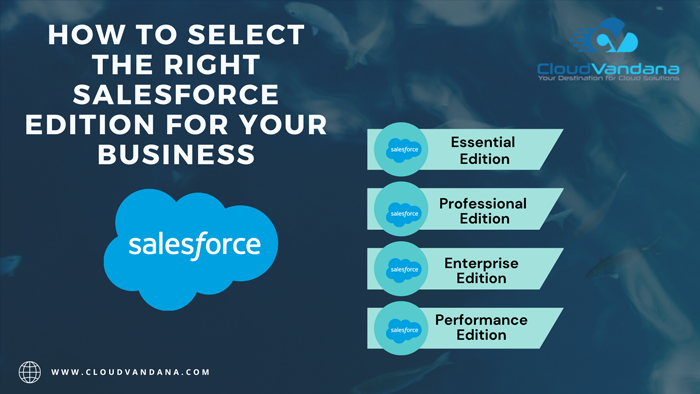
Selecting the right Salesforce edition for your business is a crucial decision because it affects the features, functionality, and pricing you’ll have access to. Salesforce offers a variety of editions tailored to different business needs. Here are steps to help you choose the right Salesforce edition for your business: Salesforce Edition Remember that choosing the right Salesforce edition is a long-term decision that can significantly impact your business operations. Take the time to thoroughly evaluate your options and choose the one that best suits your current and future needs. Are you planning to implement Salesforce in your workflow? Please feel free to contact CloudVandana, a reputed Salesforce Consulting Services provider, and get assistance on the best edition and best solution tailored to your business. Contact us today. Request a Free Consultation YOU MIGHT ALSO LIKE
From Ideas to Success: How Salesforce Communities Streamline Idea Management

If you are tired of your brilliant ideas getting lost in your organization’s chaos, look no further than Salesforce Communities, the ultimate solution for streamlining idea-management and turning your concepts into successful realities. In today’s fast-paced business world, innovation is key to staying ahead of the competition. However, managing and implementing ideas can often be a daunting task. Communities provides a user-friendly platform that allows you to harness the power of collaboration and crowdsource ideas from your employees, customers, and partners. With its intuitive interface and comprehensive features, Communities simplifies the idea-management process, enabling you to prioritize, evaluate, and execute ideas with ease. Say goodbye to scattered brainstorming sessions and hello to a centralized hub where creativity thrives and innovation flourishes. Join us on a journey from ideas to success and discover how Communities can revolutionize your organization’s idea-management process. Table of Contents What is idea management? The importance of idea-management for businesses Benefits of using Communities for Idea Management Features of Communities for Idea-Management Implementing Salesforce Communities for Idea Management Best practices for successful idea management using Communities Salesforce Communities vs. other idea management platforms Conclusion YOU MIGHT ALSO LIKE What is idea management? Idea management is the process of gathering, organizing, evaluating, and implementing ideas within an organization. It involves capturing ideas from various sources, such as employees, customers, and partners, and then systematically analyzing and prioritizing them for execution. Effective idea-management allows companies to tap into the collective intelligence of their stakeholders, fostering innovation and driving business growth. Organizations can ensure that valuable ideas are not overlooked or lost in the shuffle by creating a structured framework for idea generation, evaluation, and implementation. Idea-management is not just about generating ideas; it’s about creating a culture of innovation that encourages and rewards creativity. Communities provide a robust platform for idea management, offering features and functionalities that facilitate the entire process. From idea submission to collaboration, evaluation, and implementation, Communities streamlines and centralizes the idea management process, making it easier for organizations to turn ideas into successful outcomes. Let’s explore the benefits of using Communities for idea-management and how it can transform how your organization handles innovation. The importance of idea-management for businesses In today’s highly competitive business landscape, innovation is no longer a luxury; it’s a necessity. Organizations that fail to innovate risk becoming stagnant and losing their competitive edge. Idea-management plays a crucial role in driving innovation within businesses. Organizations can fuel creativity, improve processes, and develop breakthrough products and services by actively seeking and nurturing new ideas. Idea-management also fosters collaboration and engagement, encouraging employees, customers, and partners to contribute their insights and suggestions actively. However, idea management is not just about generating many ideas but also quality. Effective idea management involves evaluating and prioritizing ideas based on their potential impact and feasibility. It requires a systematic approach that ensures valuable ideas are implemented while avoiding wasting resources on impractical or low-impact concepts. Communities provide the tools and features needed to streamline the idea-management process, making it easier for organizations to identify and execute the best ideas. Let’s explore the specific benefits of using Communities for idea management. Benefits of Using Communities for Idea-Management Communities offer a range of benefits, making it an ideal idea management platform. Here are some of the key advantages: 1. Centralized Idea Repository: Communities provide a centralized hub where all ideas can be captured, organized, and accessed. This eliminates the problem of ideas getting lost in emails, chat threads, or paper-based systems. With Salesforce Communities, ideas are stored and structured, making searching, categorizing, and retrieving them easy. 2. Collaboration and Engagement: Communities foster collaboration and engagement by allowing employees, customers, and partners to contribute ideas, provide feedback, and participate in discussions. This creates a sense of ownership and involvement, as stakeholders feel their ideas are valued and considered. 3. Crowdsourcing and Diverse Perspectives: The Communities enable organizations to tap into the collective intelligence of their stakeholders. Companies can gain fresh insights, unique perspectives, and out-of-the-box thinking by crowdsourcing ideas from diverse sources. This helps generate innovative ideas that may not have been possible with limited internal brainstorming. 4. Transparency and Visibility: It provides transparency and visibility throughout the idea-management process. Stakeholders can track the progress of their ideas, see how they are being evaluated, and understand the reasons behind the decisions. This transparency builds trust and keeps stakeholders engaged in the process. 5. Evaluation and Prioritization: Salesforce offers tools for evaluating and prioritizing ideas based on predefined criteria. This allows organizations to assess and compare ideas objectively, considering factors such as feasibility, impact, and alignment with strategic goals. Organizations can focus their resources on the most promising concepts by prioritizing ideas. Features of Communities for Idea-Management These Communities offer a range of features specifically designed to facilitate idea management. Let’s explore some of these features: 1. Idea Submission: Communities allows stakeholders to submit ideas easily through a user-friendly interface. Users can provide detailed descriptions, attach relevant files, and categorize their ideas for better organization and searchability. 2. Voting and Commenting: Communities enable users to vote and comment on ideas, providing feedback and indicating their level of support. This helps gauge the popularity and potential of ideas and fosters collaboration and dialogue. 3. Idea Categorization and Tagging: Communities allow users to categorize and tag ideas, making it easier to sort and filter them based on specific criteria. This helps organize and retrieve ideas efficiently. 4. Idea Evaluation Criteria: Salesforce allows organizations to define evaluation criteria for ideas. This ensures that ideas are assessed based on consistent and objective parameters, enabling fair evaluation and comparison. 5. Workflow and Approval Processes: Communities provide workflow and approval processes for idea management. This allows organizations to define the stages through which ideas must progress, including evaluation, approval, and implementation. Workflow automation ensures that ideas move through the process efficiently and are not stuck in bottlenecks. 6. Reporting and Analytics: Communities offers reporting and analytics capabilities that provide insights into the idea management process. Organizations can
Salesforce Shield: Fortifying Your CRM with Advanced Security Features
Salesforce Shield is a powerful suite of advanced security features designed to fortify your CRM and safeguard your valuable data. In a world where data breaches and cyber attacks are becoming increasingly common, protecting sensitive customer information is a top priority for businesses. With its robust encryption capabilities, event monitoring, and field audit trail, Salesforce Shield gives businesses the peace of mind they need to confidently manage and secure their customer relationships. This comprehensive solution helps you meet regulatory compliance requirements and enhances your overall data governance strategy. Whether you’re in the healthcare, finance, or retail industry, Salesforce Shield offers the protection and control you need to build trust with your customers and maintain the integrity of your CRM. Join us as we dive into the world of Salesforce Shield and discover how it can strengthen your CRM’s defenses against potential threats. Understanding the Importance of CRM Security Customer Relationship Management (CRM) systems are the lifeblood of many businesses, storing a wealth of valuable information such as customer contact details, purchase history, and communication logs. CRM security has never been more crucial with the increasing sophistication of cyber threats. A data breach can not only result in financial losses and legal ramifications but also cause irreparable damage to a company’s reputation. That’s why organizations need to take proactive measures to protect their CRM data from unauthorized access and ensure its integrity. Key Features of Salesforce Shield Salesforce Shield offers comprehensive security features that go beyond the standard security controls provided by Salesforce. Let’s explore some of the key features that make Salesforce Shield an indispensable tool for strengthening your CRM security: 1. Platform Encryption: With this feature, you can encrypt sensitive data at rest, ensuring that even if unauthorized individuals gain access to your CRM database, the data remains unreadable. Salesforce Shield provides different levels of encryption, allowing you to choose the encryption method that best suits your organization’s needs. 2. Event Monitoring: This feature allows you to monitor user activity within your CRM system, providing valuable insights into who is accessing your data, what actions they are taking, and when these actions occur. By monitoring events such as logins, data exports, and record updates, you can quickly identify and respond to any suspicious or malicious activity. 3. Field Audit Trail: Salesforce Shield’s Field Audit Trail feature enables you to track changes made to specific fields in your CRM records. This granular level of auditing helps you maintain data integrity, comply with regulatory requirements, and investigate any unauthorized modifications to critical data. Real-World Examples of How Salesforce Shield Enhances CRM Security To truly understand the value of Salesforce Shield, let’s take a look at some real-world examples of how organizations have leveraged its advanced security features to fortify their CRM systems: 1. Healthcare Industry: In the healthcare industry, protecting patient information is of utmost importance. With Salesforce Shield, healthcare organizations can encrypt patient data, monitor access to sensitive records, and track changes made to medical records. This ensures compliance with HIPAA regulations and safeguards patient privacy. 2. Finance Sector: Financial institutions deal with highly sensitive customer data, including personal and financial information. Salesforce Shield’s encryption capabilities provide an extra layer of protection, ensuring that client data remains secure even in the event of a data breach. Event monitoring and field audit trail features help detect and prevent fraudulent activities, such as unauthorized transfers or unauthorized access to customer accounts. 3. Retail Sector: Retail companies often store customer data, including payment information, addresses, and purchase history. By implementing Salesforce Shield, retailers can encrypt customer data, monitor employee access to customer records, and track changes made to customer profiles. This enhances data security, reduces the risk of data breaches, and builds trust with customers concerned about their personal information falling into the wrong hands. Implementing Salesforce Shield in Your Organization Now that you understand the benefits of Salesforce Shield let’s explore how you can implement it in your organization: 1. Assess Your Security Needs: Before implementing Salesforce Shield, thoroughly assess your organization’s security requirements. Identify the sensitive data you need to protect and determine the level of encryption and monitoring needed. 2. Plan Your Implementation: Create a detailed implementation plan that outlines the steps required to deploy Salesforce Shield. This plan should include tasks such as enabling encryption, configuring event monitoring, and defining field audit trail policies. 3. Engage Stakeholders: Involve key stakeholders, such as IT security teams, CRM administrators, and legal departments, in the implementation process. Their input and expertise will ensure a smooth deployment and alignment with your organization’s security policies. 4. Train Users: Provide comprehensive training to users working with Salesforce Shield. Ensure they understand the importance of CRM security, know how to use the advanced security features, and are aware of best practices for data protection. Best Practices for Maximizing the Benefits of Salesforce Shield To maximize the benefits of Salesforce Shield and ensure the highest level of CRM security, consider the following best practices: 1. Regularly Review and Update Security Policies: As threats evolve, so should your security policies. Regularly review and update your CRM security policies to address new risks and vulnerabilities. 2. Enforce Strong Password Policies: Weak passwords are a common entry point for cyber attacks. Enforce strong password policies, including the use of complex passwords and periodic password changes. 3. Implement Two-Factor Authentication: Two-factor authentication adds an extra layer of security by requiring users to provide a second form of authentication, such as a code sent to their mobile device, in addition to their password. 4. Limit User Access: Grant access to CRM data on a need-to-know basis. Regularly review user permissions and revoke access for users who no longer require it. Training and Resources for Salesforce Shield Salesforce offers a range of training and resources to help you get the most out of Salesforce Shield. These include: 1. Trailhead: Salesforce’s online learning platform offers modules and trails specifically designed to help you master Salesforce Shield. These self-paced courses cover topics such as



