


Data Visualization: Leveraging Tableau with Your CRM System
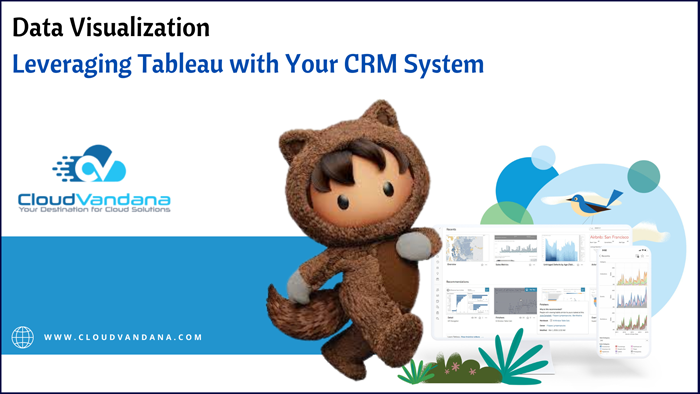
Get the most out of your CRM data using Tableau visualizations! This guide takes you through setting up Tableau for a better understanding of customer data. It is a powerful data visualization platform that can turn customer relationship management (CRM) data into clear and compelling insights. This guide will take you through the basics of using Tableau to explore and gain a deeper understanding of your customer data. Connect Your CRM to Tableau To get started, you’ll need to connect your CRM system to Tableau. This can be done via a direct connection from your CRM to Tableau or by exporting the data from your CRM and then importing it. You should also consider whether you want to pull in any additional data sources, such as web analytics or survey feedback, which could give you more context for your visualizations. Understanding Data Types and Structures Knowing your data types and the structure of your data is essential for creating meaningful visualizations. First, look for any problems in the data itself, such as missing or duplicated records, which could impact the accuracy and usefulness of your visuals. Then, identify each column’s data type. Analyzing this information can help you understand what kinds of visualizations will work best for each column (e.g., bar graphs, scatter plots, etc.), as well as any organization or grouping options that might make sense. Building Interactive Dashboards for Customer Insights The platform makes it easy to build interactive dashboards with its drag-and-drop interface. These powerful visuals allow you to quickly explore data and hone in on the most important insights, helping you maximize the value of your customer data. Dashboards can be easily shared with others, so everyone can have up-to-date information at a glance and work together more effectively. Utilizing Key Performance Indicators (KPIs) Key Performance Indicators (KPIs) are metrics that allow you to track the success of your customer data. KPIs offer a way to view important activities and trends over time, allowing you to quickly identify opportunities for growth or focus on areas that need improvement. With Tableau, you can easily set up KPIs with drag-and-drop visuals that help you pinpoint strengths and weaknesses within your data. Creating Advanced Reporting Table Configurations Once you’ve set up basic data visualizations, you can layer on more advanced reporting tables and metrics for valuable insights. Tableau allows you to shape your data into different views and apply filters so that you have wide-reaching information about customers, products, sales results, and other important subject areas. Advanced reporting tables can provide complex insights that help track customer engagement over time or discover possible market trends. Are you looking for a reputed Salesforce partner to get end-to-end assistance with your Salesforce projects? Please get in touch with CloudVandana, and get the solution best suited for your business. Call Now. Request a Free Consultation YOU MIGHT ALSO LIKE
Using ChatGPT on Slack To Increase Efficiency & Productivity

Optimize your team’s productivity and workflow by using ChatGPT on Slack. With a few simple steps, you can increase collaboration and innovation within your organization! ChatGPT is a powerful bot for Slack that helps teams increase collaboration and productivity. With its easy-to-use features, you can quickly customize its functions to maximize the effectiveness of your team’s communications and workflow. Introduce ChatGPT to Your Team The first step is to get everyone familiarized with this AI tool. Let them know how easy it is to use and the many benefits the tool provides. You can also provide a demonstration and walk through how exactly ChatGPT works with your team so they better understand how it can help increase efficiency and productivity. This will ensure that everyone is on the same page in terms of using this AI tool to its full potential. Configure Side Conversations with ChatGPT With this AI tool, you can configure multiple side conversations or “threads” within a single message. This allows users to continue conversations with those most relevant to their current tasks quickly and easily. Threading also makes it easier to keep track of conversations since they all stay connected in the same conversation window. In this way, everyone can keep up with what’s going on without having to switch back and forth between different chats. Create Contextually Appropriate Responses and Templates This tool includes several out-of-the-box features to help users quickly create responses and templates that are tailored to the context of their conversations. For example, when a team is discussing a new project, pre-defined templates can be used for capturing key topics and points for further discussion. This allows everyone on the team to have access to the same information and stay on top of project updates without having to sift through multiple conversations. Leverage GPT-3 Technology for Automated Use Cases In addition to the out-of-the-box features, ChatGPT also supports automated use cases with its GPT-3 engine. With GPT-3, users can easily create completed documents based on text snippets given to them by a user in just a few clicks. This enables teams to quickly generate drafts of documents and presentations that would have traditionally taken hours or even days to create. By automating these tedious tasks, teams can increase their efficiency by freeing up time and resources for tasks that add value to their projects. Monitor Productivity Improvement After Implementing ChatGPT on Slack After implementing ChatGPT on Slack, it is important to monitor the productivity improvement of your team. Start by tracking the time it normally takes a team to accomplish the same tasks and then measure again after implementation. You should also track the number of errors made after implementation and any customer feedback related to efficiency. These metrics will give you a better idea of how successful your implementation has been and what improvements can be made in the future. Are you looking for IT Consulting Services to enhance your organization and take your business to the next level? Please schedule a consultation call with CloudVandana, and stay ahead of the competitors. Call Now. Request a Free Consultation YOU MIGHT ALSO LIKE
Introducing Salesforce Einstein GPT: Exploring the Benefits

Discover the advantages of Salesforce Einstein GPT, the world’s first AI-driven sales automation platform! In this blog, CloudVandana explores its features and how it can help your business. Salesforce Einstein GPT is a revolutionary AI-driven sales automation platform designed to help businesses maximize their efficiency and accelerate their growth. With its powerful features and capabilities, Salesforce Einstein GPT can help you optimize your sales process, improve customer engagement, and generate more revenue. What is Salesforce Einstein GPT? Salesforce Einstein GPT is a cutting-edge AI-driven sales automation platform that helps businesses improve efficiency and generate more revenue. Utilizing machine learning, natural language processing, and predictive analytics, it automatically streamlines processes such as customer lead scoring, customer segmentation, customer profiling, and funnel optimization. In addition, it enables superior customer service through advanced conversational AI capabilities and automatic data extraction. What are the Benefits of Using Salesforce Einstein GPT? With this tool, businesses can benefit from improved efficiency and more accurate insights. Automating routine tasks and allowing for more informed decision-making in customer interactions can help lower operational costs, reduce labor costs, and minimize customer churn. It also enables personalized customer experiences through advanced predictive analytics and AI capabilities such as natural language processing. Moreover, it provides marketers with valuable data extraction tools to better segment customers and gain deeper insights into consumer behaviors. How Does Salesforce Einstein GPT Help My Business Grow? This tool helps businesses grow in several ways. With AI-driven automation, sales professionals can efficiently manage customer relationships and quickly respond to inquiries. This enables them to build stronger relationships faster, resulting in higher customer loyalty and improved customer service. Additionally, GPT’s predictive analytics capabilities help companies identify trends in customer behavior, enabling informed decision-making regarding sales strategy and product development. Finally, its ability to extract data from various sources provides valuable insights into customers’ interests that can be used to create personalized experiences. Is Salesforce Einstein GPT Easy to Use? This is designed to be extremely user-friendly and easy to learn. It provides intuitive tools such as step-by-step wizards, intelligent search capability, and a drag-and-drop interface that help you quickly perform most tasks. Additionally, the platform automates most manual processes with AI, so you don’t have to spend time manually entering or validating data. This leaves more time for activities such as formulating sales strategies and improving customer service. What Are Resources and Tools Available for Implementing Salesforce Einstein GPT? Salesforce Einstein GPT has all the resources and tools you need for successful implementation. For instance, it offers a dedicated customer success team that is knowledgeable in both Salesforce Einstein GPT technology and sales best practices to ensure the successful deployment of the platform. Additionally, they provide customizable training sessions and personalized onboarding programs to help you maximize its capabilities. Furthermore, the platform also provides access to a vast library of design assets that can be used to help build better customer journeys. Sounds good? You can also experience the benefits of Salesforce Einstein GPT by implementing Salesforce in your organization. Please feel free to schedule a consultation call with CloudVandana, and get the solution best suited for your organization. Call Now. Request a Free Consultation YOU MIGHT ALSO LIKE
Smart Tips for Finding the Right Software Development Outsourcing Team

Looking to outsource your Software Development Outsourcing Team? This guide by CloudVandana is full of useful tips and tricks that will help you find the right outsourcing team for your needs. Outsourcing software development doesn’t have to be a daunting task. With the right tips and advice, you can find the perfect team for your project and reduce costs without compromising quality. In this guide, we’ll provide information on how to select an outsourcing partner, evaluate their skills and expertise, and manage the process from start to finish. Research and Vet Potential Candidates While there are many resources for finding potential software development candidates, you should never agree to work with a partner without researching them first. Carefully examine each candidate’s past experience and portfolio to make sure they have the necessary skillset and expertise to handle your project. Also, be sure to read online reviews and testimonials from other companies who have worked with the individual or company in the past. This information can give you valuable insight into their working style and level of professionalism. Consider Cultural Fit Working with a software development outsourcing team should also involve evaluating how well the company’s culture and values align with your own. When looking for a partner, take into consideration their organizational structure and management style, as well as whether or not their communication methods and conflict resolution processes are ones that you are comfortable with. Additionally, make sure to consider how flexible the team is regarding changes and feedback from your company, as this can be an important element in successful collaborations. Look at Technology Expertise and Experience When looking for the right software development outsourcing team, make sure to consider their technology expertise and experience. Does the team have in-depth knowledge of the specific technologies that you need? Are they experienced in developing projects utilizing those technologies as well as with any additional ones that you may need? You should also look at how many years of experience the team has in software development and what kind of track record they have when it comes to delivering successful projects. Assess Project Management Skills An important part of finding the right software development outsourcing team is ensuring they possess the necessary skills to manage a project from start to finish. Take time to assess the team’s communication and collaboration abilities, as well as their ability to handle all of the logistics behind a project build. Be sure to inquire about any risk reduction protocols they may have in place, such as regularly scheduled status updates and product/project reviews, so you can rest assured that your project is on track for success. Investigate Cost Structures and Packaging Options In addition to their technical abilities, it’s important to investigate the cost structures, and packaging options software development teams offer. Ask how they charge for their services and any costs associated with maintenance, customer service, bug fixes, and other post-launch capabilities. Ensure you understand all of the fees associated with participating in an outsourcing project before signing a contract so there are no surprises down the line.Are you looking for a reputed Salesforce Partner for a skilled team of remote software developers? Please feel free to schedule a consultation call with CloudVandana, a reputed Staff Augmentation firm in India, and touch your goal faster. Call Now. Request a Free Consultation YOU MIGHT ALSO LIKE
Unlocking Growth and Success with SAP Services
Get ready to maximize your business’s growth with incredible SAP services! Learn about the advantages of these powerful tools and how they can increase efficiency and productivity today. SAP services are the solutions for modern businesses looking to maximize growth and efficiency. By leveraging powerful tools such as data analytics, artificial intelligence, machine learning, and automation, they provide enterprises with flexibility while reducing costs and improving customer experience. Increased Efficiency and Productivity These services offer numerous benefits to businesses, including enabling greater efficiency and productivity through automated processes. By automating manual tasks such as data entry, reporting, and analysis, businesses can free up resources and reduce time spent on mundane activities. Additionally, they provide deeper insights into business operations, helping to ensure that investments are used in the most efficient manner possible. A Scalable Platform SAP services can be used on any sized device and across many platforms to provide a comprehensive view of business operations. This scalability enables businesses to quickly and easily scale up or down their usage of SAP services as needed. Additionally, SAP services leverage the cloud so businesses can access information regardless of location. This makes it easy for teams to remain connected and collaborate no matter where they’re located worldwide. Enhanced Security SAP services offer enhanced security features that help protect businesses against data theft and cyberattacks. Access to sensitive information can be limited by assigning individualized user access rights with just a few clicks. This ensures unauthorized users cannot gain access to sensitive business information that should remain private. Additionally, all data exchanges are secured through encryption and authentication protocols for additional peace of mind. Built-In Analytical Tools SAP services provide users with access to customized business-intelligence insights and predictive analytics. System administrators can easily configure the software to track and monitor trends, detailed performance metrics, and even customer relationships across the global economy. This can help decision-makers prepare for potential outcomes while staying one step ahead of any threats to their organization. Businesses across the globe use SAP business intelligence solutions to formulate marketing strategies, identify customer service opportunities, optimize operational processes, and more. Automation Capabilities with AI Integration SAP services enable businesses to significantly reduce the time and effort required to maintain data accuracy, tracking, reporting, and analytics. A wide range of automated processes can be configured with an intelligent combination of Artificial Intelligence (AI), Machine Learning (ML), natural language processing (NLP), and workflow automation technologies. This allows users to quickly identify business trends, take proactive measures, and respond in real-time as well as automate valuable tasks across the organization and maximize efficiency. Are you looking for an SAP consulting company to guide you through the whole process of SAP projects and take your business to the next level? Call Now. Request a Free Consultation YOU MIGHT ALSO LIKE
Why Salesforce is the Ultimate Tool for Marketing Teams

Discover the many advantages of Salesforce for your marketing team, including leveraging data and insights, customizing customer experiences, and tracking performance. Salesforce is an invaluable tool for marketing teams looking to get the most out of their data and insights, customize customer experiences, and track performance. With its powerful cloud platform, sophisticated analytics capabilities, and comprehensive suite of features, Salesforce makes it easy to create effective marketing campaigns tailored to your customers’ needs. Improved Customer Segmentation and Targeting Salesforce makes it easy to segment and target customers with precision. With powerful data insights, you can create detailed customer profiles and segment them based on their behavior and preferences. You can then tailor marketing campaigns accordingly, ensuring that each message resonates with the right audience. This helps you to maximize your results and get the most out of your campaigns. A Single Source of Truth for Data and Insights Salesforce helps to bridge the gap between your sales and marketing data. The platform unifies data from multiple sources, including web analytics, email, social media, advertising, and more. This data can be used to deliver a single source of truth that gives you valuable insights into customer behavior and preferences. With these insights, you can create better-targeted campaigns and optimize performances for maximum ROI. Simplified Account Management with Automation Salesforce streamlines the customer segmentation process with automation tools that help you easily create and manage groups. You can leverage automated tools to identify leads, segment customers into account-specific lists, analyze customer lifetime value, score leads based on engagement, and even predict customer churn. Automating these processes helps you more efficiently track and manage customer accounts so you can deliver the optimal experience that yields maximum results. Performance Tracking from Lead to Close Optimizing the customer journey requires tracking performance at every step. With Salesforce, you can track performance from lead to close so you can get instant insights into which of your campaigns are performing the best. This data will enable you to optimize future campaigns and ensure that you’re getting the most out of your marketing efforts. Salesforce also offers additional reporting and analytics, enabling you to easily assess how well each part of the customer journey is performing and make tweaks as needed. Rapid Campaign Development Salesforce affords marketing teams the ability to build, test, and deploy campaigns rapidly. This speed enables you to take advantage of opportunities in near real-time and gives you the ability to make quick changes that have an immediate impact on your performance. Even better, testing different approaches with A/B campaigns is simple and can quickly provide valuable insights into what’s working and what isn’t. Are you looking for a reputed Salesforce partner for a successful Salesforce integration and maintenance process so that you can take your business to the next level faster? Please contact CloudVandana and hire our Salesforce experts for a seamless integration process. Call Now. Request a Free Consultation YOU MIGHT ALSO LIKE
The Ultimate Guide for Hiring Remote Software Developers

Expanding your business with a team of remote software developers? Follow this guide to understand the process of recruiting and working with remote software developers. Hiring remote software developers can be a great way to expand your business rapidly. Following the right steps, you can find, recruit, and onboard the best team to work remotely and meet your software development goals. Define Your Team’s Core Functions and Requirements Establishing a clear definition of your team’s core functions and requirements will make it easier to find the best-fit remote software developers for your project. Start by organizing the skills, qualifications, and experience required to complete each task. Additionally, consider the personality types that might fit well in your team to ensure dynamic cooperation during collaboration. Research Potential Candidates Researching potential candidates should be an integral part of the recruitment process. Be sure to look for a wide range of knowledge and experience that can enrich your team across different disciplines. Explore their past collaborations to gain more insight into their technical abilities, creativity, and potential problem-solving abilities. Additionally, look for the latest trends in software development before deciding on the candidate; this will ensure you’re working with someone up to date with the ever-changing industry. Conduct Initial Interviews Once you’ve identified potential candidates, it’s time to start the interviewing process. You will want to understand the candidate’s experience, past projects they’ve worked on and be comfortable with their technical skills. Schedule video interviews to evaluate communication capabilities, collaboration methods, and if they are a good fit for your remote working environment. Additionally, using video conferencing will show the level of commitment and dedication necessary to work in a virtual team. Establish Ongoing Collaboration Tools with Remote Developers When working with distributed software teams, having a platform where everyone can communicate and collaborate efficiently is essential. This could include messaging platforms like Slack, video conferencing tools like Zoom, or project management tools like JIRA. Establish these collaboration tools during the onboarding process to ensure the smooth execution of later remote development cycles. This will streamline workflows and make managing tasks easier for the remote team. Regularly Monitor Progress in Meeting Goals and Deadlines As a remote software development manager, you will want to make sure the development team is on track to meet their goals and deadlines. Daily, weekly, and monthly check-ins with the team can help alleviate any issues before they become more serious. Additionally, monitor for any signs of burnout among your team, as working remotely often blurs the boundaries between work and leisure. Taking this time to ensure progress is being made regularly will make a difference in developing efficient and high-quality products. Are you looking for a reputed Staff Augmentation firm for a team of experienced professionals to take your business to the next level? Please feel free to contact CloudVandana and experience the faster deployment of your projects. Call Now. Request a Free Consultation YOU MIGHT ALSO LIKE
Helping You Choose The Right SAP Service Provider for Your Company’s Needs
Searching for the right SAP service provider to support your company’s needs? Look no further! Understand all of your options here in our guide. Finding the right SAP service provider for your business can be challenging. But with an understanding of all the options available to you, you can make an informed decision on who is best suited to support your company’s unique needs. Read our guide to learn more about SAP service providers and their capabilities. Analyzing Your Company’s Goals & Needs Choosing the right SAP service provider can be daunting, but it doesn’t have to be. Start by understanding your company’s goals and needs, both short-term and long-term. This information will help you narrow down which providers are able to meet all of your requirements. Additionally, consider what features and capabilities you need most from the service provider and look for those specifically when evaluating potential partners. Identifying Suitable SAP Service Providers It’s essential to consider several SAP service providers in order to determine which one is the best fit for you. Research your options through online reviews, feedback from peers, and trade associations related to your industry. Get detailed info about the services each provider offers and what extra features they have, such as specialized knowledge or geographic services. Contact potential partners to discuss their service offering and ask for references for good measure. Confirming Service Delivery Capabilities & Costs When choosing a service partner, one of the top priorities should always be confirming that they have the necessary capabilities and experience to offer the services you require. To make an informed decision, you should request quotations from each service provider, carefully considering not only their cost structures but also how their planned solutions meet your organizational needs. While it’s important to take price into consideration, don’t base your selection solely on this factor – ensure that the selected provider meets all other business requirements as well. Validating Solution Flexibility & Security Credentials It’s critical to ensure that the proposed SAP solutions align with your current business objectives, but they should also be tailored to accommodate future expansion and growth. Furthermore, security protocols must meet your company’s requirements. The service provider should be able to confidently discuss their certification levels (including PCI compliance, etc.), highlight their strengths in providing secure working environments, and handle change management processes. Looking at User Experience and Support Services Offered It is also important to look at the user experience and support services offered. The level of customer service from the selected provider should be evaluated, particularly in terms of response times for critical issues or queries. Your provider should project manage the SAP solution into your business processes with confidence. The user experience should also be examined here, looking at customizable options, availability of mobile apps, reporting systems, etc. Aspects to take into consideration during this stage include scalability and performance factors provided by the software functionality available. Are you looking for a reputed SAP service provider to manage SAP in your and help you to touch your goal faster? Please get in touch with CloudVandana and share your requirements with us. Call Now. Request a Free Consultation YOU MIGHT ALSO LIKE
The Ultimate Guide to CRM Analytics With Tableau

Tableau and CRM analytics go hand-in-hand. Learn how to use them together effectively with this ultimate guide – backed by expert advice and case studies! Tableau and CRM analytics are powerful tools that can help organizations gain insights into customer behavior, trends, and performance. This ultimate guide will provide everything you need to know to optimize their use, including expert advice and case studies. Understand Your Data Sources and Goals Before using Tableau and analytics for your project, it’s important to understand the data sources and goals. Identifying different data sources allows you to bring in a real-world context and more meaningful insights. Defining clear goals helps ensure that your project delivers results that are relevant to the business objectives. When setting up your project, test various scenarios to get a better understanding of how changes in individual inputs may influence outcomes. Identify the CRM Analytics You’re Trying to Track When it comes to analytics, you need to know exactly what you’re trying to track. This includes understanding the different types of data that will inform your insights, such as customer segmentation, customer lifetime value, churn rates, and more. It’s important to be clear about which elements are most relevant for the project – and group these together in Tableau columns or dashboards. When creating a dashboard or report in Tableau, don’t forget to consider the purpose of each chart – i.e., whether it’s meant to monitor existing performance or explore potential opportunities. Utilize Proper Visualization Types for CRM Analytics In order to most effectively visualize the data from your analytics program, it’s important to choose the right visualization type. For example, if you are looking to compare two sets of data Side Side Bars or a Line Chart can be used. If you are trying to uncover correlations and trends in your customer data, pairwise comparison plots, bubble charts, or pie charts could also be helpful. Picking the right chart for each dashboard or report is key for quickly displaying insights and making faster decisions about customer targeting and segmentation. Segment Your Data for More Detailed Analyses Customer segmentation is one of the most powerful foundations for any successful analytics strategy. By understanding customer personas, you’ll be able to better target customers in new and more creative ways. Segmenting data into actionable customer buckets allows you to take on a more targeted and proactive approach toward customer engagement. With Tableau, this can be done quickly and easily without having to write complex SQL statements or use other heavy-duty programming tools. Monitor Trends Over Time With Web Connectors & Other Features Tableau gives you the power to monitor trends in customer data over time, which is essential in analytics. You can do this by combining web connectors with other features like custom geocoding and clustering. With web connectors, you can link your data sources to external sources of data like Google Trends, giving you an even deeper understanding of how customers are responding to your marketing efforts over long periods of time. Clustering and geocoding give you another opportunity to look at trends on a macro level and track customer behavior in different geographic locations or demographic cohorts. Are you looking for a reputed Salesforce partner for a successful Salesforce implementation and end-to-end solution? Please feel free to schedule a consultation call with CloudVandana, and get the solution best suited for your business. Call Now. Image Source: Tableau Request a Free Consultation YOU MIGHT ALSO LIKE
Solving Complex IT Challenges with SAP Consulting Services
Harness the power of SAP Consulting services to address your enterprise IT problems. Get reliable advice and robust solutions from experts! Are you looking for a reliable and experienced SAP consultant to handle your IT needs? With SAP consulting services, you can get access to experienced professionals who can provide an efficient and cost-effective way to solve any enterprise IT issues. Define Your Goals and Challenges Before you start looking for the right SAP consulting services, it’s important to take some time to assess the goals and challenges that your organization is facing with regard to IT. Defining your goals and objectives will make it easier to narrow down the list of consultant options so that you can find one who is best suited to meet your needs. Additionally, discussing the specific challenges that you are facing with a potential consultant will ensure they are well-equipped to help you come up with solutions that work for your business. Identify the Scope of the Project It’s important to begin by determining the scope of the project you need help with. Think about what needs to be done in terms of training, implementation, and customization, or even just overall IT strategy guidance. This can help you decide whether an SAP consultant is the best choice for your organization or not. Additionally, asking questions like “What areas of expertise are included in their services?” and “What will be the total cost of the project?” can help you make sure that there’s a good alignment between what you need and what they offer. Research Potential SAP Consultants and Solutions Before committing to a particular SAP consulting service, do your research. Check ratings and reviews and look for any red flags that could indicate something’s wrong before you invest in the services or solutions. You should also assess whether they’ve built up their own architecture knowledge or can demonstrate how they bring customers exceptional results with their existing portfolio. Last but not least, make sure to ask questions throughout your journey to ensure the right choice is being made. Create a Plan with Your Chosen SAP Consultant Once you’ve chosen an SAP consulting service and have determined their expertise level, the next step is to create a plan that works for your organization. Make sure to include specifics on timelines, desired outcomes, objectives, any detailed services that are necessary, etc. A good plan will ensure a successful partnership with reliable results. Save this plan as a reference in case something changes later on so you can always go back to it. Implement the Solution for Maximum Efficiency After your SAP partner has presented the overall solution to your organization, it is important to ensure that you’re taking full advantage of the services and capabilities. To do this, ask key stakeholders in your organization how they plan to make use of the features available and what specific processes they will be relying upon. Also, keep a record of any changes made to the implementation, such as adjustments in timing or scope to reflect changing business objectives. This way, you can stay up-to-date on any alterations that should be made throughout the course of the project. Are you looking for a reputed SAP consulting Company to take care of your projects? Please feel free to schedule a consultation call with CloudVandana and take your business to the next level. Call Now. Request a Free Consultation YOU MIGHT ALSO LIKE



