


Discover the Advantages of Professional Salesforce Consulting Services
Salesforce consulting services can help your business gain valuable insights into the ever-changing world of customer relations. Discover the advantages today. Salesforce consulting services can help businesses maximize the value of their customer relationships. Whether you’re implementing a new system or managing existing data, Salesforce consultants offer a range of specialized skills to provide valuable insight, stability, and flexibility in the ever-changing world of customer relations. Explore the advantages today! Get the Most of Your Salesforce Implementation Professional Salesforce consulting services provide advantages far beyond just implementation. Your consultant can give guidance on how to use the system best, offer insight and advice on how to optimize performance, create custom reports tailored to your business data, recommend new tools or integrations that can add more value to your customer relations efforts, and develop actionable insights from all of the data. With experienced professionals by your side, you can make sure your team gets the most out of each Salesforce project. Ensure Compliant Data Practices Professional Salesforce consulting allows you to ensure compliance with data practices and regulations. Your consultant can help you implement best practices for collecting, storing, and using customer data. They can also assist in managing data integration from any other systems you may have in place. Having access to personalized advice from an experienced consultant ensures that every Salesforce projects your team undertakes is compliant with relevant regulations. Increase User Productivity and Engagement Professional Salesforce consulting services can help you maximize user productivity with training tailored to your specific technical environment. By providing focused and personalized education, the right consultant helps ensure users can take full advantage of the many features of Salesforce. A professional consultant can also develop customized user engagement strategies that help bring users up to speed quickly and close gaps in experience levels between departments or teams. Decrease Overall Costs and Optimize Resources With professional Salesforce consulting services, businesses can save time, money, and resources in the long run. Working with a consultant ensures the utmost efficiency by providing custom implementations for different user types and departments, as well as detailed documentation about processes and best practices. Professional consultants are also experts in the Salesforce platform and can help identify potential savings on software licenses or identify areas of optimization where resources can be reduced or shifted. Achieve Optimal Scalability and Performance Metrics Professional Salesforce consulting services can help your company achieve an optimal level of scalability and performance. The consultant’s detailed understanding of the platform and environment will allow them to develop custom implementations that meet the business needs, as well as create systems that are scalable to fit the expected growth of the customer base. Additionally, these expert consultants can implement monitoring solutions that quickly identify any discrepancies in performance metrics, such as response time or other critical measures. You can also experience the benefits of a professional Salesforce Consulting Service to stay ahead of the competition and experience the maximum benefits of this Customer Relationship Management platform? Please schedule a consultation call with CloudVandana, and get the solution best suited for your business. Request a Free Consultation YOU MIGHT ALSO LIKE
Understanding Salesforce Apex Unit Tests

Get to grips with unit testing in Salesforce Apex! This guide explains why unit tests are essential, their benefits, and how to write them correctly. Unit tests are an integral part of Salesforce Apex programming. They help ensure that code runs correctly, that bugs can be fixed quickly, and that applications are reliable and scalable. In this guide, we’ll explain the importance of Apex unit tests, outline their benefits, and help you learn how to write them correctly. What are Salesforce Apex Unit Tests? Salesforce Apex unit tests are an automated process used to test the functionality of Salesforce code, components, and applications. Each unit test consists of individual functions or classes that are written using Apex programming language. When run, a unit test will execute all the code written as part of the function or class and record any errors that occur so that developers can identify and address issues quickly. Benefits of Unit Tests for Salesforce Development Unit tests are an essential step to ensure that Salesforce apps and components work as expected. By having unit tests in place, developers can quickly identify problems and debug issues, leading to optimized apps that perform better for your customers. Unit tests also help prevent the accidental introduction of bugs into the codebase because each time changes are made to existing code, unit tests can be rerun to check if the app is still functioning correctly. Writing Effective Automated Unit Tests for Apex Code Writing effective automated unit tests requires knowledge of the application and its expected behavior. Tests should be written for all methods, classes, and triggers, including set-up data, to ensure that they can be tested in isolation from any other components. Additionally, tests should cover a range of scenarios in order to guarantee that the code is not only functioning correctly when everything is fine but also when unexpected scenarios occur. To achieve maximum benefit from this process, try to create a comprehensive test suite that covers as many cases as possible. Preparing Data for apex unit Tests in Salesforce Preparing test data for Apex unit tests is essential for getting your tests to run successfully. Salesforce provides an @testSetup annotation which enables the creation of test objects once that can then be accessed across all of your tests. Alternatively, you can also look into using third-party applications such as Force.com Data Loader or Separate Test Setup Utility (STSU) to generate and populate test stubs with data quickly and easily. Making Sure Your Unit Tests Cover All Your Bases As part of your unit testing strategy, it’s also important to make sure your tests cover all possible scenarios. For instance, when writing a query that returns results from the database, you should ensure the query tests for edge cases like null values and empty data sets. Additionally, when writing unit tests for code that updates data in the database, make sure your test statements accurately validate the expected change has occurred by verifying the value of data after an operation is run. Are you looking for a reputed Salesforce Partner for successful Salesforce Implementation and maintenance? Please feel free to schedule a consultation call with CloudVandana and experience the maximum benefits of your Salesforce investment. Call Now. Request a Free Consultation YOU MIGHT ALSO LIKE
SAP Simplifies IT Management and Automates Processes

Make IT operations easier with SAP! CloudVandana enables organizations in faster decision-making, streamlined workflows, and more innovative process automation solutions. SAP IT processes can be complex, time-consuming, and costly. Fortunately, these solutions provide organizations with a platform for improving efficiency and maximizing the value of their IT operations. With SAP’s powerful tools, businesses can make better decisions faster, streamline workflows for increased productivity and deploy smarter process automation solutions. Scale Your Business with Automation Automation boosts productivity and helps ensure accuracy across all processes. This technology simplifies IT management automation, allowing businesses to scale quickly without having to invest in additional staff or infrastructure. Our intuitive platform automates IT operations based on customized rules, freeing up resources for more strategic projects. This way, IT teams can develop integrated solutions that drive rapid results for the organization as a whole. Integrate ERP and Other Tools SAP allows companies to easily integrate their ERP (enterprise resource planning) solutions into the SAP platform. This opens up access to powerful data collection and analysis capabilities, allowing you to get a clear picture of day-to-day operations while ensuring they match the strategic objectives of the organization. Furthermore, with integrations like SAP Cloud Platform, businesses can add further automation solutions that streamline workflows and make processes more efficient. Centralize Data Management With this technology, you can easily bring all your data together and maintain it in one centralized repository. This makes it easier to make decisions informed by the right data insights, as well as to automate processes with minimum effort. Having all of your information in one place will also provide unified intelligence that helps you plan better and respond more quickly to customer needs. Improve Security and Compliance With SAP, you can take advantage of our security and compliance solutions. This includes robust data protection to ensure that sensitive data is safe, secure authentication methods to verify access rights, as well as real-time monitoring and alerts to prevent unauthorized access. All of this helps protect your business from threats while being compliant with industry regulations and standards. Lower Operational Costs with Spending Visibility SAP makes it easy to optimize your IT budget and reduce operational costs. With the platform’s spending visibility solutions, you can monitor your service inventory and charges in real-time to take control of costs. Automated approval flows enable faster decision-making and help you manage budgets efficiently. This simplifies IT operations and ensures that money is spent responsibly. Are you looking for an SAP Consulting Company for an end-to-end SAP solution to take your business to the next level? Please schedule a call with CloudVandana and get started with SAP technology. Call Now. Request a Free Consultation YOU MIGHT ALSO LIKE
Exploring Advanced Features of Global Actions in Salesforce
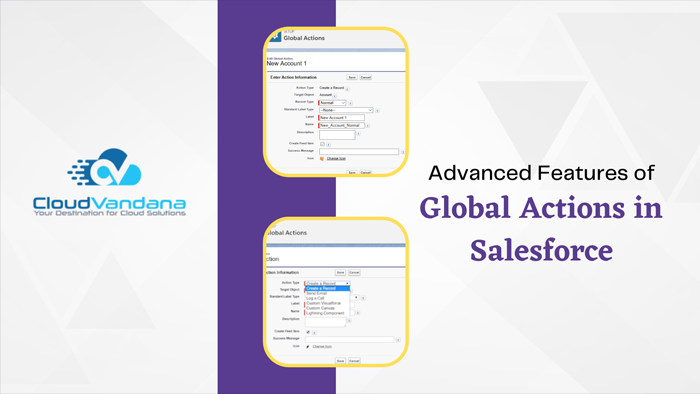
Ready to master the power of global actions in Salesforce? This comprehensive guide by CloudVandana dives into the advanced features that can enhance your performance and simplify tasks. Global actions in Salesforce are a powerful and versatile feature for streamlining sales and service tasks. From creating new records to sending emails or making phone calls, global actions can help boost productivity and efficiency by providing quick access to frequently used features. In this guide, we’ll explore some of the more advanced capabilities of global actions and how they can benefit your organization. What are Global Actions in Salesforce? Global actions in Salesforce are a set of customizable buttons that allow users to perform specific actions across different objects from a single location. These actions can include creating new records, updating multiple fields on an existing record, and sending emails or making phone calls. They are designed to save time and make it easier for users to access frequently used features, helping to increase productivity and efficiency within an organization. Furthermore, global actions can be customized by administrators to meet the unique needs of their organization. Global actions in Salesforce are a feature that allows users to initiate actions from various objects, such as creating a new record or updating an existing one. These actions can save time and streamline workflow by grouping together common tasks into a single action that is accessible across multiple objects. Advanced features of global actions in Salesforce can further enhance their functionality and improve user productivity. For instance, users can set pre-defined values for fields while creating new records through global actions. Additionally, administrators can customize the layout of global actions to match their organization’s branding or make them more user-friendly. Moreover, by using action filters, users can restrict access to specific global actions based on certain criteria like record type or profile. These advanced features make global actions a powerful tool that is easily customizable and capable of meeting diverse business needs. How do you create Global Actions in Salesforce? Creating Global Actions in Salesforce is a fairly simple process. First, navigate to the “Global Actions” section of your Salesforce setup menu. From there, you can select the type of action you want to create, such as creating a new record, updating an existing record, or logging a call. Once you have selected the desired action type, add any necessary fields that need to be completed by users. In addition, you can specify different layouts for desktop and mobile devices. Finally, activate the action and add it to the relevant page layout so that users can easily access it when needed. Using global actions correctly can save time and boost productivity within your team or organization. Creating global actions in Salesforce is relatively simple and involves just a few steps If you’re looking to create global actions in Salesforce, you’re in luck. It’s a relatively simple process that can yield significant benefits in terms of increased productivity and efficiency. To get started, navigate to the “Global Actions” section of your Salesforce setup menu. From there, you’ll be able to select the type of action you want to create – whether it’s creating a new record, updating an existing record, or logging a call. Next, add any fields that should be completed by users when the action is undertaken. You can also customize the layout for desktop and mobile devices based on specific use cases. Finally, activate the action and add it to relevant page layouts so that users can access it easily from wherever they are. With these key steps in mind and some practice using global actions, you’ll be ready to maximize their potential within your team or organization. Navigate to the global action publisher layout To navigate to the global action publisher layout in Salesforce, go to the “Object Manager” tab and select the object for which you want to create a global action. From there, click on “Buttons, Links, and Actions” and then “Global Actions.” This will take you to the global actions publisher layout, where you can add or modify global actions. Remember that creating customized layouts for different use cases can improve functionality for your team, so explore all the options available to make the most of this powerful tool. With this comprehensive guide, you’ll be able to master the advanced features of global actions in Salesforce and boost your productivity levels in no time. Are you looking for a reputed Salesforce partner for a successful Salesforce implementation and to experience the maximum benefits of this platform? Please feel free to schedule a consultation call with CloudVandana and touch on your goal faster. Call Now. Request a Free Consultation YOU MIGHT ALSO LIKE
Maximizing Efficiency and Streamlining Operations with SAP Service Cloud
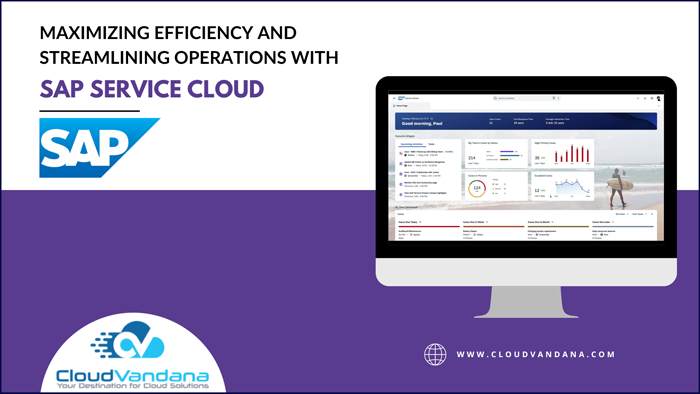
In today’s fast-paced business landscape, optimizing efficiency and streamlining operations is crucial for staying competitive. Enter SAP Service Cloud, a powerful solution designed to revolutionize the way businesses manage their customer service operations. With its robust features and advanced capabilities, SAP Service Cloud enables organizations to deliver exceptional customer experiences while maximizing operational efficiency. From intelligent ticketing and routing to automated workflows and real-time analytics, this innovative cloud-based platform empowers businesses to enhance productivity, reduce costs, and drive customer satisfaction to new heights. By centralizing customer data, empowering agents with real-time insights, and providing seamless integration with other SAP solutions, Service Cloud is a game-changer for businesses looking to transform their customer service operations. Say goodbye to manual processes and disjointed systems, and embrace the future of customer service with Service Cloud. Key features and benefits of SAP Service Cloud The platform offers a wide range of features and benefits that can significantly streamline operations and boost efficiency. One of the key features is intelligent ticketing and routing, which ensures that customer inquiries are automatically directed to the most appropriate agent based on their expertise and availability. This eliminates the need for manual ticket assignment and ensures that customer issues are resolved quickly and efficiently. Another valuable feature of this platform is automated workflows. With this feature, businesses can define and automate their customer service processes, reducing the time and effort required to handle customer inquiries. Workflows can be customized to match the unique requirements of each organization, ensuring that customer issues are handled consistently and efficiently. Real-time analytics is another powerful capability offered by Service Cloud. By providing instant insights into customer service performance, businesses can identify bottlenecks, monitor key metrics, and make data-driven decisions to improve efficiency. Real-time analytics also enables organizations to proactively address customer issues before they escalate, resulting in higher customer satisfaction. In addition to these features, Service Cloud offers seamless integration with other SAP solutions, such as SAP Sales Cloud and SAP Marketing Cloud. This integration allows businesses to have a unified view of customer data across different departments, enabling better collaboration and coordination. By centralizing customer data, businesses can provide personalized and consistent experiences to their customers, ultimately driving customer satisfaction and loyalty. Streamlining operations Implementing SAP Service Cloud can have a significant impact on streamlining operations within an organization. By automating manual processes and eliminating the need for disjointed systems, businesses can reduce the time and effort required to handle customer inquiries. This frees up valuable resources that can be redirected toward more strategic initiatives, such as improving product offerings or expanding into new markets. SAP Service Cloud also provides businesses with a centralized platform to manage customer interactions and track customer history. This eliminates the need for multiple systems and reduces the risk of data duplication or inconsistencies. With a single source of truth, businesses can ensure that customer issues are handled consistently and efficiently across different channels and touchpoints. Furthermore, Service Cloud enables businesses to leverage self-service capabilities, empowering customers to find answers to their questions on their own. By providing a knowledge base and online community, businesses can deflect a significant number of customer inquiries, reducing the workload on customer service agents. This not only improves efficiency but also enhances the overall customer experience by providing instant and convenient support options. Improving efficiency The platform offers several features and functionalities that can directly improve efficiency within an organization. One such feature is the ability to create and manage service contracts. With this feature, businesses can define service level agreements (SLAs) and automatically track their compliance. This ensures that customer issues are prioritized based on their urgency and severity, improving response times and resolution rates. Another efficiency-boosting feature of Service Cloud is the ability to automate repetitive tasks. By using predefined workflows and business rules, businesses can automate routine processes, such as ticket creation, assignment, and escalation. This eliminates the need for manual intervention and reduces the risk of errors or delays. Automation also enables businesses to handle a higher volume of customer inquiries without increasing the size of the customer service team. SAP Service Cloud also offers a mobile application that allows customer service agents to access and update customer information on the go. This enables agents to provide real-time support regardless of their location. By eliminating the need for agents to be tied to their desks, businesses can improve response times and provide faster resolutions to customer issues. Case studies of companies using SAP Service Cloud successfully Numerous companies across industries have successfully implemented SAP Service Cloud to streamline their operations and improve efficiency. Implementing SAP Service Cloud in your organization Implementing SAP Service Cloud in your organization requires careful planning and execution. It is essential to start with a thorough assessment of your organization’s customer service processes and identify areas for improvement. This will help determine the specific features and functionalities of this Cloud that are most relevant to your business. Once the assessment is complete, it is crucial to define clear objectives and key performance indicators (KPIs) for the implementation. This will help track the success and impact of SAP Service Cloud on your organization’s efficiency and operations. It is also important to involve key stakeholders from different departments, such as customer service, IT, and finance, to ensure a smooth and successful implementation. Training and support To ensure a successful implementation and adoption of Service Cloud, you must provide comprehensive training and support to your employees. SAP offers various training programs and resources to help businesses get up to speed with the platform. From online courses and documentation to instructor-led training and certification programs, businesses can choose the training method that best suits their needs. Additionally, SAP provides ongoing support through its customer support portal and community forums. These resources allow businesses to access troubleshooting guides, ask questions, and collaborate with other users. By leveraging these training and support resources, businesses can maximize the value of this Cloud platform and ensure a smooth transition for
How to Leverage Your CRM Data with SAP Sales Cloud

Get the most out of your customer relationship management (CRM) data with SAP Sales Cloud. Explore strategies for leveraging your CRM data to maximize sales opportunities. SAP Sales Cloud provides businesses with powerful data-driven insights for optimal CRM strategy. Learn about the features and functionality of SAP Sales Cloud and discover how to maximize sales opportunities with your customer relationship management (CRM) data. Utilize SAP Sales Cloud’s Automatic Migration Feature The Cloud offers an automatic migration feature that allows businesses to quickly and easily transfer their existing customer data to the platform. The automated migration process can help maximize sales opportunities by making it easier for businesses to access and utilize their customer data for targeted services, such as marketing campaigns and new product lines. Additionally, the result of such a migration is detailed analytics reports that can be used to track sales progress and potential areas for improvement. Analyze Past Deals and Optimize Your CRM Database Processes With the automated migration process, SAP Sales Cloud makes it easier to analyze past deals. This enables businesses to identify trends and maximize their sales opportunities. Additionally, it streamlines an organization’s CRM database processes by making customer data more accessible for employees in various departments or even outside agencies. The result is a more intuitive system that allows companies to keep up with their ever-evolving customers’ needs. Take Advantage of Real-Time Strategies to Maximize Your Return on Investment (ROI) To maximize your return on investment when leveraging your CRM data with SAP Sales Cloud, it’s important to use real-time strategies. These allow you to make the most efficient decisions based on up-to-date information. With real-time strategies, you can easily track customer lifecycle stages, such as lead scoring and segmentation so that you can accurately target customers according to their individual needs. For example, you may want to contact customers immediately after they make a purchase in order to offer additional items that they may be interested in. As a result, maximizing your ROI will come more naturally when using SAP Sales Cloud. Achieve Accurate Predictions by Adjusting Contact Segmentation and Targeting Methods Leveraging your CRM data with SAP Sales Cloud is a great way to accurately predict customer buying behaviors and tailor targeting methods accordingly. By segmenting customers based on their lifecycle stages and by analyzing their past purchases, you can customize your outreach to each individual or subgroup. This strategy allows you to adjust the content of your targeted messages, such as offering special discounts or exclusive products and services, in order to convert leads into returning customers. Automate Customer Communications for an Enhanced Customer Experience Automating customer communication can help you streamline business processes and save time. With SAP Sales Cloud, you can use automated customer segmentation, personalization, and outreach workflows to ensure that the right customers are receiving the right kind of messages on time. This will help make a more positive customer experience while also reducing the amount of manual labor required in managing your CRM data. You can also experience the benefits of SAP Sales Cloud with the proper guidance of an SAP consulting company and take your business to the next level. Please feel free to schedule a consultation call with CloudVandana, and get the solution best suited for your business. Call Now. Request a Free Consultation YOU MIGHT ALSO LIKE
What Is SAP Marketing Cloud and How Can It Help Your Business?
Improve customer experiences with SAP Marketing Cloud! Discover this powerful platform’s advantages to increase leads, build your brand presence online, and automate marketing processes. SAP Marketing Cloud provides businesses with a comprehensive suite of tools to engage customers effectively and capture leads. With the help of this powerful platform, marketers can efficiently automate processes, build their brand presence online, and create memorable customer experiences that stand out from the competition. What is SAP Marketing Cloud? SAP Marketing Cloud is an enterprise-level marketing automation platform that enables you to increase leads, streamline marketing processes and activities, and strengthen your brand presence online. SAP Marketing Cloud provides a comprehensive suite of tools to reach customers, capture leads, and create memorable customer experiences and insights that drive successful campaigns. How Does SAP Marketing Cloud Help Your Business? The SAP Marketing Cloud platform helps businesses gain a better understanding of customer behavior, allowing them to identify and address market opportunities through personalized digital experiences. You’ll be able to develop strategies, direct traffic, optimize campaigns and measure sales performance to drive ROI. SAP Marketing Cloud provides automated tools such as analytics, marketing intelligence, segmentation, and lead scoring, enabling you to accurately track buyer journeys for better segmentation, personalization, and optimization. What Are the Benefits of Using SAP Marketing Cloud? SAP Marketing Cloud provides businesses with a wide range of advantages, including increased leads and revenue, improved customer experience, increased brand presence, better segmentation and personalization, and greater control over marketing processes and automation. With the automated tools SAP Marketing Cloud offers, you can quickly identify market opportunities, develop strategies for target segments, track buyer journeys for better segmentation and personalization, analyze results in real-time to see what works best for your business objectives, and automate marketing processes so you can focus on other tasks that need to be done. How Do You Get Started With SAP Marketing Cloud? The first step towards getting started with SAP Marketing Cloud is to sign up for an account. Once you have signed up, you can start configuring your SAP Marketing Cloud dashboard by setting up marketing channels, connecting your data sources, and automatically syncing customer information such as purchasing behaviors and preferences. You can also decide which automated functions you would like to use, such as personalized emails, segmentation and personalization logic, automation of processes like email campaigns, or lead nurturing flows. After your initial setup is complete, you can start leveraging the full power of SAP Marketing Cloud to improve customer experiences and grow your business. How Does Automated Targeting Work in SAP Marketing Cloud? Automated targeting allows brands to send out highly relevant messages to their customers based on customer behavior or interests. SAP Marketing Cloud’s AI-powered automation features intelligently segment customers and tailor content accordingly. All you have to do is set up a few guidelines and let the platform do the rest of the work for you. Automated targeting makes it easy to deliver timely, personalized content that drives engagement and purchase conversion rates. Are you looking for an SAP consulting partner for an end-to-end SAP solution? Please get in touch with CloudVandana and get the solution best suited for your business. Contact now. Request a Free Consultation YOU MIGHT ALSO LIKE
The SAP Customer Data Cloud: What You Need to Know
Start taking your customer data management to the next level with the SAP Customer Data Cloud. Read up on our top tips and resources that could help ease your transition today! The SAP Customer Data Cloud is here to help businesses simplify customer data management and store data securely. Find out how it can help your business transition to maximum efficiency and access our top tips and resources that could make the process easier. Table of Contents Introduction to the SAP Customer Data Cloud Overview and Benefits of the SAP Customer Data Cloud How to Get Started Securing Your Information Best Practices for Leveraging the SAP Customer Data Cloud YOU MIGHT ALSO LIKE Introduction to the SAP Customer Data Cloud The SAP Customer Data Cloud is a powerful platform designed to help businesses streamline their customer data management processes. Its cutting-edge technology enables companies to securely store and manage customer data in one place, resulting in improved efficiency and cost savings. The platform gives organizations access to tools and resources that allow them to easily configure customer profiles, track user activity, add or remove users quickly, set up permissions, view billing information, and more. Overview and Benefits of the SAP Customer Data Cloud The SAP Customer Data Cloud provides numerous benefits, including increased efficiency, improved accuracy and data governance, cost savings, and, most importantly – improved customer service. With the platform, businesses have access to a single source of truth for all their customer data and improved specific user management capabilities. This helps reduce costs associated with maintaining multiple legacy systems and the need to synchronize data across disparate applications manually. Furthermore, businesses can use the platform’s advanced security features and analytics tools to protect sensitive customer data. How to Get Started Getting started with the SAP Customer Data Cloud is easy! All you need to do is prepare your customer data and create an account on the platform. After that, you can set up your accounts in the system, customize user roles, and configure access controls. From there, you can migrate your customer data into the cloud-based platform and use its wide range of tools to manage customers. Finally, use analytics to get actionable insights on customer behavior so that you can better serve their needs. Securing Your Information The SAP Customer Data Cloud is designed to be secure, reliable, and easy to use. The platform supports the latest security technologies, such as encryption and authentication, so that your customer data is always safe and secure. Additionally, users can set up roles and access control configurations to determine who can access different parts of the system. By controlling user roles and access settings, you can protect your company’s sensitive information while fulfilling customers’ demands for privacy. Best Practices for Leveraging the SAP Customer Data Cloud As with any system, it’s important to understand the best practices and processes when working within the bio SAP Customer Data Cloud. For example, it’s essential to implement security measures such as authentication, encryption, access control configuration, and user roles for sensitive customer data. Additionally, you should use business process automation tools to reduce manual workloads and maintain operations at peak efficiency. By following these best practices, you can ensure your customer data is safe and secure while maintaining a top-notch customer experience. Are you looking for an SAP service provider to manage your projects? Please contact CloudVandana and share your requirements with us for faster project deployment. Call Now. Connect A Call With Us Request a Free Consultation YOU MIGHT ALSO LIKE
How to Use SAP Commerce Cloud for Your Business
Enterprises can drive digital transformation with SAP Commerce Cloud, an industry-leading digital commerce platform that lets you customize, personalize, and scale in the cloud with ease. Get all the details here! SAP Commerce Cloud is a powerful and flexible digital commerce platform that allows enterprises to easily drive digital transformation. This industry-leading platform makes it easy to customize, personalize, and scale in the cloud, enabling you to create engaging shopping experiences for customers on any device. What is SAP Commerce Cloud? It is a cloud-based digital commerce platform developed by SAP. It enables organizations to create, customize and deliver future-ready experiences that are tailored to their customer’s needs while simultaneously optimizing existing processes and systems. SAP Commerce Cloud also offers access to powerful digital tools such as personalization, rules-based merchandising, order management, in-store POS integration, omnichannel fulfillment, and more. How Does SAP Commerce Cloud Benefit Your Business? It is a cost-effective and feature-rich e-commerce platform that provides businesses with an integrated suite of tools to create and deliver personalized, interactive customer experiences. With AI-driven product recommendations, predictive analytics, mobile payments, marketing automation, and omnichannel functionalities, the platform helps you maximize sales potential while streamlining administrative processes. It also has scalability capabilities that allow you to adjust quickly to changing market conditions for easier growth over time. Advantages of Leveraging the Power of SAP CX Platforms With the SAP CX Platform, businesses can leverage its state-of-the-art features to gain sustainable market growth and stay ahead of their competition. The platform offers superior customer experience through personalized product recommendations, automated marketing campaigns, advanced analytics capabilities, intuitive online storefronts, and more. What’s more, enterprise users are empowered to create and manage their digital presence with ease from a single unified platform. Building a Connected, Comprehensive Digital Experience The platform offers an integrated platform for building a connected and comprehensive digital experience, ensuring that customers receive an end-to-end shopping experience across multiple customer engagement channels. The platform enables organizations to easily configure their storefronts to match their customer’s needs and preferences, allowing them to provide tailored web experiences with personalized product recommendations, promotional offers, and highly relevant content. By leveraging the company’s analytics capabilities, enterprises can identify customer sentiment and trends as well as improve customer purchase journeys that are tailored to their interests. Get Started with Your SAP Commerce Cloud Implementation Whatever your business’ e-commerce requirement, the platform can help grow your online presence and drive sales by providing an integrated platform for managing customer relationships, offering personalized experiences, and developing new products. To begin your commerce cloud implementation process, contact a certified SAP partner to get help with strategy implementation and training. Your partner will be able to work with you on selecting the right solution with the right design, implementation plan, and training for a successful deployment of the commerce cloud. Are you seeking a reputed SAP service provider for a successful SAP Commerce Cloud Implementation? Please schedule a consultation call with CloudVandana, and get the best solution to take your business to the next level. Call Now. Request a Free Consultation YOU MIGHT ALSO LIKE
The Benefits of Using Pardot in Salesforce for Your Marketing Strategies
What is Pardot in Salesforce, and how can it help you with your marketing strategies? Discover the benefits of using this tool within Salesforce with our comprehensive guide. If you’re looking for a powerful marketing automation tool, Pardot may be your solution. This platform offers a range of features designed to streamline your marketing efforts and increase engagement with potential customers. In this guide, we’ll explore what Pardot is all about and how it can help you achieve your marketing goals within Salesforce. What is Pardot, and how does it work within Salesforce? Pardot is a marketing automation tool that helps businesses streamline their marketing efforts by connecting with potential customers at every stage of the buying journey. It works seamlessly within Salesforce, allowing you to leverage customer data and intelligence to deliver personalized messages and experiences to your audience at the right time. With Pardot, you can create email campaigns, landing pages, forms, and more — all designed to convert leads into loyal customers efficiently and effectively. Streamline Your Marketing Efforts with Automated Workflows Pardot offers automated workflows that streamline and optimize marketing efforts. With this functionality, you can automate repetitive tasks such as lead nurturing, email campaigns, and social media posts. Additionally, Pardot helps you categorize leads based on readiness to buy, so your sales team can focus on the most promising prospects. By automating these processes, your team can save time and effort while still maintaining a personalized approach for each individual customer. It’s an effective way to scale up your marketing operations without sacrificing quality or efficiency. Personalize your marketing messages for greater impact One of the biggest benefits of using Pardot in Salesforce for your marketing strategies is the ability to personalize messages for each individual customer. By tracking their behavior and engagement with your brand, Pardot can provide insights into what they’re interested in and what content they may find valuable. With this information, you can create tailored messages that speak directly to their needs and preferences. This personalization creates a stronger connection between your brand and the customer, leading to increased engagement and higher conversion rates. Additionally, personalized messaging helps establish trust with your audience, which is essential for building long-term customer relationships. Measure your marketing ROI for better decision-making Another benefit of using Pardot in Salesforce for your marketing strategies is the ability to measure your Return on Investment (ROI) accurately. This tool provides you with a comprehensive overview of how effective your marketing campaigns are performing by tracking and analyzing the data related to customer engagement, conversions, and revenue generated. By having access to this information, you can make informed decisions about which areas of your marketing strategy need improvement and what changes need to be made to achieve better results in the future. Ultimately, measuring your ROI is key to optimizing your marketing budget and ensuring that you’re getting the most out of it. Access a variety of data insights and analytics tools for improved marketing campaigns As a marketer, having access to accurate data insights and analytics tools can significantly impact the success of your campaigns. Using Pardot in Salesforce for your marketing strategies provides you with just that. With this tool, you can track and analyze a variety of metrics, such as website visitor behavior, email campaign performance, lead generation, and conversion rates, all from one centralized platform. By utilizing this data to inform your decision-making process, you can make improvements to optimize the performance of your marketing campaigns and achieve better results. The ability to measure and track these metrics allows for continuous optimization, ultimately leading to increased revenue generation for your business. Are you looking for a reputed Salesforce partner to utilize the maximum benefits of this marketing automation platform? Please schedule a consultation call with ClouVandana, and stay ahead of the competition. Call Now. Request a Free Consultation YOU MIGHT ALSO LIKE



