


Exploring the Benefits of Pardot and Salesforce Marketing Cloud
Get the most out of your marketing campaigns by exploring the features and benefits of Pardot and Salesforce Marketing Cloud. Learn how their combined power can help you reach more customers! Unsure of what CRM system to choose between Pardot and Salesforce Marketing Cloud? Achieving effective marketing campaigns requires an optimal mix of automation, personalization, and scalability. Explore the features and benefits of both these powerful systems to find out how their combined power can help you reach more customers. Understand Pardot’s Lead Generation Capabilities The lead generation capabilities of this platform enable you to quickly and easily create, manage, and track campaigns. Utilize drag-and-drop automation tools to design campaigns that deliver content to the right people in a timely manner. Take advantage of this platform’s quality score functionality which uses artificial intelligence to prioritize leads so marketers can target the best prospects with their messages. Leverage Salesforce Marketing Cloud for Targeted Campaigns With Salesforce Marketing Cloud’s advanced targeting capabilities, you can send the right content to the right customer at the right time. Use segmentation options like geolocation and demographic data to craft campaigns tailored for each individual. Leverage Salesforce’s powerful analytics suite to track and measure key performance indicators, so you can optimize your campaigns for even better results. Measure Performance and Analyze Gains with Highly Customizable Reports With these two CRM systems, your sales and marketing teams can create highly customized reports to measure performance and analyze gains. Monitor customer activity over time, compare results between campaigns, track engagement levels of certain demographics, and more – all with a few clicks. Create as many reports as needed to understand customer behavior and hone in on the strategies that get your ideal customer to act. Integrate for Seamless Functionality These two platforms can be integrated to create a powerful marketing automation platform that offers unbeatable opportunities for comprehensive, customer-centric campaigns. With an all-in-one environment, marketers can design customized experiences for individual customers. The combination of both platforms makes it easy to set up A/B tests and see which tactics result in the highest engagement rates. Integrating the two tools will also allow sales teams to collaborate more efficiently with marketing, creating a better experience for customers across the board. Connect Easily with Customer Channels To Extend Your Reach even Further Across Digital Platforms By connecting your Salesforce Marketing Cloud and Pardot accounts, you’ll have access to customer channels that aren’t available through either platform alone. You can now create campaigns that target customers across multiple channels, such as email, social media, and personal websites. With the ability to customize messaging according to different marketing goals and preferences, your campaigns can reach a wider audience more effectively and efficiently. Connecting both platforms makes it easy to track goals and metrics, so you can craft a customized experience for each individual customer. Are you looking for a reputed Salesforce partner for a faster and more successful project deployment? Please schedule a consultation call with CloudVandana, and get the customized Salesforce solution best suited for your business. Call Now. Request a Free Consultation YOU MIGHT ALSO LIKE
Streamline Workflows with Automated Approval Processes in Salesforce
Automated approval processes in Salesforce can streamline your workflow and make life easier. Learn all about this powerful feature and increase your productivity! Automated approval processes in Salesforce allow you to quickly review, approve and reject requests with ease. With this powerful feature, you can streamline your workflow, making life easier and increasing your productivity. Discover how to make the most of it here! What is the Automated Approval Processes in Salesforce? Automated approval in Salesforce is a feature that automates the review, approval, and rejection of requests within the Salesforce system. By setting up an automated approval process, you can quickly and efficiently approve or reject user requests, eliminating manual steps and giving you more control over your workflow. You can customize the processes to fit your specific requirements, making it easier for you to manage large volumes of requests quickly and accurately. How to Set Up Automated Approval Processes for Quotes and Orders Setting up an automated approval process in Salesforce for quotes and orders is a simple process. First, create workflow criteria that your quotes and orders must meet before the approval process begins. This could include specific fields such as order quantity or value, customer information, payment terms, and other details. Once you have set up the criteria for approval, use Salesforce’s Approval Process feature to create a review process that will automatically be triggered when requests are made that fit the criteria. By applying rules to the approval process, you can ensure that all approvals align with your organization’s policies. Benefits of Streamlining Your Workflows with Automated Approvals Streamlining your workflow with automated approvals can help increase productivity and eliminate costly and time-consuming manual reviews. This process allows for streamlined operations without sacrificing accuracy and effectively manages large volumes of requests while still providing a timely response. Automated approval processes can also reduce the amount of human intervention needed in the approval process, which cuts down on potential errors while freeing up valuable time that could be better spent elsewhere. Finally, an automated approval process makes it easier to manage complex requests and ensure they are completed on time and in compliance with company policies. Best Practices for Implementing Automated Approvals in Salesforce When implementing an automated approval process in Salesforce, there are certain best practices to follow that will help it run smoothly. The first step is to clearly define user roles and expectations for the approval process, ensuring that everyone involved understands their respective responsibilities. Secondly, ensure that all requests coming through the system meet the pre-defined criteria – such as mapping data fields between source and target systems – as this will help keep operations organized and efficient. Finally, use predictive analytics to detect problems before they arise by setting thresholds for warnings or alerts when certain criteria are not met. With these best practices in place, you’ll be well on your way to harnessing the power of automated approvals in Salesforce. Hyper-personalizing Your Sales Experiences with Rules-Based Approval Processes Automated approval processes in Salesforce allow marketers to quickly and accurately tailor their sales experiences to each customer. By utilizing rules-based data sets, they can ensure that based on the customer’s gender, age, location, or intents, the most appropriate message is delivered to them at the right time. This hyper-personalized approach helps marketers deliver more value, build a highly engaged customer base, boost conversions, and foster brand loyalty. Are you looking for help in Salesforce development for your projects? Please feel free to schedule a consultation call with CloudVandana and Leverage our Salesforce Staff Augmentation Services to upscale and up-skill your enterprise. Call Now. Request a Free Consultation YOU MIGHT ALSO LIKE
Learn How to Build Responsive, Dynamic Forms In Salesforce
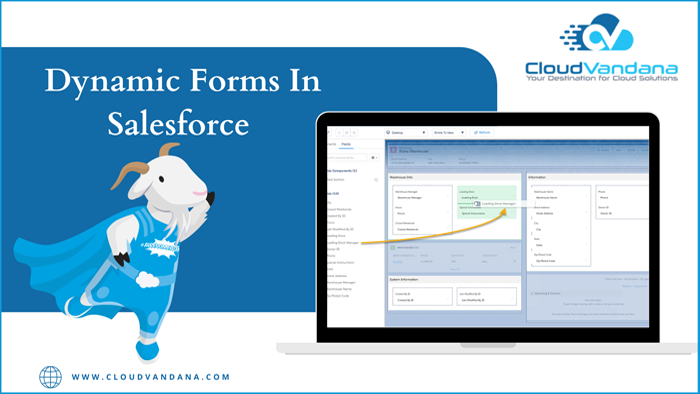
Take the hassle out of creating dynamic forms in Salesforce projects. This comprehensive guide by CloudVandana explains step by step how to build amazing responsive forms using Salesforce! Dynamic Forms In Salesforce If you’re looking to build dynamic forms for your Salesforce projects, you’ve come to the right place. This guide will walk you through the steps of creating amazing responsive forms using Salesforce, so you can focus on the important things like connecting with customers and streamlining workflow. Understand the Benefits of a Dynamic Salesforce Form Dynamic forms are essential to get the most out of Salesforce. By optimizing your forms for the customer journey, you ensure easy conversion and the necessary data capture to make informed decisions. Additionally, with a dynamic form, you can show fields related to previous selections, giving an immersive experience that lasts until the end of the submission. Create better forms and make your customers happy! Prepare for Development by Setting up the Necessary Tools and Platforms Before you start the development process of your dynamic form, it’s important to ensure that you have all the necessary tools and platforms set up. This will make sure that your development time is optimized and that your end product is as efficient as possible. Make sure you have access to Salesforce App Builder, Enterprise Manager, and Salesforce Process Builder before you dive into developing! Design a Detailed Form Layout with Visual Guidelines After you’ve set up all the necessary tools, the next step for creating a dynamic Salesforce form is to design it. It’s important to create a detailed layout with visual guidelines such as space between elements, intuitive labels, page structure, and consistent font styles. Use the drag-and-drop interface of your preferred platform to place objects in your form easily. Once everything is placed, be sure to double-check that it looks exactly how you want it to before continuing on! Implement Your Form Elements Using Field Types, Data Validation, and Other Options After the overall layout of your form is set, you can start implementing all the elements. Different types of fields, such as text, radio buttons, check boxes, and dropdowns, should be used for different user input requirements. Furthermore, data validation rules can be applied to make sure that any field values that come from users are valid and suitable for use in your system. Other options, such as setting up custom scripts or adding fields with expression calculations, can help enhance the utility and effectiveness of dynamic forms. Test Your Form to Ensure Intuitive User Interaction and Error Traps are Working Properly The last step in creating a dynamic form is to thoroughly test it. Make sure that all the elements are displayed correctly and intuitively, along with enabling and disabling elements accordingly. Additionally, ensure that your form contains error traps to alert users when they provide incorrect or incomplete information. By doing this you can help eliminate frustration and tedious back-and-forth corrections, simplifying the whole process for users! Are you looking for a reputed Salesforce partner for successful Salesforce implementation and maintenance? Please schedule a consultation call with CloudVandana, and get the solution best suited for your organization. Call Now. Request a Free Consultation YOU MIGHT ALSO LIKE
Salesforce Latest Features – Highlights

Track Accounts as Campaign Members Previously you could only add Lead/Contact or Person accounts as campaign members in Salesforce, but Now you can focus on the Accounts by tracking them as Campaign Members. Add accounts as campaign members from related lists and create standard and custom reports to track their engagement. In order to add accounts as campaign members, the Salesforce admin needs to turn on the feature in Salesforce Setup. Then update the accounts page layouts to include the Campaign History-related list on account records. Note: Accounts, including person accounts, that are added as campaign members also appear in Campaigns and Campaign Member related lists and standard reports. Share Records with Manual Sharing in Lightning Experience With the latest release of Salesforce Manual sharing is available in the lighting experience. Previously, you had to switch to the classic interface to share the record manually with specific users or groups. But, with manual sharing in Lightning Experience, you can now share records and manage record shares in a new streamlined interface. Steps: Note: Manual shares are available only for accounts, opportunities, cases, contacts, leads, and custom objects. Refer to the Prior Values of the Record in Salesforce Flows Previously, there was no way to check the prior values of the record that triggered your flow. But, now when a record is updated, you can access that record’s prior values in Salesforce Flow. The $Record__Prior global variable contains the record’s values immediately before the flow was run. Use these prior values to check for changes and calculate differences in your flow. For example, notify your deal team when the deal’s amount changes by 50% or more. Here, you need to compare the current value of the amount to the prior value of the amount in order to calculate the percentage change. So you can create a formula such as ({$!Record.Amount} – {!$Record__Prior.Amount}) / {!Record__Prior.Amount}. By using a Decision element to check the formula’s result and a Send Email action to perform the notification. $Record__Prior global variable can be used in record-triggered flows that are set to trigger either when the record is updated or when the record is created or updated. $Record__Prior is available in specific Flow Builder locations that read from global variables, including: Are you looking for a reputed Salesforce partner for successful Salesforce Implementation and maintenance? Please feel free to schedule a consultation call with CloudVandana, a reputed Salesforce partner in India, and get the best solution best suited for your business. Call Now. Request a Free Consultation YOU MIGHT ALSO LIKE
Unlocking New Value Through Digital Transformation with Salesforce in Healthcare

Salesforce in healthcare leads to better outcomes and drives growth, from improving patient engagement to streamlining operations. Innovate by leveraging existing assets with Salesforce with this comprehensive guide by CloudVandana to digital transformation in the healthcare industry. Salesforce in Healthcare Digital transformation with Salesforce in healthcare can deliver remarkable results – but it takes a combination of the right tools, strategy, and effort to fuel meaningful change. Salesforce provides essential capabilities for healthcare organizations seeking to modernize operations and drive innovation; this guide takes an in-depth look at the technology and how it can be leveraged to enhance success. Adopt an Agile Business Model for Digital Transformation Healthcare organizations are increasingly looking to agile approaches for faster time-to-value from digital transformation. Agile methodology allows teams to respond and adapt to ever-changing customer quickly needs while simultaneously improving the quality of information, products, and services. Creating a business culture of iterative change through small, cumulative cycles can be greatly enhanced with Salesforce’s Lightning Service Cloud platform, allowing healthcare providers to react swiftly to opportunities and challenges in the market. Identify Goals and Build a Roadmap for Implementing Solutions Digital transformation should start with a roadmap that identifies strategic objectives, user and customer goals, and the technologies needed to meet them. Collaborate with all stakeholders in creating a strategy that aligns with customer demands and includes key performance metrics to measure progress. Utilizing Salesforce’s comprehensive suite of solutions, including Einstein AI, identify which digital capabilities are most needed for healthcare providers and map out the appropriate steps for successful implementation. Carefully manage technology investments to ensure they continue to deliver value over time as customer needs evolve. Embrace Data-Driven Insights to Streamline Processes and Advance Services Leverage Salesforce’s Einstein AI capabilities to gain deep insight from data and automate processes. Enable intelligent medical record keeping that contextualizes patient data for more precise diagnosis and improves the accuracy of treatments. Analyze data in real-time for faster case management, patient engagement, and better service delivery while advancing research and creating efficiencies in healthcare operations. With smart documents, quickly develop customized forms containing relevant information specific to care protocols or clinical journeys. Utilize insights to make well-informed decisions in a fast-paced digital healthcare environment. Invest in Automated Connectivity to Improve Clinical Workflows & Patient Experiences Investing in automated connectivity solutions could drastically improve the clinical workflow and patient experiences. Salesforce’s system reduces administrative burden and empowers healthcare teams with accurate insights to better diagnose, inform and treat patients more effectively. Automated connectivity fosters collaboration between clinical departments, which can lead to improved health outcomes with faster turnaround time and better patient safety. Automation also creates a smoother, more efficient data collection process allowing for patient data to be stored, tracked, and managed securely within the cloud-based platform. Leverage Advanced Technologies Such as Cloud, AI & ML for Innovative Diagnostics & Treatments By leveraging the power of advanced technologies such as cloud, AI, and ML, healthcare organizations can achieve a more agile and predictive approach to delivering innovative diagnostics and treatments. AI capabilities can help automatically recognize patterns in medical records, leverage ML to predict treatments or diagnoses based on patient data and utilize augmented intelligence to update insights through real-time medical research. Cloud technology provides access to shared services and systems while supporting rigorous security protocols that are required for storing sensitive patient data. AI allows healthcare providers to make informed decisions faster with enhanced accuracy and insights. Are you looking for a reputed Salesforce partner for a successful Salesforce implementation and to enhance the workflow of your Healthcare organization? Please schedule a consultation with CloudVandana and get the expert advice best suited for your organization. Call Now. Request a Free Consultation YOU MIGHT ALSO LIKE
Salesforce Development and Integration Solutions: A Comprehensive Guide

Expand your business with Salesforce Development and Integration Solutions! This guide by CloudVandana explains the many benefits of these powerful tools. Salesforce Development and Integration Solutions can help your business run more efficiently by providing comprehensive customer service, marketing, and analytics solutions. Discover how these tools can be used to maximize productivity and ROI while enhancing the user experience. Automate Business Processes with Lightning Components Automation is key to any modern business, and Salesforce Development and Integration Solutions come with powerful Lightning Components that can be used to streamline customer service operations in no time. Lightning components allow users to easily create processes that integrate across various sales, marketing, and analytics functions – reducing the amount of manual effort required and enabling organizations to stay one step ahead in the game. Leverage AI and Machine Learning to Improve Customer Relationships Salesforce Development and Integration Solutions provide the tools needed to leverage artificial intelligence (AI) for improved customer relationships. AI algorithms analyze customer behaviors, providing insights into how customers interact with a business and its products. This data can be used to create more powerful marketing strategies, provide better customer service, and gain more insight into customer sentiment. Additionally, machine learning capabilities allow organizations to optimize processes and develop personalized experiences tailored to individual customers’ needs – offering more personalized experiences in real-time. Create Seamless Integrations for Data Accessibility and Security Salesforce Development and Integration Solutions can help businesses automate their data management processes. This eliminates manual data entry, which can lead to costly errors and inaccuracies. Additionally, integrated systems provide businesses with greater control over their data. Data security is also improved through the use of cloud-based storage solutions, ensuring sensitive information remains protected from unauthorized access. Reduce Costs With Cloud-Based Solutions That Scale Easily to Meet Changing Needs Cloud-based solutions are cost-effective and can easily scale to meet changing needs. Salesforce Development and Integration Solutions allow businesses to connect with customers, partners, and vendors by accessing the same data from multiple sources. This helps reduce costs associated with manual data entry and makes businesses more agile in responding to customer demand. Additionally, companies can use cloud storage solutions for the secure storage of confidential data, reducing potential security risks. Increase Productivity with Unified User Experiences Across All Platforms Salesforce Development and Integration Solutions allow businesses to create user experiences that are consistent across all platforms and devices. This unified experience can help increase user productivity by providing a familiar access point for all customers regardless of their location or device. Additionally, companies can also save time with automated processes that eliminate the need for manual data entry and other labor-intensive tasks. With unified user experiences, companies can streamline their operations and maximize efficiency. Are you looking for a reputed Salesforce solution for successful Salesforce development and interaction? Please feel free to schedule a call with the Salesforce experts of CloudVandana, and experience the best Salesforce development solution for your organization. Call Now and stay ahead of your competitors.
Best Practices for Customizing Your Salesforce Instance

Want to learn more about customizing your Salesforce instance? Discover best practices and helpful tips for making the most of customization options in this guide by CloudVandana! Customizing Your Salesforce Customizing your Salesforce instance can help improve user experience, increase operational efficiency, and facilitate better data-driven decisions. This guide will provide you with best practices and helpful tips to maximize the customization options available in Salesforce. Start with Understanding the Core of CRM Before customizing your Salesforce instance, it’s important to have a clear understanding of the core of CRM. Understanding the ways data is structured and stored can help you identify potential pitfalls as well as areas where customization could be beneficial. Having an in-depth knowledge of your business operations and identifying what sales activities can be automated will make customizing your Salesforce instance much easier. Utilize System Monitoring and Automation System monitoring and automation are key components when it comes to customizing your Salesforce instance. Automating various tasks allows users to benefit from real-time insights, which can, in turn, promote scalability and efficiency. Utilizing system monitoring tools, such as Salesforce’s Stackby toolkit, provides data transparency by displaying critical information about the overall performance of systems, applications, and processes. This helps users spot potential issues before they become serious problems, ensuring that their instance remains functioning optimally. Implement Data Processes and Alignments That Make Sense to Your Business Model Developing a data strategy before initiating customizations is essential. Having a comprehensive plan allows teams to customize Salesforce according to their goals and objectives, such as reducing time spent on IT processes or streamlining customer experiences. It is also important for companies to determine which processes, alignments, and integrations should be automated within the system or done manually, depending on the business model. This helps ensure that workers have access to the right information quickly, eliminating delays between requests and outcomes. Define Security Policies, Access Levels, and Data Protection Laws that are Applicable to Your Organization One of the essential elements of customizing your Salesforce instance is to set security policies and access levels and identify data protection laws that apply to your organization. This step requires a thorough review and understanding of the organization’s information security requirements in order to ensure proper access control parameters are implemented across all Salesforce customization settings. Additionally, understanding and implementing applicable data protection laws can help protect your organization from legal repercussions if sensitive customer or team member data is ever compromised. Consider Integrations and App Exchange Alternatives for Added Value Solutions Integrations and App Exchange Alternatives provide additional value to Salesforce customers by providing secure access to a whole suite of added functionality. Using the various app integration features with Salesforce, companies can customize their instance OS easily and quickly with an extensive library of apps from Pre-built Solutions to Open Source offerings. Customizing your Salesforce instance using integrations takes less time and IT resources than manual customization, which in turn reduces administrative delays and costs for any organization. Are you looking for a reputed Salesforce partner for a successful Salesforce Implementation and Salesforce customization? Please schedule a consultation call with CloudVandana, and get the customized solution best suited for your business. Call Now. Request a Free Consultation YOU MIGHT ALSO LIKE
Managing Multiple Accounts with Account Teams in Salesforce
Track and manage multiple accounts faster with Account Teams in Salesforce–it’s the perfect way to improve your workflow and boost efficiency! Check out the guide by CloudVandana to learn more. Looking for a way to streamline your sales workflow? Account Teams in Salesforce offer an easy and efficient way to manage multiple accounts at once. With this tool, you can assign team members to specific accounts and track progress quickly and effectively. Read on to find out more! What are Account Teams in Salesforce? Account Teams in Salesforce are a tool that allows users to assign multiple contacts and users to an account. This allows teams to keep tabs on progress, set up tasks, update notes, and track progress more quickly and effectively than ever before. It also makes it easier to assign members of the sales team or other stakeholders automatically when the contact is assigned–eliminating the need for multiple manual processes. Who should use Account Teams? Account Teams in Salesforce can be used by sales, support, and marketing teams alike. It allows them to quickly assign resources and track progress into one unified system, making it easy to access all account information in one place. Additionally, Account Teams can be used to ensure open communication between all stakeholders on an account, providing the foundation for better collaboration, faster results, and overall improved customer service. How to Set Up and Add Members to your Salesforce Account Team Setting up and adding members to your Salesforce Account Team is a quick and simple process. Firstly, you’ll need to create an Account Team record in Salesforce by creating a new Contact associated with the account you wish to add the team onto. You’ll then need to use the ‘Owner’ field to assign each member of your team before you can begin adding them as Contacts or Users. Finally, you can save your changes and approve all members to be added to the Account Team group. How to Import and Export account teams using Data Loader Salesforce’s Data Loader is a powerful and versatile tool that can help speed up data manipulation and movement. If you already have accounts in another CRM system or need to re-import existing account teams from another system, this is an efficient way to do it. Data Loader supports CSV and XML file formats allowing you to import or export your account teams into Salesforce easily. Best Practices for Managing Multiple Accounts with Account Teams It’s important to maintain a consistent structure when managing multiple account teams in Salesforce. Make sure your teams are created with the same set of roles and permissions so that everyone has access to the same data. Additionally, it’s always best practice to have a team lead for each team, who is responsible for making sure all members have the necessary access and info to do their jobs effectively. With these best practices in place, you’ll find managing multiple accounts with Salesforce Account Teams to be a breeze. Take your business and your workflow to the next level with the world’s #1CRM solution. Please feel free to schedule a call with CloudVandana, a reputed Salesforce partner in India, and get the solution best suited for your business. Call Now. Request a Free Consultation YOU MIGHT ALSO LIKE
How to Evaluate Salesforce Data Migration Service Providers: A Comprehensive Guide

Finding the right Salesforce data migration service providers can be overwhelming. This comprehensive guide will help you evaluate and choose the best one for your business needs. Salesforce data migration is an important process that requires the right service provider. To make sure you’re getting the most out of your migration, it’s essential to find the provider that best fits your specific needs. This guide will help you find the perfect Salesforce data migration service provider. Understand Your Requirements Before you make the decision to use a Salesforce data migration service provider, it’s important to understand your exact requirements. Think carefully about what kinds of services and features you need, as well as how much time and money you want to invest in the process. Consider how quickly the migration needs to be done and verify that the service provider can handle your timeline. Moreover, ensure that they have suitable solutions for any specific needs or complexities. Research Available Options There are many different Salesforce data migration service providers out there, so it’s important to do your research and explore the available options. Look at the availability of services they offer, and compare them with prices and timeframes to decide which one is best for you. Additionally, ask potential service providers plenty of questions in order to get a better understanding of their capabilities and determine if they meet your specific needs. Also, read online reviews to get an idea of their prior customer experience. Determine Pricing and Validate Effort Estimations Before you decide on your provider, it’s beneficial to communicate pricing and validate effort estimations so you know what the entire project will entail. This is essential, as you don’t want any surprises during the migration process. An experienced provider can offer an accurate estimation and help you anticipate potential challenges or changes in order to drive success. Also, inquire about payment options and evaluate various pricing models offered by providers in order to determine which one best meets your needs. Verify the Provider is Experienced and Certified in Salesforce Migration Services When it comes to effective and successful Salesforce migrations, experience and certification are major factors to take into account. Since you’re entrusting your sensitive data with another party, ensure the provider is certified in migration services provided by Salesforce. Additionally, inquire about the team members’ experience conducting similar projects and if they have relationships with other clients. This will help guarantee that all stages of the migration process are successful and implemented properly. Review Technology Capabilities and Level of Support Provided As Salesforce is a particularly complex system, make sure you select a provider that has experience with both cloud-based and on-premise technologies. Moreover, review the level of support provided to ensure any questions or concerns can be addressed right away. Look for an experienced support team and services such as assistance with sales queries, technical support assistance, and even data architecture solutions. These should all be part of your provider selection criteria. Are you looking for a reputed Salesforce data migration service provider for a successful migration process? Please feel free to schedule a consultation with CloudVandana and experience a seamless migration process. Call Now. Request a Free Consultation YOU MIGHT ALSO LIKE
A Comprehensive Guide to Order Of Execution In Salesforce

Don’t get stuck troubleshooting in Salesforce – understand the order of execution in Salesforce! Learn how triggers, classes, and more work together with this guide by CloudVandana. Order Of Execution In Salesforce In Salesforce, the order of execution for triggers, classes, and other components needs to be understood in order for troubleshooting to be successful. In this guide, you’ll learn about how the pieces fit together and what to look out for when trying to solve problems. Understand Triggers and Their Context Variables Triggers are one of the most important pieces in Salesforce development, and they need to be thoroughly understood in order to guarantee a successful build. By understanding how triggers work and how they access their context variables, you can make sure that your code is behaving correctly. Knowing what the trigger context variables contain before and after execution will enable you to debug more effectively. Learn How to Write Efficient Trigger Logic Writing efficient trigger logic is critical to avoid performance issues. Schedule a debriefing with your development team and review the granular details on how to write more efficient triggers. Make sure that handlers are updated on their context variables and that they know what conditions must be met in order for them to fire correctly. By understanding exactly when the various pieces of code should execute, you can ensure that everything runs smoothly in your Salesforce implementation. Explore Controlling the Order of Execution with Handler Classes When more than one trigger is present on an object, it’s critical to understand how Salesforce processes the trigger logic. By carefully controlling the order of execution and utilizing handler classes, you can reduce data lookups and optimize trigger logic performance. Spend some time troubleshooting and refining each element of the order of execution to make sure that everything runs smoothly in your Salesforce implementation. Utilize and Optimize ‘Enforce Manual Share’ Options If your Salesforce organization contains a large user base or a great deal of automated process execution, you may want to consider implementing ‘Enforce Manual Share.’ This option can be enabled or disabled on individual objects and is designed to ensure that all data-sharing access is done manually rather than automatically by the trigger logic. Utilizing this feature guarantees that your users have total control over their data visibility at any given point in time and ensures heightened security for critical information. Use Visual Representations to Help Understand Visuals, such as diagrams, charts, or mind maps, can be used as an invaluable resource when attempting to understand the order of execution in Salesforce. Mapping out your process and data flow before development begins can help identify potential areas where conflicts may arise from executing logic together. For example, understanding that multiple objects are going to be impacted by the same trigger could be useful in understanding why a particular field isn’t populated on time. Visualizing each step is key for a successful implementation. Are you looking for a reputed Salesforce partner to get the highest benefits of this CRM platform? Please schedule a consultation call with CloudVandana, a reputed Salesforce partner in India, and get the best solution for your organization. Call Now Request a Free Consultation YOU MIGHT ALSO LIKE



