


Exploring the Basics of Record Type in Salesforce

Learn about record type in Salesforce and understand its role in helping you modify your business’s unique needs or processes. Here is a quick introduction by CloudVandana to this powerful tool! Record type in Salesforce is a powerful tool that can help you customize your processes and data to fit your organization’s unique needs. From changing page layouts to modifying fields, record types give you the flexibility to tweak settings for each customer or situation. Learn more about this feature and its benefits here! What is a Record Type in Salesforce? A record type is a group of related settings, such as page layouts and picklist values, for different business processes or customer profiles. By assigning the correct record type to an object in Salesforce, you can ensure that the pages and fields users see in the UI are accurate for their context. You can also use record types to segment and track data with respect to users from different departments or account types. How Does a Record Type Help? Record types help to make sure that Salesforce is configured to match your individual business process. By tailoring the fields and page layouts used in Salesforce, you can ensure that users only have access to the most important and relevant information for their role. This also helps improve data accuracy by preventing users from entering incorrect information on objects with a record type. Which Elements are Controlled by a Record Type? Record types can be used to define which business processes are needed and control various aspects, such as picklists, page layouts, and even the record status. This can include but is not limited to, sales process and support process-related information as well as any additional background data that is needed to facilitate the desired outcome. By selecting a record type when creating a new record, administrators can ensure that the appropriate fields and page layouts are used. How Do I Set Up My Record Types? Setting up your record types is easy. In Salesforce, navigate to Setup | Data Management | Record Types. You can select the object you want to modify and then choose the appropriate record type for that object. From there, you can customize the page layout, picklists, and other features associated with that record type. Once completed, you can make it available for users or assign it to certain users, so they have access to those records with their specific needs or processes in mind. What Other Benefits Does the Use of Record Types Provide? The use of record types in Salesforce can provide your business with enhanced data visibility and control. With a record type, you can restrict users from viewing certain records or fields, which can help reduce clutter and prevent any unauthorized access to sensitive information. Proactively setting up different record types also helps streamline operations by simplifying the user experience, ensuring that everyone is working off the same page. Ultimately, this leads to increased productivity and efficiency. Are you seeking a reputed Salesforce partner for successful implementation and maintenance? Please schedule a call with the Salesforce experts of CloudVandana and get the best solution best suited for your business. Call Now. Request a Free Consultation YOU MIGHT ALSO LIKE
Salesforce Einstein: Unlocking the Potential of AI in Your Business
Unleash the power of artificial intelligence for your business with Salesforce Einstein! Our guide offers all you need to know about AI’s capabilities, from analytics to chatbots. Dive in now! Ready to take your business to the next level? Then it’s time to discover the power of Salesforce Einstein, the world’s leading artificial intelligence platform. Learn how AI can revolutionize your analytics, customer service, and more — our guide will show you how! What is Salesforce Einstein? Salesforce Einstein is an AI-powered platform that enables some of the most powerful analytics and automation solutions for businesses. With its robust suite of cognitive technology, Salesforce Einstein can analyze vast amounts of data quickly and accurately to uncover insights, automate sales processes, and more —driving greater productivity and efficiency for your business. How Can AI Help with Sales and Marketing? AI-driven analytics can offer tremendous value to sales and marketing teams. Salesforce Einstein’s artificial intelligence capabilities enable marketers to create predictive models that guide campaign targeting, segmentation, and personalization. By leveraging the power of AI for customer insights and data-driven trend analyses, marketers can better understand the needs of their target audiences and more efficiently drive results from their initiatives. Similarly, AI-driven lead scoring helps sales reps prioritize leads and time investments for higher returns on their efforts. Can AI Improve Customer Service? Absolutely! AI can help make customer service more efficient and personalized. With chatbots and virtual assistants, customers can get immediate responses to their questions 24/7 without having to wait for a customer service rep. Chatbots can respond quickly and accurately to commonly asked questions while saving the time of agents, allowing them to focus on higher-level interactions. Additionally, AI-driven analytics provide valuable insights into customer behavior patterns that enable businesses to tailor product offerings better or improve service strategies. Leveraging AI in Predictive Analytics Predictive analytics involves using data and AI to identify patterns, infer what may happen in the future, and take appropriate action. For example, AI-driven analytics can help you determine customer trends or preferences that could influence purchase decisions and help identify potential customer segments who are likely to engage with your products and services. By leveraging predictive analytics with AI, businesses can better understand their customers’ needs and build more strategic marketing campaigns. Utilizing Einstein for Financial Forecasting Financial forecasting is the process of predicting a business’s financial performance by analyzing data they have in combination with predictions based on patterns identified using Einstein AI. Salesforce Einstein AI-driven financial forecasting offers you the ability to identify where your customer base might be headed in terms of spending and helps you generate more accurate projections and budget planning. This way, you can better forecast cash flow and adjust operational strategies accordingly. Are you looking for a reputed Salesforce partner to experience the potential of AI in your business? Please feel free to schedule a consultation with CloudVandana, and get the best solution best suited for your business. Call Now. Request a Free Consultation YOU MIGHT ALSO LIKE
The Essential Guide to Finding and Hiring Remote Developers

Are you looking to unlock the potential of hiring remote developers? Start here with this essential guide by CloudVandana that provides a step-by-step process to fill your company with top-notch talent. Hiring Remote Developers Finding the right developers to help your business reach its goals can be difficult. Still, with the help of remote development, you can open up new opportunities for collaboration and growth. This guide will walk you through hiring talented remote developers, from creating job postings that attract top talent to properly onboarding them into your company. Identify Your Needs The first step in finding and hiring remote developers is identifying your company’s specific needs. What skills do you require, and are they specific to a certain programming language or technology? Are the roles full-time, part-time, freelance, or contract work? By taking the time to properly define the requirements for each position, you’ll be able to create more targeted job postings that will result in finding more qualified candidates. Create an Attractive Job Description When crafting a job posting, include an overview of the role, including responsibilities and qualifications. Be honest about what you’re offering, and make sure it’s clear what is expected of the candidate. Additionally, highlight unique aspects of working with your company that may attract potential applicants – such as the ability to work from home or the chance to learn new skills. Finally, make sure to include contact information for any questions and remind them how to apply. Reach Out to Potential Candidates Once you’ve posted your job online, it’s time to contact talent. Take the time to review resumes and portfolios, and be sure to thank those that apply – even if they aren’t a right fit for the position. You can also take the extra initiative and proactively contact qualified candidates that may not have applied yet. Reach out with networking opportunities and discuss how they could contribute to your company. Platforms for Finding Talent When it comes to finding remote developers, there are several different platforms available to you. Each platform offers its own set of benefits and drawbacks, depending on what your company’s needs are. Popular platforms include Upwork, Toptal, Freelancer, Indeed, LinkedIn ProFinder, and more. Research the various platforms to find the one that best fits your hiring needs so you can start searching for qualified content. Conduct a Meaningful Interview Process After narrowing down your list of potential remote developers, it’s time to start conducting interviews. Before you start the interview process, create a comprehensive job description that outlines your organizational culture and the qualifications you are looking for in a new hire. During the interview, ask thoughtful questions geared specifically toward the skill set that is being sought after. Be sure to also ask about their experience working remotely or with a distributed team, if applicable. Finally, make certain that you take detailed notes during the process to make an informed decision at the end of it all. Are you looking to hire the best team of remote software developers for a faster deployment process? Please feel free to schedule a consultation call with CloudVandana, a reputed Staff Augmentation firm in India, and stay ahead of your competitors. Call Now. Request a Free Consultation YOU MIGHT ALSO LIKE
Salesforce Consulting Services to Help Your Business Grow

Get the most out of your customer relationship management with personalized and professional Salesforce consulting services from the experts. Check out CloudVandana’s results-oriented services to grow your business today! Table of Contents Salesforce Consulting Services Analytics & Reporting Custom App Development & Automation System Integration & Data Management Cloud Migration & Implementation Services App Exchange Solutions & Security Guidance YOU MIGHT ALSO LIKE Salesforce Consulting Services Are you looking for a way to get the most out of Salesforce? Get personalized, professional consulting services from the experts. Our results-oriented approach helps you grow your business and increase productivity. Analytics & Reporting With our analytics and reporting services, you can deeply dive into the data behind your business’s success. Our experts will identify key performance indicators (KPIs) and path-to-purchase metrics that give you a clearer understanding of how customers interact with your products or services so you can make better decisions to maximize sales potential. Whether custom dashboards or using predictive analytics to identify opportunities, our insights bring the power of this customer relationship management to the tips of your fingers. Custom App Development & Automation We provide custom app development to help you tailor this leading CRM brand to your business needs. Our experienced app developers can create specialized functions and automation that streamline mundane tasks and optimize data-driven processes. By tapping into this platform’s full power, we give you the tools to increase efficiency, speed up operations, and stay ahead of the competition. System Integration & Data Management Are you struggling to link multiple systems and databases together? Our Salesforce Consultants will help you easily connect your business’s internal operations and share data between systems. We specialize in efficiently integrating the #1 CRM with external services, including ERP, accounting, e-commerce, EDI trading partners, CRM, email marketing platforms, and more. Quality data integration can reduce manual labor and improve accuracy so that you can gain deeper insights into customer data. Cloud Migration & Implementation Services Whether you’re switching to Salesforce from an existing system or setting up an entirely new instance, our team of experienced consultants can streamline the process and make sure everything runs smoothly. We’ll develop system blueprints and assist with configuration, custom development, data migration, user adoption strategies, integrations, testing, and deployment. We aim to help you create the optimal environment for success with your CRM implementation. App Exchange Solutions & Security Guidance Our consultants provide security guidance for your Salesforce instance and integration with third-party applications from the AppExchange. We assess your institution’s risk profile and evaluate how best to protect key data within a secure framework to ensure compliance with industry regulations. We also assist with streamlining the implementation of third-party solutions by ensuring they are correctly configured in this CRM platform and tested thoroughly before launch. Are you seeking a reputed Salesforce Consulting Company to take your business to the next level? Please feel free to schedule a consultation call with CloudVandana, a reputed Salesforce partner in India, and experience the highest benefits of this CRM platform. Call Now. Schedule A Call Request a Free Consultation YOU MIGHT ALSO LIKE
Comprehensive Guide to Finding the Best Salesforce Support Services
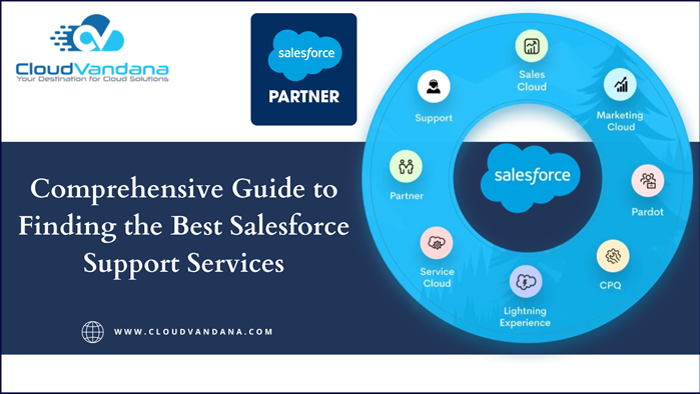
If you’re looking for Salesforce support services, don’t look any further than this ultimate guide by CloudVandana! Learn how to find the best providers for your business needs. Salesforce Support Services Salesforce is a versatile cloud-based customer relationship management (CRM) platform that can help businesses increase their efficiency and profitability. In this guide, we’ll look at what Salesforce support services are available and how to find the best providers for your business needs. Understand Your Requirements Before you begin your search for Salesforce support services, it is important to understand what specific requirements you have. This will help you narrow down the field of potential providers and ensure that the provider you choose has the expertise to meet your needs. You should consider what areas of Salesforce need assistance, how quickly responses are needed, and any other specific needs or preferences your business may have. Research the Solutions Offered by Salesforce Support Services Once you’ve identified the areas of Salesforce that need assistance, it’s important to research the solutions offered by different providers. Many support services offer a variety of solutions, including technical consulting, custom development, training, and more. Research the websites of providers to get a better idea of their capabilities and offerings. Evaluate each solution carefully to make sure that it meets your needs and budget. Look for Customer References and Testimonials As you narrow your list of providers, take the time to look for customer references and testimonials that can give you a better idea of their level of service. Ask questions such as: Does this provider have satisfied customers? Is their team available to answer questions and troubleshoot problems? Do they offer the necessary expertise and experience to tackle the job effectively? A review from previous customers or clients can help provide insight into a provider’s reputation, reliability, and talent. Check Security and Compliance Standards When selecting a support provider, be sure to ask about their security and compliance standards. When it comes to keeping your customer data secure, a provider must follow the highest cybersecurity standards. A reputable support provider is certified with either the Service Organization Control (SOC) or International Information Security Standard (ISMS). These certifications demonstrate that a provider upholds high security and privacy standards for customers on the Salesforce platform. Make Sure You Receive Ongoing Support and Training In addition to security and compliance, look for providers that promise ongoing training and support. This leading CRM platform is constantly evolving and changing, so it’s important to find a provider who can keep up with these changes and help you make the most of your Salesforce investment. Look for providers who are offering not only implementation services but also ongoing technical assistance, updates regarding the latest release information, best practices for customization, and more. Are you looking for a reputed Salesforce support service provider? Please feel free to schedule a consultation call with CloudVandana, and get the solution best suited for your business. Call Now. Request a Free Consultation YOU MIGHT ALSO LIKE
Understanding the Difference Between Setup and Non-Setup Objects in Salesforce
Understanding the difference between Setup and non-setup objects in Salesforce is essential as Salesforce offers users a variety of objects to customize their application. Explore the guide by CloudVandana to discover more! Setup and Non-Setup Objects in Salesforce Whether you’re a Salesforce beginner or an experienced user, you must know the setup and non-setup objects. In this guide, we’ll explain what they are and how they can be used to customize your Salesforce application. What is a Setup Object? Setup objects are objects that Salesforce allows you to configure and manipulate. These objects allow you to create, delete, change, or update records to customize your application according to your business needs. These are also often called “customizable” or “configurable” objects. Examples of setup objects include custom fields, profiles, roles, workflow rules, and even standard objects like accounts or contacts. What are Non-Setup Objects? Non-setup objects are objects that Salesforce provides but do not allow users to configure or manipulate. Non-setup objects provide the data to power the custom fields, profiles, and other setup objects. Examples of non-setup objects include standard objects like accounts or contacts as well as relationships such as lookup fields. While you may not be able to modify or customize these objects, they’re essential in maintaining data integrity within your application. What Different Types of Setup Objects Are There? Setup objects are objects that users can configure and manipulate. Examples of these include custom fields, page layouts, reports and dashboards, profiles, queues, sharing rules, and more. These are the elements that enable you to customize your application according to your business needs. Each setup object has its own implications when it comes to data development, analysis, and reporting. It’s important to understand which type of object is best suited for your needs! When Should I Use Setup Objects Versus Non-Setup Objects? The main difference between setup and non-setup objects is the ability to manipulate them. Setup objects can be configured by users, whereas non-setup objects cannot be changed. Setup objects are often used for elements that require an ongoing configuration process, such as reports and dashboards. On the other hand, non-setup objects can be used where a one-time setup is enough, such as custom fields. Ultimately, it’s important to use the right type of object for each situation in order to maximize efficiency and reduce errors. How Do I Monitor and Manage My Setup and Non-Setup Objects in Salesforce? One of the most important aspects of managing your setup and non-setup objects in Salesforce is monitoring your changes. You can do this by using the Setup Audit Trail object to track any changes you make to your setup or non-setup objects. This will give you greater visibility over what changes were made and who made them, helping you ensure that only valid changes are being made. Additionally, it’s a good idea to review your Salesforce configuration regularly to identify any potential issues and ensure it meets current needs. Are you looking for expert Salesforce professionals for a successful Salesforce implementation and maintenance to experience the highest benefits of this CRM platform? Please feel free to schedule a consultation call with CloudVandana, a reputed Salesforce partner in India, and take your business to the next level. Call Now. Request a Free Consultation YOU MIGHT ALSO LIKE
Tips & Tricks to Leverage Apex Triggers in Salesforce
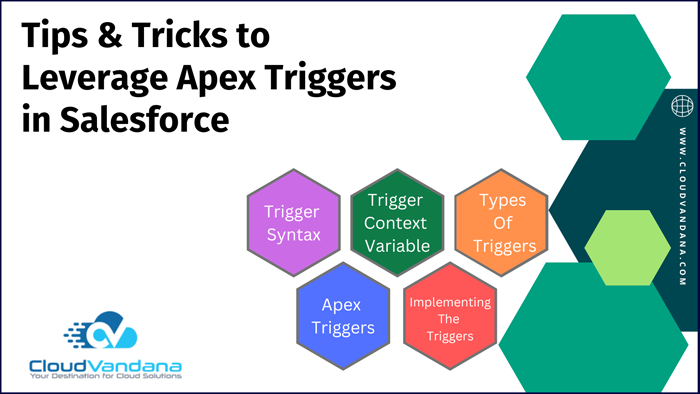
Take your automation to the next level with Apex triggers in Salesforce. This guide by CloudVandana covers best practices, tips, and tricks for leveraging Apex triggers in Salesforce. Apex Triggers in Salesforce Apex triggers are an incredibly useful tool for automating processes in Salesforce. With this guide, you’ll learn about their capabilities, best practices for using them, and tips for getting the most out of Apex triggers. Analyze Your Business Requirements for Apex Triggers Before you start implementing Apex triggers, it’s important to take a step back and review what your business needs are. Ensure that your requirements are not already being met by Salesforce automation tools such as Process Builder, Flow, or Workflow. If Apex triggers are necessary, you should determine the trigger point and the action that it will take in order to accomplish the desired result. This will help you create an efficient, effective automated process. Use Context Variables Specifically It’s important to use context variables when working with Apex triggers. Context variables are global variables that provide an entry point for the non-deterministic actions of a trigger so that it can be managed. Use respective context variables for all the effects of your trigger rather than relying on some specific order of execution that Salesforce does not guarantee. This will ensure your triggers execute predictably, regardless of order or timing in Salesforce system events. Always Write Test Classes Writing test classes to accompany your Apex triggers is one of the best practices for developing with Salesforce. Test classes will create a safety net when debugging or changing existing code. They can also provide metrics on how well a trigger is performing, giving insight into how it could be improved. With test classes in place, you can verify that all resulting consequences are running as expected and diagnose any issues quickly and accurately. Design Trigger Handlers Trigger handlers are classes used by triggers to control which logic is executed for each type of operation, such as insert, update, or delete. This allows you to separate out how records will be processed when they’re pushed into the system. Put your logic in separate handler methods and have the trigger call them to keep your code tight and organized. This will make it easier to debug and maintain later on. Create an Exception Logging Framework By setting up an exception logging framework, you can track errors that arise in your Salesforce application. This will give you clarity on which triggers are failing to perform as expected and provide an actionable solution. To get started, create a custom exception object with fields such as error_message, process_name, and error_code, and write a trigger that collects the error data upon an update. From there, create a workflow rule to send an email notification when certain criteria are met. Are you looking for a reputed Salesforce partner to experience the best practices of this #1 CRM platform to stay ahead of the competitors? Please schedule a consultation call with CloudVandana, a reputed Salesforce partner in India, and stay ahead of the competition. Request a Free Consultation YOU MIGHT ALSO LIKE
Quick & Easy Tips for Finding the Data Loader Tool in Salesforce

Don’t know how to access the Data Loader Tool in Salesforce? Take a look at this guide by CloudVandana for some simple steps that point you in the right direction. Data Loader Tool in Salesforce Have you been struggling to find the Data Loader Tool in Salesforce? Don’t worry – with this step-by-step guide; you’ll quickly learn how to access the tool and start loading data into your Salesforce account. Log into Your Salesforce Account The first step is to log into your Salesforce account. Once you are logged in, look for the Data Management section under the Setup tab. Click on the Data Loader link, which will bring up the Data Loader Tool interface and all of its features. Locate the Setup Menu in the Upper Right-hand Corner You may also locate the Data Loader Tool via the Setup menu. Click on the avatar in the top right corner, and a drop-down menu will appear. Select “Setup” from this menu and look for the Data Management option—this is where you can access the Data Loader tool. Search for “Data Loader” Using the Quick Find Box You can quickly navigate to the Data Loader tool by searching for it in the Quick Find Box. This is located in the top-left corner of your screen after logging into Salesforce. Type “Data Loader” into the search bar, select “Data Loader,” and click on “Go!” to access this tool. Select “Data Loader” from the List of Available Tools After searching for “Data Loader,” you will see a list of all of the available tools in Salesforce. Select “Data Loader” from the list and click on “Go!” You will now be redirected to the Data Loader page. Here, you can select from various features, such as Export or Insert/Update, depending on your goal. Follow the Instructions to Install & Use the Data Loader Tool After you have selected the Data Loader tool, scroll down to the “Download and Install” section. Here, you will find instructions on how to install and use the Data Loader tool. Be sure to read all of the steps carefully before you proceed. Once you have completed installation and configuration, return to the same page for more information about other features offered by the Data Loader Tool. Are you looking for a reputed Salesforce partner for customized Salesforce implementation and maintenance? Please feel free to schedule a call with the Salesforce experts of CloudVandana and get the best solution to stay ahead of the competition. Call Now. Request a Free Consultation YOU MIGHT ALSO LIKE
5 Impressive Advantages of Using React JS for Your Projects

Discover how to turbocharge your web development process with React JS‘s impressive features. Dive into this guide by CloudVandana to learn more about its many advantages. React JS boasts many features that make web development easier and faster. From its simple syntax and efficient performance to its scalability, team-friendly code structure, and robust community support, React JS offers a range of advantages that can help you turbocharge your web development process. React Js Simplifies the User Interface Development The framework allows developers to break down a complex user interface into smaller, simpler components. It uses composition rather than inheritance, resulting in fewer lines of code, improved readability and scalability, and better performance. The use of inline templates and the support of unidirectional data flow make React even more functional, allowing developers to create user interfaces quickly and efficiently. Rich User Interface Components This framework provides its users with access to a wide range of user interface components that can be used to create powerful, dynamic interfaces. React also supports the use of third-party component libraries such as Material UI, Ant Design, and Semantic UI. This allows for the rapid development of websites and web apps with comprehensive components and an intuitive user experience. Enhanced Performance with Virtual DOM One of the biggest advantages of React is its use of virtual DOM (Document Object Model). This allows developers to create user interfaces that update and amend dynamically. It works like a copy of the original DOM representation, with only relevant changes being rendered – helping to make React applications incredibly fast and responsive. SEO-friendliness Features React JS makes it easier for developers to create websites that are SEO-friendly. As the generated HTML is stored in the server and the content is subsequently rendered in browsers, search engine crawlers can access and index the content much more easily. As a result, React JS-based sites rank higher on SERP (Search Engine Result Pages) as compared to non-React counterparts. JavaScript Library for Reusable Components React JS is not just about SEO-friendly content. It also enables developers to create reusable components. This feature becomes even more powerful when the project consists of a page or multiple pages with similar elements. By using React JS, developers can avoid writing the same code over and over again when creating components with similar functionalities. React Js Developers will simply have to write the code once and use it as many times as necessary. This makes the coding process much faster and allows developers to focus on other aspects of website development. Are you looking for remote software developers on contract for a faster deployment process? Please schedule a consultation call with CloudVandana, a reputed Staff Augmentation firm in India, and touch your goal faster. Call Now. Request a Free Consultation YOU MIGHT ALSO LIKE
The Ultimate Guide to Becoming a Certified Salesforce Consultant

This comprehensive guide by CloudVandana contains all the information you need to succeed in becoming a certified Salesforce consultant. Learn how to take your career to the next level by mastering Salesforce consulting. If you are ambitious and looking for a career that focuses on helping businesses become more productive and organized, then becoming a Salesforce consultant may be the perfect option for you. With this guide, find out everything you need to know about becoming a Salesforce consultant – from what certifications are available to industry trends. Research the Requirements and Eligibility to Become a Salesforce Certified Consultant Becoming a Certified Consultant is no easy task. To do so, you must thoroughly understand the Salesforce platform and its capabilities. Additionally, you should be familiar with the product lines and solutions that the leading CRM brand offers. On top of all this, you must meet specific eligibility requirements before you can begin taking their certification tests. Choose the Right Certification for Your Career Goals The first step to becoming a certified Salesforce Consultant is selecting the best certification for your career aspirations. Several options are available, so you should research them carefully and consider which one will best help you achieve your goals. It is also important to consider the cost of each certification course as well as the level of difficulty they present. You must ensure that whatever type of certification you choose is within your budget and skill set before committing to it. Study Effectively – Take Advantage of Resources, Practice Exams, and Hands-on Learning Opportunities In addition to preparing through the official courses, there are several other ways you can sharpen your skills and increase your understanding of Salesforce. There are several online study resources available, such as practice exams and tutorials offered by third parties. Additionally, look into any hands-on learning opportunities like attending workshops and conferences or participating in virtual environments where you can apply the concepts you’ve learned. Doing this will not only help develop deeper knowledge but also help strengthen the practical elements of your certification exam. Ensure Professional Development Through Industry Connections Developing connections in the Salesforce community is essential for any consultant looking to take their career to the next level. By immersing yourself in the tools, events, resources, and conversations around Salesforce, you’ll gain an edge over those just getting started or without these expert-level connections. Consider joining user groups or attending events specifically for Salesforce professionals to network and share best practices. Additionally, industry trends can change rapidly, so make sure to keep up with what’s happening by subscribing to relevant newsletters or checking out industry blogs. Prepare for the Exams Preparing for the certification exams is an important step that requires dedicated study and practice. To feel confident and ready for the exam, establish a study schedule that outlines what you need to learn, review, and do each day to master the necessary material. The Salesforce Consultant Certification focuses on setting up complex data management models, creating reports and dashboards, configuring user permission settings, and more. Therefore, pair your studying with hands-on practical experience using the software so you can apply your new knowledge immediately. Are you looking for a certified consultant to care for your projects? Please feel free to schedule a consultation call with CloudVandana, a reputed Salesforce partner in India, and experience Salesforce Staff Augmentation services to stay ahead of the competition. Call Now. Request a Free Consultation YOU MIGHT ALSO LIKE



