


Maximizing Efficiency with an Enterprise CRM System

Improve customer relationships and optimize your business operations with an enterprise CRM system. This comprehensive guide offers valuable insights and strategies for successful implementation. Looking to enhance your customer relationships and streamline your business operations? An enterprise CRM system may be just what you need. In this comprehensive guide, we’ll explore the benefits of implementing an enterprise CRM system and provide valuable insights and strategies for successful implementation. Discover how this powerful tool can help you optimize your business and take your customer relationships to the next level. Understand the benefits of an enterprise CRM system Implementing an enterprise CRM system can bring numerous benefits to your business. Firstly, it allows for better organization and management of customer data, ensuring that all relevant information is easily accessible and up-to-date. This leads to improved customer service and personalized interactions, as you can track customer preferences and history. Additionally, an enterprise CRM system can automate various tasks and processes, saving time and increasing efficiency. It also provides valuable insights and analytics, allowing you to make data-driven decisions and identify areas for improvement. Overall, investing in an enterprise CRM system can greatly enhance your business operations and help you build stronger, long-lasting customer relationships. Assess your business needs and goals Before implementing an enterprise CRM system, assessing your business needs and goals is important. Consider what specific challenges or pain points you are facing in your current customer relationship management processes. Are you struggling with disorganized customer data? Do you need better insights and analytics to make informed decisions? Are you looking to automate certain tasks to increase efficiency? By identifying your specific needs and goals, you can better evaluate CRM solutions and choose one that aligns with your business objectives. Additionally, involving key stakeholders and departments in this assessment process can ensure that the CRM system meets the needs of your entire organization. Choose the right CRM software When selecting CRM software for your enterprise, it is crucial to choose one that aligns with your specific business needs and goals. Consider factors such as scalability, customization options, integration capabilities, and user-friendliness. It is also important to evaluate the vendor’s reputation, customer support services, and pricing structure. Take the time to research and compare different CRM software options to ensure that you choose the right one for your organization. Additionally, consider seeking input from key stakeholders and departments to ensure that the chosen CRM software meets the needs of your entire organization. Plan and prepare for implementation Implementing an enterprise CRM system requires careful planning and preparation to ensure a smooth transition and successful adoption. Start by clearly defining your goals and objectives for implementing the CRM system. Identify the key stakeholders and departments that will be involved in the implementation process and gather their input and requirements. Create a detailed implementation plan that outlines the steps, timeline, and resources needed for the implementation. Communicate the plan to all relevant parties and provide training and support to ensure that everyone is prepared for the changes that will come with the new CRM system. Regularly evaluate and adjust the implementation plan as needed to address any challenges or issues that arise. By planning and preparing effectively, you can maximize the efficiency and effectiveness of your enterprise CRM system implementation. Train your employees and ensure the adoption One of the key factors in successfully implementing an enterprise CRM system is ensuring that your employees are trained and ready to adopt the new system. Provide comprehensive training sessions that cover all aspects of the CRM system, including how to input and access customer data, how to use the reporting and analytics features, and how to effectively communicate with customers using the system. Offer ongoing support and resources to help employees navigate any challenges or questions that arise during the transition. Encourage feedback and open communication to address any concerns or resistance to change. By investing in thorough training and support, you can increase the likelihood of successful adoption and maximize the efficiency of your enterprise CRM system. Are you looking for a reputed IT Consulting company to get the maximum benefits of your enterprise CRM system? Please schedule a call with CloudVandana and get the full return on investment. Call Us Now. Request a Free Consultation YOU MIGHT ALSO LIKE
From Startups to Enterprises: Leveraging Staff Augmentation for Sustainable Growth
From startups looking to scale rapidly to established enterprises striving to stay ahead of the curve, leveraging staff augmentation has become a game-changer. In today’s fast-paced and competitive business landscape, companies of all sizes constantly seek innovative ways to fuel their growth. This service offers a flexible solution that allows businesses to tap into a pool of highly skilled professionals without the long-term commitment and overhead costs associated with traditional hiring. Organizations can effectively bridge skill gaps, enhance productivity, and accelerate sustainable growth by strategically supplementing their existing workforce with specialized talent. Whether filling temporary resource needs, tackling complex projects, or accessing niche expertise, staff augmentation provides a cost-effective and efficient way to scale operations and achieve business objectives. In this article, we will delve deeper into the benefits of this hiring service and explore how it can be leveraged by startups and enterprises alike to drive sustainable growth in today’s dynamic business environment. Understanding the benefits Staff augmentation offers a flexible solution that allows businesses to tap into a pool of highly skilled professionals without the long-term commitment and overhead costs associated with traditional hiring. Organizations can effectively bridge skill gaps, enhance productivity, and accelerate sustainable growth by strategically supplementing their existing workforce with specialized talent. One of the primary benefits of this hiring model is the ability to scale up or down quickly based on business needs. Traditional hiring processes can be time-consuming and may not align with today’s fast-paced business environment. The model provides a more agile approach, allowing companies to access the right talent at the right time without delaying recruitment and onboarding processes. Another advantage is the cost-effectiveness it offers. Hiring full-time employees comes with various expenses, such as salaries, benefits, training, and office space. Businesses can save on these overhead costs by opting for this hiring model, as they only pay for the specific skills and resources they need for a particular project or period. This cost optimization enables companies to allocate their financial resources more efficiently and invest in other critical business areas. Furthermore, this service allows organizations to access specialized expertise that may not be available in-house. Whether for a short-term project or a complex technical requirement, businesses can tap into a vast talent pool of professionals with niche skills and experience. This access to specialized knowledge enables companies to take on projects that would otherwise be challenging or impossible to accomplish with their existing workforce. Staff augmentation vs. traditional hiring While traditional hiring involves recruiting full-time employees with long-term commitments, staff augmentation takes a more flexible approach. Instead of hiring individuals as permanent employees, companies engage with external professionals or agencies to provide the necessary skills and resources temporarily. One of the key differences between staff augmentation and traditional hiring lies in the level of commitment. When hiring full-time employees, businesses typically enter into long-term contracts and are responsible for providing benefits and maintaining a stable work environment. In contrast, staff augmentation allows companies to engage with professionals for short-term projects or specific periods without the burden of long-term commitments. Another distinction is the level of control and management. With traditional hiring, companies have full control over their employees’ work and can dictate the processes and procedures. However, with staff augmentation, businesses have less direct control over external professionals and rely on their expertise to deliver the desired outcomes. This requires effective communication, collaboration, and trust between the company and the augmented staff. When to consider Staff Augmentation Staff augmentation can be beneficial in various scenarios, depending on a company’s specific needs and goals. Here are some everyday situations where businesses can consider leveraging staff augmentation: 1. Temporary resource needs: When faced with a sudden surge in workload or a short-term project, companies can utilize staff augmentation to fill the resource gap quickly. Instead of hiring full-time employees for a temporary period, businesses can engage with professionals who have the required skills and experience to handle the workload efficiently. 2. Tackling complex projects: Some projects may require specialized expertise not readily available within the existing workforce. By leveraging staff augmentation, companies can access professionals with niche skills and experience to handle complex projects effectively. This ensures the project is completed successfully without compromising quality or timelines. 3. Accessing niche expertise: In certain industries or domains, specific expertise may be needed that is rare or hard to find. Staff augmentation allows businesses to tap into a vast talent pool and access professionals with niche skills and knowledge. This enables companies to benefit from specialized expertise without long-term commitments or extensive recruitment processes. 4. Scaling operations: As businesses grow, they may need to scale their operations quickly to meet the increasing demand. Staff augmentation provides a flexible solution to scale up operations without the constraints of traditional hiring processes. Companies can access the necessary skills and resources to support their growth trajectory by engaging with external professionals. How to find the right staff augmentation agency Finding the right staff augmentation agency is crucial for a successful partnership. Here are some key factors to consider when selecting an agency: 1. Industry expertise: Look for an agency that has experience working in your industry or domain. This ensures that they understand the specific challenges and requirements of your business and can provide professionals who are well-versed in your industry. 2. Reputation and track record: Research the agency’s reputation and track record in the market. Look for client testimonials, case studies, and online reviews to gauge their reliability and the quality of their services. A reputable agency will have a proven track record of delivering successful staff augmentation solutions. 3. Quality of talent pool: Assess the agency’s talent pool and the caliber of professionals they can access. Look for agencies that have a rigorous screening and vetting process to ensure that they provide highly skilled and experienced professionals. 4. Communication and collaboration: Effective communication and collaboration are crucial for a successful staff augmentation partnership. Look for an agency that values transparency and open communication and
Unveiling the Power of Matching and Duplicate Rules In Salesforce
Are you tired of dealing with inaccurate and inconsistent data in your organization? Look no further as we dive into the power of matching and duplicate rules in Salesforce to ensure data accuracy and consistency. In today’s fast-paced digital world, businesses rely heavily on data to make informed decisions. However, without proper data management techniques, organizations risk making costly errors and losing valuable insights. Matching and duplicate rules provide a solution to this problem by identifying and eliminating duplicate records within a dataset. By implementing these rules, businesses can maintain accurate and consistent data, leading to improved operational efficiency, enhanced customer experiences, and better decision-making. In this article, we will explore the benefits and best practices of using matching and duplicate rules, empowering you to harness the power of accurate and consistent data in your organization. Get ready to unlock a world of possibilities with data management! Importance of Data Accuracy and Consistency In today’s data-driven era, the accuracy and consistency of data play a vital role in the success of any organization. Whether it’s customer data, sales data, or financial data, having reliable and up-to-date information is crucial for making informed decisions. Imagine relying on inaccurate data to analyze customer behavior or track sales performance. It could lead to misguided strategies, missed opportunities, and, ultimately, a negative impact on the bottom line. Moreover, inconsistent data across different systems or departments can cause confusion, duplication of efforts, and hinder collaboration. To overcome these challenges, businesses need robust data management practices, and matching and duplicate rules in Salesforce offer a powerful solution. These rules help identify duplicate records within a dataset, ensuring that only accurate and unique information is retained. By implementing matching and duplicate rules in Salesforce, organizations can achieve a single version of truth where data is consistent, reliable, and ready for analysis. This level of data accuracy and consistency serves as a solid foundation for driving business growth and making well-informed decisions. Understanding Matching and Duplicate Rules in Salesforce Before diving into the benefits and best practices of using matching and duplicate rules in Salesforce, it’s essential to understand what they are and how they work. Matching rules are a set of criteria used to identify potential duplicates within a dataset. These criteria can be based on specific fields, such as name, address, email, or a combination of multiple fields. By comparing the values of these fields, matching rules determine the similarity between records and flag potential duplicates. On the other hand, duplicate rules define the actions to be taken when potential duplicates are identified. These actions can range from simply alerting the user to merging or deleting duplicate records. Duplicate rules ensure duplicate records are handled consistently and according to predefined guidelines. By combining matching and duplicate rules in Salesforce, organizations can effectively identify, manage, and eliminate duplicate records, resulting in accurate and consistent data. Types of Matching Rules Matching rules can be categorized into different types, depending on the level of precision required and the complexity of the dataset. Let’s explore some common types of matching rules: 1. Exact Matching: This rule compares the exact values of specific fields to identify duplicates. For example, if two records have the same email address, they will be flagged as potential duplicates. Exact matching is useful when dealing with unique identifiers or fields that should have identical values in duplicate records. 2. Fuzzy Matching: Fuzzy matching considers variations, misspellings, and phonetic similarities in fields to identify potential duplicates. It uses algorithms to calculate similarity scores and determine the likelihood of a match. Fuzzy matching is particularly useful when dealing with names, addresses, or other fields prone to human errors or inconsistencies. 3. Advanced Matching: Advanced matching rules involve complex algorithms and rules to identify duplicates based on multiple fields and criteria. These rules consider a combination of exact and fuzzy matching techniques to achieve a higher level of accuracy. Advanced matching is suitable for organizations dealing with large datasets and complex data structures. By selecting the appropriate type of matching rule based on the nature of the data and the desired level of precision, organizations can effectively identify and manage duplicate records. Creating and Configuring Matching Rules Now that we understand the importance of matching rules and the different types available, let’s explore how to create and configure these rules. The process may vary depending on the software or platform used, but the general steps remain consistent. Here’s a step-by-step guide: 1. Identify Key Fields: Start by identifying the key fields that should be considered when identifying potential duplicates. These fields could include name, email, phone number, address, or any other field that holds unique or critical information. 2. Define Matching Criteria: Once the key fields are identified, define the matching criteria for each field. For example, if the name field is considered, specify whether exact matching or fuzzy matching should be applied. Determine the threshold for similarity scores in fuzzy matching to flag potential duplicates. 3. Configure Matching Rules: Using the matching criteria defined in the previous step, configure the matching rules in your data management platform or software. This typically involves selecting the fields to be compared, defining the matching criteria, and setting the desired actions to be taken when duplicates are identified. 4. Test and Validate: Before applying the matching rules to your entire dataset, it’s crucial to test and validate their effectiveness. Create a sample dataset with known duplicates and run the matching rules to ensure they correctly identify and flag the duplicates. Tweak the matching criteria if necessary, and fine-tune the rules for optimal performance. 5. Apply to Full Dataset: Once you are confident in the accuracy and reliability of your matching rules, apply them to your full dataset. Depending on the size of your dataset, this process may take time, so it’s important to plan accordingly. Regularly monitor the matching process and review the flagged duplicates to ensure the rules are functioning as expected. By following these steps and configuring matching rules
Unleashing the Power of Lightning in Salesforce: A Comprehensive Guide

Whether you’re a seasoned Salesforce user or just getting started, this guide on Lightning in Salesforce is packed with the knowledge and insights you need to harness the full potential of this powerful platform. From understanding the core features of Lightning to mastering advanced customization techniques, we’ve got you covered. Discover how Lightning can transform your business processes, streamline workflows, and enhance user experience. With step-by-step instructions, practical tips, and real-life examples, you’ll learn how to leverage Lightning to its fullest extent. So, fasten your seatbelts and get ready to unlock a world of possibilities with Lightning in Salesforce. Let’s dive in and revolutionize the way you work! Advantages of using Lightning in Salesforce Lightning is more than just a user interface upgrade for Salesforce; it’s a game-changer that can greatly enhance your productivity and efficiency. One of the key advantages of Lightning is its modern and intuitive design. The Lightning Experience provides a sleek and responsive interface that is optimized for speed and ease of use. With its clean and visually appealing layout, Lightning makes navigating and interacting with Salesforce a breeze. Moreover, Lightning is built on a responsive framework, making it accessible on various devices, including desktops, tablets, and mobile phones. This means you can access your Salesforce data and perform tasks on the go, ensuring you never miss a beat. Another advantage of Lightning is its powerful customization capabilities. With the Lightning App Builder, you can easily create custom Lightning apps tailored to your specific needs. The App Builder provides a drag-and-drop interface that allows you to add and arrange components, customize layouts, and configure actions without any coding. This empowers you to design and deploy custom apps in a fraction of the time it would take with traditional development methods. Whether you need to create a custom dashboard, a specialized report, or a unique workflow, Lightning App Builder gives you the flexibility to build solutions that fit your business like a glove. Additionally, Lightning brings a host of productivity-enhancing features to the table. The Lightning Experience is designed to streamline your workflows and help you finish more quickly. For example, the Lightning Home page provides a personalized dashboard that displays relevant information and tasks at a glance, allowing you to prioritize your work and stay focused on what matters most. Lightning also introduces features like Kanban boards, which enable you to visualize your sales pipeline and track progress with ease. With Lightning, you can say goodbye to tedious manual tasks and hello to increased productivity and efficiency. Lightning features and capabilities In order to fully harness the power of Lightning, it’s important to familiarize yourself with its core features and capabilities. Lightning offers a wide range of tools and functionalities that can supercharge your Salesforce experience. Let’s take a closer look at some of the key Lightning features that you should be aware of. Lightning App Builder: Building custom Lightning apps The Lightning App Builder is a powerful tool that allows you to create custom Lightning apps without writing a single line of code. With its intuitive drag-and-drop interface, you can easily add and arrange components, customize layouts, and configure actions. Whether you’re creating a simple app for internal use or a complex app for external customers, the App Builder makes the process quick and painless. You can choose from a wide variety of pre-built components, such as charts, tables, and forms, or create your own custom components from scratch. With the App Builder, the possibilities are endless. Lightning Experience: Enhancing user experience in Salesforce The Lightning Experience is the new user interface for Salesforce, designed to provide a modern and intuitive experience for users. With its sleek and responsive design, Lightning makes it easier than ever to navigate and interact with Salesforce. The Lightning Experience offers a range of features and enhancements that can greatly enhance user productivity. For example, the Lightning Home page provides a personalized dashboard that displays relevant information and tasks at a glance, allowing users to prioritize their work and stay focused. Lightning also introduces features like Kanban boards, which enable users to visualize their sales pipeline and track progress with ease. By transitioning to Lightning Experience, you can provide your users with a more intuitive and efficient Salesforce experience. Lightning Components: Creating reusable UI elements Lightning Components are a key building block of the Lightning platform, enabling you to create reusable UI elements that can be easily added to your Lightning apps. Lightning Components are self-contained and can be easily combined to create complex and highly customizable user interfaces. With Lightning Components, you can build reusable components for common UI patterns, such as navigation menus, search bars, and data tables. This not only saves time and effort, but also ensures consistency across your Lightning apps. Whether you’re a developer looking to create custom components or an admin looking to leverage pre-built components from the Lightning AppExchange, Lightning Components are a powerful tool in your arsenal. Lightning Design System: Consistent and visually appealing user interface The Lightning Design System is a set of guidelines and resources that help you create a consistent and visually appealing user interface in your Lightning apps. With the Design System, you can easily create a unified look and feel across your apps, ensuring a seamless user experience. The Design System provides a library of CSS frameworks, icons, and design patterns that can be used to build beautiful and responsive UIs. Whether you’re a designer looking to create pixel-perfect interfaces or a developer looking to implement design best practices, the Lightning Design System has you covered. By following the Design System guidelines, you can ensure that your Lightning apps are not only functional but also visually stunning. Transitioning from Classic to Lightning: Best Practices and Considerations Making the transition from Salesforce Classic to Lightning Experience can seem like a daunting task, but with the right approach and preparation, it can be a smooth and successful process. Here are some best practices and considerations to remember when
Salesforce for Retail: How to Streamline Your Sales Process
Salesforce for Retail has a comprehensive suite of tools and solutions designed specifically for the retail industry, Salesforce can help you revolutionize your customer service experience and drive revenue growth. From managing customer data and tracking sales leads to providing personalized shopping experiences and analyzing customer behavior, Salesforce for Retail offers everything you need to stay ahead of the competition. With its intuitive interface and powerful integrations, you can easily manage your sales operations, automate workflows, and provide exceptional customer support. Salesforce for Retail Salesforce is a customer relationship management (CRM) platform that can help retailers streamline their sales process and improve customer engagement. By leveraging its features, retailers can gain valuable insights into customer behavior, personalize their marketing efforts, and ultimately boost their bottom line. In this article, we’ll explore how Salesforce can benefit retailers and provide tips for optimizing its use. Understand Your Customers and Their Needs One of the key benefits of using Salesforce for retail is the ability to gain a deeper understanding of your customers and their needs. By tracking customer interactions and behaviors, you can identify patterns and preferences that can inform your sales and marketing strategies. Use Salesforce’s reporting and analytics tools to analyze customer data and create targeted campaigns that resonate with your audience. Additionally, use Salesforce’s customer service features to provide personalized support and build stronger customer relationships. Use Salesforce to Manage Your Sales Pipeline Salesforce is a powerful tool for managing your sales pipeline and ensuring that your team is working efficiently and effectively. Use Salesforce’s lead management features to track and prioritize leads, assign tasks to team members, and monitor progress toward sales goals. Additionally, use Salesforce’s forecasting tools to predict future sales and identify areas where your team can improve. By leveraging these features, you can streamline your sales process and increase your bottom line. Automate Your Sales Process with Salesforce One of the biggest benefits of using Salesforce for retail is the ability to automate your sales process. By setting up workflows and automation, you can save time and ensure that your team is following a consistent process. For example, you can automatically assign leads to specific team members based on criteria like location or industry. You can also set up automated email campaigns to nurture leads and keep them engaged throughout the sales process. By automating your sales process, you can focus on building relationships with customers and closing deals rather than spending time on administrative tasks. Use Salesforce to Track Your Sales Performance Another key benefit of using Salesforce for retail is the ability to track your sales performance in real time. With Salesforce’s reporting and analytics features, you can easily see how your team is performing and identify areas for improvement. You can track metrics like lead conversion rates, average deal size, and sales cycle length. This data can help you make informed decisions about where to focus your sales efforts and how to optimize your sales process for maximum efficiency and profitability. By using Salesforce to track your sales performance, you can stay ahead of the competition and drive growth for your business. Leverage Salesforce to Improve Customer Service In addition to optimizing your sales process, Salesforce can help you improve your customer service. With features like case management and customer portals, you can provide your customers with a seamless and personalized experience. Case management allows you to track and resolve customer issues quickly and efficiently, while customer portals give customers access to their account information and support resources. Using Salesforce to improve your customer service, you can build stronger relationships with your customers and increase their loyalty to your brand. Are you planning to implement Salesforce Ecosystem to manage your customers efficiently? Please feel free to schedule a consulting session with the Salesforce experts of CloudVandana and stay ahead of the competition. Call Now. Request a Free Consultation YOU MIGHT ALSO LIKE
LWC vs. LWR: What’s the Difference and When to Use Each?
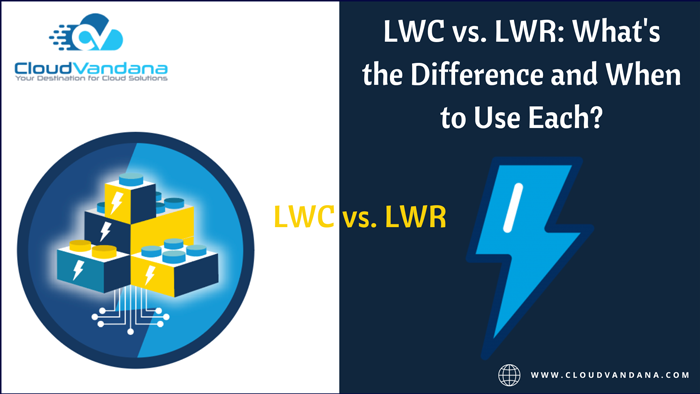
LWC and LWR are important tools in Salesforce development, but knowing when to use each can be tricky. Salesforce developers have two powerful tools: Lightning Web Components (LWC) and Lightning Web Runtime (LWR). While both are designed to help create lightning-fast web applications, they have different strengths and weaknesses. In this guide, we’ll explore the differences between LWC and LWR and help you decide which is right for your project. Understanding the basics of LWC and LWR Before diving into the differences between LWC and LWR, it’s important to understand the basics of each tool. Lightning Web Components (LWC) is a modern programming model for building web applications on the Salesforce platform. It uses standard web technologies like HTML, CSS, and JavaScript to create reusable components that can be easily integrated into your Salesforce org. Lightning Web Runtime (LWR), on the other hand, is a lightweight runtime environment that allows you to run your web applications outside of the Salesforce platform. It’s designed for developers who want to build web applications that can be deployed to any platform, not just Salesforce. When to use LWC LWC is best used when you want to build reusable components that can be easily integrated into your Salesforce org. It’s a great choice for developers who want to create custom UI components that can be used across multiple applications. LWC is also a good choice if you want to take advantage of the latest web technologies and standards, as it uses HTML, CSS, and JavaScript. Additionally, LWC is optimized for performance and can handle large amounts of data, making it a good choice for complex applications. When to use LWR LWR, or Lightning Web Runtime, is best used when you want to build standalone applications that can be deployed outside of Salesforce. It’s a great choice for developers who want to create custom applications that can be used on any platform, not just Salesforce. LWR uses the same technology stack as LWC, but it’s optimized for standalone applications rather than reusable components. Additionally, LWR allows for more flexibility in terms of deployment and hosting options, making it a good choice for developers who want more control over their applications. Pros and cons of each approach When it comes to choosing between LWC and LWR, there are pros and cons to each approach. LWC is great for building reusable components within Salesforce, which can save time and effort in the long run. However, it may not be the best choice if you need to build standalone applications that can be deployed outside of Salesforce. On the other hand, LWR is optimized for standalone applications and offers more flexibility in deployment and hosting options. However, it may require more effort to build and maintain than LWC. Ultimately, choosing between LWC and LWR depends on your specific development needs and goals. Best practices for using LWC and LWR together While LWC and LWR have their strengths and weaknesses, they can also be used together to create more complex and powerful applications. For example, you can use LWC to build reusable components that can be used within LWR applications, or you can use LWR to build standalone applications that interact with Salesforce data through LWC components. When using LWC and LWR together, it’s important to follow best practices such as keeping your code modular and well-organized, using version control to track changes, and testing your code thoroughly before deployment. Are you looking for experienced LWC developers to enhance your organization? Please contact CloudVandana and Hire remote Salesforce LWC Developers on Demand. Call Now. Request a Free Consultation YOU MIGHT ALSO LIKE
How to Implement ServiceNow in Your Organization: A Step-by-Step Guide
ServiceNow is a powerful platform that can streamline and automate your organization’s workflows, but implementing it can be complex and overwhelming. This guide provides a step-by-step breakdown of the process, from planning and preparation to deployment and beyond, to help ensure a successful implementation. Define Your Goals and Objectives Before you begin implementing ServiceNow, it’s important to define your goals and objectives. What do you hope to achieve with the platform? What specific processes or workflows do you want to streamline or automate? Take the time to clearly define your goals and objectives, and make sure they align with your organization’s overall strategy and priorities. This will help ensure that your implementation is focused and effective. Choose the Right Implementation Partner Choosing the right implementation partner is crucial to the success of your ServiceNow implementation. Look for a partner with experience in your industry and with similar goals and objectives. Ask for references and case studies to ensure they have a track record of success. It’s also important to consider their approach to project management and communication, as well as their level of support and training for your team. Don’t rush this decision – take the time to find the right partner for your organization. Plan Your Implementation Strategy Before diving into the implementation process, it’s important to have a clear strategy in place. This includes defining your goals and objectives, identifying key stakeholders and their roles, and establishing a timeline and budget. It’s also important to assess your current processes and systems to determine how ServiceNow can best integrate and improve them. Consider conducting a gap analysis to identify areas where ServiceNow can provide the most value. Once you have a solid strategy in place, you can begin the implementation process with confidence. Configure and Customize Your ServiceNow Instance Once you have completed the initial setup and configuration of your ServiceNow instance, it’s time to customize it to meet the specific needs of your organization. This includes configuring workflows, creating custom forms and fields, and setting up integrations with other systems. It’s important to involve key stakeholders in this process to ensure that the customization aligns with their needs and expectations. ServiceNow provides a wide range of tools and resources to help you with this step, including documentation, training, and support from their customer success team. Train Your Team and Continuously Improve Your Processes Implementing ServiceNow in your organization is not a one-time event. It requires ongoing training and continuous improvement to ensure that your team is using the platform effectively and efficiently. ServiceNow offers a variety of training options, including online courses, instructor-led classes, and certification programs. It’s important to invest in your team’s training to ensure that they have the skills and knowledge they need to use ServiceNow to its full potential. Additionally, you should regularly review and evaluate your processes to identify areas for improvement and make adjustments as needed. This will help you get the most out of your investment in ServiceNow and ensure that your organization is operating at peak efficiency. Are you looking for a ServiceNow consulting Company to enhance your organization? Please feel free to contact CloudVandana, and get the solution best suited for your organization. Call Now. Request a Free Consultation YOU MIGHT ALSO LIKE
Unveiling the Future: Top AI Sessions to Watch Out for at Salesforce Dreamforce 2023

Salesforce Dreamforce 2023 magic-Register for free to catch live sessions and keynotes, on-demand episodes, exclusive digital content, and more. As technology continues to evolve at an unprecedented pace, the future of artificial intelligence (AI) holds immense promise, and there’s no better place to witness this potential than at Salesforce Dreamforce 2023. This annual event brings together industry leaders, experts, and enthusiasts to explore the latest trends and innovations in the world of AI. In this article, we will explore the significance of AI sessions at Dreamforce, highlight some of the keynote speakers and industry experts in the field, and provide a comprehensive guide to the top AI sessions to watch out for at Dreamforce 2023. The Significance of AI Sessions at Dreamforce AI has become a transformative technology across industries, revolutionizing how businesses operate, making processes more efficient, and driving innovation. Salesforce Dreamforce recognizes the growing importance of AI and dedicates a significant portion of its events to AI-focused sessions. These sessions allow attendees to learn from industry experts, gain insights into the latest trends and technologies, and understand how AI can be leveraged to drive business success. Moreover, the AI sessions at Dreamforce provide a platform for networking and collaboration among like-minded individuals passionate about AI and its potential. It’s a chance to connect with peers, share ideas, and explore potential partnerships. Whether you are a business leader looking to explore AI solutions for your organization or a developer interested in the latest AI frameworks, Dreamforce has something to offer everyone. Keynote Speakers and Industry Experts in AI One of the highlights of Salesforce Dreamforce 2023 is the impressive lineup of keynote speakers and industry experts in the AI field. These thought leaders bring their wealth of knowledge and experience to the event, sharing their insights and predictions for the future of AI. Attendees can expect to hear from renowned experts such as Dr. Fei-Fei Li, the co-director of the Stanford Institute for Human-Centered AI, and Sam Altman, CEO of OpenAI, among others. These keynote sessions provide a unique opportunity to gain valuable insights into the latest advancements in AI, learn about real-world applications, and understand the ethical considerations surrounding AI implementation. The sessions are designed to inspire and educate, leaving attendees with a deeper understanding of the power of AI and its future implications. AI Sessions to Watch Out for at Dreamforce 2023 Salesforce Dreamforce 2023 offers a wide range of AI sessions that cater to different interests and skill levels. Whether you are a beginner looking to understand the basics of AI or an experienced professional seeking advanced insights, there are sessions tailored to meet your needs. Here are some of the top AI sessions to watch out for at Dreamforce 2023: 1. Exploring the Latest AI Trends and Technologies In this session, industry experts will discuss the latest trends and technologies shaping the AI landscape. From machine learning to natural language processing, attendees will gain a comprehensive understanding of the tools and techniques driving AI innovation. The session will also explore emerging AI trends, such as explainable AI and responsible AI, and their implications for businesses. 2. Case Studies and Success Stories in AI Implementation Real-world case studies provide invaluable insights into the practical applications of AI. In this session, organizations successfully implementing AI solutions will share their experiences and discuss their challenges. Attendees will learn about the strategies that led to successful AI adoption, the impact on business outcomes, and the lessons learned along the way. This session is a must-attend for anyone looking to gain practical insights and inspiration for their own AI initiatives. 3. Networking Opportunities for AI Enthusiasts Salesforce Dreamforce 2023 is not just about attending sessions; it’s also a platform for networking and connecting with like-minded individuals. The event offers various networking opportunities specifically designed for AI enthusiasts. From networking receptions to AI-focused meetups, attendees can engage with industry experts, thought leaders, and fellow enthusiasts. These interactions can lead to valuable connections, collaborations, and even potential career opportunities in the field of AI. Tips for Getting the Most Out of AI Sessions at Dreamforce Attending AI sessions at Dreamforce can be overwhelming due to the sheer volume of information and the diverse range of topics covered. To make the most of your experience, here are some tips to keep in mind: How to Stay Updated on AI Developments Post-Dreamforce Salesforce Dreamforce 2023 is just the beginning of your AI journey. To stay updated on the latest developments in AI post-event, consider the following: Conclusion: Embracing the Future of AI at Dreamforce 2023 Salesforce Dreamforce 2023 promises to be an incredible opportunity to explore the world of AI and its future implications. The AI sessions, keynote speakers, and networking opportunities provide a comprehensive experience for attendees, whether they are newcomers or seasoned professionals in the field. By attending the top AI sessions at Dreamforce, engaging with thought leaders, and staying updated on AI developments post-event, you can embrace the future of AI and leverage its potential to drive business success. So mark your calendars and prepare to unveil the future at Salesforce Dreamforce 2023. Register for Salesforce Dreamforce 2023 and secure your spot at the top AI sessions to witness the future of AI firsthand. Don’t miss out on this incredible opportunity to learn from industry experts, gain insights into the latest trends, and connect with like-minded individuals. Embrace the power of AI and take your business to new heights. Register now! For more information, visit www.cloudvandana.com, a trusted Salesforce partner in India. Request a Free Consultation YOU MIGHT ALSO LIKE
How to Create Autolaunched Flows in Salesforce
Autolaunched flows in Salesforce can help automate your processes and save you time. In this guide, we’ll walk you through the steps to create and implement auto-launched flows in Salesforce. Understand the basics of Autolaunched flows in Salesforce Auto-launched flows are a type of automation tool in Salesforce that allows you to automate certain processes without any user interaction. They are triggered by a specific event, such as a record being created or updated, and can perform a series of actions based on the criteria you set. Auto-launched flows can be a powerful tool for streamlining your Salesforce processes and improving efficiency. Identify the process you want to automate The first step in creating an auto-launched flow in Salesforce is identifying the process you want to automate. This could be anything from updating a field on a record to sending an email notification when a certain condition is met. Once you have identified the process, you can begin to build your flow using the Flow Builder tool in Salesforce. Be sure to carefully consider the criteria that will trigger the flow and the actions that will be taken once it is triggered. With a little planning and some basic knowledge of Salesforce, you can create powerful auto-launched flows that will save you time and improve your overall efficiency. Create a new auto-launched flow To create a new auto-launched flow in Salesforce, start by navigating to the Flow Builder tool. From there, click on the “New Flow” button and select “Auto Launched Flow” as the flow type. Give your flow a name and description, and then begin building out the flow by adding elements such as variables, conditions, and actions. Be sure to test your flow thoroughly before activating it to ensure that it is working as intended. Once your flow is activated, it will run automatically whenever the specified criteria are met, saving you time and streamlining your Salesforce processes. Define the flow’s inputs and outputs Before you can begin building your auto-launched flow, it’s important to define the inputs and outputs that the flow will use. Inputs are the variables that the flow will use to perform its actions, while outputs are the results that the flow will produce. To define your flow’s inputs and outputs, start by identifying the data that the flow will need to access and manipulate. Then, create variables for each piece of data and specify their data types and default values. Finally, define the outputs that the flow will produce, such as updated records or email notifications, and specify how they will be delivered. By carefully defining your flow’s inputs and outputs, you can ensure that it will function smoothly and efficiently. Test and activate the flow Once you have created your auto-launched flow in Salesforce, it’s important to thoroughly test it before activating it. This will help you identify any errors or issues that may arise during the flow’s execution and ensure that it functions as intended. To test your flow, use the debug tool in Salesforce to step through each action and verify that it is producing the expected results. Once you are satisfied with the flow’s performance, you can activate it and begin using it to automate your Salesforce processes. Remember to monitor the flow’s performance regularly and make any necessary adjustments to ensure that it continues to function effectively. Are you looking for a reputed Salesforce consulting company for end-to-end Salesforce assistance? Please get in touch with CloudVandana and get the full ROI of your Salesforce investment. Call Now. Request a Free Consultation YOU MIGHT ALSO LIKE
Salesforce Health Cloud Console: The Ultimate Solution for Healthcare Management

Salesforce Health Cloud Console is the answer to your healthcare management needs. From patient engagement to care coordination, this platform has it all. Explore its features now. Salesforce Health Cloud Console is a comprehensive healthcare management platform to streamline patient engagement and care coordination. With various features and tools, this platform can help healthcare providers improve patient outcomes and enhance their overall experience. Let’s take a closer look at what Salesforce Health Cloud Console offers. What is the Salesforce Health Cloud Console? Salesforce Health Cloud Console is a cloud-based platform designed specifically for healthcare providers. It offers a range of features and tools to help providers manage patient engagement, care coordination, and overall healthcare management. With Health Cloud Console, providers can access patient information in real-time, collaborate with other healthcare professionals, and automate routine tasks to improve efficiency and patient outcomes. Whether you’re a small clinic or a large hospital system, the Health Cloud Console can help you deliver better patient care. How does it improve patient engagement? Salesforce Health Cloud Console improves patient engagement by providing a comprehensive view of each patient’s health history, preferences, and care plan. This allows healthcare providers to personalize patient interactions and provide more targeted care. Health Cloud Console also offers tools for patient communication, such as secure messaging and appointment scheduling, which can improve patient satisfaction and adherence to treatment plans. Additionally, the platform allows patients to access their own health information and communicate with their providers, promoting patient empowerment and involvement in their own care. How does it facilitate care coordination? Salesforce Health Cloud Console streamlines care coordination by providing a centralized platform for healthcare providers to collaborate and share patient information. This includes real-time updates on patient status, care plans, and medication lists. The platform also offers tools for task management and delegation, allowing providers to assign tasks and track progress. With Health Cloud Console, healthcare teams can work together more efficiently and effectively, leading to improved patient outcomes and satisfaction. What are the key features of the platform? The Salesforce Health Cloud Console offers a range of features to support healthcare management. These include patient engagement tools, such as personalized communication and appointment scheduling, as well as care coordination features, like real-time updates on patient status and medication lists. The platform also includes task management and delegation tools, as well as analytics and reporting capabilities to help healthcare providers track patient outcomes and identify areas for improvement. With its comprehensive suite of features, the Health Cloud Console is the ultimate solution for healthcare management. How can healthcare providers benefit from using the Salesforce Health Cloud Console? Healthcare providers can benefit greatly from using the Salesforce Health Cloud Console. The platform offers a range of features to support patient engagement, care coordination, task management, and analytics. By using the Health Cloud Console, healthcare providers can improve patient outcomes, streamline workflows, and identify areas for improvement. The platform also offers real-time updates on patient status and medication lists, making it easier for healthcare providers to coordinate care and ensure that patients receive the right treatment at the right time. Overall, the Health Cloud Console is a powerful tool for healthcare management that can help providers deliver better care and improve patient outcomes. Are you looking for a reputed Salesforce Consulting Company for a successful Salesforce Health Cloud implementation for your healthcare organization? Please feel free to schedule a free Consultation call with CloudVandana and stay ahead of your competitors with our tailored solutions. Call Now. Request a Free Consultation YOU MIGHT ALSO LIKE



