


Explore the Power of the Salesforce Financial Service Cloud Platform
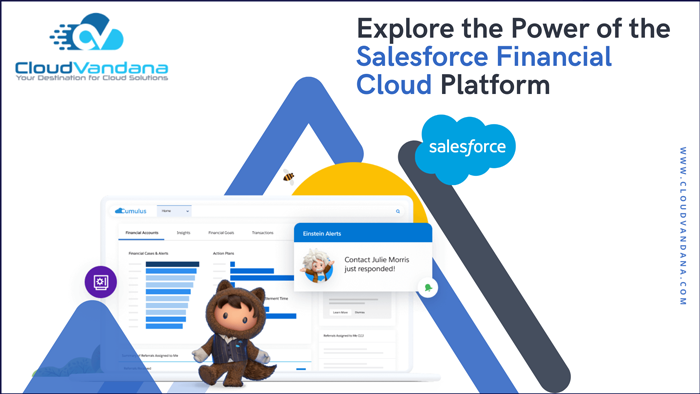
Salesforce Financial Service Cloud is a powerful CRM solution provided by Salesforce that can help simplify your workflow, increase efficiency, and achieve tremendous success. Discover how the Financial Service Cloud can transform your business. Through an effective CRM solution, the Financial Service Cloud allows your organization to streamline processes, increase efficiency, and achieve tremendous success in various areas of the financial services industry. Table of Contents What is Financial Service Cloud? Benefits of Implementing Financial Service Cloud Tips to Help You Get Started with Financial Service Cloud How to Integrate Financial Service Cloud with Other Applications Common Challenges When Using Financial Service Cloud and How To Overcome Them YOU MIGHT ALSO LIKE What is Financial Service Cloud? Financial Service Cloud is a powerful CRM solution provided by Salesforce. It is specifically designed to meet the needs of businesses in investment banking, wealth management, and other financial services. This solution unifies customer data for better insights, automates processes for faster customer service responses, and unlocks AI-driven capabilities to maximize customer engagement. Benefits of Implementing Financial Service Cloud Financial Service Cloud provides numerous advantages to businesses in the financial services industry. It enables companies to have a 360-degree view of their customers, which allows them to understand customer behavior and anticipate customer needs. Additionally, it streamlines processes for faster customer service and increased efficiency. Moreover, it offers AI-driven tools such as natural language processing (NLP) and machine learning for better insights into customer data. Tips to Help You Get Started with Financial Service Cloud Getting started with Financial Service Cloud can be daunting, but there are some steps you can take to ensure a smooth process. First and foremost, it’s important to familiarize yourself with the platform. Read Salesforce documentation and tutorials to learn more about the features of the Financial Service cloud and how they support your tasks. Additionally, it’s important to reach out for help if needed; experienced Salesforce professionals can offer guidance and advice to get you on track quickly. Lastly, ask questions and stay up-to-date on changes, as this will help ensure you remain to utilize the best practices for success. How to Integrate Financial Service Cloud with Other Applications Financial Service Cloud can be integrated with other applications, allowing users to access data more quickly and easily. By connecting with other programs such as QuickBooks or Xero, a business can automatically reconcile expenses and keep its books up to date. Additionally, integrating Financial Service Cloud with other products allows for a more efficient customer relationship management (CRM) process so that you can track customer interactions and prioritize leads. Common Challenges When Using Financial Service Cloud and How To Overcome Them Companies will often need more training or be unfamiliar with the platform when using the Financial Service Cloud. For your organization to make the most of this software, it’s essential to be properly trained on the features and how to use them best. Additionally, business leaders should ensure they have instructed their team members in the proper way to utilize this tool to avoid any potential miscommunications or unhappy customers. For those just getting started, Salesforce offers free guided tours that can help businesses get familiar with the program and its capabilities. Are you looking for a reputed Salesforce partner to guide you through the implementation of Salesforce Financial Service Cloud and help you experience the highest benefits of this customer relationship management platform? Please contact CloudVandana and share your requirements to get the unique solution best suited for your business. Call Now. Call Now Picture Courtesy: Salesforce Request a Free Consultation YOU MIGHT ALSO LIKE
Using Salesforce Health Cloud to Streamline Healthcare Management

Upgrade to Salesforce Health Cloud – the leading platform for simplifying healthcare management operations! Streamline the process with CloudVandana. Health Cloud is the leading healthcare management platform designed to help streamline and simplify operations. With its powerful features and customizations, Salesforce Health Cloud helps make managing and collaborating on healthcare operations easier and more efficient than ever. Introducing Salesforce Health Cloud Salesforce Health Cloud is the top healthcare management platform for a reason – its cloud-based, customizable functionality and streamlined processes deliver powerful results. This revolutionary platform can help you automate key processes, better manage patient data, deliver more tailored care, and collaborate with other departments across your organization. All of these features work together to make managing healthcare operations easier for businesses and healthcare providers. Benefits of Using Salesforce Health Cloud Health Cloud offers features that benefit healthcare organizations, including streamlining operations, automating processes, enhancing data storage and security, and delivering more tailored care. With this innovative platform, you can manage patient records quickly and securely, keep accurate track of treatments and medications, supercharge interdepartmental communication, and ensure detailed analyses of patient data to measure the success of services. Automation Enhancements in Healthcare Management Salesforce Health Cloud is designed to make healthcare management easier by providing automation tools that streamline workflows, reduce unnecessary manual labor, and create storage efficiencies. These automation features minimize manual data entry tasks such as appointment scheduling and patient data entry, allowing for accurate record keeping with less effort. Automated invoicing and reports improve operational accuracy, eliminate errors, speed up billing processes, and support smooth transitions from one healthcare provider to another. How Health Cloud Works with Other Solutions Salesforce Health Cloud integrates with a range of business applications and third-party medical software, making it much easier to manage healthcare data from one central system. It is compatible with sales, service cloud, and other professional services automation solutions such as Salesforce CRM. Health Cloud also works seamlessly with a selection of medical billing systems, patient portals, telemedicine platforms, and even EHRs (electronic health records). This allows for reliable data transfer from one system to another without manual input, great visibility into patient history, and all important data to easily reference any past information quickly. Implementing and Maintaining Salesforce Health Cloud Implementing and maintaining any new technology can be a daunting process, but with Salesforce Health Cloud, you have access to reliable hosting services, world-class customer service, and technical support. Additionally, the platform is designed for scalability that allows your system to grow and expand as needed—making it easier to manage and maintain both now and in the future. Are you planning to implement Salesforce Health Cloud for your healthcare organization? Please feel free to schedule a consultation call with CloudVandana, a reputed Salesforce partner in India, and get the highest benefits of this Cloud platform to level up your healthcare organization. Call Now. Request a Free Consultation YOU MIGHT ALSO LIKE
Why You Should Invest in Salesforce Service Cloud Solutions
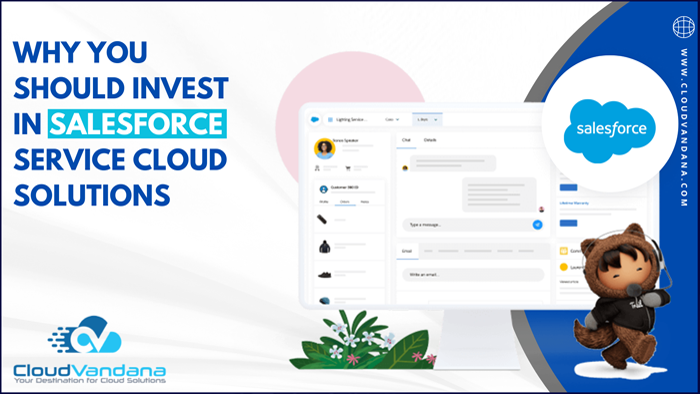
Are you looking for an easier way to manage customer service? Invest in Salesforce Service Cloud Solutions today for top-notch customer support, enterprise collaboration tools, and more! Salesforce Service Cloud Solutions provide a comprehensive customer service platform to streamline the customer experience, increase efficiency, and deliver personalized services. With an easy-to-use interface and advanced enterprise collaboration tools, Salesforce Service Cloud is the perfect tool for managing customer service today. Improve Customer Service Processes with Automation and Integration The key to efficient customer service starts with automation and integration. With Salesforce Service Cloud Solutions, you can automate mundane tasks like inquiries, escalations, and support requests so that employees have more time to focus on more important tasks. Additionally, you can integrate your customer service operations seamlessly with other departments – such as sales and marketing – in order to deliver a seamless experience. Increase Collaboration Between Agents & Departments Salesforce Service Cloud Solutions make it much easier for agents, managers, and other departments to collaborate. Agents can easily search for past tickets, pick up conversations from where they left off with customers, and flag tickets for managers if needed. This makes customer service more efficient and drives collaboration between teams by providing a central repository of customer data. Easily Manage Cases & Monitor Performance In Real-Time Salesforce Service Cloud Solutions make it much easier to manage cases and monitor performance in real time. You can have access to any customer’s past interactions with your business, allowing agents to resolve issues faster and create better customer experiences. You also have the ability to customize any report or dashboard tailored to your specific needs, such as average resolution time or an average number of tickets per day. Create Customer Profiles To Uphold Compliance & Integrate Seamlessly With Other Solutions With Salesforce Service Cloud Solutions, you can integrate seamlessly with other solutions, as well as create customer profiles to maintain corporate procedures. You’ll have more in-depth insights into customer needs so that employees can better handle inquiries quickly and effectively. The cloud solution integrates with other Salesforce solutions for a unified experience that helps make sure all customer service teams access the same piece of information whenever necessary. This allows businesses to make sure their records remain up-to-date and customers are supported from every angle. Generate Impactful Insights With Analytics & AI Technology To Power Up Your Service Delivery Strategy The insights generated from Salesforce Service Cloud help to deliver personalized & empathetic customer service experiences that drive ROI. AI technology helps reduce time-consuming manual processes and places timely and knowledgeable service reps in customer conversations. This ensures information is captured correctly and efficiently. Additionally, analytics help predicts what customers need before they even ask and identify potential areas for improvement in your current operations. Salesforce Service Cloud will take your customer engagement to a new level! Sounds Good? You can also experience the maximum benefits of this cloud platform with the assistance of the Salesforce Experts of CloudVandana. Please get in touch with us and avail Salesforce Staff Augmentation Services for a faster deployment process. Call Now. Request a Free Consultation YOU MIGHT ALSO LIKE
Why Salesforce Commerce Cloud is the Best E-Commerce Platform for Your Business

With Salesforce Commerce Cloud, you can leverage modern tools and capabilities for enhanced customer satisfaction and revenue growth. Unlock its power for your business today with the customized solutions of CloudVandana! Salesforce Commerce Cloud is an e-commerce platform that can help your business meet or exceed customer expectations, boost revenue, and increase customer loyalty. With its advanced features and capabilities, you can unlock a world of possibilities for your organization. Understand the Benefits of Salesforce Commerce Cloud With Salesforce Commerce Cloud, you can take advantage of numerous benefits to help you grow your business. By leveraging modern tools, such as AI-driven recommendations, sales and discounts management, and customized customer experiences, you can maximize customer satisfaction and drive revenue growth. Its multi-site platform also allows you to effectively manage multiple sites from one place. Additionally, its secure payments and data protection capabilities guarantee safety while boosting efficiency. These are just a few of the ways that Salesforce can help you reach your business goals! Implement a Customizable Customer Experience With this platform, you can easily create customizable and personalized customer experiences on any platform. From building product recommendations, discounts, and loyalty programs, to creating targeted campaigns and unique marketing strategies, its features allow you to tailor your approach as needed. Also, its analytics capabilities enable you to track customer activity to better understand their needs and preferences. By implementing these features across sites, apps, and stores, you can ensure that customers have a seamless shopping experience. Install Ease-of-Use Features Utilize Salesforce Commerce Cloud to easily install useful and helpful features that can benefit your customers’ shopping experience, such as search functionality, product filters, and guidelines on how to use your site. This helps make purchasing faster and more convenient, which can result in a higher conversion rate in the long run. Additionally, you can also add knowledge base materials or FAQs so customers have easy access to information needed throughout the entire sales process. Utilize Omni Channel Platforms for Seamless Shopping Experiences Bridging different shopping channels and providing an easy, unified shopping experience is made easy with Salesforce Commerce Cloud, giving customers a hassle-free way to find what they’re looking for, no matter the medium or device. Use the cloud platform to create a one-stop shop by integrating multiple platforms and accounts, such as purchase order management, marketplace syncing, inventory control, and even loyalty programs. Create an ideal customer journey that will keep them coming back for more! Incorporate B2B and B2C Capabilities for Digital Transformation Salesforce Commerce Cloud is designed to let you manage both B2B and B2C operations from one place. With the tools available, you can manage a unified shopping experience for customers no matter how they shop and provide better customer service capabilities for wholesale buyers and individual consumers. Easily handle product options, fluctuating currency exchange rates, and more so, your business will always be up-to-date with the ever-evolving digital commerce landscape. Are you interested in implementing Salesforce Commerce Cloud in your business for a seamless customer experience? Please schedule a call with CloudVandana, a reputed Salesforce partner in India, and get the customized solution tailored for your business. Call Now. Request a Free Consultation YOU MIGHT ALSO LIKE
Salesforce Sales Cloud: The Ultimate Guide for Sales Teams
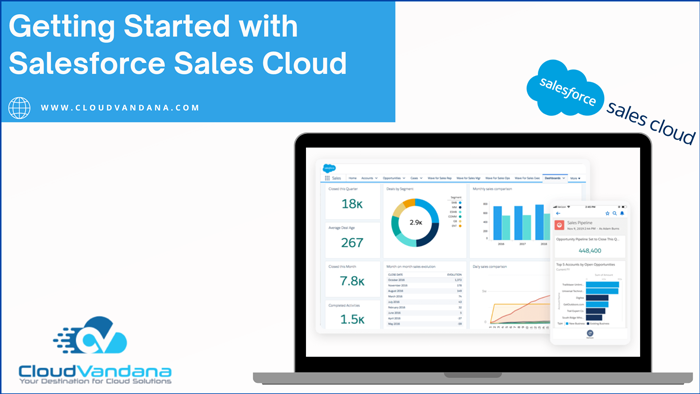
Take your sales to new heights with Salesforce Sales Cloud! Keep your CRM up-to-date, understand customer analytics, and maximize lead conversion with the Sales Cloud Implementation Service Of CloudVandana. Sales Cloud is the perfect tool for taking your sales to new heights. With automated CRM updates, customer analytics insights, and a powerful lead conversion engine, you can stay organized and make the most of every sales opportunity. Establish Your Sales Process Before you start using Sales Cloud, it’s important to establish a clear sales process. You need to know who the decision-makers are and clearly define the steps and milestones required for the successful completion of a sale. Documenting this information will help you create a framework for leveraging Salesforce’s features, optimizing your efficiency, and increasing your team’s performance. Learn the Basic Features of Salesforce Sales Cloud Get familiar with Sales Cloud basics to maximize potential sales. Learn all the features and functionalities of this platform available on Sales Cloud, including lead management, contact, account management, opportunity tracking and forecasting, analytics, mobile capabilities, and more. Understanding each feature and its capabilities will help you better leverage the power of this leading CRM to increase sales performance. Integrate Systems for a Smoother Workflow Salesforce offers a suite of tools that allow you to quickly and easily integrate your sales process with other business systems, such as email marketing and customer relationship management (CRM). This helps create a streamlined workflow so customers get the right message at the right time. Additionally, integrating your sales process with other business systems allows you to have full visibility into all your business activities, helping you make informed decisions that drive success. Take Advantage of Automation Opportunities The platform offers many automation opportunities, enabling you to create automated tasks and processes that take care of mundane tasks. From setting up lead qualification to creating customized customer outreach campaigns, automation with Sales Cloud can help maximize efficiency in your organization. Automating sales processes helps save time and increases productivity so that your sales team can focus on more important work. Uncover Market Insights to Make Informed Strategies With Sales Cloud, you can gain insights into current market trends and leverage data-driven decisions to make more informed strategies. Use Salesforce’s powerful analytics tools to measure performance across all your sales channels. Identify trends from customer data quickly, analyze competitor activities, and collaborate with other teams for better outcomes. This will help you develop smarter initiatives that increase sales conversion rates and impact the bottom line. There are various other benefits of this customer relationship management platform that you can experience by implementing Salesforce Sales Cloud in your business. CloudVandana can provide you with the best team of remote developers for successful Salesforce implementation and maintenance processes so that you can close deals faster and take your business to the next level. Call us now for a free consultation. Request a Free Consultation YOU MIGHT ALSO LIKE
A Step-by-Step Plan for Salesforce Quickstart Implementation
Streamline your Salesforce Quickstart implementation process with our easy-to-follow steps and advice for a smooth transition to a successful Implementation. Salesforce Quickstart Implementation Are you looking to implement Salesforce quickly and efficiently? Quickstart Implementation is a great option for streamlining your Salesforce rollout, allowing you to get up and running with minimal setup and training. In this guide, we’ll cover the basics of Quickstart Implementation, as well as provide helpful tips on making the transition as seamless and successful as possible. Analyze Your System Requirements Analyzing your Salesforce system requirements is an important first step in the Quickstart Implementation process. Think about what customer and business data you’ll need to track, and consider current systems that could be incorporated into the rollout. Understanding your business objectives and processes will allow you to create a comprehensive plan for integrating and customizing to meet all of your needs. Choose the Right Products for Your Needs One of the most important decisions you’ll make during Quickstart Implementation is choosing the right products for your business. With so many Salesforce products available, it can be overwhelming to know which ones are best suited to your goals. Consider your budget, user preferences, and business and customer requirements when researching the different products that are available. Also, look into product customization options that could help create a cohesive platform tailored just for you. Design and Integrate Data Migration Workflows After you decide which products are right for your business, it’s time to design the data migration workflows. This means moving information from existing systems onto Salesforce and making sure that all the necessary components are in place so that everything works together as soon as deployment is finished. Use a pre-built workflow template or create a custom flowchart to make sure this step of the process goes quickly and easily. Plan User Roles, Permissions, and Sharing Settings Once data is migrated, it’s important to configure sharing settings and permission levels properly. Knowing what roles users will have in the system will help you decide who should see which records. Design in-depth user profiles to specify permissions like creating, editing, or deleting records and set up sharing rules based on user profiles and teams. This process step will ensure users have only the access they need and nothing more. Prepare to Train End Users on the New System After the Quickstart Implementation process is complete, Training your end-users can help them transition to the new system seamlessly. It’s important to provide clear, step-by-step instructions, which will help users better understand how to use the necessary features and keep tasks running smoothly. Make sure you’re familiar with any existing workflows before attempting to teach them so that you can demonstrate best practices for using Salesforce and encourage successful implementation. Are you planning for a quickstart Salesforce implementation to enhance your workflow and increase the number of satisfied customers? Please contact the experts of CloudVandana, your trusted Technology Partner in India, and get the best consultation for your organization. Share your requirements with us now. Request a Free Consultation YOU MIGHT ALSO LIKE
Understanding the Security Model in Salesforce
Learn the fundamentals of the Security Model in Salesforce to add an extra layer of protection to sensitive data while giving admins control over their environment. Salesforce provides a secure, scalable platform for business data and applications. To ensure maximum security, it uses a robust security model that allows administrators to control access to their data and applications. Learn more about the fundamentals of the Salesforce security model here. User Profiles The users are assigned profiles or permission sets that define their access to data, applications, and features. These profiles and permission sets can be customized to give users appropriate access to the organization’s data, as well as specific applications. Administrators must set user profiles and specify the individual’s level of access for each application, feature, or piece of data in an organization. Understand the Types of Users The CRM platform distinguishes between two types of users: Application Users and System Users. The primary difference between the two is that an Application User has a record in the system, while a System User gracefully passes through without any contact with the back-end files. It’s important to understand these types of users and their capabilities so you can accurately configure your security settings. Grasp the Security Controls Available for Each Type of User In Salesforce, there are a number of different controls that admins can configure to grant or deny access to certain features. Depending on the type of user, access is configured in two different ways – either via Permission Sets or through Profile settings. Application Users have individual profiles, while System Users have permission sets they must be assigned. Admins need to understand which type of user controls what information and security settings to ensure the ultimate protection. Learn About Sharing Rules and Profiles Sharing rules are the primary mechanism for granting access to records or objects. Admin users can control which groups of users have access to records, determine the level of access, and even what information users can see in a record. Profiles are used as one of the ways to define roles and responsibilities for application users and system-level users. Users who are assigned a particular profile are given various permissions based on that profile. Understanding how profiles work is essential to properly configuring security settings into this platform. Explore Permission Sets and Roles Hierarchy Management Permission sets and role hierarchies are one of the key components of Salesforce security. Permission sets enable administrators to assign specific permissions, such as access to an object or permission to view a particular field, without having to configure profiles. The role hierarchy controls how records are shared between users in organizations. Understanding how the role hierarchy works is key when designing your security model in Salesforce. Are you looking for a Salesforce Consulting Company to know more about the security model and implement it into your organization for an enhanced workflow? Get in touch with CloudVandana, and stay ahead of your competitors. Call Now. Request a Free Consultation YOU MIGHT ALSO LIKE
Salesforce Manual Sharing Best Practices To Follow
Want to get the most from your Salesforce Manual Sharing practices? Check out these best practices that ensure success. As a Salesforce user, Manual Sharing can help you access the data and services you need to succeed. However, Manual Sharing can also be risky if not used appropriately. Utilizing best practices and following certain guidelines can ensure that your Manual Sharing efforts are as successful and secure as possible. Understand the object model Knowing the object model behind your Salesforce instance is essential for successful Manual Sharing. This includes understanding the relationships between objects and understanding how each object interacts with other objects. Creating a comprehensive map of your business logic and key data points will give you a better understanding of what data can be shared, who should have access to it, and through which areas of the instance. Enforce user roles and responsibilities Make sure that all users know their roles and responsibilities when it comes to manual sharing. To ensure the safety of your customer data, each user must be aware of who is responsible for what. Having clearly defined roles will help you avoid confusion and potential data misuse. Additionally, users should also be mindful of the data they cannot access due to Salesforce Manual Sharing restrictions. Share appropriate objects in the org There is no one-size-fits-all approach to manual sharing, but there are certain rules you should follow. First, only share the objects required for users to perform their jobs, and limit sharing of which are not needed. This will help restrict your data exposure without limiting users’ access to necessary information. Additionally, make sure that users can only access the fields they need and that they don’t have any unnecessary permissions. Use automation tools to streamline operations Automating and streamlining your manual sharing operations can prove to be a valuable asset. Using automation tools not only ensures that sharing of objects is consistent without errors, but it also helps in reducing the time spent on manual entry of data. When creating your automation rules, make sure to prioritize the objects that have the highest data sensitivity. This will help you ensure that the data security and compliance requirements are met for all users. Monitor manually shared records regularly Monitoring manually shared records regularly is key to ensuring that the data security and compliance requirements are met. Make sure to review sharing rules, such as internal access, external access, account sharing, etc., regularly to ensure that only the intended user can have access to particular objects. Instigate proper procedures for dealing with anomalies in the system so that if any changes happen, close monitoring of all users is maintained. Are you seeking a reputed Salesforce Partner for successful Salesforce implementation and maintenance? Please get in touch with CloudVandana, and experience the maximum benefits of this CRM platform to enhance your brand. Call Now. Request a Free Consultation YOU MIGHT ALSO LIKE
Setting up Access Controls with Field-Level Security in Salesforce

Streamline access controls with field-level security in Salesforce. Learn how to implement it quickly and easily with our comprehensive guide. Field-Level Security in Salesforce Salesforce‘s field-level security feature can help you streamline access controls and limit what users can view or edit in your account. With this guide, learn how to quickly and efficiently implement field-level security in your Salesforce account for maximum security. Establish Your Data Model and Object Hierarchy The first step in configuring field-level security is to establish an object hierarchy that reflects the organization, structure, and data model of your system. Doing this allows you to determine which objects, fields, and other related metadata are necessary for each user group and assign those permissions accordingly. It’s worth taking some time at this stage to make sure you have the right access setup before assigning it to users. Once you have established an object hierarchy, decide which users need access to what data and then assign privileges for each user or user group. Identify the Users and Privileges You Need to Set One of the most important steps in setting up field-level security is to identify all the user groups and their associated privileges for each object. It’s important to bear in mind that some objects have more sensitive data than others, so making sure you configure separate access controls will help prevent unauthorized access, as well as limit what users can do with specific fields once you’ve identified who needs access to which objects, set up separate user profiles with the appropriate privileges. This way, you can quickly specify who should see and edit specific records while keeping other users from seeing sensitive information. Create Profiles, Roles, Users, and Security Settings To set up field-level security, create profiles for the users needing access to specific records and fields. Each profile should specify which objects the user can view or edit, as well as the level of privilege. Additionally, create different roles if needed and assign each user to one or more roles. Finally, create users with social features such as Chatter use cases, personalized views, and personalized settings in Salesforce. Don’t forget to add security settings or sharing rules to control data visibility across multiple profiles. Test the New Settings To Make Sure They Work as Expected Now that the access controls are set up and configured properly, it is important to test them in order to ensure they work as expected. Users should be able to access specific records, fields, and related areas in Salesforce according to their assigned profiles based on the previous steps. If any discrepancies appear or something doesn’t seem to work correctly, check back through each step and make sure everything is set up correctly. Then conduct additional tests with different scenarios to cover all the bases. Adjust Access Controls as Necessary for Future Changes in Requirements Once the access controls are in place and configured for current needs, it is important to remember that these settings can be adjusted to accommodate changes in requirements. If a profile or user’s access rights need to be modified, follow the same initial steps as before and adjust accordingly. Make sure also to do more testing afterward as well to make sure the most recent adjustments work properly. Are you opting for more information or looking for a successful Salesforce Implementation? Please feel free to get in touch with CloudVandana, a reputed Salesforce partner in India, and get end-to-end Salesforce solutions for your business from our Salesforce Experts, and take your business to the next level. Call Now. Request a Free Consultation YOU MIGHT ALSO LIKE
Why Your Business Needs a Technology Partner in Today’s Digital Age

From software development to cybersecurity, a Technology Partner can provide your business with the expertise it needs to succeed in the digital world. Find out more in this article by CloudVandana. In today’s digital age, having a technology partner can be crucial for the success of your business. Whether you need help with software development, cybersecurity, or other tech-related services, a technology partner can provide the expertise and support you need to stay ahead of the competition. In this article, we’ll explore the benefits of working with a technology partner and how they can help your business thrive in the digital world. The Importance of Technology in Business Technology has become an integral part of modern business operations. From communication to marketing, technology plays a vital role in every aspect of a business. It can help streamline processes, improve efficiency, and increase productivity. In today’s digital age, businesses that fail to embrace technology risk falling behind their competitors. That’s why it’s important to have a technology partner that can provide the expertise and support needed to stay ahead of the curve. The Benefits of Having a Technology Partner Having a technology partner can provide numerous benefits for your business. First and foremost, they can offer expertise in areas where your business may need more knowledge or experience, such as software development, cybersecurity, and data analytics. This can help your business stay up-to-date with the latest technology trends and advancements. Additionally, a technology partner can provide ongoing support and maintenance for your technology systems, ensuring they are always running smoothly and efficiently. This can save your business time and money in the long run, as well as prevent potential security breaches or system failures. Overall, a technology partner can help your business stay competitive and successful in today’s digital age. How to Choose the Right Partner for Your Business Choosing the right partner for your business is crucial to ensuring success in the digital age. Start by identifying your business’s specific technology needs and goals. Then, research potential partners and evaluate their expertise, experience, and track record. Look for a partner with a proven track record of success in your industry who can provide customized solutions to meet your unique needs. Additionally, consider factors such as communication, responsiveness, and pricing when deciding. By choosing the right partner, you can give your business the competitive edge it needs to thrive in today’s digital landscape. Areas of Expertise to Look for When searching for a partner, it’s essential to look for expertise in areas that are relevant to your business. This may include software development, cybersecurity, cloud computing, data analytics, etc. A good technology partner should have a deep understanding of the latest technologies and trends in your industry, as well as the ability to provide customized solutions that meet your specific needs. Look for a partner with a proven track record of success in these areas and can provide references or case studies to demonstrate their expertise. The Future of Technology and Your Business In today’s digital age, technology is constantly evolving, and businesses need to keep up to stay competitive. This is where a partner can be invaluable. By working with a partner with expertise in the latest technologies and trends, businesses can stay ahead of the curve and take advantage of new opportunities. From artificial intelligence to blockchain, the future of technology is exciting, and businesses that embrace it will be the ones that thrive. A partner can help businesses navigate this rapidly changing landscape and ensure they are well-positioned for success. Are you looking for a reputed Partner to take care of your projects to keep you ahead of the competition? Please contact CloudVandana, a reputed technology partner in India, and touch your goal faster. Call Now. Request a Free Consultation YOU MIGHT ALSO LIKE



