


Creating Advanced Workflows in Salesforce for Maximum Efficiency
Learn how to create advanced workflows in Salesforce to maximize efficiency and profits. Get the ultimate guide and find out more! Table of Contents Advanced Workflows in Salesforce Understand Your Automation Requirements Configure Your Salesforce Fields and Objects Set Up Triggers & Actions to Automate Workflows Use Time-Based Workflows for Optimized Lead Management Establish Rules for Notifications & Email Alerts YOU MIGHT ALSO LIKE Advanced Workflows in Salesforce Salesforce, the popular Enterprise Cloud computing platform, enables businesses of all sizes to streamline operations and automate workflows. Create powerful automation with Workflow Rules and Flow Builder in Salesforce to help your team maximize efficiency and profits. Get the ultimate guide for using workflows here. Understand Your Automation Requirements Before you start creating automated workflows, it’s essential to understand your business’s requirements. Consider what tasks should be automated and which ones are better performed manually. Identify areas of improvement, cost savings, and potential obstacles to achieving maximum efficiency. This will help you design an effective workflow that considers all your business needs. Configure Your Salesforce Fields and Objects Configuring your Salesforce fields and objects is essential for creating successfully advanced workflows. When configuring fields, consider how the data you need to collect relates to your goals. This will help you create a streamlined workflow tailored to achieve maximum efficiency. Additionally, when creating objects, consider what relationships the objects should have with each other and determine if any triggers should fire off an automated workflow. Set Up Triggers & Actions to Automate Workflows An effective way to maximize efficiency in this eco system is to set up triggers and actions to automate certain workflows. Triggers automatically execute an action when certain conditions are met, such as when a field value changes or upon completing specific tasks. Setting up triggers allows you to achieve maximum efficiency and keep your Salesforce instance running smoothly. Additionally, you can use Actions to perform certain administrative tasks, such as sending emails and making API calls. Setting up these triggers and actions is easy using Salesforce’s workflow automation tools! Use Time-Based Workflows for Optimized Lead Management Time-based workflows are best used when you want to optimize lead management. Using triggers, you can set up reminders to automatically activate a workflow whenever a specific date is reached. For example, suppose you want to follow up with leads regularly and track their progress in Salesforce. In that case, you can use time-based workflows to ensure that necessary actions like emails and notifications occur regularly. This ensures maximum efficiency when it comes to managing leads. Establish Rules for Notifications & Email Alerts Once you have set up your time-based workflow, it is important to establish rules for notifications and email alerts. These rules should be based on the actions that should occur in response to certain dates. For instance, if the lead receives a promotional offer from your company before a purchase date set in your workflow, you can alert them at the appropriate date with a reminder about the promotion. This increases efficiency and helps ensure maximum profits for your business. Are you looking for a reputed Salesforce partner to experience the maximum benefits of this customer relationship management platform? Don’t hesitate to contact CloudVandana for a customized solution best suited for your business. Call Now. Schedule A Call Request a Free Consultation YOU MIGHT ALSO LIKE
How to Use Chatter Effectively For Better Team Collaboration

Are you looking for an effective way to boost team collaboration? Look no further than Chatter! Learn what chatter is and how to use it properly in this post. Chatter is a powerful communication tool developed by Salesforce to help teams collaborate more effectively. It’s an easy way for colleagues to share ideas, discuss important topics, and have quick conversations without having to leave the platform. Discover how Chatter works, what you can use it for, and its strengths and weaknesses in this post. What is Chatter, and How Does it Work? It is a powerful communication tool developed by Salesforce that allows teams to stay connected and productive. It is accessible through the Salesforce platform, allowing users to communicate with colleagues quickly and efficiently. In addition, users can create groups, search for conversations more efficiently, and share files. With this platform, team members can always stay in the loop on any changes or updates happening within their organization. Utilize Hashtags to Increase Visibility One great way to enhance your chatter usage is to use hashtags. Hashtags are used to group similar conversations and make it easier for users to find them later on. This increases visibility and allows you to reach more people with the same message. Before adding a hashtag, research to see which hashtags are commonly used in your niche or topics related to your conversation. Use relevant, popular hashtags that add value so others can join the conversation. Set Up Subgroups to Share Important Information with Relevant Teams A way to increase engagement and foster better collaboration is to set up subgroups in Chatter. These smaller, more focused groups allow you to share important information with relevant teams. This reduces clutter and makes it easier for people to focus on the topics that matter most. Subgroups also allow you to direct message individuals and departments directly, simplifying communication further. Identify and Use Appropriate Notifications Settings for Enhanced Organization Setting up the appropriate notifications for your Chatter subgroups is essential. You should stay aware of important discussions that are going on and any updates that are being made to ongoing projects. Users can customize and fine-tune their notification settings to get emails or in-app notifications for specific types of content and topics, as well as set daily digests. This helps to keep everyone organized and informed without constantly needing to be checking their conversations in real-time. Encourage Collaboration Through Polls and Q&A Sessions You can use polls to solicit feedback from the team and get a dialog going. This can get the entire team involved in a decision-making process or have general discussions (with each other or stakeholders) about collaboration and communication topics. Q&A sessions are also an effective way of encouraging collaboration. By creating a specific thread for questions, members of the subgroup can start conversations and get answers shared in no time. Are you planning to implement Salesforce for enhanced team collaboration and customer experience? Please schedule a consultation call with CloudVandana, a reputed Salesforce partner in India, and get the best-suited solution to take your business to the next level. Request a Free Consultation YOU MIGHT ALSO LIKE
How Cloud Marketing With Salesforce Enhances Your Business
Dive into an innovative approach to cloud marketing with Salesforce technology. Discover how you can streamline processes, save time and unlock success for your business! Are you looking for ways to improve your cloud marketing strategy? By leveraging the power of Salesforce technology, you can optimize processes, save time, and unlock success for your business. Learn how to maximize the potential of this innovative approach to cloud marketing! What is Cloud Marketing with Salesforce? Cloud marketing with Salesforce is an innovative approach that involves leveraging the power of the #1CRM tools to streamline and optimize the process of customer acquisition, engagement, and retention. This approach allows marketers to leverage automated processes, segmented audience lists, and powerful analytics capabilities to improve customer experience, drive conversions, and increase ROI. With cloud marketing, businesses can also quickly create campaigns, personalized content, and track results – all in one system. Benefits of Using Salesforce for Your Business Salesforce offers a range of benefits for businesses, particularly in cloud marketing. With its broad range of tools, you can quickly create campaigns, offer more personalized experiences, better segment your audience, and quickly track results – all from one centralized system. Additionally, you can use this CRM to access insights from AI-driven analytics to optimize marketing efforts and quickly adjust to changing market conditions. Tips on How to Get Started If you’re ready to take advantage of the many benefits that Salesforce offers, you’ll want to start by creating a free account. Once you have your login credentials, you can start setting up your cloud marketing environment. You’ll need to configure settings such as mapping out objects and tabs in the Applications menu, linking contact accounts and cases, as well as uploading data from your existing sources. Finally, take advantage of the tutorials and training materials to learn about the different features and how they can be used to launch successful campaigns. Advanced Strategies for Leveraging Salesforce Technology This CRM platform offers a wide range of features and tools to help you maximize the power of cloud marketing. To tap into these capabilities, you should familiarize yourself with AppExchange, which offers third-party applications specifically designed to work with Salesforce products. For example, there are apps that allow you to automate email workflows, track ROI on campaigns, manage leads more effectively, and more. Use these advanced apps and strategies to unlock success for your business! Getting the Most Out of Salesforce’s Core Features and Tools The platform includes many tools that can help you reach your cloud marketing goals. Automation, reporting dashboards, predictive analytics, list segmentation, lead tracking, and nurturing features are just a few ways you can capitalize on Salesforce’s formidable capabilities. Start by learning the basics of how to use each tool effectively, and then identify which ones are most beneficial for your particular cloud marketing goals. Taking the time to familiarize yourself with all that the brand offers will pay dividends in the long run. Are you looking for a reputed Salesforce partner for successful Salesforce implementation and maintenance to stay ahead of the competitors? Please schedule a consultation call with CloudVandana, and experience the highest benefits of this customer relationship management platform. Call Now. Request a Free Consultation YOU MIGHT ALSO LIKE
Map Your Data With Salesforce Apex For Maximum Optimization
Harness the power of Salesforce Apex to unlock your organization’s full potential. Learn how to use this powerful tool for data mapping and optimization! Salesforce Apex Salesforce Apex is a powerful programing language for developing software applications on the Salesforce platform. It offers developers a comprehensive suite of tools and features to create custom business solutions, uncover insights from data, and automate complex business processes. Understanding Data Mapping Data mapping is connecting data points from different sources to create an intuitive model for processing. With Apex, you can visualize your data and understand the relationship between fields to optimize your business operations. Apex lets you connect different objects, such as Accounts and Opportunities, and map out their connections in a straightforward visual diagram. This ensures communication and clarity when accessing and organizing large amounts of data. Setting up Your Database Before you start mapping your data with Apex, it’s important to set up your database and visuals. To do this, create a custom object or define a relationship between existing objects in Salesforce Database. This will ensure that all fields are mapped properly and that any changes you make are instantly reflected across the entire database. Once you have your fields defined, build an intuitive visual model of the relationships between those fields using the Apex Diagram tool. Understanding the relationships between these different objects will let you identify patterns and make data-driven decisions faster. Working with Apex Classes and Triggers Once you have your database set up and your visuals mapped, the next step is to start working with Apex Classes and Triggers. An Apex Class is basically a wrapper that contains code that can be used to control access to data, alter data values, respond to events like an Edit event on an object, and more. To create a new Apex class, open the Developer Console and select “New” from the drop-down menu. From here, you can write custom code using the Salesforce Lightning Language (SLDSL) and then “Save” it under a specific name. On the other hand, an Apex trigger allows you to execute custom logic operations when certain events occur on an object in Salesforce. Creating triggers requires similar steps as creating classes, except that they are associated with objects as opposed to classes. With these tools at your disposal, you’ll be able to unlock all of the possibilities offered by Apex for maximum optimization! Utilize Data Management to Retrieve and Store Information Data management is essential for extracting, storing, and updating information efficiently. In Apex, this process can be achieved by combining the availableQuery class methods like SOQL (Salesforce Object Query Language) and DML (Data Manipulation Language). With the help of SOQL, you can create dynamic queries on objects and fields in your Salesforce org. As for DML statements, you can use them to process multiple records or control different transactions like INSERT, DELETE, UPDATE, and UPSERT, depending on the data manipulation requirements. Utilizing these classes provides powerful data management capabilities allowing you to access your organization’s data easily and quickly! Leverage Salesforce Security Permissions for Greater Efficiency With Apex, you can leverage security permissions to ensure all actions across and within your Salesforce Org align with appropriate access controls. Security users can receive expressive SOQL queries, as well as metadata that supports apex methods like insert, update, delete, or upsert on objects. For example, this could allow administrators to set specific fields as read-only—without needing to query or write large amounts of code. With this access control system in place, your data can remain secure while giving you maximum efficiency via optimized performance for data mapping and manipulation! Are you looking for a reputed Salesforce partner for end-to-end Salesforce support? Please schedule a call with CloudVandana, a reputed Salesforce Staff Augmentation firm in India, and hire remote developers for a faster deployment process. Call Now. Request a Free Consultation YOU MIGHT ALSO LIKE
How to Get Started with Salesforce Cloud Service
If you’re just getting started with Salesforce Cloud Service, it can be overwhelming trying to figure out where to begin. This guide walks you through how to get the most out of Salesforce and make the process easier. For those who are new to Salesforce Cloud Service, starting off with the appropriate information and tips can save a lot of time and hassle. With this guide, you can navigate the platform quickly and easily and make the most out of the cloud service. Table of Contents Salesforce Cloud Service Define Your Business Requirements Understand Your Data & Structures Integrate Other Platforms & Systems Build Advanced Workflows & Automation Create Custom Reports & Dashboards YOU MIGHT ALSO LIKE Salesforce Cloud Service Define Your Business Requirements The first step in utilizing Salesforce Cloud Service is defining your business requirements. What do you need the software to do for you? Defining this will help focus the selection process, ensure that all the components of the software work together, and aid in properly configuring roles within a team. Knowing what exactly you need from Salesforce, how many users are involved, and their access levels should be taken into account when formulating your objectives. Understand Your Data & Structures When using Salesforce, it’s important to understand the kind of data that you’re dealing with and how best to manage it. Depending on what industry you work in, there may be certain rules or regulations regarding handling sensitive data, so understanding the different fields and structures available becomes essential. Consider which fields should be mandatory and check if they’ll need validation. Additionally, think about labels and other ways to help those using Salesforce search more easily. Integrate Other Platforms & Systems One of the most powerful features of Salesforce is its ability to integrate with other platforms and systems easily. This allows you to keep your existing infrastructure and move existing data into Salesforce seamlessly. Additionally, it also enables integration with other services, such as email providers, allowing your users to connect their own external accounts and access important data in one place. Before getting started, establish which other platforms you’d like to integrate with Salesforce and how they’ll connect. Build Advanced Workflows & Automation Salesforce allows you to build automated workflows and processes to streamline your operations. You can set up intelligent alerts when certain data requirements are met, such as opportunities reaching a certain size or prospects becoming leads. Salesforce provides a series of intuitive tools that allow you to configure automated processes and approve exceptions on the fly easily. Additionally, it also features external triggers for Outlook, Google Calendar, and other services, allowing you to automate tedious processes even further. Create Custom Reports & Dashboards With Salesforce’s tools, you can create and manage custom reports & dashboards. This will help you monitor customer data and track your process flow more effectively. You are able to segment your data based on a variety of criteria, such as geographical location, source of lead generation, or customer acquisition dates. You can use standard reporting fields, or you can create your own custom filters to refine the analysis that you wish to obtain further. Additionally, these reports can be shared and customized by multiple users, enabling them to apply their own insights into the data before making conclusions. Are you looking for a reputed Salesforce partner for a successful implementation of Salesforce Cloud Service? Please feel free to schedule a consultation call with CloudVandana and get the highest benefits of this Customer Relationship Management platform to reach your goal faster. Call Now. Schedule A Demo Request a Free Consultation YOU MIGHT ALSO LIKE
Discovering Powerful Features of Sales Cloud Salesforce
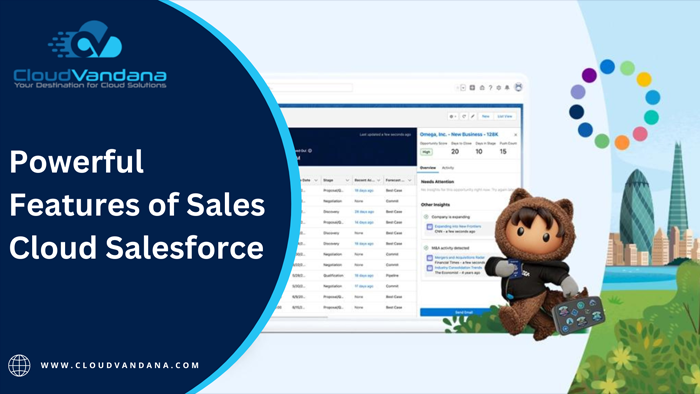
Get to know the amazing features of Sales Cloud Salesforce: reporting, forecasting, and analytics, delivering personalized service and experiences, engagement history and insights, and much more! Salesforce Sales Cloud is a powerful customer relationship management (CRM) platform that provides businesses with the tools they need to deliver personalized service and experiences, reporting, forecasting and analytics, engagement history and insights, and much more. Learn about all the amazing features of Sales Cloud Salesforce here! Reporting, forecasting, and analytics With Sales Cloud Salesforce, businesses can track sales metrics better to understand the performance and progress of their sales team. Features such as forecasting, reporting, and analytics allow users to generate comprehensive sales reports that provide actionable insights into areas for improvement—helping organizations to identify trends and make informed decisions about their sales process. Deliver personalized service and experiences With Sales Cloud Salesforce, businesses can deliver personalized service and customer experience. Using the app, users can quickly build customer profiles by scanning engagement history and insights for every interaction—emails, phone calls, or sales orders. This means that as soon as a customer contacts a business, Sales Cloud will automatically generate any available information about the customer allowing teams to meet their specific needs better. Engagement history and insights With Sales Cloud Salesforce’s engagement history and insight features, businesses can easily access customer profiles based on their interactions with the business—including emails, phone calls, sales orders, and more. This means that any information about the customer will instantly be available for employees to use to provide a personalized experience. Predictive intelligence and customer segmentation Sales Cloud Salesforce also includes predictive intelligence and customer segmentation features, allowing businesses to identify customer trends, behavior, and purchasing patterns. Using data collected from customer interactions, businesses can use automated analytics to develop powerful reports that provide valuable insights. This is especially useful when trying to determine effective marketing strategies or when making product recommendations. Comprehensive sales enablement and automation tools Sales Cloud Salesforce is packed with powerful tools to streamline the sales process. From automated lead management to enhanced customer data, businesses can save time and money by accessing this powerful tool. Additionally, businesses can use automation features like guided selling and customized sales workflows, allowing teams to focus on higher-priority tasks. With this comprehensive tool, companies can land more sales and boost profits. Are you interested to know more about this Cloud platform? Please schedule a consultation with CloudVandana, a Salesforce Partner in India, and experience the Salesforce solution best suited for your business. Call Now. Request a Free Consultation YOU MIGHT ALSO LIKE
How to Implement and Manage Salesforce CRM Successfully
Ready to start using Salesforce CRM in your organization? This guide will explain how to set up and manage Salesforce CRM successfully. Salesforce CRM Salesforce CRM is a powerful customer relationship management (CRM) system that can help businesses maximize their customer interactions, automate processes and increase sales; however, it can be difficult to get everything set up properly. This guide will explain how to set up and manage this #1 CRM in your organization successfully. Establish Your Goals Before you begin using this CRM, it’s important to determine your organization’s goals and objectives. Having a clear goal in mind will help you stay focused and make a decision that benefits your business. Outline what kinds of data you need to track, what kind of insights you want to gain, and how you plan to use the information. This will help ensure that the implementation is tailored to fit your needs. Plan a Salesforce CRM Implementation Strategy Creating a strategy for using Salesforce is essential to ensure success. Outline the steps you’ll need to take to implement the software, including user training, data migration, customization, and deployment. Make sure your strategy is comprehensive and that all stakeholders are informed. Having a plan in place will help you maximize the effectiveness of Salesforce CRM and hit the ground running. Customize Your Salesforce Platform Once you have chosen a baseline package, it’s important to customize your Salesforce CRM platform to best align with the distinct needs of your organization. This could involve restructuring or adding objects and fields, configuring record types and page layouts, setting up location settings, generating custom reports and dashboards that measure performance, creating workflows, automating alerts and emails, integrating third-party applications, and leveraging the capabilities of Force.com. Roll Out the Solution to Users and Train Them Properly Once you have the solution set up properly, it’s time to roll out the platform to users and train them properly. It’s important to educate them on how to use Salesforce CRM in their daily activities so that they can make the most of it and ensure adoption and success. You should provide users with an understanding of basic functions such as navigating objects, updating records and reports, setting user access rights, and creating Dashboards. Monitor System Performance and Make Adjustments When Necessary Once your Salesforce CRM is up and running, it’s important to monitor the system performance so that any potential issues can be identified early. Keep a close eye on usage analytics to track user activity, analyze trends and identify areas for improvement. If any issues are identified, you should take action immediately to increase performance and user satisfaction. Additionally, you should keep an eye on system security measures to ensure that your data remains safe from unauthorized access. Are you planning to implement Salesforce CRM in your organization to streamline your workflow and stay ahead of the competition? Please schedule a call with CloudVandana, a reputed Salesforce Consulting company in India, and experience the highest benefits of this CRM platform. Call Us Now for more information. Request a Free Consultation YOU MIGHT ALSO LIKE
Salesforce Customer 360 – How to Create Seamless Experiences

Unify customers across multiple channels with Salesforce Customer 360! Learn how to create holistic and seamless customer experiences for your business quickly. Salesforce Customer 360 is a powerful tool that empowers companies to unify customers across multiple channels and create holistic and seamless customer experiences. Discover how quickly your business can benefit from leveraging this innovative platform, and learn how to use its features and tools efficiently. What is Salesforce Customer 360? Salesforce Customer 360 is a comprehensive CRM offering designed to provide cross-channel customer insights and deliver personalized experiences for your customers. With Salesforce Customer 360, you can access customer data from all channels, empower your team with actionable analytics, optimize customer interactions and marketing campaigns, and create contextualized experiences that keep customers engaged. Its powerful integration capabilities allow you to build end-to-end customer journeys while eliminating silos and increasing efficiency in your workflow. How to Create a 360-Degree View of the Customer A 360-degree view of the customer is key to delivering holistic, unified experiences in Salesforce Customer 360. By collecting and organizing information from all of your channels into a single source of truth, you can gain deeper insights into customer needs and preferences. This helps you provide tailored experiences that are more personalized, efficient, effective, and engaging. You can also create automated workflows based on customer behavior and data points to provide relevant content whenever they need it. Instantly Link, Track, and Connect Across Channels With Salesforce Customer 360, you can quickly link customer profiles and recognize them on multiple channels. This ensures that customer data is securely shared throughout your organization so they get the same experience no matter where they are engaging with your business. You can track their interactions, connect them to available resources, and receive real-time notifications so you are always in the know about their journey. By leveraging all of these capabilities in one platform, you can create unified experiences that foster a better connection between your business and customers. Utilize Smart Automation to Deliver Personalized Experiences When you use Salesforce Customer 360, you get access to powerful automation features that enable smart, personalized customer experiences. Automated tasks like triggering notifications or timely follow-ups ensure you are always engaging with customers correctly. Additionally, segmentation functionality allows you to break up your customer base on specific criteria and personalize their journey even further. With this kind of automation, it has always been challenging to provide seamless experiences that truly resonate with customers. Incorporate AI Tools for Data Analytics Insights Leveraging the power of AI allows you to gain deeper insights into customer data, allowing you to identify where improvements can be made. By utilizing AI tools such as sentiment analysis, NLP (natural language processing), and machine learning algorithms, you can gain real-time insights into how customers feel about your product or services. With this knowledge in hand, it’s easier to create engaging experiences that truly meet the needs of different customer groups. Are you looking for a perfect solution to create a seamless customer experience and enhance your organization? Salesforce provides numerous automation solutions for every business need. Please call the experts of CloudVandana, a reputed Salesforce partner in India, and get the best solution for your business. Call Now. Picture Courtesy: Salesforce Request a Free Consultation YOU MIGHT ALSO LIKE
A Guide to Unleashing the Power of Salesforce Einstein

Harness the full potential of Salesforce Einstein -Built for developers; this guide helps you discover what’s possible with Einstein in six steps. Unlock the power of Salesforce AI with Einstein! From building and training models to understanding the insights generated, this guide will show you how to take advantage of all that Einstein offers in just six simple steps. Get Acquainted with Salesforce Einstein First, it’s important to understand what Salesforce Einstein is and how it works. With the power of AI, Einstein helps sales reps and marketers make smarter decisions by automatically categorizing data, predicting customer behavior, optimizing processes, and more. To get started with Einstein, familiarize yourself with its various features and capabilities and how you can use it in your day-to-day operations. Learn How to Connect Salesforce and Einstein Now that you understand the features and capabilities of Salesforce Einstein, the next step is to connect Salesforce and Einstein. This will allow you to start leveraging the power of AI so you can optimize your customer’s journey. From there, explore more advanced features like Natural Language Processing (NLP) and Image Recognition for more precise predictions. Of course, make sure to test these features in a safe environment first before using them in production. Understand Supervised Learning with Einstein Platform Services Supervised learning is a key aspect of AI optimization. With Salesforce Einstein Platform Services, you can use supervised learning to train, test, and validate your models. This will give you the power to accurately model customer behavior faster and more cost-effectively than with traditional methods. Additionally, supervised learning also allows you to quickly identify problems with customer data or patterns in customer interactions that could be causing poor results. Uncover Steps for Creating, Review & Optimize Models of Your Data After creating and evaluating your model, it’s time to optimize it. You should be able to identify any issues that might have caused incorrect or incomplete results. To make informed decisions about improving your models, investigate data related to accuracy rate, training time, and computational resources. Additionally, tune the parameters of your model for further optimization. Use information about features and labels, such as correlation values and output variable distribution, to fine-tune the model. Explore the Worlds of Natural Language Processing, Text Sentiment Analysis, and Image Recognition in the Cloud With Salesforce Einstein, you can gain insights by leveraging natural language processing (NLP) to capture customers’ intent and sentiment when interacting with a conversational AI assistant. Plus, make use of a custom text sentiment analysis model to understand customer feedback from virtually any source to identify trends and opportunities for improvement. Finally, you can use an image recognition model cloud service to gain intelligence from images with the help of trained neural networks. Are you looking for a reputed Salesforce Partner for a successful Salesforce Implementation and automate your business Process? Please feel free to schedule a consultation call with CloudVandana, and touch on your goals faster. Call Now. Request a Free Consultation YOU MIGHT ALSO LIKE
The Benefits of Using a Salesforce CDP for Your Business
Unlock the full potential of your CRM data with a Salesforce CDP! Discover how a Customer Data Platform (CDP) can help you track, segment, and personalize interactions in your customer journeys. A Salesforce CDP is a powerful tool that can unlock your customer data and gain valuable insights. With this platform, it’s easy to keep track of customer interactions and their journey across multiple channels. Plus, you can easily segment and personalize experiences for each customer with personalized messaging and targeted offers. What is Salesforce CDP? It is an innovative platform allowing data collection and integration from various sources, allowing you to track customer interactions and journeys. By aggregating all of your customer data into one unified, centralized location, it’s easy to quickly segment and personalize experiences for each individual. Plus, a CDP allows you to automate processes such as sending out targeted messaging and personalized offers for each customer. Benefits of a Salesforce CDP CDP provides users with a variety of benefits, including the ability to track and segment customer data, personalize customer journeys, create targeted messaging and offers based on individual customer preferences, automate processes, and reduce costs. By leveraging the power of a Salesforce CDP platform, you’ll be able to gain deep insights into your customer’s behavior and trends within your business. This will enable you to provide customers with an even better experience while growing your business. How to Use a Salesforce CDP for Customer Journeys? By leveraging a Salesforce CDP, you can use data-driven insights to inform your customer journey. For example, you can set up automated processes that help segment customers and create targeted offers or messages based on their preferences. You can also measure customer engagement via various channels to better understand the customer and optimize communication. Additionally, by harnessing AI and machine learning technology, Salesforce CDPs can automatically detect patterns within the data for even more powerful insights into individual customer behavior. How to Automate and Personalize Retention Strategies with a Salesforce CDP? By using a Salesforce CDP, you can automate and personalize your retention efforts. For example, a CDP can help you identify customer behavior patterns and create automatic triggers for communication based on those patterns. This enables you to deliver personalized messages tailored to each customer segment based on their needs and preferences. Additionally, by tracking engagement metrics over time, you can identify customers at risk of churning and take proactive steps to retain them before they opt out of your services. Best Practices to Leverage Your Data with a Salesforce CDP? The best way to leverage your data with a Salesforce CDP is to create targeted customer segments. To do this, start by exploring the customer data available to you – survey responses, website behavior, transaction history, etc. Then use this information to part customers into different categories based on their preferences and behaviors. Finally, use the CDP’s automation capabilities to send personalized messages or offers to each segment based on their interests and traits. With this approach, you can deliver an experience that is tailored perfectly for every customer in real time. Are you looking for a reputed Salesforce service provider to guide you using Salesforce CDP and experience the maximum benefits of this #1 CRM platform? Please schedule a call with CloudVandana, and get the best-suited solution for your business. Call Now. Request a Free Consultation YOU MIGHT ALSO LIKE



