A customer downloads an ebook from your website. Marketing knows.
A week later, that customer requests a product demo. Sales knows.
After becoming a customer, they contact support about an implementation issue. Service knows.
But does everyone know?
That is where many customer experiences begin to break down. Each department may have excellent technology, skilled employees, and well-designed processes, yet customers can still feel as though they are dealing with three different companies.
Salesforce Customer 360 is designed to change that.
Instead of allowing sales, marketing, service, commerce, and other customer-facing functions to operate as isolated islands, Customer 360 brings applications, customer context, automation, data, and AI together around a more complete view of the customer.
For businesses, this can mean better collaboration and more informed decisions. For customers, it can mean something much simpler: they do not have to keep explaining who they are.
This guide explores what Salesforce Customer 360 is, how it connects Sales, Service, and Marketing teams, how Data 360 supports the unified customer profile, and how businesses can build a practical Customer 360 strategy.
What Is Salesforce Customer 360?
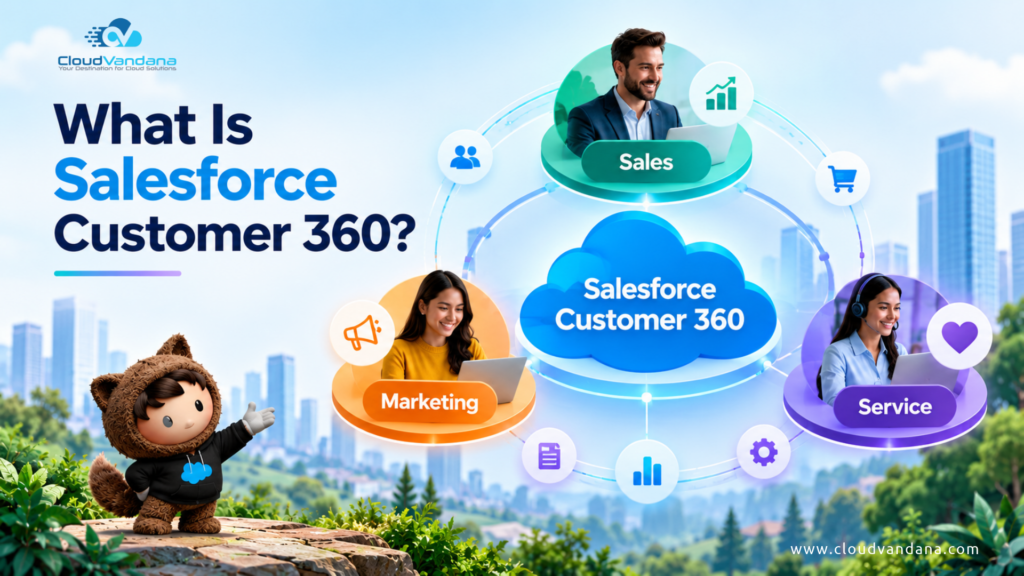
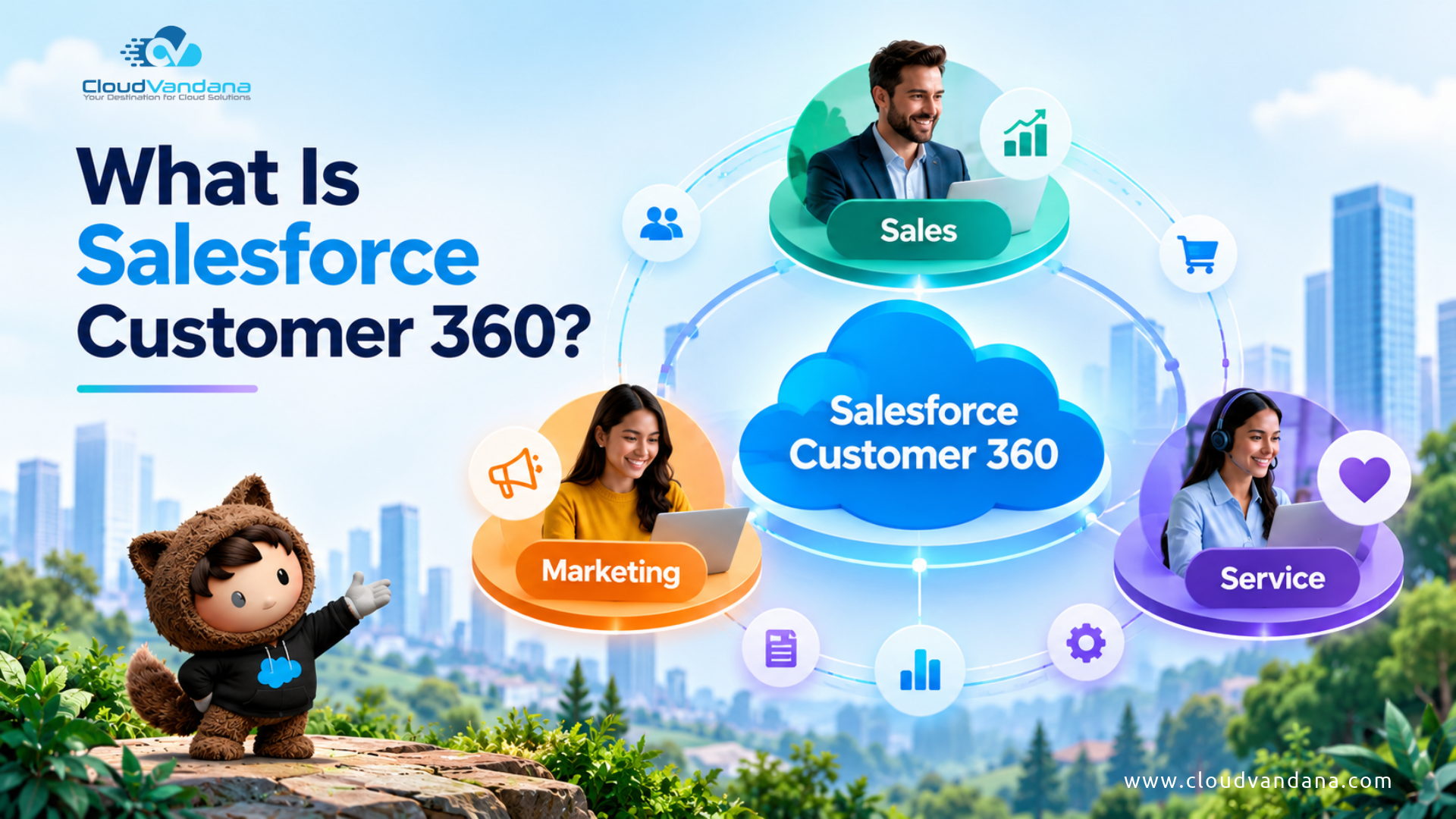
Salesforce Customer 360 is Salesforce’s connected ecosystem of applications designed to give businesses a more complete view of customers across their interactions with sales, service, marketing, commerce, and other functions.
Rather than treating every department as an independent operation, Customer 360 puts the customer at the center.
Imagine a customer named Sarah.
Marketing may know which campaigns Sarah opened.
Sales may know which products she discussed with an account executive.
Service may know that she recently opened a high-priority support case.
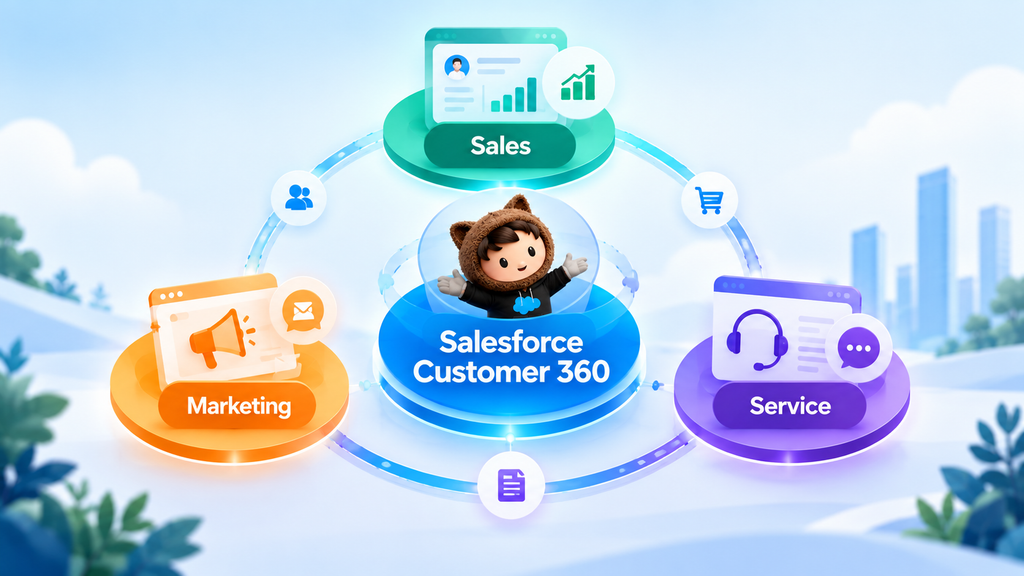
Commerce may know what she purchased.
A disconnected technology environment can leave each department holding only one fragment of that story.
Customer 360 aims to make the broader context available where it is useful, so teams can coordinate their interactions around the same customer relationship.
Salesforce describes Customer 360 as a suite of deeply unified products providing a view of customers across their touchpoints and interactions.
That distinction is important.
Customer 360 is not simply a dashboard displaying a large collection of customer fields. It is about creating a connected operating environment in which customer information can inform decisions, workflows, personalization, service, selling, automation, and AI.
Customer 360 Is More Than a Traditional CRM
Traditional CRM systems were primarily designed to help organizations record and manage customer relationships.
Companies could store:
- Accounts
- Contacts
- Leads
- Opportunities
- Activities
- Notes
- Cases
That remains important.
But today’s customer journey extends far beyond the CRM record.
Customers visit websites, open emails, attend webinars, make purchases, use mobile applications, contact support, respond to advertisements, renew subscriptions, interact with AI agents, and communicate across numerous digital channels.
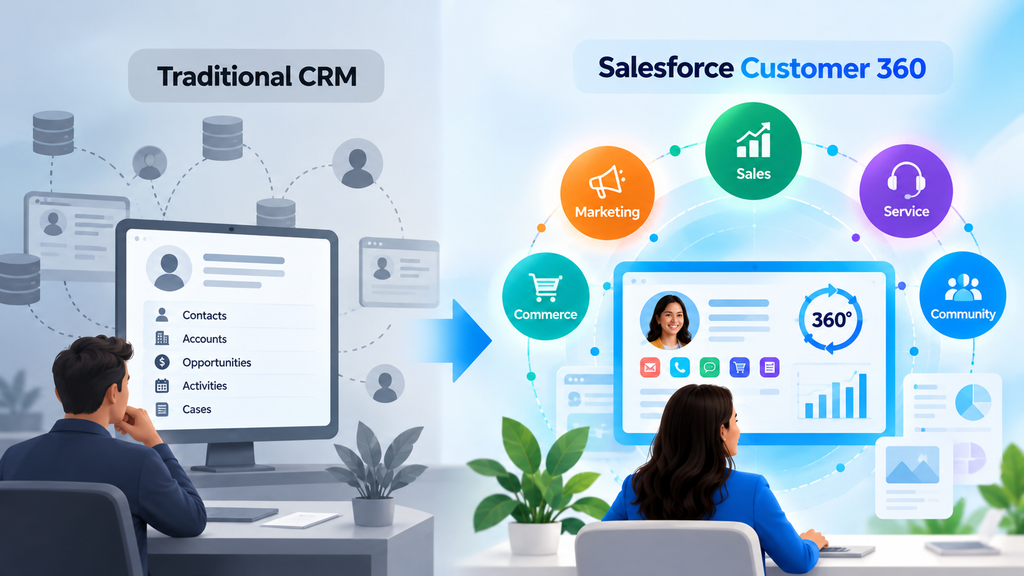
Consequently, the real customer story may be distributed across dozens of systems.
A CRM record might tell a salesperson:
Sarah is the VP of Operations at Company X.
A more complete customer view could tell them:
Sarah is the VP of Operations at Company X, attended yesterday’s webinar, visited the enterprise pricing page three times, has an open support escalation, renewed one product last month, and is currently part of a marketing nurture campaign for another product.
The second conversation can be dramatically different.
That is the strategic idea behind Customer 360: customer context should travel with the customer instead of remaining trapped inside departmental systems.
Why Disconnected Customer Data Creates Business Problems
Data silos are rarely created intentionally.
Marketing adopts a marketing automation platform.
Sales uses CRM.
Customer service deploys a case-management system.
Finance has an ERP.
Commerce uses another platform.
Product teams collect application telemetry.
Each decision may make perfect sense individually.
Over time, however, the organization develops a fragmented customer architecture.
Salesforce’s customer research illustrates why this matters. Its research has found that 79% of customers expect consistent interactions across departments, while 55% say interactions often feel as though they are communicating with separate departments rather than one company.
The operational consequences are familiar.
Customers Repeat Information
A customer explains an issue to one representative and then has to explain everything again after being transferred.
Sales Lacks Service Context
An account executive contacts a customer about an upgrade without realizing that the customer has an unresolved critical support case.
Marketing Sends Poorly Timed Messages
A customer receives a promotional campaign immediately after submitting a complaint.
Service Cannot See the Commercial Relationship
An agent sees a ticket but cannot easily understand the customer’s products, purchase history, account value, or recent sales conversations.
Reporting Becomes Inconsistent
Different departments calculate customer value, lifecycle stage, engagement, or conversion using different systems and definitions.
None of these problems necessarily means the individual teams are performing badly.
The underlying problem is often architectural:
the company knows more about the customer than any individual team can see.
What Does a 360-Degree Customer View Actually Mean?
A 360-degree customer view is a consolidated representation of the relevant information a business has about a customer across different systems and interactions.
Depending on the organization, this could include:
Identity Data
Name, email address, telephone number, company, role, location, account relationships, and other identifying information.
Sales Data
Leads, opportunities, products of interest, sales activities, quotes, contracts, forecasts, and account history.
Marketing Data
Campaign membership, email engagement, website behavior, event attendance, audience segments, lead scores, and journey activity.
Service Data
Cases, complaints, support interactions, product issues, satisfaction information, entitlements, and previous resolutions.
Commerce Data
Orders, shopping activity, transaction history, abandoned carts, returns, and product preferences.
Behavioral Data
Website visits, application usage, content consumption, clicks, searches, and other engagement signals.
The objective is not to put every piece of data imaginable onto one enormous screen.
That would create information overload.
The objective is to make the right context available to the right person or system at the right moment.
Salesforce describes a 360-degree view as putting the customer at the center by unifying customer data points from different sources so businesses can make better decisions.
How Salesforce Customer 360 Works
Customer 360 works by connecting several layers of the Salesforce ecosystem.
At the application level, businesses may use Salesforce solutions for sales, service, marketing, commerce, analytics, industries, and other functions.
At the data level, information from Salesforce and external systems can be connected and unified.
At the automation layer, workflows can respond to customer events.
At the intelligence layer, analytics and AI can use that context to recommend or execute actions.
The architecture can therefore be thought of as:
Applications → Data → Identity → Insights → Automation → Customer Experience
The individual Salesforce clouds can still operate independently. Salesforce confirms that products such as Sales Cloud, Service Cloud, Marketing Cloud, and Commerce Cloud can be purchased and used separately, while also being connected to share relevant information.
Customer 360 becomes particularly valuable when those capabilities stop behaving like isolated software deployments and begin functioning as parts of one customer lifecycle.
The Role of Data 360 in Customer 360
One of the most important concepts to understand is the relationship between Customer 360 and Data 360.
Salesforce Data Cloud was renamed Data 360 in October 2025. Salesforce states that the underlying functionality remained unchanged during the naming transition.
Data 360 is the data engine that can connect and unify information from Salesforce and external sources.
This matters because your customer information probably does not live exclusively inside Salesforce.
It might also exist in:
- ERP platforms
- Data warehouses
- Websites
- Mobile applications
- Commerce systems
- Loyalty platforms
- Data lakes
- Legacy databases
- External applications
Data 360 can connect this information and map it into a standardized model.
Salesforce describes the process in three broad concepts: ingestion, harmonization, and unification. Data is connected, mapped to the Customer 360 Data Model, and then identity resolution can associate records representing the same individual or account.
This creates the foundation for a more trustworthy customer profile.
How Identity Resolution Helps Build Unified Customer Profiles
One customer does not always equal one record.
Consider:
CRM
Robert Smith
robert.smith@company.com
Marketing platform
Bob Smith
bob@company.com
Commerce platform
R. Smith
+1 555 XXX XXXX
Are these three customers?
Or three representations of the same person?
This is where identity resolution becomes important.
Data 360 can use identity-resolution rules to identify and link records associated with the same individual or account, helping organizations establish unified profiles.
Without this process, personalization can become unreliable.
A supposedly personalized campaign might treat an existing customer as a new prospect.
A loyalty customer may not receive appropriate recognition.
Two departments may maintain conflicting contact information.
AI could reason from incomplete context.
A genuine Customer 360 strategy therefore depends not merely on collecting more data, but on determining which information belongs together.
Connecting Sales Teams with Customer 360
Salespeople perform better when they understand what has happened before the conversation begins.
A connected customer profile can give sales representatives context around:
- Marketing engagement
- Website behavior
- Product interest
- Existing purchases
- Open service cases
- Previous customer interactions
- Account activity
- Renewal information
- Customer preferences
Consider an account executive preparing for a renewal conversation.
Without Customer 360, the rep may see:
Renewal date: 30 days away.
With broader context, the rep may also see:
Two unresolved service cases + declining product engagement + recent attendance at a training webinar.
That context changes the conversation.
Instead of immediately pushing the renewal, the salesperson can coordinate with service, understand the customer’s difficulties, and approach the conversation intelligently.
Salesforce increasingly positions its sales offering around this connected model; its current Sales Cloud guidance describes integration with marketing and service as enabling sellers to access marketing engagement and service history from the CRM.
Customer 360 therefore transforms CRM from a system of records into a richer system of customer context.
Connecting Service Teams with Customer 360
Customer service agents frequently meet customers at emotionally important moments.
Something has failed.
A shipment is late.
An invoice appears incorrect.
A feature does not work.
The customer needs help.
At that moment, asking the customer to reconstruct their entire relationship with the company creates unnecessary friction.
A connected service environment can give agents access to relevant context such as:
- Account information
- Previous cases
- Purchase history
- Product ownership
- Recent communications
- Sales activity
- Customer tier
- Relevant marketing journeys
- Known preferences
This makes service more contextual.
Instead of asking:
“Which product did you purchase?”
the agent may already know.
Instead of asking:
“Have you contacted us before?”
previous cases can provide the answer.
Customer service becomes less about collecting context and more about solving the problem.
Connecting Marketing Teams with Customer 360
Modern marketing depends heavily on context.
Two people can look identical in a traditional marketing database and still require completely different experiences.
Imagine two customers who both downloaded the same ebook.
Customer A is a new prospect.
Customer B is an existing enterprise customer with an active support escalation.
Sending both customers the same aggressive sales campaign would ignore their relationship with the business.
Customer 360 can help marketers build audiences using broader signals such as:
- Sales stage
- Customer status
- Product ownership
- Service history
- Purchase behavior
- Website activity
- Engagement patterns
- Account attributes
Marketing therefore becomes less dependent on static demographic lists and more responsive to customer state and behavior.
Salesforce’s current Marketing Cloud positioning highlights the use of Data 360 and AI to personalize customer interactions and coordinate experiences across marketing, sales, and service.
How Sales and Marketing Work Better Together
The relationship between marketing and sales has historically been vulnerable to one recurring argument:
What exactly is a qualified lead?
Marketing may celebrate lead volume.
Sales may complain about lead quality.
Customer 360 provides an opportunity to replace part of that disagreement with shared customer signals.
Marketing can capture engagement.
Sales can contribute opportunity progression.
Both teams can use shared data to understand which behaviors actually correlate with meaningful commercial outcomes.
A connected lifecycle might look like this:
Anonymous visitor → Known prospect → Engaged lead → Qualified lead → Opportunity → Customer → Expansion opportunity
Marketing can understand what happens after handoff.
Sales can understand what happened before handoff.
That feedback loop is powerful.
It can improve lead scoring, campaign targeting, attribution, nurturing, and sales prioritization.
How Sales and Service Work Better Together
Sales creates expectations.
Service experiences the consequences of those expectations.
When these teams are disconnected, problems appear quickly.
A salesperson may promise something that support cannot deliver.
A service team may discover an expansion requirement but never communicate it to the account owner.
A salesperson may pursue an upsell while an unresolved case threatens the relationship.

Connecting sales and service data changes that dynamic.
Salesforce provides examples of Data 360 supporting integrated feedback loops between sales and service, including proactive deal intervention based on case signals and onboarding or product-adoption use cases.
The relationship becomes cyclical:
Sales → Onboarding → Service → Adoption → Renewal → Expansion
Customer success is no longer viewed as something that happens after sales.
It becomes part of the revenue lifecycle.
How Marketing and Service Work Better Together
Marketing and customer service are often more closely connected than organizations realize.
A service interaction is a customer signal.
It should influence communication.
Suppose a customer opens a critical support case Monday morning.
A disconnected marketing system sends them:
“Upgrade today and discover how much we value our customers!”
The timing can feel absurd.
A connected system can respond differently.
Salesforce describes a scenario where opening a service case updates a unified profile in Data 360, changes segment membership, suppresses a promotional email, and routes the customer toward more appropriate service-oriented communication. Once the case closes, regular marketing journeys can resume.
That is a good example of what Customer 360 should accomplish.
It is not simply seeing data.
It is changing what happens because of the data.
A Complete Customer 360 Journey in Action
Consider a fictional manufacturing company, Apex Manufacturing.
Its operations director, Maya, begins researching a new automation solution.
Stage 1: Discovery
Maya visits the company’s website and reads an article.
Marketing records the engagement.
Stage 2: Interest
She returns several days later, downloads a guide, and registers for a webinar.
Her engagement increases.
Stage 3: Sales Conversation
Maya requests a demonstration.
Sales receives the lead together with relevant engagement context.
The salesperson knows which solution she researched and which content she consumed.
Stage 4: Opportunity
After several conversations, the opportunity moves forward.
Marketing can adjust communication based on the sales stage rather than continuing generic lead-generation messaging.
Stage 5: Purchase
Maya becomes a customer.
The relationship transitions from acquisition to onboarding.
Stage 6: Support
Several weeks later, Maya’s team encounters an integration issue.
Service can see relevant customer and product context while resolving the case.
Stage 7: Relationship Intelligence
The account executive can see that a significant support issue occurred.
Instead of making a poorly timed upsell call, the salesperson follows up on customer health.
Stage 8: Expansion
Months later, product engagement is strong, support issues are resolved, and Maya’s organization begins researching another solution.
Those signals can help initiate an appropriate expansion conversation.
From the customer’s perspective, the experience feels coherent.
From the organization’s perspective, multiple teams have participated.
Customer 360 connects those moments into one relationship.
Customer 360 and Real-Time Personalization
Traditional personalization often means:
Hello, Maya.
Modern personalization needs to go much further.
It should answer questions such as:
- What is Maya trying to accomplish?
- What products does her organization already own?
- What content has she consumed?
- Does she have an unresolved support issue?
- What stage of the relationship is she in?
- What should happen next?
Data 360 supports unified profiles and audience segmentation using data from multiple touchpoints. Salesforce also supports surfacing unified Data 360 information on Salesforce records so sales and service users can access relevant external and behavioral context without necessarily duplicating it into core CRM objects.
The result is a shift from personalizing messages to personalizing journeys.
Customer 360, AI, and Agentforce
Customer 360 becomes even more important as businesses adopt AI agents.
Why?
Because AI is only as useful as the context available to it.
Consider an AI sales agent with access only to lead data.
It might understand:
- Name
- Company
- Lead source
Now imagine the same AI has governed access to relevant context across customer history, product activity, marketing engagement, service interactions, and account information.
Its decisions can become considerably more contextual.
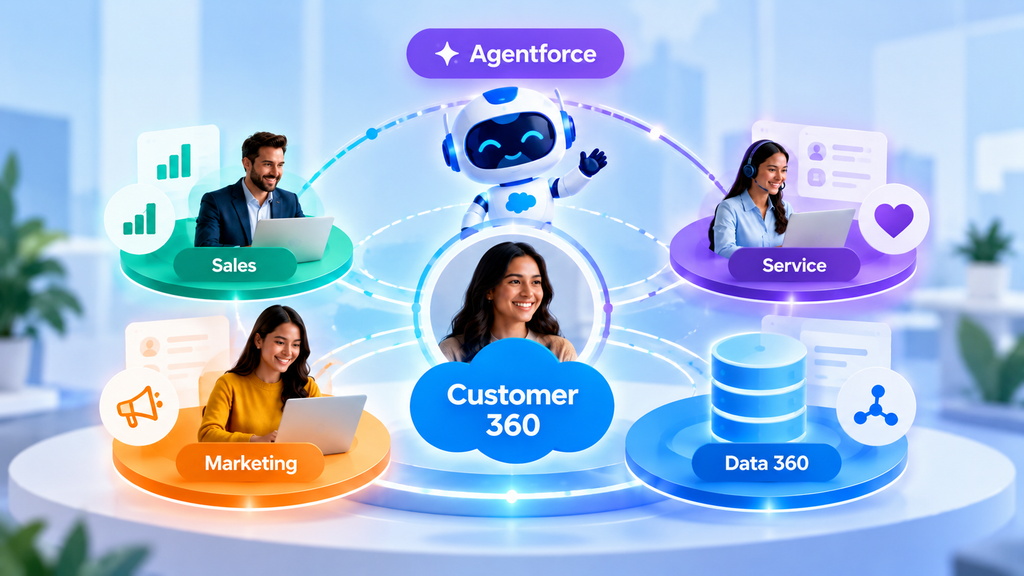
The same principle applies to service AI.
An agent grounded in customer history and trusted business data can potentially answer questions, recommend next actions, summarize interactions, or execute permitted workflows with greater relevance.
Salesforce currently describes Customer 360 applications as operating with Data 360 and Agentforce across its broader platform, with unified data providing context for AI and automation.
This makes data architecture an AI issue.
Organizations asking:
“How do we adopt AI?”
should also ask:
“What customer context will our AI actually have?”
Fragmented data creates fragmented intelligence.
Business Benefits of Salesforce Customer 360
The value of Customer 360 depends on implementation quality and the use cases selected, but several benefits are particularly important.
1. Better Customer Experiences
Customers encounter fewer disconnected conversations because employees can access more relevant context.
2. Improved Sales Conversations
Salespeople can approach customers with better awareness of marketing activity, service history, and relationship status.
3. More Relevant Marketing
Marketers can build audiences and journeys around broader customer behavior instead of relying only on isolated campaign data.
4. Faster Service
Agents can spend less time reconstructing customer context and more time resolving issues.
5. Stronger Cross-Team Collaboration
Sales, marketing, and service can operate around shared customer information and lifecycle signals.
6. Better Automation
Connected data allows workflows to respond to meaningful events across departmental boundaries.
7. Better AI Context
AI and agents can be grounded in a richer, more consistent business context when the underlying data architecture is designed appropriately.
8. Improved Customer Retention
Service, engagement, product, and account signals can help teams identify problems before renewal conversations arrive.
Common Salesforce Customer 360 Use Cases
Customer 360 can support many cross-functional scenarios.
Lead-to-Opportunity Journey
Combine marketing engagement with CRM information to help prioritize prospects.
Intelligent Lead Nurturing
Change campaigns as customer behavior or sales status changes.
Service-Aware Marketing
Suppress or modify promotional communication when significant support issues are active.
Proactive Account Management
Alert sales teams when service or engagement signals indicate potential account risk.
Cross-Sell and Upsell
Use purchase, engagement, service, and account context to identify relevant expansion opportunities.
Customer Onboarding
Coordinate marketing, sales, service, and education after a deal closes.
Renewal Management
Combine commercial and customer-experience signals before renewal conversations.
Personalized Support
Provide service agents with purchase, account, interaction, and engagement history.
Customer Re-Engagement
Identify customers whose activity has declined and trigger appropriate journeys.
AI-Powered Customer Experiences
Ground AI agents in trusted customer and enterprise information rather than isolated prompts.
Customer 360 Implementation Challenges
Customer 360 is powerful, but purchasing more technology does not automatically create a 360-degree customer view.
Several challenges commonly appear.
Poor Data Quality
Duplicate records, outdated contact information, inconsistent formats, and incomplete fields can undermine unification.
Unclear Identity Rules
Organizations need rules for determining when records represent the same person, household, or business account.
Integration Complexity
Important information may live in legacy platforms, ERP systems, warehouses, websites, or custom applications.
Weak Governance
Businesses need clear policies around ownership, permissions, consent, retention, security, and acceptable data use.
Departmental Ownership
Customer 360 is inherently cross-functional.
If Sales, Marketing, Service, and IT pursue independent definitions of the customer, technical integration alone will not solve the problem.
Too Much Data
A common mistake is assuming that a 360-degree view means collecting everything.
It does not.
Useful Customer 360 programs prioritize relevant, trustworthy, actionable data.
How to Build a Salesforce Customer 360 Strategy
A successful implementation should begin with business outcomes, not connectors.
Step 1: Define the Customer Experience Problem
Identify the friction you want to remove.
For example:
- Customers repeatedly explain themselves.
- Marketing cannot see customer status.
- Sales lacks support visibility.
- Service lacks purchase context.
- Lead handoffs are inconsistent.
Be specific.
Step 2: Map the Customer Journey
Document major lifecycle stages:
Awareness → Consideration → Purchase → Onboarding → Adoption → Support → Renewal → Expansion
Identify which teams and systems participate at every stage.
Step 3: Inventory Customer Data
Determine where relevant data currently lives.
Document:
- Salesforce objects
- Marketing systems
- Service applications
- ERP systems
- Websites
- Commerce platforms
- Warehouses
- External databases
Step 4: Define the Unified Profile
Decide what information teams actually need.
Do not begin with every possible field.
Start with the data required to support your priority use cases.
Step 5: Establish Identity Resolution
Determine how records should be matched.
Email may work in some scenarios.
Other environments may require combinations of identifiers and carefully designed matching rules.
Step 6: Connect the Systems
Use the appropriate Salesforce integration, Data 360, APIs, MuleSoft, or other architectural approaches depending on the environment.
Step 7: Activate the Data
This is where value begins.
Use unified information in:
- Sales workflows
- Service processes
- Marketing segments
- Customer journeys
- Analytics
- Automation
- AI agents
Step 8: Measure and Improve
Customer 360 should evolve as customer journeys, data sources, and business priorities change.
Data Quality and Governance Best Practices
A sophisticated Customer 360 environment built on unreliable data is still unreliable.
Organizations should establish clear practices around:
Data Ownership
Who owns customer data quality?
Data Standards
How should names, addresses, industries, account hierarchies, and identifiers be formatted?
Duplicate Management
How are duplicate customers detected and resolved?
Access Control
Which employees and systems should have access to which information?
Consent
How is customer consent captured and respected across channels?
Retention
How long should information remain available?
Monitoring
How will the organization identify broken integrations, stale information, or deteriorating data quality?
The Salesforce Customer 360 Data Model exists partly to reduce integration complexity by providing standardized guidelines and objects for organizing customer information across applications.
Governance should therefore be treated as part of the Customer 360 architecture, not as an administrative task added later.
How to Measure Customer 360 Success
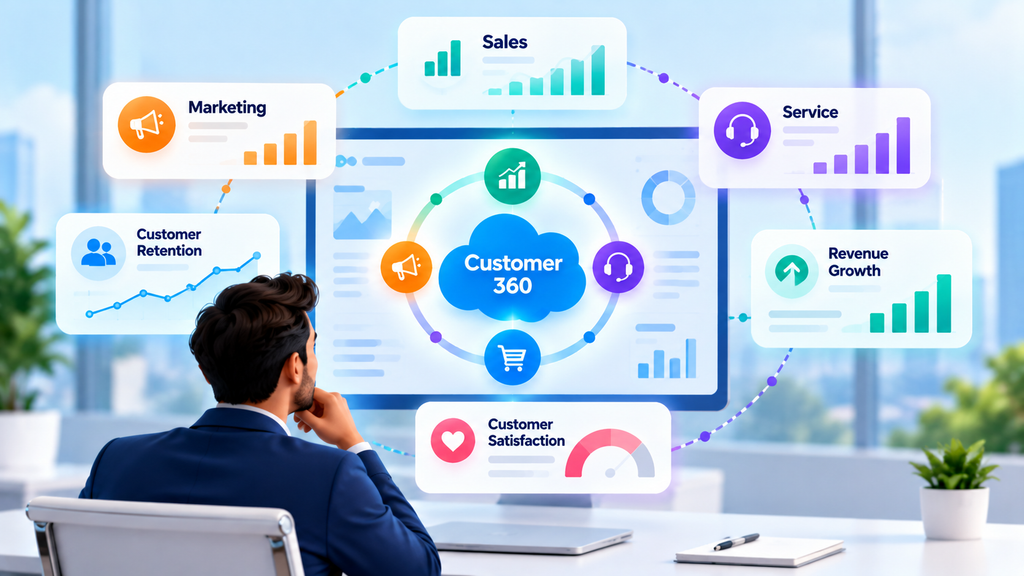
A successful Customer 360 implementation should create measurable business changes.
The exact metrics depend on the use case.
Sales Metrics
Monitor:
- Lead conversion
- Opportunity conversion
- Sales-cycle duration
- Pipeline progression
- Renewal rates
- Expansion revenue
Marketing Metrics
Measure:
- Engagement
- Lead quality
- Campaign conversion
- Audience performance
- Customer journey progression
- Marketing-sourced pipeline
Service Metrics
Track:
- First-response time
- Resolution time
- Repeat contacts
- Escalations
- Customer satisfaction
- Case volume
Cross-Functional Metrics
Also examine:
- Duplicate customer records
- Percentage of unified profiles
- Data completeness
- Customer retention
- Cross-sell adoption
- Manual handoffs
- Time employees spend searching for customer information
The most meaningful metric, however, is often operational:
Are teams making better decisions because they have better customer context?
If not, simply centralizing more data is not enough.
Who Should Consider Salesforce Customer 360?
Customer 360 becomes particularly valuable when an organization has:
- Multiple customer-facing departments
- Salesforce products across several functions
- Customer information spread across systems
- Complex B2B account relationships
- High customer volumes
- Omnichannel interactions
- Significant personalization requirements
- Large service operations
- Recurring revenue models
- AI or Agentforce initiatives requiring richer business context
It can also benefit organizations at earlier stages.
You do not necessarily need to unify everything immediately.
A phased approach may begin with one high-value connection—for example, Sales + Service—and expand into marketing, commerce, external data, and AI over time.
The Future of Connected Customer Experiences
CRM is evolving.
The first era was largely about recording customer information.
The next era emphasized automating customer processes.
The emerging era combines unified data, automation, analytics, and AI agents.
That changes what businesses can expect from CRM.
Instead of asking:
“Where is the customer record?”
organizations increasingly ask:
“What do we know about this customer right now, what does it mean, and what should happen next?”
Customer 360 provides an architectural answer to the first half of that question.
Data 360 helps unify and contextualize information.
Salesforce applications provide operational workflows.
Automation turns signals into actions.
Agentforce and AI can help interpret context and execute permitted tasks.
But the foundation remains the same:
connected customer data.
Without it, companies risk automating silos faster.
With it, sales, service, and marketing have the opportunity to operate around a shared understanding of the customer.
Connect Your Customer Experience with CloudVandana
Your customers do not think in departments.
They do not care whether their information belongs to Sales Cloud, Service Cloud, Marketing Cloud, an ERP, a data warehouse, or another application.
They simply expect your business to know the relationship they already have with you.
CloudVandana helps businesses turn fragmented Salesforce environments into connected customer experiences.
As a Salesforce Consulting Partner, CloudVandana can help organizations with:
- Salesforce consulting and implementation
- Sales Cloud and Service Cloud solutions
- Marketing Cloud integration
- Data 360 strategy and implementation
- Salesforce integration
- MuleSoft integration
- Data migration and data quality
- Salesforce Flow automation
- Agentforce and AI solutions
- Custom Salesforce development
- Salesforce administration
- Ongoing support and managed Salesforce services
Whether your challenge is disconnected departments, fragmented customer data, complex integrations, or preparing your Salesforce environment for AI, the starting point is understanding how information should flow across the customer lifecycle.
Ready to build a connected Salesforce Customer 360?
Talk to CloudVandana about connecting your Sales, Service, Marketing, data, and AI strategy around one customer experience.
Frequently Asked Questions About Salesforce Customer 360
1. What is Salesforce Customer 360?
Salesforce Customer 360 is Salesforce’s connected suite of applications for managing customer relationships across functions such as sales, service, marketing, commerce, and other business areas. Its goal is to provide teams with connected customer context across interactions and touchpoints.
2. Is Salesforce Customer 360 a separate Salesforce product?
Customer 360 is better understood as Salesforce’s broader connected application and platform strategy rather than simply one standalone CRM application. Organizations can use individual Salesforce clouds independently and connect multiple solutions depending on their requirements.
3. What is the difference between Customer 360 and Data 360?
Customer 360 represents the broader connected customer experience across Salesforce applications. Data 360 is Salesforce’s data engine for connecting, harmonizing, and unifying information from Salesforce and external sources. Data 360 can provide the trusted customer data foundation used across Customer 360 experiences.
4. Is Salesforce Data Cloud now called Data 360?
Yes. Salesforce renamed Data Cloud to Data 360 on October 14, 2025. Salesforce documentation states that the functionality remained unchanged during the naming transition.
5. How does Customer 360 connect sales and marketing?
Customer 360 can make relevant marketing engagement available alongside sales information and allow marketing processes to respond to CRM events. This can improve lead handoffs, nurturing, segmentation, sales prioritization, and lifecycle communication.
6. How does Customer 360 help customer service?
Service teams can gain access to broader customer context, including account, purchase, interaction, and other relevant information. This can reduce repetitive questions and help agents provide more contextual support.
7. Can Salesforce Customer 360 integrate with external systems?
Yes. Customer information can be connected from Salesforce and external systems. Depending on the architecture, organizations may use Data 360, APIs, MuleSoft, native integrations, and other integration technologies.
8. Does Customer 360 create a single customer profile?
It can support unified customer profiles by connecting and harmonizing information from multiple sources. Data 360 identity resolution can associate records belonging to the same individual or account to create a more unified representation of that customer.
9. How does Customer 360 support personalization?
Unified customer information can be used to create segments, trigger journeys, inform sales conversations, adapt service interactions, and deliver experiences based on customer behavior and lifecycle context rather than isolated data points.
10. How does Customer 360 work with Agentforce?
Customer 360 and Data 360 can provide business and customer context that AI agents use within permitted Salesforce workflows. Better governed and connected data can help AI produce more relevant insights and actions.
11. How long does a Salesforce Customer 360 implementation take?
There is no universal implementation timeline. The duration depends on the number of systems involved, data quality, integration complexity, identity-resolution requirements, Salesforce products, governance requirements, and selected business use cases. A phased implementation is often more practical than attempting to unify every customer data source simultaneously.
12. How should a business start with Salesforce Customer 360?
Start with a clearly defined customer or operational problem. Map the customer journey, identify the systems and data involved, establish the desired unified profile, define governance and identity rules, and then implement one or two measurable use cases before expanding the architecture.

Atul Gupta is CloudVandana’s founder and an 8X Salesforce Certified Professional who works with globally situated businesses to create Custom Salesforce Solutions.
Atul Gupta, a dynamic leader, directs CloudVandana’s Implementation Team, Analytics, and IT functions, ensuring seamless operations and innovative solutions.
YOU MIGHT ALSO LIKE
How MuleSoft Connects Salesforce With ERP, Finance and Business Systems
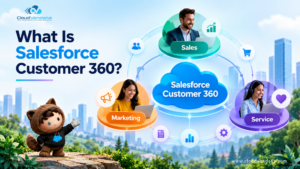
Salesforce Customer 360: Connecting Sales, Service and Marketing Teams
Salesforce and Anthropic Launch Claudeforce: What It Means for the Future of Enterprise AI

Salesforce AIforce: What It Means for the Future of Enterprise Software

The Biggest Dreamforce 2026 Theme: The Agentic Enterprise