


Financial Services Cloud: A Complete Guide for Banking and Wealth Management

Financial Services Cloud: A Complete Guide for Banking and Wealth Management Banking and wealth management have always been built on trust. Customers trust financial institutions with their savings, investments, financial plans, and long-term goals. But today, earning and maintaining that trust requires much more than offering reliable financial products. Customers expect their banks and financial advisors to understand their needs, remember previous interactions, provide relevant recommendations, and deliver seamless experiences across digital and human channels. The challenge? Many financial institutions still operate with disconnected systems, fragmented customer records, manual workflows, and limited visibility into customer relationships. A relationship manager might know a client’s investment portfolio but have little information about their lending requirements. A banking service representative might see account details but not understand the customer’s broader financial relationship with the institution. These information gaps create missed opportunities, inefficient operations, and inconsistent customer experiences. This is where Salesforce Financial Services Cloud becomes valuable. Financial Services Cloud (FSC) helps banks, wealth management firms, and other financial institutions bring customer relationships, financial information, business processes, and engagement activities into a connected CRM environment. Rather than managing customers as isolated accounts or transactions, institutions can develop a more complete understanding of their financial relationships. In this guide, we explore what Salesforce Financial Services Cloud is, how it works, its most important features, banking and wealth management use cases, implementation considerations, and how financial institutions can use it to build stronger customer relationships. Table of Contents Financial Services Cloud: A Complete Guide for Banking and Wealth Management What Is Salesforce Financial Services Cloud? How Is Financial Services Cloud Different From a Traditional CRM? Why Banking and Wealth Management Need Industry-Specific CRM 1. Fragmented Customer Data Creates Blind Spots 2. Customer Expectations Have Changed 3. Financial Relationships Are More Complex Than Sales Transactions 4. Compliance Requirements Demand Better Processes How Salesforce Financial Services Cloud Works Unified Customer Profiles Relationship and Household Mapping Workflow Automation and Integration Key Features of Salesforce Financial Services Cloud 1. Client and Household Relationship Management 2. Financial Account Visibility 3. Actionable Relationship Center 4. Financial Goals and Life Events 5. Intelligent Workflow Automation 6. Analytics and Reporting Salesforce Financial Services Cloud for Banking Retail Banking Commercial Banking Lending and Loan Origination Customer Onboarding Customer Service and Retention Salesforce Financial Services Cloud for Wealth Management Client Relationship Management Portfolio and Financial Goal Visibility Advisor Productivity Personalized Financial Engagement Client Retention and Growth Financial Services Cloud for Insurance and Other Financial Institutions Salesforce Financial Services Cloud and AI Einstein AI Agentforce for Financial Services Predictive Insights and Next Best Actions Financial Services Cloud Integration With Core Banking Systems Common Integration Requirements Why Integration Architecture Matters Data Security, Privacy, and Regulatory Compliance Role-Based Access Control Data Protection and Encryption Regulatory Considerations Salesforce Financial Services Cloud vs. Traditional CRM Financial Services Cloud vs. Salesforce Sales Cloud Business Benefits of Salesforce Financial Services Cloud 1. More Complete Customer Understanding 2. Improved Employee Productivity 3. More Consistent Customer Experiences 4. Better Collaboration 5. More Relevant Growth Opportunities 6. Greater Operational Visibility Common Financial Services Cloud Use Cases Use Case 1: Unified Customer Relationship Management Use Case 2: Automated Customer Onboarding Use Case 3: Wealth Management Client Reviews Use Case 4: Commercial Banking Relationship Mapping Use Case 5: AI-Assisted Customer Service Financial Services Cloud Implementation: A Step-by-Step Guide Step 1: Define Business Objectives Step 2: Assess Existing Systems Step 3: Map Customer Journeys Step 4: Design the Data Model Step 5: Configure Workflows and Automation Step 6: Integrate External Systems Step 7: Migrate and Validate Data Step 8: Test Security and Business Processes Step 9: Train Employees Step 10: Launch, Monitor, and Improve Common Financial Services Cloud Implementation Challenges Poor Data Quality Complex Legacy Integrations Excessive Customization Low Employee Adoption Inadequate Governance Salesforce Financial Services Cloud Pricing and Cost Considerations What Influences the Total Cost? How to Evaluate Cost Effectively How to Measure Financial Services Cloud ROI Best Practices for Successful Financial Services Cloud Adoption Start With Business Problems Prioritize Data Quality Design Around Employee Workflows Introduce Automation Carefully Plan for Continuous Improvement The Future of Banking and Wealth Management With AI-Powered CRM More Contextual Customer Engagement Greater Workflow Intelligence Stronger Integration Between Systems Responsible AI as a Competitive Requirement Why Choose CloudVandana for Financial Services Cloud Implementation? Salesforce Consulting and Solution Planning Financial Services Cloud Implementation Salesforce Integration Services Data Migration and CRM Optimization Automation and AI Enablement Ongoing Salesforce Support Ready to Modernize Your Banking or Wealth Management CRM? Build Stronger Financial Relationships With CloudVandana Conclusion 1. What is Salesforce Financial Services Cloud? 2. How does Salesforce Financial Services Cloud work? 3. What is the difference between Salesforce Sales Cloud and Financial Services Cloud? 4. Is Salesforce Financial Services Cloud suitable for banks? 5. How does Financial Services Cloud help wealth management firms? 6. Can Financial Services Cloud integrate with core banking systems? 7. Does Financial Services Cloud support artificial intelligence? 8. Is Salesforce Financial Services Cloud secure? 9. Is Financial Services Cloud compliant with banking regulations? 10. How much does Salesforce Financial Services Cloud cost? 11. How long does Financial Services Cloud implementation take? 12. How can CloudVandana help with Salesforce Financial Services Cloud? YOU MIGHT ALSO LIKE What Is Salesforce Financial Services Cloud? Salesforce Financial Services Cloud is an industry-specific CRM solution designed to help financial institutions manage customer relationships, connect financial data, streamline operations, and deliver personalized experiences. Built on the Salesforce platform, Financial Services Cloud extends conventional CRM capabilities with data models, workflows, and relationship-management functionality designed for financial services. It supports organizations such as: A traditional CRM might show a customer’s name, contact information, communication history, and sales opportunities. Financial Services Cloud can provide a more comprehensive relationship view, including household connections, financial accounts, financial goals, important life events, and service interactions, depending on the data and integrations configured. For example, consider a banking customer who maintains a savings account, has a mortgage, holds investment products, and regularly communicates with a relationship manager. Without connected systems, these relationships may exist
How MuleSoft Connects Salesforce With ERP, Finance and Business Systems
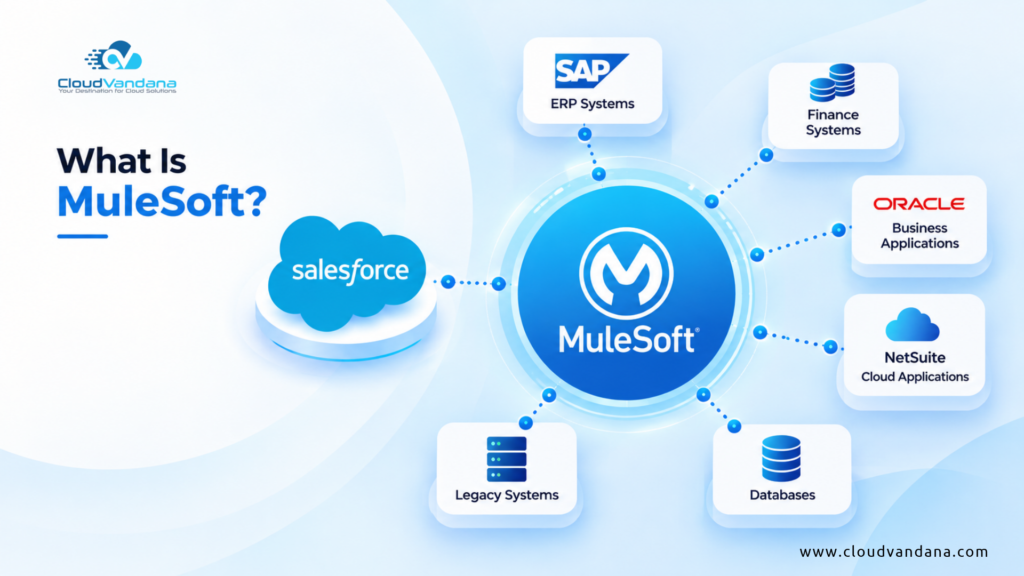
A customer downloads an ebook from your website. Marketing knows. A week later, that customer requests a product demo. Sales knows. After becoming a customer, they contact support about an implementation issue. Service knows. But does everyone know? That is where many customer experiences begin to break down. Each department may have excellent technology, skilled employees, and well-designed processes, yet customers can still feel as though they are dealing with three different companies. Salesforce Customer 360 is designed to change that. Instead of allowing sales, marketing, service, commerce, and other customer-facing functions to operate as isolated islands, Customer 360 brings applications, customer context, automation, data, and AI together around a more complete view of the customer. For businesses, this can mean better collaboration and more informed decisions. For customers, it can mean something much simpler: they do not have to keep explaining who they are. This guide explores what Salesforce Customer 360 is, how it connects Sales, Service, and Marketing teams, how Data 360 supports the unified customer profile, and how businesses can build a practical Customer 360 strategy. Salesforce can become the center of customer engagement, sales, service, automation, and increasingly AI-powered work. But Salesforce rarely operates alone. Behind almost every customer interaction is a much larger technology landscape. Orders may live in an ERP. Invoices may be generated by a finance platform. Inventory information may sit in SAP. Billing data may be managed in another application. Employee information could reside in an HR system, while product, logistics, procurement, and legacy applications each maintain their own pieces of business-critical information. The problem is not necessarily a lack of data. The problem is that the data is fragmented. That is where MuleSoft Salesforce integration becomes important. MuleSoft creates a connectivity layer between Salesforce and the wider enterprise. Instead of forcing employees to jump between applications or building a growing web of fragile point-to-point integrations, organizations can use APIs, connectors, integration flows, and automation to make their systems work together. The result is bigger than data synchronization. Sales teams can see inventory before promising a delivery date. Service teams can access order and billing information without leaving Salesforce. Finance teams can receive accurate customer and transaction information. Automated workflows can span multiple platforms. And AI agents can eventually act across enterprise systems rather than remaining confined to CRM data. This guide explains how MuleSoft connects Salesforce with ERP, finance, legacy, and other business systems, how the architecture works, where organizations can use it, and why integration is becoming increasingly important in an AI-driven enterprise. Table of Contents What Is MuleSoft? What Is MuleSoft Salesforce Integration? Why Salesforce Cannot Operate in Isolation The Problem With Disconnected Business Systems How MuleSoft Connects Salesforce With Other Systems Understanding MuleSoft Anypoint Platform What Is API-Led Connectivity? System APIs: Unlocking Systems of Record Process APIs: Orchestrating Business Processes Experience APIs: Delivering Data Where It Is Needed MuleSoft vs. Traditional Point-to-Point Integration How MuleSoft Connects Salesforce With ERP Systems Salesforce and SAP Integration With MuleSoft Salesforce and Oracle Integration With MuleSoft Salesforce and NetSuite Integration With MuleSoft Connecting Salesforce With Finance and Accounting Systems Salesforce Order-to-Cash Integration Connecting Salesforce With Inventory and Supply Chain Systems Connecting Salesforce With Legacy and On-Premises Applications Real-Time vs. Batch Salesforce Integration Real-Time Integration Batch Integration Data Transformation and Mapping With MuleSoft Business Process Automation Across Multiple Systems How MuleSoft Supports Salesforce Flow MuleSoft, Data 360, and Enterprise Data MuleSoft and Agentforce API Security, Governance, and Control Error Handling and Integration Monitoring Common MuleSoft Salesforce Integration Use Cases Business Benefits of MuleSoft Salesforce Integration A More Complete Customer View Less Manual Data Entry Faster Business Processes Better Data Consistency Improved Customer Experience Reusable Integration Assets Easier Automation AI Readiness Common Integration Mistakes to Avoid Integrating Everything Ignoring System Ownership Creating Too Many Point-to-Point Connections Treating APIs as One-Time Projects Ignoring Error Handling Overusing Real-Time Integration Forgetting Security How to Plan a MuleSoft Salesforce Integration Why API Reusability Matters When Should a Business Consider MuleSoft? Building an Integration Foundation for the Agentic Enterprise Why Work With a Salesforce and MuleSoft Integration Partner? Connect Salesforce With Your Enterprise Through CloudVandana Stop Making Your Teams Work Around Disconnected Systems Frequently Asked Questions About MuleSoft Salesforce Integration 1. What is MuleSoft Salesforce integration? 2. Can MuleSoft connect Salesforce with an ERP? 3. Can MuleSoft integrate Salesforce with SAP? 4. Can MuleSoft connect Salesforce and NetSuite? 5. What is API-led connectivity in MuleSoft? 6. What is the difference between MuleSoft and Salesforce Flow? 7. Does MuleSoft support real-time Salesforce integration? 8. Can MuleSoft connect Salesforce with legacy systems? 9. How does MuleSoft help with Salesforce ERP integration? 10. How does MuleSoft work with Agentforce? 11. What are the main benefits of using MuleSoft with Salesforce? 12. Is MuleSoft necessary for every Salesforce integration? Final Thoughts YOU MIGHT ALSO LIKE What Is MuleSoft? MuleSoft is an integration and API platform that helps organizations connect applications, data, APIs, workflows, and enterprise systems. It provides the technological bridge that allows different applications to exchange information and participate in shared business processes. Consider a company using: Without a structured integration architecture, these systems can become isolated islands. MuleSoft helps connect them. Its value is particularly significant in large organizations where hundreds of applications may participate in a single customer or operational journey. Instead of treating integration as a collection of individual connections, MuleSoft encourages organizations to build reusable integration capabilities. That distinction matters. A well-designed integration architecture does not merely move information from Application A to Application B. It creates reusable digital building blocks that can support future applications, workflows, analytics, automation, and AI initiatives. What Is MuleSoft Salesforce Integration? MuleSoft Salesforce integration is the process of using MuleSoft APIs, connectors, and integration capabilities to connect Salesforce with external applications and enterprise systems. These may include: Salesforce’s MuleSoft connector can work with Salesforce APIs including REST, SOAP, Bulk, and Streaming APIs depending on the required integration operation. Salesforce documentation specifically identifies ERP integration, data aggregation, legacy modernization, and connected customer
Salesforce Customer 360: Connecting Sales, Service and Marketing Teams
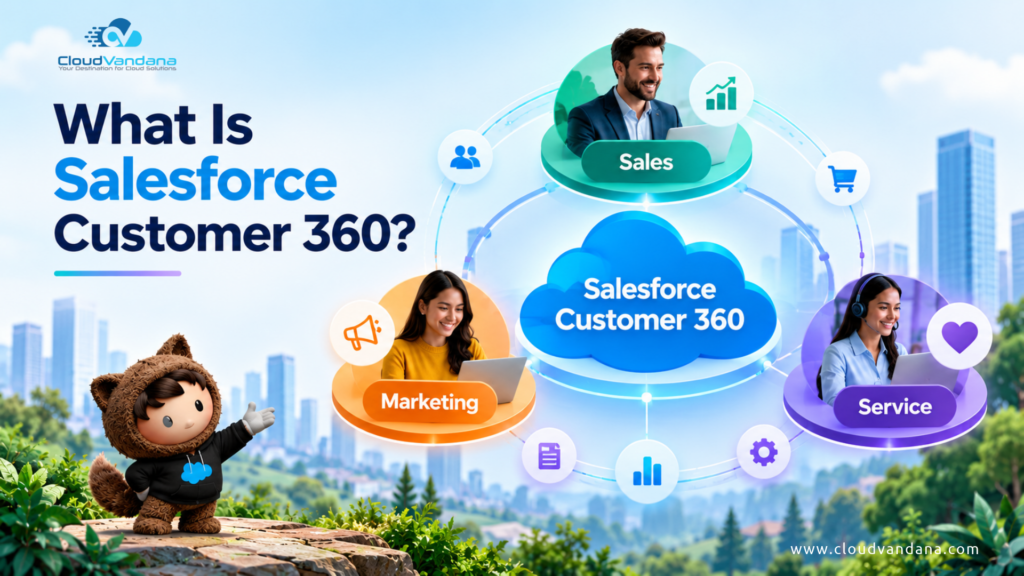
A customer downloads an ebook from your website. Marketing knows. A week later, that customer requests a product demo. Sales knows. After becoming a customer, they contact support about an implementation issue. Service knows. But does everyone know? That is where many customer experiences begin to break down. Each department may have excellent technology, skilled employees, and well-designed processes, yet customers can still feel as though they are dealing with three different companies. Salesforce Customer 360 is designed to change that. Instead of allowing sales, marketing, service, commerce, and other customer-facing functions to operate as isolated islands, Customer 360 brings applications, customer context, automation, data, and AI together around a more complete view of the customer. For businesses, this can mean better collaboration and more informed decisions. For customers, it can mean something much simpler: they do not have to keep explaining who they are. This guide explores what Salesforce Customer 360 is, how it connects Sales, Service, and Marketing teams, how Data 360 supports the unified customer profile, and how businesses can build a practical Customer 360 strategy. Table of Contents What Is Salesforce Customer 360? Customer 360 Is More Than a Traditional CRM Why Disconnected Customer Data Creates Business Problems Customers Repeat Information Sales Lacks Service Context Marketing Sends Poorly Timed Messages Service Cannot See the Commercial Relationship Reporting Becomes Inconsistent What Does a 360-Degree Customer View Actually Mean? Identity Data Sales Data Marketing Data Service Data Commerce Data Behavioral Data How Salesforce Customer 360 Works The Role of Data 360 in Customer 360 How Identity Resolution Helps Build Unified Customer Profiles Connecting Sales Teams with Customer 360 Connecting Service Teams with Customer 360 Connecting Marketing Teams with Customer 360 How Sales and Marketing Work Better Together How Sales and Service Work Better Together How Marketing and Service Work Better Together A Complete Customer 360 Journey in Action Stage 1: Discovery Stage 2: Interest Stage 3: Sales Conversation Stage 4: Opportunity Stage 5: Purchase Stage 6: Support Stage 7: Relationship Intelligence Stage 8: Expansion Customer 360 and Real-Time Personalization Customer 360, AI, and Agentforce Business Benefits of Salesforce Customer 360 1. Better Customer Experiences 2. Improved Sales Conversations 3. More Relevant Marketing 4. Faster Service 5. Stronger Cross-Team Collaboration 6. Better Automation 7. Better AI Context 8. Improved Customer Retention Common Salesforce Customer 360 Use Cases Lead-to-Opportunity Journey Intelligent Lead Nurturing Service-Aware Marketing Proactive Account Management Cross-Sell and Upsell Customer Onboarding Renewal Management Personalized Support Customer Re-Engagement AI-Powered Customer Experiences Customer 360 Implementation Challenges Poor Data Quality Unclear Identity Rules Integration Complexity Weak Governance Departmental Ownership Too Much Data How to Build a Salesforce Customer 360 Strategy Step 1: Define the Customer Experience Problem Step 2: Map the Customer Journey Step 3: Inventory Customer Data Step 4: Define the Unified Profile Step 5: Establish Identity Resolution Step 6: Connect the Systems Step 7: Activate the Data Step 8: Measure and Improve Data Quality and Governance Best Practices Data Ownership Data Standards Duplicate Management Access Control Consent Retention Monitoring How to Measure Customer 360 Success Sales Metrics Marketing Metrics Service Metrics Cross-Functional Metrics Who Should Consider Salesforce Customer 360? The Future of Connected Customer Experiences Connect Your Customer Experience with CloudVandana Frequently Asked Questions About Salesforce Customer 360 1. What is Salesforce Customer 360? 2. Is Salesforce Customer 360 a separate Salesforce product? 3. What is the difference between Customer 360 and Data 360? 4. Is Salesforce Data Cloud now called Data 360? 5. How does Customer 360 connect sales and marketing? 6. How does Customer 360 help customer service? 7. Can Salesforce Customer 360 integrate with external systems? 8. Does Customer 360 create a single customer profile? 9. How does Customer 360 support personalization? 10. How does Customer 360 work with Agentforce? 11. How long does a Salesforce Customer 360 implementation take? 12. How should a business start with Salesforce Customer 360? YOU MIGHT ALSO LIKE What Is Salesforce Customer 360? Salesforce Customer 360 is Salesforce’s connected ecosystem of applications designed to give businesses a more complete view of customers across their interactions with sales, service, marketing, commerce, and other functions. Rather than treating every department as an independent operation, Customer 360 puts the customer at the center. Imagine a customer named Sarah. Marketing may know which campaigns Sarah opened. Sales may know which products she discussed with an account executive. Service may know that she recently opened a high-priority support case. Commerce may know what she purchased. A disconnected technology environment can leave each department holding only one fragment of that story. Customer 360 aims to make the broader context available where it is useful, so teams can coordinate their interactions around the same customer relationship. Salesforce describes Customer 360 as a suite of deeply unified products providing a view of customers across their touchpoints and interactions. That distinction is important. Customer 360 is not simply a dashboard displaying a large collection of customer fields. It is about creating a connected operating environment in which customer information can inform decisions, workflows, personalization, service, selling, automation, and AI. Customer 360 Is More Than a Traditional CRM Traditional CRM systems were primarily designed to help organizations record and manage customer relationships. Companies could store: That remains important. But today’s customer journey extends far beyond the CRM record. Customers visit websites, open emails, attend webinars, make purchases, use mobile applications, contact support, respond to advertisements, renew subscriptions, interact with AI agents, and communicate across numerous digital channels. Consequently, the real customer story may be distributed across dozens of systems. A CRM record might tell a salesperson: Sarah is the VP of Operations at Company X. A more complete customer view could tell them: Sarah is the VP of Operations at Company X, attended yesterday’s webinar, visited the enterprise pricing page three times, has an open support escalation, renewed one product last month, and is currently part of a marketing nurture campaign for another product. The second conversation can be dramatically different. That is the strategic idea behind Customer 360:
Salesforce and Anthropic Launch Claudeforce: What It Means for the Future of Enterprise AI
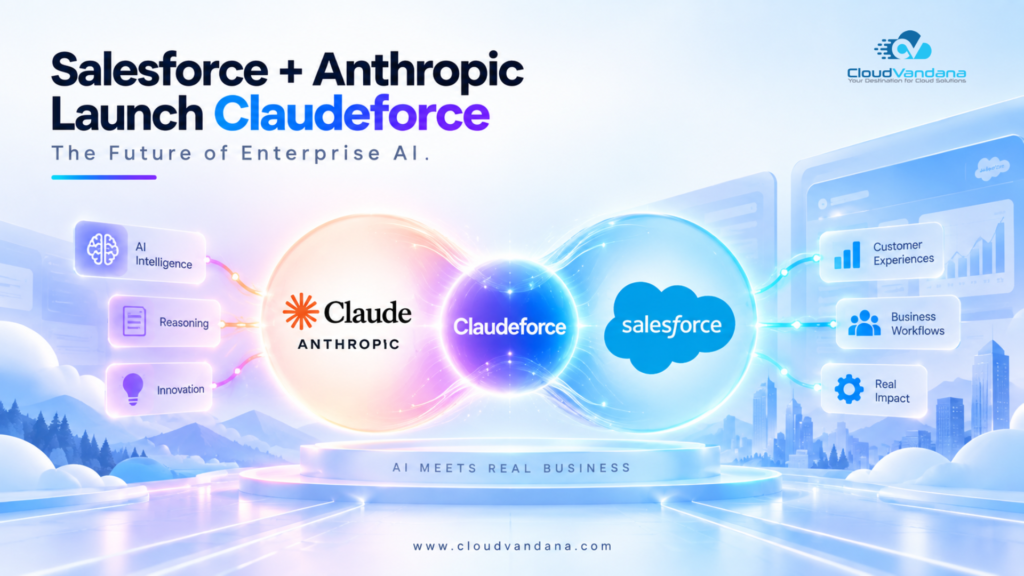
Enterprise software is entering a new phase. For years, businesses have invested heavily in CRM platforms, data systems, automation tools, dashboards, collaboration apps, and artificial intelligence. Yet employees still spend a surprising amount of time moving between those systems, searching for information, updating records, preparing reports, and figuring out what to do next. Salesforce and Anthropic want to change that. Their expanded partnership, called Claudeforce, brings Anthropic’s Claude together with Salesforce data, workflows, permissions, automation, business logic, Agentforce, and Slack. The goal is bigger than adding another chatbot to Salesforce. Claudeforce represents a move toward enterprise software where users can simply describe what they need and allow AI to gather the right context, reason over it, present an answer, and—when authorized—take action. Salesforce announced Claudeforce in August 2026. Its first major product, Salesforce in Claude, includes 37 prebuilt sales skills designed around tasks such as account research, call preparation, pipeline review, deal analysis, and CRM updates. On September 15, Anthropic announced that Salesforce in Claude had entered beta. This development could have important implications for sales teams, Salesforce administrators, business leaders, developers, consultants, and organizations planning their broader AI strategy. So what exactly is Claudeforce? How does Salesforce in Claude work? How does it relate to Agentforce? And what should organizations do next? Let’s break it down. Table of Contents What Is Claudeforce? AIforce and the Enterprise AI Harness Faster Account Research Better Meeting Preparation More Useful Pipeline Reviews Easier CRM Updates Better Follow-Up 1. What is Claudeforce? 2. What is Salesforce in Claude? 3. Is Claudeforce the same as Agentforce? 4. How many skills does Salesforce in Claude have? 5. Is Salesforce in Claude available now? 6. Can Claude update Salesforce records? 7. Does Claudeforce follow existing Salesforce permissions? 8. What is Headless 360? 9. What role does MCP play in Claudeforce? 10. How is Slack connected to Claudeforce? 11. Will Claudeforce replace Salesforce? 12. How should companies prepare for Claudeforce and agentic AI? YOU MIGHT ALSO LIKE What Is Claudeforce? Claudeforce is the expanded strategic partnership between Salesforce and Anthropic that connects Claude’s AI reasoning capabilities with Salesforce’s enterprise data, workflows, business rules, permissions, applications, and governance. In simpler words, it gives Claude a secure way to understand and work with business information stored in Salesforce. Until now, an AI assistant could be extremely capable at reasoning but still know very little about a company’s actual customers, opportunities, service cases, processes, approvals, or internal policies. Salesforce has the opposite advantage. It can contain decades of structured business information, automation, permissions, customer history, and organizational rules—but using that information often means navigating screens, reports, dashboards, objects, and applications. Claudeforce connects these two sides. Claude provides the reasoning layer. Salesforce provides the trusted business context and action layer. Salesforce describes the partnership as enabling Claude to work with Salesforce information while respecting the permissions and business rules organizations already use. That combination is what makes Claudeforce strategically interesting. The objective is not simply to generate better text. It is to create AI that understands what is happening inside a business and can help employees move from information to action. Why Claudeforce Matters Generative AI adoption has moved incredibly quickly. But enterprise AI has a fundamental problem. A model may understand language, solve complex problems, summarize documents, and reason through situations. Yet without access to trusted company context, it cannot reliably answer questions such as: Which opportunities are most likely to need attention? What changed in my pipeline since yesterday? Which customer conversations should I review before today’s meetings? Has this account raised the same support issue before? What commitments did our team make during the last customer conversation? Which opportunities have stalled without recent activity? What information should be added to Salesforce after this call? AI becomes much more useful when it understands the real state of the business. That is precisely where Salesforce becomes important. CRM records, customer interactions, workflows, permissions, Slack conversations, account histories, and business rules provide the context that general-purpose AI typically lacks. Claudeforce attempts to bring these capabilities together. Instead of asking employees to manually assemble business context before using AI, the AI can increasingly work with that context directly. Salesforce in Claude: The First Major Claudeforce Experience The clearest example of Claudeforce today is Salesforce in Claude. Salesforce in Claude is a plugin jointly developed by Salesforce and Anthropic that brings Salesforce information and workflows into the Claude experience. Its initial release focuses on sales teams. The beta contains 37 prebuilt sales skills covering common activities such as account research, meeting preparation, pipeline analysis, and CRM updates. Anthropic says the plugin uses the Salesforce permissions employees already have. This is important because the experience is designed around actual business tasks rather than simply giving Claude generic access to CRM data. A salesperson might ask: “What should I focus on today?” Instead of producing generic sales advice, Claude could work with the seller’s actual Salesforce context. It might identify an important deal without recent activity, an opportunity approaching its expected close date, a customer meeting scheduled later in the day, or an account where new information requires attention. The interface begins to shift from: Find the right CRM screen → locate the information → interpret it → decide what to do to: Ask what you need → review the answer → take action That change could be much more significant than it initially appears. From CRM Navigation to Conversational Work Traditional business software is largely organized around interfaces. Users open applications. Then they navigate menus. They search records. They open reports. They switch tabs. They filter dashboards. They read activity histories. Finally, they make a decision. Generative AI offers another model. Instead of making the employee understand exactly where the information lives, the system can potentially understand the employee’s intention. Consider a sales executive preparing for an important customer meeting. In a traditional workflow, that person may need to check Salesforce opportunities, account history, emails, meeting notes, recent Slack conversations, open support cases, and
Salesforce AIforce: What It Means for the Future of Enterprise Software
Salesforce AIforce Is Changing How People Work With CRM For decades, business software has followed a familiar pattern. You open an application. You find the right menu. You navigate through records. You open a dashboard. You search for information. You switch between several screens. Then, after gathering enough context, you finally take action. Artificial intelligence is beginning to change that model. At Dreamforce 2026, Salesforce introduced AIforce, a new live interface layer designed to bring the power of Salesforce into the places where employees and AI agents already work. Instead of requiring people to constantly go into Salesforce to access customer information, workflows, business logic, and actions, AIforce is designed to make those capabilities available through AI-powered interfaces such as Claude, Slack, and Salesforce Lightning itself. That may sound like another AI product announcement. But the idea behind AIforce is much bigger. Salesforce is essentially asking a new question: What if business software no longer needed one fixed interface? What if a sales representative could simply ask an AI assistant: “Which opportunities need my attention today?” What if a service manager could ask: “Show me customers with urgent open cases and declining satisfaction.” What if a sales leader could create a live pipeline view just by describing what they wanted to see? And what if employees could perform those actions without leaving the tools where they already spend their day? That is the direction Salesforce AIforce is trying to create. It represents a movement away from software built mainly around screens, fields, menus, and dashboards toward software where AI becomes the interface and enterprise systems become the trusted intelligence behind it. For companies already using Salesforce, that shift could become important. Let’s explore what AIforce is, how it works, how it connects with Agentforce, Data 360, Claude, and Slack, and what businesses should start thinking about now. Table of Contents Salesforce AIforce Is Changing How People Work With CRM What Is Salesforce AIforce? Why Salesforce AIforce Matters From Fixed Interfaces to Intelligent Interfaces AIforce and the Agentic Enterprise The Four Layers Behind Salesforce’s Agentic Enterprise 1. Data 360: The Data Foundation 2. Customer 360: Business Context and Applications 3. Agentforce: The Digital Workforce 4. AIforce: The Interface Layer How Does Salesforce AIforce Work? AIforce Is Designed Around Existing Permissions and Governance What Does Zero Data Retention Mean for AIforce? Claudeforce: Bringing Salesforce Into Claude A Practical Example of Salesforce in Claude Slackforce: Turning Conversations Into Live Business Interfaces What Are Slackforce Surfaces? Slack CRM Could Reduce Manual CRM Updates Agentforce Coworker: AI Inside Salesforce Lightning What Could Salesforce AIforce Mean for Sales Teams? What Could AIforce Mean for Customer Service? What Could AIforce Mean for Salesforce Admins? AIforce Makes Data Quality Even More Important AIforce vs Agentforce: What’s the Difference? Agentforce AIforce AIforce vs Traditional Salesforce Interfaces Why Composable Interfaces Could Be a Major Shift What Businesses Should Do Before Adopting AIforce Start With High-Value Use Cases Review Salesforce Data Quality Review Permissions Audit Existing Automations Define Human Approval Points What Salesforce AIforce Says About the Future of Enterprise Software AIforce Could Make CRM Less Visible — and More Important The Real Opportunity: Moving From AI Experiments to AI-Driven Work Salesforce AIforce and the Future of Trailblazers Is Your Salesforce Organization Ready for AIforce? Get Ready for Salesforce AIforce With CloudVandana Ready to Make Your Salesforce Organization AI-Ready? Frequently Asked Questions About Salesforce AIforce 1. What is Salesforce AIforce? 2. When was Salesforce AIforce announced? 3. How is AIforce different from Agentforce? 4. Does AIforce replace Salesforce Lightning? 5. What is Claudeforce? 6. What is Salesforce in Claude? 7. What is Slackforce? 8. What is Agentforce Coworker? 9. Is Salesforce AIforce secure? 10. What business problems could AIforce help solve? 11. What should companies do before adopting AIforce? 12. How can CloudVandana help with Salesforce AIforce and Agentforce? Final Thoughts YOU MIGHT ALSO LIKE What Is Salesforce AIforce? Salesforce AIforce is a live AI interface layer that allows people and AI agents to access Salesforce data, workflows, business logic, permissions, and actions through different AI-powered interfaces. Instead of forcing every employee to work through a traditional Salesforce screen, AIforce is designed to bring Salesforce capabilities into the environment where the employee is already working. That could be: Salesforce describes AIforce as a way to transform the Salesforce customers already have into a more dynamic interface that can assemble relevant data, applications, workflows, and business context depending on the task. The important word here is context. AIforce is not simply another chatbot sitting on top of CRM records. Its value comes from connecting AI reasoning with the information and controls that already exist inside a company’s Salesforce environment. That includes customer records, sales activity, service information, workflows, permissions, processes, metadata, automation, business rules, and connected enterprise data. The AI therefore has the potential to understand not just what a record says, but also how the organization works around that record. Why Salesforce AIforce Matters Most businesses do not have a shortage of software. They have a shortage of easy access to the knowledge hidden inside their software. Consider a typical salesperson preparing for a customer meeting. They may need to review: All of that information might exist somewhere. The problem is finding it quickly enough to use it. Traditional enterprise software usually expects the employee to become the integration layer. The employee opens several systems, gathers information, compares it, remembers important details, and then decides what to do. AIforce aims to reverse that model. Instead of asking the employee to search through the system, the system can potentially bring together the relevant context for the employee. The interface becomes less about: “Where is the information?” and more about: “What do I need to know, and what should happen next?” That difference could fundamentally change how employees interact with CRM platforms. From Fixed Interfaces to Intelligent Interfaces Traditional enterprise applications are usually designed around predetermined interfaces. Someone decides which fields appear on the screen. Someone creates the dashboard. Someone builds the
The Biggest Dreamforce 2026 Theme: The Agentic Enterprise

One phrase attendees should expect to hear repeatedly at Dreamforce 2026 is Agentic Enterprise. The basic idea is straightforward. Traditional enterprise software waits for people to perform actions. Users log in, search for information, update records, create tasks, send messages, run reports, move opportunities, assign cases, and trigger workflows. An agentic operating model introduces intelligent agents capable of assisting with or performing some of those tasks based on business context, data, permissions, and predefined controls. Humans remain essential. But instead of manually executing every repetitive step, employees increasingly supervise, approve, guide, and collaborate with intelligent systems. Salesforce is bringing together CRM applications, Agentforce, Data 360, Slack, automation, analytics, and platform capabilities around this model. For organizations evaluating AI, Dreamforce 2026 can therefore become an important planning event. Do not attend only looking for impressive AI demonstrations. Look for answers about architecture, governance, integration, data quality, measurable ROI, security, adoption, and implementation. Those are the issues that determine whether enterprise AI becomes useful or remains a demonstration. Table of Contents Agentforce Will Be One of the Major Dreamforce 2026 Conversations Going to Dreamforce 2026? Let’s Connect. 1. When is Dreamforce 2026? 2. Where is Dreamforce 2026 being held? 3. What is Dreamforce? 4. How much does Dreamforce 2026 cost? 5. Can I attend Dreamforce 2026 virtually? 6. What will be the biggest topic at Dreamforce 2026? 7. Will Agentforce be covered at Dreamforce 2026? 8. How many sessions are there at Dreamforce 2026? 9. Who should attend Dreamforce 2026? 10. What is Dreamfest 2026? 11. Is Data 360 important for Dreamforce 2026? 12. Will CloudVandana be at Dreamforce 2026? YOU MIGHT ALSO LIKE Agentforce Will Be One of the Major Dreamforce 2026 Conversations Agentforce is Salesforce’s platform for building and deploying AI agents that can work with enterprise data, business logic, workflows, and employees. At Dreamforce 2026, Agentforce is positioned across multiple roles and business functions rather than as one isolated AI product. The official agenda includes experiences and sessions around areas such as Agentforce Builder, Agentforce Voice, multi-agent design, Agentforce Operations, observability, agentic app development, automation, and the connection between agents and trusted business data. This matters because AI agents are moving toward more sophisticated business use cases. In customer service, an agent could understand a customer request, retrieve relevant account information, consult approved knowledge, initiate an action, and escalate to a human employee when necessary. In sales, agents could help research accounts, prepare summaries, identify next actions, or assist sellers with administrative work. Within internal operations, agents could help employees find information or execute repetitive tasks. The potential is significant. But businesses should not interpret Agentforce as a shortcut around weak Salesforce architecture. An AI agent operating on inaccurate customer records simply makes inaccurate decisions faster. An agent operating across disconnected systems may lack critical context. An agent connected to poorly designed workflows may automate an inefficient process. And an agent without proper governance introduces additional operational risk. That makes another Dreamforce technology equally important. Data 360: The Foundation Behind Effective Enterprise AI AI conversations attract attention. Data quality determines whether the AI can actually be trusted. Salesforce is highlighting Data 360 heavily across Dreamforce 2026, including sessions focused on creating trusted foundations for Agentforce and bringing customer context into AI-driven experiences. For organizations considering AI agents, the principle is simple: Your AI strategy will only be as reliable as the data available to it. Consider a sales agent working with duplicate accounts, inconsistent opportunity data, obsolete contacts, and incomplete activity history. Its recommendations may sound intelligent while being fundamentally wrong. Or imagine a service agent that cannot see a customer’s recent purchase because commerce data has not been connected with the service system. The AI could provide an answer based on incomplete context. This is why Dreamforce attendees evaluating Agentforce should pay careful attention to conversations around identity resolution, integration, governance, permissions, data modeling, real-time data access, and Data 360. The most mature AI strategy often begins long before an agent is deployed. It begins by making business data trustworthy. Slack and the New Interface for AI-Powered Work Another important Dreamforce 2026 theme is the increasingly close relationship between Slack, Salesforce data, and AI agents. Salesforce has been developing Slack as an important conversational layer within its Agentic Enterprise strategy. Its broader vision is that employees should not always need to switch repeatedly between applications to access information or perform actions. Instead, CRM data, conversations, workflows, and AI assistance can increasingly come into the same working environment. Dreamforce sessions currently include topics such as bringing Slack and CRM together through Salesforce Channels and using Slack actions with AI agents. For organizations, this creates interesting possibilities. Imagine discussing an opportunity in Slack while accessing live Salesforce context. Imagine requesting an account summary conversationally. Imagine an AI agent preparing an update and asking for human approval before executing an important action. The distinction between “where communication happens” and “where business work happens” becomes smaller. This could have a meaningful impact on adoption because technology creates the most value when it fits naturally into employees’ existing workflows. Headless 360 Could Be One of the Most Important Technical Topics at Dreamforce Dreamforce 2026 is also giving significant attention to Headless 360. This area will be particularly interesting for developers, architects, and technology leaders thinking about how Salesforce capabilities can work beyond traditional Salesforce interfaces. Salesforce describes Headless 360 capabilities that can expose enterprise data and actions to different agents and interfaces through standards such as MCP, while extending experiences across Salesforce, Slack, web, mobile, and external AI environments. For technical teams, this raises strategic architecture questions. Where should business logic live? How should agents receive access to enterprise capabilities? How can permissions continue to be enforced when experiences occur outside conventional CRM screens? How should organizations govern agents from different platforms? And how can enterprises prevent AI architecture from becoming another generation of disconnected systems? These questions may ultimately matter more than individual features. Security, Trust, and Governance Will Become Essential
Sales Cloud in 2026: From Pipeline Tracking to Smarter Selling
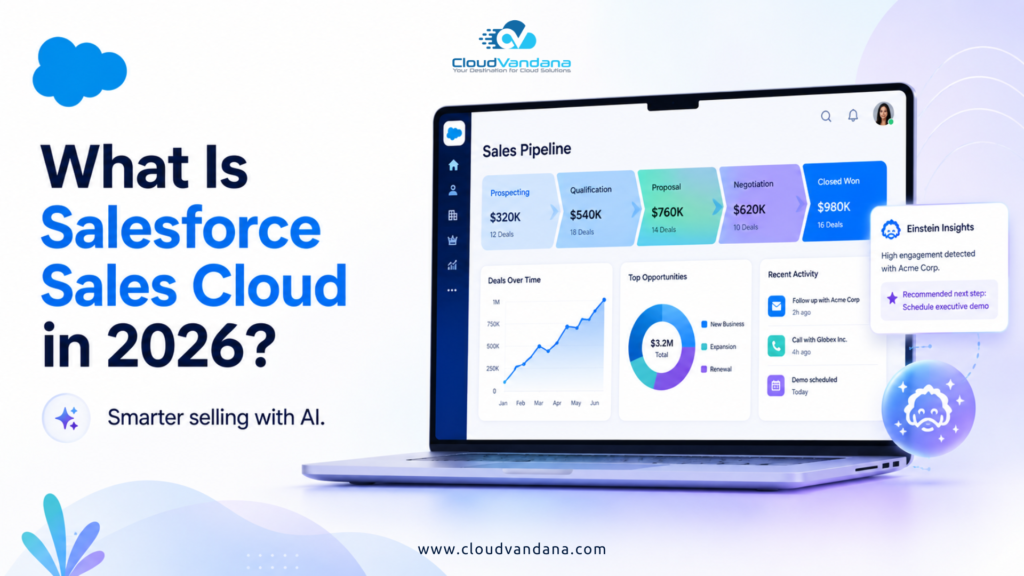
For years, businesses primarily thought about Salesforce Sales Cloud as the digital command center for their sales pipeline. Leads entered the CRM. Representatives converted them into opportunities. Managers reviewed stages, values, activities, and closing dates. Dashboards provided visibility. Forecasts helped leadership estimate revenue. That foundation remains important. But in 2026, it is no longer the whole story. Sales technology is shifting from recording what salespeople have already done to helping determine what they should do next. Salesforce itself now refers to Sales Cloud as Agentforce Sales, reflecting a broader transition toward agentic CRM. The platform continues to provide familiar capabilities such as lead management, opportunity management, forecasting, territories, engagement, and account management, but increasingly combines them with AI agents, automation, unified data, analytics, conversation intelligence, and intelligent recommendations. That distinction matters. A traditional CRM can tell a salesperson: “You have 37 open opportunities.” An intelligent sales platform should help answer: “Which five opportunities need your attention today, why are they at risk, what changed, and what should you do next?” That is the direction sales organizations are moving toward in 2026. The evolution is not simply about adding generative AI to CRM screens. It represents a more fundamental transition from pipeline tracking to smarter selling. Table of Contents What Is Salesforce Sales Cloud in 2026? Sales Cloud Is Now Agentforce Sales The Evolution of Sales Cloud: From CRM Records to Intelligent Selling Why Traditional Pipeline Management Is No Longer Enough What Does Smarter Selling Actually Mean? The Core Role of Sales Cloud in the Modern Revenue Engine Unified Customer Data Gives Sellers Better Context AI Is Becoming Part of Everyday Selling Agentforce Changes the Role of Sales Automation Smarter Prospecting with AI Agents Faster Lead Engagement and Qualification Personalized Lead Nurturing at Scale AI-Powered Pipeline Management Turning Conversations into Actionable Deal Intelligence Smarter Opportunity Management Pipeline Inspection Gives Managers a Clearer View Sales Methodologies Become Part of the CRM Workflow Predictive and Data-Driven Sales Forecasting Revenue Intelligence Moves Teams Beyond Static Reports AI-Assisted Account Management Better Sales Meeting Preparation Sales Coaching Becomes Continuous Automating Administrative Work Without Losing Human Judgment Sales Engagement Becomes More Contextual Bringing Sales Cloud and Slack Closer Together Data 360 Becomes Critical to Intelligent Selling Why Data Quality Matters More in the Agentic Sales Era From Sales Automation to Agentic Workflows Human Sellers Still Matter More Than Ever What Sales Leaders Gain from the New Sales Cloud What Sales Representatives Gain What Revenue Operations Teams Gain Sales Cloud in 2026 vs. Traditional CRM Common Challenges Businesses Must Address Poor CRM Data Unclear Sales Processes Excessive Customization Low User Adoption Disconnected Systems Automation Without Strategy Weak Governance How to Prepare Your Salesforce Org for Smarter Selling Step 1: Audit Your Current Sales Process Step 2: Clean and Standardize Salesforce Data Step 3: Improve Pipeline Structure and Sales Stages Step 4: Automate Repetitive Processes Step 5: Connect Customer Data Step 6: Introduce AI Where It Creates Measurable Value Step 7: Build Governance and Human Oversight Key Sales Cloud Metrics to Track in 2026 The Future of Sales Cloud Why Salesforce Strategy Matters More Than Simply Enabling AI Turn Salesforce Sales Cloud Into a Smarter Revenue Engine with CloudVandana Ready to Make Your Salesforce Sales Process Smarter? Final Thoughts Frequently Asked Questions About Salesforce Sales Cloud in 2026 1. What is Salesforce Sales Cloud? 2. Is Salesforce Sales Cloud now called Agentforce Sales? 3. What is new about Sales Cloud in 2026? 4. How does Agentforce work with Salesforce Sales Cloud? 5. Can Salesforce AI automatically update opportunities? 6. How does Salesforce improve sales forecasting? 7. What is Salesforce Pipeline Inspection? 8. Why is data quality important for Agentforce Sales? 9. Can Agentforce replace sales representatives? 10. How can businesses prepare Sales Cloud for AI? 11. Is Salesforce Sales Cloud suitable for growing businesses? 12. How can CloudVandana help optimize Salesforce Sales Cloud? YOU MIGHT ALSO LIKE What Is Salesforce Sales Cloud in 2026? Salesforce Sales Cloud is Salesforce’s platform for managing and improving the complete sales process, including leads, accounts, contacts, opportunities, activities, pipeline, forecasting, sales engagement, analytics, and revenue performance. In Salesforce’s current terminology, Sales Cloud is now Agentforce Sales. Salesforce describes the platform as supporting the entire sales cycle while using AI agents to take on repetitive and time-consuming work so sellers can concentrate more heavily on strategy, customer relationships, and closing opportunities. The fundamental CRM components have not disappeared. Businesses still need reliable account records. They still need structured opportunities. Managers still need forecasts. Representatives still need tasks, activities, contacts, quotes, and deal information. What has changed is the intelligence surrounding those records. Salesforce is increasingly connecting CRM data with AI agents, customer conversations, external signals, workflow automation, revenue intelligence, and unified customer information. As a result, Sales Cloud is becoming less passive. Instead of merely storing information, the platform can increasingly help teams interpret information and act on it. Sales Cloud Is Now Agentforce Sales The naming change is significant because it illustrates Salesforce’s broader product direction. Salesforce documentation confirms that Sales Cloud is now called Agentforce Sales, although references to Sales Cloud remain throughout applications and documentation. For businesses, however, this does not mean the familiar Salesforce sales platform has vanished. Think of it as an evolution. Traditional Sales Cloud established the operational foundation: Agentforce Sales builds intelligence and agency around that foundation. This distinction is particularly important for organizations planning their Salesforce roadmap. AI agents cannot magically compensate for badly structured opportunities, fragmented customer data, inconsistent processes, or unreliable CRM records. The smarter Sales Cloud becomes, the more important the underlying CRM foundation becomes. The Evolution of Sales Cloud: From CRM Records to Intelligent Selling The first generation of CRM answered a relatively straightforward question: What is happening with our customers and opportunities? Sales Cloud helped organizations replace spreadsheets, disparate records, personal notebooks, and isolated contact databases with a centralized sales system. The next phase introduced automation. Businesses could create workflows, approval processes, assignment rules, reminders, and eventually Salesforce Flow automations.
Agentforce Contact Center: What It Means for Modern Customer Service
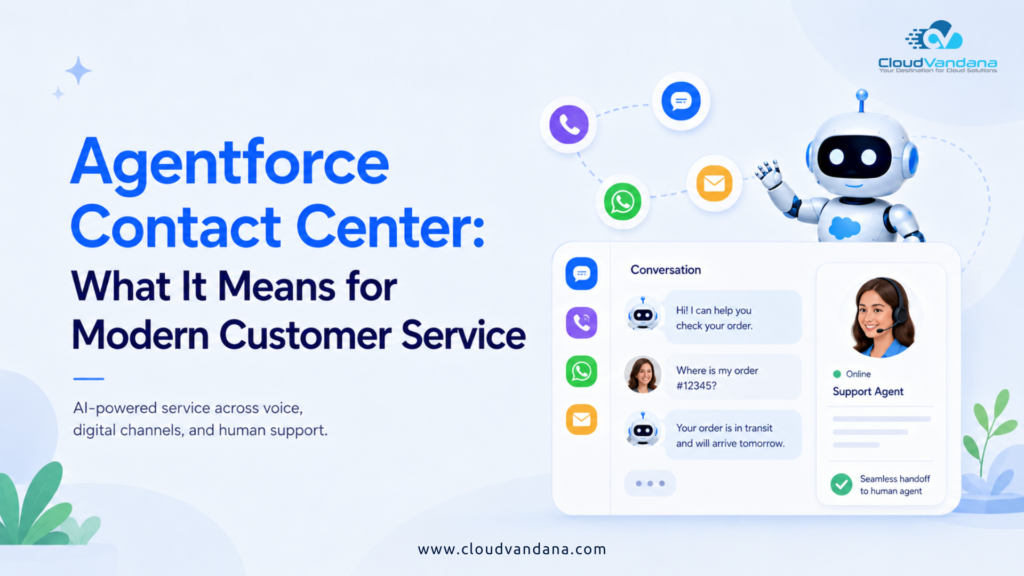
Customer service is moving beyond the familiar model of customers submitting tickets, waiting in queues, and relying entirely on human representatives to resolve every issue. The next stage is agentic customer service. Instead of simply giving service teams another chatbot or isolated AI assistant, businesses are beginning to deploy AI agents capable of understanding customer requests, accessing relevant business information, completing approved actions, and transferring conversations to humans when human judgment is needed. Salesforce accelerated this transition in March 2026 with the introduction of Agentforce Contact Center, positioning it as a unified contact center environment connecting voice, digital channels, CRM information, AI agents, and human service teams. For organizations already using Salesforce, this has significant implications. The contact center no longer needs to operate as a separate communication layer sitting beside CRM. Customer conversations, service workflows, AI agents, customer history, routing, and human support can increasingly operate from the same foundation. So, what exactly is Agentforce Contact Center, and what does it mean for modern customer service? Table of Contents What Is Agentforce Contact Center? Why Did Salesforce Introduce Agentforce Contact Center? What Makes an Agentic Contact Center Different? How Agentforce Contact Center Works Core Capabilities of Agentforce Contact Center 1. One Platform for Voice, Digital Channels, CRM, and AI 2. AI Agents for 24/7 Customer Self-Service 3. Agentforce Voice and the Future of Phone Support 4. Seamless AI-to-Human Handoffs 5. Intelligent Omni-Channel Routing 6. Unified Customer Context Across Every Interaction 7. AI Assistance for Human Service Representatives 8. Automated Case Resolution and Service Workflows 9. Workforce Management and Capacity Planning 10. Quality Management and Supervisor Visibility 11. Real-Time Customer Sentiment and Service Intelligence Why Agentforce Contact Center Matters for Customer Experience How It Changes the Role of Customer Service Representatives How Agentforce Contact Center Can Reduce Service Costs Agentforce Contact Center vs. Traditional Contact Centers Agentforce Contact Center vs. Traditional Chatbots Practical Agentforce Contact Center Use Cases Retail and eCommerce Financial Services Healthcare Manufacturing Telecom SaaS and Technology Which Businesses Can Benefit Most? What Businesses Should Prepare Before Implementation Clean Salesforce Data Integration and Knowledge Readiness Governance, Security, and AI Guardrails How to Start with Agentforce Contact Center Step 1: Analyze Service Demand Step 2: Select High-Value Use Cases Step 3: Prepare CRM Data and Knowledge Step 4: Connect Required Systems Step 5: Define AI Actions and Escalation Rules Step 6: Launch, Measure, and Expand Metrics to Measure After Implementation The Future of Agentic Customer Service Build an AI-Ready Contact Center with CloudVandana Ready to Modernize Your Customer Service with Agentforce? Final Thoughts Frequently Asked Questions 1. What is Agentforce Contact Center? 2. Is Agentforce Contact Center part of Salesforce Service Cloud? 3. What is the difference between Agentforce and Agentforce Contact Center? 4. Can Agentforce Contact Center answer phone calls? 5. Does Agentforce Contact Center replace human customer-service representatives? 6. How is Agentforce different from a chatbot? 7. Can Agentforce Contact Center support multiple customer-service channels? 8. What are the biggest benefits of Agentforce Contact Center? 9. What data does Agentforce Contact Center need? 10. Is Agentforce Contact Center available everywhere? 11. How much does Agentforce Contact Center cost? 12. How should a business prepare for Agentforce Contact Center? YOU MIGHT ALSO LIKE What Is Agentforce Contact Center? Agentforce Contact Center is Salesforce’s AI-first contact center solution that brings voice, digital channels, CRM data, automation, AI agents, and human service representatives together within Salesforce. Salesforce describes it as a native solution designed to enable large-scale customer self-service, contextual AI-to-human handoffs, and real-time visibility across interactions. In practical terms, imagine a customer contacting a company about an order. Instead of forcing the customer through several disconnected systems, an AI agent could potentially: The important distinction is that AI is not operating beside the contact center. It becomes part of the service operating model. Why Did Salesforce Introduce Agentforce Contact Center? Contact centers have spent years accumulating technology. A typical enterprise might have one platform for CRM, another for telephony, another for chat, separate bots, workforce-management software, analytics tools, knowledge systems, and custom integrations holding everything together. The result is technological fragmentation. A customer may explain a problem in chat, call the company ten minutes later, and have to explain everything again because the phone representative cannot see what happened during the digital interaction. Meanwhile, AI systems become less effective because they lack complete customer context. Salesforce’s stated rationale for Agentforce Contact Center is to eliminate much of this fragmentation by bringing AI, communications channels, and CRM information into a unified environment. That architectural change is arguably more important than adding another AI feature. What Makes an Agentic Contact Center Different? Traditional contact center automation generally follows predetermined logic: If X happens → do Y. Agentic systems can operate more dynamically. An AI agent can interpret intent, retrieve relevant information, reason within configured boundaries, select permitted actions, execute workflows, and determine when human assistance is necessary. That changes customer service from primarily ticket management toward resolution orchestration. The objective is no longer simply answering the customer quickly. The objective is completing the customer’s request with as little unnecessary friction as possible. How Agentforce Contact Center Works Agentforce Contact Center combines several Salesforce capabilities into one service environment. A simplified interaction might look like this: Customer contacts the business → AI identifies intent → CRM context is retrieved → Agentforce attempts resolution → Salesforce automation performs required actions → issue is resolved or routed to a human → complete context follows the conversation → outcome is recorded and analyzed. The same basic model can extend across voice and digital interactions. That continuity matters because customers rarely think in terms of channels. They simply think, I am talking to this company. Modern customer service technology needs to behave accordingly. Core Capabilities of Agentforce Contact Center 1. One Platform for Voice, Digital Channels, CRM, and AI One of the defining characteristics of Agentforce Contact Center is consolidation. Salesforce says the solution natively unifies voice, digital channels, CRM information, and AI agents. Instead
Salesforce Flow Automation: 10 Business Processes You Should Automate
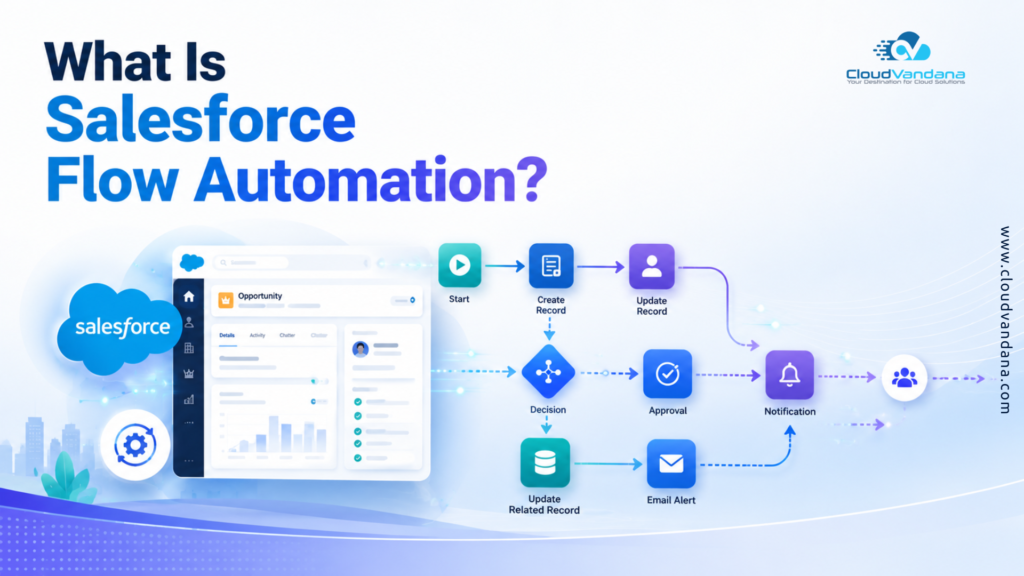
Salesforce can hold enormous amounts of customer information, but storing data is only part of what makes a CRM valuable. The real advantage begins when Salesforce starts acting on that data automatically. A new high-value lead enters the CRM. Salesforce assigns it to the right salesperson. A follow-up task appears. The sales manager receives a notification. If nobody acts within the agreed response time, the lead is escalated. No spreadsheets. No manual reminders. No one needs to remember the next step. That is where Salesforce Flow Automation becomes transformative. Salesforce Flow enables organizations to automate repetitive processes, guide users through complex tasks, update records, trigger communications, coordinate teams, and connect business processes without requiring traditional code for every workflow. Salesforce describes Flow as part of its point-and-click automation capabilities for reducing repetitive work, improving accuracy, shortening turnaround time, and increasing productivity. And its importance has grown considerably. Salesforce officially ended support for Workflow Rules and Process Builder on December 31, 2025, recommending that organizations migrate their automation to Flow. (Salesforce) So the question for businesses is no longer simply: “Should we use Salesforce Flow?” A more useful question is: “Which processes should we automate first?” Here are ten high-impact business processes where Salesforce Flow Automation can produce measurable operational improvements. Table of Contents What Is Salesforce Flow Automation? Why Salesforce Flow Is More Important in 2026 Record-Triggered Flows Screen Flows Schedule-Triggered Flows Autolaunched Flows Why automate it? Why this matters for forecasting Automating SLA management Clean data becomes increasingly important with AI Beyond renewals Before-Save Flow After-Save Flow Start With the Business Process Define Clear Entry Conditions Build Reusable Logic Design for Scale Test Before Production Document Your Automation Frequency Business Impact Rule Clarity Implementation Complexity Ready to Automate More of Your Salesforce Operations? 2. What business processes can be automated with Salesforce Flow? 3. Is Salesforce Flow replacing Process Builder? 4. What is a record-triggered Flow in Salesforce? 5. What is the difference between Salesforce Flow and Workflow Rules? 6. Can Salesforce Flow send emails automatically? 7. Can Salesforce Flow automate tasks based on dates? 8. What is the difference between Screen Flow and record-triggered Flow? 9. Can Salesforce Flow automate customer onboarding? 10. Can Salesforce Flow integrate with external systems? 11. Does Salesforce Flow require coding? 12. How do I know which Salesforce processes to automate first? Final Thoughts YOU MIGHT ALSO LIKE What Is Salesforce Flow Automation? Salesforce Flow Automation is the use of Salesforce Flow Builder to automate business processes based on records, user actions, schedules, decisions, and predefined business rules. Instead of employees manually performing every repetitive CRM activity, Flow determines what should happen next and carries out the required actions. For example, Salesforce Flow can: Salesforce’s Flow Builder uses elements, connectors, and resources to construct these automated processes visually. The result is a CRM that does more than record what happened. It actively orchestrates what should happen next. Why Salesforce Flow Is More Important in 2026 Salesforce automation has been gradually consolidating around Flow. With Workflow Rules and Process Builder reaching the end of support, orga nizations maintaining older automation architectures have an additional reason to modernize their CRM processes. (Salesforce) Meanwhile, Salesforce continues enhancing Flow itself. Spring ’26, for example, includes additional Flow Builder capabilities, including options for modifying certain record-triggered and schedule-triggered flows with Agentforce. This matters because modern Salesforce environments are becoming increasingly interconnected. Sales, service, operations, data, integrations, analytics, and AI cannot function efficiently when every business action depends on someone remembering to perform a manual step. Flow provides an automation layer connecting these activities. How Salesforce Flow Works Not every Salesforce process requires the same automation model. Choosing the correct type of Flow is therefore fundamental. Record-Triggered Flows Record-triggered flows automatically execute when Salesforce records are created, updated, or deleted. After triggering, they can perform actions such as creating records, updating information, or sending communications. (Salesforce) They are ideal for processes such as: Opportunity becomes Closed Won → create onboarding activities. Or: Case priority becomes Critical → notify the support manager. Screen Flows Screen flows involve user interaction. Instead of automatically running entirely in the background, they provide screens that walk employees through a process. They are especially valuable when users need guidance through activities such as customer intake, qualification, service requests, data collection, or multi-step internal procedures. Salesforce distinguishes Screen Flows from background record-triggered and scheduled automation because they require users to interact with screens. (Salesforce) Schedule-Triggered Flows Some activities are based on time rather than individual record changes. A schedule-triggered flow begins at a configured time and frequency and processes eligible records in batches. (Salesforce) Examples include: Autolaunched Flows Autolaunched flows run without screens and can be invoked by other automation, Apex, buttons, or other processes. They are particularly useful when organizations want reusable pieces of automation rather than duplicating the same logic across several flows. What Business Processes Should You Automate First? Automation should not begin with the easiest process to automate. It should begin with the processes where manual work creates the greatest business friction. Good candidates usually have several characteristics: With those criteria in mind, the following ten processes are excellent candidates for Salesforce Flow Automation. 1. Lead Capture, Qualification, and Assignment Speed matters when a potential customer enters your pipeline. Unfortunately, many businesses still capture leads and then rely on someone to manually review, qualify, categorize, and distribute them. That creates unnecessary latency. Salesforce Flow can evaluate a newly created Lead against business rules and immediately determine what should happen next. For example: New Lead → Evaluate Country → Check Company Size → Determine Industry → Calculate Priority → Assign Sales Representative → Create Task → Send Notification Lead assignment rules can become considerably more sophisticated when combined with Flow. A business could route leads according to: High-priority opportunities can receive immediate attention while lower-intent leads enter an appropriate nurturing process. Why automate it? Manual routing creates an invisible queue between customer interest and sales action. Salesforce Flow can collapse that queue.
Why Clean Salesforce Data Is the Foundation of Successful AI Agents
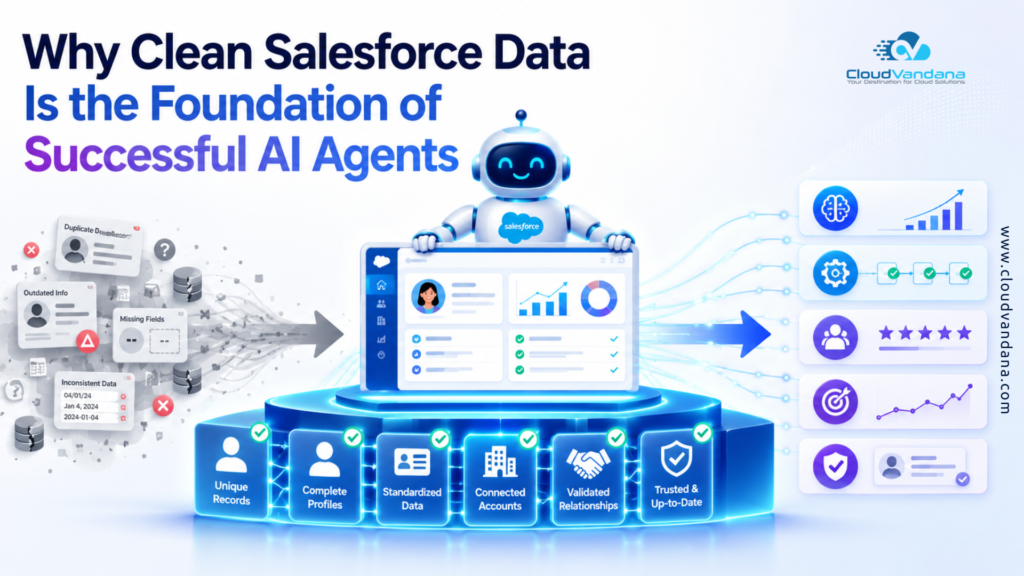
The AI Agent Revolution Has a Data Problem AI agents are changing what businesses expect from Salesforce. Instead of simply displaying records, dashboards, and task lists, an AI agent can interpret a request, retrieve information, recommend an action, update a record, trigger a workflow, draft a response, or complete a multi-step process. That is powerful. It is also unforgiving. A CRM user may notice a duplicate contact, an incorrect opportunity amount, or an outdated article and pause to investigate. An autonomous or semi-autonomous agent moves faster—and can scale the consequences of unreliable data. The central truth is simple: an AI agent cannot create dependable business intelligence from an undependable system of record. Salesforce describes AI data readiness as an extension of traditional data-quality practices, with a focus on ensuring that only trustworthy and relevant information is accessible to agents. (Trailhead) This is why data cleanup is not a minor technical task to complete after an Agentforce implementation. It is a foundational workstream that should begin before agent design, testing, or deployment. Table of Contents The AI Agent Revolution Has a Data Problem What “Clean Salesforce Data” Actually Means The Six Dimensions of AI-Ready Data Quality How Salesforce AI Agents Use Business Data Grounding: The Bridge Between AI and Your CRM Why Better Models Cannot Rescue Bad CRM Data Duplicate Records Create Conflicting Customer Truths Incomplete Fields Produce Incomplete Decisions Outdated Data Makes Agents Act on Yesterday’s Reality Inconsistent Naming and Picklists Break Context Incorrect Relationships Distort the Customer Journey Poor Knowledge Content Weakens Agent Responses Weak Permissions Turn Data Quality Into a Trust Risk The Difference Between Hallucination and Bad Grounding How Dirty Data Damages Sales AI Agents How Dirty Data Damages Service AI Agents How Dirty Data Damages Marketing and Commerce Agents The Role of Data 360 and Identity Resolution The Business Case for Cleaning Salesforce Before AI How to Assess Salesforce Data Readiness for AI Agents A Practical Salesforce Data Cleaning Framework Step 1: Prioritise the AI Use Case Step 2: Profile and Score Existing Data Step 3: Remove and Prevent Duplicates Step 4: Standardise Fields, Formats, and Taxonomies Step 5: Improve Completeness With Validation and Automation Step 6: Correct Relationships and Ownership Step 7: Clean Integrations and Data Pipelines Step 8: Prepare Knowledge for Retrieval Step 9: Establish Governance and Stewardship Step 10: Test Agents Against Real Business Scenarios Metrics That Prove Your Data Is AI-Ready Common Mistakes to Avoid Cleaning Everything Without a Defined Use Case Treating Data Cleanup as an IT-Only Responsibility Focusing Only on Structured CRM Records Ignoring Permissions Until Deployment Measuring Volume Instead of Fitness Launching Without a Feedback Loop A 90-Day Salesforce Data Readiness Roadmap Days 1–30: Discover and Prioritise Days 31–60: Clean and Control Days 61–90: Pilot and Improve Build Trusted AI Agents With CloudVandana Frequently Asked Questions 1. Why is clean Salesforce data important for AI agents? 2. What does AI-ready Salesforce data mean? 3. Can Agentforce work with dirty data? 4. Which Salesforce objects should be cleaned first? 5. How do duplicate records affect Salesforce AI agents? 6. Does Data 360 automatically fix Salesforce data quality? 7. What is grounding in Salesforce AI? 8. How can businesses reduce AI hallucinations in Salesforce? 9. How often should Salesforce data be cleaned? 10. Who is responsible for Salesforce data quality? 11. Which metrics show whether Salesforce data is ready for AI? 12. Should a company clean all Salesforce data before launching an AI agent? YOU MIGHT ALSO LIKE What “Clean Salesforce Data” Actually Means Clean data is not merely data without spelling mistakes. It must be usable, interpretable, current, governed, and appropriate for the task. An opportunity can contain every required field yet still carry an outdated close date, inflated amount, and incorrect stage. It is technically complete but operationally untrustworthy. Salesforce identifies multiple dimensions of data quality, including consistency, completeness, correctness, timeliness, context, and relevance or fitness for purpose. (Trailhead) For AI agents, each dimension affects the quality of reasoning and action. The Six Dimensions of AI-Ready Data Quality Accuracy: Does the information reflect reality? Completeness: Are the fields required for the agent’s decision populated? Consistency: Are values represented in the same way across records, systems, teams, and regions? Timeliness: Is the information current enough for the intended action? Context: Can the agent understand what the data means within the business process? Fitness for purpose: Is the data suitable for the specific agent use case? A billing agent and a lead-qualification agent need very different evidence. The same Salesforce org can therefore be ready for one agent and unready for another. AI readiness is always use-case specific. How Salesforce AI Agents Use Business Data Salesforce AI agents do more than retrieve a single field. Depending on their configuration, they may use structured CRM records, Data 360 profiles, Salesforce Knowledge, uploaded documents, emails, transcripts, Flow outputs, Apex actions, external systems, and other approved sources. Salesforce explains that grounding can connect agents with structured data—such as Accounts, Contacts, Cases, and data model objects—as well as unstructured data such as documents, emails, chat logs, and social content. (Trailhead) This creates an information chain: Source data → Retrieval → Context → Reasoning → Action → Business outcome A defect at the beginning propagates through the chain. Duplicates create conflicting context, empty fields weaken decisions, obsolete articles distort recommendations, and excessive permissions expose inappropriate information. Clean data strengthens the agent’s entire operating mechanism. Grounding: The Bridge Between AI and Your CRM Large language models possess broad linguistic capability, but they do not inherently understand your customer contracts, pricing rules, escalation paths, product catalogue, case history, or sales methodology. Grounding supplies this proprietary context. Salesforce states that a strong agent uses organisational data to deliver high-quality responses and that Agentforce Data Libraries can organise and link relevant data to agents. (Salesforce) Salesforce also describes retrieval-augmented generation, or RAG, as a way to improve the quality, accuracy, and relevance of generated responses by retrieving information from approved sources. (Salesforce) Grounding is often discussed as the cure



