Introduction to Salesforce CRM
The Evolution of Customer Relationship Management
Customer Relationship Management did not begin with software platforms or cloud systems. It began with simple record-keeping methods. Businesses maintained customer information in notebooks, filing cabinets, spreadsheets, and email folders. Sales representatives often relied on personal notes and memory to track conversations, follow-ups, and deal progress. While this approach worked for small teams, it quickly became inefficient as organizations grew and customer interactions increased.
As businesses expanded, the need for a structured system became obvious. Companies needed a centralized location where customer information could be stored, accessed, updated, and analyzed. Early CRM systems were installed on company servers and required significant IT infrastructure. They were expensive, complex, and difficult to maintain. Only large enterprises could afford them.
The introduction of cloud computing changed everything. Cloud-based CRM systems eliminated the need for local servers and made CRM accessible through web browsers. This innovation reduced costs, improved accessibility, and allowed companies of all sizes to adopt CRM systems. Salesforce was one of the first companies to deliver CRM through the cloud, and this decision fundamentally reshaped the CRM industry.
Today, CRM systems are no longer optional tools. They are central operational platforms that help businesses manage customers, sales, marketing, service, analytics, and automation in one unified environment.
Why CRM Systems Became Essential for Businesses
Modern businesses interact with customers through multiple channels: websites, emails, phone calls, social media, marketing campaigns, support portals, and mobile applications. Without a CRM system, customer information becomes fragmented across different tools and departments. Sales teams may not know what marketing campaigns a customer responded to. Support teams may not know what products a customer purchased. Management may not have accurate reporting data.
CRM systems solve this problem by creating a single source of truth. Every customer interaction, email, meeting, purchase, support case, and activity can be stored in one system. This unified view allows businesses to understand customers better, respond faster, and make more informed decisions.
CRM systems also improve operational efficiency. They automate repetitive tasks such as sending follow-up emails, assigning leads, updating records, and generating reports. Automation reduces manual work and ensures processes are followed consistently.
In competitive markets, customer experience often determines business success. CRM systems help businesses provide personalized communication, faster support, and better service. This is why CRM systems have become essential tools rather than optional software.
Introduction to Salesforce as a Market Leader
Salesforce was founded in 1999 with a revolutionary idea: enterprise software should be delivered through the internet instead of installed on company computers. At the time, most enterprise software required complex installations, expensive hardware, and dedicated IT teams. Salesforce introduced Software-as-a-Service, allowing businesses to access CRM through a browser.
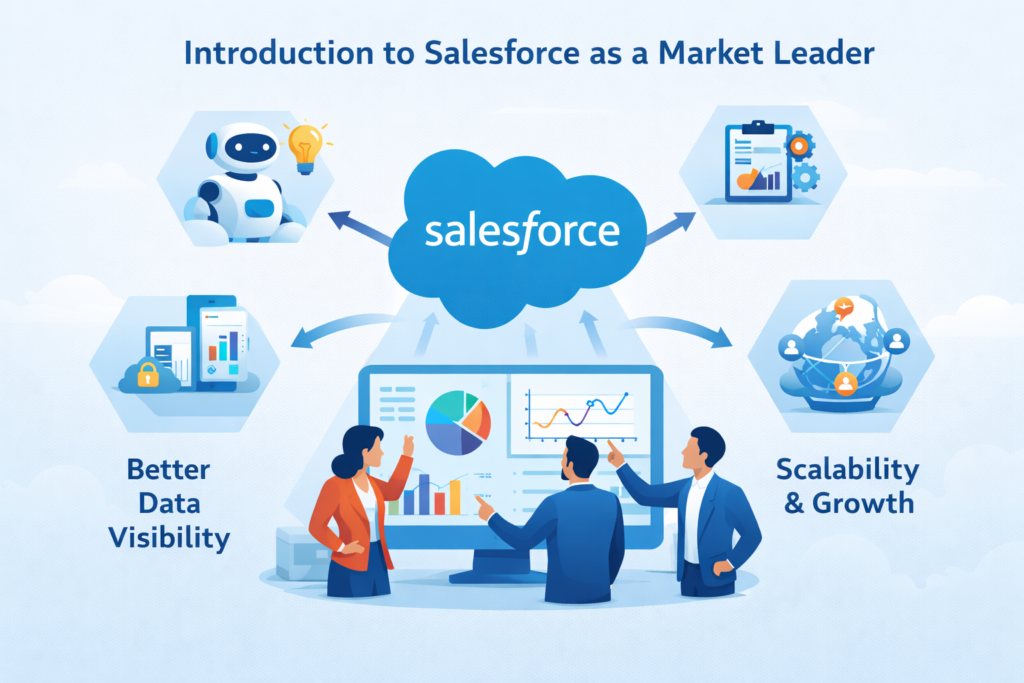
This approach eliminated infrastructure costs and allowed companies to start using CRM quickly. Over time, Salesforce expanded beyond CRM and built an entire ecosystem of products for sales, service, marketing, analytics, automation, integration, artificial intelligence, and application development.
Today, Salesforce is one of the largest enterprise software companies in the world. It serves small businesses, mid-sized companies, and large enterprises across industries such as finance, healthcare, manufacturing, retail, education, and technology. Salesforce is not just a CRM system anymore. It is a complete business platform.
What is Salesforce CRM?
Salesforce CRM is a cloud-based customer relationship management platform designed to help businesses manage their entire customer lifecycle from the first interaction to long-term customer relationships. It brings together customer data, sales activities, marketing campaigns, customer support operations, automation workflows, analytics, and reporting into one centralized system. Instead of using multiple disconnected tools for different departments, Salesforce allows organizations to manage sales, service, marketing, and operations on a single platform.
At its core, Salesforce CRM serves as a system of record for customer information and a system of engagement for customer interactions. Every email, meeting, call, purchase, support ticket, marketing response, and interaction can be tracked and stored within Salesforce. This creates a complete 360-degree view of the customer, which helps businesses understand customer behavior, preferences, and history. When teams have access to complete customer information, they can communicate more effectively, resolve issues faster, and build stronger relationships.
Because Salesforce is cloud-based, it does not require installation on local machines or company servers. Users can access the system through a web browser or mobile application from anywhere in the world. This accessibility is particularly important for modern businesses with remote teams, distributed sales teams, or global operations. The cloud model also ensures automatic updates, high security standards, data backups, and system scalability without requiring internal IT infrastructure.
In simple terms, Salesforce CRM helps companies perform several important business functions within one platform:
Track leads and customers
Businesses can capture leads from websites, marketing campaigns, events, and referrals. Salesforce stores lead information and tracks communication history. Once a lead becomes a customer, the entire history remains in the system, allowing teams to see the full journey from prospect to customer.
Manage sales opportunities
Sales teams use Salesforce to track deals through different stages of the sales pipeline. They can monitor deal value, expected closing date, competitors, and next steps. This structured pipeline management improves sales forecasting and helps teams prioritize deals more effectively.
Automate business processes
Salesforce includes powerful automation tools that can automate repetitive tasks such as sending follow-up emails, assigning leads to sales representatives, updating fields, creating tasks, and managing approval processes. Automation reduces manual work, improves efficiency, and ensures business processes are followed consistently.
Provide customer support
Customer service teams can manage support tickets, service requests, complaints, and customer inquiries within Salesforce. Support agents can see customer history, previous issues, and purchase records, allowing them to resolve problems faster and provide better service.
Run marketing campaigns
Marketing teams can manage email campaigns, customer journeys, lead nurturing campaigns, and marketing analytics. Salesforce helps marketing teams track which campaigns generate leads and revenue, improving marketing ROI and campaign performance.
Generate reports and dashboards
Salesforce includes powerful reporting tools that allow businesses to generate reports and dashboards for sales performance, marketing performance, customer service metrics, revenue forecasts, and operational efficiency. These reports help management make data-driven decisions.
Integrate with other business systems
Salesforce can integrate with ERP systems, accounting software, email platforms, document storage systems, marketing tools, and many other applications. Integrations allow data to flow between systems automatically, creating a connected business ecosystem instead of isolated software tools.
Overall, Salesforce acts as a central hub where all customer and business data is stored, managed, and analyzed. Instead of using separate tools for sales, marketing, customer service, reporting, and automation, businesses can manage everything from one platform. This centralization improves collaboration between departments, increases efficiency, provides better data visibility, and helps businesses deliver a better customer experience.
In many organizations, Salesforce becomes more than just a CRM system. It becomes the operational backbone of the business, supporting sales processes, customer support workflows, marketing automation, analytics, integrations, and strategic decision-making.
Cloud-Based CRM Explained
Cloud-based CRM means the software is hosted on remote servers and accessed through the internet rather than installed on local computers. Users can log in from anywhere using a browser or mobile app. This accessibility is one of the main reasons cloud CRM systems became popular.
Cloud CRM offers several advantages:
- No installation required
- Automatic software updates
- Lower upfront costs
- Remote access
- Data backup and security
- Easy scalability
- Integration with other cloud applications
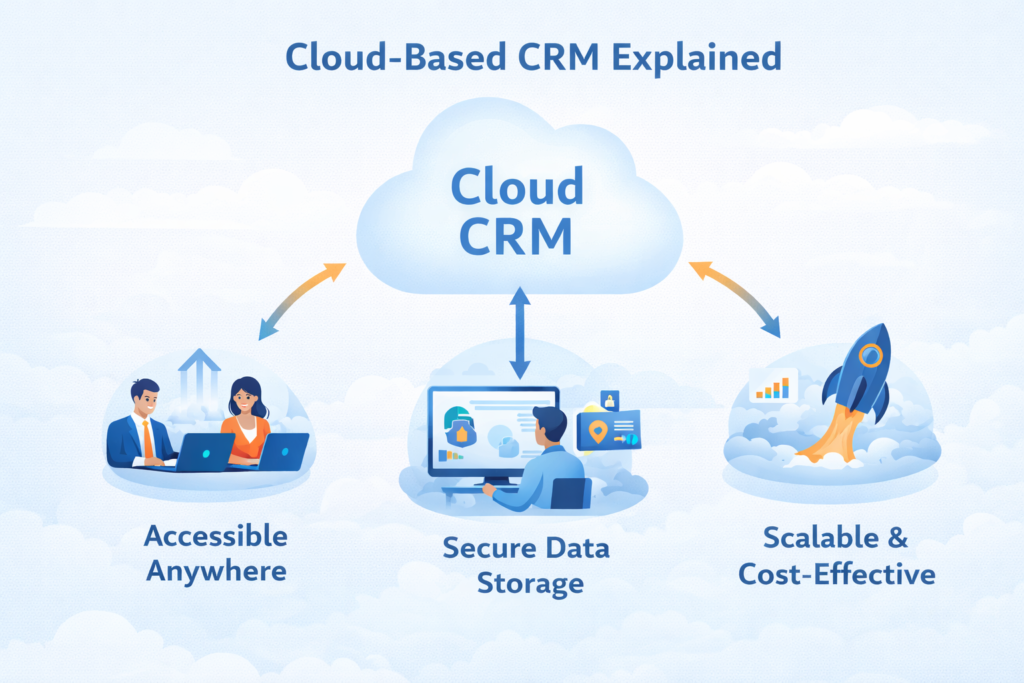
This model allows businesses to focus on operations instead of managing software infrastructure. Salesforce handles maintenance, updates, security, and performance optimization, allowing businesses to concentrate on customers and growth.
Salesforce Ecosystem Overview
Salesforce is not just one product. It is a platform with multiple products, tools, and applications that work together. This ecosystem includes sales management, customer service, marketing automation, analytics, artificial intelligence, integration tools, and application development tools.
Salesforce also has a marketplace called AppExchange where businesses can install additional applications to extend functionality. These applications can help with document management, integrations, reporting, automation, industry solutions, and more.
Because of this ecosystem, Salesforce can serve as the central platform for business operations rather than just a customer database.
Core Features of Salesforce CRM
Lead Management
Lead management is the process of capturing and tracking potential customers. Leads can come from website forms, marketing campaigns, events, referrals, or social media. Salesforce allows businesses to store lead information, track communication history, assign leads to sales representatives, and convert leads into opportunities.
Salesforce can automatically assign leads based on rules such as location, industry, company size, or product interest. This ensures leads are distributed efficiently and followed up quickly.
Lead management also helps marketing teams measure campaign effectiveness and helps sales teams prioritize high-quality leads.
Opportunity Management
Opportunity management tracks potential deals through different stages of the sales process. Each opportunity includes information such as deal value, probability of closing, expected close date, products, competitors, and next steps.
Sales teams can see all active deals in the pipeline and understand which deals need attention. Managers can monitor pipeline health and forecast revenue based on opportunity data.
Opportunity management brings structure and visibility to the sales process, making revenue forecasting more accurate.
Account and Contact Management
Accounts represent companies, and contacts represent individuals within those companies. Salesforce stores detailed information about accounts and contacts including emails, phone calls, meetings, support cases, contracts, and transaction history.
This centralized customer information allows different departments to collaborate more effectively. Sales, support, and marketing teams can all see the same customer history, which improves customer experience and communication.
Sales Forecasting
Sales forecasting helps businesses predict future revenue based on pipeline data. Salesforce forecasting tools analyze opportunities, deal stages, probabilities, and historical data to generate forecasts.
Managers can view forecasts by team, territory, product, or time period. Accurate forecasting helps companies plan hiring, budgeting, inventory, and expansion strategies.
Workflow Automation
Automation is one of the most powerful features of Salesforce. Businesses can automate repetitive tasks such as:
- Sending follow-up emails
- Assigning leads
- Creating tasks
- Updating fields
- Sending notifications
- Routing support cases
- Approval processes
Automation improves efficiency, reduces errors, and ensures processes are followed consistently.
Reports and Dashboards
Salesforce provides real-time reporting and dashboards that display business data through charts, graphs, and metrics. Managers can track sales performance, marketing ROI, customer support metrics, and operational efficiency.
Reports help businesses analyze trends, identify problems, and make data-driven decisions. Dashboards provide visual summaries that allow executives to monitor performance quickly.
Salesforce Cloud Products Explained
Sales Cloud
Sales Cloud is designed for sales teams. It includes lead management, opportunity management, accounts, contacts, forecasting, automation, and reporting tools. Sales Cloud helps sales teams track deals, manage pipelines, and close deals faster.
Service Cloud
Service Cloud is designed for customer support teams. It helps manage support cases, customer inquiries, service requests, and knowledge bases. Service Cloud enables faster response times and better customer service.
Marketing Cloud
Marketing Cloud helps businesses manage email marketing, customer journeys, digital advertising, and social media campaigns. It focuses on personalized marketing and customer engagement.
Experience Cloud
Experience Cloud allows businesses to create customer portals, partner portals, and community platforms where customers and partners can access information and interact with the company.
Commerce Cloud
Commerce Cloud supports e-commerce operations including online stores, product catalogs, pricing, and digital shopping experiences.
Data Cloud and AI Capabilities
Salesforce includes artificial intelligence and data analytics tools that help businesses analyze customer data, predict trends, and automate decisions. AI can recommend next steps, predict deal outcomes, and analyze customer behavior.
How Salesforce CRM Works
Centralized Data Management
Salesforce stores all customer and business data in one centralized platform. This eliminates data silos and ensures everyone in the organization works with the same information.
Automation and Process Optimization
Salesforce automation tools streamline business processes such as approvals, onboarding workflows, lead assignment, and service case routing.
Integration with Other Systems
Salesforce can integrate with ERP systems, email platforms, marketing tools, accounting software, and document storage systems.
Customization and AppExchange
Salesforce can be customized using custom objects, fields, automation, and third-party applications from AppExchange.
Benefits of Using Salesforce CRM
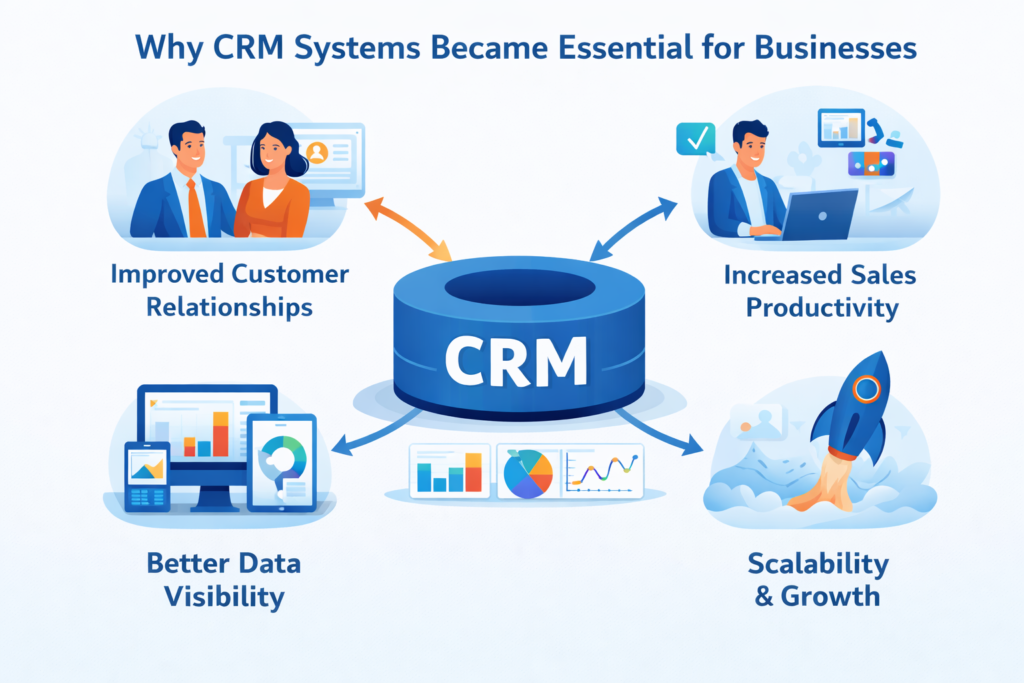
Improved Customer Relationships
One of the most significant benefits of using Salesforce CRM is the ability to build stronger and more meaningful customer relationships. In many organizations, customer information is scattered across emails, spreadsheets, support systems, and individual employee knowledge. This fragmented information often leads to poor communication, missed follow-ups, and inconsistent customer experiences.
Salesforce solves this problem by storing all customer interactions in one centralized system. Every email, meeting, phone call, purchase history, support ticket, and marketing interaction can be recorded and accessed in a single customer profile. This complete visibility allows sales, support, and marketing teams to understand the customer’s history and preferences before interacting with them.
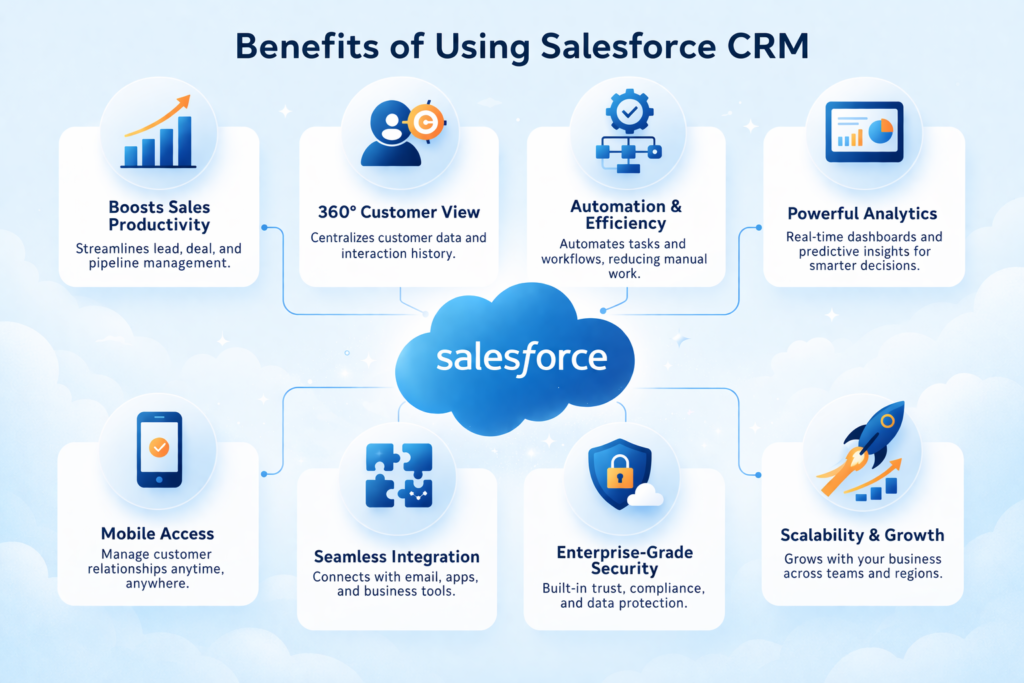
When businesses understand their customers better, they can provide personalized communication, recommend relevant products or services, and resolve issues faster. Customers feel valued when businesses remember their previous interactions and understand their needs. Over time, this improves customer satisfaction, loyalty, and retention. Strong customer relationships often lead to repeat business, referrals, and long-term revenue growth.
Increased Sales Productivity
Sales teams often spend a large portion of their time on administrative work instead of selling. Updating spreadsheets, sending follow-up emails, scheduling reminders, creating reports, and tracking deal progress manually can consume hours of productive time each week.
Salesforce CRM increases sales productivity by automating many of these administrative tasks. For example, Salesforce can automatically assign leads to sales representatives, send follow-up emails after meetings, create tasks for next steps, update opportunity stages, and notify managers when deals reach certain stages.
Sales teams can also manage their entire pipeline in one system. They can quickly see which deals are active, which require follow-up, and which are likely to close soon. This structured pipeline visibility helps sales representatives focus on high-value opportunities rather than spending time searching for information.
Managers also benefit from increased productivity because they can track team performance, monitor pipelines, and generate reports without manually collecting data. Overall, Salesforce allows sales teams to spend more time selling and less time managing data.
Better Data Visibility
Data visibility is one of the most powerful advantages of using Salesforce CRM. In organizations without a CRM system, management often relies on spreadsheets, manual reports, and fragmented data sources. This makes it difficult to understand business performance accurately.
Salesforce provides real-time dashboards and reports that display key business metrics such as:
- Sales pipeline value
- Revenue forecasts
- Lead conversion rates
- Marketing campaign performance
- Customer support case resolution time
- Customer satisfaction metrics
- Team performance metrics
These dashboards allow managers and executives to see business performance at a glance. Instead of waiting for weekly or monthly reports, decision-makers can access real-time data anytime.
Better data visibility leads to better decision-making. Businesses can identify problems earlier, track performance trends, measure team productivity, and plan future strategies based on accurate data rather than assumptions.
Automation and Efficiency
Automation is one of the most transformative benefits of Salesforce CRM. Many business processes involve repetitive tasks such as sending emails, updating records, assigning tasks, approving requests, and generating reports. Performing these tasks manually not only consumes time but also increases the risk of human error.
Salesforce automation tools allow businesses to automate workflows and business processes. For example:
- Leads can be automatically assigned to sales representatives.
- Follow-up emails can be automatically sent after a meeting.
- Support cases can be automatically routed to the correct department.
- Approval requests can be automatically sent to managers.
- Notifications can be triggered when deals reach certain stages.
- Tasks can be automatically created for sales teams.
Automation improves operational efficiency by reducing manual work, improving process consistency, and ensuring that tasks are completed on time. It also reduces errors caused by manual data entry and missed follow-ups.
Over time, automation allows businesses to scale operations without increasing administrative workload. Teams can handle more customers, more deals, and more processes without needing significantly more staff.
Scalability for Growing Businesses
Another major benefit of Salesforce CRM is scalability. Businesses often start with simple processes and small teams, but as they grow, their operations become more complex. They may need more automation, integrations, reporting, security controls, and customization.
Salesforce is designed to grow with the business. Small businesses can start with basic CRM functionality such as lead tracking and opportunity management. As the business grows, they can add automation, marketing tools, customer service tools, analytics, integrations, and custom applications.
Salesforce also supports large data volumes, multiple teams, global operations, and complex workflows. This means businesses do not need to replace their CRM system as they grow. Instead, they can expand and customize Salesforce to support new business processes and requirements.
Scalability is extremely important because changing CRM systems is expensive and disruptive. Salesforce allows businesses to start small and expand over time, making it a long-term platform rather than a temporary solution.
Salesforce CRM Implementation Process
Implementation includes planning, customization, data migration, training, and ongoing optimization.
A successful Salesforce implementation focuses on business processes, user adoption, automation, and reporting rather than just system setup.
Salesforce CRM vs Traditional CRM
When businesses evaluate CRM systems, one of the most important decisions is choosing between cloud-based CRM (like Salesforce) and traditional on-premise CRM systems. This decision affects cost, scalability, security, maintenance, accessibility, and long-term business flexibility.
Traditional CRM systems are installed on company servers and managed by internal IT teams. Cloud CRM systems like Salesforce are hosted online and accessed through a web browser. Over time, most organizations have moved toward cloud CRM because of flexibility, lower infrastructure costs, and easier scalability.
To understand the difference clearly, it is important to compare both models across multiple factors.
What is Traditional CRM (On-Premise CRM)?
Traditional CRM systems are installed on local servers within a company’s infrastructure. The company is responsible for hardware, server maintenance, software installation, updates, security, backups, and performance.
This model was common before cloud computing became widely adopted. While it provides full control over infrastructure, it also requires significant investment in hardware, IT staff, and maintenance.
What is Cloud CRM (Salesforce CRM)?
Cloud CRM like Salesforce is hosted on remote servers and accessed through the internet. Businesses do not need to install software or maintain servers. Salesforce manages infrastructure, updates, security, and backups.
Users can log in from anywhere using a browser or mobile device. This makes cloud CRM more flexible and accessible, especially for remote teams and global organizations.
Salesforce CRM vs Traditional CRM – Comparison Chart
| Feature | Salesforce CRM (Cloud CRM) | Traditional CRM (On-Premise CRM) |
| Installation | No installation required, accessed via browser | Requires installation on local servers |
| Infrastructure | Managed by Salesforce | Managed by company IT team |
| Upfront Cost | Low upfront cost (subscription model) | High upfront cost (hardware + software licenses) |
| Maintenance | Handled by Salesforce | Handled by internal IT team |
| Updates | Automatic updates | Manual updates required |
| Accessibility | Accessible from anywhere | Usually accessible only within company network |
| Scalability | Easy to scale users and storage | Scaling requires new hardware and infrastructure |
| Security | Enterprise-level cloud security | Depends on company IT security setup |
| Backup & Recovery | Automatic backups | Manual backup management |
| Integration | Easy integration with cloud apps | Integration often complex |
| Implementation Time | Faster implementation | Longer implementation |
| Mobile Access | Built-in mobile access | Limited or requires configuration |
| Customization | Highly customizable | Customizable but often complex |
| Total Cost Over Time | Lower long-term cost | Higher long-term cost |
| Performance | Managed and optimized by Salesforce | Depends on company infrastructure |
Flexibility and Accessibility
One of the biggest advantages of Salesforce CRM is flexibility. Because it is cloud-based, users can access Salesforce from anywhere in the world. Sales teams can update deals while traveling, support teams can respond to customers remotely, and managers can view dashboards from anywhere.
Traditional CRM systems often require VPN access or internal network access, which limits flexibility and remote work capabilities.
In modern work environments where remote work and distributed teams are common, cloud CRM provides a significant advantage.
Scalability and Business Growth
Scalability is another major difference between cloud CRM and traditional CRM. As businesses grow, they need more users, more storage, more automation, more integrations, and more reporting capabilities.
With Salesforce, scaling is simple. Businesses can add users, storage, and features through subscription upgrades. No hardware changes are required.
With traditional CRM systems, scaling often requires:
- Buying new servers
- Installing new software
- Upgrading infrastructure
- Increasing IT maintenance
- Managing database performance
This makes scaling slower and more expensive.
Security and Data Protection
Many companies initially believed that on-premise systems were more secure because data was stored locally. However, modern cloud platforms like Salesforce invest heavily in security, encryption, monitoring, and compliance certifications.
Salesforce provides:
- Data encryption
- User access controls
- Role-based permissions
- Audit logs
- Backup and disaster recovery
- Compliance certifications
- Multi-factor authentication
Most companies cannot invest as much in security infrastructure as large cloud providers. As a result, cloud platforms often provide stronger security than on-premise systems.
Cost Comparison
Traditional CRM systems usually have high upfront costs because companies must purchase:
- Servers
- Software licenses
- Database systems
- IT infrastructure
- Maintenance contracts
Cloud CRM like Salesforce uses a subscription model. Businesses pay monthly or yearly per user. There are no hardware costs, and maintenance is included.
Over time, cloud CRM is usually more cost-effective because infrastructure, updates, and maintenance are handled by the provider.
Implementation and Deployment Speed
Cloud CRM systems can be implemented much faster than traditional CRM systems. Since no hardware installation is required, businesses can start configuring Salesforce immediately.
Traditional CRM implementation may take longer because it involves server setup, software installation, database configuration, security setup, and network configuration.
Faster implementation means businesses can start using Salesforce sooner and see ROI faster.
Future of Salesforce CRM
The future of Salesforce CRM is closely tied to artificial intelligence, automation, data platforms, and the evolution of CRM from a sales tool into a complete business operating system. Salesforce is no longer positioning itself as just a customer relationship management platform. Instead, it is evolving into a platform that manages customer data, business processes, analytics, automation, integrations, and decision-making in one unified environment.
Over the next several years, Salesforce will continue to move in four major directions: AI automation, predictive analytics, unified data platforms, and platform-based business operations.
AI Automation
Artificial intelligence is becoming a central part of Salesforce. Instead of users manually analyzing reports, updating records, or deciding next steps, AI can now assist with these tasks automatically. AI in Salesforce can analyze customer behavior, recommend next actions for sales teams, predict deal outcomes, suggest customer responses, and automate routine decision-making processes.
For example, AI can identify which leads are most likely to convert, which customers are likely to churn, which deals are at risk, and which opportunities have the highest probability of closing. This allows sales teams to focus on high-value activities rather than guessing priorities.
AI will also automate customer service through chatbots, automated responses, case classification, and intelligent routing. Marketing teams will use AI to personalize campaigns automatically based on customer behavior and engagement patterns.
As AI continues to improve, Salesforce will move from being a system where users enter data to a system that actively recommends actions and automates decisions.
Predictive Analytics
Predictive analytics is another major component of the future of Salesforce CRM. Traditional reporting shows what has already happened. Predictive analytics focuses on what is likely to happen in the future.
Using historical data, machine learning models, and customer behavior patterns, Salesforce can predict:
- Future sales revenue
- Lead conversion probability
- Customer churn risk
- Product demand
- Customer lifetime value
- Support case volumes
- Marketing campaign performance
Predictive analytics helps businesses move from reactive decision-making to proactive decision-making. Instead of responding to problems after they occur, businesses can anticipate trends and act early.
For example, if Salesforce predicts that a customer is likely to stop doing business with the company, the sales or support team can intervene before the customer leaves. This kind of insight can significantly improve customer retention and revenue stability.
Data Platforms and Unified Customer Data
One of the biggest challenges for modern organizations is data fragmentation. Customer data often exists in multiple systems such as CRM, ERP, marketing platforms, support systems, billing systems, and analytics tools. When data is fragmented, it becomes difficult to get a complete view of the customer.
Salesforce is moving toward unified data platforms where data from multiple systems is combined into a single customer profile. This unified data approach allows businesses to see every customer interaction, purchase, support case, marketing response, and engagement history in one place.
Unified data platforms also enable better analytics, better AI predictions, and better customer experiences. When all data is connected, businesses can understand customers more accurately and make better decisions.
In the future, data will become the most valuable asset inside CRM systems, and platforms like Salesforce will act as central data hubs for entire organizations.
CRM Becoming a Complete Business Operating System
The most important shift in the future of Salesforce CRM is that CRM systems are evolving into complete business operating systems. In the past, CRM systems were mainly used by sales teams. Today, Salesforce is used by sales, marketing, customer support, finance, operations, analytics teams, and management.
Businesses are increasingly using Salesforce to manage:
- Sales pipelines
- Customer support operations
- Marketing campaigns
- Business workflows
- Partner management
- Customer portals
- Reports and analytics
- Automation processes
- Integrations with other systems
- Document management
- Approval processes
- Project workflows
This means Salesforce is becoming the central platform where business processes run. Instead of using separate systems for different departments, companies are moving toward platform-based operations where most processes are managed within Salesforce.
In the future, Salesforce will not just store customer data. It will manage workflows, automate decisions, connect systems, analyze data, and support strategic decision-making. It will function as a digital operating system for businesses.
The future of Salesforce CRM will be defined by:
- Artificial intelligence and automation
- Predictive analytics and forecasting
- Unified customer data platforms
- Workflow automation across departments
- Integration with enterprise systems
- CRM evolving into a full business platform
Organizations that adopt Salesforce early and use it strategically will not just manage customers better. They will run their entire business more efficiently, make better decisions using data, automate operations, and scale faster.
In the coming years, CRM will no longer be just a tool for sales teams. It will become the central platform that powers the entire organization.
Conclusion
Salesforce CRM is not just a customer database. It is a comprehensive business platform that connects sales, service, marketing, analytics, automation, and integrations into one system. Organizations that implement Salesforce effectively gain better visibility, automation, scalability, and data-driven decision-making capabilities.
In modern digital businesses, Salesforce often becomes the operational backbone of the organization.
If your organization is planning to implement Salesforce, customize workflows, integrate systems, automate processes, or optimize your existing Salesforce environment, CloudVandana can help.
CloudVandana specializes in Salesforce implementation, automation, integrations, optimization, and managed services to help businesses get maximum value from Salesforce.
Contact CloudVandana today to transform Salesforce into a powerful business platform for your organization.
FAQs
What are Salesforce Clouds?
Different Salesforce products designed for different business functions.
What is Salesforce CRM?
Salesforce CRM is a cloud-based platform used to manage customers, sales, marketing, service, automation, and reporting.
Is Salesforce easy to use?
Salesforce is user-friendly but requires proper implementation and training.
Who uses Salesforce?
Small businesses, mid-sized companies, and large enterprises across many industries.
Is Salesforce customizable?
Yes, Salesforce is highly customizable.
Can Salesforce integrate with other systems?
Yes, Salesforce integrates with many business applications.
What is Sales Cloud?
Sales Cloud is Salesforce’s sales management product.
What is Service Cloud?
Service Cloud is Salesforce’s customer support platform.
Is Salesforce secure?
Yes, Salesforce provides enterprise-level security.
How long does Salesforce implementation take?
It depends on business complexity.
Why is Salesforce the most popular CRM?
Because of scalability, ecosystem, customization, and cloud architecture.
What industries use Salesforce?
Finance, healthcare, retail, manufacturing, education, and technology.

Atul Gupta is CloudVandana’s founder and an 8X Salesforce Certified Professional who works with globally situated businesses to create Custom Salesforce Solutions.
Atul Gupta, a dynamic leader, directs CloudVandana’s Implementation Team, Analytics, and IT functions, ensuring seamless operations and innovative solutions.
YOU MIGHT ALSO LIKE
What is Salesforce CRM – Complete Guide for Businesses
Salesforce Financial Services Cloud: The Complete Guide for Modern Financial Institutions

Lightning Platform (UI & Development): A Practical Guide

What Does a Salesforce Partner Actually Do? A Complete Guide for Businesses

Signs Your Salesforce Org Needs an Optimization Audit