


How to Maximize Your Productivity With the Salesforce Mass Editor Extension
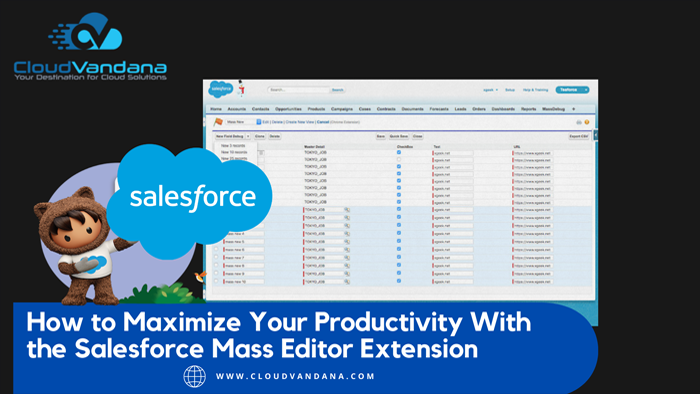
Get the most out of Salesforce with the Salesforce Mass Editor Extension. Achieve maximum productivity with a streamlined workflow and quick editing capabilities! Looking to get the most out of your Salesforce setup? The Mass Editor Extension is the perfect tool for streamlining your workflow, allowing you to edit many records at once and achieve maximum productivity quickly. Overview of the Mass Editor Extension The Mass Editor Extension is a powerful tool that streamlines your workflow and allows you to edit multiple records at once quickly. With the extension, you can easily roll out changes to hundreds or even thousands of records with just a few clicks. The extension’s user interface is also extremely intuitive, enabling even inexperienced users to make quick edits and updates to records. Unlock New Efficiency & Productivity With Mass Editing The Salesforce Mass Editor Extension is the perfect tool for busy Salesforce users looking to quickly and effectively mass edit records. With the extension’s streamlined workflow, you can easily manage hundreds of records and make changes efficiently. This powerful tool gives you control over data in your org, allowing you to roll out updates and stay productive quickly. Work Flow Automation For Streamlined Collaboration With the Salesforce Mass Editor Extension, you can easily automate your workflow and strengthen collaboration across your organization. The extension enables teams to work together in real time with a shared view, allowing users to track progress, review logs, and manage updates quickly and effectively. Additionally, due to its streamlined system and user-friendly interface, the Mass Editor Extension effortlessly integrates into existing Salesforce orgs for efficient editing no matter how many records need to be updated. Customizable Workspaces & User Settings The functionality of the Mass Editor Extension is further enhanced with customizable workspaces and user settings. This ensures that each employee can create their own tailored workspace that encourages productivity according to their specific needs, style, and preferences. Additionally, users will have the ability to optimize their workflow by customizing field orders and enforcing consistency when editing records to ensure data integrity. Data Insights with Analytics and Reporting Functionality Unlock hidden insights in your Salesforce org with the reporting and analytics features of the Mass Editor Extension. Create reports quickly and view actionable data to make better-informed decisions. Track performance over time, compare key metrics and conduct gap analysis for easier decision-making that increases productivity. Are you looking for a reputed Salesforce partner for end-to-end Salesforce support? Please feel free to schedule a consultation call with CloudVandana and stay ahead of the competition. Call Now. Request a Free Consultation YOU MIGHT ALSO LIKE
Unleashing the Power of AI: Explore Salesforce’s New Sales GPT and Service GPT

Get ready to unleash the power of AI with Salesforce’s new Sales GPT and Service GPT. Welcome to the future of sales and customer service as Salesforce has recently introduced two groundbreaking innovations to revolutionize how businesses interact with their customers. These cutting-edge technologies harness the capabilities of natural language processing and machine learning to provide businesses with unprecedented insights and efficiency. With Sales GPT, your sales teams can now automate repetitive tasks, analyze sales data, and even generate personalized sales pitches, all with a few simple clicks. On the other hand, Service GPT takes customer service to a whole new level by offering intelligent recommendations, resolving queries in real time, and enhancing overall customer satisfaction. In this article, we will delve deeper into the potential of these AI-powered tools and explore how they can transform your sales and service departments. Get ready to witness the future of customer engagement, where efficiency meets personalization, thanks to Salesforce’s Sales GPT and Service GPT. Understanding Salesforce’s Sales GPT and Service GPT Salesforce‘s Sales GPT and Service GPT are two powerful solutions that leverage AI to optimize sales and customer service processes. Sales GPT, short for “Generative Pre-trained Transformer,” is an advanced AI model that has been trained on vast amounts of sales data to understand customer behavior, sales trends, and market dynamics. Similarly, Service GPT is designed to analyze customer inquiries, identify patterns, and provide accurate and timely responses, improving the overall customer service experience. Salesforce’s Sales GPT and Service GPT are built on state-of-the-art natural language processing (NLP) and machine learning algorithms. These algorithms enable the AI models to understand and generate human-like responses, making interactions with customers more natural and personalized. By combining the power of AI with its existing CRM platform, Salesforce has created a suite of tools that can significantly enhance sales and customer service operations. Benefits of using AI in sales and customer service Integrating AI into sales and customer service processes offers several key benefits for businesses. Firstly, AI-powered solutions can automate repetitive tasks, allowing sales teams to focus on more strategic and value-added activities. For example, Sales GPT can automate data entry, generate personalized sales pitches, and even identify upselling opportunities based on customer preferences and past purchases. This automation not only saves time but also improves productivity and reduces human error. Secondly, AI enhances the decision-making process by analyzing vast amounts of data and providing valuable insights. With Sales GPT, businesses can gain a deeper understanding of their customers’ needs, preferences, and behaviors. This information can be used to develop more targeted sales strategies, tailor product offerings, and improve overall customer satisfaction. Similarly, Service GPT can analyze customer inquiries, identify trends, and provide intelligent recommendations, enabling businesses to offer personalized solutions and resolve issues more efficiently. Furthermore, AI-powered tools can improve customer engagement and satisfaction. With Service GPT, businesses can provide timely and accurate responses to customer queries, reducing response times and enhancing the overall customer experience. By leveraging AI, businesses can also offer personalized recommendations and suggestions based on customer preferences and past interactions, increasing customer loyalty and driving repeat sales. How Salesforce’s Sales GPT enhances the sales process Salesforce’s Sales GPT is a game-changer for sales teams. By automating repetitive tasks, such as data entry and lead qualification, Sales GPT frees up valuable time for sales representatives to focus on building relationships and closing deals. Moreover, Sales GPT can analyze sales data to identify patterns and trends, enabling sales teams to make data-driven decisions and develop more effective sales strategies. One of the key features of Sales GPT is its ability to generate personalized sales pitches. By analyzing customer data and understanding their preferences, Sales GPT can generate tailored sales messages that resonate with individual customers. This personalization not only increases the chances of converting leads into customers but also strengthens customer relationships and improves customer satisfaction. Sales GPT also offers predictive analytics capabilities, allowing sales teams to forecast sales trends, identify potential bottlenecks, and optimize their sales pipeline. By leveraging AI to analyze historical sales data and market trends, Sales GPT can provide valuable insights that help sales teams make informed decisions and allocate resources more efficiently. How Salesforce’s Service GPT improves customer service Customer service is a critical aspect of any business, and Salesforce’s Service GPT takes it to the next level. By leveraging AI, Service GPT can analyze customer inquiries, understand the context, and provide accurate and relevant responses in real-time. This improves response times, reduces the need for manual intervention, and enhances overall customer satisfaction. Service GPT goes beyond simply providing pre-determined responses. It can understand the nuances of customer inquiries, identify the underlying problem, and offer personalized solutions. Whether it’s troubleshooting technical issues, answering product-related questions, or providing guidance, Service GPT can handle a wide range of customer inquiries, ensuring that customers receive timely and accurate support. Furthermore, Service GPT can proactively offer intelligent recommendations to customers based on their preferences and past interactions. By analyzing customer data and understanding their needs, Service GPT can suggest relevant products, services, or solutions, increasing cross-selling and upselling opportunities. This not only drives revenue but also enhances the overall customer experience. Integrating Salesforce’s Sales GPT and Service GPT into your business Integrating Salesforce’s Sales GPT and Service GPT into your business is a straightforward process that can be tailored to your specific needs. Salesforce offers comprehensive documentation, training materials, and support to help businesses seamlessly adopt and implement these AI solutions. To get started, it is essential to assess your organization’s sales and customer service processes and identify areas where AI can add value. Whether it’s automating repetitive tasks, analyzing data, or enhancing customer interactions, Salesforce’s Sales GPT and Service GPT can be customized to meet your unique requirements. Salesforce provides a user-friendly interface that allows businesses to configure and train AI models based on their specific data and business rules. This ensures that the AI solutions align with your organization’s objectives and deliver accurate and relevant results. Salesforce
Making the Most of Your Customer Relationships in a Remote Setting

Discover how to nurture and enhance customer relationships in a remote setting. Learn proven strategies to maintain strong connections, boost engagement, and drive loyalty, all while working from anywhere. Working remotely can make it hard to build strong relationships with customers, but it doesn’t have to be impossible! Here are five tips for fostering customer relationships when you’re stuck in a virtual office. Table of Contents Customer Relationships in a Remote Setting Utilize Automated Tools Introduce Self-Service Options Show Appreciation with Discounts & Special Offers Spend Extra Time on Follow-Ups and Q&A Sessions Experiment With Different Communication Methods FAQs YOU MIGHT ALSO LIKE Customer Relationships in a Remote Setting Utilize Automated Tools Automated customer relationship management (CRM) tools can make it easier to track customer information, interaction history, and trends. Sending personalized messages and reminders can enhance customers’ perceptions of your business and keep them informed while reducing the time required. Introduce Self-Service Options Give customers the ability to quickly access customer service and product information without relying on waiting times or contacting your team. Self-service options can include creating customer “how-to” videos, webinars or resources, blogs, and FAQ pages. Use customer feedback surveys to understand how customers interact with these self-service solutions. From here, you can improve them to ensure customers get the help they need promptly. Show Appreciation with Discounts & Special Offers Showing your customers appreciation doesn’t have to be complicated! You can tell customers how much you value them and their business by sending vouchers, coupons, or discounts. That way, customers can get a sense that you appreciate their support, even when conducting business virtually. Additionally, it’s always a good idea to allow customers to join loyalty programs that give back rewards for frequently purchasing from you. This can encourage them to continue patronizing your business in the future. Spend Extra Time on Follow-Ups and Q&A Sessions Following up with customers after providing sales or services is always key to fostering sound customer relationships. Regularly schedule follow-up streams via video conferencing to answer customer questions and hear their feedback on your products and services. This will help you become more in tune with what customers are looking for and identify areas of improvement. You can also use these follow-up sessions to create tailored strategies for clients that respond well to your product/services. Experiment With Different Communication Methods To strengthen your customer relationships even more, consider experimenting with different communication methods such as phone, text messages, email, webinars, and conferences. This way, you can keep your customers engaged and better understand their needs. Also, a few friendly calls and updates throughout the year to check in on old customers could show them that you are still interested in providing them with excellent service. Are you looking for a renowned CRM solution to manage your customers and take your business to the next level? Please schedule a consultation call with CloudVandana to find the best solution for your business. Call Now. FAQs 1. How can I effectively communicate with customers in a remote setting? Use digital tools like video calls, emails, and instant messaging. Keep communication clear, concise, and empathetic, and provide regular updates. 2. What strategies can help in building customer loyalty remotely? Offer personalized experiences and exceptional service, and stay engaged with regular interactions. Use feedback to improve services and reward loyalty with exclusive offers. 3. How do I handle customer complaints and issues effectively when working remotely? Respond promptly and empathetically, acknowledging the issue and providing clear solutions. Use video or phone calls for complex issues and ensure your team is well-trained. Hire Remote Developers Request a Free Consultation YOU MIGHT ALSO LIKE
The Essential Guide to Salesforce Implementation

Did you recently decide to use Salesforce for your business? Read our comprehensive guide on Salesforce implementation and do it fast and effectively! Implementing Salesforce into your business can be a daunting task. From understanding the features and setup to customizing it with API integrations to getting user adoption, there are many moving pieces. However, once done right, it will save you time and money in managing your customer relationships more efficiently. This guide will provide all the information necessary to implement the #1 CRM in your organization effectively. Start With a Clear Plan of Action Before you start implementing Salesforce, it’s important to have a clear understanding of what you want and need from the platform. Take the time to analyze your current processes and map out the ideal customer journey. After that, you can create a detailed plan with all the necessary steps for setting up Salesforce for maximum effectiveness. Establishing a timeline for each implementation phase is also key to ensuring success. Evaluate Your Business Requirements Before you start setting up, it’s important to evaluate your business requirements. This will help you identify areas where the leading CRM platform can streamline your processes, automate manual tasks, and improve customer experiences. Take the time to assess your current operations—from sales and marketing to customer support—to get a better idea of what you need from this CRM system. Additionally, create a list of objectives that you want the platform to help you achieve. Select and Customize the Appropriate Salesforce Features After completing the evaluation, select and customize the Salesforce features that are most appropriate for your business. You’ll want to consider which components can be leveraged and how you want them to integrate with external systems. For instance, explore Salesforce’s automation capabilities for customer service, marketing campaigns, lead conversion, and order processing. Consider how integrating with your existing systems could further extend those capabilities. Once you’ve identified the ideal setup, consider customizing it to make sure all processes flow together seamlessly. Integrate All Necessary Systems and Data Sources After finalizing the ideal setup, it’s time to start the integration process. If you have multiple systems and data sources that need to interact with Salesforce, each of these needs to be configured and integrated properly. Doing this manually can be tedious, so consider investing in tools, such as ETL tools, to automate this task – they can save time and prevent mistakes. Additionally, review all your data sources to ensure they are reliable and up-to-date before starting the integration process. Finally, make sure you test your integrations fully before going live! Train Your Team to Use Salesforce Efficiently and Effectively Once your Salesforce integration is complete, it’s important to ensure your team knows how to use the platform properly. Train your employees on how to navigate it so they can take advantage of its features and benefits. You can create customized tutorials or videos that clearly explain how various tasks are accomplished within Salesforce. Additionally, you may want to consider hiring a specialist to provide one-on-one training for your team members who need additional assistance. Doing so will help maximize productivity and improve user adoption rates. Are you looking for a reputed Salesforce partner for successful Salesforce implementation and maintenance? Please schedule a consultation call with CloudVandana, and stay ahead of the competition. Call Now. Request a Free Consultation YOU MIGHT ALSO LIKE
The Key Features of the Salesforce Security Model

Keep data and your users safe with the top-notch security features of the Salesforce security model. Learn about its features so you can keep your information secure. The Salesforce security model provides organizations with the latest features and technology for keeping data and users secure. Discover how this model protects data from being accessed by unauthorized individuals, keeps your customers’ information safe, and more. Encryption of Data at Rest and in Transit Salesforce uses the latest encryption algorithms to secure data at rest and in transit. This ensures that your customer’s sensitive information remains safe and is only accessible to those with the proper permissions. Furthermore, Salesforce has mechanisms for automatically encrypting data so that malicious actors cannot access it. All of these security measures make Salesforce one of the most trusted cloud-based platforms for protecting your customers’ data. Authentication and Access Control Features The Salesforce security model includes various authentication and access control capabilities to ensure that only authorized users can access your data. For example, Salesforce allows you to assign user-level permissions for things like sharing records and setting access restrictions for certain fields. This helps prevent unauthorized access to sensitive information. Additionally, Salesforce offers multimodal authentication, which utilizes two or more authentication methods for added security. Multi-Factor Authentication (MFA) With MFA enabled on Salesforce, you can choose from various authentication methods. It includes a single sign-on with a trusted identity provider like Microsoft or Google, SMS or voice codes sent to your mobile phone or email address for verification, security questions, or biometric authentication like facial recognition. MFA helps protect user accounts and keep malicious actors from your system by requiring additional steps when accessing the data. Identity Platform for Single Sign-on (SSO) This #1 CRM provides a unified and secure SSO solution that integrates with any identity provider such as Microsoft, Google, and Facebook. This gives users an easier and faster experience when authenticating their accounts in the system. The single sign-on platform also uses modern security protocols like OAuth 2.0, which further increases data security and trustworthiness for customers. Advanced Threat Detection Features The platform also offers Threat Protection features to detect and monitor for malicious or unusual activities in your accounts. It monitors user logins and access to sensitive data, detects anomalies like brute force attacks and suspicious patterns of activity, and sends email alerts so you can take action and protect your organization’s data. In addition, The platform has introduced machine learning capabilities that can scan billions of events per day to identify suspicious activities with greater accuracy. Are you looking for a reputed Salesforce partner for successful Salesforce implementation and maintenance? Please feel free to schedule a consultation call with CloudVandana and get the solution best suited for your business. Call Now. Request a Free Consultation YOU MIGHT ALSO LIKE
5 Best Practices for Implementing Salesforce in Retail
Get the most out of Salesforce in retail with these seven essential best practices. Discover ways to increase efficiency, drive more sales, and engage customers like never before! Are you leveraging Salesforce to its fullest potential in the retail industry? By following a few essential best practices, you can increase efficiency, drive more sales, and engage customers like never before! Read on to learn how you can utilize Salesforce for your retail business. Utilize the power of analytics With Salesforce, you have access to a range of powerful analytics tools. Crafting intelligent reports to understand key customer trends, spot areas of improvement, and gain insights into what’s driving sales –– these are crucial activities that can help inform your strategies and see where changes in the process could drive positive results. Make sure you leverage the power of analytics to drive informed decisions in your business! Optimize customer interactions with personalized content To create truly high-value customer experiences, use the personalization options available with Salesforce. Nurturing relationships with your customers can be faster and more effective when you send content personalized to them based on their interests and needs. Think beyond emails, too –– consider using channels like SMS or Messenger to deliver timely messages that have the impact a customer wants from your business. Automate core processes for improved efficiency and accuracy With Salesforce, you have access to a platform designed for automating the core business processes for retail operations. Using automation technology can help automate your data entry, liberates your personnel from manual data processing, and eliminates costly mistakes and delays caused by typos or miscalculations. Automation will also help to keep data consistent throughout all areas of your operation, from billing to order management to customer service. Enhance the customer experience through personalization and omnichannel marketing integration By leveraging Salesforce’s CRM capabilities, retail businesses can create a more personalized customer experience by delivering the right message or promotion at the right time. Leverage Salesforce’s omnichannel marketing integration to design and deliver personalized promotions that target customers with the right product in the right channel. Keep up with customer interests, needs, and preferences to make sure they have access to the best content and recommendations across all of your selling channels. Take advantage of Salesforce’s integrated data management features to get valuable insights into customer behavior and preferences With Salesforce, retailers can use integrated data management to connect customer information across multiple systems and channels. This helps businesses gain valuable insights into customer behavior and preferences, allowing them to create a better, more personalized shopping experience. Use this in-depth knowledge of your customers to develop highly targeted messaging that resonates – resulting in increased sales and engagement. Are you planning to implement the Salesforce ecosystem into your retail business? Please feel free to schedule a consultation call with CloudVandana, a reputed Salesforce partner in India, and get the solution best suited for your business. Call Now. Request a Free Consultation YOU MIGHT ALSO LIKE
Understanding Mulesoft: An In-Depth Overview of Its Features and Benefits

Become an expert on Mulesoft’s guidelines, advantages, and components quickly! This overview will help you understand What Mulesoft is. Mulesoft is a well-known integration platform that helps businesses connect applications, data, and systems. It provides an efficient, enterprise-level solution to quickly create reliable, secure, and repeatable integrations. This guide will explain the various components of Mulesoft and its advantages and guidelines. Table of Contents What is Mulesoft? What Benefits Does Mulesoft Offer? What Are the Components of Mulesoft? Who Uses This Technology? What Challenges Does The Platform Solve? YOU MIGHT ALSO LIKE What is Mulesoft? It is an integration platform that helps businesses connect applications, data, and systems securely and reliably. It provides a comprehensive end-to-end API management solution to automate the design and build of APIs for optimal performance. Additionally, it helps streamline connecting multiple services, applications, and databases by providing features like usage monitoring, authentication & authorization, and data mapping & transformation. What Benefits Does Mulesoft Offer? The technology provides numerous advantages for businesses looking to streamline integration processes. Using this technology, organizations can easily build, manage, and iterate APIs through out-of-the-box connectors and drag-and-drop visual flow designers, which allows for coding in a fraction of the time usually taken. It also offers scalability by providing high performance, intelligent routing, and self-healing capabilities. Additionally, with advanced security features such as OAuth & SSL/TLS encryption, JSON Web Token (JWT) validation, etc., businesses have complete control over who can access their data. What Are the Components of Mulesoft? It has a wide variety of components designed to help streamline integration processes. The components include Anypoint Platform, Anypoint Runtime Manager, CloudHub, Anypoint Studio, and API Manager. Anypoint Platform is a cloud-based platform that is the backbone for all other components by providing an integrated experience for building and managing APIs and integrations. Anypoint Runtime Manager is an online environment used to deploy and manage applications in the cloud or on-premises. CloudHub allows developers to build applications in the cloud quickly using drag-and-drop tools. Anypoint Studio is a visual integration tool that develops integrity solutions with easy drag-and-drop capabilities. Finally, API Manager simplifies the management of multiple APIs with features such as access control, rate limiting, and analytics. Who Uses This Technology? Thousands of companies use Mulesoft to build and manage their integration solutions. It’s popular with enterprises across all industries, from financial services and healthcare to automotive and retail. Mule’s platform integrations are trusted by leading names like Coca-Cola, Victoria’s Secret, Lyft, Unilever, and Salesforce. What Challenges Does The Platform Solve? The platform helps solve some of the most complex problems associated with enterprise integration, such as connecting legacy systems to newer ones and routing data between them. It offers a platform that provides end-to-end visibility into all of its inter-connected services so it can ensure that users have access to the right applications and data sources at any given time. With Mulesoft, organizations can also easily build, manage, and deploy APIs. This makes it easier for organizations to share data between their applications securely and reliably. Are you looking for a reputed Salesforce ISV Partner to help you reap the maximum benefits of this platform and take your business to the next level? Please feel free to schedule a consultation with CloudVandana and get the solution best suited for your organization. Call Now. Schedule A Call Request a Free Consultation YOU MIGHT ALSO LIKE
How to Use Salesforce Guidance Center to Boost Your Sales Performance
Get a comprehensive understanding of the Salesforce Guidance Center in a few simple steps. Find out how it can provide valuable support for your team’s success. Guidance Center is an invaluable resource for businesses to help them maximize their success. From hands-on tutorials and training modules to best practices and actionable advice, companies can get the support they need to stay competitive in their industry. Find out how it can work for your business. What is the Salesforce Guidance Center? It is an online platform and resource hub designed to provide customers with interactive and personalized assistance. It enables businesses of all sizes to access support, best practices, and resources that help them work smarter, faster, and more efficiently with Salesforce products. From tutorials and training modules to feature overviews and product demos, the Guidance Center has everything you need to get the most out of your Salesforce solutions. What Services Does it Offer? The platform offers various services that enable customers to make the most of their Salesforce investments. It provides personalized customer support, as well as curated playlists for users to quickly access support topics such as setup and configuration, product training, and best practices. Additionally, it hosts online events like keynote sessions with product experts and customer success stories. Lastly, in the resources library, customers can find pre-recorded webinars, white papers, case studies, and more. How Can I Leverage the Guidance Center? The Guidance Center can be leveraged to help your team navigate Salesforce features, get systems up and running, optimize the effectiveness of your Salesforce organization, and more. With the personalized customer support service, you can ask questions and receive assistance directly within the platform or over chat. Additionally, through the playlists, resources library, and events, you can gain thorough insights into maximizing your use of Salesforce. What Types of Content Does It Offer? The platform provides content for every stage of your journey with the platform. You can access support articles, webinars, tutorials, playlists, and other resources to help you understand the software and become a Salesforce pro. Playlists provide step-by-step guidance on how to get the most out of areas such as customer service and marketing automation. At the same time, their library of documents, cards, templates, and reports makes it easier to track performance metrics and quickly reference key information. How Accessible is it? It is designed to be easily accessible and available to anyone, whether you are a new user or have been working with Salesforce for years. It features various user-friendly navigation options, including top topics and recent activities, which enable you to quickly find the help you need. Additionally, customer success managers are available to support customers who require more in-depth assistance. Are you looking for Remote Salesforce Developers for better Salesforce insights and a faster development process? Please schedule a call with CloudVandana and get the solution best suited for your business. Call Now. Request a Free Consultation YOU MIGHT ALSO LIKE
Why Companies Use an Offshore Development Center (ODC) for Software Development

Discover why many businesses use an Offshore Development Center, or ODC, for their software development needs—from cost savings to greater agility and more secure coding processes. For many companies, setting up an Offshore Development Center (ODC) can offer many advantages. By outsourcing software development projects to an ODC, businesses can benefit from cost savings, better agility in responding to changing markets, and more secure coding processes. Lower Costs One of the main reasons that companies choose to set up an Offshore Development Center is to reduce their costs. By using an ODC, businesses can minimize their expenses while still obtaining high-quality software development services. An ODC also helps with cost reduction as it can give access to a wide pool of talented software developers and allow for better resource utilization. Access to Talent and Innovation In addition to cost savings, a Development Center also provides access to a pool of talented software developers with specialized skills. By using an ODC, companies can leverage the expertise of these developers and make use of their innovative ideas. Furthermore, having a dedicated team of software developers focusing solely on the company’s software development needs allows for more efficient coding processes and greater agility in execution, resulting in higher-quality end products. Greater Agility and Flexibility One key benefit of using an ODC is the greater agility and flexibility it provides in software development. ODCs provide companies with access to a team of professionals dedicated to their software development needs, allowing them to quickly respond to changes in the market or develop new products. This allows businesses to stay competitive and address customer needs in shorter timeframes than they could otherwise. Having a dedicated team can also help speed up coding processes, resulting in higher quality end-products. Improved Quality Performance and Security Measures Utilizing a Development Center also vastly improves quality assurance measures. ODCs have access to a comprehensive pool of coding talent, which can be used to detect and correct any existing issues or glitches between software versions. Having dedicated experts work on all stages of the development process ensures that coding processes adhere to industry standards for safety and performance. As such, this reduces the risk of security threats and damages to your code, as well as illegal alterations that could cause harm to either you or your users. Strategic Location for Business Expansion Opportunities An ODC also offers businesses a strategic location regarding global market access. Companies can take advantage of local tax incentives, regulations, job strategies, and more that can have a positive impact on the bottom line. Also, if specific laws vary in different parts of the world, an Offshore Development Center can make it simpler to stay up-to-date on any regulatory changes or amendments. Finally, having an ODC gives companies ready access to new labor pools and talent pipelines should future growth demand additional resources. Are you looking for a reputed Offshore Development Center to enhance your business? Please feel free to schedule a call with CloudVandana, a reputed Offshore development center in India, and take your software development process to the next level. Call Now. Request a Free Consultation YOU MIGHT ALSO LIKE
Understanding and Using Navigation Service in Lightning Web Components

Improve your web app’s user experience through the power of navigation service in Lightning Web Components! Read this to learn how it works and how you can use it. The navigation service in LWC provides a modern way to achieve seamless navigation within the web app by enabling declarative navigation and sophisticated user flows. With this powerful tool, you can easily create custom navigation experiences, improve user experience and engagement, and add more interactivity to your web application. What is Lightning Web Components Navigation Service? Lightning Web Components Navigation Service is a framework-agnostic library that provides declarative navigation capabilities in modern web applications. It allows developers to build complex navigation flows quickly, responds to user interactions and transitions, and supports various types of navigation, such as deep links and personalized navigation. With its intuitive API and powerful features, it provides an easy-to-use solution for building sophisticated navigation experiences in your web application. When to Use the Navigation Service in LWC? The Lightning Web Components Navigation Service is best used when navigating across applications and versions or between pages or if you have a process with multiple steps for which you need to track progress. For example, when a customer needs to upgrade their account or sign up for a service, the Navigation Service can make it easy to quickly get from page to page by tracking the customer’s journey and completing the necessary steps along the way. Additionally, if your users need more control over their navigation experience (such as in Single Page Applications), Navigation Service will enable them to do that with its powerful features. How to Implement Navigation Service in LWC? Implementing the Navigation Service in Lightning Web Components is quite easy. All you need to do is import the NavigationMixin from ‘lightning/navigation’ and then call the navigate() function of this mixin, which takes an object with various properties related to the destination page, such as page references, record views, or URLs. You can also use this API to open new tabs and control whether the navigation should occur in a new window. Once you’re done constructing your navigation arguments, simply call navigate() with those arguments, and your users will be navigated to their desired page! Benefits of Using the Lightning Web Components Navigation Service Using the Lightning Web Components Navigation Service offers several advantages for developers. First and foremost, it allows developers to direct their users to different areas of their application easily. This makes navigation around your app faster and more efficient than manually setting up each navigation link. Additionally, the navigation service gives you greater control over the maritime experience of your users by allowing you to specify where they should be redirected, what data they should be sent with, and whether or not they should open in a new window or tab. By taking advantage of this powerful tool within LWCs, you can ensure that your users always have an enjoyable experience navigating through your web application! Limitations of Using Navigation Service in LWC The Lightning Web Components navigation service is a great way to improve user experience, but some limitations need to be taken into consideration. First, the service cannot be used with external URLs. Additionally, you will not be able to specify which records should display in the newly opened page or view—the data sent over must take on the default values of the specified Lightning web component. Finally, some other navigational actions, like previewing or copying an existing record, cannot currently be achieved using this service. Are you looking for unlimited skilled LWC resources at a flat rate? Please connect with our experts immediately and hire the LWC resources best suited for your business. Call Now. Request a Free Consultation YOU MIGHT ALSO LIKE



