Introduction to Lightning Platform
The Lightning Platform is not just a development environment. It is a modern, scalable ecosystem designed to build and evolve business applications with speed and flexibility.
Traditional systems are often rigid. Once built, they are difficult to change. The Lightning Platform shifts this approach by enabling dynamic, metadata-driven applications that can adapt as business needs evolve. Instead of rebuilding systems, teams can modify and extend them in real time.
At its core, the platform helps organizations move beyond static tools and create adaptive, intelligent applications. It brings together developers, admins, and business users into a single environment, accelerating innovation while reducing dependency on long development cycles.
Key capabilities include:
- Metadata-driven architecture for faster customization without heavy coding
- Component-based UI for reusable and flexible interface design
- Low-code + pro-code model to balance speed and advanced customization
- Built-in automation tools like Flow for process efficiency
- Seamless integration across Salesforce clouds and external systems
The Lightning Platform also acts as a central layer within Salesforce, connecting data, automation, and user experience into one unified system.
This is where traditional development reaches its limits.
And where platform-driven thinking begins.
Why Lightning Platform Matters in 2026
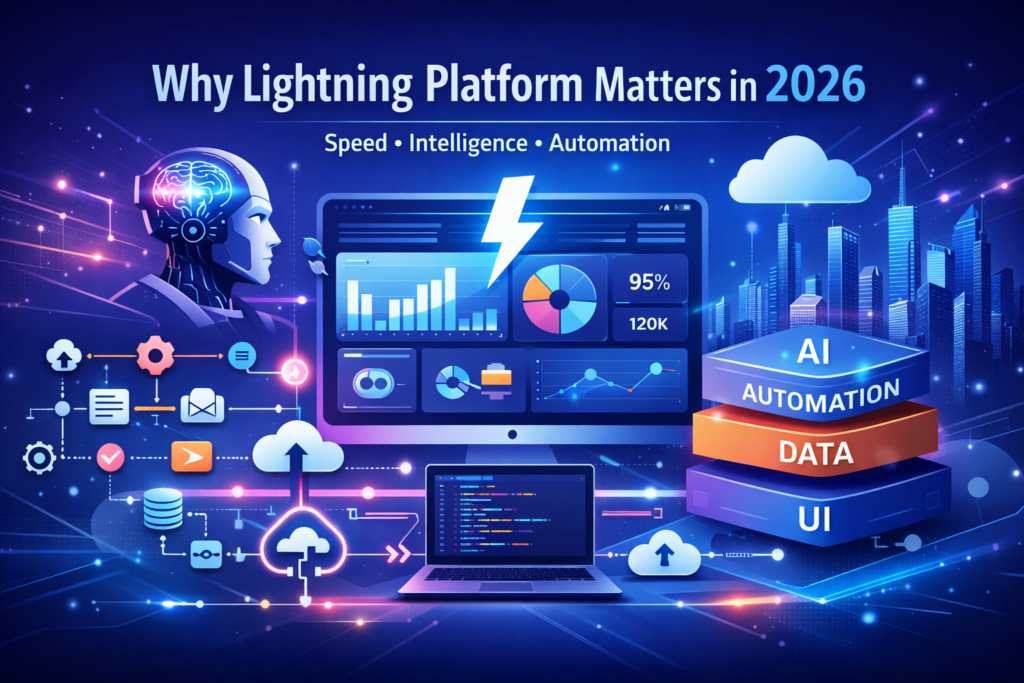
Lightning Platform addresses all three: speed, intelligence, and adaptability—the three pillars modern businesses can no longer afford to compromise on.
It enables organizations to move faster without sacrificing control, and innovate without creating unnecessary complexity. Instead of relying on fragmented tools or slow development cycles, teams can build and iterate within a unified environment.
Key advantages include:
- Rapid application development to reduce time from idea to execution
- Unified data + UI ecosystem that eliminates silos and improves visibility
- Built-in AI capabilities for smarter automation and decision-making
- Enterprise-grade security to ensure trust, compliance, and governance
What makes this truly powerful is not just the technology itself, but how it reshapes the way businesses operate. Decisions become faster. Processes become streamlined. Teams become more aligned.
In a world where even small delays can translate into lost opportunities, the Lightning Platform shifts from being a technical tool to a strategic business enabler—one that empowers organizations to act with speed, clarity, and confidence.
Understanding the Core Architecture
Multi-Tenant Cloud Model
Every application built on the Lightning Platform operates within a shared, multi-tenant infrastructure. Instead of each organization managing its own isolated environment, resources are intelligently distributed across a secure, unified cloud. This model removes the traditional burden of maintaining servers, managing capacity, or planning for hardware upgrades.
As a result, businesses can focus entirely on building and improving applications—without worrying about the underlying infrastructure.
This approach delivers several key advantages:
- Scalability without hardware constraints
Applications can grow seamlessly as data volume and user demand increase, without requiring manual intervention or infrastructure planning - Automatic upgrades and continuous innovation
Salesforce rolls out regular updates across the platform, ensuring access to the latest features, security enhancements, and performance improvements without disruption - Cost efficiency at scale
Shared infrastructure reduces overhead costs associated with maintenance, hardware, and system management
What makes the multi-tenant model particularly powerful is its level of abstraction. The complexity of infrastructure is completely hidden from the end user. There are no servers to manage, no environments to manually patch, and no downtime to coordinate for upgrades.
The brilliance lies in this invisibility.
Infrastructure fades into the background, allowing teams to focus on what truly matters—innovation, user experience, and business outcomes.
Metadata-Driven Framework
Unlike traditional systems where logic is hardcoded, Lightning uses metadata.
This means:
- Changes can be made without redeployment
- Customization becomes faster
- Systems remain flexible over time
“Software that adapts without rewriting itself is software that survives.”
Security and Compliance Layer
Security is not an afterthought. It is embedded.
- Role-based access
- Field-level security
- Audit trails
- Compliance standards
This ensures trust at scale—something many platforms struggle to maintain.
Lightning Experience vs Classic: A Paradigm Shift
Lightning Experience is not just a redesign. It is a complete reimagination of how users interact with Salesforce. While Salesforce Classic focused primarily on functionality, Lightning shifts the emphasis toward usability, speed, and experience.
Where Classic was static, Lightning is dynamic.
Where Classic was purely functional, Lightning is experiential.
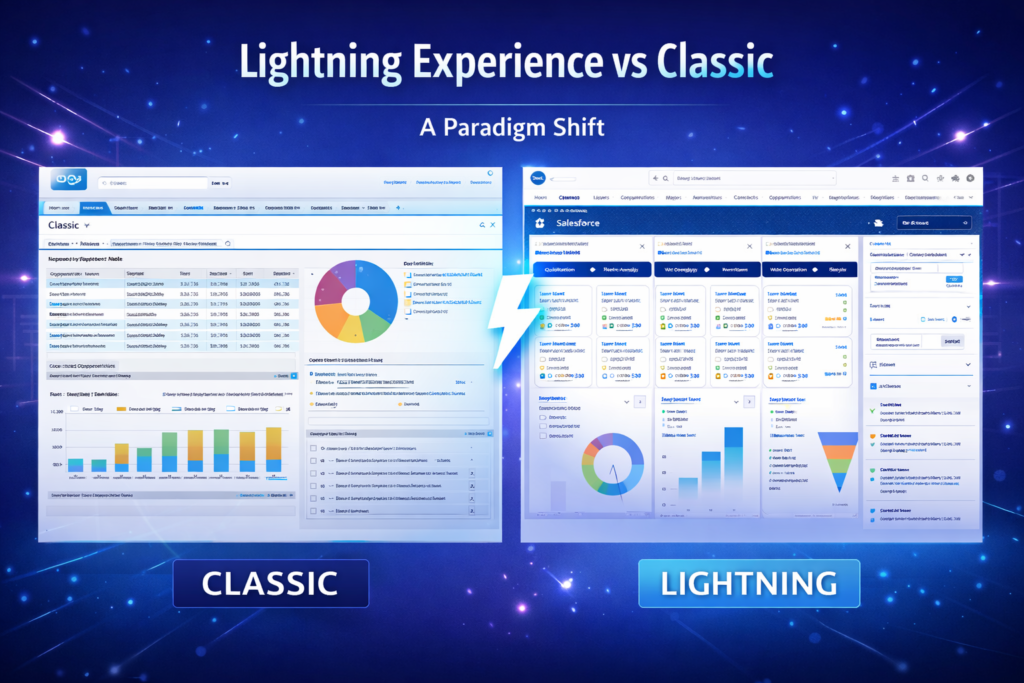
This transformation is driven by several key enhancements:
- Component-based UI
Interfaces are built using reusable, modular components, allowing for greater flexibility and personalization - Real-time updates
Data and activities refresh dynamically, reducing the need for constant page reloads and improving workflow continuity - Enhanced productivity tools
Features like activity timelines, Kanban views, and workspace layouts help users manage tasks more efficiently
The impact goes beyond visual improvements. Lightning Experience fundamentally changes how users engage with data. Information becomes easier to access, actions become more intuitive, and workflows become more streamlined.
Instead of navigating a system, users interact with it.
Key Components of Lightning Platform
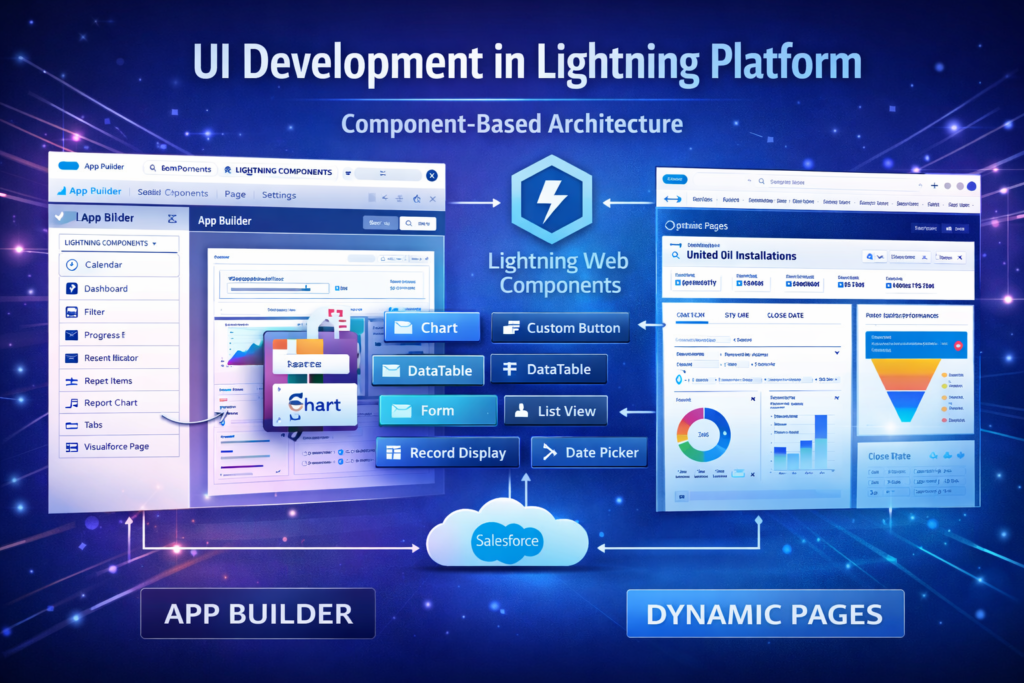
Lightning App Builder is a visual development tool that allows users to build and customize Salesforce applications and pages without writing code. It provides a drag-and-drop interface where components can be placed, arranged, and configured to create tailored user experiences for different roles and workflows.
Instead of relying entirely on developers for interface changes, administrators and business users can design pages that match how teams actually work. This significantly reduces development time and allows organizations to iterate quickly as processes evolve.
Key capabilities include:
- Drag-and-drop components
Easily add dashboards, reports, record details, related lists, and custom components to pages - Page customization
Customize record pages, app pages, and home pages to match specific business processes - Role-based layouts
Display different components or page layouts based on user profiles, improving productivity and relevance
The real impact of Lightning App Builder is that it shifts part of application development from coding to configuration. Teams can build useful interfaces faster, experiment with layouts, and continuously improve user experience without long development cycles.
In many ways, Lightning App Builder democratizes development, allowing more people within an organization to participate in building and improving business applications.
Lightning Web Components (LWC)
Lightning Web Components (LWC) are the modern standard for UI development on the Salesforce Lightning Platform. They represent Salesforce’s shift toward modern web development practices, aligning the platform with standard web technologies rather than proprietary frameworks.
LWC is built on core web standards, which makes development more efficient, more maintainable, and more accessible to developers who already understand modern web development.
LWC is based on:
- HTML for structure
- CSS for styling
- JavaScript for logic and interactivity
Because it uses standard web technologies, developers can build components that are faster, more lightweight, and easier to maintain compared to older frameworks. This also reduces the learning curve for new developers entering the Salesforce ecosystem.
One of the biggest advantages of Lightning Web Components is performance. LWC uses modern browser capabilities and a lightweight framework, which results in faster rendering, smoother user interactions, and reduced server calls. This becomes especially important in large Salesforce environments where performance directly impacts user productivity.
Another important benefit is modularity. Components built using LWC are reusable and independent. This means developers can build a component once and use it across multiple pages, applications, or processes. Over time, this creates a library of reusable components that speeds up development and ensures consistency across the system.
Scalability is the third major advantage. As organizations grow and their Salesforce environments become more complex, LWC-based architectures remain maintainable and performant. Instead of building large, monolithic interfaces, teams can build smaller components that work together, making the system easier to manage and extend.
In simple terms, Lightning Web Components bring modern web development principles into Salesforce. They combine performance, modular design, and scalability, making them the preferred approach for building custom user interfaces on the Lightning Platform.
Aura Framework (Legacy Context)
The Aura Framework was Salesforce’s first step toward component-based UI development in the Lightning Experience. Before Aura, most customizations in Salesforce were built using Visualforce, which followed a more traditional page-based architecture. Aura introduced a new way of building interfaces using reusable components, event-driven architecture, and client-side logic.
In many ways, Aura laid the foundation for the modern Lightning development model. It introduced concepts such as reusable UI components, component communication, and dynamic interfaces. Many early Lightning applications and components were built using Aura, and it played a critical role in transitioning Salesforce from Classic to Lightning Experience.
However, as web technologies evolved, Salesforce introduced Lightning Web Components (LWC), which are built on modern web standards. Over time, LWC has become the preferred development model, and Aura is now considered a legacy framework for new development, although it is still supported and widely used in existing implementations.
Aura is gradually being replaced by LWC for several key reasons:
- Performance limitations
Aura relies more heavily on framework-level processing, which can make applications slower compared to the lightweight architecture of LWC - Higher complexity
Aura development requires understanding the Aura framework structure, events, and controllers, making development more complex compared to standard web technologies - Maintenance overhead
Aura components are generally harder to maintain and refactor compared to LWC components built with standard HTML, CSS, and JavaScript
Today, the recommended approach is to use Lightning Web Components for new development and maintain Aura components only where necessary. Over time, many organizations are gradually migrating Aura components to LWC to improve performance, simplify development, and modernize their Salesforce user interface architecture.
Salesforce Flow
Salesforce Flow is often described as the automation engine of the Lightning Platform. It allows organizations to automate business processes, guide users through structured workflows, and implement complex decision logic without heavy coding. Over time, Flow has evolved into one of the most powerful tools within Salesforce, gradually replacing older automation tools like Workflow Rules and Process Builder.
At its core, Flow helps organizations reduce manual work, standardize processes, and improve operational efficiency. Instead of relying on users to remember steps or update records manually, flows can automate actions in the background or guide users through processes step by step.
Salesforce Flow is commonly used for:
- Workflow automation
Automatically updating records, sending notifications, creating tasks, and triggering actions based on specific conditions - Guided processes
Screen flows can walk users through step-by-step processes such as onboarding, approvals, service processes, or data entry workflows - Decision logic
Flows can evaluate conditions, branch into different paths, and execute logic based on business rules
The real value of Flow is that it transforms manual, repetitive operations into structured, automated processes. This not only improves efficiency but also reduces errors and ensures consistency across the organization.
For example, instead of a service agent manually creating follow-up tasks after closing a case, a flow can automatically generate tasks, send emails, update records, and notify managers. Similarly, sales processes such as lead assignment, opportunity creation, and approval workflows can all be automated using Flow.
Over time, organizations that adopt Flow extensively often see significant improvements in productivity, process consistency, and data quality. Manual processes become automated workflows, and individual tasks become part of a larger, coordinated system.
In many Salesforce environments today, Flow is not just an automation tool—it is the backbone of business process automation on the Lightning Platform.
Apex Programming
Apex is the backend programming language of the Salesforce platform and is often considered the backend powerhouse of Lightning Platform development. While many Salesforce features can be built using declarative tools like Flow, App Builder, and Process Automation, there are situations where more complex logic and deeper system control are required. This is where Apex becomes essential.
Apex is similar to Java in syntax and structure and runs directly on the Salesforce platform. It allows developers to write custom business logic, automate complex processes, handle integrations, and control how data is processed behind the scenes. If Lightning App Builder and Flow represent the no-code and low-code side of Salesforce, Apex represents the full-code development layer.
Apex is typically used for:
- Complex business logic
When business processes involve complicated calculations, multi-step logic, or operations that cannot be handled through Flow alone - Integrations
Connecting Salesforce with external systems using APIs, handling data synchronization, and managing external service calls - Custom operations
Creating custom triggers, batch processes, scheduled jobs, and background processing for large data volumes
One of the most important roles of Apex is working with triggers. Triggers allow developers to execute logic automatically when records are created, updated, or deleted. This enables deep automation and data processing that goes beyond simple workflow automation.
Apex also supports asynchronous processing through batch Apex, queueable Apex, and scheduled Apex. These features are important for handling large data operations and background processing without affecting system performance.
The real importance of Apex lies in how it complements the declarative tools on the platform. Not everything should be built in code, and not everything can be built without code. Apex sits in the middle, providing the flexibility to handle advanced requirements while still operating within the Salesforce platform’s governed environment.
In simple terms, Apex bridges the gap between declarative simplicity and programmatic control, allowing organizations to build powerful, customized, and scalable applications on the Lightning Platform.
UI Development in Lightning Platform
Component-Based UI Philosophy
Everything is modular.
- Reusable components
- Isolated logic
- Faster development cycles
This reduces redundancy and enhances maintainability.
Responsive Design Principles
Lightning UI adapts seamlessly across devices.
- Desktop
- Tablet
- Mobile
Consistency becomes effortless.
Dynamic Forms and Pages
Static layouts are obsolete.
Dynamic forms allow:
- Conditional visibility
- Context-driven fields
- Personalized interfaces
The UI evolves with the user.
Lightning Web Components: Modern Development Standard
Why LWC Replaced Aura
Performance. Simplicity. Standardization.
LWC aligns with modern web practices, making development intuitive and efficient.
LWC Architecture
- Shadow DOM
- Reactive properties
- Event-driven communication
This architecture ensures speed and scalability.
Performance Advantages
- Faster rendering
- Reduced server calls
- Lightweight components
Performance is not improved—it is redefined.
Customization vs Development: Strategic Decision Making
Not everything needs code.
Smart organizations prioritize:
- Declarative tools first
- Code only when necessary
This reduces technical debt and accelerates delivery.
Role of Declarative Tools in UI Development
Declarative tools empower non-developers.
- Admin-driven changes
- Faster iterations
- Lower costs
They transform business users into solution architects.
Building Scalable Applications with Metadata
Metadata ensures longevity.
Applications evolve without disruption.
This is how systems stay relevant—even as requirements change.
Automation in Lightning Platform
Flow Builder Deep Dive
Flow is the nervous system of automation.
- Screen flows
- Autolaunched flows
- Scheduled flows
It orchestrates processes with precision.
Process Optimization Strategies
Automation is not about adding complexity.
It is about eliminating friction.
Key principles:
- Minimize steps
- Reduce dependencies
- Ensure clarity
Data Modeling for Lightning Apps
Data is the foundation of every Salesforce implementation. No matter how well the user interface is designed or how advanced the automation is, the system ultimately depends on how well the data is structured. A poorly designed data model can create performance issues, reporting limitations, and process inefficiencies that are difficult to fix later. A well-designed model, on the other hand, supports scalability, automation, and clear reporting.
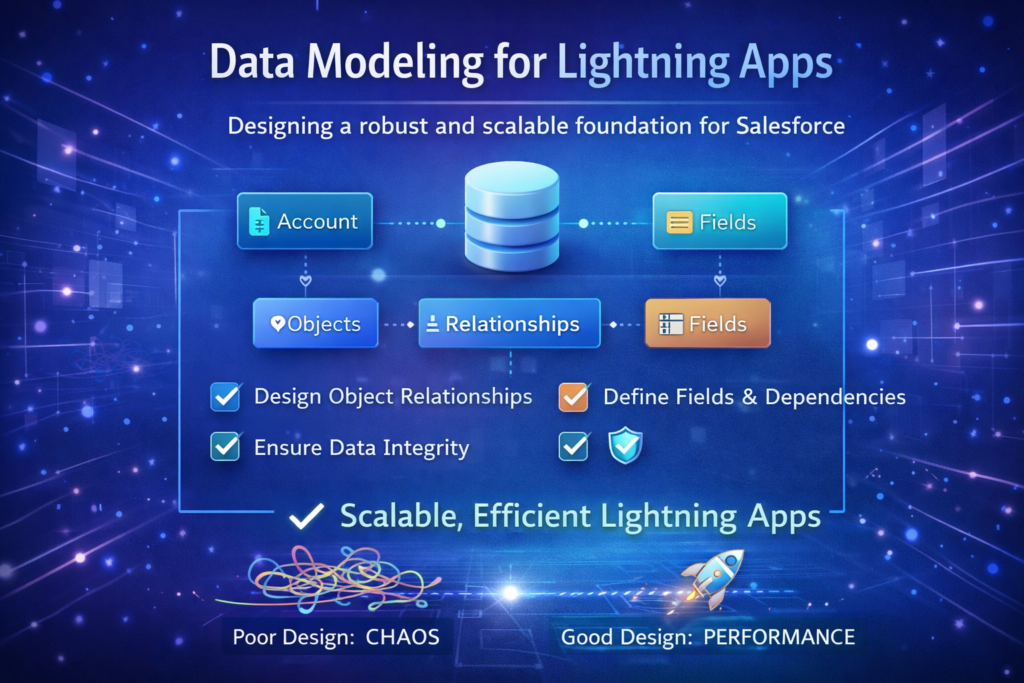
In Salesforce, data modeling is primarily built around three core elements:
- Objects
Objects are the tables that store data, such as Accounts, Contacts, Opportunities, or custom objects created for specific business processes - Relationships
Relationships define how objects connect to each other, such as Accounts linked to Contacts, Opportunities linked to Accounts, or custom objects linked to standard objects - Fields
Fields store the actual data within objects, such as names, dates, amounts, statuses, and other business information
Designing a strong data model requires careful planning. Objects should represent real business entities, relationships should reflect how those entities interact, and fields should capture meaningful, structured data that can be used in reports, automation, and analytics.
A well-designed data model ensures:
- Better reporting and dashboards
- More reliable automation
- Easier integrations
- Improved system performance
- Long-term scalability
Poor data design, on the other hand, creates long-term chaos. Duplicate data structures, unnecessary objects, incorrect relationships, and inconsistent field usage can make reporting difficult, automation unreliable, and system maintenance complicated.
In Salesforce, fixing automation is usually easy. Fixing bad data architecture is not.
That is why data modeling should always be treated as a strategic foundation, not just a technical setup step.
Integration Capabilities
Lightning connects seamlessly with external systems.
- REST APIs
- SOAP APIs
- Middleware integrations
It becomes the central nervous system of enterprise operations.
Security Model and Governance
Security is layered.
- Authentication
- Authorization
- Data protection
Governance ensures systems remain controlled, compliant, and reliable.
Performance Optimization Techniques
Performance is engineered, not accidental.
Strategies include:
- Efficient queries
- Caching mechanisms
- Lazy loading
Every millisecond matters.
DevOps and Deployment Strategies
Modern development requires discipline.
- CI/CD pipelines
- Version control
- Automated testing
DevOps transforms chaos into consistency.
AI and Lightning Platform (Einstein Integration)
AI is no longer optional.
Lightning integrates with Einstein to provide:
- Predictive insights
- Automation recommendations
- Intelligent workflows
Data becomes decision-making intelligence.
Common Challenges and How to Solve Them
Challenges:
- Over-customization
- Poor data quality
- Performance issues
Solutions:
- Simplify architecture
- Implement governance
- Optimize regularly
Best Practices for UI/UX Design in Lightning
- Keep interfaces clean
- Reduce cognitive load
- Use consistent components
- Prioritize user workflows
Design is not decoration. It is functionality.
Future of Lightning Platform
The future is intelligent, automated, and deeply integrated.
Expect:
- Deeper AI capabilities
- Enhanced low-code tools
- Faster development cycles
The platform will continue evolving—so must the organizations using it.
Conclusion
Lightning Platform is more than a toolset.
It is a strategic foundation.
Organizations that embrace it correctly do not just build applications.
They build systems that grow with them.
At CloudVandana, we help businesses unlock the full potential of Lightning Platform.
From UI design to advanced development, automation, and optimization—we ensure your Salesforce ecosystem is not just functional, but transformational.
If you’re planning to build, optimize, or scale on Lightning Platform, it might be time to do it the right way.
Explore how we can help you move faster, smarter, and more efficiently.
FAQs
1. What is Lightning Platform used for?
It is used to build custom applications, automate workflows, and create dynamic user interfaces within Salesforce.
2. Is Lightning Platform low-code or full-code?
Both. It offers declarative tools and programmatic capabilities.
3. What are Lightning Web Components?
They are modern UI components built using standard web technologies.
4. How is Lightning different from Classic?
Lightning is more dynamic, component-based, and user-friendly.
5. Do you need coding knowledge?
Not always. Many features are declarative.
6. What is Apex used for?
Backend logic and advanced customization.
7. Can Lightning integrate with other systems?
Yes, through APIs and middleware.
8. Is Lightning secure?
Yes, with built-in enterprise-grade security.
9. What is Salesforce Flow?
A tool for automating processes.
10. How does Lightning improve productivity?
Through automation, better UI, and real-time insights.
11. Is Lightning suitable for small businesses?
Yes, it scales based on needs.
12. How can CloudVandana help?
By implementing, optimizing, and scaling Lightning solutions tailored to your business.

Atul Gupta is CloudVandana’s founder and an 8X Salesforce Certified Professional who works with globally situated businesses to create Custom Salesforce Solutions.
Atul Gupta, a dynamic leader, directs CloudVandana’s Implementation Team, Analytics, and IT functions, ensuring seamless operations and innovative solutions.
YOU MIGHT ALSO LIKE
Salesforce Implementation for Stewart Law Group
Salesforce Implementation for for Wellington Farming Equipment
The Future of Marketing Automation with Agentforce Marketing
What is Salesforce CRM – Complete Guide for Businesses
Salesforce Financial Services Cloud: The Complete Guide for Modern Financial Institutions