Why Salesforce Performance Optimization In 2026 Is a Board-Level Concern
Discover the ultimate Salesforce Performance Optimization Checklist for 2026. Improve speed, scalability, AI efficiency, data architecture, and automation with expert-backed strategies. Future-proof your Salesforce org for high performance and growth.
Salesforce performance optimization is no longer a quiet IT metric buried in a dashboard that only administrators review. It has become a boardroom conversation. Directors and executive teams now understand that system responsiveness, automation stability, and data processing speed directly influence revenue outcomes, operational efficiency, and market competitiveness.
In 2026, Salesforce is not just a CRM. It is the operational nucleus of sales, service, marketing, finance workflows, partner ecosystems, and AI-driven decision-making. When it slows down, the entire organization feels it. Opportunities are not updated on time. AI-generated forecasts lose credibility. Service agents wait for screens to load while customers wait for answers. These are not minor inconveniences. They are friction points that compound across thousands of daily interactions.
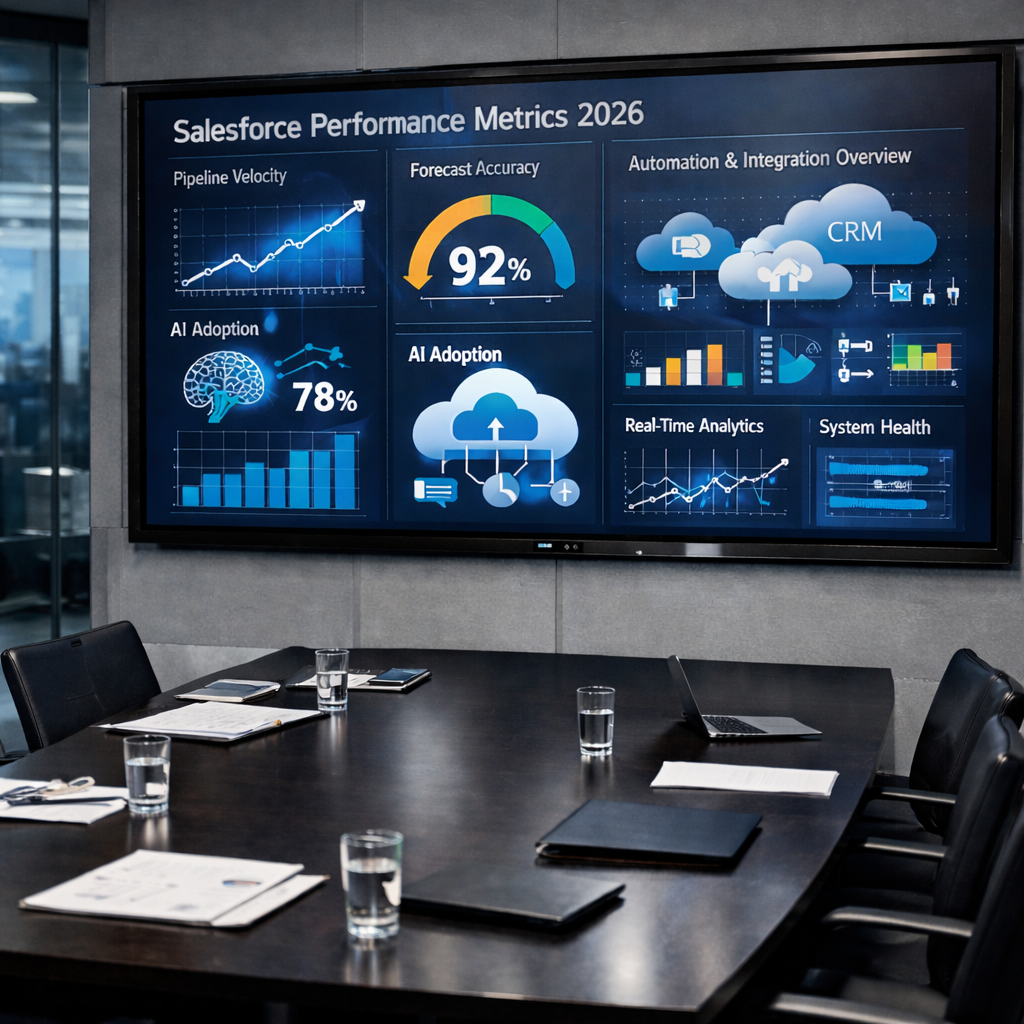
Modern organizations operate in a hyper-responsive environment. Real-time automation triggers pricing approvals, contract generation, lead routing, compliance validation, and customer notifications in seconds. Predictive analytics recalibrates pipeline projections dynamically. AI copilots suggest next-best actions based on evolving data signals. Multi-cloud integrations synchronize ERP, marketing automation, billing systems, and external platforms in near real time.
All of this assumes performance stability.
When performance falters, the impact radiates outward:
- Pipeline progression slows because record updates lag.
- Forecasting accuracy degrades as data synchronization delays distort reporting.
- AI recommendations become stale when models ingest incomplete or delayed datasets.
- Customer experience deteriorates as service interactions become fragmented.
Executive dashboards lose trust because real-time visibility is compromised.
At scale, even marginal latency creates measurable financial drag. A two-second delay in opportunity updates across a 500-user sales team does not simply waste time. It accumulates into lost productivity hours, slower deal cycles, and diminished morale. The cost is silent, but substantial.
There is also a reputational dimension. In 2026, digital agility is synonymous with organizational competence. If internal teams perceive Salesforce as unreliable or sluggish, shadow systems begin to emerge. Spreadsheets proliferate. External tools bypass governance. Data integrity weakens. Performance issues, left unaddressed, quietly undermine digital transformation initiatives.
Boards now recognize a critical truth: performance underpins strategy. AI initiatives depend on rapid data retrieval. Revenue growth targets depend on automation reliability. Expansion into new markets depends on a scalable architecture. None of these ambitions survives on a brittle, under-optimized platform.
Performance is no longer about shaving seconds off page load time. It is about safeguarding revenue velocity. It is about ensuring AI outputs remain trustworthy. It is about sustaining seamless customer journeys across channels and geographies.
In 2026, Salesforce performance optimization is a proxy for organizational resilience. A high-performing platform signals architectural discipline, operational maturity, and strategic foresight. A struggling platform signals accumulated technical debt and reactive governance.
That is why performance has ascended to the board level. It is not a technical optimization exercise. It is a strategic imperative.
Understanding Salesforce Performance in 2026
Speed vs Scalability vs Stability
Performance is multidimensional.
Speed refers to response time.
Scalability measures resilience under load.
Stability ensures consistency during peak concurrency.
A system that is fast but unstable will collapse under campaign surges. A scalable but slow system will frustrate users. Optimization must balance all three vectors.
The AI Multiplier Effect on System Load
Einstein, predictive models, and Data Cloud integrations increase query frequency exponentially.
AI does not operate in isolation. It consumes data, triggers automations, and generates records.
Unchecked AI adoption magnifies inefficiencies. Optimization in 2026 must account for algorithmic amplification of load.
Establishing a Performance Baseline
Native Monitoring Tools
Use:
- Lightning Usage App
- Event Monitoring
- Debug Logs
- Optimizer Reports
Baseline metrics should include:
- Page load time
- SOQL execution duration
- API call volume
- Flow runtime
Optimization without measurement is conjecture.

External Observability Platforms
Advanced enterprises deploy:
- New Relic
- Datadog
- Splunk
These tools provide latency heatmaps and anomaly detection. Observability must extend beyond Salesforce boundaries into middleware and external systems.
Data Architecture Optimization
Over-customization is a silent saboteur. It rarely announces itself with an error message. Instead, it accumulates quietly over years of incremental requests, quick fixes, and well-intentioned configurations. New objects are created “just in case.” Fields are added to satisfy one reporting need. Relationships are stitched together to solve short-term visibility gaps.
The result is not flexibility. It is structural entropy.
A bloated data model increases query complexity, slows report generation, complicates automation logic, and magnifies integration overhead. Every additional object and field introduces another dimension for filtering, sharing recalculation, indexing, and validation. At scale, this architectural sprawl becomes a performance tax.
A rationalization initiative begins with disciplined auditing.
Audit the following with precision:
- Redundant custom objects
Identify objects that duplicate functionality already available in standard objects or other custom objects. Redundancy fragments data and increases cross-object joins. If two objects store overlapping lifecycle data, consolidation should be considered. - Unused or rarely used fields
Fields that have not been populated in months, or that serve no active reporting or automation purpose, should be candidates for deprecation. Every field adds metadata weight, page rendering overhead, and potential query filters. - Circular relationships and excessive lookups
Complex webs of lookups and master-detail relationships increase join depth. Deep relationship hierarchies complicate SOQL queries and may introduce performance bottlenecks when data volumes grow.
Beyond removal, rationalization requires architectural intent.
A lean schema reduces query complexity because it shortens join paths and narrows filter criteria. Indexing becomes more predictable. Automation becomes more comprehensible. Integration mapping becomes cleaner.
Normalize where appropriate.
Reduce duplication. Enforce single sources of truth. Clarify ownership boundaries between objects.
Denormalize only with intent.
In high-volume scenarios, selective denormalization can improve performance by reducing joins. But it must be strategic, documented, and governed. Convenience-based denormalization creates long-term instability.
A disciplined data model is not minimalist for aesthetic reasons. It is optimized for clarity, scalability, and performance resilience.
Archival and Data Lifecycle Policies
Inactive records degrade query selectivity long before organizations notice a problem.
When millions of legacy records remain in active objects, even highly selective filters can return broader result sets than intended. Query plans shift. Reports slow. Sharing recalculations expand in scope. Performance degradation becomes incremental and difficult to diagnose.
Data without lifecycle governance behaves like digital sediment. It accumulates, layers upon layers, until operational agility slows under its own weight.
Effective performance strategy demands structured lifecycle management.
Implement the following with discipline:
- Time-based archival policies
Define explicit retention windows for opportunities, cases, leads, activities, and custom objects. For example, archive closed opportunities older than five years, or cases resolved beyond regulatory thresholds. Archival criteria must align with compliance obligations and reporting needs. - Big Objects for historical storage
When long-term retention is required but active querying is infrequent, migrate data into Big Objects. This preserves compliance integrity while reducing load on transactional objects. - Automated retention workflows
Use scheduled flows, batch Apex, or integration jobs to automate archival or deletion. Manual archival introduces inconsistency and administrative burden.
Lifecycle governance must also distinguish between operational data and analytical data. Not all historical information needs to reside in core CRM objects. Offloading archival data to a data warehouse or analytics platform reduces CRM strain while preserving insight.
The guiding principle is simple:
Data should have a lifecycle. Not permanent residency.
In 2026, performance optimization is inseparable from data governance. A rationalized schema and disciplined archival framework create structural efficiency. They protect query selectivity. They sustain automation reliability. They ensure that Salesforce remains responsive, even as data volumes expand year after year.
Indexing and Query Selectivity
Custom Index Strategy
A Salesforce org can have elegant automation, disciplined page layouts, and well-governed security—and still feel sluggish if the indexing strategy is an afterthought. Indexing is one of the least visible performance levers, yet it has disproportionate impact, especially in Large Data Volume (LDV) environments.
At a practical level, indexes determine whether Salesforce can locate records surgically or must sift through them like a slow-moving excavation. When queries degrade into broad scans, everything downstream suffers: reports lag, Flows take longer to resolve lookups, integrations time out, and users experience that familiar “it’s just spinning” delay.
A custom index strategy starts by identifying the fields that act like traffic junctions in your system—fields used repeatedly to filter, join, and segment large datasets.
Request custom indexes for:
1) High-volume filter fields
These are fields frequently used in WHERE clauses on objects with large record counts (Cases, Opportunities, Tasks, custom transaction objects, etc.).
Examples include:
- Status-like fields (Stage, Case Status, Processing State)
- Ownership filters (OwnerId variants depending on use)
- Date-based filters when consistently used with bounded ranges (CreatedDate, LastModifiedDate, ClosedDate)
If a field is used constantly to narrow down records, it should be optimized to behave like a fast retrieval key, not a slow scan.
2) Foreign keys and relationship fields
Foreign keys are often the backbone of performance because they connect objects at scale:
- AccountId, ContactId, OpportunityId
- Custom lookups like Project__c, Contract__c, Subscription__c
- Junction object relationship fields
When integrations, reports, and Flows traverse relationships heavily, indexing relationship fields prevents unnecessary join inefficiency. It keeps cross-object filters stable as data grows.
3) Frequently queried status fields
Status fields are queried constantly because they represent operational state. But they can also become performance traps when too many records share the same status (for example, millions of records marked “Active”).
A status field can still be indexed, but selectivity matters. If 80% of records share the same value, the index helps less. This is where thoughtful design matters:
- Split overly broad statuses into meaningful sub-states
- Use an auxiliary filter field (e.g., “Is_Operational__c” or “ProcessingBucket__c”) to create more selective query paths
- Ensure reporting filters align with selective values
The selectivity rule: why “less than 10%” matters
A query is typically considered selective when it returns a sufficiently small subset of records. The common performance heuristic is:
Selective queries should return less than ~10% of total records (or under a relevant threshold for very large objects).
Why? Because beyond that point, the database optimizer may determine that using an index yields minimal benefit and may fall back to scanning. That is when performance becomes unpredictable.
The real goal is not just having indexes. It is ensuring your business logic produces selective query patterns consistently.
A quick “index readiness” checklist (practical and fast)
- Are your top 10 reports filtering on indexed fields?
- Do your highest-volume integrations use bounded filters (dates, statuses, IDs)?
- Are Flows performing record lookups using selective criteria?
- Are status values distributed intelligently, or do they cluster into one dominant value?
- Are you relying on text searches when you could filter with structured fields?
Indexing is a performance discipline, not a one-time request.
Avoiding Non-Selective Queries
Non-selective queries do not just slow down a single report or Apex class. They create systemic drag. They consume database resources, increase transaction time, and elevate the likelihood of timeouts and governor-limit failures. In 2026, when orgs run more automation and AI-driven processes than ever, non-selective querying becomes a compounding liability.
The uncomfortable truth is that many performance issues are self-inflicted. They emerge from convenient query patterns that worked at 50,000 records and collapse at 5 million.
Avoid:
1) Leading wildcard searches
Patterns like:
- LIKE ‘%term’
- LIKE ‘%term%’
These are expensive because the database cannot use standard indexing effectively when the search begins with a wildcard. It becomes a broad scan. At scale, it is punishing.
Better alternatives:
- Use SOSL when appropriate for text search scenarios
- Use structured fields for filtering (picklists, boolean flags, categorized values)
- Store precomputed search keys in dedicated fields if the use case is recurring
2) Negative filters
Examples:
- WHERE Status != ‘Closed’
- WHERE StageName != ‘Closed Won’
Negative filters often broaden the dataset dramatically. They also make selectivity harder because the filter describes what you don’t want, not what you do want.
Better alternatives:
- Filter explicitly on the “open” set of statuses or stages
- Use an IsOpen__c boolean field
- Use bounded sets like IN (…) rather than !=
3) Unbounded date ranges
Examples:
- WHERE CreatedDate >= 2018-01-01
- WHERE LastModifiedDate >= LAST_N_YEARS:5
Unbounded ranges are query killers in mature orgs. They ensure large result sets and often trigger full scans. They also degrade report performance and dashboard refresh times.
Better alternatives:
- Use shorter, operationally relevant ranges (LAST_N_DAYS:30, LAST_N_MONTHS:3)
- Archive older records
- Offload analytics to a warehouse or Data Cloud where appropriate
The financial audit mindset
Every query should be scrutinized like a financial audit.
Not because it is tedious. Because it is expensive.
A single poorly designed query might run hundreds or thousands of times per day—through reports, integrations, Flows, list views, AI processes, and user actions. That repetition converts a “minor inefficiency” into a daily systemic burden.
Practical guardrails that prevent non-selective query debt
- Enforce query reviews for new Apex, integrations, and high-impact reports
- Standardize “operational filters” (e.g., last 90 days, open statuses only)
- Educate admins and analysts on selective filter design
- Add “performance-safe” fields that make filtering easier (booleans, buckets, statuses with meaningful distribution)
- Archive relentlessly and intentionally
In 2026, query performance is not a developer-only concern. It is an organizational discipline. If indexing is the engine, selectivity is the fuel quality. Without both, even a well-built org will sputter under real-world load.
Salesforce Flow and Automation Performance
Flow Sprawl Audit
Inventory:
- Active Flows
- Triggered Flows
- Process Builder remnants
Consolidate logic. Eliminate redundancy. Complexity compounds execution time.
Transaction Control and Bulkification
Design Flows to handle bulk operations.
Avoid per-record DML inside loops.
Use collection variables intelligently.
Performance degradation often begins with single-record assumptions.
Apex Code Efficiency
Governor Limit Strategy
Governor limits are architectural guardrails. They are not inconveniences designed to annoy developers. They are deliberate constraints that keep a multi-tenant platform stable, equitable, and performant. In 2026, with heavier automation footprints, richer UI layers, and AI-adjacent workloads, limit discipline is no longer a “best practice.” It is operational survival.
The most dangerous part is that governor-limit risk often remains invisible—until the moment it becomes catastrophic. A trigger works for months, then fails during a bulk update. A Flow behaves well in sandbox, then collapses in production when a marketing import hits 200,000 records. The root cause is rarely one line of code. It is usually cumulative inefficiency: verbose logic, redundant queries, accidental recursion, and poor bulk handling.
A serious governor-limit strategy begins with monitoring, but it does not stop there. Monitoring tells you where you are bleeding. Architecture determines whether you stop bleeding permanently.
Monitor the limits that actually dictate performance
CPU time
CPU time is often the first limit to crumble in complex orgs. It is consumed by:
- excessive loops
- repeated string manipulation
- nested conditionals
- repeated object construction
- inefficient map/set usage
- recursion patterns that multiply work
CPU overruns feel “random” until you realize they are load-sensitive. They fail when concurrency increases or data volumes cross a threshold.
Heap size
Heap size spikes when code hoards data it does not truly need. The culprits are predictable:
- storing entire sObject lists when only IDs are required
- caching large blobs of JSON unnecessarily
- serializing massive payloads for integrations
- passing large objects into asynchronous jobs without trimming
Heap problems are rarely about a single large record. They are about careless accumulation.
SOQL limits
SOQL limits are the most classic failure mode, and still among the most common. Not because developers are inexperienced. Because systems become complex, and “just one more query” becomes habitual.
The most common anti-patterns:
- querying inside loops
- repeated queries for the same dataset across multiple classes
- fetching full records when only a few fields are needed
- using non-selective filters (which also inflates CPU time)
Monitoring these limits should be continuous, not reactive. Use logs strategically, but also build internal conventions: query count budgets, CPU budgets, and “bulk-ready” design as default.
Refactor verbose logic before it becomes technical debt
Verbose logic is not just longer code. It is wasteful execution.
Refactor by:
- consolidating repeated conditions into reusable methods
- removing duplicated logic across triggers and flows
- shifting heavy calculations out of synchronous transactions
- minimizing field-level operations when not required
A surprisingly effective rule:
If a piece of logic must run for every record in a bulk transaction, it must be lean enough to run 200 times without flinching.
Replace recursive triggers with consolidated handlers
Recursion is often accidental. It emerges when:
- triggers update fields that retrigger the same object
- automations chain into each other without a stopping condition
- updates ripple across parent-child relationships repeatedly
Replace trigger sprawl with a consolidated handler framework:
- one trigger per object
- controlled entry points
- recursion guards
- order-of-execution clarity
- a clear separation between validation, enrichment, and post-processing steps
The goal is not “clever code.” It is predictable execution. Predictability is the foundation of performance.
Asynchronous Processing Best Practices
Asynchronous processing is not a performance hack. It is a strategic load-distribution model.
In a synchronous transaction, everything must complete immediately, within strict limits, while the user waits. That is the worst possible moment to do heavy lifting. It creates latency, failure risk, and an unpleasant user experience.
Async processing redistributes load. It defers non-urgent work. It isolates heavy operations from the user’s click-path. Done properly, it converts brittle transactions into resilient pipelines.
Leverage the right async mechanism for the right job
Queueables
Queueables are ideal for:
- moderately heavy operations
- chaining processes in a controlled way
- post-commit enrichment
- integration callouts that do not need immediate user response
Queueables are flexible and clean. But they still require discipline. Over-chaining can create job backlogs if volumes surge.
Batch Apex
Batch Apex is designed for:
- large data processing
- backfills and migrations
- archival operations
- recalculations across millions of records
Batch processing is the most practical tool for LDV realities. It breaks the work into digestible chunks and avoids catastrophic single-transaction failure. In 2026, batch jobs are not “maintenance tasks.” They are a core operational instrument.
Platform Events
Platform Events are the architecture of decoupling.
Use them when you want:
- loosely coupled workflows
- real-time reactions without tight dependencies
- event-driven integrations
- scalable processing pipelines
Platform Events enable a more modern system design: systems publish what happened, and subscribers decide what to do. This reduces synchronous coupling and prevents cascading latency.
Why async processing prevents synchronous bottlenecks
Synchronous bottlenecks are created when too many obligations are forced into one transaction:
- validation
- enrichment
- cross-object updates
- integration callouts
- recalculations
- notifications
The transaction becomes congested. CPU time climbs. Query counts rise. Limits approach the cliff edge.
Async distributes the work into separate execution contexts, each with its own limits and runtime allowances. It also improves user experience. The screen responds quickly, while non-critical work continues quietly in the background.
Practical “async readiness” heuristics
Move work to async when it meets one or more of these conditions:
- It does not need to complete before the user sees success
- It touches large volumes of related records
- It performs callouts or external transformations
- It recalculates summaries across many records
- It can be safely retried if it fails
- It is triggered frequently and risks peak-time congestion
In 2026, resilient orgs design for load variability. They assume spikes. They assume bulk operations. They assume integrated systems behave unpredictably. Async processing is the design pattern that absorbs those realities.
Governor limits define the boundaries. Asynchronous architecture determines whether your system thrives inside them.
Lightning Experience Optimization
Page Layout Rationalization
The Lightning Experience is deceptively forgiving. You can keep adding components, related lists, dynamic sections, and visual embellishments without immediate collapse. The page still loads. Users still click. Nothing breaks.
But beneath the surface, every additional element contributes to rendering cost. And rendering cost compounds.
In 2026, page performance is no longer judged only by technical metrics. It is measured by user patience. If record pages hesitate, confidence declines. Sales teams perceive friction. Service teams feel constrained. Adoption silently deteriorates.
Page layout rationalization is therefore not cosmetic optimization. It is structural refinement.
Remove what no longer serves operational intent
Unused related lists
Related lists are convenient, but each one requires additional data retrieval and rendering. Many orgs accumulate lists for historical reasons:
- A custom object added for a pilot project
- A legacy integration no longer in use
- A reporting experiment that never scaled
If a related list is not part of daily workflow, remove it. If it is needed occasionally, consider moving it to a secondary tab or a conditional section.
Visibility should be purposeful, not exhaustive.
Excessive components
Standard components, custom Lightning components, AppExchange widgets—each one carries execution weight. Too many components create what can be called UI congestion.
Audit:
- How many components are above the fold?
- Which components refresh automatically?
- Which components are duplicating information already visible elsewhere?
Streamline aggressively. Users rarely need everything at once. They need clarity, not density.
Heavy dynamic forms
Dynamic Forms introduced flexibility. They also introduced overuse. Administrators often add granular field-level visibility logic without considering cumulative complexity.
Each visibility rule requires evaluation. Each conditional branch introduces runtime checks.
Use Dynamic Forms strategically:
- Group fields logically.
- Avoid overly intricate visibility conditions.
- Reduce the number of simultaneous conditional evaluations.
Why every rendered component matters
Rendering is not abstract. It requires:
- Metadata retrieval
- Security checks
- Field-level access evaluation
- Query execution
- Component instantiation
- DOM updates
Multiply this by 50 components on a page. Then multiply that by 300 concurrent users. The effect is no longer trivial.
A refined layout reduces:
- Time-to-first-interaction
- Browser processing overhead
- Recalculation frequency
- Cognitive fatigue
Minimalism in layout design is not aesthetic minimalism. It is computational efficiency aligned with human usability.
Component Rendering Strategy
If layout rationalization removes excess, rendering strategy ensures what remains performs optimally.
Rendering discipline is architectural hygiene. It prevents UI-level inefficiency from eroding backend optimization gains.
Use conditional visibility with intent
Conditional visibility is powerful when used sparingly. It ensures components appear only when contextually relevant.
For example:
- Show renewal data only when Opportunity Type equals “Renewal”
- Display escalation metrics only when Case Priority equals “High”
- Hide complex financial sections unless a specific profile accesses them
This reduces the number of components that render simultaneously. It also reduces unnecessary data retrieval.
However, conditional visibility should not become labyrinthine. If visibility logic spans multiple nested conditions, it may be masking deeper design issues.
Implement lazy loading where appropriate
Lazy loading delays component rendering until the user interacts with a specific tab or section.
This approach:
- Improves initial page load time
- Reduces unnecessary API calls
- Minimizes first-render resource consumption
Use it for:
- Historical data panels
- Deep analytics components
- Secondary related lists
- Integration-heavy widgets
Not everything must load at once. Strategic deferral enhances perceived speed.
Prefer Lightning Web Components over Aura
Lightning Web Components (LWC) are lighter, faster, and more aligned with modern browser standards than Aura components. They execute closer to native web standards, reducing abstraction overhead.
Benefits include:
- Improved client-side performance
- Cleaner event handling
- Better modularity
- Reduced rendering latency
Legacy Aura components should be reviewed for refactoring, especially if they handle high-frequency interactions or render on core objects like Account, Opportunity, or Case.
Rendering discipline as architectural hygiene
Performance optimization often focuses on database queries and automation logic. Yet front-end inefficiency can negate backend tuning.
Rendering discipline means:
- Designing pages around workflow, not completeness
- Eliminating redundant visual elements
- Minimizing runtime evaluation logic
- Ensuring component architecture aligns with performance goals
A well-optimized backend paired with a cluttered frontend still feels slow. Conversely, a disciplined rendering strategy amplifies backend efficiency.
In 2026, Salesforce performance is holistic. It spans database, automation, integration, AI, and user interface. Page layouts and rendering strategies may seem minor in isolation. At scale, they are decisive.
Integration Performance
API Throughput and Limits
Monitor daily API usage.
Implement throttling strategies.
Avoid chatty integrations.
Batch API calls where possible.
Middleware Architecture
Middleware platforms:
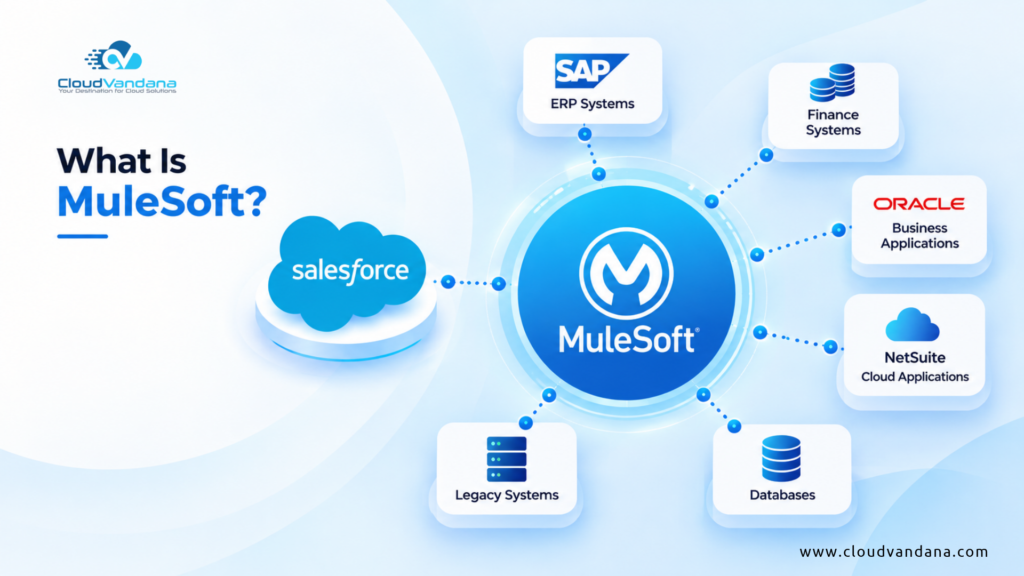
- MuleSoft
- Boomi
- Azure Integration Services
They decouple systems and absorb load spikes.
AI and Data Cloud Considerations
Model Performance vs Data Volume
Salesforce performance optimization is fundamentally data-dependent. Models do not operate in abstraction; they rely on the quality, structure, and volume of the data they ingest. In Salesforce environments increasingly powered by predictive scoring, generative insights, and automated recommendations, the relationship between data hygiene and model efficiency becomes critical.
More data does not automatically mean better AI. Excessive, duplicated, stale, or poorly structured data increases processing overhead. It forces models to evaluate noise alongside signal. That noise translates into longer inference cycles, higher computational demand, and occasionally less accurate outcomes.
Poor data quality creates computational inefficiency in subtle ways:
- Duplicate records distort probability weighting.
- Inconsistent field usage weakens feature reliability.
- Large volumes of irrelevant historical data increase scan depth.
- Unstandardized picklist values fragment categorical learning.
Clean, well-structured data improves inference latency because the system can retrieve, process, and evaluate relevant inputs faster. Feature engineering becomes more precise. Model scoring cycles shorten. Prediction reliability improves.
In 2026, Salesforce performance optimization is inseparable from data optimization. Organizations that treat data governance as a strategic function experience not only better analytics but faster AI responsiveness.
AI Governance and Query Load
As AI usage expands across forecasting, service automation, and sales guidance, query volume multiplies. Each prediction request, recommendation refresh, or scoring recalculation generates backend activity. Without governance, this activity can escalate quickly.
Unchecked AI experimentation often leads to performance degradation. Teams activate features, enable scoring models, test copilots, and introduce analytics widgets without assessing systemic load. Individually, each seems harmless. Collectively, they amplify query pressure and increase concurrent processing.
AI governance must therefore be operational, not theoretical.
Define clear guardrails:
- Query ceilings
Establish acceptable limits for AI-triggered queries per object or per user segment. Monitor their impact on peak-hour load. - AI refresh intervals
Not every model requires real-time recalculation. Define intelligent refresh cadences—hourly, daily, or event-triggered—based on business value rather than default settings. - Feature scope limitations
Pilot AI capabilities within defined departments before enterprise-wide rollout. Evaluate performance impact under realistic data volumes.
The objective is not to restrict innovation. It is to align AI expansion with architectural capacity.
In 2026, AI is not an add-on layer. It is an active participant in system load. Responsible governance ensures that intelligence enhances performance rather than quietly eroding it.
User Experience and Latency Perception
Users perceive delay differently.
Anything above three seconds erodes engagement.
Implement skeleton screens and progressive disclosure to mitigate perceived lag.
Storage Optimization Strategy
Storage rarely feels urgent—until it is. Unlike a failed automation or a crashing integration, storage bloat grows quietly. It does not announce itself with errors. It accumulates in the background, inflating backup times, slowing data exports, and increasing the complexity of reporting operations.
In mature Salesforce environments, storage inefficiency is one of the most underestimated performance drags. Excessive files and legacy artifacts increase metadata load, expand query scopes, and complicate compliance audits. The impact is subtle but cumulative.
A disciplined storage optimization strategy begins with decisive cleanup.
Delete with intention, not hesitation
Obsolete attachments
Many orgs still carry thousands of attachments from legacy processes—PDF exports, outdated contracts, system-generated snapshots, test uploads, or files migrated from older platforms. If these files no longer serve operational or regulatory value, they should not occupy premium storage.
Audit:
- Files linked to inactive records
- Attachments older than defined retention windows
- Redundant system-generated documents
Storage is not an archive by default. It is a transactional layer.
Duplicate files
Duplicate documents proliferate through versioning confusion, manual uploads, and integration mishandling. Identical files attached to multiple records inflate storage without adding informational value.
Implement:
- Duplicate detection processes
- Version control governance
- Centralized file storage policies (especially when integrated with external storage systems)
Every duplicate increases backup payload size and extends export durations.
Legacy integrations
Old integrations often leave residual artifacts—temporary logs, staging objects, or attachment dumps. When integrations are retired but artifacts remain, storage silently swells.
Conduct integration audits:
- Identify deprecated middleware connections
- Remove unused integration objects
- Clean up staging records and temporary data
Residual technical debris should not linger indefinitely.
Adopt file lifecycle governance
Storage optimization is not a one-time purge. It is a governance framework.
Define:
- Retention periods by object type
- Archival policies for closed opportunities or cases
- Clear ownership for document management
- Versioning standards to prevent unnecessary duplication
Consider externalizing long-term storage where appropriate. Offloading static historical documents to secure external storage systems reduces Salesforce footprint while maintaining compliance integrity.
Why storage discipline matters in 2026
Storage bloat affects more than cost. It affects operational fluidity:
- Larger backup files extend restore windows.
- Data exports become slower and heavier.
- Reporting queries scan broader datasets.
- Compliance audits become more complex.
- AI models process unnecessary historical artifacts.
Performance is not only about CPU and queries. It is about minimizing unnecessary data gravity.
Adopt the principle that data must justify its residency. If it no longer serves operational, analytical, or compliance value, it should transition out of active storage.
In 2026, storage optimization is not housekeeping. It is performance stewardship.
Security Configuration Impact on Performance
Complex sharing rules increase recalculation time.
Audit:
- Role hierarchy depth
- Public groups
- Sharing recalculations
Security must be precise, not labyrinthine.
Report and Dashboard Optimization
Avoid:
- Cross-object report overload
- Dynamic dashboards for large audiences
Use indexed fields in filters. Schedule heavy reports during off-peak hours.
Large Data Volume Strategy
For orgs exceeding 10 million records:
Implement:
- Skinny tables
- Partitioning logic
- Archival frameworks
LDV requires architectural foresight, not reactive tuning.
Sandboxes and Deployment Efficiency
Slow deployments signal metadata sprawl.
Adopt:
- Modular packaging
- CI/CD pipelines
- Selective deployments
Performance includes deployment velocity.
Performance Testing Methodology
Simulate:
- Peak concurrent users
- API spikes
- Bulk uploads
Use performance testing suites before major releases.
Mobile Optimization
Mobile bandwidth variability amplifies inefficiency.
Minimize page components.
Use compact layouts.
Mobile-first optimization is no longer optional.
Release Management Discipline
Every release should include:
- Performance impact analysis
- Regression testing
- Query review
Innovation without discipline introduces latency debt.
Continuous Performance Governance
Create a Performance Review Board.
Track KPIs quarterly:
- Page load time
- Automation runtime
- API usage growth
Optimization is continuous, not episodic.
2026 Executive Performance Checklist Summary
Executive-Level Checklist:
- Baseline metrics documented
- Data archival policy active
- Index strategy defined
- Flow consolidation complete
- Apex bulkified
- AI governance defined
- Integration throttling implemented
- LDV architecture validated
- CI/CD pipeline operational
- Quarterly review cadence established
Performance must be intentional.
Why Optimization Requires a Strategic Partner
Salesforce Optimization at scale intersects architecture, data science, DevOps, AI governance, and integration strategy.
Isolated tuning efforts fail because performance is systemic.
Organizations that thrive in 2026 treat Salesforce as an enterprise platform, not a CRM.
Partnering with CloudVandana ensures:
- Comprehensive performance audits
- LDV architecture strategy
- AI-ready data optimization
- Integration throughput design
- Continuous governance frameworks
Hundreds of global organizations rely on structured optimization to sustain performance under growth pressure.
If your org is scaling, expanding AI usage, or integrating multiple systems, proactive optimization prevents reactive crisis management.
Conclusion
Salesforce performance in 2026 is an ecosystem challenge.
Data volume grows. AI accelerates consumption. Integrations multiply. Users expect instantaneous response.
Optimization is no longer technical hygiene. It is strategic enablement.
Organizations that institutionalize performance governance will operate with precision, speed, and resilience.
Those that ignore it will confront compounding latency, operational fragility, and diminished user trust.
The time to optimize is before performance becomes visible to customers.
Frequently Asked Questions
1. What is considered acceptable Salesforce page load time in 2026?
Under three seconds for standard record pages.
2. How often should Salesforce performance audits be conducted?
Quarterly for growing organizations, biannually at minimum.
3. Does AI significantly affect Salesforce performance?
Yes. AI increases query load and automation frequency.
4. What causes most performance issues?
Non-selective queries, automation sprawl, excessive sharing rules.
5. Are custom indexes always necessary?
Only for high-volume filter fields and frequently queried columns.
6. How do large data volumes impact Salesforce performance?
They reduce query selectivity and increase recalculation times.
7. Should old data be deleted or archived?
Archived when compliance allows; deletion when retention permits.
8. Does integration architecture affect Salesforce speed?
Yes. Chatty integrations degrade throughput and consume API limits.
9. How can Flow performance be improved?
Consolidation, bulkification, and eliminating redundant logic.
10. What is the biggest mistake organizations make?
Scaling automation without reviewing Salesforce performance impact.
11. Is mobile performance different from desktop?
Yes. Bandwidth variability magnifies inefficiencies.
12. When should a company seek expert help?
When performance issues affect Salesforce adoption, forecasting, or AI reliability.
Ready to Optimize?
If Salesforce performance is becoming unpredictable, sluggish, or unstable under growth, now is the moment to act.
A structured optimization roadmap can restore speed, improve AI reliability, and future-proof scalability.
Engage with CloudVandana to conduct a comprehensive performance assessment and build a resilient, high-performance Salesforce ecosystem for 2026 and beyond.

Atul Gupta is CloudVandana’s founder and an 8X Salesforce Certified Professional who works with globally situated businesses to create Custom Salesforce Solutions.
Atul Gupta, a dynamic leader, directs CloudVandana’s Implementation Team, Analytics, and IT functions, ensuring seamless operations and innovative solutions.
YOU MIGHT ALSO LIKE

Financial Services Cloud: A Complete Guide for Banking and Wealth Management

How MuleSoft Connects Salesforce With ERP, Finance and Business Systems

Salesforce Customer 360: Connecting Sales, Service and Marketing Teams

Salesforce and Anthropic Launch Claudeforce: What It Means for the Future of Enterprise AI

Salesforce AIforce: What It Means for the Future of Enterprise Software