Salesforce can hold enormous amounts of customer information, but storing data is only part of what makes a CRM valuable.
The real advantage begins when Salesforce starts acting on that data automatically.
A new high-value lead enters the CRM. Salesforce assigns it to the right salesperson. A follow-up task appears. The sales manager receives a notification. If nobody acts within the agreed response time, the lead is escalated.
No spreadsheets. No manual reminders. No one needs to remember the next step.
That is where Salesforce Flow Automation becomes transformative.
Salesforce Flow enables organizations to automate repetitive processes, guide users through complex tasks, update records, trigger communications, coordinate teams, and connect business processes without requiring traditional code for every workflow. Salesforce describes Flow as part of its point-and-click automation capabilities for reducing repetitive work, improving accuracy, shortening turnaround time, and increasing productivity.
And its importance has grown considerably.
Salesforce officially ended support for Workflow Rules and Process Builder on December 31, 2025, recommending that organizations migrate their automation to Flow. (Salesforce)
So the question for businesses is no longer simply:
“Should we use Salesforce Flow?”
A more useful question is:
“Which processes should we automate first?”
Here are ten high-impact business processes where Salesforce Flow Automation can produce measurable operational improvements.
What Is Salesforce Flow Automation?
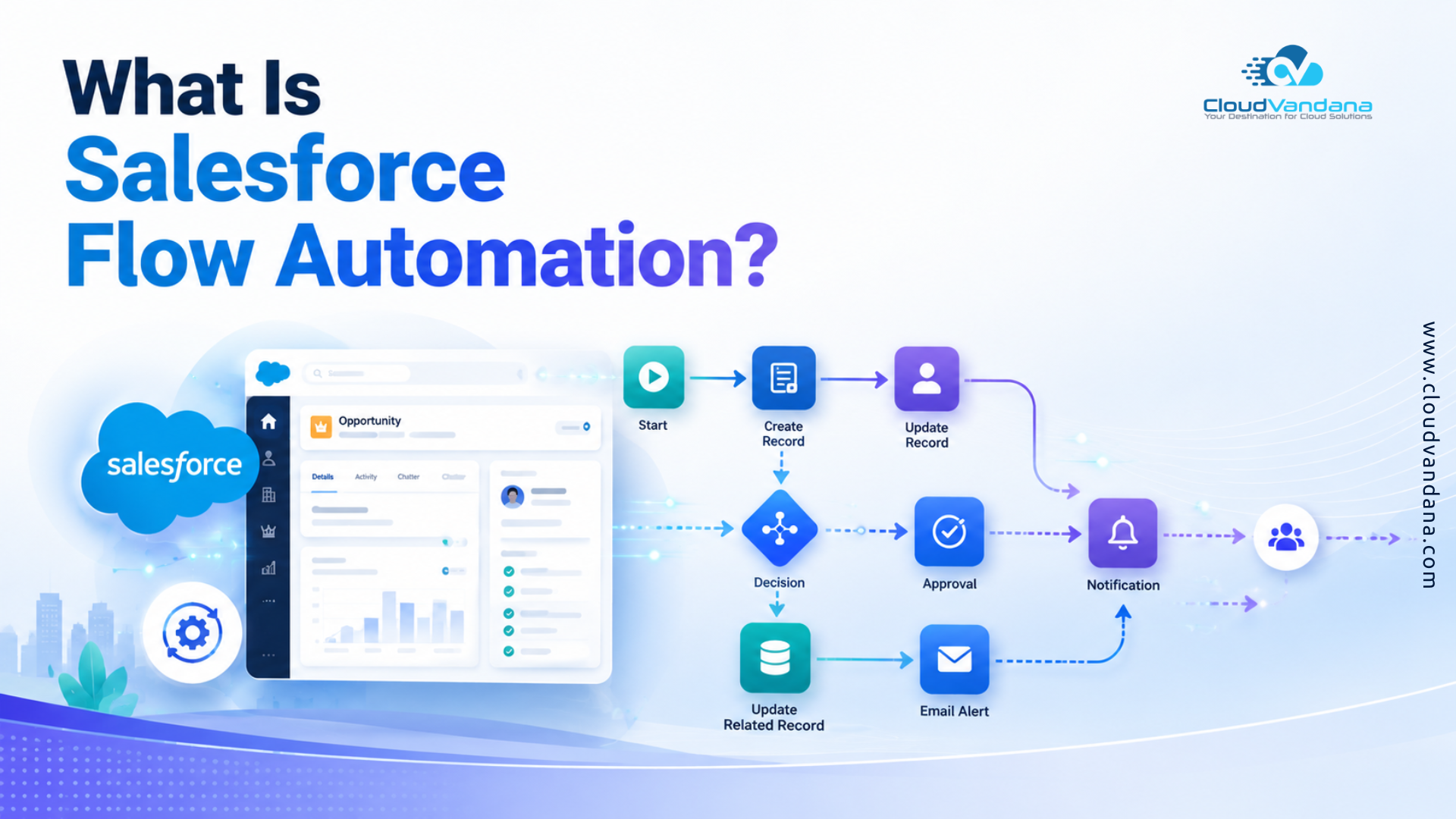
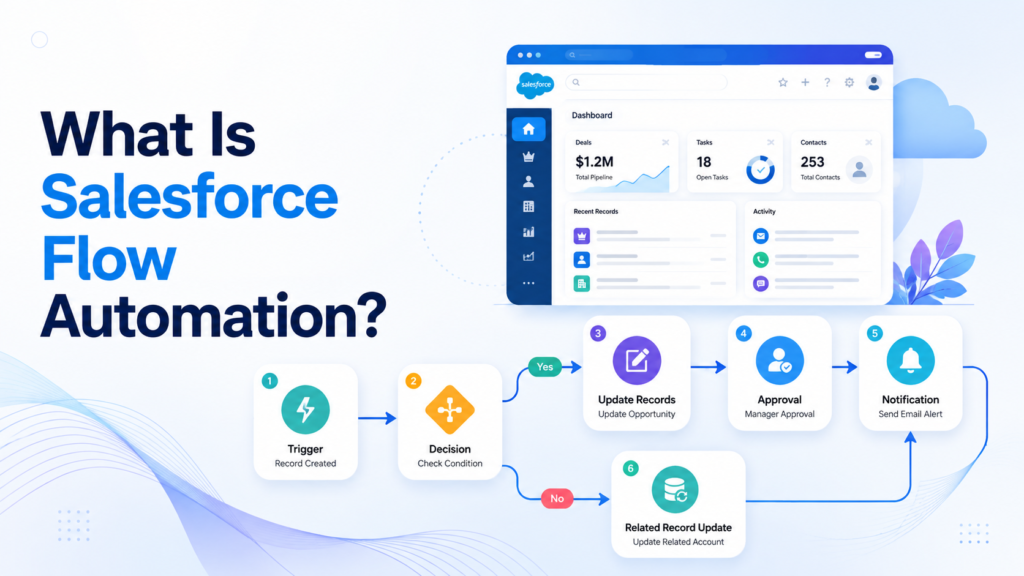
Salesforce Flow Automation is the use of Salesforce Flow Builder to automate business processes based on records, user actions, schedules, decisions, and predefined business rules.
Instead of employees manually performing every repetitive CRM activity, Flow determines what should happen next and carries out the required actions.
For example, Salesforce Flow can:
- Create or update records
- Assign records to users
- Generate follow-up tasks
- Send emails and notifications
- Evaluate business conditions
- Guide users through step-by-step screens
- Trigger approvals and downstream processes
- Schedule future actions
- Work with related Salesforce records
- Initiate actions involving connected systems
Salesforce’s Flow Builder uses elements, connectors, and resources to construct these automated processes visually.
The result is a CRM that does more than record what happened.
It actively orchestrates what should happen next.
Why Salesforce Flow Is More Important in 2026
Salesforce automation has been gradually consolidating around Flow.
With Workflow Rules and Process Builder reaching the end of support, orga nizations maintaining older automation architectures have an additional reason to modernize their CRM processes. (Salesforce)
Meanwhile, Salesforce continues enhancing Flow itself. Spring ’26, for example, includes additional Flow Builder capabilities, including options for modifying certain record-triggered and schedule-triggered flows with Agentforce.
This matters because modern Salesforce environments are becoming increasingly interconnected.
Sales, service, operations, data, integrations, analytics, and AI cannot function efficiently when every business action depends on someone remembering to perform a manual step.
Flow provides an automation layer connecting these activities.
How Salesforce Flow Works
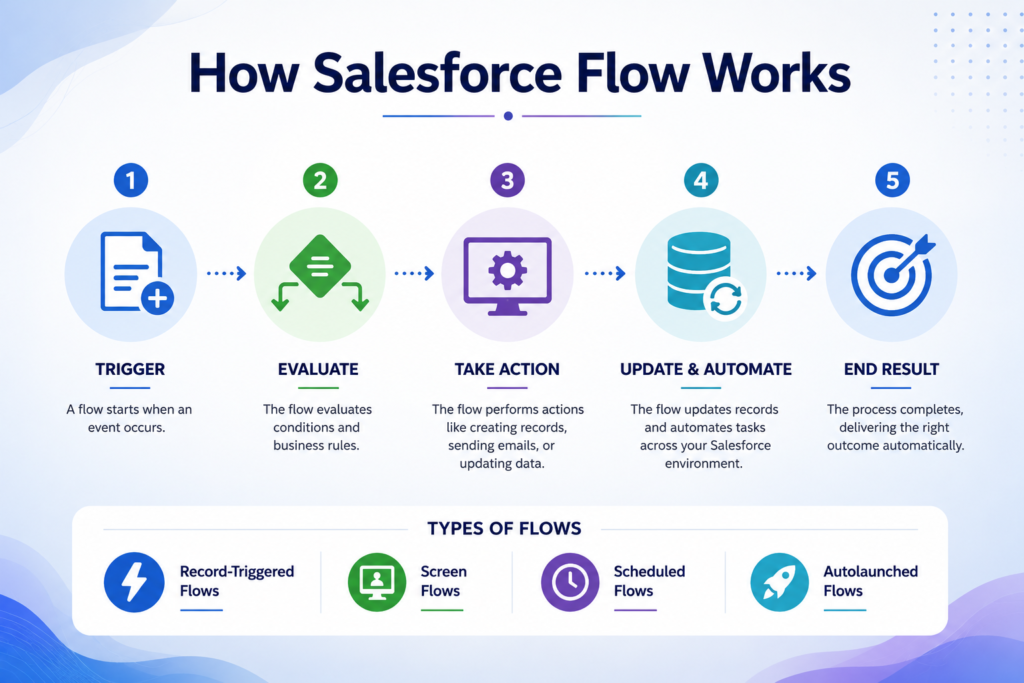
Not every Salesforce process requires the same automation model. Choosing the correct type of Flow is therefore fundamental.
Record-Triggered Flows
Record-triggered flows automatically execute when Salesforce records are created, updated, or deleted. After triggering, they can perform actions such as creating records, updating information, or sending communications. (Salesforce)
They are ideal for processes such as:
Opportunity becomes Closed Won → create onboarding activities.
Or:
Case priority becomes Critical → notify the support manager.
Screen Flows
Screen flows involve user interaction.
Instead of automatically running entirely in the background, they provide screens that walk employees through a process.
They are especially valuable when users need guidance through activities such as customer intake, qualification, service requests, data collection, or multi-step internal procedures. Salesforce distinguishes Screen Flows from background record-triggered and scheduled automation because they require users to interact with screens. (Salesforce)
Schedule-Triggered Flows
Some activities are based on time rather than individual record changes.
A schedule-triggered flow begins at a configured time and frequency and processes eligible records in batches. (Salesforce)
Examples include:
- Reviewing overdue opportunities every morning
- Identifying contracts nearing expiration
- Finding inactive leads
- Creating periodic account review tasks
Autolaunched Flows
Autolaunched flows run without screens and can be invoked by other automation, Apex, buttons, or other processes.
They are particularly useful when organizations want reusable pieces of automation rather than duplicating the same logic across several flows.
What Business Processes Should You Automate First?
Automation should not begin with the easiest process to automate.
It should begin with the processes where manual work creates the greatest business friction.
Good candidates usually have several characteristics:
- They happen frequently.
- Employees repeat essentially the same actions.
- Delays have financial or customer-experience consequences.
- The decision rules can be clearly defined.
- Multiple teams depend on the outcome.
- Mistakes create downstream work.
- Salesforce already contains most of the required information.
With those criteria in mind, the following ten processes are excellent candidates for Salesforce Flow Automation.
1. Lead Capture, Qualification, and Assignment
Speed matters when a potential customer enters your pipeline.
Unfortunately, many businesses still capture leads and then rely on someone to manually review, qualify, categorize, and distribute them.
That creates unnecessary latency.
Salesforce Flow can evaluate a newly created Lead against business rules and immediately determine what should happen next.
For example:
New Lead → Evaluate Country → Check Company Size → Determine Industry → Calculate Priority → Assign Sales Representative → Create Task → Send Notification
Lead assignment rules can become considerably more sophisticated when combined with Flow.
A business could route leads according to:
- Geography
- Industry
- Product interest
- Company size
- Estimated revenue
- Lead source
- Strategic account status
- Customer segment
High-priority opportunities can receive immediate attention while lower-intent leads enter an appropriate nurturing process.
Why automate it?
Manual routing creates an invisible queue between customer interest and sales action.
Salesforce Flow can collapse that queue.
The result is faster response, clearer ownership, and fewer leads disappearing because everyone assumed somebody else would follow up.
2. Sales Follow-Ups and Task Creation
Sales representatives should spend their time selling—not maintaining elaborate mental calendars of who needs a follow-up.
Yet manual task creation remains remarkably common.
Consider a salesperson who completes a discovery call.
Without automation, the salesperson may need to update the opportunity, create another task, schedule a reminder, notify a specialist, and perhaps email supporting information.
Each action takes only a few moments.
Across hundreds of opportunities, however, the administrative burden becomes substantial.
Salesforce Flow can automatically generate the next activity based on the current sales situation.
For example:
Demo Completed → Create Follow-Up Task for 2 Days Later → Notify Account Executive → Update Last Engagement Date
Or:
Proposal Sent → Wait 3 Days → Check Opportunity Status → If No Progress, Create Follow-Up Task
Record-triggered flows can also include scheduled paths that execute automation at a dynamically scheduled time after a triggering event. (Salesforce)
The practical benefit is simple:
Follow-up becomes part of the sales process rather than an optional habit.
3. Opportunity Stage Management
A CRM pipeline is only useful when it reflects reality.
Unfortunately, opportunity records often become incomplete or outdated because salespeople progress deals differently.
One representative moves an opportunity into Proposal while important fields remain blank. Another marks a deal as Closed Lost without recording why. Someone else leaves opportunities in Negotiation for three months.
Salesforce Flow can impose greater process discipline without turning Salesforce into an administrative obstacle course.
For example, when an opportunity progresses to a particular stage, Flow can:
- Validate supporting information
- Create required tasks
- Update forecast categories
- Notify sales management
- Record milestone dates
- Start approval processes
- Trigger internal handoffs
This creates what might be called process integrity.
Your opportunity stages stop being decorative labels and start representing actual business milestones.
Why this matters for forecasting
Sales forecasts are downstream products of CRM behavior.
If opportunity data is inconsistent, management dashboards become sophisticated representations of unreliable assumptions.
Automation improves the quality of the processes producing the data before executives ever see the report.
4. Discount and Quote Approval Processes
Discount approval is a classic automation opportunity.
Without a structured process, sales representatives often negotiate internally through email, Slack, calls, or direct messages.
That makes approvals difficult to track and slower than necessary.
Flow can evaluate commercial conditions and determine the correct approval path.
For example:
Discount ≤ 10% → Standard Process
Discount 11–20% → Sales Manager Approval
Discount >20% → Sales Director + Finance Review
The automation can also consider variables such as:
- Deal value
- Product
- Margin
- Customer tier
- Contract duration
- Region
- Non-standard payment terms
Once the decision is made, Salesforce can route the request to the appropriate stakeholders and update relevant records.
The benefit extends beyond speed.
It creates an auditable commercial process instead of a fragmented collection of conversations.
5. Customer Onboarding
Closing a sale is often where one Salesforce process ends—and several other business processes begin.
Sales hands the customer to implementation.
Implementation needs requirements.
Finance needs billing information.
Customer success needs account context.
Support needs entitlement information.
When these handoffs are manual, the customer may experience the organizational seams between departments.
Flow can transform the Closed Won event into a coordinated onboarding sequence.
For example:
Opportunity = Closed Won
→ Create onboarding record
→ Create implementation tasks
→ Assign customer success manager
→ Notify finance
→ Create kickoff activity
→ Set onboarding milestones
→ Notify relevant stakeholders
The customer does not need to know that five departments are involved.
The process should feel like one continuous journey.
That is exactly where Salesforce process automation delivers value: coordinating internal complexity without transferring that complexity to the customer.
6. Customer Service Case Routing and Escalation
Customer service environments generate decisions continuously.
Who owns this case?
How urgent is it?
Does it require escalation?
Has the SLA been breached?
Does a specialist need to intervene?
Handling these decisions manually at scale creates inconsistency.
Salesforce Flow can automate important portions of the case lifecycle.
A Flow could evaluate:
- Case priority
- Customer tier
- Product
- issue category
- region
- support entitlement
- escalation status
Then it can assign or update the case accordingly.
For example:
Critical Case + Enterprise Customer → Assign Priority Queue → Notify Support Manager → Create Escalation Task
Automating SLA management
Time-based automation is particularly useful for service processes.
If a high-priority case remains unresolved for a predefined period, Salesforce can trigger another action.
Scheduled paths are designed specifically for running part of a record-triggered process after a specified time related to the triggering event. (Trailhead)
Automation does not replace skilled support professionals.
It ensures they receive the right work at the right moment.
7. Salesforce Data Quality and Standardization
Automation is often associated with productivity, but one of its most valuable applications is data hygiene.
Consider a CRM where account names, industries, phone numbers, status values, and classification fields are entered differently by different employees.
Even small inconsistencies accumulate.
Eventually, segmentation becomes unreliable, dashboards require manual cleansing, integrations encounter mismatched information, and AI systems consume questionable inputs.
Salesforce Flow can standardize information as records move through the CRM.
Examples include:
- Automatically populating fields
- Updating classifications
- Creating related records
- Applying consistent lifecycle values
- Filling default business information
- Flagging incomplete records for review
For straightforward updates to the triggering record, Salesforce supports before-save record-triggered flows. Salesforce notes that these run before the record is saved and are designed to modify the triggering record itself. (Salesforce)
Clean data becomes increasingly important with AI
The sophistication of an AI system does not nullify poor source data.
If business processes consistently produce incomplete or outdated CRM records, AI simply encounters that disorder at greater velocity.
Flow therefore becomes part of the foundation for reliable analytics, automation, and AI-driven operations.
8. Contract and Renewal Management
Recurring revenue businesses cannot afford to discover expiring contracts at the last minute.
Yet renewal processes frequently depend on calendar reminders or individual account managers remembering key dates.
Salesforce Flow can make renewal preparation systematic.
A scheduled process could identify contracts approaching expiration and automatically:
- Create renewal opportunities
- Generate account manager tasks
- Notify customer success
- Flag accounts requiring review
- Update renewal stages
- Initiate customer outreach processes
Schedule-triggered flows are particularly appropriate when Salesforce needs to examine groups of records at defined intervals. (Salesforce)
The result is a shift from reactive renewals to proactive revenue management.
Beyond renewals
The same process can help identify expansion possibilities.
If the CRM shows rising usage, additional locations, new stakeholders, or specific customer milestones, automation can create internal tasks prompting account teams to investigate upsell or cross-sell opportunities.
Automation should not automatically sell to the customer.
It should ensure revenue opportunities are visible to the humans responsible for pursuing them.
9. Cross-Department Handoffs and Notifications
Some of the most expensive operational problems occur between departments rather than inside them.
Sales assumes implementation received the requirements.
Implementation assumes finance received the contract.
Finance assumes customer success has the billing information.
Customer success assumes sales communicated an important promise.
Salesforce Flow can formalize these handoffs.
For example:
Opportunity Closed Won → Notify Delivery → Assign Implementation Owner → Create Finance Task → Share Customer Context → Schedule CSM Introduction
Similar workflows can connect:
- Marketing and sales
- Sales and finance
- Sales and delivery
- Service and engineering
- Customer success and account management
This eliminates the dangerous phrase:
“I thought someone already handled that.”
Automation creates explicit responsibility, timestamped actions, and repeatable transitions between teams.
10. Cross-System Process Automation
Salesforce rarely exists in isolation.
Organizations may also rely on ERP platforms, accounting software, data warehouses, collaboration platforms, marketing systems, document repositories, and industry-specific applications.
A process may therefore begin in Salesforce but require action somewhere else.
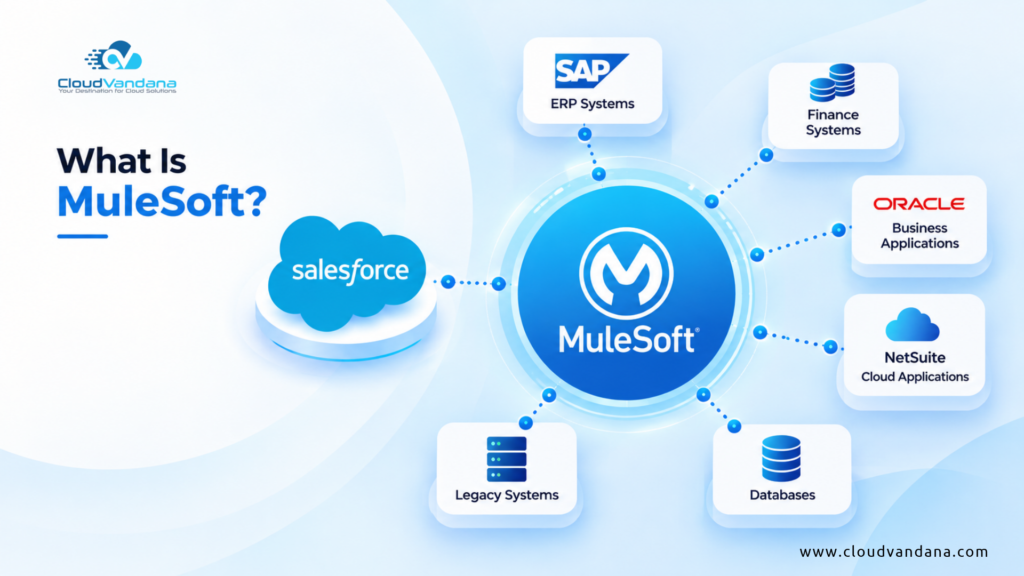
Salesforce positions Flow as an automation capability that can work with broader integration capabilities, including MuleSoft connectors for connecting third-party systems. (Salesforce)
Potential workflows include:
Opportunity Closed Won → Send Customer Data to ERP
Payment Status Updated → Update Salesforce Account
Support Escalation → Trigger External Engineering Workflow
Customer Created → Generate Required Folder or Document Process
The important principle is that automation should follow the business journey rather than the boundaries of individual software products.
When integration architecture is designed correctly, Salesforce becomes part of an orchestrated enterprise process rather than another isolated application.
Before-Save vs. After-Save Record-Triggered Flows
Choosing when automation should execute can significantly affect Flow design.
Before-Save Flow
Use before-save automation when you primarily need to modify fields on the record that triggered the Flow.
These flows run before the record is saved and support a more focused set of Flow elements. (Salesforce)
Typical uses include:
- Setting defaults
- Updating categorization
- Calculating field values
- Standardizing information
After-Save Flow
Use after-save Flow when the process needs to perform actions after the record is stored.
That can include activities involving related records, notifications, or broader downstream business processes. Salesforce’s documentation specifically describes after-save flows as useful for notifications, related-record updates, and processes dependent on a successful record save. (Salesforce)
Selecting the correct architecture from the beginning can keep automation considerably easier to maintain.
Salesforce Flow Automation Best Practices
Powerful automation can improve Salesforce.
Poorly designed automation can make Salesforce bewilderingly difficult to maintain.
A few principles help prevent that.
Start With the Business Process
Do not begin Flow Builder with:
“What elements should we add?”
Begin with:
“What should happen, under what conditions, and why?”
Map the business process before implementing the automation.
Define Clear Entry Conditions
Avoid triggering automation unnecessarily.
Well-defined entry criteria reduce redundant execution and make Flow behavior easier to understand.
Salesforce provides configurable entry conditions for record-triggered flows, including options that evaluate whether an update causes a record to begin meeting specified criteria. (Salesforce)
Build Reusable Logic
If multiple processes perform the same action, evaluate whether reusable subflows or other modular patterns make sense.
Duplication creates maintenance debt.
Design for Scale
A Flow that works for one manually edited record may behave differently when thousands of records arrive through imports or integrations.
Salesforce applies platform transaction and governor-limit considerations to automation, so scalability must be part of the design rather than an afterthought. (Salesforce)
Test Before Production
Test successful scenarios, exceptions, bulk operations, missing data, unusual user permissions, and error conditions.
Salesforce provides testing capabilities for record-triggered flows to help verify expected results before activation. (Salesforce)
Document Your Automation
Every significant Flow should clearly describe:
- Purpose
- Trigger
- Entry conditions
- Business owner
- Dependencies
- Major actions
- Related automation
Future administrators will thank you.
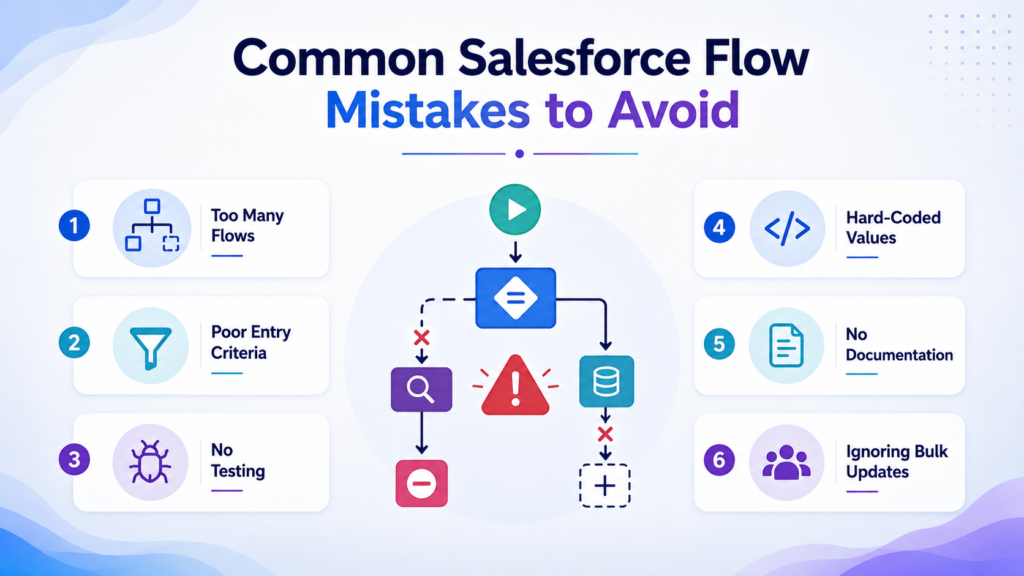
Common Salesforce Flow Mistakes to Avoid
Salesforce Flow is low-code, but low-code does not mean low-complexity.
Avoid these common mistakes:
- Automating a broken business process
- Creating several overlapping flows without architectural planning
- Using vague entry conditions
- Putting unnecessary operations inside loops
- Ignoring exception handling
- Hard-coding values unnecessarily
- Failing to account for bulk updates
- Building without a naming convention
- Testing only the happy path
- Activating automation without documenting dependencies
The objective should never be maximum automation.
The objective should be appropriate automation.
Some decisions genuinely require human judgment. Flow should remove repetitive mechanics so people can focus on those decisions.
How to Prioritize Salesforce Automation Opportunities
If your organization has dozens of potential processes to automate, score them across four factors.
Frequency
How often does the process occur?
A five-minute task performed 5,000 times may deserve more attention than a two-hour task performed quarterly.
Business Impact
What happens when the process is delayed or performed incorrectly?
Revenue leakage, poor customer experience, compliance exposure, and unreliable reporting should increase priority.
Rule Clarity
Can you clearly define the conditions and expected actions?
Processes with deterministic business rules are usually better early automation candidates.
Implementation Complexity
What systems, objects, teams, and dependencies are involved?
The best first projects often combine high business value with manageable technical complexity.
Start where Flow can produce visible operational improvement.
Then expand.
How Salesforce Flow Supports AI and Agentforce
AI does not eliminate the need for workflow automation.
In many cases, AI makes reliable workflows even more important.
An AI agent may determine intent, generate information, summarize a case, or recommend an action.
Flow can help operationalize what happens around that intelligence.
Salesforce is already bringing Agentforce capabilities into areas of Flow Builder, including assistance for modifying certain record-triggered and schedule-triggered flows in Spring ’26. (Salesforce)
This points toward an increasingly interconnected architecture:
Data provides context.
AI interprets context.
Automation executes repeatable business actions.
Humans handle judgment, relationships, and exceptions.
Businesses preparing for more advanced Salesforce AI should therefore treat process automation as part of their AI-readiness strategy.
When Salesforce Flow Is Not Enough
Flow is powerful, but not every requirement should be forced into it.
More complex scenarios may require Apex, asynchronous processing, integration middleware, event-driven architecture, or other Salesforce capabilities.
This can include situations involving:
- Extremely complex transactional logic
- Large-scale data processing
- Advanced integration requirements
- Specialized performance requirements
- Complex reusable application logic
- Processes exceeding appropriate Flow architecture boundaries
The strongest Salesforce architecture is rarely ideological.
It uses declarative automation where Flow is appropriate and code where code is justified.
Measuring Salesforce Flow Automation ROI
A Flow should solve a measurable problem.
Track indicators such as:
- Manual hours eliminated
- Lead response time
- Sales follow-up completion
- Opportunity stage accuracy
- Approval turnaround time
- Case resolution time
- SLA breaches
- Onboarding completion time
- Renewal preparation time
- Data completeness
- Automation errors
- User adoption
Automation ROI is not merely the number of clicks removed.
Its larger value often comes from consistency, speed, reduced process leakage, and better information.
Those benefits compound as the organization grows.
Turn Salesforce Into a System That Moves Work Forward
Most businesses already have processes that Salesforce could automate.
The opportunity is hidden in everyday statements such as:
“Someone has to check this.”
“We manually assign these.”
“Sales needs to remind finance.”
“We send that email every time.”
“Someone creates the task afterward.”
“We review those records every Monday.”
Every repeated sentence like this deserves examination.
The right Salesforce Flow Automation strategy can transform those manual activities into structured, scalable processes.
How CloudVandana Can Help With Salesforce Flow Automation
Automation becomes valuable when it improves the business process—not simply when another Flow is activated.
CloudVandana helps businesses design, build, optimize, and modernize Salesforce automation around real operational requirements.
Whether your organization wants to replace legacy automation, streamline sales processes, automate service operations, improve customer onboarding, integrate Salesforce with other systems, or prepare CRM processes for AI and Agentforce, CloudVandana can help create an automation roadmap built for scalability.
Our Salesforce experts can help with:
- Salesforce Flow strategy and process discovery
- Workflow Rules and Process Builder migration
- Record-triggered Flow development
- Screen Flow development
- Scheduled automation
- Complex approval workflows
- Sales and Service Cloud automation
- Salesforce integration workflows
- Flow troubleshooting and optimization
- Existing automation health checks
- AI-ready Salesforce process design
Ready to Automate More of Your Salesforce Operations?
Stop spending valuable employee time on processes Salesforce can handle automatically.
Talk to CloudVandana about your current Salesforce processes, identify your highest-value automation opportunities, and build workflows that help your teams move faster with greater consistency.
Contact CloudVandana today for a Salesforce Flow Automation consultation.
Frequently Asked Questions
1. What is Salesforce Flow Automation?
Salesforce Flow Automation uses Salesforce Flow Builder to create automated business processes based on record changes, schedules, user interactions, and business rules. It can update records, create tasks, send notifications, guide employees through processes, trigger downstream activities, and coordinate workflows across Salesforce.
2. What business processes can be automated with Salesforce Flow?
Businesses can automate lead assignment, sales follow-ups, opportunity management, approvals, customer onboarding, case escalation, data standardization, contract renewals, internal notifications, task creation, and cross-system workflows. The best candidates are repetitive processes governed by clear rules.
3. Is Salesforce Flow replacing Process Builder?
Salesforce has consolidated declarative automation around Flow and officially ended support for Workflow Rules and Process Builder on December 31, 2025. Salesforce recommends migrating legacy automation to Flow. (Salesforce)
4. What is a record-triggered Flow in Salesforce?
A record-triggered Flow automatically starts when a specified Salesforce record is created, updated, or deleted. Depending on its configuration, the Flow can update information, create related records, send communications, and execute other automated business actions. (Salesforce)
5. What is the difference between Salesforce Flow and Workflow Rules?
Workflow Rules provided comparatively limited rule-based automation, while Salesforce Flow supports considerably richer process logic, record operations, user experiences, scheduling, branching, and reusable automation patterns. Salesforce no longer supports Workflow Rules as of December 31, 2025. (Salesforce)
6. Can Salesforce Flow send emails automatically?
Yes. Salesforce Flow can be configured to initiate email-related actions as part of an automated process. For example, a business could send communications after a qualifying record event or use Flow to coordinate internal notifications and follow-up activities. (Salesforce)
7. Can Salesforce Flow automate tasks based on dates?
Yes. Schedule-triggered flows can run at defined times and frequencies, while scheduled paths in record-triggered flows can execute actions at a dynamically scheduled time related to a triggering event. (Salesforce)
8. What is the difference between Screen Flow and record-triggered Flow?
Screen Flow is designed for processes requiring user interaction through screens. Record-triggered Flow runs automatically in the background when specified record events occur. Screen Flows are therefore better for guided experiences, while record-triggered flows are better for background automation. (Salesforce)
9. Can Salesforce Flow automate customer onboarding?
Yes. Salesforce Flow can create onboarding records and tasks, assign owners, update fields, notify departments, and coordinate steps after a customer reaches a defined milestone such as an Opportunity becoming Closed Won.
10. Can Salesforce Flow integrate with external systems?
Flow can participate in broader integration architectures using Salesforce integration capabilities and connectors. Salesforce highlights MuleSoft connectors for Flow as one way to connect automation with popular third-party systems. (Salesforce)
11. Does Salesforce Flow require coding?
Many Salesforce Flow automations can be built declaratively using Flow Builder’s visual elements, connectors, and resources. (Trailhead) Complex requirements may still require Apex, integration architecture, or custom development, which is why technical design remains important even with low-code tools.
12. How do I know which Salesforce processes to automate first?
Start with processes that are repetitive, high-volume, rule-driven, prone to human error, or responsible for revenue and customer-experience delays. Prioritize processes where automation can produce measurable improvements in response time, productivity, data quality, conversion, service performance, or operational consistency.
Final Thoughts
Salesforce Flow Automation is no longer simply a convenient administrative tool. It is becoming part of the operational architecture of modern Salesforce environments.
From lead assignment and sales follow-ups to onboarding, service escalation, renewals, data management, and enterprise integrations, Flow gives businesses an opportunity to replace fragmented manual activities with structured processes.
The greatest benefit is not automation for automation’s sake.
It is creating a Salesforce environment where the right action happens at the right moment—with less dependence on employees remembering every administrative step.
Organizations that accomplish this can operate with cleaner data, faster processes, more reliable customer experiences, and a stronger foundation for the next generation of Salesforce AI.
Want to identify what you should automate next? Connect with CloudVandana and build a Salesforce Flow strategy designed around your business processes, growth objectives, and future AI roadmap.

Atul Gupta is CloudVandana’s founder and an 8X Salesforce Certified Professional who works with globally situated businesses to create Custom Salesforce Solutions.
Atul Gupta, a dynamic leader, directs CloudVandana’s Implementation Team, Analytics, and IT functions, ensuring seamless operations and innovative solutions.
YOU MIGHT ALSO LIKE

Financial Services Cloud: A Complete Guide for Banking and Wealth Management
How MuleSoft Connects Salesforce With ERP, Finance and Business Systems

Salesforce Customer 360: Connecting Sales, Service and Marketing Teams

Salesforce and Anthropic Launch Claudeforce: What It Means for the Future of Enterprise AI

Salesforce AIforce: What It Means for the Future of Enterprise Software