


6 EFFECTIVE WAYS TO MAKE YOUR SALES RECESSION READY

Sales are activities related to selling or the number of goods sold in a specific period. The delivery of service for a cost is also considered a sale. It is like the backbone of any organization. So the sales team of the organizations is always dedicated to bringing the best, but it can be affected due to various factors; recession is one of them. In this article, CloudVandana will provide six effective ways to make the Sales recession ready. A recession can lead to budget cuts, profit losses, layoffs, and many more. To ensure the company is recession ready, they can develop a game plan for the organization that focuses on investments in tools, training, and effective tactics. This not only protects against the risks that come with a recession but prepares organizations to achieve the unique opportunities that happen during an economic downturn. Effective Ways Of Making The Sales Recession Ready 1. Upskill The Teams A strong strategy can efficiently respond to market changes whenever they arise. Organizations can invest in upskilling and cross-training to ensure the team can take on new roles or responsibilities that emerge as the organization adapts to shifting new market dynamics. To ensure that the organization is hitting the right training topics as an economic recession approaches, the sticking points in the sales engine should be identified. In addition, organizations should be assured about cross-functional training. Companies can train the team to handle basic billing questions so that customers don’t have to jump from one department to another. Organizations should be assured that the team consolidates the valuable data in one CRM to access the critical billing information easily when the customers reach out to them. 2. Set Performance expectations Organizations can set transparent expectations for the representatives to know what needs to happen for the company to succeed. The leaders should make sure that the core responsibilities are well defined. For example, organizations should make it clear to double down on pipeline maintenance, ongoing training, and team alignment. Organizations can take the lead by maintaining weekly pipeline reviews to demonstrate accountability, upskilling to train the part of the weekly to-dos, and regularly syncing with other teams to show the importance of alignment. Leaders must coach and support the representatives to enhance their performance and provide transparency. 3. Automate The Tasks Automation can minimize risk, reduce human error, and help to concentrate on tasks. Leaders should focus on implementing various automation activities instead of manual tasks. Automation can perform various tasks like scheduling messages and automatic record updates of modern CRMs. Automation is accessible on the go and available to the entire team. Organizations can roll out a real-time messaging tool like Slack that can integrate with the CRM system so that representatives can make deal changes, schedule messages to team members, and interface with customers remotely. 5. Focus On Representative Support Leaders should focus on supporting and uplifting employees. As a result, productivity increases, and new strategies to enhance sales can be adopted seamlessly. If leaders do not have the budget for big incentives, outings, or team dinners, they can find creative ways to celebrate wins, faster closing, etc. Little acknowledgment can work wonderfully. So leaders can acknowledge the team to boost morale even when a recession is ahead. 6. Focus On Your Controlled Areas Various outer factors can affect Sales and give the leaders the jitters, so it is essential to focus on what the organization’s leaders can control. A leader can’t control the world’s financial systems but can prioritize the things the team can control for tremendous success. The team should spend more time on evaluation to prevent cracks in the funnel so that the prospects can smoothly pass through the channel towards conversion. Are you looking for an effective solution to automate your organizational process? The #1 CRM brand has introduced various cloud platforms like Salesforce Sales Cloud that can enhance efforts. You can schedule a free consultation call to learn more about successful CRM integration into your organization for increased customer satisfaction. Call us today and share your requirements. Request a Free Consultation YOU MIGHT ALSO LIKE
SALESFORCE NFT CLOUD

Salesforce NFT Cloud is a non-fungible token marketplace. The open platform will allow users to mint and transact in NFTs. While it is in the closed pilot, the company plans an official launch in October. At the World Tour London conference, the firm’s Web3 Studio Co-Founder, Marc Mathieu, introduced NFT Cloud Pilot. This service supports sustainable NFT minting and distribution for brands and marketers. Today, CloudVandana will discuss the new announcement of Salesforce, NFT Cloud. This platform assists with fraud protection, sustainable blockchains, and real-time carbon offset options to reduce emissions. Salesforce NFT Cloud To mint an NFT, an organization admin must visit the NFT Cloud online hub, and through a no-code service, marketers will choose the number of required NFTs and rarity levels for collections. When marketers choose their NFT preferences, the platform automatically produces a report outlining the sustainability of their collection. In addition, NFT Cloud Pilot integrates the workplace communications platform Slack to enable brand marketers to manage competitions and promotions that award loyal customers with an NFT drop. The Slack integration allows marketers to track real-time customer engagement figures from individual distribution channels. Though the exact offerings are still unknown, the following features we can expect- Enhanced Digital Experiences Salesforce’s NFT Cloud maintains the gap between digital and physical experiences with new ways to engage diverse communities with integrated data. Users can mint and sell NFTs on a secure yet sustainable platform while accelerating the company’s growth into new digital worlds with little or no code. Drive Customer Loyalty It can be expected that this Cloud-platform will enable companies to interact with and support clients in more meaningful ways. For example, this #1 CRM brand aims to promote customer loyalty through exclusive deals and perks, early access to product drops, and community memberships for NFT owners. The Future Of Technology Has Arrived This platform indicates that they are entering into the next evolution of the internet and are reimaging the possibilities with Web 3.0. It will empower the employees and allow customers to take full advantage of their digital identity. These are the announcements as of now. To stay updated about upcoming Salesforce announcements, subscribe to our newsletter. Are you looking for a Salesforce Partner for a successful Implementation and maintenance process or looking for Salesforce Staff Augmentation services to handle your Salesforce projects for a faster deployment? Please schedule a consultation call with the Salesforce Partner CloudVandana and get the full ROI of your investment. Call us now. Picture Courtesy: Salesforce Request a Free Consultation YOU MIGHT ALSO LIKE
CV TimeLogger- A Product That Tracks The Time Spent By The Team

CV TimeLogger is a very useful innovation of CloudVandana Solutions. CV TimeLogger helps to track the time spent by the team on their tasks and if the tasks are completed or not. It’s an Enterprise-Grade application designed to help the user(Manager, Supervisor, Company Owner) to manage tasks and the time spent by your team/employees on each task. Visit the link to more about Cv TimeLogger https://www.cvapp.store/product/cv-time-logger/ CV Timelogger Installation Steps: We recommend installing the app in the sandbox first and then install in production if everything looks fine. Click the Checkbox as shown to Acknowledge your installation. Once you make your selection, click the Install button. Once the installation is complete, click the Done button to return to your Salesforce org. You may see a message stating that the installation is taking a long time to complete. In this case, you will receive an email once the installation finishes. Now CV TimeLogger is Installed in your System. You can verify the same in the installed packages. From Setup, Search Installed Package and Click “Installed Packages” to view. Configuration Steps Manage Licenses By default application license will be assigned to the system administrator who installed the application. You can assign the licenses to the users as per the allowed licenses depending on the subscription. Note: You can contact us at “support@cvapp.store” in case you see any discrepancy From Setup, Search Installed Package and Click “Installed Packages” Click on the Manage Licenses link for CV TimeLogger. On Next Screen, Click on Add Users, or if you need to remove any existing user, then click on Remove Action. Select the users for whom you want to give access to the app from the list of Available Users Click on the Add button. On the Next screen, you will see the list of users who can access this App. Add CV TimeLogger Interface to Lightning Page CV TimeLogger interface can be added to any Lightning record page, the home page, or the app page. From the Home tab or any record detail page, click the gear icon at the top right corner and select Edit Page to open the Lightning App Builder. To Edit any other Page, from setup, enter App Builder in the quick find search box, then click on Lightning App Builder. Enter cvTimeLogger on the search component from the left. Drag and Drop the CVTimeLogger component on your page layout at the desired section. Click Save, and then click Activate. You have a few options for activating a record page. On the activation screen, click the tab for the chosen option and follow the steps to activate the page. Visit salesforce help to learn more about Lightning Pages. (Video Purpose) Give permission of objects to the profile From Setup, Enter Profiles in the Quick Find box, then select Profiles Enhanced profile user interface—In the Find Setting.. box, enter the object’s name and select it from the list. Click Edit, then scroll to the Object Permissions section. Original profile user interface—Click Edit, then scroll to the Standard Object Permissions, Custom Object Permissions, or External Object Permissions section. Specify the object permissions for CV Exception Records(Check Read and Create Checkbox Only), CV tasks, and CV Time Entries. Click Save. If you are unfamiliar with which access is suitable, visit Object Permission from Salesforce Help and Training. With CV TimeLogger’s easy-to-use Interface, you can view and update hours throughout the entire platform. Create CV Tasks and Assign them to your team. Create CV Task If you are a Manager, Supervisor, or need to assign a CV task to your colleague or yourself. You can use CV TimeLogger Interface to create a CV task easily and quickly. Access CV TimeLogger App by clicking on the app launcher and searching for CV TimeLogger app. Click on CV TimeLogger to open the app. You will see the Time Tracking component on the homepage to log time and create CV tasks. Tap on the icon in the Top Right corner of the interface. Enter “Assigned To” and the Necessary details. Click Save New CV Task will get highlighted on the interface of the assigned user. CV task will be available for all the Dates from the Start to the End Date of the Assigned CV task. Alternatively: You can click on the CV tasks Tab from your CV TimeLogger App. Click on the New button to create a CV task. Enter Assigned To and the necessary details. Click Save. You can use a list view to see all the CV tasks created or Assigned. Visit here from Salesforce help & Training for more information on List views. Log CV Time Entries CV Time Tracking interface quickly shows all your assigned CV tasks for any specific date with a calendar option and manual navigation. It allows you to enter your hours and view logged CV Time Entries. View Hours entered for individual Assignment and as well as Total Hours entered for that day. Key Points: Setup and Use CV TimeLogger in Mobile CV TimeLogger Mobile App Setup With CV TimeLogger, you can track CV time entries on your salesforce mobile app in a very efficient manner. From Setup, Enter Navigation into the Quick Find search box and click on Salesforce Navigation From the list of available components on the left, select CV TimeLogger Mobile, then click Add. Once complete, click Save. The app is ready to use on Mobile to log hours with an interactive interface. Use CV TimeLogger on Mobile App Once the Mobile setup steps are completed, you can easily use the CV TimeLogger interface to create and update CV time entries. You can view all your assigned CV Tasks and logged hours in this interface between the start and end date of your assigned CV tasks. Use the + or – button on Tap tracking to log hours or click on Enter Hours box to enter the hours manually and click on save. How to Navigate Click on the Menu option and select CV
10 KEY TIPS FOR A SUCCESSFUL TECHNICAL HIRING PROCESS

Technical Hiring is a recruitment process that requires recruiters to source and screen talents with very specific and specialized skill sets. Technical jobs are often found within the industries such as IT, engineering, and manufacturing. This hiring process is seeing a strange but impressive shift towards focussing on passive candidates. Social media or referrals might help organizations to select the right talent. Today, CloudVandana will discuss ten key tips for a successful tech hiring process that will help many organizations to enhance their organizational hiring process. Key Tips For A Successful Technical Hiring Process 1. Identify The Hiring Needs The first step in the hiring process should be identifying the role and the best-fitted candidates. Organizations can list down the essential skills required for the job role, and then they can look for the list of candidates who can fulfill the basic criterion. Organizations can check if they have new needs regarding ability, performance, or personality. Regularly analyze performance and maintain a list of missing qualities, qualifications, skills, and proficiencies the team needs to add. 2. Prepare The Job Description Job descriptions are essential to attract the best candidates. It is an essential aspect of recruitment marketing. Once the organization knows its requirements regarding knowledge, skills, and experience, the duties and responsibilities can be determined. A clear job description will enable candidates to understand the requirements and motivate them to apply. The job description should include the company name, core values, benefits, location, job title, industry pay, qualifications, skills, etc. 3. Highlight The Strength Most companies have unique perks and benefits that help them stand out from their competitors and attract and retain top talent. Organizations should explain what kind of project the employees will be working on and show it to the potential hire how it will be an excellent opportunity to work with something exciting and relevant. 4. Understanding The Tech Talent Finding and hiring the most talented resources can’t happen without understanding their aims, points of view, and aspirations. So, hiring managers should know the ideal candidate profile. Remuneration and benefits are core factors in labeling a company as satisfactory. 5. Simple Hiring Process The best and smart hiring solution is to keep the hiring process simple. There should not be too many people in the interview panel. Organizations can limit the number of rounds and the interview period for a faster hiring process. 6. Virtual Interviews Remote jobs have been gaining popularity since the pandemic era. Gone are those days of dragging a candidate for a personal interview. This was rather stressful, mainly if they lived in different countries. Thanks to technologies that came in the form of various video conferencing where the interview can be conducted face to face virtually. This helps organizations to get a huge talent pool of skilled developers worldwide. 7. Applicant Tracking Systems Applicant tracking system or ATS is emerging as an intelligent hiring solution. It is an effective system with lots of space for candidate data. The system provides the advantage of having access to a pool of workers whenever required. It is an advanced technology that works well to create a digital office environment. 8. Open Jobs This is a new technique for finding suitable candidates. Companies have started to look into prospects irrespective of relevant expertise. Organizations invite people without mentioning the exact job title so that they can train the right talent based on their skills. Having a lot of experience may not always be the proper fit for the business. Similarly, candidates with lesser experience can be a great fit. 9. Conduct Job Trials It is a smart hiring option that is gaining a lot of prominence. Organizations can personally test a potential candidate’s ability by asking for a task or assignment to check the ability and productivity of the candidate. 10. Choose The Right Recruitment Channels Organizations should select the right channel or social media platforms to make the potential candidate trust the brand. Organizations can use effective channels like LinkedIn, Twitter, etc., for better reach. Are you conducting technical hiring and looking for skilled resources for your organizational enhancement? Please schedule a consultation call with the Staff Augmentation firm CloudVandana and hire remote developers on demand. Request a Free Consultation YOU MIGHT ALSO LIKE
OUTSOURCING VS. OUTSTAFFING-FIND THE BEST MODEL FOR YOU

Outsourcing is a very effective and popular hiring process in today’s digital world. In these competitive tech industries, finding suitable candidates or IT professionals is not an easy job as qualified candidates are highly sought after in a limited talent pool. So most companies worldwide are adopting these hiring models for their projects. Both options are very effective, organizations just need to choose the right model depending on their requirements. Today, CloudVandana will discuss the two models and their basic differences. Outsourcing It is a strategic method of distributing some work functions to another person or company instead of fulfilling them in-house. Businesses adopt this model to cut costs and have the assistance of a qualified and experienced team and focus on the core aspects of the company’s development. Depending on the knowledge, resources, and priorities, organizations can decide the potential areas and in what form they can outsource. Organizations can sign a contract for comprehensive service by an external service provider and select the areas. There are some common outsourcing types, personal, IT, manufacturer, and project outsourcing are examples. Organizations can select the best-suited one based on their requirements. If they are confused about the suitable model, a partner organization can always suggest the best solution. It delegates projects to a third-party company with the required resources, qualified team, and equipment. The primary task of outsourcing is the ability to use all resources to full scale and take directions to introduce or develop the new focal business goals. Outstaffing Outstaffing is a type of remote employment where a company is responsible for all, or nearly all, of an Outstaffed employee’s time. So, rather than a working project to project, an Outstaffing team member would be dedicated to one client. There are two outstaffing models for paying for and managing the team. IT industries face various challenges in dealing with the identification of industry needs and searching for the workforce to move most of the companies forward. Staffing providers should consider customer needs, including the number of experts, and move accordingly to fulfill the requirement with matching IT personnel. Let’s look at the three key benefits of each model Outsourcing Benefits 1. Micromanagement Is Not Needed Organizations do not need to micromanage the outsourced team as the Staffing firm is responsible for quality assurance and ensuring the service fits the project parameters. So there is no daily management output required, though the outsourced team always provides a detailed progress report to the organization. 2. Skilled Resources Companies can be assured about the developers’ skillset as they are selected as per the unique requirements of the organization. So organizations can expect enhanced productivity. 3. A broader variety of resources In this model, companies can experience a broader range of resources and use their capabilities to enhance their projects which is not possible with in-house resources. There are numerous benefits of this model that organizations can experience hiring this model. Outstaffing Benefits 1. Flexible Solution In this model, the staff is dedicated to the organization and the IT requirements, while the vendor handles their payroll. 2. Full Access And Control Organizations can fully control the team, and they have full access to the day-to-day development process. 3. Lower Cost This is a cost-effective hiring model as the hourly rate of the Outstaffing team members is usually lower. The savings can be significant if the organization is up for the extra work. The Difference Both terms include remote work, yet outstaffing stands for hiring experienced professionals from other firms to work on the project under the control of the business owner, and outsourcing means passing the software designing process to a third-party firm. Many companies choose remote software development teams due to their price of service and the quality of the product delivery. Most of the time, when deciding between the two models, Outsourcing becomes the winner. It can lead the competition if the organization has considerable IT needs, whether to build a new product or introduce new services. An IT vendor like CloudVandana can assist an organization by suggesting the best solution depending on their size and requirements. Are you still confused about which model will suit your organization the best? Please schedule a free consultation call with CloudVandana and hire the best team of remote developers for your projects. Call us now. Request a Free Consultation YOU MIGHT ALSO LIKE
SALESFORCE WINTER ’23 RELEASE OVERVIEW

Salesforce Winter 23 release is right around the corner. The world’s #1 CRM brand has declared the important dates and a couple of important things – Those who have the opportunity to attend Dreamforce ‘22 will be able to attend a dedicated keynote where the new features of the winter release’23 will be shown. New Features In Salesforce Winter 23 Before discussing the features, let’s look at the important release dates – Dynamic Forms Available Dynamic forms are now available for accounts, contacts, and opportunities. From Lightning App Builder, users can add field sections and individual fields without working on the page layout. Visibility rules are also included. New Custom Address Fields This feature is now available. Users can register a custom address, or a Google search can be used to locate it. Then each address can be accessed in a custom address field, either as a structured composite data type or as individual address components. Bulk Management Users can delete, activate, deactivate or replace various picklist field values simultaneously. From the configuration, users have to activate the Advanced Pick List Value Management functionality. Then from the configuration page of the custom field, users can select values they want to modify using the checkbox next to the picklist value. There have been many new buttons added like- Delete Selected, Deactivate Selected, Replace Selected, and Activate Selected. Follow Up And Search For Pending Tasks From the To-Do List in the utility bar, Sales Engagement users can view, sort, and organize various tasks from records or cadences in a single view. Users can apply tags to tasks in the To-Do- List for customization. Cloud specific Features Salesforce has introduced some more features for each cloud. Let’s have a quick look- Sales Cloud 1. Collaborative Forecasts Users can now use Custom Calculated Columns in forecasts. Additionally, there will be changes in the way forecasts are displayed in the quota fulfillment progress bars. 2. Assign Leads To Territories Now there is a possibility of assigning leads between territories manually, assigning access levels for records by territory. 3. Opportunities Users will be able to manage the visibility of the Push Count field. Service Cloud 1. Updated case routing using omnichannel flows 2. In messaging channels 3. Email-to-case enhancements 4. Updating actions in Omni Supervisor Experience Cloud 1. Flexibility to work with LWR and CMS 2. Partial deployment of a community 3. Search options on all content Commerce Cloud 1. Salesforce payments (To provide a secured payment experience). 2. Improved order management 3. Global improvements for tax management. Field Service The additional features include 1. Smarter asset management 2. Updated and improved resource planning 3. Optimized parts and inventory management 4. Mobile application enhancements Are you looking for a Salesforce partner for a successful Salesforce implementation process? Please feel feel to contact CloudVandana for all your Salesforce needs and subscribe to our newsletters for many more updates. Picture Courtesy: Salesforce Request a Free Consultation YOU MIGHT ALSO LIKE
WHAT IS OFFSHORE SOFTWARE DEVELOPMENT

Offshore Software Development is a process of offshoring the software development process in a country where production cost is lower. Offshore Software Development is a popular solution for businesses looking to stay ahead in the saturated and expensive marketplace. Today, we will discuss why organizations should consider adopting this solution for organizational development. Offshore Software Development This is a very popular and useful way of offshoring software development from another country. Organizations can hand over the full development responsibility to an offshore development center or hire a dedicated remote team of developers to work as an additional team along with the in-house team for faster and better productivity. The remote teamwork acts just like the local in-house team members, except that they are based elsewhere. By adopting this solution, organizations can reduce their operational costs, experience a massive talent pool, scale their business as per the requirements, and enhance their technical expertise without additional stress, hassle, or cost. Difference Between Offshore Development And Outsourcing Outsourcing is ideal for short-term projects without continual iterations and delivery. The tasks can be performed as per the instructions, but it can often bring risks. As the developers are hired for a short-term project, they aren’t bought into the company culture, values, and long-term strategic goals. With the offshoring development process, the developers are selected by the organization by conducting a proper interview process, so they are committed and work only for that specific company. A right offshore partner like CloudVandana can initiate the hiring process on behalf of the clients based on their requirements and provide the hand-picked developers to the organizations to achieve their goals faster. So, offshoring is accessing the talent and skills that organizations can’t find locally to enhance the team’s expertise and increase productivity for a faster deployment process. When Organizations Should Consider Adopting Offshore Software Development Various indications show organizations should include this solution in their workflow. Let’s discuss- 1. When Operational Costs Are Increasing Developers are the most highly-paid workforce in the present world. So, hiring full-time developers means organizations need to spend a huge amount on the payroll even if there is no active project. So operational costs get increased and sometimes may act as the bottleneck. Offshore development can save a significant amount of economic resources without compromising on the output. 2. Challenges In Scalability Scalability is one of the important factors that help businesses to expand and condense depending on the requirements and lead organizations towards constant revenue and growth. Without the support of the right tech team, they fail to scale up the organization, as that may lead to delayed deployment and creates a gap in the workforce. Similarly, they face various challenges while scaling down. So, when organizations want a faster workflow and easy scaling option, an offshore development model can be the perfect fit. Are you looking for Offshore Development Process? Please feel free to take a consultation call with Offshore partner CloudVandana and hire the best team of remote developers for your organization. Call us now. Request a Free Consultation YOU MIGHT ALSO LIKE
IT STAFF AUGMENTATION VS. PROJECT-BASED CONSULTING
IT Staff Augmentation is an outsourced model where developers are skilled, properly trained, and know how to achieve project goals. These members can help the organization execute ongoing plans by scaling and offering the current industry best practices. On the other hand, project-based consulting is a project-specific solution for those pursuing something new. This is also an important form of outsourcing. With this model, organizations may hire a single person or a team of developers. Organizations can hire a software development company like CloudVandana to get the best team and solutions. Today, CloudVandana will describe the difference between Staff Augmentation and project-based consulting. IT Staff Augmentation IT Staff Augmentation is a flexible solution for industries looking for a flexible solution to scale their business. The outsourced experts have a broad range of skills that can be used across a specific development project. The model is an effective solution to increase the in-house team’s productivity. The external team members work as a part of the team and help in scaling productivity and meeting deadlines without the lengthy hiring and training process. Organizations just need to make a contract with the Staff Augmentation firm whenever needed. There are various advantages associated with the Staff Augmentation model. Let’s look at the three main advantages. Advantages Of IT Staff Augmentation 1. Easy Scaling Organizations can scale up or down their workflow and the team of developers depending on their project needs, which is impossible with in-house developers. 2. Rapid Onboarding With Minimal Or No Training Companies can hire many developers without arranging any training drive as the developers are skilled and trained by the Staff Augmentation firm. So the remote team can join immediately without interrupting the workflow. 3. Cost-effective Solution Staff Augmentation is a cost-effective solution for organizations as organizations can increase or decrease the team size based on the project requirements. After completing the project, they can discontinue the contract by giving short notice. So companies do not need to spend extra pennies when there is no active project. This saved money can be spent on various operations to enhance the organization. Project-Based Consulting Every brand wants to increase product success by making its product available to a huge customer base. So broad experience is necessary to execute sales efficiently to every platform. A project-based consulting service solves various challenges and guides organizations by providing various tools, technologies, and industry standards. These efforts ensure efficiency and on-time project deployment into new territory. The team applies the industry best practices to the unique development environment t design a proper roadmap for the project delivery. The model shows the best way to implement any plan and introduce their core talents to a new challenge. This model also provides numerous benefits to the organization. Let’s discuss the three key benefits. Advantages Of Project-Based Consulting 1. Access To The Best Talent Project-based consulting provides the best talent that suits the best organizations depending on their size and requirements. So the productivity increases. 2. Get To Market Faster Independent talent is experts in the fields and has a wealth of real-world experience. They are fully dedicated to achieving company goals and meeting the deliverables outlined in their contract. This allows companies to market faster with new ideas or additional projects. 3. Better Manage Turnover Project-based staffing allows companies to build a modern business model that blends independent contractor talent with employees. This model helps companies access those professionals with top skills. Both models are essential for organizations. They are not mutually exclusive solutions. Project-specific consultation can develop into a more hands-on commitment, provided the external source has the capacity for a long-term engagement. Are you looking for a reputed Staff Augmentation firm to hire the best team of remote developers to enhance your project? Please schedule a free consultation call with CloudVandana and touch your goal faster. Call Us now. Request a Free Consultation YOU MIGHT ALSO LIKE
SALESFORCE INTRODUCES SALESFORCE EASY
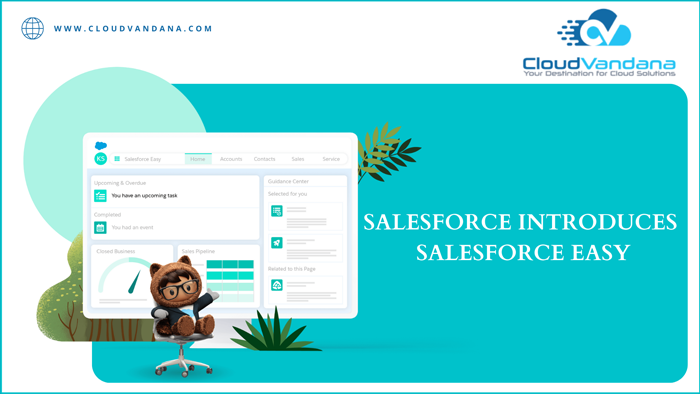
Salesforce has recently announced Salesforce Easy, a simplified experience for all businesses of all sizes tapping into the leading CRM system’s technology expertise and best practices over two decades. This blog is about the new announcement of Salesforce, ‘Salesforce Easy.’ In the coming weeks and months, the #1 CRM brand will introduce “Easy products and solutions across marketing, commerce, and analytics. The new setup will enable companies to access a single view of their customers. Advantages include integrations with Slack, Google, and Microsoft 365 identities, a guided onboarding process with streamlined contact uploading, email syncing, and calendar connection, access to quick follow-up cadences, and the ability to market leads through simple email outreach capabilities on a single platform. Salesforce Easy As per this leading CRM brand, every industry faces its challenges. Organizations across the globe are stretched thinner than ever before and more uncertain about the future process. So they need to be more flexible and ready to adapt. So they always wanted a trusted technology partner to guide them forward and help them do more with less. This innovation is a new simplified experience for businesses of all sizes. It helps drive businesses forward, tapping into Salesforce’s technology expertise and best practices. With this platform, customers get a flexible platform with a robust ecosystem of partner apps and services that helps organizations adapt to whatever challenges are there in the way and always stay connected to their customers to move forward successfully. This journey will show a new way for customers to try, buy, and expand on Salesforce, along with a self-service purchasing option that makes it easier and cost-effective to grow with this #1 customer relationship management brand. It is a faster and easier way to manage customer relationships, build an innovative digital experience and gain a complete view of each customer. The signup and setup process is easier than before, and this time, the world’s #1CRM brand is delivering value for all companies of all sizes across the globe. Kris Billmaier, SVP, and GM of Salesforce Easy, stated that “We’ve heard overwhelming feedback from our customers that their organizations need to focus and simplify their operations to build resilience and deliver immediate value to their customers. That’s why we are announcing Salesforce Easy — with the swipe of a credit card, SMBs can start seeing results fast, while larger businesses can get up and running quickly with Salesforce and then rapidly scale with the tools they need along their growth journey.” The benefits include, 1. Increased Productivity The integration with Slack, Google, and Microsoft 365 identities makes sign-on faster than ever. A seamless onboarding process helps users quickly understand the ROI with streamlined contact uploading, email syncing, and calendar connection. 2. Easy To Save Time The platform provides access to quick follow-up cadences and the capability to market leads through a simple email outreach that brings automation and signals to sellers. So users spend more time creating relationships with customers than inputting data. 3. Easy To Cut Additional Costs The capabilities of Sales, service, and email outreach help users reduce costs by providing a single integrated platform, and default Dashboards improve visibility into business growth. 4. Open Image Modal The three-click set-up makes it easier and cost-effective to try, buy, and expand on this CRM platform. Organizations improved their efficiency and productivity by implementing Salesforce and utilizing all the features in their ecosystem. Are you still confused about the proper Salesforce Implementation process? Please schedule a call with the experts of CloudVandana and experience Salesforce Staff Augmentation Services for your business. Request a Free Consultation YOU MIGHT ALSO LIKE
BACKEND DEVELOPERS VS. BACKEND ENGINEERS

Backend developers are the experts who build and maintain the mechanisms that process data and perform various actions on websites. They are involved in data storage, security, and other server-side functions. On the other hand, a backend engineer is responsible for designing, building, and maintaining the server side of web applications. The responsibility of a back-end engineer is to build the structure of a software application. In this blog, we will describe these two job roles, their functional areas, and their differences. A backend developer is not the same as a backend engineer. They both are part of a software development team with the same project. Though they do similar tasks, the members take on cross-functional responsibilities to achieve their goals successfully. Backend Development Backend development indicates working on server-side software to focus on everything a visitor can’t see on a website. Backend developers ensure the website performs correctly, focussing on databases, backend logic, APIs, architecture, and servers. Backend Developers A backend developer is responsible for writing the web services and APIs used by front-end and mobile app developers. They oversee the server-side web application logic as well as the integration of the frontend part. A backend developer understands JavaScript, HTML5, CSS3, NodeJS, and jQuery. They should have proper knowledge of integration of data sources, databases, authorization between multiple systems and servers, etc. In addition, they should have the ability to write clean and maintainable codes. Should have an understanding of cross-platform functionality and compatibility of applications. The responsibilities of a backend developer include troubleshooting and debugging applications, conducting UI tests, and optimizing performance. They participate in the application lifecycle, develop sustainable web applications with codes, and provide training and support to other team members. Backend Engineer A backend engineer’s primary responsibility is to build the structure of a software application. They are responsible for designing, building, and maintaining the server side of web applications. They set the software team’s foundations that they perform to achieve the main goal. They write business logic, server scripts, and APIs that will later e used by the other developers of the team. A backend engineer ensures a secured structure and generates reusable code libraries and data storage solutions. They also optimize servers for speed and stability, build secured structures, generate reusable code libraries, and create data storage solutions. The skills include proficiency in PHP, Python, Ruby, Java, .NET, and JavaScript. They should know HTML5 and CSS3. In addition, they should understand the accessibility and server compliance. Additionally, They should have a clear concept of database systems. The responsibilities include inspecting server code for speed optimization, conceptualizing, and implementing solutions for data storage. They can improve the quality of the team’s code through automation and writing tests and configure the backend usability of all front-side applications. Backend Programming Languages Backend development has two different types of programming languages, Object-oriented programming language includes PHP. JAVA, Python, Ruby, C++, etc., and functional languages are Clojure, wolfram, Racket, and Haskell. The Differences Both professionals have similar tasks and responsibilities, but there are a few differences in their roles. A successful project requires collaboration among the developers and engineers. So organizations should consider hiring the best team for a faster deployment process. Are you looking for the best team to enhance productivity? Hire remote developers and engineers from CloudVandana, a reputed Staff Augmentation firm in India. We can provide the pre-vetted resources that are best suited for your organization. Schedule a call with us and share your requirements. Request a Free Consultation YOU MIGHT ALSO LIKE



