


Copy & Paste Engagement Program Steps to Save Time

Pardot Engagement Studio allows you to Reuse your favorite steps with Copy & Paste tools on Engagement Studio. That can help you to save time building programs so you can focus on the most important items on your to-do list. To get started, you’ll click on the new Selection Mode while building a program. Note:It allows you to select up to 10 steps in a program that will be copied using the new “Copy to clipboard” feature. Once you have done with selecting your steps, you’re automatically taken back to the build tab. and after that, you click any possibility step to use the new “Copied Steps” action to paste your copied selection. The cool thing about Copy & Paste is that your steps are pasted in the same state they were copied — if you had an email template selected, wait times as you defined, or specific send-on dates, that information is also pasted with the selection. For more information on Engagement Studio, you can check out the Help Articles OR If you need help setting up the Engagement Program, you can get in touch with us here. Request a Free Consultation YOU MIGHT ALSO LIKE
3 Ways Pardot Makes Engagement Easy

As marketers, you should always look for ways to automate, optimize, and make things simple for yourself so you are able to run more programs, introduce more content, achieve the higher ROI, and the list goes on. In this blog, I’ll cover three Pardot features that drive engagement. 1. Nurturing Your Customers with Personalized Messaging Pardot email allows marketers to send simple and complex sets of emails with the engagement studio—for example building a sequence of emails that are triggered to customers automatically, based on their activities, behaviors, demographic data, or other criteria. You can use email for simple automation such as: One of the most beautiful capabilities of Pardot is to help marketers to nurture the prospects, by providing the right content to the right time. It also helps you to every stage of prospect journeys to ultimately nudge them toward the next conversion—whether that’s a download or a sale. Pardot creates a relationship between your products/services and your prospects. It will help give you a proper idea of whether the prospect is interested in your product or not. Pardot engagement studio helps you to create a customer journey and find out the leads which are actually interested in your products/services. 2. Reporting: Measure Results and Adjust the Optimize Engagement Building an audience engagement strategy may be a significant beginning. But if you do not measure the effectiveness, it’s less of a technique and more of a hypothesis. The best engagement plans contain proven strategies. The initiatives need to be tested, measured, and validated as successful before full implementation. That’s only possible if you’re tracking the correct engagement metrics, evaluating the effectiveness of various campaigns, and narrowing your strategy right down to focus exclusively on people who work. By diving into what’s working and what’s not, you can make decisions to increase customer engagement and focus on the channels, content, updates, promotions, and messages that create the highest engagement—and therefore highest ROI. 3. Website Visitor Tracking In marketing, every customer engagement journey starts with your brand for the very first time on your website or another channel. Pardot gives you the functionality to integrate your website by putting a simple piece of tracking code into your website so you can track all visitor activities on your website. With the website tracking feature of a Pardot, often called web personalization, you can learn more about these anonymous visitors before they provide you with their information, enabling more personalized experiences. Website visitor tracking allows you to gather valuable information—like location, company size, and industry—that makes anonymous visitors less anonymous (even if you don’t have their name, email, phone). Later, it can allow marketers to deliver the targeting ad campaigns, and track how and where leads at the beginning of the funnel are most likely to engage. and especially provides useful information to build a customer journey map that can help to engage with these leads in the future to provide them the right information, at the right time, based on their activity. These three features of a Pardot can help you take your engagement to the next level and get you ahead of your competitors. If you need help setting up the Pardot, you can get in touch with us here. Request a Free Consultation YOU MIGHT ALSO LIKE
Create a Custom Launchpad for the Salesforce Mobile App

Take your Salesforce Mobile App to the next level with a custom launchpad! Learn how to create a personalized experience for your team in this guide. With Salesforce’s new release, you can set up a mobile launchpad to let users quickly access the information they need. Use the Launchpad component to add links to Lightning pages on mobile and desktop. You can create a mobile-specific launchpad by set up the component visibility to show the launchpad to mobile users only. That way, mobile users can still access all of their navigation menu items, but the most important links are only a tap away. All Internal links open in the Salesforce mobile app, while external links open in a mobile browser window. We know that users pull up the app for a quick look at important information, but it can take a lot of taps to get to the right place. The mobile launchpad lets users access that information in fewer taps. You can add any items to launchpad that have tabs associated with them—standard and custom objects, Lightning web components, Lightning pages, Visualforce pages, and external websites. Make sure that your users have permission to view the tabs—they only see items that they have access to in the launchpad. You can use launchpads on multiple pages and add multiple launchpads to one page. Request a Free Consultation YOU MIGHT ALSO LIKE
Interactively Create Engaging Email Templates

Salesforce has come up with a new Email Template builder. You can create email templates faster and more easily with visual tools in the Email Template Builder. Instead of adding HTML code, your users can drag elements to create effective email templates. They can compose email templates with a few clicks to place design elements right where they want them. As you know, Sending professional, appealing emails is essential when communicating with your customers. Using captivating email templates gets you there. This is available for all Lightning Experience who are using Professional, Enterprise, Performance, Unlimited, and Developer editions, and all editions of Pardot in the Pardot Lightning app. This feature isn’t available in Pardot Classic or the standalone Pardot app. Users with Access Drag-and-Drop Content Builder or Manage Content Builder permission can Create and manage Email Template Builder templates. Any user that can send an email can use email template builder templates. How can you use the Email Template Builder? After creating a Lightning email template, users with the correct permission see the Edit in Builder button. Click Edit in Builder to open the Email Template Builder. Choose a component (1) and drag it to the canvas (2). Change the details and style of the component using the properties panel (3). Your users can now easily create an engaging email template. Note: Email Template Builder isn’t available for previously created Classic and Lightning email templates. For more details visit CloudVandana. Request a Free Consultation YOU MIGHT ALSO LIKE
Post Image of a Dashboard Component on Chatter
In Salesforce, you can share an image of a dashboard component with your colleagues, Sales teams using chatter. You can start your conversation about the current progress of your opportunity pipeline, Open Leads count, etc, by sharing images of dashboard components on Chatter. It will give them insights and make your conversation more informative. Dashboard Component on Chatter There are many reasons to share images of dashboard components. Request help with aging cases, ask a question about the pipeline, or congratulate the team for making quota! How to use this feature for your dashboard? Here are the steps Request a Free Consultation YOU MIGHT ALSO LIKE
How to Increase Sales with Pardot: 5 Actionable Tips

When a lead signs up or subscribes with your brand, that does not mean they are ready to buy your product/service and a sales representative should be assigned to them. Without knowing the exact need of leads sales representatives can lose a chance to convert that lead into a qualified lead. Here Pardot Can help, it has the potential to provide you when is the right time to call a lead. For example, when a lead downloads your eBook or posts some queries on your website, Your sales representative will receive alerts as per the conditions you have set according to the best match for your organization. Like when the lead downloads an eBook, there is no sense to give a callback but yes if they post a query on your website then that’s the best time to reach out to them because they want your help at that time. So, here you can check the 5 tips to increase your sales by using Pardot. 1. Provide Sales-Ready Leads by using Lead Scoring and Grading: Before sending the sales team to follow up, lead scoring and grading can assure that the lead is the best fit for your business. Pardot provides you the features of lead scoring and grading which is the most responsible feature of Pardot that aligns the marketing and sales teams. It depends on your prospect activity and you can find out based on their score and grade how much that prospect is interested in your product/service. It also gives you the functionality to Customize your lead scoring and grading model so that it fits your exact business needs.Pardot provides you the score and grading of leads by their activities on your website which gives you the full view of leads interest in your products before assigning it to your sales team. 2. Help you to trigger an action on a particular page Viewed by Prospects: The best way to find out the interest of prospects is if you find out the page viewed by the prospects. All Marketing Automation tools can give you the prospect activity but Pardot can help you to take any action on some specific pages which you consider as a good match for your organizations. Pardot Page Actions are here to the rescue, It can help you to take action on prospects if they view any of the specific pages that match as per the criteria defined by you. Page Actions are completion actions that are triggered by a prospect’s page views. It helps you to find out the best set of prospects for your organization. You may choose to add them as prospects to a list, assign these prospects to users if they view your product pricing page or any page which you consider as a good match for the prospect to reach out. With Page Actions you may also remove prospects from any list, For example: if any of your prospects visit a page that contains some free resources for download or any specific page which you consider not a good match for your prospects then you can take a completion action and remove them from the list. Consideration for using the Page Actions: Completion Actions are available for Page Actions: Let’s Create a Page Actions and set a completion action based on the prospect page views. Here you can check the Screenshot of Page Action. 3. Lead Nurturing Process: The best way to create a relationship between your product/services and your consumers is the Lead Nurturing Process. It will help you to give you a proper idea of whether the lead is interested in your product or not. Pardot can also give you insights on the activities performed by the prospects on your website, and what exactly they are interested in. When you know what a prospect is interested in you can engage with the right set of campaigns, content, and messaging. Hence, increasing the possibility of the prospect of becoming a customer. It also helps you to create a customer journey and find out the leads which are interested in your products/services. Here you can check the Screenshot of the Engagement Studio basic program. 4. Personalization: One of the most effective ways that Pardot can serve personalized marketing content to Leads at critical junctures in their buyer’s journey. It allows you to be more personalized with your leads and increases your chances of getting close to sales. As known, every consumer is happier to buy from you if you call them by name, recommend some product based on past purchases, or purchase history. With Pardot HML you can conditionally show content and default statements when prospect records are missing certain values. HML can be used in the following places in Pardot: For more information, you can check our blog on Pardot HML. 5. Re-engagement with inactive Leads: With Pardot you can Re-engage with inactive leads who were once active on your website but for now, they are inactive on your platform. means, these leads were interested in your product/services or had made purchases from you as well in the past but for now, they stayed inactive. So the re-engagement with inactive leads can help you to boost your sales and provide you active leads. Re-engagement is an important method that gives you a chance to make engagement with your inactive leads. It is an effective step that prioritizes advertising spend on leads who – based on previous intent – have been identified as more likely to convert. This is why most marketers who use their ad spend to re-engage users tend to see a higher ROI compared to most other digital channels. Re-engagement helps you to create a broader digital strategy, including ads across all digital channels – web, email, mobile web, and in-app. Here you can check the Re-engagement Program screenshots If you need help setting up the Pardot, you can get in touch with us here. Request a Free Consultation YOU MIGHT ALSO LIKE
5 Ways to Qualify a Lead with Pardot

as you are generating lots of leads daily but how can you make sure all leads are sales-ready or not? They might be just checking the product but not want to buy at the time or should they just checking it for the future. Lead quality is the most important point between marketing and sales. Without a proper view of the interest, you can not assign the lead to sales representatives. These things can help you to find out the Qualified Leads 1. Work with your Sales Team: As known, the sales team’s role is a very important part of an organization, and they have the experience about which leads are going to be converted because they spend every day talking to customers, so they can become your useful source of information which is a really important action that can help you to find out the quality of leads. Also, they can give you the best advice to set up a scoring and grading module for your organization, and help you to make a strategy that can pass your leads to the closing funnel. 2. Lead Scoring: A numerical value assigned to a lead as per their activity on marketing assets is known as a Score. Pardot gives you the default score setup which is automatically assigned to prospects as per their activity on our website or marketing assets. Automatically assign the score when the prospects: Here you can check some of the scores assigned to prospect by default Note: You can create your score model as per your business requirements. 3. Lead Grades: Grades are in the form of letters (A –F) which assign to a lead when the leads provide you with more information like which company they work, the size of their company, which country they belong to, and the criteria you set for a perfect match to become a qualified lead. Automatically evaluating leads with a letter grade (A — F) based on a number of factors. Grading leads ensures that the leads being passed from marketing to sales match your company’s ideal customer profile. You can use these scores and grades to perform the lead assignment process, so you can assign leads to the sales team which are ready to become ideal customers. 4. Find out the Difference Between Interest and Intent: Pardot can help you to look deeply into leads, like what they are doing on your website. Are they looking for webinars, downloading the white papers, or checking your blog posts? These kinds of activities are done by leads are not defining that the leads are interested in our product/service. When a lead’s looking at your pricing page or filling out the form for a product demo, that will definitely indicate that they are sales-ready leads and ready to buy from you, for achieving this you should set up a scoring model which helps you to indicate high-quality leads. 5. Before the Lead assignment make sure you’re assigning the right leads to your sales rep: You can find all the lead activity information in the Pardot record tabs, now by taking healthy assumptions from the activity of lead you can find out which leads are sales-ready. For example, you want to fetch that leads where Job-Title contains the value “Manager”, you create a list of leads by filtering of Leads with that Job-Title. Now you’re sure that if the Job-title value contains the value “Employee” then it should not be a good match to assign to a sales representative. So make sure first, before assigning the leads to your sales-rep the lead details are matched as you set the criteria for sales-ready leads. If you need help setting up the Pardot, you can get in touch with us here. Request a Free Consultation YOU MIGHT ALSO LIKE
Map Custom Lead Fields for Lead Conversion
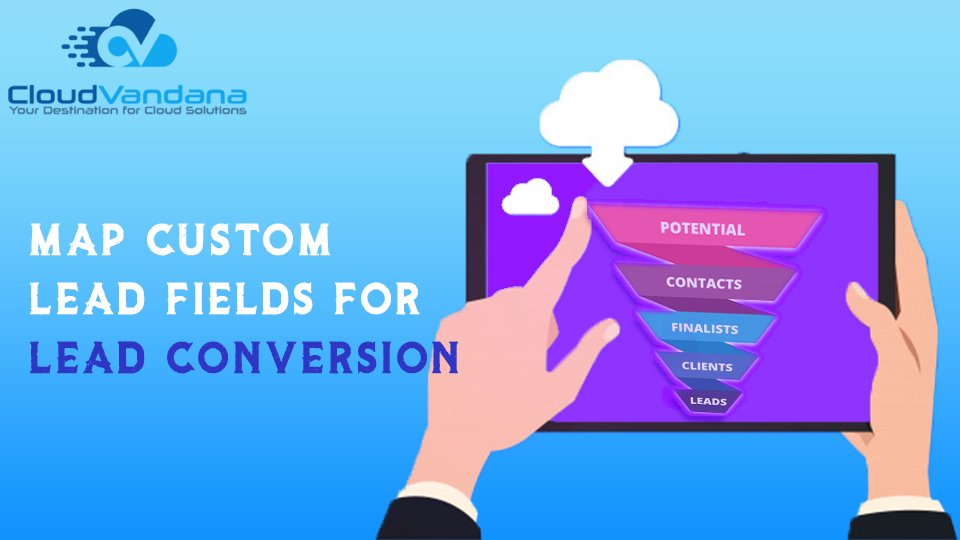
Get the most out of records created from converted leads when you map custom lead fields to fields on the records they’re converted to. You can map the custom field of the lead object to the converted account, contact, and opportunity. When sales reps convert qualified leads, the information from the standard lead fields appears in standard fields for contact, account, and opportunity records. If you set up custom lead fields, you specify how that custom information converts to custom fields in accounts, contacts, and opportunities. For any Salesforce assistance, feel free to call CloudVandana. Request a Free Consultation YOU MIGHT ALSO LIKE
A Comprehensive Overview of the Lightning Sales Console App
The Lightning Sales Console is a standard Salesforce Lightning app that gives you all your sales tools at your fingertips to prospect leads, close deals, and manage relationships. This is a great tool to boost your productivity and close more deals. It gives a 360-degree view of your sales data. Here’s what you get in the standard Sales Console app. You can customize this standard Lightning Sales Console app to: Want to know more about Lightning Sales Console? Please, visit www.cloudvandana.com. Request a Free Consultation YOU MIGHT ALSO LIKE
Add Contact to Multiple Accounts in Salesforce
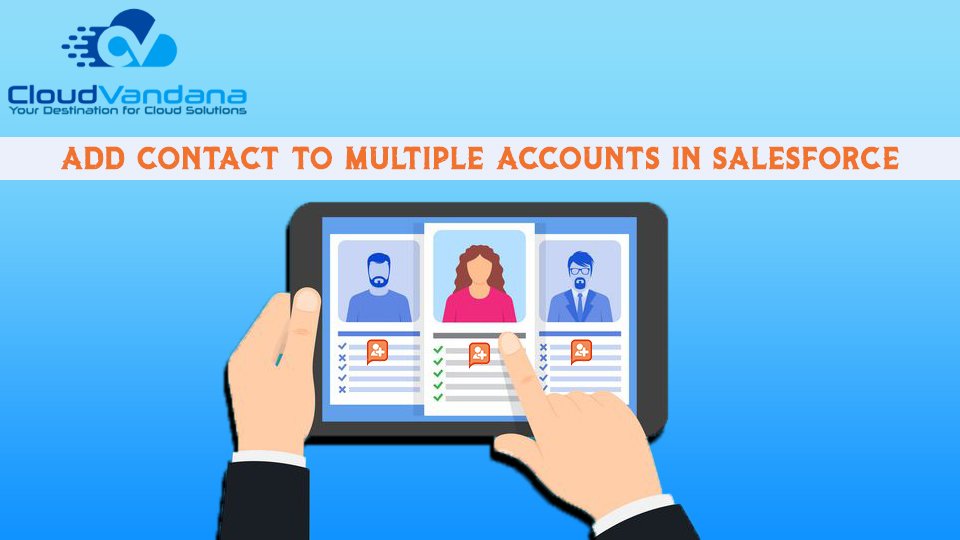
People often work with more than one company. A business owner might own more than one company or a consultant might work on behalf of multiple organizations. Salesforce provides a way to relate a single contact to multiple accounts so you can easily track the relationships between people and businesses without creating duplicate records. It allows you to maintain a relationship with the account and its related contacts. When you use Contacts to Multiple Accounts, each contact still requires a primary account (the account in the Account Name field). The contact and its primary account have a direct relationship. But you can add other accounts to the contact. These secondary account-contact relationships are indirect. You can define roles with each relationship and add more custom fields as per your business case scenarios. Let’s take an example John Smith is president of Acme Corporations, and Acme is the account on his contact record. But John is also involved with the nonprofit media organization Greendot Media. By adding Greendot Media as a related account on John’s contact record, you can track this other relationship. John is considered a direct contact to Acme because Acme is the account on his contact record. And he’s considered an indirect contact to Greendot Media and any other accounts that he becomes related to. John also appears on the Related Contacts related list for Greendot Media and any other accounts that he’s indirectly related to. Request a Free Consultation YOU MIGHT ALSO LIKE



