Salesforce is designed to evolve with your business. Over time, however, even the most thoughtfully implemented Salesforce environments accumulate inefficiencies. Automation layers grow complex. Data quality begins to deteriorate. Customizations multiply. Performance slows.
These changes rarely happen overnight. Instead, they appear gradually, often unnoticed until productivity declines, reporting becomes unreliable, or users start avoiding the system entirely.
A Salesforce optimization audit is the process of diagnosing these hidden inefficiencies and restoring operational clarity. It examines configuration, data integrity, automation architecture, security models, and system performance to ensure the platform remains aligned with business objectives.
Organizations that periodically review their Salesforce environment maintain higher adoption rates, faster reporting, stronger data governance, and better scalability.
The following signs often indicate that a Salesforce optimization audit is no longer optional.
1. Slower System Performance Across the Org
When Everyday Tasks Start Feeling Heavy
Salesforce is designed to operate as a responsive, high-performance business platform. When it is properly configured and well-governed, routine actions such as opening a record, updating a field, or running a report should occur almost instantly. For most users, the system should feel seamless. The interface should respond quickly, automation should execute quietly in the background, and daily operations should move forward without interruption.
When performance begins to slow, however, the experience changes dramatically. Pages take longer to load. Reports take several seconds, or even minutes, to generate. Record updates trigger noticeable delays. What once felt efficient gradually becomes frustrating.
These changes rarely occur suddenly. Performance deterioration typically unfolds gradually as the Salesforce environment grows in complexity.

Over time, organizations add new workflows, flows, triggers, validation rules, integrations, and custom objects. Each individual addition may seem harmless in isolation. Yet collectively, they increase system workload and computational overhead. Without periodic architectural review, the platform can begin carrying more operational weight than it was originally designed to handle.
Several technical factors commonly contribute to slower system performance.
One frequent cause is excessive automation layers. Salesforce environments that rely on overlapping workflows, legacy Process Builder logic, and multiple flows may unintentionally trigger redundant processes every time a record is created or updated. These automation chains can cause cascading execution that significantly slows down record transactions.
Another contributor is inefficient database queries. Apex code or reports that rely on non-selective queries can force Salesforce to scan extremely large datasets. When queries are not optimized or when appropriate indexing is absent, database operations become slower and more resource intensive.
Data volume growth can also influence performance. As organizations accumulate millions of records across leads, opportunities, activities, and custom objects, queries and reporting logic must process larger datasets. Without indexing strategies, archival policies, or selective filtering, performance inevitably declines.
In many environments, overloaded page layouts also contribute to slower user experiences. When record pages contain dozens of related lists, components, dynamic forms, and embedded Lightning elements, the browser must render far more information than necessary. The result is slower page load times and an interface that feels unnecessarily heavy.
From a user perspective, these technical inefficiencies translate into daily frustration. Sales representatives spend extra time waiting for records to open. Managers experience delays when running pipeline reports. Support teams struggle with slow case updates during high-volume periods.
When these performance issues persist, the consequences extend beyond inconvenience.
Productivity declines. User satisfaction drops. Confidence in the CRM begins to weaken. Teams may even begin circumventing Salesforce entirely by maintaining external spreadsheets or shadow systems simply to avoid the delays.
A Salesforce optimization audit helps uncover the root causes behind these symptoms.
During the audit, system architecture is examined at multiple levels. Query performance is analyzed to identify inefficient database operations. Apex execution times are reviewed to detect resource-heavy logic. Automation layers are mapped to reveal redundant or conflicting processes. Lightning component behavior is assessed to determine whether page designs are unnecessarily complex.
The audit also evaluates indexing opportunities, data management practices, and reporting efficiency to ensure the platform can scale effectively as data volumes continue to grow.
The goal is not simply to improve system speed. It is to restore operational fluidity across the entire Salesforce environment.
When performance is optimized, the difference becomes immediately noticeable. Pages load quickly. Reports generate faster. Automation runs smoothly without slowing record updates. Users regain confidence in the system, and productivity improves across departments.
In many organizations, addressing performance issues is one of the most impactful outcomes of a Salesforce optimization audit. What once felt like a sluggish platform can once again operate as the responsive, high-performance business engine it was meant to be.
2. Reports No Longer Reflect Reality
When Data and Business Decisions Drift Apart
Salesforce reporting is designed to give leadership a clear, reliable picture of what is happening inside the business. Pipeline visibility, revenue forecasting, service performance, and operational efficiency all depend on accurate data and well-structured reports.
When reports stop reflecting reality, the consequences reach far beyond dashboards.
One of the earliest warning signs is inconsistent pipeline reporting. A sales dashboard may show one revenue figure while a separate report presents a different number for the same period. Forecast values might not align with opportunity records. Managers begin reconciling numbers manually before presenting them to leadership.
Another common symptom is conflicting metrics across dashboards. Two teams may use different reports to measure the same KPI, only to discover that the numbers don’t match. In many cases, the issue is not the reporting tool itself but inconsistencies in field usage, report filters, or underlying data structures.
Over time, these discrepancies start affecting decision-making. Leadership teams hesitate to trust the data. Analysts spend more time validating reports than analyzing them. The platform that was meant to provide clarity begins introducing uncertainty.
These issues typically originate from a few common sources.
Data entry standards may not be enforced consistently, resulting in incomplete or inaccurate fields. Duplicate records may inflate totals in reports. Custom fields may have been added over time without clear governance, creating confusion about which fields should be used for reporting.
In other cases, reporting logic itself becomes fragmented. Different teams create their own reports with slightly different filters, date ranges, or stage definitions. As the reporting ecosystem expands without centralized governance, inconsistencies naturally appear.
A Salesforce optimization audit addresses these challenges by reviewing how data flows into the reporting layer.
Field usage is analyzed to identify redundant or conflicting data points. Report filters and logic are examined to ensure consistency across dashboards. Object relationships are reviewed to confirm that data is structured correctly for reporting purposes. Duplicate records and incomplete fields are also assessed to improve overall data integrity.
The goal is simple but critical: restore confidence in the numbers.
When reporting structures are cleaned up and data governance is reinforced, dashboards once again become reliable decision-making tools. Leaders can trust the metrics they see, analysts can focus on insights rather than reconciliation, and Salesforce can fulfill its role as the organization’s single source of truth.
3. Increasing Data Quality Issues
Duplicate Records and Incomplete Fields
Data quality problems rarely appear suddenly in Salesforce. They tend to emerge gradually as the system grows, teams expand, and new integrations are introduced. What begins as a well-structured CRM environment can slowly accumulate inconsistencies if governance practices are not maintained.
One of the clearest warning signs is the rise of duplicate records. Multiple lead entries for the same person start appearing. Account records with slightly different spellings multiply. Contacts become scattered across different records, making it difficult for teams to understand the true relationship with a customer.
Duplicates create operational confusion. Sales representatives may unknowingly contact the same prospect multiple times. Marketing campaigns may target the same individual through separate records. Reporting becomes unreliable because the system counts the same entity more than once.
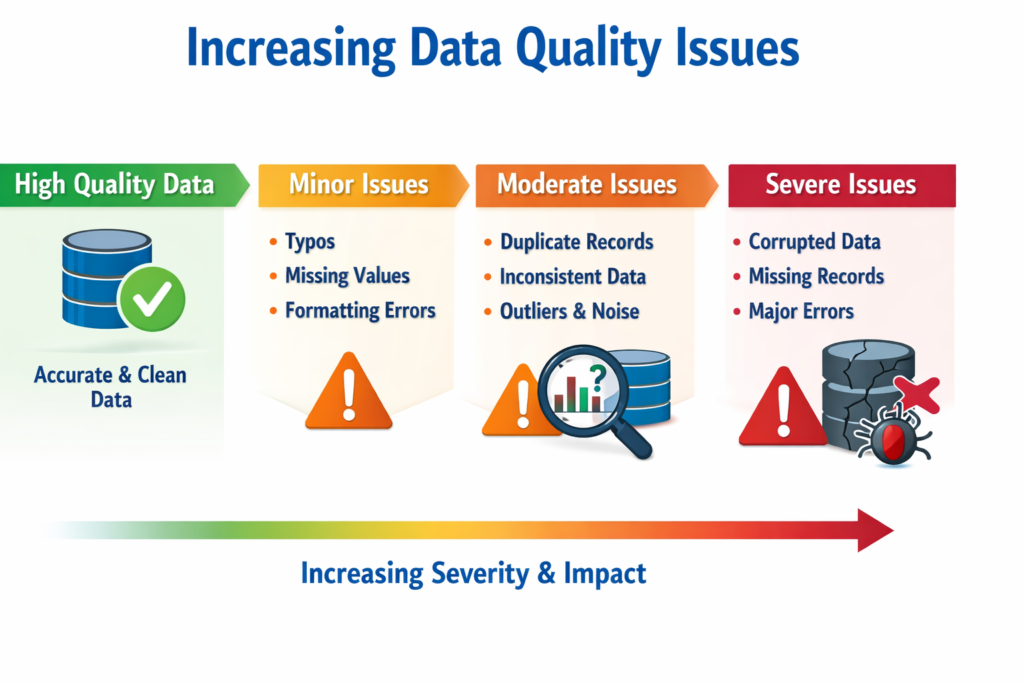
Another common issue is incomplete or inconsistent data entry. Key fields such as industry, deal size, or lead source may remain blank or inconsistently filled. Without required data standards, users often skip fields that appear non-essential in the moment but later become critical for reporting or segmentation.
When these issues accumulate, teams begin creating workarounds. Sales representatives export records to spreadsheets to maintain their own clean lists. Marketing teams manually filter campaign data. Analysts spend additional time reconciling information before producing reports.
Over time, these manual adjustments undermine Salesforce’s role as the organization’s central system of record.
Poor data quality also affects automation accuracy. Workflows and flows rely on precise field values to trigger actions. When fields are missing, duplicated, or inconsistent, automation may fail to execute properly or produce incorrect outcomes. Customer experiences can also suffer when support agents or sales teams rely on incomplete information.
A Salesforce optimization audit helps restore discipline to the data layer.
During the audit, validation rules are reviewed to ensure essential fields are properly enforced. Deduplication mechanisms are evaluated to prevent duplicate leads, accounts, and contacts from entering the system. Data entry processes are analyzed to identify where inconsistencies originate. Integration pipelines are also examined to ensure external systems are not introducing corrupted or duplicated records.
In many cases, improving data quality involves both technical adjustments and operational clarity. Clear field definitions, standardized entry practices, and automated validation rules create a structured environment where reliable data becomes the norm rather than the exception.
When data integrity improves, the impact spreads across the entire Salesforce ecosystem. Reporting becomes more trustworthy. Automation executes more accurately. Customer insights become clearer.
At that point, Salesforce moves beyond being a simple repository of information. It becomes a dependable intelligence platform that supports better decisions, stronger customer relationships, and more effective business strategy.
4. Automation That No Longer Reflects Current Processes
Legacy Workflows Still Running in Production
Businesses evolve quickly. Salesforce automation does not always keep pace.
Many organizations still run workflows, process builders, or flows created years earlier to support processes that no longer exist.
These legacy automations often conflict with new logic, generate redundant actions, or slow down record updates.
An optimization audit maps all active automation layers and identifies opportunities to consolidate logic, simplify flows, and remove outdated rules.
Modern automation architecture is simpler, faster, and easier to maintain.
5. Over-Customization Has Created Complexity
Too Many Fields, Objects, and Components
Salesforce customization is powerful. Excessive customization, however, can create an environment that is difficult to navigate and maintain.
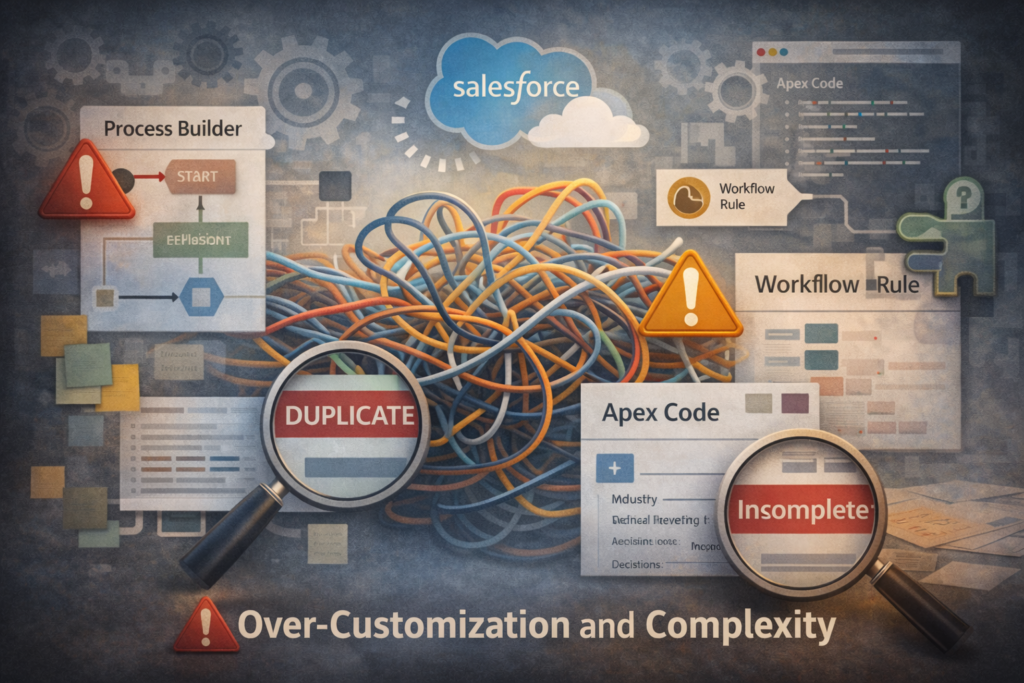
Users encounter pages with dozens of fields, multiple redundant objects, and complicated page layouts.
This complexity slows onboarding, increases administrative overhead, and discourages user adoption.
Optimization audits identify unused fields, obsolete objects, and unnecessary components to simplify the interface.
Clarity often improves efficiency more than additional functionality.
6. Declining User Adoption
When Teams Start Avoiding Salesforce
A healthy Salesforce org is actively used across departments. When adoption declines, it often signals usability problems or trust issues.
Common warning signs include:
Sales representatives updating records late or inconsistently
Teams exporting data to spreadsheets
Departments creating parallel systems outside Salesforce
An optimization audit gathers user feedback and evaluates user experience design to improve adoption.
Technology should support people, not create friction.
7. Integration Issues Between Systems
Data Silos Begin Reappearing
Salesforce often sits at the center of a company’s technology ecosystem. Marketing automation platforms capture campaign engagement. ERP systems manage orders and billing. Customer support tools track service interactions. Analytics platforms generate performance insights. Ideally, all of these systems communicate seamlessly with Salesforce, creating a unified view of business operations.
When integrations start to falter, that unified view begins to fracture.
One of the first signs is inconsistent data synchronization. Records created in one system may not appear correctly in Salesforce, or updates made in Salesforce may fail to propagate to connected platforms. Marketing teams might see different contact information than the sales team. Support agents may not have visibility into recent sales activity. What should be a single, connected data environment gradually becomes fragmented.
These breakdowns reintroduce the very problem Salesforce was meant to solve: operational silos.
Integration issues can stem from several sources. APIs may be reaching their limits due to increased usage. Middleware configurations may become outdated as systems evolve. Field mappings between systems may no longer align with current data structures. In some cases, error-handling mechanisms may silently fail, allowing integration issues to persist unnoticed for extended periods.
Over time, these small discrepancies accumulate. Teams begin questioning whether the data they see is complete or current. Manual reconciliation processes emerge as employees attempt to verify information across systems.
A Salesforce optimization audit investigates the health of the integration architecture.
API usage patterns are analyzed to ensure requests remain within platform limits and operate efficiently. Middleware tools such as integration platforms or connectors are reviewed to confirm reliability and configuration accuracy. Data mapping between systems is evaluated to ensure fields align properly and that transformations are occurring as expected. Error logs are also examined to identify recurring failures or synchronization gaps.
The objective is to restore consistent, reliable data movement across all connected platforms.
When integrations operate correctly, Salesforce truly functions as the central nervous system of the organization. Sales teams gain full visibility into marketing engagement. Support teams understand customer purchase history. Leadership receives consolidated insights drawn from multiple operational systems.
Reliable integrations eliminate silos and allow information to move fluidly across the enterprise ecosystem, enabling faster decisions and more coordinated customer experiences.
8. Security Permissions Have Become Unclear
Access Rights No Longer Reflect Responsibilities
Over time, permission sets and profiles often expand beyond their intended scope.
Temporary access granted for a specific task remains permanently assigned. Roles change but permissions remain unchanged.
This situation creates both compliance risks and operational confusion.
A Salesforce optimization audit reviews access hierarchies, permission sets, role structures, and sharing models to ensure proper governance.
Security clarity protects both data and organizational trust.
9. Increasing Technical Debt in the Org
Accumulated Complexity From Years of Changes
Technical debt accumulates when quick solutions are implemented without long-term architectural planning.
Over time, the system becomes layered with overlapping logic, redundant automations, and outdated configurations.
This complexity makes future changes slower and riskier.
Optimization audits identify architectural inefficiencies and create a roadmap for sustainable system evolution.
Reducing technical debt restores agility.
10. Frequent User Complaints About the System
The Voice of the User Often Signals Deeper Issues
When users repeatedly raise concerns about system behavior, those signals should not be ignored.
Complaints about confusing workflows, unnecessary fields, or slow interfaces often indicate broader design issues.
User frustration rarely stems from a single feature. Instead, it reflects accumulated friction across the entire experience.
An audit evaluates usability, interface design, and workflow alignment.
Listening to users is often the first step toward system improvement.
11. Difficulty Scaling Operations
Growth Begins to Expose System Limitations
Salesforce implementations designed for smaller teams may struggle to support rapid organizational growth.
As user numbers increase and data volumes expand, inefficient architecture begins to surface.
Reports run slower. Automation conflicts become more frequent. Governance becomes harder to maintain.
Optimization audits assess scalability readiness, ensuring the system can support future expansion.
A scalable Salesforce environment grows with the business rather than restricting it.
12. Inconsistent Automation Outcomes
Processes That Work Sometimes
Automation should behave predictably. When workflows produce inconsistent results, deeper logic conflicts may exist.
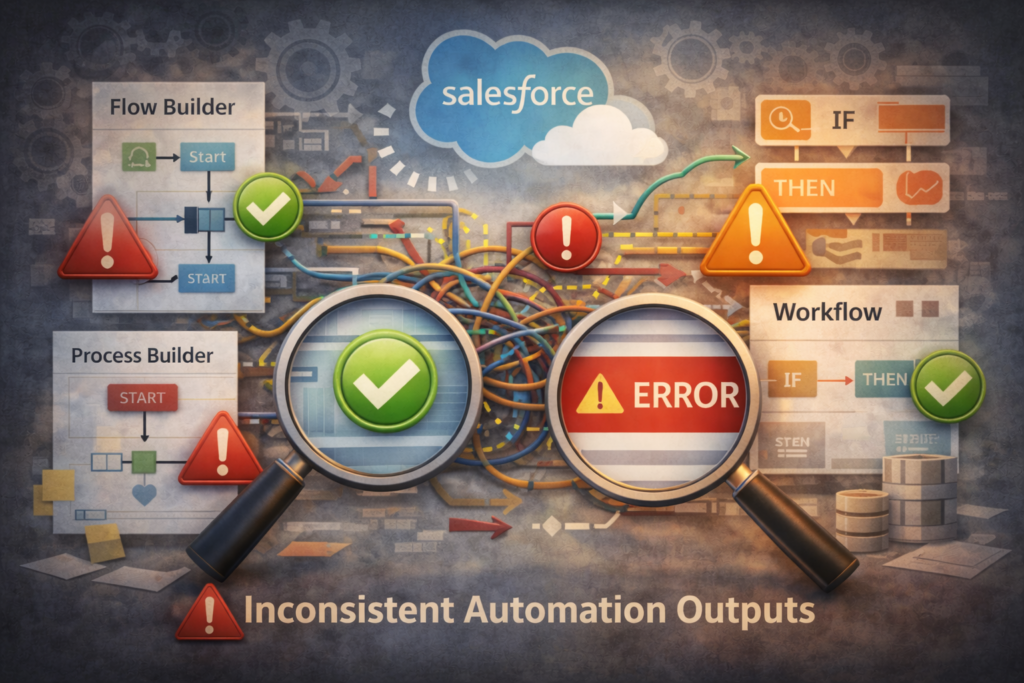
Triggers may fire in unexpected sequences. Flow conditions may overlap. Record updates may unintentionally trigger cascading processes.
An audit reviews automation orchestration and execution order to restore predictability.
Consistency builds confidence in the platform.
13. Poor Visibility Into Customer Interactions
Fragmented Customer Data
Salesforce should provide a unified view of the customer journey. When interaction data becomes fragmented across objects, teams lose visibility.
Customer support histories may not appear alongside sales activity. Marketing engagement may not connect with opportunity data.
An optimization audit reviews object relationships and data structures to restore unified customer visibility.
Clear customer insight strengthens strategic decision-making.
14. Difficulty Maintaining the System
Administrative Overhead Continues to Grow
As system complexity increases, administrators spend more time troubleshooting than innovating.
Routine updates become risky. Minor changes require extensive testing. Documentation may no longer reflect the system accurately.
Optimization audits identify simplification opportunities and establish clearer governance practices.
A maintainable system supports long-term innovation.
15. Compliance and Governance Concerns
Regulatory Requirements Demand Stronger Controls
Industries handling sensitive customer data must maintain strict compliance standards.
When governance policies become unclear or inconsistent, regulatory exposure increases.
An optimization audit evaluates security models, data access controls, and compliance safeguards to ensure the system meets regulatory expectations.
Strong governance protects both organizations and customers.
Why Regular Salesforce Optimization Matters
Salesforce is not a static platform. It evolves continuously alongside business strategy, data growth, and operational complexity.
Organizations that perform periodic optimization audits maintain:
Higher system performance
Stronger user adoption
Cleaner data environments
Simpler automation architecture
Better security governance
Optimization ensures Salesforce continues delivering value rather than becoming operational friction.
How CloudVandana Helps Organizations Optimize Salesforce
CloudVandana has helped organizations worldwide transform their Salesforce environments into high-performing digital ecosystems.
Through comprehensive Salesforce optimization audits, CloudVandana evaluates:
System architecture
Automation design
Data governance
Security models
Integration performance
User adoption patterns
The result is a clear roadmap for improving performance, simplifying operations, and unlocking the full potential of Salesforce.
Whether the challenge involves automation complexity, data integrity issues, or system scalability, CloudVandana delivers practical solutions grounded in deep Salesforce expertise.
If your Salesforce environment shows any of the signs discussed above, it may be time for a strategic optimization review.
Connect with CloudVandana today to schedule a Salesforce optimization audit and ensure your CRM remains fast, reliable, and future-ready.
Frequently Asked Questions
1. What is a Salesforce optimization audit?
A Salesforce optimization audit is a comprehensive review of an organization’s Salesforce environment to identify inefficiencies, performance issues, data quality problems, and opportunities for improvement.
2. How often should Salesforce optimization audits be conducted?
Most organizations benefit from conducting an optimization audit every 12 to 18 months, or whenever major business changes occur.
3. What areas are typically evaluated during an audit?
An audit usually reviews system architecture, automation logic, data quality, reporting accuracy, security permissions, integrations, and user adoption.
4. Can optimization audits improve system performance?
Yes. By identifying inefficient queries, redundant automation, and excessive components, optimization audits often significantly improve system responsiveness.
5. Do optimization audits require downtime?
No. Most audit activities occur without disrupting daily operations.
6. How long does a Salesforce optimization audit take?
Depending on system complexity, audits typically take between two and six weeks.
7. Who should participate in the audit process?
Salesforce administrators, system architects, key business stakeholders, and departmental leaders should all contribute insights during the review.
8. Can small organizations benefit from optimization audits?
Yes. Even smaller Salesforce environments benefit from improved data quality, simplified automation, and better reporting structures.
9. What is the difference between a health check and an optimization audit?
A health check focuses on system performance indicators, while an optimization audit examines broader architectural, operational, and strategic alignment.
10. Does optimization involve rebuilding the entire system?
Not necessarily. Many improvements involve simplifying existing structures rather than rebuilding them.
11. Can optimization improve Salesforce adoption?
Yes. Simplifying workflows and improving usability often increases user engagement across teams.
12. How do organizations begin the optimization process?
The first step is conducting a structured Salesforce optimization audit to identify gaps and define a clear improvement roadmap.

Atul Gupta is CloudVandana’s founder and an 8X Salesforce Certified Professional who works with globally situated businesses to create Custom Salesforce Solutions.
Atul Gupta, a dynamic leader, directs CloudVandana’s Implementation Team, Analytics, and IT functions, ensuring seamless operations and innovative solutions.
YOU MIGHT ALSO LIKE

Financial Services Cloud: A Complete Guide for Banking and Wealth Management
How MuleSoft Connects Salesforce With ERP, Finance and Business Systems

Salesforce Customer 360: Connecting Sales, Service and Marketing Teams

Salesforce and Anthropic Launch Claudeforce: What It Means for the Future of Enterprise AI

Salesforce AIforce: What It Means for the Future of Enterprise Software