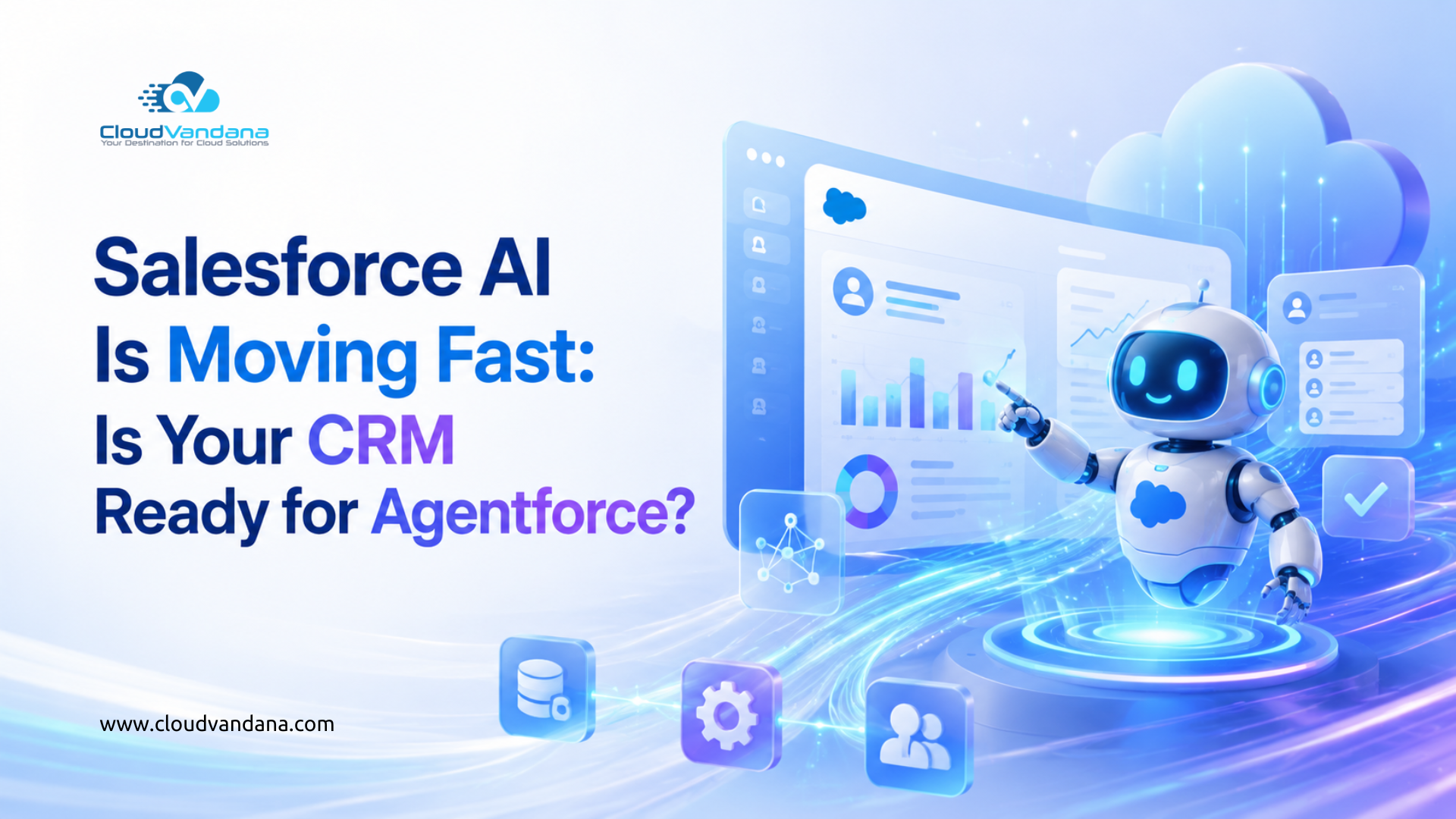
Salesforce AI is moving faster than most businesses expected.
A few years ago, AI inside CRM felt like an added productivity layer. It helped teams write emails, summarize notes, predict outcomes, recommend next steps, and automate a few repetitive tasks. Useful, yes. Transformational, sometimes. But still largely dependent on humans to decide what should happen next.
That is changing.
With Agentforce, Salesforce is pushing CRM into a new era where AI agents can assist, reason, respond, and take action across business workflows. Salesforce describes Agentforce as a platform for designing, deploying, and orchestrating trusted autonomous AI agents across applications, workflows, and customer interactions. These agents are built natively on the Agentforce 360 Platform and can connect to business data and metadata for context-rich responses across text and voice.
This is a big shift.
Because the future of CRM is no longer only about storing customer records. It is about using customer data to power intelligent action.
But there is one question every business should ask before rushing toward Agentforce:
Is your CRM actually ready for AI agents?
Because Agentforce will not magically fix messy data, broken workflows, weak permissions, outdated automations, disconnected tools, or poor Salesforce adoption.
In fact, AI can expose those problems faster.
This blog explores what Agentforce means for Salesforce customers, why CRM readiness matters more than ever, what businesses should fix before adopting AI agents, and how CloudVandana can help organizations prepare their Salesforce ecosystem for the next phase of AI-powered CRM.
Quick Summary
Salesforce Agentforce is designed to help businesses build and deploy autonomous AI agents that can work across customer-facing and internal workflows.
But successful Agentforce adoption depends on the strength of your Salesforce foundation.
Before implementing AI agents, businesses need to evaluate:
- Data quality
- Salesforce architecture
- Workflow automation
- Permissions and security
- Knowledge management
- Integrations
- Reporting accuracy
- User adoption
- Governance
- AI use case readiness
The companies that benefit most from Agentforce will not simply be the ones that adopt AI first.
They will be the ones that prepare their CRM properly.
What Is Salesforce Agentforce?
Salesforce Agentforce is Salesforce’s agentic AI platform for building and deploying AI agents inside the Salesforce ecosystem.
An AI agent is different from a standard chatbot.
A chatbot usually answers questions based on predefined scripts or knowledge sources. An AI agent can go further. It can understand context, use business data, follow instructions, take approved actions, interact with workflows, and support business outcomes.
For example, a traditional chatbot might answer:
“Your case is still open.”
An AI agent could potentially:
- Review the customer’s case history
- Check account priority
- Identify whether the issue qualifies for escalation
- Summarize the problem
- Recommend the next best action
- Create or update a Salesforce record
- Notify a service manager
- Draft a customer response
That is why Agentforce matters.
It moves AI from passive assistance to active participation.
Salesforce states that Agentforce uses Data Cloud to unify customer data from different sources and map it to the Salesforce metadata layer, giving agents richer business context and more accurate, actionable insights.
In simple terms, Agentforce works best when your CRM can provide three things:
- Clean and reliable data
- Clear business context
- Safe, governed access to actions
Without those foundations, AI agents may be limited, inaccurate, or risky.
Why Agentforce Is More Than Another Salesforce Feature
Agentforce is not just another button, dashboard, or productivity add-on.
It represents a broader platform shift.
Salesforce is positioning Agentforce as part of the Agentforce 360 Platform, where AI agents, metadata, Data Cloud, automation, integration, analytics, security, and business applications work together. The platform is designed to help agents reason, act, and collaborate safely with built-in observability and security.
That matters because most companies do not have a “tool problem.”
They have a context problem.
Their data exists, but it is scattered. Their workflows exist, but they are inconsistent. Their customer history exists, but it is split between sales, service, marketing, email, documents, spreadsheets, and third-party systems.
Agentforce aims to reduce that fragmentation by giving businesses AI agents that can operate with better context.
This is where CRM maturity becomes critical.
A business with a clean, connected, well-governed Salesforce org can use Agentforce to accelerate meaningful work.
A business with a cluttered, inconsistent, poorly adopted Salesforce org may struggle to get reliable outcomes.
From Generative AI to Agentic AI
To understand why Agentforce is important, it helps to understand the difference between generative AI and agentic AI.
Generative AI creates content
Generative AI can help users write emails, summarize meetings, create knowledge articles, draft responses, build reports, or generate recommendations.
It is useful because it reduces manual effort.
But the human is still usually responsible for reviewing, deciding, and acting.
Agentic AI takes action
Agentic AI goes further.
It can pursue a goal, reference data, use approved tools, follow business logic, and complete tasks within defined guardrails.
In Salesforce, this could mean helping with:
- Case triage
- Lead qualification
- Customer follow-up
- Opportunity updates
- Knowledge article suggestions
- Sales coaching
- Order support
- Marketing segmentation
- Service escalation
- Internal employee support
This shift is powerful, but it also raises the standard for CRM readiness.
A generative AI tool can still be helpful even if your data is imperfect.
An AI agent that acts on poor data can create operational risk.
That is why Agentforce readiness should be treated as a strategic CRM project, not just a technical installation.
Why CRM Readiness Matters Before Agentforce
Many companies assume that AI will solve their CRM problems.
But AI does not replace CRM discipline.
It depends on it.
If your Salesforce org has duplicate accounts, incomplete contacts, outdated workflows, unclear ownership, weak permissions, and disconnected integrations, AI agents will inherit those weaknesses.
That is the uncomfortable truth.
Agentforce can make a strong CRM more powerful.
But it can also make a messy CRM more visibly messy.
The key issue
Human users can often work around CRM imperfections.
They know which fields are outdated. They know which reports are unreliable. They know which workflow steps are ignored. They know who to ask when the system does not tell the full story.
AI agents do not naturally possess that informal knowledge.
They rely on structured context.
That means your CRM must become more intelligible, more consistent, and more governed before AI agents can safely support high-value work.
CRM Readiness Checklist for Agentforce
Before adopting Agentforce, businesses should evaluate their Salesforce org across the following areas:
| Readiness Area | Why It Matters |
| Data quality | AI agents need accurate records to make reliable decisions |
| Metadata structure | Agents rely on Salesforce objects, fields, relationships, and business logic |
| Automation | Broken or overlapping workflows can confuse AI-powered execution |
| Security | Agents must operate within clear permissions and access controls |
| Knowledge management | AI responses depend on accurate and updated knowledge sources |
| Integrations | Agents need connected systems to understand the full customer journey |
| Governance | Businesses need rules for what AI can access, decide, and execute |
| Reporting | AI insights depend on trusted metrics and clean data models |
| User adoption | If users do not trust Salesforce, AI adoption will also suffer |
This checklist is not only technical.
It is operational.
Agentforce readiness is about preparing the entire CRM ecosystem.
The Data Problem: AI Is Only as Good as Your Salesforce Records
Data quality has always been important in Salesforce.
With Agentforce, it becomes indispensable.
AI agents depend on customer data to understand context, personalize responses, recommend actions, and complete tasks.
If the data is inaccurate, the agent’s output will be unreliable.
Common Salesforce data issues that affect AI readiness
- Duplicate accounts and contacts
- Missing email addresses or phone numbers
- Inconsistent lead sources
- Outdated opportunity stages
- Incorrect account ownership
- Unused custom fields
- Conflicting picklist values
- Incomplete customer profiles
- Poor account-contact relationships
- Old records with no recent activity
- Unclear lifecycle stages
- Weak data validation rules
These problems may seem ordinary.
But they become more serious when AI starts using that data to act.
Example
Imagine an AI agent helping a sales team prioritize follow-ups.
If opportunity stages are inaccurate, lead scores are unreliable, and account ownership is outdated, the agent may recommend the wrong accounts. Sales reps may lose trust quickly.
That is why the first step in Agentforce readiness is not building agents.
It is cleaning the CRM foundation.
Salesforce Metadata: The Hidden Power Behind Agentforce
Salesforce metadata is one of the most important pieces of the Agentforce story.
Metadata gives Salesforce its structure. It defines objects, fields, relationships, permissions, layouts, flows, validation rules, and business logic.
For AI agents, metadata provides meaning.
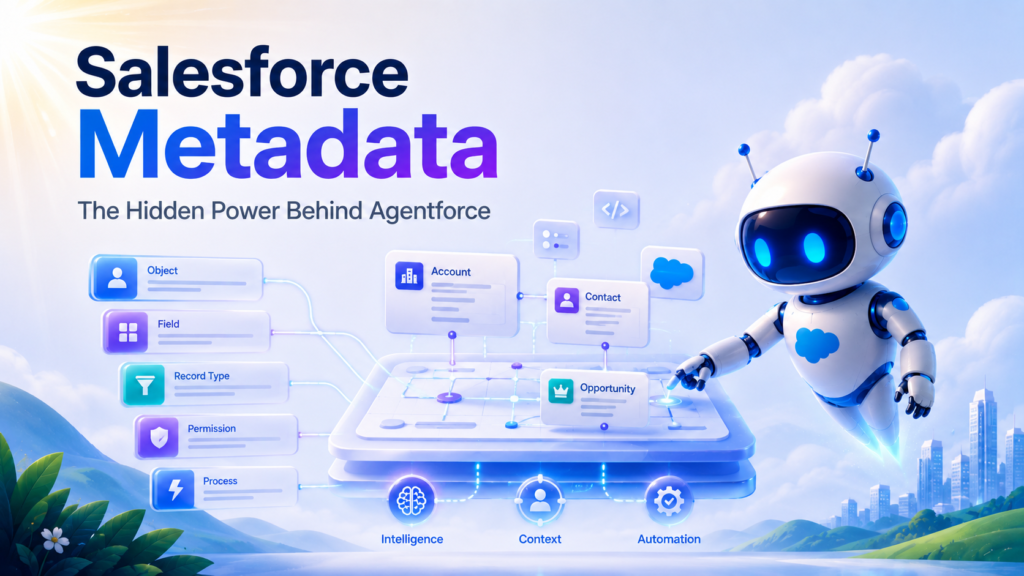
It helps the agent understand not only what data exists, but how that data fits into the business process.
Salesforce highlights that Agentforce connects to business data and metadata to deliver context-rich responses.
That is a major advantage.
Because AI agents need more than raw information.
They need business interpretation.
Example
A field called “Status” may mean different things on a Case, Lead, Contract, or Custom Object.
A human user understands the difference through experience.
An AI agent needs the CRM architecture to make that meaning clear.
Metadata issues that can reduce AI effectiveness
- Poor field naming
- Duplicated fields
- Unused custom objects
- Old validation rules
- Confusing record types
- Overlapping flows
- Inconsistent page layouts
- Weak documentation
- Unclear object relationships
- Poorly governed customizations
Before Agentforce adoption, businesses should perform a metadata audit.
This helps identify whether Salesforce is structured clearly enough for AI-powered workflows.
Data Cloud and the Need for Unified Customer Context
Agentforce becomes more valuable when it has a complete customer view.
That is where Data Cloud becomes important.
Salesforce says Agentforce uses Data Cloud to unify customer data from any source and map it to the Salesforce metadata layer for business context.
This is important because customer data rarely lives in one place.
It may exist across:
- Salesforce Sales Cloud
- Service Cloud
- Marketing Cloud
- Commerce systems
- ERP platforms
- Customer support tools
- Payment systems
- Data warehouses
- Websites
- Mobile apps
- Product usage platforms
- Google Drive or OneDrive
- Slack
- Email systems
If Agentforce only sees part of the customer journey, it can only provide partial intelligence.
A unified customer view gives AI agents better context.
Use case: Customer service escalation
A customer submits a support ticket.
A basic system sees only the case.
A connected AI-ready CRM sees:
- The customer’s account value
- Open opportunities
- Past support history
- Recent complaints
- Product subscription level
- Renewal date
- SLA agreement
- Previous escalations
- Related documents
- Marketing engagement
That context changes everything.
It helps the AI agent recommend a more appropriate response, route the issue correctly, and support the human service team with better insight.
Workflow Readiness: Can Your Processes Support AI Agents?
Agentforce works best when workflows are structured.
That does not mean every process must be rigid. It means the CRM should clearly define how work moves from one stage to another.
AI agents need to know:
- When to act
- What data to check
- Which rules to follow
- When to escalate
- Which records to update
- Which users to notify
- When human approval is required
If your processes are unclear, your AI agents will struggle.
Signs your workflows are not ready
- Sales stages are used inconsistently
- Case escalation rules are unclear
- Teams rely on manual reminders
- Approval processes are too slow
- Automations overlap
- Users bypass Salesforce workflows
- Teams use spreadsheets for critical tracking
- Tasks are created manually instead of automatically
- No one owns workflow governance
Agentforce should not be layered on top of confusion.
Before deploying AI agents, businesses should review and simplify workflows.
Automation Readiness: Flow, Rules, and AI Actions
Salesforce automation is a major part of Agentforce readiness.
AI agents may need to interact with existing flows, create tasks, update records, trigger approvals, notify users, or initiate business processes.
If the automation layer is cluttered, outdated, or fragile, AI adoption becomes harder.
What to review before Agentforce
- Active flows
- Old Process Builder automations
- Workflow Rules
- Assignment Rules
- Escalation Rules
- Approval Processes
- Validation Rules
- Duplicate Rules
- Scheduled jobs
- Apex triggers
- Integration-triggered automation
The goal is not to remove every complex automation.
The goal is to understand what exists, why it exists, and whether it still reflects the current business process.
Expert insight
A clean automation architecture gives Agentforce a safer execution environment.
A cluttered automation architecture increases the risk of unexpected actions.
Security, Permissions, and Trust
Agentforce readiness is not only about productivity.
It is also about trust.
AI agents may interact with sensitive customer data, sales information, service records, files, contracts, and internal business processes.
Salesforce positions Agentforce as built on a secure and compliant foundation, with agent actions governed by enterprise policies, access controls, encryption, and data protection features.
Salesforce also describes the Agentforce 360 Platform as having security, privacy, and compliance built into every layer, from metadata and data to applications and Agentforce.
But platform trust does not remove business responsibility.
Every company still needs to define how AI should behave inside its own Salesforce org.
Questions to ask
- What data should AI agents be allowed to access?
- Which fields should be restricted?
- Which actions require approval?
- Which users can configure AI agents?
- How will agent activity be monitored?
- How will sensitive information be protected?
- What should happen when an agent is unsure?
- Which workflows should remain human-led?
Security should not be added after Agentforce implementation.
It should shape the design from day one.
Governance: The Difference Between AI Experiments and AI Scale
Many businesses start AI adoption with experiments.
That is perfectly fine.
The problem begins when experiments become scattered.
One team builds a service agent. Another team experiments with sales automation. Marketing tests AI personalization. Operations builds internal support agents. Soon, the business has multiple AI initiatives with different standards, data sources, permissions, and success metrics.
That creates risk.
Governance turns AI from scattered experimentation into scalable business capability.
A strong Agentforce governance model should define:
- Approved AI use cases
- Agent ownership
- Data access rules
- Testing requirements
- Human escalation paths
- Deployment process
- Monitoring standards
- Review cadence
- Compliance rules
- Feedback loops
- Performance metrics
- Change management practices
Agentforce can support powerful workflows, but businesses need control over how those workflows are designed and expanded.
Knowledge Management: The Silent Driver of AI Accuracy
AI agents need reliable knowledge.
This is especially important for Service Cloud, customer support, internal IT, HR support, onboarding, compliance, and sales enablement.
If your knowledge articles are outdated, AI answers may be outdated.
If documentation is incomplete, AI may fill gaps incorrectly.
If policies are scattered across files, emails, and old documents, AI may not know which source to trust.
Knowledge readiness checklist
- Review outdated articles
- Remove duplicate content
- Assign article owners
- Add review dates
- Improve category structure
- Separate internal and external knowledge
- Update product documentation
- Refresh support macros
- Standardize troubleshooting steps
- Create approval workflows for critical content
AI does not remove the need for knowledge management.
It makes knowledge management more important.
Practical Use Cases for Agentforce
Agentforce can support many business functions, but the best use cases usually start with repetitive, high-volume, context-heavy work.
Here are some practical examples.
Use Case 1: AI-Powered Customer Service
A service team receives hundreds or thousands of customer queries every month.
Agentforce can help by:
- Answering common questions
- Summarizing case history
- Suggesting knowledge articles
- Drafting responses
- Routing cases
- Escalating high-priority issues
- Updating case fields
- Identifying repeat complaints
Business value
Service teams can respond faster while maintaining better context.
Readiness required
- Clean case data
- Updated knowledge articles
- Clear escalation rules
- Accurate account information
- Strong permissions
- Integrated support channels
Use Case 2: Sales Follow-Up Assistant
Sales reps often lose time researching accounts, writing follow-ups, updating opportunities, and deciding which leads matter most.
Agentforce can help by:
- Summarizing account activity
- Drafting personalized follow-ups
- Prioritizing leads
- Suggesting next steps
- Updating CRM fields
- Creating tasks
- Notifying reps about stalled deals
Business value
Sales teams can spend more time selling and less time managing CRM administration.
Readiness required
- Accurate lead data
- Clear qualification criteria
- Reliable opportunity stages
- Clean activity history
- Consistent sales process
- Strong CRM adoption
Use Case 3: Renewal Risk Detection
Customer success teams need to identify renewal risks early.
Agentforce can support by:
- Reviewing open cases
- Checking product usage signals
- Identifying negative sentiment
- Monitoring renewal dates
- Flagging inactive accounts
- Creating follow-up tasks
- Suggesting retention actions
Business value
Teams can move from reactive account management to proactive customer retention.
Readiness required
- Integrated usage data
- Accurate contract records
- Clean account hierarchy
- Customer health scoring
- Defined escalation paths
Use Case 4: Marketing Personalization
Marketing teams can use AI agents to support smarter segmentation and customer communication.
Agentforce can help by:
- Reviewing customer behavior
- Suggesting audience segments
- Personalizing messaging
- Supporting campaign follow-ups
- Identifying high-intent leads
- Aligning marketing and sales actions
Business value
Marketing becomes more relevant, timely, and connected to revenue.
Readiness required
- Clean consent data
- Reliable campaign history
- Connected marketing tools
- Defined lifecycle stages
- Accurate lead scoring
Use Case 5: Internal Employee Support
Agentforce can also support internal teams.
For example, employees may ask questions about policies, processes, approvals, tools, or customer records.
An internal AI agent can help by:
- Answering process questions
- Finding documentation
- Creating internal tickets
- Summarizing records
- Guiding users through Salesforce workflows
- Reducing dependency on admin teams
Business value
Employees get faster answers, and admin teams handle fewer repetitive requests.
Readiness required
- Updated internal documentation
- Clear process ownership
- Proper permission design
- Reliable knowledge sources
- Strong governance
Signs Your Salesforce Org Is Not Ready for Agentforce
Not every Salesforce org is ready for AI agents.
Here are some warning signs.
1. Users do not trust the CRM
If sales, service, or operations teams rely on spreadsheets because Salesforce data is incomplete, Agentforce adoption will be difficult.
AI depends on trust.
If users do not trust the CRM, they will not trust AI recommendations from the CRM.
2. Reports show conflicting numbers
If leadership meetings include debates over which Salesforce report is accurate, data governance needs attention.
AI agents need reliable metrics.
Conflicting reports create conflicting intelligence.
3. Duplicate records are common
Duplicate accounts and contacts make it difficult for AI agents to understand the real customer relationship.
This can affect service history, sales prioritization, marketing segmentation, and account management.
4. Workflows are mostly manual
If users manually create tasks, send reminders, update statuses, and move work forward, the CRM may not have enough structured process logic for Agentforce to support.
5. Permissions are too broad
If too many users have access to sensitive fields, AI access design becomes risky.
Agentforce should work within clear access boundaries.
6. Knowledge articles are outdated
AI agents cannot provide accurate service answers if the knowledge base is neglected.
A stale knowledge base can lead to stale AI responses.
7. Integrations are unreliable
If external systems do not sync properly with Salesforce, Agentforce may act on incomplete context.
Reliable integrations are essential for AI readiness.
How to Prepare Your Salesforce CRM for Agentforce
Agentforce readiness should be approached in phases.
A rushed implementation may create more confusion than value.
A structured approach helps teams move safely and confidently.
Step 1: Run a Salesforce Health Check
Start by evaluating the current condition of your Salesforce org.
Review:
- Data quality
- User adoption
- Object structure
- Field usage
- Reports and dashboards
- Automations
- Integrations
- Permissions
- Knowledge articles
- Business processes
- Technical debt
The goal is to identify what is strong, what is outdated, and what may block AI success.
Step 2: Define High-Value AI Use Cases
Do not start with “we need Agentforce.”
Start with business problems.
Ask:
- Where is the team losing the most time?
- Which tasks are repetitive?
- Which customer interactions need faster response?
- Which decisions need better context?
- Where do users manually search for information?
- Which workflows require too many handoffs?
The best Agentforce use cases are usually specific.
For example:
- Reduce case response time
- Improve lead follow-up speed
- Summarize customer history
- Assist sales reps with next steps
- Help service teams find answers faster
- Automate internal support requests
Clear use cases make implementation easier to measure.
Step 3: Clean and Standardize CRM Data
Before deploying AI agents, clean the data they will depend on.
Focus on:
- Deduplication
- Field completeness
- Picklist standardization
- Lead source accuracy
- Account ownership
- Contact relationships
- Old records
- Required fields
- Validation rules
- Data ownership
Data cleanup is not glamorous.
But it is one of the most important parts of AI readiness.
Step 4: Modernize Automation
Review existing automation before adding AI-powered actions.
Look at:
- Flows
- Old workflow rules
- Process Builder automations
- Apex triggers
- Approval processes
- Assignment rules
- Escalation rules
- Scheduled automation
Remove what is outdated.
Simplify what is overly complicated.
Document what is critical.
This gives Agentforce a safer environment to operate in.
Step 5: Strengthen Security and Access Controls
Define what AI agents can access and what they can do.
Review:
- Profiles
- Permission sets
- Role hierarchy
- Sharing rules
- Field-level security
- Sensitive data access
- External user permissions
- Compliance requirements
Agentforce should not be treated as a super-user.
It should operate within carefully designed boundaries.
Step 6: Update Knowledge Sources
For service, support, onboarding, and internal operations, knowledge quality is essential.
Review:
- Salesforce Knowledge articles
- Internal SOPs
- Customer-facing FAQs
- Support documentation
- Product guides
- Policy documents
- Email templates
- Macros
- Training material
AI agents should draw from approved, accurate, and current information.
Step 7: Review Integrations
Agentforce may need data from external systems.
Review:
- API connections
- Middleware
- ERP integrations
- Marketing automation tools
- Customer support platforms
- Document storage systems
- Data warehouses
- Slack or collaboration tools
- Payment systems
- Product usage platforms
A strong AI agent needs connected context.
If integrations are unreliable, the agent’s view of the customer will be incomplete.
Step 8: Build Governance Before Scaling
Create a governance model before AI adoption expands across the business.
Define:
- Who owns Agentforce strategy
- Who approves AI use cases
- How agents are tested
- What data agents can access
- Which actions require human approval
- How performance is measured
- How errors are reviewed
- How feedback is collected
- How agents are updated
Governance keeps Agentforce practical, safe, and aligned with business outcomes.
Step 9: Start With a Controlled Pilot
Do not deploy Agentforce everywhere at once.
Start with one high-value use case.
A good pilot should be:
- Measurable
- Low-risk
- Business-relevant
- Easy to monitor
- Connected to a clear process
- Supported by clean data
For example, a company could start with a service agent that helps summarize cases and recommend knowledge articles before moving into more autonomous case handling.
Start focused.
Measure carefully.
Scale gradually.
Expert Insight: The Real Agentforce Advantage Is Not Automation Alone
The biggest value of Agentforce is not simply that it automates work.
Automation already existed.
The real advantage is contextual execution.
Agentforce can help businesses move from “CRM as a database” to “CRM as an intelligent operating layer.”
That means Salesforce becomes more than a system of record.
It becomes a system of action.
But this only works when the CRM is clean, connected, and governed.
Where CloudVandana Fits In
Agentforce can help businesses move faster, but only when the Salesforce foundation is ready.
CloudVandana helps organizations prepare their CRM for AI-powered transformation by improving the systems, processes, and data structures that Agentforce depends on.
Our Salesforce experts can help with:
- Salesforce CRM health checks
- Agentforce readiness assessment
- Data cleanup and deduplication
- Salesforce implementation
- Sales Cloud optimization
- Service Cloud optimization
- Flow automation
- Workflow modernization
- Integration planning
- Data Cloud readiness
- Permission and security review
- Reporting and dashboard optimization
- Knowledge management improvement
- AI use case discovery
- Salesforce adoption strategy
The goal is not just to “add AI.”
The goal is to build a Salesforce environment where AI can produce trusted, measurable business value.
Salesforce AI is moving quickly.
Agentforce is opening the door to a new generation of intelligent CRM workflows, but success depends on how prepared your Salesforce org is today.
If your data is messy, your workflows are manual, your automations are outdated, or your teams do not fully trust Salesforce yet, now is the right time to fix the foundation.
CloudVandana can help you assess your Salesforce readiness, clean up your CRM, optimize your workflows, and build a practical roadmap for Agentforce adoption.
Ready to make your Salesforce CRM AI-ready?
Partner with CloudVandana and prepare your business for the next era of Salesforce AI.
Conclusion
Agentforce is not just another Salesforce update.
It is part of a larger shift toward agentic CRM, where AI agents can help businesses respond faster, act with context, and reduce manual work across sales, service, marketing, and operations.
But the companies that benefit most will not be the ones that rush first.
They will be the ones that prepare properly.
A clean, connected, secure, well-governed Salesforce org gives Agentforce the foundation it needs to perform.
A messy CRM does the opposite.
So before asking what Agentforce can do, businesses should ask a more important question:
Is our CRM ready for Agentforce?
Because in the next phase of Salesforce AI, readiness will be the real competitive advantage.
FAQs
1. What is Salesforce Agentforce?
Salesforce Agentforce is an AI agent platform that helps businesses design, deploy, and manage autonomous AI agents across Salesforce applications, workflows, and customer interactions.
2. How is Agentforce different from traditional Salesforce automation?
Traditional automation follows predefined rules. Agentforce uses AI agents that can understand context, work with business data, and support actions within approved guardrails.
3. Is Agentforce the same as Einstein AI?
No. Einstein is Salesforce’s broader AI layer, while Agentforce focuses specifically on agentic AI and autonomous AI agents that can support business workflows.
4. Why does CRM readiness matter for Agentforce?
Agentforce depends on clean data, clear workflows, secure permissions, updated knowledge, and connected systems. Without these foundations, AI agents may produce unreliable or limited results.
5. What are the biggest Agentforce readiness challenges?
The most common challenges include poor data quality, duplicate records, outdated automation, weak governance, unclear permissions, disconnected systems, and low Salesforce adoption.
6. Can Agentforce help customer service teams?
Yes. Agentforce can help service teams summarize cases, recommend knowledge articles, answer common questions, route cases, draft responses, and support faster resolution.
7. Can Agentforce help sales teams?
Yes. Sales teams can use Agentforce to prioritize leads, summarize accounts, draft follow-ups, recommend next steps, update records, and reduce administrative work.
8. Does Agentforce replace Salesforce admins?
No. Agentforce does not replace Salesforce admins. In fact, admins become more important because AI agents need clean data, secure permissions, strong automation, and proper governance.
9. Is Data Cloud required for Agentforce?
Data Cloud can significantly improve Agentforce by unifying customer data from different sources and giving AI agents richer context. The requirement depends on the use case and data architecture.
10. How should a company start preparing for Agentforce?
Start with a Salesforce health check. Review data quality, automation, permissions, integrations, knowledge sources, reports, and user adoption before defining AI use cases.
11. Is Agentforce suitable for small and mid-sized businesses?
Yes, but smaller businesses should start with focused use cases such as service support, lead follow-up, internal helpdesk assistance, or sales productivity before scaling further.
12. How can CloudVandana help with Agentforce readiness?
CloudVandana can help businesses assess Salesforce readiness, clean data, optimize workflows, modernize automation, improve integrations, strengthen security, and build a practical roadmap for Agentforce adoption.

Atul Gupta is CloudVandana’s founder and an 8X Salesforce Certified Professional who works with globally situated businesses to create Custom Salesforce Solutions.
Atul Gupta, a dynamic leader, directs CloudVandana’s Implementation Team, Analytics, and IT functions, ensuring seamless operations and innovative solutions.
YOU MIGHT ALSO LIKE
Sales Cloud in 2026: From Pipeline Tracking to Smarter Selling
Agentforce Contact Center: What It Means for Modern Customer Service
Salesforce Flow Automation: 10 Business Processes You Should Automate
Why Clean Salesforce Data Is the Foundation of Successful AI Agents
The Rise of Agentic Workflows: What Businesses Need to Know in 2026