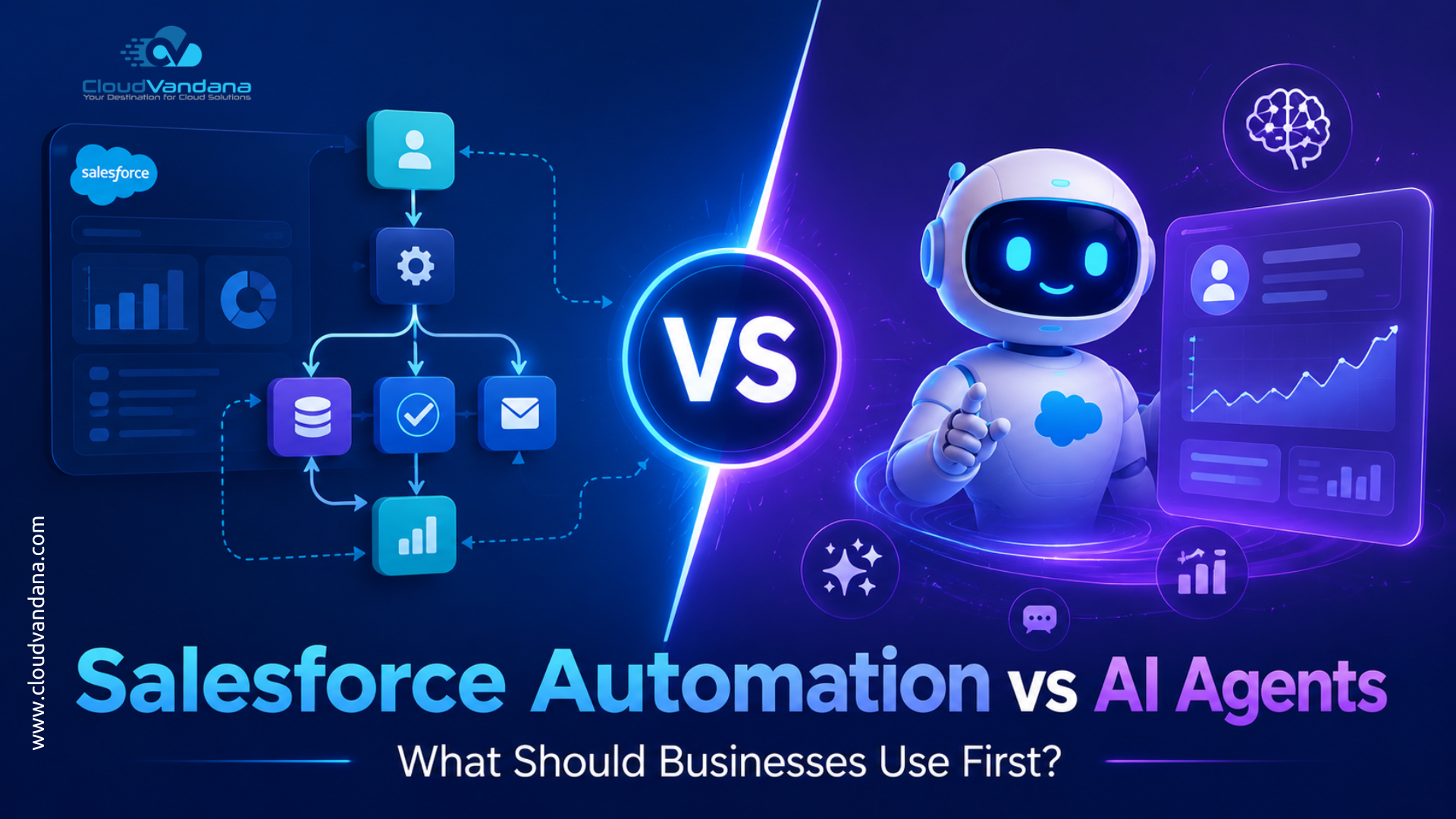
Salesforce has entered a new era.
For years, businesses focused on automating repetitive CRM tasks. Lead assignment. Follow-up reminders. Approval routing. Case escalation. Opportunity updates. Renewal notifications. These workflows saved time, reduced manual effort, and helped teams operate with more consistency.
Now, AI agents have entered the conversation.
Salesforce Agentforce and AI-powered CRM capabilities are changing how businesses think about work. Instead of only asking, “Can Salesforce automate this task?”, leaders are now asking, “Can Salesforce understand the request, decide what needs to happen, and take action?”
That is a very different question.
Salesforce automation and AI agents are both powerful. But they are not the same. They solve different problems. They require different levels of CRM maturity. And they should not always be implemented in the same order.
So, what should businesses use first?
The practical answer is this: most businesses should start with strong Salesforce automation before moving deeply into AI agents. But there are exceptions. If the business already has clean data, stable processes, clear governance, and high-volume customer interactions, AI agents can become an early accelerator.
The smarter approach is not automation versus AI agents.
It is automation first, AI agents next, and both working together over time.
Why This Question Matters in 2026
Businesses are under pressure to move faster. Sales teams need better pipeline visibility. Service teams need quicker case resolution. Marketing teams need smarter segmentation. Operations teams need fewer manual handoffs.
At the same time, leaders are being pushed to adopt AI.
The pressure is real. AI promises productivity, speed, personalization, and scale. But when AI is placed on top of weak processes, poor data, and chaotic CRM architecture, it does not create transformation. It creates confusion.
That is why the question matters.
Should a company invest first in Salesforce automation, such as Flow, approvals, validation rules, and integrations? Or should it move directly into AI agents that can respond, reason, and act?
The answer depends on readiness.
AI agents need reliable context. They need trustworthy data. They need defined actions. They need access controls. They need escalation paths. They need business rules that are already understood.
In many cases, automation creates that foundation.
Without it, AI agents may appear impressive in demos but struggle in real business environments. A beautiful AI interface cannot compensate for broken lead stages, duplicate accounts, missing case categories, inconsistent opportunity data, or poorly defined handoff rules.
That is why businesses should view Salesforce automation as the operational skeleton and AI agents as the intelligent layer that sits on top of it.
What Is Salesforce Automation?
Salesforce automation refers to the use of platform tools to perform tasks, update records, route work, send notifications, enforce rules, and coordinate business processes without manual intervention.
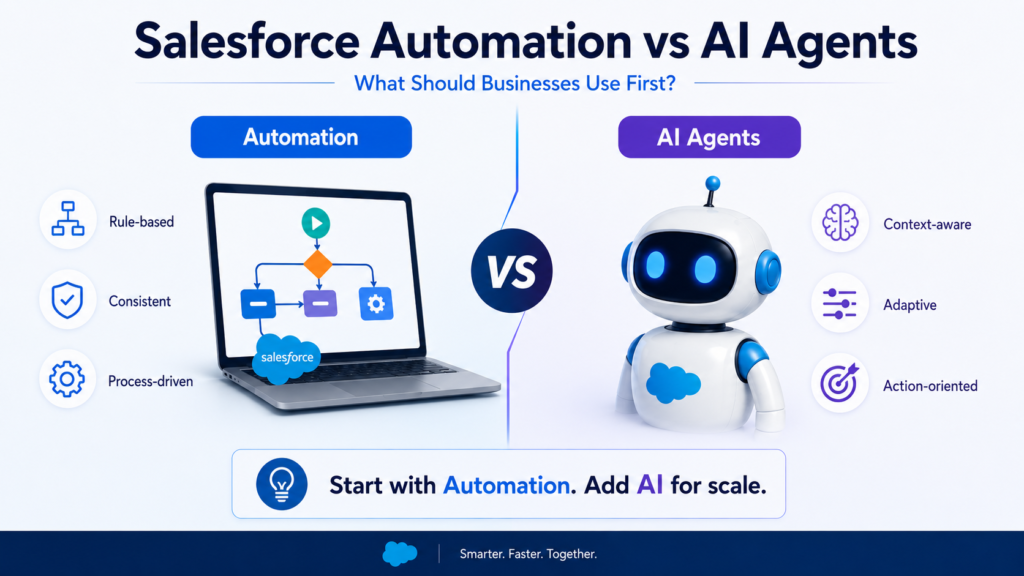
It is structured. It is rule-based. It is predictable.
For example, Salesforce automation can:
- Assign a new lead to the right sales representative
- Create a follow-up task after a sales call
- Send an email when an opportunity reaches a certain stage
- Escalate a case if it is not resolved within a specific time
- Update related records when a field changes
- Trigger approval requests
- Create renewal opportunities
- Notify managers when deal discounts exceed a threshold
Automation does not “think” in the human sense. It follows conditions.
If this happens, then do that.
That simplicity is also its strength. When designed properly, automation creates operational consistency. It ensures that important steps do not depend on memory, habit, or personal discipline.
For many businesses, this is the first major CRM maturity leap.
Salesforce Flow
Salesforce Flow is one of the most important automation tools in the Salesforce ecosystem.
It allows businesses to build low-code automations that can collect data, update records, create tasks, send notifications, guide users through screens, and orchestrate multi-step processes.
Flow can support several types of automation, including:
- Record-triggered flows
- Screen flows
- Scheduled flows
- Autolaunched flows
- Platform event-triggered flows
This makes Flow extremely flexible.
A sales team can use Flow to guide representatives through a qualification process. A service team can use Flow to standardize case intake. An operations team can use Flow to update records across multiple objects. A finance team can use Flow to trigger approvals when pricing rules are exceeded.
Flow is not only about saving clicks. It is about making business processes repeatable.
That repeatability becomes very important when AI enters the picture.
Approval Processes
Approval processes help businesses control decisions that require review.
For example, a deal discount above 20% may need manager approval. A contract exception may need legal review. A refund request may need finance approval. A partner onboarding request may need compliance validation.
Approval processes create governance.
They answer questions such as:
- Who needs to approve this?
- In what order?
- Under what conditions?
- What happens if the request is approved?
- What happens if it is rejected?
This is important because AI agents should not be allowed to take every action freely. Some decisions require human review. Some actions must follow policy. Some outcomes need auditability.
Approval processes help create that control layer.
Record-Triggered Automation
Record-triggered automation runs when a Salesforce record is created, updated, or deleted.
For example:
- When a lead status changes to “Qualified,” create an opportunity
- When a case priority changes to “High,” notify the support manager
- When an opportunity is marked “Closed Won,” create an onboarding project
- When a contract end date is 90 days away, create a renewal task
This kind of automation is especially valuable because it reacts instantly to CRM activity.
It also prevents process leakage.
Without record-triggered automation, teams often rely on manual updates. Someone must remember to create the task. Someone must send the reminder. Someone must notify the next team. Someone must update the related record.
That works until volume increases.
Then things break.
Automation protects the business from that fragility.
Scheduled Automation
Scheduled automation runs at defined times.
For example:
- Send renewal reminders every morning
- Identify stale opportunities every Monday
- Create follow-up tasks for inactive leads
- Update account health scores weekly
- Notify managers about overdue cases
Scheduled automation is useful for recurring operational hygiene.
It keeps the CRM clean and active. It prevents data from becoming dormant. It helps leaders maintain visibility without requiring constant manual review.
This is especially important before deploying AI agents, because AI performs better when the underlying CRM data is current and well-maintained.
Old data creates weak recommendations. Missing data creates incomplete responses. Inconsistent data creates unreliable decisions.
Scheduled automation helps reduce that risk.
What Are Salesforce AI Agents?
Salesforce AI agents are intelligent digital agents that can understand requests, interpret context, reason through a task, and take action across CRM workflows.
Unlike traditional automation, AI agents are not limited to rigid “if this, then that” paths. They can work with natural language, use business data, generate responses, summarize information, recommend actions, and execute tasks through approved workflows.

In the Salesforce ecosystem, Agentforce represents the shift from passive AI assistance to active digital labor.
An AI agent may help with tasks such as:
- Answering customer questions
- Summarizing cases
- Drafting sales emails
- Updating CRM records
- Recommending next steps
- Routing service requests
- Handling routine support conversations
- Assisting employees with internal knowledge
- Taking actions through connected workflows
The key difference is agency.
An AI agent does not simply display information. It can participate in work.
But that participation must be designed carefully.
Agentforce and AI-Driven CRM Work
Agentforce is Salesforce’s platform for building and managing AI agents that can work across business functions.
The promise is compelling.
Instead of employees manually searching for information, writing repetitive emails, updating fields, and switching between systems, AI agents can help complete tasks faster and with more context.
For example, in service, an AI agent can understand a customer issue, review previous interactions, suggest a resolution, and escalate when needed.
In sales, an AI agent can research an account, summarize engagement history, recommend next steps, and draft a personalized email.
In marketing, an AI agent can help segment audiences, generate campaign variations, and interpret engagement signals.
In operations, an AI agent can help coordinate workflows across departments.
However, AI agents are not magic.

They are only as strong as the environment they operate in.
If the CRM is cluttered, the data is unreliable, and the process is undefined, the AI agent has to operate inside ambiguity. That is risky.
How AI Agents Differ from Traditional Bots
Traditional bots usually follow scripted paths.
They ask predefined questions. They use decision trees. They provide fixed responses. If the user says something unexpected, the bot often fails or transfers the conversation to a human.
AI agents are more advanced.
They can understand natural language better. They can interpret intent. They can use CRM context. They can generate dynamic responses. They can complete tasks instead of simply answering questions.
A traditional chatbot may say:
“Please select one of the following options.”
An AI agent may say:
“I found your open case, reviewed the latest update, checked your warranty status, and can help schedule the next service appointment.”
That is a major difference.
But with greater capability comes greater responsibility.
AI agents need boundaries. They need trusted data. They need defined actions. They need monitoring. They need fallback paths.
That is why automation and AI agents should not be treated as competing technologies. They should be designed as connected layers.

Salesforce Automation vs AI Agents: The Core Difference
The core difference is simple.
Salesforce automation executes predefined rules.
AI agents interpret context and decide how to act within approved boundaries.
Automation is deterministic. AI agents are adaptive.
Automation is best when the process is clear. AI agents are useful when the interaction is variable, conversational, or context-heavy.
Automation is ideal for:
- Field updates
- Task creation
- Notifications
- Approvals
- Lead assignment
- Case escalation
- Scheduled reminders
- Data cleanup
- Standardized handoffs
AI agents are ideal for:
- Customer conversations
- Sales assistance
- Case summarization
- Knowledge retrieval
- Personalized recommendations
- Natural language requests
- Guided employee support
- Multi-step reasoning tasks
Automation answers: “What should happen when this condition is met?”
AI agents answer: “What does this person need, and what is the best next action?”
Both are valuable. But they are not interchangeable.
Automation Follows Rules, AI Agents Interpret Context
Rule-based automation is excellent for predictable business logic.
For example:
If an opportunity amount is above $100,000 and the discount is above 15%, send it for approval.
That is a clean automation use case.
But consider this situation:
A customer contacts support and says, “We are still facing the same issue from last week, and this is affecting our renewal decision.”
This requires context.
The system needs to understand the customer’s tone, previous case history, account value, renewal date, product usage, open escalations, and possible next steps.
That is where an AI agent becomes useful.
The AI agent can help summarize the situation, identify urgency, suggest a response, and route the issue appropriately.
The practical lesson is clear.
Use automation when rules are stable.
Use AI agents when context, language, and judgment are involved.
When Businesses Should Use Salesforce Automation First
Most businesses should begin with Salesforce automation first when their processes are still manual, inconsistent, or undocumented.
Automation should come first if:
- Sales teams are missing follow-ups
- Leads are not routed properly
- Cases are not escalated on time
- Managers rely on spreadsheets for approvals
- Users manually update too many fields
- Data quality is poor
- Reporting is inconsistent
- Customer handoffs are unclear
- Teams do not follow the same process
- CRM adoption is still weak
In these situations, AI agents may sound exciting, but the business is not ready to benefit fully from them.
Automation creates structure.
It defines what should happen, when it should happen, who owns it, and what the system should update.
That structure becomes the foundation for future AI adoption.
Think of automation as operational discipline.
Before a business asks AI to make decisions, it must first define how work should happen.
When Businesses Should Use AI Agents First
There are cases where AI agents can be introduced early.
A business may consider AI agents first if it already has:
- Clean CRM data
- Mature Salesforce processes
- Strong knowledge articles
- Clear service procedures
- Well-defined sales stages
- Reliable integrations
- Strong governance
- High-volume repetitive interactions
- Clear escalation rules
- Executive alignment on AI usage
For example, a company with thousands of monthly support inquiries may benefit quickly from an AI service agent. If most questions are repetitive and the knowledge base is strong, an AI agent can reduce support load and improve response speed.
A sales organization with mature account data may use an AI agent to summarize customer history, draft follow-ups, and prepare representatives before meetings.
In these cases, the business is not skipping the foundation. The foundation already exists.
That is the distinction.
AI agents can come first only when the CRM is already mature enough to support them.
Why Most Businesses Should Not Skip Automation
Skipping automation is tempting.
AI feels more modern. It sounds more strategic. It attracts leadership attention.
But skipping automation often creates weak AI outcomes.
Why?
Because AI agents need actions to execute. Many of those actions are powered by workflows, APIs, automations, and business rules.
If those workflows do not exist, the AI agent may only provide suggestions instead of completing work.
For example, an AI agent can understand that a customer needs a replacement order. But if there is no defined replacement workflow, no approval rule, no inventory integration, and no case update logic, the agent cannot reliably complete the task.
It may only generate a response.
That limits business value.
Automation gives AI something concrete to use.
It creates the rails on which AI can safely move.
Without automation, AI becomes conversational.
With automation, AI becomes operational.
The Role of Data Quality in Both Automation and AI Agents
Data quality is the quiet determinant of success.
Bad data damages automation. It damages AI agents even more.
If lead source values are inconsistent, automation may route leads incorrectly. If account ownership is outdated, tasks may go to the wrong person. If case categories are messy, escalation rules may fail.
Now add AI.
An AI agent may use that same flawed data to generate recommendations, summarize history, or take action.
The risk becomes larger.
Before implementing either advanced automation or AI agents, businesses should assess:
- Duplicate records
- Missing required fields
- Inconsistent picklist values
- Outdated contact information
- Poor account hierarchy
- Incomplete activity history
- Weak knowledge base content
- Unclear ownership rules
- Disconnected external systems
Clean data is not glamorous. But it is indispensable.
A business that wants AI success must first create data trust.
No trust, no scale.
Process Maturity: The Forgotten Readiness Factor
Many businesses ask whether their technology is ready for AI.
The better question is whether their process is ready.
AI agents cannot fix a process that no one understands.
If the sales team cannot agree on what makes a lead qualified, an AI agent will struggle to qualify leads correctly.
If the service team has no consistent escalation model, an AI agent may escalate too much, too little, or to the wrong person.
If marketing and sales define conversion differently, AI recommendations may create friction instead of alignment.
Process maturity means the business has clear answers to questions such as:
- What should happen at each stage?
- Who owns each step?
- What data is required?
- What exceptions are allowed?
- When should a human review the action?
- What should be automated?
- What should never be automated?
- What should AI assist with, but not control?
These questions matter.
The more mature the process, the more valuable AI agents become.
Use Case Comparison: Automation vs AI Agents
The right choice depends on the use case.
Some tasks clearly belong to automation. Others clearly belong to AI agents. Many require both.
Sales Use Cases
Salesforce automation is useful in sales when the process is structured.
Examples include:
- Assigning leads by territory
- Creating follow-up tasks
- Updating opportunity stages
- Sending renewal reminders
- Alerting managers about stalled deals
- Creating quotes or approval requests
- Notifying sales reps when prospects engage
AI agents are useful when sales work requires context.
Examples include:
- Summarizing account history
- Drafting personalized outreach
- Preparing meeting briefs
- Recommending next best actions
- Identifying risks in a deal
- Answering rep questions about CRM data
- Researching prospects before calls
What should come first?
For most sales teams, automation should come first.
Lead routing, stage discipline, task creation, and opportunity hygiene must be stable. Once that foundation exists, AI agents can help sales teams move faster and personalize better.
Service Use Cases
Service teams are often strong candidates for AI agents, especially when case volume is high.
Salesforce automation is useful for:
- Case assignment
- SLA tracking
- Escalation rules
- Status updates
- Follow-up reminders
- Customer notifications
- Internal task creation
AI agents are useful for:
- Answering customer questions
- Summarizing case history
- Suggesting resolutions
- Drafting replies
- Finding knowledge articles
- Handling routine inquiries
- Supporting agents during live conversations
What should come first?
If the service process is immature, automation comes first.
If the service process is mature and the knowledge base is strong, AI agents can deliver value quickly.
The biggest factor is knowledge quality. An AI service agent needs accurate, current, and well-organized knowledge content.
Marketing Use Cases
Marketing automation has been part of CRM strategy for years.
Salesforce automation is useful for:
- Lead capture
- Lead scoring updates
- Campaign member status changes
- Nurture triggers
- Sales handoff notifications
- Form submission routing
- Re-engagement workflows
AI agents are useful for:
- Campaign idea generation
- Audience recommendations
- Content personalization
- Engagement analysis
- Segment insights
- Journey optimization
- Conversational lead qualification
What should come first?
Marketing teams should usually start with automation.
If lead capture, segmentation, scoring, and sales handoff are not working, AI will not solve the core problem. It may create more content, but not necessarily more revenue.
AI agents become more valuable when marketing operations are already structured.
Operations Use Cases
Operations teams depend heavily on repeatable workflows.
Salesforce automation is useful for:
- Task handoffs
- Internal approvals
- Record updates
- Data validation
- Project creation
- Onboarding workflows
- Compliance checks
- Status notifications
AI agents are useful for:
- Answering internal process questions
- Summarizing operational status
- Identifying bottlenecks
- Recommending workflow improvements
- Coordinating cross-functional requests
- Supporting employees with guided actions
What should come first?
Automation almost always comes first in operations.
Operations work needs consistency. AI agents can help later by making processes easier to access, understand, and execute.
Salesforce Flow vs Agentforce: How They Work Together
The best Salesforce strategy does not treat Flow and Agentforce as rivals.
Flow can define and execute structured business logic.
Agentforce can understand user intent and decide which approved action should be used.
For example, a customer asks an AI agent to update a delivery address.
The AI agent can understand the request. But the actual update may need to follow a Salesforce Flow that checks permissions, validates required fields, updates the record, creates an audit note, and notifies the fulfillment team.
That is the ideal model.
AI handles interpretation.
Automation handles execution.
Together, they create intelligent operations.
This is where businesses should aim. Not random automation. Not uncontrolled AI. A governed system where AI agents use approved workflows to complete work safely.
Common Mistakes Businesses Make
Many companies make the same mistakes when comparing Salesforce automation and AI agents.
The first mistake is treating AI as a shortcut.
AI does not remove the need for process design. It increases the importance of process design.
The second mistake is automating broken processes.
If a process is inefficient, automation can make the inefficiency happen faster. Before automating, businesses should simplify and clarify the workflow.
The third mistake is ignoring data quality.
Poor data creates poor automation and poor AI output.
The fourth mistake is giving AI too much freedom too soon.
AI agents should operate inside clear boundaries, especially when dealing with customer communication, financial information, contracts, refunds, pricing, or compliance-sensitive work.
The fifth mistake is building without user adoption.
If employees do not trust the system, they will avoid it. If they avoid it, data quality declines. If data quality declines, AI becomes less useful.
Technology alone never guarantees transformation.
Adoption does.
Cost Considerations: Automation vs AI Agents
Salesforce automation and AI agents have different cost dynamics.
Automation costs are often related to planning, configuration, testing, optimization, and maintenance. Once a Flow is built properly, it can run repeatedly and support large volumes of work.
AI agents may involve additional licensing, usage-based costs, implementation work, data preparation, knowledge setup, testing, monitoring, and governance.
The cost question should not be, “Which one is cheaper?”
The better question is, “Which one will create measurable business value first?”
Automation often creates quick ROI by reducing manual work, improving follow-up, and preventing operational leakage.
AI agents can create significant ROI when they reduce repetitive conversations, accelerate employee productivity, improve response quality, or support high-volume customer interactions.
The strongest ROI usually comes when automation and AI agents are connected.
Automation reduces friction.
AI reduces cognitive load.
Together, they reduce operational drag.
Governance, Security, and Compliance
Governance is essential.
Salesforce automation should be governed through naming conventions, documentation, testing, deployment practices, version control, and clear ownership.
AI agents need even stronger governance.
Businesses must define:
- What data the AI agent can access
- What actions it can perform
- When human approval is required
- What topics it can respond to
- What it should never say
- How responses are monitored
- How errors are handled
- How sensitive data is protected
- How audit trails are maintained
This is especially important in industries such as finance, healthcare, insurance, education, legal services, and enterprise B2B.
AI agents can improve speed, but speed without control creates risk.
A mature Salesforce strategy balances innovation with trust.
The Right Implementation Roadmap
A practical roadmap should look like this:
Step 1: Audit the Current Salesforce Org
Review existing automations, objects, fields, permissions, integrations, reports, and data quality.
Identify what is working and what is creating friction.
Step 2: Map Business Processes
Document how sales, service, marketing, and operations actually work.
Compare the current process with the desired process.
Step 3: Clean and Standardize Data
Fix duplicates, required fields, picklist values, ownership rules, and stale records.
Data cleanup is not optional.
Step 4: Build Core Automation
Use Salesforce Flow, approval processes, validation rules, and notifications to standardize repeatable work.
Step 5: Improve Reporting and Visibility
Dashboards should show whether processes are being followed and where bottlenecks exist.
Step 6: Identify AI Agent Use Cases
Choose use cases where AI can create measurable value.
Start with focused, controlled scenarios.
Step 7: Connect AI Agents to Approved Actions
AI should use trusted workflows, not uncontrolled improvisation.
Step 8: Test, Monitor, and Optimize
Review performance, user feedback, response quality, escalation accuracy, and business outcomes.
This roadmap reduces risk and increases adoption.
It also helps businesses avoid chasing AI trends before their CRM is ready.
How to Decide What to Use First
Here is a simple decision framework.
Use Salesforce automation first if the work is:
- Repetitive
- Rule-based
- Predictable
- Process-driven
- Internal
- Dependent on structured data
- Easy to define with conditions
Use AI agents first or early if the work is:
- Conversational
- High-volume
- Context-heavy
- Knowledge-based
- Time-sensitive
- Dependent on natural language
- Supported by clean data and clear workflows
Use both when the work requires:
- Understanding user intent
- Taking action in Salesforce
- Following business rules
- Maintaining compliance
- Escalating exceptions
- Updating records
- Creating a complete customer experience
The most successful businesses will not ask which one is better.
They will ask which one belongs at each layer of the process.
Why Expert Salesforce Consulting Matters
Salesforce automation and AI agents both require thoughtful implementation.
A poorly built Flow can create errors, slow performance, or confuse users.
A poorly designed AI agent can provide weak answers, take incorrect actions, or damage trust.
This is why expert Salesforce consulting matters.
The right partner helps businesses:
- Assess CRM readiness
- Identify automation opportunities
- Clean and structure data
- Design scalable Salesforce Flows
- Reduce technical debt
- Prepare for Agentforce
- Define AI governance
- Connect AI agents with business workflows
- Improve adoption
- Measure ROI
The goal is not to implement technology for the sake of technology.
The goal is to create a Salesforce environment that helps teams work better every day.
How CloudVandana Helps Businesses Build the Right Foundation
CloudVandana helps businesses implement, optimize, automate, and scale Salesforce with a practical focus on long-term success.
Whether a company is just beginning its Salesforce automation journey or preparing for AI agents, CloudVandana helps create the foundation needed for reliable growth.
CloudVandana can support businesses with:
- Salesforce implementation planning
- Salesforce Flow automation
- Business process discovery
- Sales Cloud and Service Cloud optimization
- Data cleanup and migration
- CRM integration
- Custom Salesforce development
- Approval process setup
- Reporting and dashboard strategy
- Salesforce managed services
- Agentforce readiness planning
- AI CRM strategy and implementation support
The advantage is simple.
CloudVandana does not treat Salesforce as just a software setup. It treats Salesforce as a business operating system.
That means every automation, workflow, integration, and AI initiative is designed around real business outcomes.
Conclusion
Salesforce automation and AI agents are not competitors.
They are part of the same evolution.
Automation helps businesses create consistency. AI agents help businesses create intelligence. Automation standardizes the work. AI agents make the work more adaptive, conversational, and scalable.
But the order matters.
Most businesses should start with Salesforce automation because it creates the operational foundation AI needs. It cleans up repeatable work, improves data discipline, strengthens process visibility, and gives teams a more reliable CRM environment.
Once that foundation is in place, AI agents can do far more than answer questions. They can help complete work, support employees, improve customer experiences, and scale productivity across the business.
The future of Salesforce is not automation alone.
It is not AI alone.
It is automated, intelligent, governed CRM execution.
Businesses that prepare now will move faster later. They will not scramble to retrofit AI into broken processes. They will already have the structure, data, and workflows needed to make AI useful.
And that is where the real competitive advantage begins.
Is your Salesforce org ready for automation, AI agents, or both?
CloudVandana can help you identify what your business should implement first, fix the gaps holding your CRM back, and build a scalable Salesforce roadmap for automation and AI-powered growth.
From Salesforce Flow and process optimization to Agentforce readiness and AI CRM strategy, CloudVandana helps businesses move from manual operations to intelligent, connected workflows.
Talk to CloudVandana today and build a Salesforce foundation that is ready for the future of AI-driven business.
FAQs
1. What is the difference between Salesforce automation and AI agents?
Salesforce automation follows predefined rules to complete tasks, update records, send notifications, and manage workflows. AI agents can understand context, interpret natural language, make recommendations, and take approved actions based on business data.
2. Should businesses use Salesforce automation or AI agents first?
Most businesses should start with Salesforce automation first. Automation creates the process structure, data discipline, and operational consistency that AI agents need to work effectively.
3. When should a business use AI agents first?
A business can use AI agents early if it already has clean CRM data, mature processes, strong governance, reliable integrations, and high-volume use cases such as customer support or sales assistance.
4. Is Salesforce Flow still important with Agentforce?
Yes. Salesforce Flow remains extremely important because AI agents often need structured workflows to complete actions safely. Flow can provide the execution layer while AI agents provide the intelligence layer.
5. Can AI agents replace Salesforce automation?
No. AI agents should not fully replace automation. They work best when connected to trusted automations, workflows, APIs, and business rules.
6. What are the best Salesforce automation use cases?
Common use cases include lead routing, task creation, case escalation, approval routing, renewal reminders, record updates, notifications, and data validation.
7. What are the best Salesforce AI agent use cases?
Strong use cases include customer support responses, case summaries, sales email drafting, account research, knowledge retrieval, next-step recommendations, and employee assistance.
8. Do AI agents require clean Salesforce data?
Yes. Clean data is critical. AI agents rely on CRM data to understand context, generate responses, and take action. Poor data can lead to poor recommendations and unreliable outcomes.
9. Is Salesforce automation cheaper than AI agents?
Automation is often less complex to start with, but cost depends on the use case, implementation scope, licensing, and maintenance. AI agents may deliver strong ROI when used for high-volume, repetitive, or context-heavy work.
10. How can businesses prepare Salesforce for AI agents?
Businesses should audit their Salesforce org, clean data, document processes, optimize Flow automation, improve reporting, define governance, and identify high-value AI use cases.
11. What role does governance play in AI agents?
Governance defines what AI agents can access, what actions they can take, when human approval is needed, and how responses are monitored. It helps reduce risk and maintain trust.
12. How can CloudVandana help with Salesforce automation and AI agents?
CloudVandana helps businesses assess Salesforce readiness, build scalable automation, optimize data and processes, prepare for Agentforce, and create an AI CRM roadmap aligned with real business goals.

Atul Gupta is CloudVandana’s founder and an 8X Salesforce Certified Professional who works with globally situated businesses to create Custom Salesforce Solutions.
Atul Gupta, a dynamic leader, directs CloudVandana’s Implementation Team, Analytics, and IT functions, ensuring seamless operations and innovative solutions.
YOU MIGHT ALSO LIKE

Financial Services Cloud: A Complete Guide for Banking and Wealth Management
How MuleSoft Connects Salesforce With ERP, Finance and Business Systems
Salesforce Customer 360: Connecting Sales, Service and Marketing Teams
Salesforce and Anthropic Launch Claudeforce: What It Means for the Future of Enterprise AI

Salesforce AIforce: What It Means for the Future of Enterprise Software