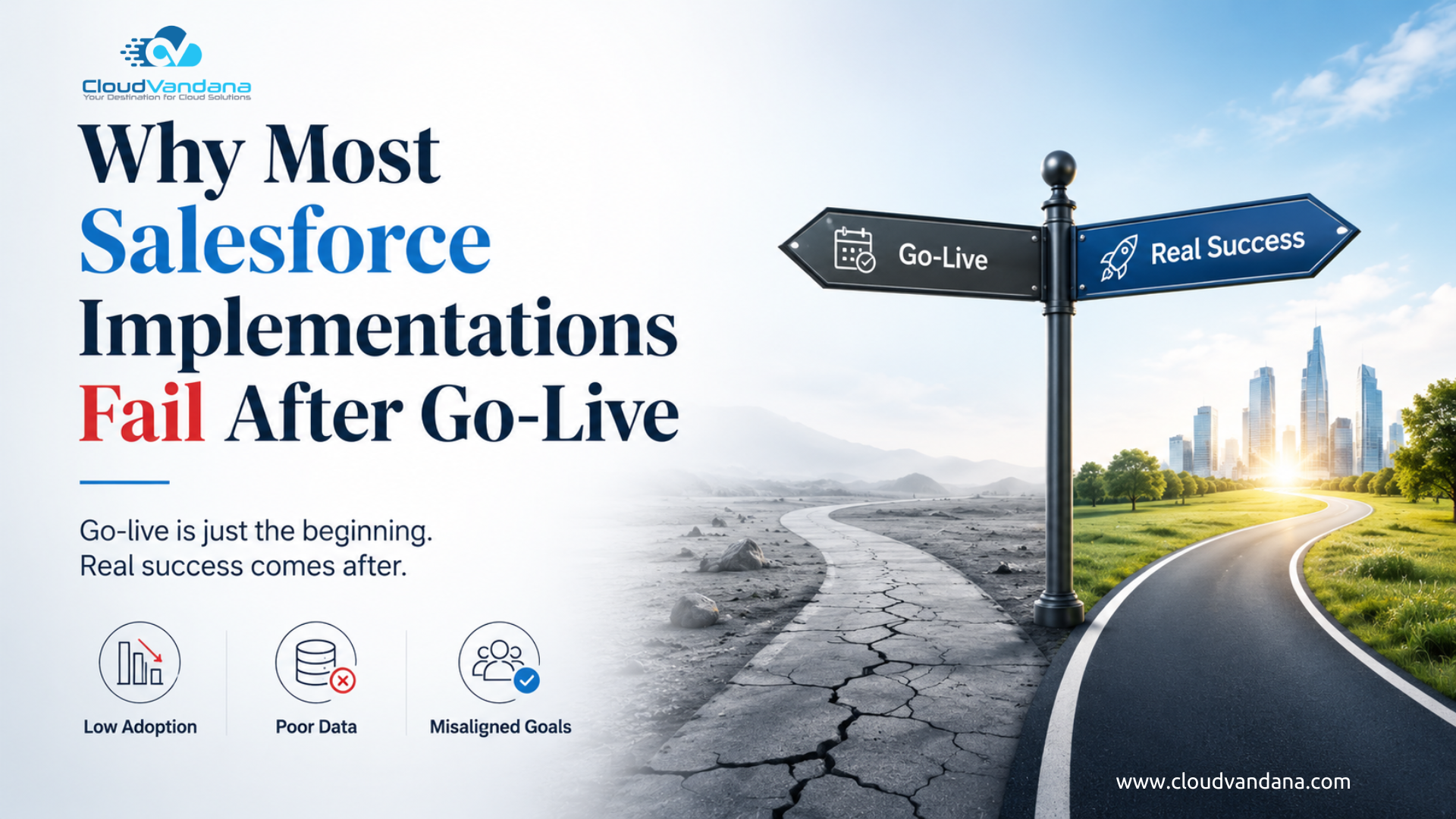
Introduction: Go-Live Is Not the Finish Line
Many Salesforce implementations do not fail on launch day.
They fail quietly.
The system goes live. Users receive login credentials. Dashboards are created. Automations run. Leadership celebrates the milestone. The project is marked as complete.
Then reality begins.
Sales teams return to spreadsheets. Service teams complain about extra clicks. Managers question dashboard accuracy. Data becomes inconsistent. Admins get flooded with change requests. Automations break when business processes evolve. Leadership begins asking the uncomfortable question:
“Why are we not seeing the value we expected from Salesforce?”
This is where most Salesforce implementation problems truly begin.
A successful Salesforce implementation is not measured by whether the system goes live. It is measured by whether the platform continues to support business growth, user productivity, data accuracy, automation maturity, and decision-making after go-live.
Salesforce itself describes CRM implementation as the process of setting up and integrating a CRM system to align with business processes and goals, including data migration, customization, and connection with existing tools. That definition is important because it makes one thing clear: Salesforce implementation is not just configuration. It is business alignment.
The problem is that many organizations treat go-live as the end of the project. In reality, go-live is the beginning of adoption, refinement, governance, and long-term value creation.
What Does Salesforce Implementation Failure Really Mean?
A Salesforce implementation does not fail only when the system is unusable.
Failure can look much subtler.
It can mean users log in only because management forces them to. It can mean reports exist but nobody trusts them. It can mean teams enter data after the fact instead of using Salesforce during their real workflow. It can mean the platform technically works but does not improve sales velocity, customer service, pipeline visibility, or operational efficiency.
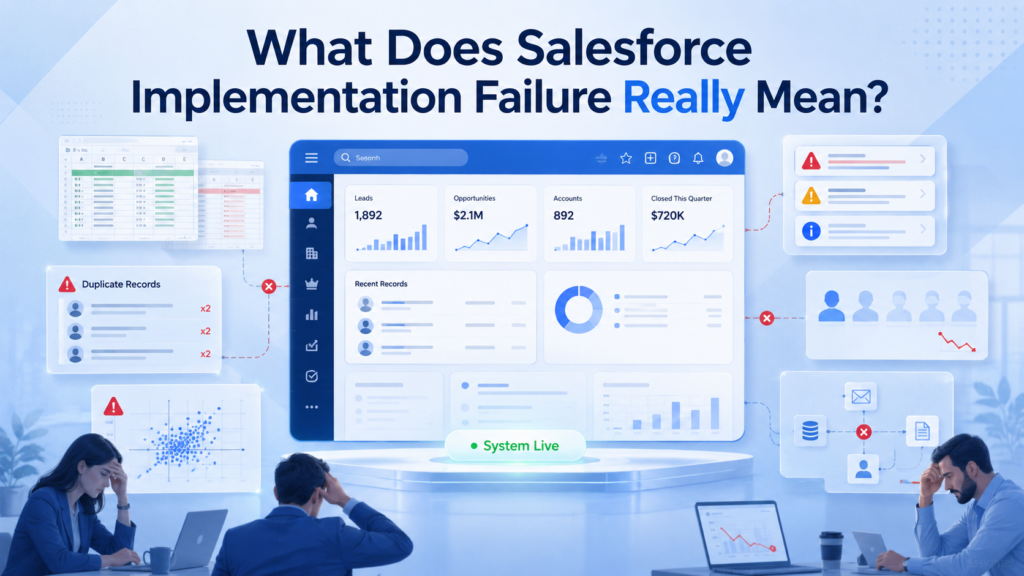
In many organizations, Salesforce becomes a digital filing cabinet instead of a business operating system.
That is failure.
Not because Salesforce is weak. Salesforce is an extremely powerful platform. The issue is usually not the tool. The issue is how the tool is planned, implemented, adopted, governed, and improved.
A failed Salesforce implementation often has these symptoms:
Users avoid the system unless required.
Data is incomplete, duplicated, or outdated.
Managers export data into Excel for “real analysis.”
Automations create more confusion than efficiency.
Admins constantly fix urgent issues instead of improving the platform.
Leadership sees Salesforce as expensive but underutilized.
The business keeps changing, but Salesforce stays frozen in its launch-day design.
The most dangerous type of Salesforce failure is not dramatic collapse. It is slow irrelevance.
Why Salesforce Projects Look Successful at Launch but Fail Later
Go-live can be misleading.
A project may appear successful because the technical checklist is complete. Objects are configured. Fields are created. Profiles and permission sets are assigned. Data is migrated. Reports are built. Integrations are connected. Users are trained.
But technical completion is not the same as business readiness.
A Salesforce org can be launched on time and still fail six months later.
Why?
Because the real test begins only when everyday users begin working inside the platform under real business pressure.
A sales rep does not care that the object model is elegant. They care whether the system helps them follow up faster, prioritize opportunities, and close deals.
A service agent does not care that the case layout includes every possible field. They care whether the right customer information is visible when the customer is waiting.
A manager does not care that dashboards are visually impressive. They care whether the numbers are accurate enough to guide decisions.
A Salesforce implementation succeeds only when the system fits naturally into the way people work while also improving that work.
This is where many projects fall apart. They are designed around what the business thinks it needs during workshops, not what users actually need during daily execution.
The Biggest Mistake: Treating Salesforce as a Technology Project Only
The most common reason Salesforce implementations fail after go-live is not poor technology.
It is poor framing.
Many businesses treat Salesforce like a software deployment: configure the system, migrate the data, train the users, and launch.
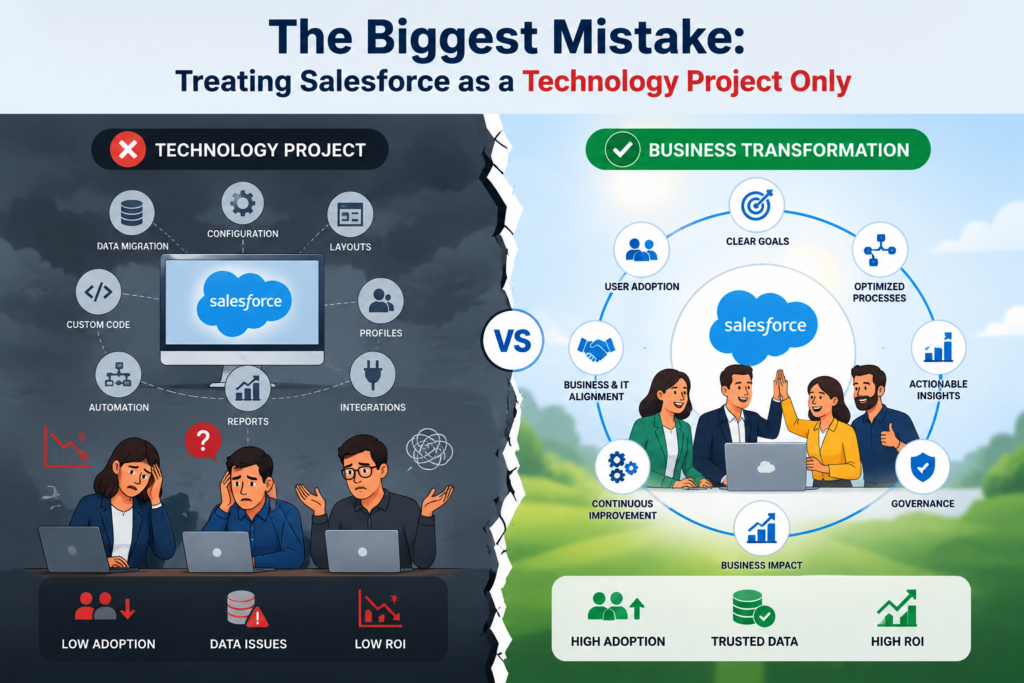
But Salesforce is not just another tool in the tech stack.
It is not simply a database where customer information lives. It is the central nervous system of the business. It touches how sales teams manage opportunities, how service teams support customers, how marketing teams track engagement, how leaders review performance, and how departments collaborate across the customer journey.
That is why Salesforce implementation should never be treated as a checklist of technical tasks.
Yes, the team needs to configure:
- Fields
- Page layouts
- Objects
- Automations
- Profiles and permissions
- Dashboards
- Data migration
- Integrations
All of these matter. Without them, the system will not function properly.
But here is the problem.
A technically complete Salesforce org is not always a successful Salesforce org.
The real questions are much bigger:
- What business outcomes should Salesforce improve?
- Which processes need to be simplified before they are automated?
- Which teams need to change the way they work?
- What data is actually needed for better decision-making?
- Who will drive user adoption after go-live?
- How will Salesforce continue to evolve after the first launch?
- What does long-term success look like beyond implementation day?
These questions often receive less attention because they are harder to answer. They require business alignment, leadership involvement, user feedback, process clarity, and long-term thinking.
But they are exactly what determines whether Salesforce becomes a growth engine or just another expensive system people are forced to update.
Salesforce Well-Architected also encourages teams to challenge their assumptions and look at broader architectural guidance instead of making isolated configuration decisions. That mindset is important because Salesforce success is not built on quick setup alone. It depends on sustainable design, scalable processes, clean data, strong governance, and continuous improvement.
When Salesforce is implemented only as a technical project, the result is usually a system that works on paper but struggles in practice.
Users log in, but they do not fully adopt it.
Dashboards exist, but leaders question the numbers.
Automations run, but processes still feel messy.
Data is captured, but it does not always support better decisions.
That is the real risk.
A Salesforce implementation can be technically functional and still fail to move the business forward.
The difference between a failed implementation and a successful one is not just how well Salesforce is configured.
It is how well Salesforce is connected to the way the business actually grows, serves, sells, and makes decisions.
Poor Discovery Creates Weak Foundations
Discovery is where many Salesforce projects are won or lost.
Unfortunately, discovery is often rushed.
Stakeholders attend a few workshops. Existing processes are documented quickly. Requirements are gathered at a surface level. Everyone wants to move into configuration because it feels like progress.
But weak discovery creates weak architecture.
If the implementation team does not fully understand how leads move through the funnel, how opportunities are qualified, how service requests are escalated, how approvals happen, how customer data is maintained, or how leadership measures performance, Salesforce will be built on assumptions.
And assumptions are expensive.
Poor discovery often leads to:
Fields that nobody uses
Layouts that overwhelm users
Automations that do not match real workflow
Dashboards that measure vanity metrics
Integrations that miss critical process steps
Permission models that create bottlenecks
Data migration rules that import old problems into a new system
Good discovery goes beyond asking, “What do you want in Salesforce?”
It asks:
What problem are we solving?
Where does work slow down today?
What information do users need at each stage?
Which decisions should Salesforce support?
Which manual tasks create the most leakage?
Which reports does leadership actually use?
Which processes should be redesigned before configuration?
The quality of discovery determines the quality of implementation. When discovery is shallow, go-live becomes a polished version of a broken process.
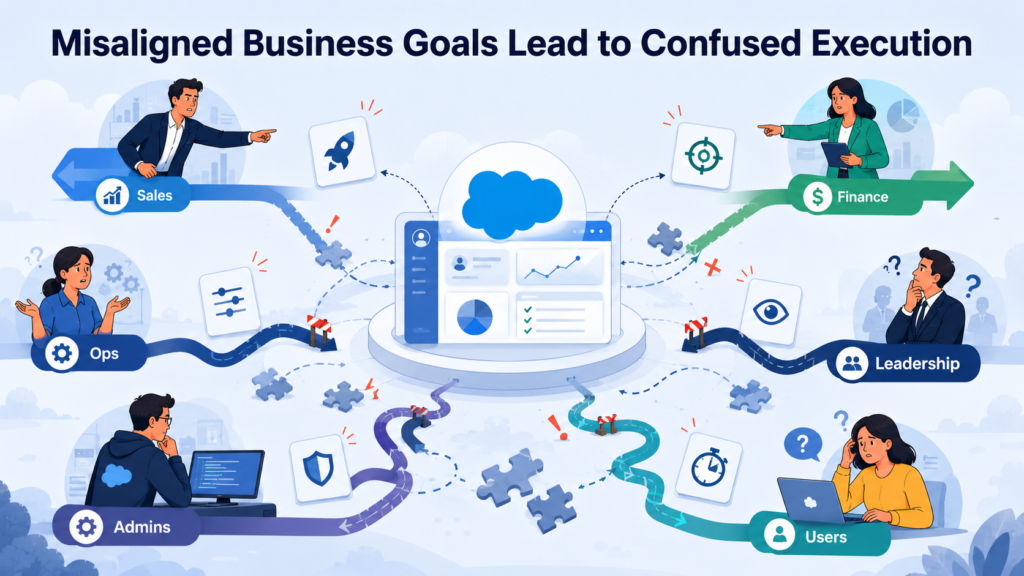
Misaligned Business Goals Lead to Confused Execution
Salesforce implementations often fail because the organization never defines what success looks like.
“Improve sales productivity” is not specific enough.
“Get better reporting” is not specific enough.
“Automate our process” is not specific enough.
These are aspirations, not implementation goals.
Clear Salesforce goals should be measurable and operational. For example:
Reduce lead response time from 24 hours to 2 hours.
Improve opportunity stage accuracy by 30 percent.
Reduce duplicate customer records by 80 percent.
Increase forecast reliability.
Reduce case reassignment time.
Improve first-contact resolution.
Reduce manual approval follow-ups.
Create one trusted view of customer activity.
When goals are vague, every stakeholder interprets success differently.
Sales wants speed. Finance wants accuracy. Operations wants control. Leadership wants dashboards. Admins want maintainability. Users want fewer clicks.
Without alignment, Salesforce becomes a compromise platform where everyone gets something, but nobody gets the complete outcome they need.
This is why goal definition must happen before configuration.
Salesforce should not simply digitize existing tasks. It should help the business operate with more clarity, accountability, and momentum.
Lack of Executive Ownership After Go-Live
Executive sponsorship is usually strong at the start of a Salesforce project.
Leaders approve the budget. They attend the kickoff meeting. They ask for progress updates. They review key milestones. They show interest when the system is close to launch.
Then go-live happens.
The project is marked as complete.
The launch announcement goes out.
Users receive access.
And leadership attention slowly moves to the next business priority.
That is where the problem begins.
Salesforce adoption cannot survive on admin effort alone. It needs visible, consistent leadership reinforcement after go-live.
Because users watch what leaders do, not just what they say.
If managers do not use Salesforce dashboards in review meetings, users quickly understand that Salesforce data is not truly important.
If leaders continue accepting spreadsheet reports, teams will continue maintaining spreadsheets.
If executives do not question missing data, departments will treat data quality as optional.
If leadership does not explain why Salesforce matters after launch, users will see it as another system forced on them from the top.
This is how Salesforce slowly loses authority inside the business.
It may still be live.
It may still be accessible.
It may still contain records.
But if leaders do not use it as the operational source of truth, users will not treat it that way either.
Executive ownership after go-live should be active and visible. It should include:
- Using Salesforce reports in leadership and team reviews
- Asking business questions based on Salesforce data
- Holding teams accountable for data accuracy
- Reinforcing process compliance
- Supporting user adoption initiatives
- Funding ongoing optimization work
- Removing resistance between departments
- Recognizing teams that use Salesforce effectively
- Encouraging managers to coach from Salesforce insights
- Making Salesforce the default place for performance discussions
The message must be clear:
Salesforce is not just a system the company launched.
It is how the company runs, measures, and improves its customer-facing operations.
When leadership treats Salesforce as optional, users will treat it as optional.
But when leadership uses Salesforce consistently, discusses decisions through Salesforce data, and reinforces its role in everyday operations, adoption becomes much stronger.
Salesforce succeeds when executives stop seeing it as a completed implementation project and start treating it as a living business platform.
Because the login page going live is not the real milestone.
The real milestone is when Salesforce becomes the place where the business thinks, acts, and grows.
Weak User Adoption Turns Salesforce into a Reporting Burden
User adoption is one of the most common failure points after go-live.
A system can be well configured and still fail if users do not see value in it.
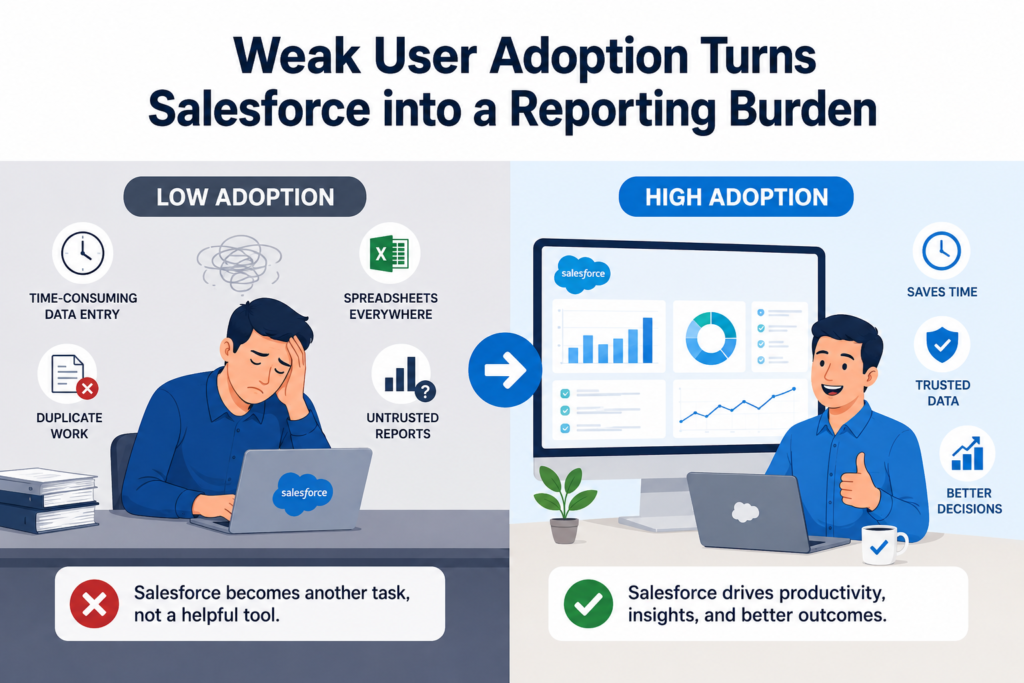
Many users resist Salesforce not because they dislike technology, but because the system feels like extra work.
They enter notes after meetings.
They update stages because managers ask.
They create tasks that do not help them prioritize.
They fill required fields that seem irrelevant.
They use Salesforce to report work, not to do work.
That distinction matters.
Salesforce adoption improves when the platform becomes useful during the actual workflow. Salesforce Trailhead’s adoption guidance focuses on integrating Salesforce into the sales team’s workflow for productivity and adoption, which is exactly the point many implementations miss.
Users adopt Salesforce when it helps them:
Prepare for calls
Prioritize follow-ups
See customer context
Reduce manual entry
Avoid repetitive updates
Move deals faster
Resolve cases with better information
Collaborate across teams
They resist it when it only benefits management reporting.
The best Salesforce implementations make the user’s job easier first. Better reporting follows naturally because users are capturing real data during real work.
Training Ends Too Early
Many organizations treat Salesforce training as a pre-launch activity.
Users attend one or two sessions. They receive a recording. Maybe they get a PDF guide. Then they are expected to use the platform correctly.
That rarely works.
Salesforce training should not be a one-time event. It should be an ongoing enablement program.
Why?
Because users forget. Processes evolve. New features are released. New employees join. Teams discover edge cases. Managers request changes. The business adapts.
Training must continue after go-live in practical, role-specific ways.
Sales reps do not need generic Salesforce training. They need to know how to manage leads, update opportunities, log activities, use dashboards, and follow the company’s sales process.
Service agents need to know case management, escalation rules, knowledge articles, customer history, and service-level expectations.
Managers need to know dashboards, pipeline inspection, report filters, forecasting, and coaching workflows.
Admins need deeper training on governance, automation, security, releases, and change control.
Salesforce also offers user adoption services focused on custom change management and learning programs aligned to business goals, reinforcing that adoption is not merely a launch-day activity.
Training should be continuous, contextual, and reinforced by managers.
Otherwise, users improvise. And when every user improvises, data quality collapses.
Poor Data Quality Breaks Trust in the System
Bad data is one of the fastest ways to destroy Salesforce adoption.
When users see duplicate accounts, missing fields, outdated contacts, incorrect opportunity stages, or unreliable activity history, they stop trusting the system.
Once trust is gone, adoption becomes performative.
Users may still log in, but they no longer believe Salesforce reflects reality.
Poor data quality usually starts before go-live but becomes visible afterward.
Common causes include:
Migrating dirty legacy data
Lack of duplicate management
No standard naming conventions
Too many optional fields
Too many required fields
Weak validation rules
Unclear ownership
No regular cleansing process
Integrations pushing inconsistent data
Users entering information differently
Salesforce’s data governance guidance defines governance as the policies, processes, and roles that keep data secure, reliable, and optimized for better decision-making and compliance. Salesforce also recommends establishing governance frameworks, standardizing data entry, and regularly profiling and cleansing data to improve quality.
This is crucial because data quality is not a cleanup task. It is an operating discipline.
If Salesforce data is unreliable, every downstream function suffers:
Reports become questionable.
Forecasts become inaccurate.
AI recommendations become weak.
Marketing segmentation becomes flawed.
Service personalization becomes inconsistent.
Leadership decisions become reactive.
In Salesforce, bad data does not stay contained. It spreads.
Over-Customization Makes Salesforce Difficult to Maintain
Salesforce is highly customizable.
That is one of its greatest strengths.
It is also one of the biggest reasons implementations become fragile.
When every stakeholder request becomes a custom field, custom object, custom automation, custom validation rule, custom page layout, or custom permission model, the org becomes complicated quickly.
At first, customization feels helpful. It gives teams exactly what they asked for.
But over time, excessive customization creates problems:
Users face cluttered screens.
Admins struggle to troubleshoot.
Automations conflict with each other.
Reports become harder to build.
New requirements take longer to deliver.
Technical debt increases.
Release updates become riskier.
The org becomes dependent on undocumented logic.
Not every business preference deserves a customization.
Sometimes the better answer is process simplification.
Sometimes the better answer is standard Salesforce functionality.
Sometimes the better answer is training.
Sometimes the better answer is saying no.
A mature Salesforce implementation balances flexibility with maintainability. It asks not only, “Can we build this?” but also, “Should we build this?”
That second question protects the org.
Automation Without Strategy Creates Operational Noise
Automation is often one of the biggest selling points of Salesforce.
And rightly so.
Flows, approval processes, assignment rules, alerts, escalations, and integrations can remove enormous manual effort.
But automation without strategy can create chaos.
A poorly planned automation may send too many notifications. It may update records unexpectedly. It may trigger other automations. It may create confusing task assignments. It may enforce process rules that users do not understand. It may break when data is incomplete.
Automation should simplify work. Bad automation interrupts it.
The most common post-go-live automation problems include:
Automating unclear processes
Building too many notifications
Creating overlapping flows
Using automation to compensate for poor training
Not testing edge cases
Not documenting logic
Failing to monitor automation errors
Ignoring scalability
Before automating any Salesforce process, teams should ask:
Is the process stable?
Is the data reliable?
Who owns the outcome?
What exception paths exist?
How will users know what happened?
What happens if the automation fails?
How will this scale?
Salesforce automation is powerful, but power without design discipline becomes noise.
No Governance Model After Implementation
Governance is one of the most underestimated factors in Salesforce success.
Many organizations launch Salesforce without a clear governance model.
At first, this may not seem urgent. Users are still learning. Admins are fixing small issues. Leadership is focused on adoption.
Then requests start coming in.
“Can we add this field?”
“Can we change this stage?”
“Can we create a new dashboard?”
“Can we automate this approval?”
“Can we give this user access?”
“Can we connect this tool?”
Without governance, Salesforce becomes reactive.
Every department pulls the platform in a different direction. Admins become order-takers. Technical debt grows. Data standards weaken. Security risks increase. The org becomes harder to manage.
Salesforce Trailhead describes governance as guardrails that help organizations innovate and grow quickly while reducing risk. It also notes that governance should ideally be set up early, although it is never too late.
A strong Salesforce governance model defines:
Who can request changes
How requests are prioritized
Who approves changes
How changes are tested
How releases are managed
Who owns data standards
Who monitors adoption
Who reviews security access
Who maintains documentation
How business value is measured
Governance is not bureaucracy. It is protection.
It keeps Salesforce from becoming a crowded attic of abandoned fields, forgotten automations, and disconnected processes.
Ignoring Release Management and Platform Updates
Salesforce is not static.
It evolves constantly.
Salesforce releases major updates three times a year, and Salesforce Admins emphasizes that staying on top of releases is an essential part of every admin’s job.
This matters because a Salesforce implementation that works today may need adjustment tomorrow.
New features become available. Old functionality changes. Security settings evolve. Automation capabilities improve. UI enhancements appear. AI features expand. Admin tools become more powerful.
Organizations that ignore release management miss opportunities and increase risk.
Post-go-live Salesforce success requires a release rhythm:
Review upcoming Salesforce releases.
Identify features relevant to the org.
Test changes in sandbox.
Communicate updates to users.
Update training materials.
Retire outdated workarounds.
Improve processes using new capabilities.
Monitor impact after deployment.
A Salesforce org should never remain frozen after launch.
If the business evolves and Salesforce does not, the platform slowly becomes misaligned.
Integration Gaps Create Fragmented Workflows
Salesforce rarely works alone.
Most businesses connect Salesforce with email platforms, marketing automation tools, ERP systems, accounting software, support tools, document storage platforms, telephony systems, websites, and data warehouses.
If integrations are poorly planned, users suffer.
They have to switch systems. They copy and paste information. They reconcile conflicting records. They wait for updates. They lose context.
Integration failure after go-live usually happens because teams focus only on connecting systems, not connecting workflows.
A technical integration may move data from one platform to another. But a business integration should support a complete process.
For example:
A website lead should enter Salesforce with the right source, campaign, owner, consent status, and follow-up routing.
A closed opportunity should trigger accurate handoff to delivery, finance, or operations.
A support case should show relevant customer history, product details, and service entitlements.
A document storage integration should preserve file access, version clarity, and record-level context.
Integration success depends on data mapping, ownership, error handling, sync frequency, security, and user experience.
When integrations are treated as technical connectors only, Salesforce becomes one more system in a fragmented stack.
When integrations are designed around business flow, Salesforce becomes the center of operational visibility.
Reports and Dashboards Fail When Metrics Are Not Defined
Dashboards are often showcased during Salesforce go-live.
They look impressive. They create confidence. They make the implementation feel complete.
But dashboards only create value when the underlying metrics are clearly defined.
Many Salesforce reporting problems are not reporting problems. They are definition problems.
What exactly is a qualified lead?
When should an opportunity move to proposal?
What counts as pipeline?
What is a stale deal?
How is forecast category maintained?
What is first response time?
Which activities count as meaningful engagement?
Who owns data correction?
If these definitions are unclear, Salesforce dashboards become decorative.
Different teams interpret numbers differently. Leadership meetings become debates about data instead of decisions based on data.
A high-quality Salesforce implementation defines metrics before dashboards are built.
Reports should answer business questions such as:
Where are leads getting stuck?
Which sales stages have the highest leakage?
Which reps need pipeline coaching?
Which accounts need attention?
Which cases are at risk of SLA breach?
Which campaigns produce revenue-ready leads?
Which customers are expanding or disengaging?
A dashboard should not just display data. It should guide action.
The Admin Team Is Under-Resourced
After go-live, Salesforce needs ownership.
Too often, the platform is handed to one admin who is expected to handle everything:
User support
Report requests
Field changes
Security updates
Automation fixes
Data quality issues
Release testing
New feature requests
Training questions
Integration errors
Documentation
Stakeholder management
That is not sustainable.
Salesforce is a business-critical platform. It needs the right operating model.
Depending on the size and complexity of the org, post-go-live support may require:
Salesforce Administrator
Business Analyst
Solution Architect
Developer
Data Steward
Integration Specialist
Change Manager
Training Owner
Executive Sponsor
Not every business needs a large internal team. But every business needs clear ownership and access to the right expertise.
When Salesforce is under-resourced, the platform becomes reactive. Admins spend their time fixing urgent issues instead of improving business outcomes.
That is how technical debt grows.
Change Management Is Treated as Communication, Not Transformation
Many organizations think change management means sending emails.
“Salesforce is launching next week.”
“Training will happen on Friday.”
“Please start using the new system from Monday.”
That is communication, not change management.
Real change management prepares people to work differently.
It explains why the change matters. It involves users early. It identifies resistance. It equips managers. It creates feedback loops. It measures adoption. It reinforces behavior after launch.
Salesforce Trailhead’s organizational change guidance emphasizes the human element in transformation and references structured change approaches such as Kotter’s Eight Steps.
That human element is often the missing piece.
People do not resist Salesforce only because of the interface. They resist because they fear more monitoring, more admin work, loss of familiar routines, or unclear expectations.
Good change management addresses those concerns directly.
It says:
Here is why we are changing.
Here is how your work will improve.
Here is what will be different.
Here is what support you will receive.
Here is how feedback will be handled.
Here is how success will be measured.
Salesforce success is not just about getting users into the system. It is about helping them believe the system is worth using.
No Post-Go-Live Optimization Roadmap
One of the biggest reasons Salesforce implementations fail after go-live is the absence of a post-launch roadmap.
The project ends, but the platform has not matured.
A strong Salesforce roadmap should include phases such as:
Stabilization
Adoption improvement
Data cleanup
Report refinement
Automation optimization
Integration enhancement
Advanced analytics
AI readiness
Security review
Process expansion
Continuous training
The first version of Salesforce should not try to solve everything.
A better approach is to launch a strong foundation, learn from real usage, and improve iteratively.
Post-go-live optimization should answer:
What are users struggling with?
Which fields are unused?
Which automations are failing?
Which reports are trusted?
Which dashboards are ignored?
Where are users leaving Salesforce?
Which manual tasks still exist?
Which processes changed after launch?
What should be improved in the next release?
Salesforce is not a one-time build. It is a living system.
The businesses that succeed with Salesforce are usually the ones that treat go-live as version one, not the final version.
Salesforce AI and Agentforce Raise the Stakes
The Salesforce ecosystem is moving fast.
AI, automation, Data 360, Agentforce, predictive insights, intelligent workflows, and industry-specific capabilities are changing what businesses expect from CRM.
Salesforce’s Spring ’26 release highlights continued innovation across Agentforce, Flow, Analytics, Field Service, Commerce, Marketing, Revenue Management, and multiple industries.
This raises the stakes for implementation quality.
AI does not fix a weak Salesforce foundation. It exposes it.
If data is messy, AI recommendations suffer.
If permissions are poorly designed, AI governance becomes risky.
If processes are unclear, AI-driven workflows become unreliable.
If users do not trust Salesforce, they will not trust AI inside Salesforce.
If integrations are fragmented, AI lacks complete context.
Salesforce Data 360 architecture emphasizes trusted, unified, actionable real-time data as a foundation for modern enterprise data use. That direction makes one thing obvious: future-ready Salesforce orgs need stronger data governance, cleaner architecture, and better process alignment than ever before.
In the AI era, failed implementation does not only mean poor adoption. It means the business is not ready to use Salesforce’s next generation of intelligence.
Signs Your Salesforce Implementation Is Failing After Go-Live
Salesforce failure is easier to fix when recognized early.
Here are the most common warning signs:
Users maintain spreadsheets outside Salesforce.
Managers do not trust dashboards.
Salesforce data is updated only before meetings.
Required fields are filled with placeholder values.
Reports show inconsistent numbers.
Teams complain about too many clicks.
Admins receive repeated requests for the same fixes.
Automations create confusion or duplicate work.
Duplicate records keep increasing.
New users depend on informal peer training.
Leadership questions Salesforce ROI.
Business teams ask for new tools instead of improving Salesforce.
Users say, “Salesforce does not match how we work.”
These signs do not always mean the implementation is beyond repair.
They mean the org needs attention.
Most post-go-live issues can be corrected with the right combination of governance, process review, data cleanup, user enablement, and technical optimization.
The important thing is not to wait until frustration becomes abandonment.
How to Prevent Salesforce Failure After Launch
Preventing Salesforce failure after go-live requires a structured operating model.
Here is what high-performing organizations do differently.
1. Define Business Outcomes Clearly
Before and after go-live, Salesforce should be connected to measurable business goals.
Do not define success as “users are logging in.”
Define success as:
Faster lead response
Cleaner pipeline
Better forecast accuracy
Reduced service delays
Improved customer visibility
Higher process compliance
Lower manual effort
Better decision-making
Salesforce should be judged by business impact, not configuration volume.
2. Build Around Real User Workflows
Spend time observing how users actually work.
Where do they lose time?
Where do they duplicate effort?
Where do handoffs fail?
Where do they need better context?
Design Salesforce to support those moments.
Adoption improves when Salesforce becomes useful in daily execution.
3. Create a Governance Board
A Salesforce governance board does not need to be complicated.
It should include business owners, technical owners, data owners, and leadership sponsors.
Its job is to prioritize improvements, protect standards, review changes, and align Salesforce with strategy.
4. Maintain Data Quality Continuously
Do not wait for annual cleanup.
Data quality should include duplicate checks, validation rules, ownership reviews, required field logic, naming standards, integration monitoring, and regular cleansing.
Clean data keeps trust alive.
5. Invest in Role-Based Training
Generic training is rarely enough.
Train users based on their role, process, and expected outcomes.
Then reinforce training through managers, office hours, short guides, and practical examples.
6. Review Automations Regularly
Flows and automations should be documented, tested, monitored, and simplified where possible.
Retire automations that no longer serve the process.
Automation should reduce friction, not create hidden complexity.
7. Treat Releases as Improvement Opportunities
Review Salesforce releases with intention.
Ask what new capabilities can replace old workarounds, improve user experience, strengthen security, or simplify admin work.
Release management is not only risk control. It is innovation management.
8. Build a Post-Go-Live Roadmap
Plan for continuous improvement.
A 30-60-90 day roadmap after launch can help stabilize the platform, collect feedback, improve adoption, and prioritize the next phase.
A 6-12 month roadmap can guide deeper transformation.
The CloudVandana Approach to Sustainable Salesforce Success
Salesforce implementation should never stop at “setting up Salesforce.”
Because a CRM that is only configured is not enough.
The real goal is to build a Salesforce environment that helps the business work better every single day. It should make processes clearer, decisions faster, customer data more reliable, and teams more confident in the way they operate.
That is where CloudVandana helps.
CloudVandana works with businesses to implement, optimize, automate, and scale Salesforce with a strong focus on what happens after go-live. The objective is not just to launch a working CRM. The objective is to create a Salesforce platform that users actually adopt, managers actually trust, and leadership can confidently use to make better business decisions.
Because long-term Salesforce success depends on much more than configuration.
It depends on how well the platform fits the business.
It depends on how clean the data is.
It depends on how usable the system feels.
It depends on how well processes are mapped.
It depends on whether automation reduces effort or creates confusion.
It depends on whether reports reflect reality.
It depends on whether teams see Salesforce as a helpful tool, not just another system they are forced to update.
CloudVandana helps businesses close that gap between a Salesforce org that is simply live and a Salesforce org that is genuinely valuable.
Our Salesforce services include:
- Salesforce implementation planning
- Business process discovery
- Sales Cloud setup and optimization
- Service Cloud setup and optimization
- Custom Salesforce development
- Salesforce Flow automation
- Data migration and cleanup
- Third-party system integrations
- Dashboard and reporting strategy
- Salesforce org optimization
- User adoption support
- Managed Salesforce services
- AI and Agentforce readiness
- Ongoing administration and enhancement
The difference is simple.
A basic implementation gets Salesforce live.
A strategic implementation keeps Salesforce useful, scalable, and aligned with the business as it grows.
If your Salesforce org is already live but adoption is low, reports are unreliable, data quality is weak, automations are messy, or teams are still working outside the platform, the problem may not be Salesforce itself.
The problem may be the post-go-live strategy.
And that is exactly where CloudVandana can help.
CloudVandana helps businesses review what is not working, strengthen what already exists, and build a smarter Salesforce roadmap for long-term success.
Because Salesforce should not just be a system your team logs into.
It should be the platform your business relies on to sell better, serve faster, automate smarter, and grow with confidence.
Final Thoughts
Most Salesforce implementations do not fail because Salesforce is the wrong platform.
They fail because the business stops too early.
Go-live is important, but it is not the destination. It is the moment the real work begins.
The most successful Salesforce organizations keep refining. They listen to users. They improve data quality. They simplify processes. They govern changes. They train continuously. They review releases. They align Salesforce with business outcomes. They treat the platform as a living business system, not a completed IT project.
Salesforce can transform how a business sells, serves, reports, automates, and grows.
But only if the implementation is designed for life after launch.
Is your Salesforce implementation live but not delivering the results you expected?
CloudVandana can help you audit, optimize, and rebuild your Salesforce processes for stronger adoption, cleaner data, better automation, and measurable business value.
👉 Partner with CloudVandana to turn your Salesforce org from a launched system into a growth-ready platform.
FAQs: Why Most Salesforce Implementations Fail After Go-Live
1. Why do Salesforce implementations fail after go-live?
Salesforce implementations often fail after go-live because businesses treat launch as the end of the project. Common causes include weak user adoption, poor data quality, lack of governance, insufficient training, over-customization, unclear business goals, and no post-launch optimization roadmap.
2. Is Salesforce implementation failure usually a technical problem?
Not always. Many Salesforce failures are business problems disguised as technical problems. The system may be configured correctly, but if users do not adopt it, data is unreliable, or processes are misaligned, the implementation will still underperform.
3. How important is user adoption in Salesforce success?
User adoption is critical. If users see Salesforce as extra work, they will avoid it or use it minimally. Salesforce succeeds when users rely on it during daily workflows, not just when managers ask for updates.
4. What are the early signs that a Salesforce implementation is failing?
Early signs include low login activity, spreadsheet usage outside Salesforce, inaccurate dashboards, duplicate records, user complaints, frequent admin fixes, poor data quality, and leadership questioning ROI.
5. Why does Salesforce data quality matter so much?
Salesforce data powers reports, dashboards, automation, segmentation, forecasting, AI insights, and customer visibility. If the data is incomplete or inaccurate, the entire system loses credibility.
6. Can a failed Salesforce implementation be fixed?
Yes. Many Salesforce implementations can be recovered through process review, data cleanup, governance, automation optimization, user training, dashboard redesign, and a clear post-go-live roadmap.
7. What is Salesforce governance?
Salesforce governance is the set of roles, rules, processes, and decision-making structures used to manage the platform. It helps control changes, maintain data quality, reduce technical debt, and align Salesforce with business goals.
8. How often should Salesforce be optimized after go-live?
Salesforce should be reviewed continuously. A practical approach includes a 30-60-90 day post-go-live review, quarterly optimization cycles, and release-based reviews three times a year.
9. Why do users resist Salesforce after implementation?
Users resist Salesforce when it feels complicated, time-consuming, irrelevant, or designed only for management reporting. Adoption improves when Salesforce helps users complete their actual work faster and better.
10. What role does leadership play after Salesforce go-live?
Leadership must reinforce Salesforce as the source of truth. Managers and executives should use Salesforce dashboards in meetings, support adoption, encourage data discipline, and fund ongoing improvements.
11. How does AI affect Salesforce implementation success?
AI makes Salesforce foundations more important. Tools like Agentforce and AI-powered automation depend on clean data, clear processes, strong permissions, reliable integrations, and user trust. Weak implementation foundations limit AI value.
12. How can CloudVandana help after Salesforce go-live?
CloudVandana can help businesses audit their Salesforce org, improve adoption, clean data, optimize automation, enhance reports, integrate systems, support admins, and build a long-term Salesforce roadmap for measurable business success.

Atul Gupta is CloudVandana’s founder and an 8X Salesforce Certified Professional who works with globally situated businesses to create Custom Salesforce Solutions.
Atul Gupta, a dynamic leader, directs CloudVandana’s Implementation Team, Analytics, and IT functions, ensuring seamless operations and innovative solutions.
YOU MIGHT ALSO LIKE

Financial Services Cloud: A Complete Guide for Banking and Wealth Management
How MuleSoft Connects Salesforce With ERP, Finance and Business Systems

Salesforce Customer 360: Connecting Sales, Service and Marketing Teams

Salesforce and Anthropic Launch Claudeforce: What It Means for the Future of Enterprise AI

Salesforce AIforce: What It Means for the Future of Enterprise Software