Artificial intelligence is changing the way businesses think about customer relationships.
For years, CRM systems helped companies store customer information, track sales activities, manage cases, run campaigns, and build reports. That was valuable, but it was still largely dependent on human effort. Teams had to search for information, interpret data, update records, write follow-ups, analyze trends, and decide the next best action manually.
Now the CRM landscape is moving into a new era.
With Salesforce Data Cloud, Agentforce, and AI CRM, businesses can move from passive customer recordkeeping to intelligent customer operations. Data can be unified. AI agents can assist employees and customers. CRM systems can recommend, summarize, automate, and help teams act faster.
But there is an important truth businesses need to understand before they begin.
AI does not fix a weak CRM foundation.
If customer data is messy, AI will produce weak results. If business processes are unclear, AI agents may automate confusion. If permissions are poorly managed, security risks increase. If teams do not trust Salesforce today, they will not automatically trust AI tomorrow.
That is why AI CRM success starts before implementation.
It starts with preparation.
Businesses that prepare their data, processes, security, governance, integrations, and teams will be in a much stronger position to use Data Cloud and Agentforce effectively. Businesses that rush in without preparation may only accelerate existing problems.
This guide explains what businesses need to prepare first before adopting Data Cloud, Agentforce, and AI CRM.
Table of Contents
- Artificial intelligence is changing the way businesses think about customer relationships.
- 1. Why AI CRM Readiness Matters Now
- 2. What Is Salesforce Data Cloud?
- 3. What Is Agentforce?
- 4. What Is AI CRM?
- 5. How Data Cloud, Agentforce, and AI CRM Work Together
- 6. Why Businesses Should Not Rush Into AI CRM
- 7. Preparation Area 1: Clean and Complete Customer Data
- 8. Preparation Area 2: Unified Customer Identity
- 9. Preparation Area 3: Clear Business Use Cases
- 10. Preparation Area 4: Strong Salesforce Org Health
- 11. Preparation Area 5: Process Maturity Before AI Automation
- 12. Preparation Area 6: Data Governance and Ownership
- 13. Preparation Area 7: Security, Permissions, and Compliance
- 14. Preparation Area 8: Integration Readiness Across Systems
- 15. Preparation Area 9: Metadata and CRM Architecture
- 16. Preparation Area 10: Knowledge Base and Business Context
- 17. Preparation Area 11: Automation Strategy and Flow Readiness
- 18. Preparation Area 12: Human Oversight and AI Guardrails
- 19. Preparation Area 13: Change Management and User Training
- 20. Department-Wise Readiness for Sales, Service, Marketing, and Operations
- 21. AI CRM Readiness Checklist for Businesses
- 22. Common Mistakes Businesses Make Before Implementing AI CRM
- 23. How CloudVandana Helps Businesses Prepare for Data Cloud, Agentforce, and AI CRM
- 24. Conclusion
- Strong CTA for CloudVandana
- 1. What is Data Cloud in Salesforce?
- 2. What is Agentforce?
- 3. What is AI CRM?
- 4. How do Data Cloud and Agentforce work together?
- 5. What should businesses prepare first before adopting AI CRM?
- 6. Why is data quality important for AI CRM?
- 7. Does every business need Data Cloud for AI CRM?
- 8. How can Agentforce help sales teams?
- 9. How can Agentforce help customer service teams?
- 10. What are the biggest risks of AI CRM implementation?
- 11. How can businesses measure AI CRM success?
- 12. How can CloudVandana help with AI CRM readiness?
- Why Salesforce Projects Look Successful at Launch but Fail Later
- The Biggest Mistake: Treating Salesforce as a Technology Project Only
- Poor Discovery Creates Weak Foundations
- Misaligned Business Goals Lead to Confused Execution
- Lack of Executive Ownership After Go-Live
- Weak User Adoption Turns Salesforce into a Reporting Burden
- Training Ends Too Early
- Poor Data Quality Breaks Trust in the System
- Over-Customization Makes Salesforce Difficult to Maintain
- Automation Without Strategy Creates Operational Noise
- No Governance Model After Implementation
- Ignoring Release Management and Platform Updates
- Integration Gaps Create Fragmented Workflows
- Reports and Dashboards Fail When Metrics Are Not Defined
- The Admin Team Is Under-Resourced
- Change Management Is Treated as Communication, Not Transformation
- No Post-Go-Live Optimization Roadmap
- Salesforce AI and Agentforce Raise the Stakes
- Signs Your Salesforce Implementation Is Failing After Go-Live
- How to Prevent Salesforce Failure After Launch
- The CloudVandana Approach to Sustainable Salesforce Success
- Final Thoughts
- FAQs: Why Most Salesforce Implementations Fail After Go-Live
- 1. Why do Salesforce implementations fail after go-live?
- 2. Is Salesforce implementation failure usually a technical problem?
- 3. How important is user adoption in Salesforce success?
- 4. What are the early signs that a Salesforce implementation is failing?
- 5. Why does Salesforce data quality matter so much?
- 6. Can a failed Salesforce implementation be fixed?
- 7. What is Salesforce governance?
- 8. How often should Salesforce be optimized after go-live?
- 9. Why do users resist Salesforce after implementation?
- 10. What role does leadership play after Salesforce go-live?
- 11. How does AI affect Salesforce implementation success?
- 12. How can CloudVandana help after Salesforce go-live?
- YOU MIGHT ALSO LIKE
1. Why AI CRM Readiness Matters Now
AI CRM is no longer a distant concept. It is becoming a practical business advantage.
Sales teams want AI to help with prospect research, follow-up emails, lead prioritization, and opportunity insights. Service teams want faster case summaries, smarter routing, recommended answers, and self-service agents. Marketing teams want better segmentation, personalization, journey optimization, and campaign intelligence. Leadership teams want predictive visibility and faster decision-making.
All of this sounds exciting.
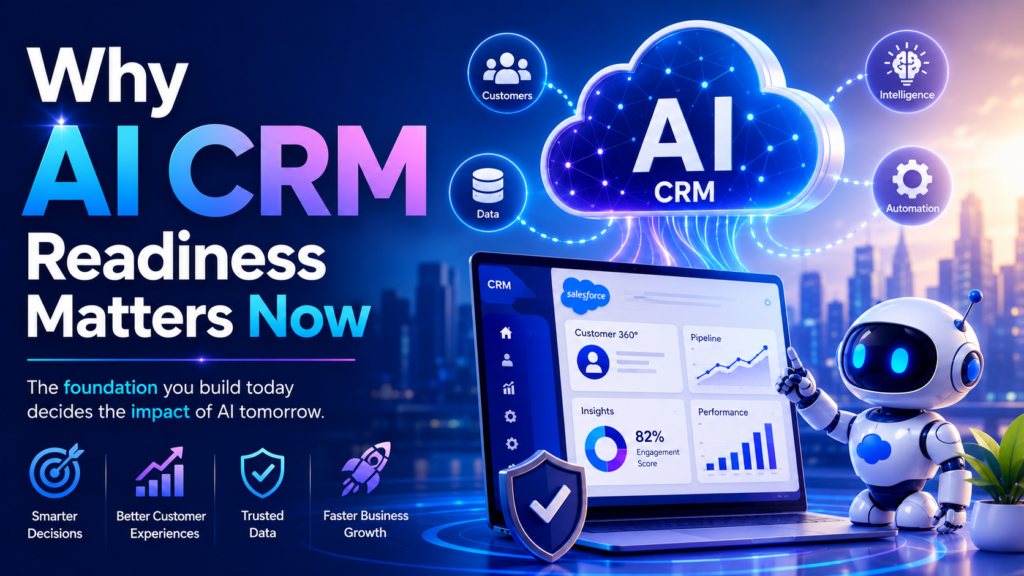
But AI CRM is not just another feature layer. It changes how work happens inside the business.
Instead of only recording customer activity, CRM can now help interpret it. Instead of asking users to manually search for context, AI can surface it. Instead of waiting for managers to inspect reports, AI can highlight risks and opportunities earlier.
This shift requires trust.
Teams must trust the data.
Leaders must trust the insights.
Customers must trust the experience.
Admins must trust the automation.
Compliance teams must trust the controls.
That trust does not appear automatically. It is built through readiness.
AI CRM readiness means the business has prepared its data, systems, processes, users, and governance model so AI can operate safely and usefully. It is the difference between “we enabled AI” and “AI is creating measurable value.”
2. What Is Salesforce Data Cloud?
Salesforce Data Cloud is a platform designed to bring customer data together from different systems and make it usable across Salesforce for personalization, automation, analytics, and AI.
Most businesses do not have one clean source of customer truth.
Sales data may live in Sales Cloud. Support cases may live in Service Cloud. Marketing behavior may live in Marketing Cloud or Account Engagement. Purchase data may live in an ERP. Website behavior may be tracked in analytics tools. Product usage may sit inside a separate platform. Finance data may be stored elsewhere.
This creates a fragmented customer view.
A sales representative may not know that the customer recently opened a major support case.
A service agent may not know that the account has a renewal opportunity.
A marketer may not know that the customer has already purchased the product being promoted.
A leader may see reports that are technically accurate but strategically incomplete.
Data Cloud helps address this fragmentation by unifying data, mapping it to a common model, resolving identities, and making customer context available for action.
For AI CRM, this is foundational.
AI needs context. It needs to know who the customer is, what they have done, what they need, what they own, what issues they have faced, and what relationship they have with the business.
Without unified data, AI remains generic.
With unified data, AI becomes relevant.
3. What Is Agentforce?
Agentforce is Salesforce’s AI agent platform. It allows businesses to build and deploy AI agents that can support employees, assist customers, answer questions, retrieve information, recommend actions, and complete tasks through connected workflows and systems.
An AI agent is different from a traditional chatbot.
A chatbot usually follows predefined scripts. It answers limited questions based on rigid paths. An AI agent can understand context, reason through a request, use business data, follow instructions, and take action within approved boundaries.
For example, an Agentforce service agent could help a customer check an order, summarize their issue, search the knowledge base, recommend a solution, and escalate the case if needed.
A sales agent could research a prospect, identify relevant account signals, draft outreach, recommend next steps, and help the sales representative prepare for a meeting.
An internal support agent could help employees find policies, submit requests, update records, or complete repetitive tasks.
Agentforce becomes truly valuable when it is connected to reliable data, trusted processes, strong governance, and clear business instructions.
That is why the agent is not the starting point.
The foundation is.
4. What Is AI CRM?
AI CRM is customer relationship management enhanced with artificial intelligence. It uses AI, automation, customer data, predictive insights, generative capabilities, and intelligent recommendations to help businesses manage relationships more effectively.
Traditional CRM helps users store and track information.
AI CRM helps users understand and act on information.
In a traditional CRM, a sales representative may manually review account history before a call. In an AI CRM, the system can summarize key account signals and suggest discussion points.
In a traditional CRM, a service agent may search multiple cases and articles to understand a customer issue. In an AI CRM, the system can summarize the case, recommend an answer, and draft a response.
In a traditional CRM, marketers may build static audience lists. In an AI CRM, segmentation can become more dynamic, behavior-based, and responsive.
AI CRM is not only about speed. It is about intelligence at the point of work.
It helps teams make better decisions with less friction.
But the intelligence depends on the quality of the CRM environment.
A disorganized CRM will not become intelligent just because AI is enabled. AI CRM requires clean data, thoughtful architecture, mature processes, and well-managed adoption.
5. How Data Cloud, Agentforce, and AI CRM Work Together
Data Cloud, Agentforce, and AI CRM are closely connected.
Data Cloud provides the customer data foundation.
Agentforce provides the AI agent capability.
AI CRM provides the business environment where customer-facing work happens.
A simple way to understand the relationship is this:
Data Cloud gives AI the context.
Agentforce gives AI the ability to reason and act.
AI CRM brings that intelligence into sales, service, marketing, commerce, and operations.
When these technologies work together, businesses can create more connected customer experiences.
A sales team can receive opportunity insights based on CRM activity, support history, marketing engagement, and product usage. A service team can respond with full customer context instead of isolated case information. A marketing team can create more relevant journeys based on real-time customer behavior. Leadership can understand customer health more holistically.
This is the real promise.
Not AI as a novelty.
Not automation for the sake of automation.
Not disconnected experiments.
The promise is a CRM system that understands the customer better and helps the business respond with more precision.
6. Why Businesses Should Not Rush Into AI CRM
The fastest way to weaken an AI CRM project is to start with tools before strategy.
Many businesses begin by asking:
Which AI feature should we enable first?
Can we launch an AI agent quickly?
How soon can we use Agentforce?
Can we connect Data Cloud immediately?
These are useful questions, but they are not the first questions.
The better questions are:
Is our data reliable enough for AI?
Do we have clear use cases?
Are our workflows documented?
Can our users trust Salesforce today?
Are permissions and compliance controls ready?
Do we know what success looks like?
Which processes should AI assist, and which should remain human-led?
AI CRM magnifies the current state of the business.
If the current process is strong, AI can make it faster and more consistent. If the current process is weak, AI may simply make the weakness more visible.
Rushing into AI without readiness can create several problems:
Incorrect AI recommendations
Poor customer experiences
Security concerns
Low user adoption
Automation errors
Compliance risks
Misleading reports
Unclear return on investment
The best AI CRM projects are not rushed.
They are sequenced.
7. Preparation Area 1: Clean and Complete Customer Data
Data quality is the first requirement for AI CRM success.
AI works with the information available to it. If that information is incomplete, duplicated, outdated, or inconsistent, the AI output will be unreliable.
Businesses should begin with a CRM data audit.
This audit should examine duplicate accounts, duplicate contacts, missing fields, outdated opportunities, inactive records, invalid emails, inconsistent naming conventions, poor picklist hygiene, and unstructured notes that are hard to interpret.
The goal is not perfection.
The goal is trustworthiness.
For example, if an AI agent is expected to draft a sales follow-up, it needs accurate opportunity details, contact information, product interest, previous conversations, and account status. If these details are missing or incorrect, the AI may produce a professional-looking message that is still contextually wrong.
That is one of the hidden dangers of generative AI.
Bad data can become polished bad output.
Before implementing Data Cloud or Agentforce, businesses should identify critical fields that AI will depend on. These may include account type, industry, customer status, lifecycle stage, product interest, renewal date, case priority, support history, consent status, and ownership details.
Clean data gives AI a stronger starting point.
8. Preparation Area 2: Unified Customer Identity
Customer identity is one of the most important parts of AI CRM readiness.
In many businesses, the same customer appears in multiple systems under different names, email addresses, account IDs, phone numbers, or business units. A customer may be a lead in one system, an account in another, a billing contact in an ERP, and a support requester in a service platform.
This creates identity fragmentation.
AI cannot provide a complete customer view if the business itself cannot confidently identify the customer.
Before adopting AI CRM, businesses should ask:
Can we identify the same customer across systems?
Do we have duplicate accounts and contacts?
Are account hierarchies accurate?
Are contacts linked to the right companies?
Do we understand household or business relationships where relevant?
Do we have rules for merging, matching, and maintaining customer identities?
Unified identity allows AI to understand the customer journey more accurately.
For example, a customer may have recently submitted a complaint, attended a webinar, opened a pricing email, and entered a renewal window. If those signals are connected, AI can recommend a thoughtful next action. If they are scattered, AI may miss the nuance.
Identity resolution is not just a technical task.
It is a customer experience requirement.
9. Preparation Area 3: Clear Business Use Cases
AI CRM projects need clear use cases.
A vague goal like “we want to use AI in Salesforce” is not enough. It is too broad. It does not define the business problem, the user group, the expected outcome, or the measurement approach.
A strong use case is specific and measurable.
For sales, strong use cases may include:
Reducing manual prospect research time
Improving lead prioritization
Drafting personalized follow-up emails
Identifying stalled opportunities
Preparing account summaries before meetings
Improving forecast accuracy
For service, strong use cases may include:
Reducing average case handling time
Summarizing long case histories
Recommending knowledge articles
Automating responses to common questions
Escalating high-risk cases faster
Improving first-contact resolution
For marketing, strong use cases may include:
Creating real-time customer segments
Personalizing campaign journeys
Improving lead scoring
Identifying high-intent audiences
Optimizing nurture paths
Reducing irrelevant communication
The best approach is to start with a focused pilot.
Choose one or two meaningful use cases. Define the users. Define the data required. Define success metrics. Define the risk level. Then expand once the business learns what works.
AI adoption should be ambitious, but not chaotic.
10. Preparation Area 4: Strong Salesforce Org Health
A healthy Salesforce org is essential for AI CRM.
Many Salesforce environments carry years of technical debt. This can include unused fields, outdated workflows, duplicate automations, confusing page layouts, old validation rules, poor reports, unmanaged packages, and permission complexity.
AI can expose these weaknesses quickly.
Before enabling advanced AI capabilities, businesses should complete a Salesforce org health review.
This review should include:
Objects and fields
Page layouts and Lightning record pages
Validation rules
Flows and automation
Apex triggers
Permission sets and profiles
Data storage usage
API usage
Installed packages
Reports and dashboards
Record types and business processes
Integration performance
An unhealthy Salesforce org does not mean AI is impossible. It means the implementation needs cleanup and prioritization first.
For example, if multiple automations update the same field, an AI-triggered update may create unexpected behavior. If reports are not trusted, AI insights based on those reports may be questioned. If users avoid Salesforce because the interface is cluttered, they may resist AI features as well.
AI CRM should be built on a system that is stable, understandable, and maintainable.
11. Preparation Area 5: Process Maturity Before AI Automation
AI agents need clear processes.
If a business process is inconsistent, undocumented, or dependent on tribal knowledge, AI will struggle to support it properly.
Before introducing AI automation, businesses should document how work actually happens.
This includes:
Lead qualification
Opportunity management
Quote approvals
Case routing
Escalation rules
Customer onboarding
Renewal management
Marketing handoffs
Service-level agreements
Data update responsibilities
Process maturity does not mean creating unnecessary bureaucracy. It means removing ambiguity.
For example, if sales teams disagree on what qualifies as a sales-ready lead, AI cannot reliably prioritize leads. If service agents categorize cases inconsistently, AI may recommend the wrong routing path. If account ownership rules are unclear, AI-generated tasks may go to the wrong person.
AI works best when the business has already defined what good execution looks like.
In simple terms, do not automate confusion.
Clarify first. Then automate.
12. Preparation Area 6: Data Governance and Ownership
Data governance defines how data is created, maintained, accessed, protected, and retired.
Without governance, CRM data slowly decays. Teams create fields without standards. Imports happen without validation. Duplicate records multiply. Sensitive data appears in inappropriate places. No one knows which system is the source of truth.
AI makes governance more important because AI uses data to generate responses, recommendations, predictions, and actions.
Businesses should define:
Data owners
Data stewards
Field ownership
Source-of-truth systems
Data quality rules
Data retention policies
Data classification standards
Approval processes for new fields
Rules for importing and deleting records
Monitoring routines
For example, if customer status is updated in both Salesforce and an ERP, the business must define which system owns the field. If nobody owns it, teams may see conflicting information.
AI should not be forced to interpret organizational ambiguity.
Governance creates order.
Order creates trust.
Trust creates adoption.
13. Preparation Area 7: Security, Permissions, and Compliance
AI CRM must be secure by design.
When AI agents can access records, summarize information, draft responses, or trigger workflows, businesses must be certain that permissions and compliance controls are properly configured.
Security preparation should include:
Role hierarchy review
Profile and permission set cleanup
Field-level security audit
Sensitive data classification
Consent management
Sharing rule review
Audit trail monitoring
Data masking where required
Access logging
Compliance documentation
This is especially important for industries such as healthcare, financial services, legal, education, insurance, and government-related services.
An AI agent should only access data it is allowed to access. It should only perform actions that are approved. It should not expose sensitive information to unauthorized users. It should follow the same business and compliance rules expected from human users.
Security cannot be treated as a final checkpoint.
It must be part of the AI CRM design from the beginning.
14. Preparation Area 8: Integration Readiness Across Systems
Salesforce does not operate alone in most businesses.
Customer data often lives across ERP systems, finance tools, marketing platforms, support systems, websites, data warehouses, product databases, communication tools, and document storage platforms.
AI CRM becomes more powerful when these systems are connected properly.
Before implementing Data Cloud or Agentforce, businesses should assess integration readiness.
Key questions include:
Which systems contain important customer data?
Which systems are sources of truth?
Are APIs available and reliable?
Are integrations real time, near real time, or batch-based?
Are error logs monitored?
Are data mappings documented?
Are there duplicate integrations?
Is middleware required?
What data should be activated in Salesforce?
What data should remain external?
Poor integration design creates incomplete intelligence.
Strong integration design creates full context.
For example, a service AI agent may need order status from an ERP, entitlement details from Salesforce, product documentation from a knowledge base, and customer communication history from Service Cloud. If those sources are disconnected, the agent may only provide partial support.
AI readiness is not only Salesforce readiness.
It is ecosystem readiness.
15. Preparation Area 9: Metadata and CRM Architecture
Metadata is the structure behind Salesforce.
It includes objects, fields, relationships, record types, validation rules, flows, page layouts, permission sets, reports, dashboards, and business logic.
AI depends on this structure because metadata helps define what data means and how work should happen.
If metadata is cluttered or inconsistent, AI experiences become harder to trust.
Businesses should review:
Object relationships
Custom fields
Record types
Picklist values
Page layouts
Lightning pages
Validation rules
Flow structure
Naming conventions
Report types
Data model scalability
For example, if there are multiple fields representing customer status, users may update different fields. AI may then read the wrong one. If opportunity stages are poorly defined, AI may misinterpret deal progression. If case categories overlap, AI may recommend the wrong resolution path.
Strong architecture creates semantic clarity.
Semantic clarity helps AI understand the business better.
16. Preparation Area 10: Knowledge Base and Business Context
AI agents need more than CRM fields.
They also need business knowledge.
This may include help articles, product documentation, sales playbooks, service scripts, onboarding guides, pricing rules, policy documents, compliance guidelines, FAQs, and internal process documentation.
A weak knowledge base produces weak AI responses.
Before deploying AI agents, businesses should review whether their knowledge content is:
Current
Accurate
Approved
Searchable
Well structured
Free from contradictions
Written clearly
Tagged properly
Owned by subject matter experts
This is especially important for customer service.
If an AI service agent uses outdated knowledge articles, it may give customers incorrect guidance. If a sales AI agent uses old positioning documents, it may draft messaging that no longer matches the company’s value proposition.
AI needs approved knowledge, not random content.
A well-maintained knowledge base becomes one of the most valuable assets in an AI CRM strategy.
17. Preparation Area 11: Automation Strategy and Flow Readiness
AI CRM is not only about generating text or insights. It is also about action.
Those actions often depend on Salesforce automation.
Before connecting AI agents to workflows, businesses should review their automation landscape.
This includes:
Salesforce Flow
Approval processes
Apex triggers
Scheduled jobs
Legacy Workflow Rules
Process Builder remnants
Email alerts
Field updates
Integration-triggered processes
Error handling
Many Salesforce orgs have automation built over many years by different teams. Some of it may be outdated. Some may conflict. Some may be undocumented. Some may still work but remain fragile.
AI-triggered automation should not be built on unstable logic.
Businesses should decide:
Which actions can AI perform automatically?
Which actions require human approval?
Which processes should AI only recommend?
Which workflows should remain manual?
How will errors be handled?
Who monitors AI-driven actions?
Automation strategy protects the business from overreach.
AI should accelerate trusted workflows, not unpredictable ones.
18. Preparation Area 12: Human Oversight and AI Guardrails
AI CRM should support human judgment, not remove accountability.
Businesses need clear guardrails for how AI can operate.
Some AI outputs can be fully automated. Others should require review. Sensitive decisions should remain human-led.
For example:
AI can summarize a case automatically.
AI can draft an email for human review.
AI can recommend a next step for a sales rep.
AI can answer basic customer questions.
AI can escalate complex issues to a human.
AI should not make high-risk decisions without approval.
Guardrails should define:
Allowed actions
Restricted actions
Approval requirements
Escalation rules
Tone and brand standards
Sensitive data boundaries
Compliance rules
Monitoring processes
Feedback loops
Human oversight is not a weakness.
It is how businesses build responsible AI.
The goal is to let AI move quickly where risk is low and involve humans where judgment, empathy, or compliance is required.
19. Preparation Area 13: Change Management and User Training
AI CRM adoption is a people challenge as much as a technology challenge.
Employees may react to AI in different ways. Some will be excited. Some will be skeptical. Some may worry about job security. Some may overtrust AI. Others may ignore it completely.
Training helps create healthy adoption.
Businesses should explain:
Why AI CRM is being introduced
Which use cases are being launched first
How AI will support daily work
What AI should not be used for
How users should review AI output
How feedback should be shared
What data quality responsibilities users have
How success will be measured
The message matters.
AI should not be presented as a replacement for people. It should be positioned as a way to reduce repetitive work, improve consistency, and help teams focus on higher-value decisions.
Successful adoption usually includes pilot groups, internal champions, training sessions, quick reference guides, feedback channels, and continuous improvement.
People trust AI when it proves useful.
Usefulness comes from thoughtful implementation.
20. Department-Wise Readiness for Sales, Service, Marketing, and Operations
Different departments need different preparation.
Sales Readiness
Sales teams should prepare account data, contact roles, opportunity stages, activity tracking, lead scoring, territory rules, and sales playbooks.
AI can help sales teams research accounts, write follow-ups, identify stalled deals, summarize conversations, and recommend next steps. But this only works when sales data is accurate and processes are consistent.
Service Readiness
Service teams should prepare case categories, knowledge articles, escalation rules, entitlement data, service-level agreements, and response templates.
AI can help summarize cases, suggest resolutions, route issues, and support self-service. But if knowledge content is outdated or case data is inconsistent, customer experience may suffer.
Marketing Readiness
Marketing teams should prepare segmentation rules, consent data, campaign history, engagement signals, lead lifecycle definitions, and content libraries.
AI can help personalize campaigns and identify high-intent audiences. But personalization depends on clean data and clear consent management.
Operations Readiness
Operations teams should prepare governance routines, integration documentation, reporting standards, automation monitoring, and adoption dashboards.
Operations teams often determine whether AI CRM becomes a durable capability or a short-term experiment.
21. AI CRM Readiness Checklist for Businesses
Before adopting Data Cloud, Agentforce, or AI CRM, businesses should review the following checklist.
Data Readiness
Customer records are clean.
Duplicates are identified.
Critical fields are complete.
Data sources are documented.
Customer identity rules are defined.
Data owners are assigned.
Retention rules are clear.
Salesforce Org Readiness
Objects and fields are reviewed.
Unused fields are removed or archived.
Flows are documented.
Reports are trusted.
Permission sets are reviewed.
Technical debt is identified.
Integration dependencies are mapped.
Process Readiness
Sales processes are documented.
Service workflows are clear.
Marketing handoffs are defined.
Approval processes are reviewed.
Escalation rules are current.
Manual workarounds are identified.
AI Use Case Readiness
Priority use cases are selected.
Business outcomes are measurable.
Pilot users are identified.
Risk levels are understood.
Human review points are defined.
Success metrics are approved.
Security Readiness
Sensitive data is classified.
Permissions are reviewed.
Field-level security is accurate.
Consent rules are documented.
Audit needs are understood.
Compliance stakeholders are involved.
Adoption Readiness
Users understand the purpose.
Training materials are prepared.
Feedback channels are available.
Leadership alignment is clear.
Support teams are ready.
AI champions are selected.
This checklist gives businesses a practical starting point.
AI readiness is not a one-time project. It is an ongoing operating discipline.
22. Common Mistakes Businesses Make Before Implementing AI CRM
Many businesses make similar mistakes when preparing for AI CRM.
Mistake 1: Starting With Technology Instead of Strategy
Choosing tools before defining business outcomes creates confusion. AI should be attached to measurable problems.
Mistake 2: Ignoring Data Quality
Poor data quality weakens every AI output. Clean data is not optional.
Mistake 3: Automating Broken Processes
AI should not be used to accelerate flawed workflows. Processes should be reviewed before automation.
Mistake 4: Underestimating Security
AI agents need access controls, permission boundaries, and compliance oversight.
Mistake 5: Launching Too Many Use Cases at Once
A focused pilot is usually better than a broad, unfocused rollout.
Mistake 6: Forgetting Change Management
Users need training, communication, and support. Without adoption, even strong AI features remain underused.
Mistake 7: Measuring Activity Instead of Impact
AI success should be measured through business outcomes such as reduced handling time, improved response quality, better lead conversion, faster follow-ups, or higher user productivity.
Avoiding these mistakes can save months of rework.
23. How CloudVandana Helps Businesses Prepare for Data Cloud, Agentforce, and AI CRM
AI CRM success requires more than enabling Salesforce features.
It requires a strong foundation across data, architecture, automation, governance, integrations, security, and user adoption.
That is where CloudVandana helps.
CloudVandana works with businesses to implement, optimize, automate, and scale Salesforce with a practical focus on long-term success. Whether a business is preparing for Data Cloud, exploring Agentforce, or planning a broader AI CRM roadmap, the first step is understanding the current Salesforce environment and identifying what must be improved before AI becomes business-critical.
CloudVandana can help with:
Salesforce org health checks
Data readiness assessments
Data cleanup and deduplication planning
Data Cloud implementation support
Agentforce readiness planning
AI CRM use case discovery
Salesforce integration strategy
Flow and automation optimization
Security and permission review
CRM process mapping
Reporting and dashboard improvement
User adoption planning
Custom Salesforce development
Salesforce managed services
The goal is not just to help businesses adopt AI.
The goal is to help them adopt AI responsibly, intelligently, and in a way that improves real business outcomes.
With the right roadmap, businesses can move from fragmented CRM operations to a more unified, intelligent, and scalable Salesforce ecosystem.
24. Conclusion
Data Cloud, Agentforce, and AI CRM represent a major evolution in how businesses manage customer relationships.
CRM is no longer only a database. It is becoming an intelligent operating layer for sales, service, marketing, and operations.
AI can summarize information, recommend actions, personalize experiences, support customers, and help employees move faster. But AI cannot create success from a weak foundation.
Businesses need clean data.
They need clear processes.
They need strong governance.
They need secure access.
They need reliable integrations.
They need healthy Salesforce architecture.
They need trained users.
They need human oversight.
The companies that prepare first will gain the strongest advantage.
They will not use AI as a decorative add-on. They will use it as a practical business capability.
The future of CRM belongs to businesses that can combine data, intelligence, automation, and trust.
And that future begins with preparation.
Strong CTA for CloudVandana
Ready to prepare your Salesforce org for Data Cloud, Agentforce, and AI CRM?
CloudVandana can help you assess your current Salesforce environment, identify data and automation gaps, clean your CRM foundation, define practical AI use cases, and build a clear roadmap for intelligent Salesforce adoption.
Whether you are exploring Data Cloud, planning Agentforce, or preparing your business for AI CRM transformation, CloudVandana can help you move forward with clarity, confidence, and a foundation built for long-term success.
Connect with CloudVandana today to make your Salesforce ecosystem AI-ready, scalable, secure, and prepared for measurable business growth.
12 FAQs
1. What is Data Cloud in Salesforce?
Data Cloud is Salesforce’s customer data platform that helps businesses unify data from multiple sources and make it usable across Salesforce for personalization, automation, analytics, and AI-powered experiences.
2. What is Agentforce?
Agentforce is Salesforce’s AI agent platform that allows businesses to build and deploy AI agents capable of assisting users, answering questions, retrieving information, reasoning through tasks, and taking approved actions.
3. What is AI CRM?
AI CRM is customer relationship management enhanced with artificial intelligence. It helps businesses summarize data, recommend actions, automate tasks, personalize customer experiences, and improve decision-making.
4. How do Data Cloud and Agentforce work together?
Data Cloud provides unified customer data and context, while Agentforce uses that context to power AI agents that can assist, recommend, and act across business workflows.
5. What should businesses prepare first before adopting AI CRM?
Businesses should start with data readiness. Clean, complete, deduplicated, and well-governed data is essential for reliable AI output.
6. Why is data quality important for AI CRM?
AI depends on the data it receives. If the data is outdated, incomplete, or duplicated, AI recommendations, summaries, and automations may become inaccurate.
7. Does every business need Data Cloud for AI CRM?
Not every AI use case requires the same level of Data Cloud implementation, but businesses with fragmented customer data can benefit significantly from a unified data foundation.
8. How can Agentforce help sales teams?
Agentforce can help sales teams with prospect research, account summaries, email drafting, opportunity insights, meeting preparation, and next-step recommendations.
9. How can Agentforce help customer service teams?
Agentforce can help service teams summarize cases, recommend knowledge articles, answer common questions, route issues, and reduce manual case handling time.
10. What are the biggest risks of AI CRM implementation?
The biggest risks include poor data quality, weak governance, unclear use cases, security gaps, over-automation, low user adoption, and unreliable integrations.
11. How can businesses measure AI CRM success?
Businesses can measure AI CRM success through reduced response time, improved lead conversion, better case resolution, increased productivity, higher user adoption, improved customer satisfaction, and clearer reporting.
12. How can CloudVandana help with AI CRM readiness?
CloudVandana can help businesses assess Salesforce readiness, clean data, optimize automation, review security, plan integrations, define AI use cases, implement Data Cloud, prepare for Agentforce, and support long-term AI CRM success.
A Salesforce implementation does not fail only when the system is unusable.
Failure can look much subtler.
It can mean users log in only because management forces them to. It can mean reports exist but nobody trusts them. It can mean teams enter data after the fact instead of using Salesforce during their real workflow. It can mean the platform technically works but does not improve sales velocity, customer service, pipeline visibility, or operational efficiency.

In many organizations, Salesforce becomes a digital filing cabinet instead of a business operating system.
That is failure.
Not because Salesforce is weak. Salesforce is an extremely powerful platform. The issue is usually not the tool. The issue is how the tool is planned, implemented, adopted, governed, and improved.
A failed Salesforce implementation often has these symptoms:
Users avoid the system unless required.
Data is incomplete, duplicated, or outdated.
Managers export data into Excel for “real analysis.”
Automations create more confusion than efficiency.
Admins constantly fix urgent issues instead of improving the platform.
Leadership sees Salesforce as expensive but underutilized.
The business keeps changing, but Salesforce stays frozen in its launch-day design.
The most dangerous type of Salesforce failure is not dramatic collapse. It is slow irrelevance.
Why Salesforce Projects Look Successful at Launch but Fail Later
Go-live can be misleading.
A project may appear successful because the technical checklist is complete. Objects are configured. Fields are created. Profiles and permission sets are assigned. Data is migrated. Reports are built. Integrations are connected. Users are trained.
But technical completion is not the same as business readiness.
A Salesforce org can be launched on time and still fail six months later.
Why?
Because the real test begins only when everyday users begin working inside the platform under real business pressure.
A sales rep does not care that the object model is elegant. They care whether the system helps them follow up faster, prioritize opportunities, and close deals.
A service agent does not care that the case layout includes every possible field. They care whether the right customer information is visible when the customer is waiting.
A manager does not care that dashboards are visually impressive. They care whether the numbers are accurate enough to guide decisions.
A Salesforce implementation succeeds only when the system fits naturally into the way people work while also improving that work.
This is where many projects fall apart. They are designed around what the business thinks it needs during workshops, not what users actually need during daily execution.
The Biggest Mistake: Treating Salesforce as a Technology Project Only
The most common reason Salesforce implementations fail after go-live is not poor technology.
It is poor framing.
Many businesses treat Salesforce like a software deployment: configure the system, migrate the data, train the users, and launch.

But Salesforce is not just another tool in the tech stack.
It is not simply a database where customer information lives. It is the central nervous system of the business. It touches how sales teams manage opportunities, how service teams support customers, how marketing teams track engagement, how leaders review performance, and how departments collaborate across the customer journey.
That is why Salesforce implementation should never be treated as a checklist of technical tasks.
Yes, the team needs to configure:
- Fields
- Page layouts
- Objects
- Automations
- Profiles and permissions
- Dashboards
- Data migration
- Integrations
All of these matter. Without them, the system will not function properly.
But here is the problem.
A technically complete Salesforce org is not always a successful Salesforce org.
The real questions are much bigger:
- What business outcomes should Salesforce improve?
- Which processes need to be simplified before they are automated?
- Which teams need to change the way they work?
- What data is actually needed for better decision-making?
- Who will drive user adoption after go-live?
- How will Salesforce continue to evolve after the first launch?
- What does long-term success look like beyond implementation day?
These questions often receive less attention because they are harder to answer. They require business alignment, leadership involvement, user feedback, process clarity, and long-term thinking.
But they are exactly what determines whether Salesforce becomes a growth engine or just another expensive system people are forced to update.
Salesforce Well-Architected also encourages teams to challenge their assumptions and look at broader architectural guidance instead of making isolated configuration decisions. That mindset is important because Salesforce success is not built on quick setup alone. It depends on sustainable design, scalable processes, clean data, strong governance, and continuous improvement.
When Salesforce is implemented only as a technical project, the result is usually a system that works on paper but struggles in practice.
Users log in, but they do not fully adopt it.
Dashboards exist, but leaders question the numbers.
Automations run, but processes still feel messy.
Data is captured, but it does not always support better decisions.
That is the real risk.
A Salesforce implementation can be technically functional and still fail to move the business forward.
The difference between a failed implementation and a successful one is not just how well Salesforce is configured.
It is how well Salesforce is connected to the way the business actually grows, serves, sells, and makes decisions.
Poor Discovery Creates Weak Foundations
Discovery is where many Salesforce projects are won or lost.
Unfortunately, discovery is often rushed.
Stakeholders attend a few workshops. Existing processes are documented quickly. Requirements are gathered at a surface level. Everyone wants to move into configuration because it feels like progress.
But weak discovery creates weak architecture.
If the implementation team does not fully understand how leads move through the funnel, how opportunities are qualified, how service requests are escalated, how approvals happen, how customer data is maintained, or how leadership measures performance, Salesforce will be built on assumptions.
And assumptions are expensive.
Poor discovery often leads to:
Fields that nobody uses
Layouts that overwhelm users
Automations that do not match real workflow
Dashboards that measure vanity metrics
Integrations that miss critical process steps
Permission models that create bottlenecks
Data migration rules that import old problems into a new system
Good discovery goes beyond asking, “What do you want in Salesforce?”
It asks:
What problem are we solving?
Where does work slow down today?
What information do users need at each stage?
Which decisions should Salesforce support?
Which manual tasks create the most leakage?
Which reports does leadership actually use?
Which processes should be redesigned before configuration?
The quality of discovery determines the quality of implementation. When discovery is shallow, go-live becomes a polished version of a broken process.
Misaligned Business Goals Lead to Confused Execution
Salesforce implementations often fail because the organization never defines what success looks like.

“Improve sales productivity” is not specific enough.
“Get better reporting” is not specific enough.
“Automate our process” is not specific enough.
These are aspirations, not implementation goals.
Clear Salesforce goals should be measurable and operational. For example:
Reduce lead response time from 24 hours to 2 hours.
Improve opportunity stage accuracy by 30 percent.
Reduce duplicate customer records by 80 percent.
Increase forecast reliability.
Reduce case reassignment time.
Improve first-contact resolution.
Reduce manual approval follow-ups.
Create one trusted view of customer activity.
When goals are vague, every stakeholder interprets success differently.
Sales wants speed. Finance wants accuracy. Operations wants control. Leadership wants dashboards. Admins want maintainability. Users want fewer clicks.
Without alignment, Salesforce becomes a compromise platform where everyone gets something, but nobody gets the complete outcome they need.
This is why goal definition must happen before configuration.
Salesforce should not simply digitize existing tasks. It should help the business operate with more clarity, accountability, and momentum.
Lack of Executive Ownership After Go-Live
Executive sponsorship is usually strong at the start of a Salesforce project.
Leaders approve the budget. They attend the kickoff meeting. They ask for progress updates. They review key milestones. They show interest when the system is close to launch.
Then go-live happens.
The project is marked as complete.
The launch announcement goes out.
Users receive access.
And leadership attention slowly moves to the next business priority.
That is where the problem begins.
Salesforce adoption cannot survive on admin effort alone. It needs visible, consistent leadership reinforcement after go-live.
Because users watch what leaders do, not just what they say.
If managers do not use Salesforce dashboards in review meetings, users quickly understand that Salesforce data is not truly important.
If leaders continue accepting spreadsheet reports, teams will continue maintaining spreadsheets.
If executives do not question missing data, departments will treat data quality as optional.
If leadership does not explain why Salesforce matters after launch, users will see it as another system forced on them from the top.
This is how Salesforce slowly loses authority inside the business.
It may still be live.
It may still be accessible.
It may still contain records.
But if leaders do not use it as the operational source of truth, users will not treat it that way either.
Executive ownership after go-live should be active and visible. It should include:
- Using Salesforce reports in leadership and team reviews
- Asking business questions based on Salesforce data
- Holding teams accountable for data accuracy
- Reinforcing process compliance
- Supporting user adoption initiatives
- Funding ongoing optimization work
- Removing resistance between departments
- Recognizing teams that use Salesforce effectively
- Encouraging managers to coach from Salesforce insights
- Making Salesforce the default place for performance discussions
The message must be clear:
Salesforce is not just a system the company launched.
It is how the company runs, measures, and improves its customer-facing operations.
When leadership treats Salesforce as optional, users will treat it as optional.
But when leadership uses Salesforce consistently, discusses decisions through Salesforce data, and reinforces its role in everyday operations, adoption becomes much stronger.
Salesforce succeeds when executives stop seeing it as a completed implementation project and start treating it as a living business platform.
Because the login page going live is not the real milestone.
The real milestone is when Salesforce becomes the place where the business thinks, acts, and grows.
Weak User Adoption Turns Salesforce into a Reporting Burden
User adoption is one of the most common failure points after go-live.
A system can be well configured and still fail if users do not see value in it.

Many users resist Salesforce not because they dislike technology, but because the system feels like extra work.
They enter notes after meetings.
They update stages because managers ask.
They create tasks that do not help them prioritize.
They fill required fields that seem irrelevant.
They use Salesforce to report work, not to do work.
That distinction matters.
Salesforce adoption improves when the platform becomes useful during the actual workflow. Salesforce Trailhead’s adoption guidance focuses on integrating Salesforce into the sales team’s workflow for productivity and adoption, which is exactly the point many implementations miss.
Users adopt Salesforce when it helps them:
Prepare for calls
Prioritize follow-ups
See customer context
Reduce manual entry
Avoid repetitive updates
Move deals faster
Resolve cases with better information
Collaborate across teams
They resist it when it only benefits management reporting.
The best Salesforce implementations make the user’s job easier first. Better reporting follows naturally because users are capturing real data during real work.
Training Ends Too Early
Many organizations treat Salesforce training as a pre-launch activity.
Users attend one or two sessions. They receive a recording. Maybe they get a PDF guide. Then they are expected to use the platform correctly.
That rarely works.
Salesforce training should not be a one-time event. It should be an ongoing enablement program.
Why?
Because users forget. Processes evolve. New features are released. New employees join. Teams discover edge cases. Managers request changes. The business adapts.
Training must continue after go-live in practical, role-specific ways.
Sales reps do not need generic Salesforce training. They need to know how to manage leads, update opportunities, log activities, use dashboards, and follow the company’s sales process.
Service agents need to know case management, escalation rules, knowledge articles, customer history, and service-level expectations.
Managers need to know dashboards, pipeline inspection, report filters, forecasting, and coaching workflows.
Admins need deeper training on governance, automation, security, releases, and change control.
Salesforce also offers user adoption services focused on custom change management and learning programs aligned to business goals, reinforcing that adoption is not merely a launch-day activity.
Training should be continuous, contextual, and reinforced by managers.
Otherwise, users improvise. And when every user improvises, data quality collapses.
Poor Data Quality Breaks Trust in the System
Bad data is one of the fastest ways to destroy Salesforce adoption.
When users see duplicate accounts, missing fields, outdated contacts, incorrect opportunity stages, or unreliable activity history, they stop trusting the system.
Once trust is gone, adoption becomes performative.
Users may still log in, but they no longer believe Salesforce reflects reality.
Poor data quality usually starts before go-live but becomes visible afterward.
Common causes include:
Migrating dirty legacy data
Lack of duplicate management
No standard naming conventions
Too many optional fields
Too many required fields
Weak validation rules
Unclear ownership
No regular cleansing process
Integrations pushing inconsistent data
Users entering information differently
Salesforce’s data governance guidance defines governance as the policies, processes, and roles that keep data secure, reliable, and optimized for better decision-making and compliance. Salesforce also recommends establishing governance frameworks, standardizing data entry, and regularly profiling and cleansing data to improve quality.
This is crucial because data quality is not a cleanup task. It is an operating discipline.
If Salesforce data is unreliable, every downstream function suffers:
Reports become questionable.
Forecasts become inaccurate.
AI recommendations become weak.
Marketing segmentation becomes flawed.
Service personalization becomes inconsistent.
Leadership decisions become reactive.
In Salesforce, bad data does not stay contained. It spreads.
Over-Customization Makes Salesforce Difficult to Maintain
Salesforce is highly customizable.
That is one of its greatest strengths.
It is also one of the biggest reasons implementations become fragile.
When every stakeholder request becomes a custom field, custom object, custom automation, custom validation rule, custom page layout, or custom permission model, the org becomes complicated quickly.
At first, customization feels helpful. It gives teams exactly what they asked for.
But over time, excessive customization creates problems:
Users face cluttered screens.
Admins struggle to troubleshoot.
Automations conflict with each other.
Reports become harder to build.
New requirements take longer to deliver.
Technical debt increases.
Release updates become riskier.
The org becomes dependent on undocumented logic.
Not every business preference deserves a customization.
Sometimes the better answer is process simplification.
Sometimes the better answer is standard Salesforce functionality.
Sometimes the better answer is training.
Sometimes the better answer is saying no.
A mature Salesforce implementation balances flexibility with maintainability. It asks not only, “Can we build this?” but also, “Should we build this?”
That second question protects the org.
Automation Without Strategy Creates Operational Noise
Automation is often one of the biggest selling points of Salesforce.
And rightly so.
Flows, approval processes, assignment rules, alerts, escalations, and integrations can remove enormous manual effort.
But automation without strategy can create chaos.
A poorly planned automation may send too many notifications. It may update records unexpectedly. It may trigger other automations. It may create confusing task assignments. It may enforce process rules that users do not understand. It may break when data is incomplete.
Automation should simplify work. Bad automation interrupts it.
The most common post-go-live automation problems include:
Automating unclear processes
Building too many notifications
Creating overlapping flows
Using automation to compensate for poor training
Not testing edge cases
Not documenting logic
Failing to monitor automation errors
Ignoring scalability
Before automating any Salesforce process, teams should ask:
Is the process stable?
Is the data reliable?
Who owns the outcome?
What exception paths exist?
How will users know what happened?
What happens if the automation fails?
How will this scale?
Salesforce automation is powerful, but power without design discipline becomes noise.
No Governance Model After Implementation
Governance is one of the most underestimated factors in Salesforce success.
Many organizations launch Salesforce without a clear governance model.
At first, this may not seem urgent. Users are still learning. Admins are fixing small issues. Leadership is focused on adoption.
Then requests start coming in.
“Can we add this field?”
“Can we change this stage?”
“Can we create a new dashboard?”
“Can we automate this approval?”
“Can we give this user access?”
“Can we connect this tool?”
Without governance, Salesforce becomes reactive.
Every department pulls the platform in a different direction. Admins become order-takers. Technical debt grows. Data standards weaken. Security risks increase. The org becomes harder to manage.
Salesforce Trailhead describes governance as guardrails that help organizations innovate and grow quickly while reducing risk. It also notes that governance should ideally be set up early, although it is never too late.
A strong Salesforce governance model defines:
Who can request changes
How requests are prioritized
Who approves changes
How changes are tested
How releases are managed
Who owns data standards
Who monitors adoption
Who reviews security access
Who maintains documentation
How business value is measured
Governance is not bureaucracy. It is protection.
It keeps Salesforce from becoming a crowded attic of abandoned fields, forgotten automations, and disconnected processes.
Ignoring Release Management and Platform Updates
Salesforce is not static.
It evolves constantly.
Salesforce releases major updates three times a year, and Salesforce Admins emphasizes that staying on top of releases is an essential part of every admin’s job.
This matters because a Salesforce implementation that works today may need adjustment tomorrow.
New features become available. Old functionality changes. Security settings evolve. Automation capabilities improve. UI enhancements appear. AI features expand. Admin tools become more powerful.
Organizations that ignore release management miss opportunities and increase risk.
Post-go-live Salesforce success requires a release rhythm:
Review upcoming Salesforce releases.
Identify features relevant to the org.
Test changes in sandbox.
Communicate updates to users.
Update training materials.
Retire outdated workarounds.
Improve processes using new capabilities.
Monitor impact after deployment.
A Salesforce org should never remain frozen after launch.
If the business evolves and Salesforce does not, the platform slowly becomes misaligned.
Integration Gaps Create Fragmented Workflows
Salesforce rarely works alone.
Most businesses connect Salesforce with email platforms, marketing automation tools, ERP systems, accounting software, support tools, document storage platforms, telephony systems, websites, and data warehouses.
If integrations are poorly planned, users suffer.
They have to switch systems. They copy and paste information. They reconcile conflicting records. They wait for updates. They lose context.
Integration failure after go-live usually happens because teams focus only on connecting systems, not connecting workflows.
A technical integration may move data from one platform to another. But a business integration should support a complete process.
For example:
A website lead should enter Salesforce with the right source, campaign, owner, consent status, and follow-up routing.
A closed opportunity should trigger accurate handoff to delivery, finance, or operations.
A support case should show relevant customer history, product details, and service entitlements.
A document storage integration should preserve file access, version clarity, and record-level context.
Integration success depends on data mapping, ownership, error handling, sync frequency, security, and user experience.
When integrations are treated as technical connectors only, Salesforce becomes one more system in a fragmented stack.
When integrations are designed around business flow, Salesforce becomes the center of operational visibility.
Reports and Dashboards Fail When Metrics Are Not Defined
Dashboards are often showcased during Salesforce go-live.
They look impressive. They create confidence. They make the implementation feel complete.
But dashboards only create value when the underlying metrics are clearly defined.
Many Salesforce reporting problems are not reporting problems. They are definition problems.
What exactly is a qualified lead?
When should an opportunity move to proposal?
What counts as pipeline?
What is a stale deal?
How is forecast category maintained?
What is first response time?
Which activities count as meaningful engagement?
Who owns data correction?
If these definitions are unclear, Salesforce dashboards become decorative.
Different teams interpret numbers differently. Leadership meetings become debates about data instead of decisions based on data.
A high-quality Salesforce implementation defines metrics before dashboards are built.
Reports should answer business questions such as:
Where are leads getting stuck?
Which sales stages have the highest leakage?
Which reps need pipeline coaching?
Which accounts need attention?
Which cases are at risk of SLA breach?
Which campaigns produce revenue-ready leads?
Which customers are expanding or disengaging?
A dashboard should not just display data. It should guide action.
The Admin Team Is Under-Resourced
After go-live, Salesforce needs ownership.
Too often, the platform is handed to one admin who is expected to handle everything:
User support
Report requests
Field changes
Security updates
Automation fixes
Data quality issues
Release testing
New feature requests
Training questions
Integration errors
Documentation
Stakeholder management
That is not sustainable.
Salesforce is a business-critical platform. It needs the right operating model.
Depending on the size and complexity of the org, post-go-live support may require:
Salesforce Administrator
Business Analyst
Solution Architect
Developer
Data Steward
Integration Specialist
Change Manager
Training Owner
Executive Sponsor
Not every business needs a large internal team. But every business needs clear ownership and access to the right expertise.
When Salesforce is under-resourced, the platform becomes reactive. Admins spend their time fixing urgent issues instead of improving business outcomes.
That is how technical debt grows.
Change Management Is Treated as Communication, Not Transformation
Many organizations think change management means sending emails.
“Salesforce is launching next week.”
“Training will happen on Friday.”
“Please start using the new system from Monday.”
That is communication, not change management.
Real change management prepares people to work differently.
It explains why the change matters. It involves users early. It identifies resistance. It equips managers. It creates feedback loops. It measures adoption. It reinforces behavior after launch.
Salesforce Trailhead’s organizational change guidance emphasizes the human element in transformation and references structured change approaches such as Kotter’s Eight Steps.
That human element is often the missing piece.
People do not resist Salesforce only because of the interface. They resist because they fear more monitoring, more admin work, loss of familiar routines, or unclear expectations.
Good change management addresses those concerns directly.
It says:
Here is why we are changing.
Here is how your work will improve.
Here is what will be different.
Here is what support you will receive.
Here is how feedback will be handled.
Here is how success will be measured.
Salesforce success is not just about getting users into the system. It is about helping them believe the system is worth using.
No Post-Go-Live Optimization Roadmap
One of the biggest reasons Salesforce implementations fail after go-live is the absence of a post-launch roadmap.
The project ends, but the platform has not matured.
A strong Salesforce roadmap should include phases such as:
Stabilization
Adoption improvement
Data cleanup
Report refinement
Automation optimization
Integration enhancement
Advanced analytics
AI readiness
Security review
Process expansion
Continuous training
The first version of Salesforce should not try to solve everything.
A better approach is to launch a strong foundation, learn from real usage, and improve iteratively.
Post-go-live optimization should answer:
What are users struggling with?
Which fields are unused?
Which automations are failing?
Which reports are trusted?
Which dashboards are ignored?
Where are users leaving Salesforce?
Which manual tasks still exist?
Which processes changed after launch?
What should be improved in the next release?
Salesforce is not a one-time build. It is a living system.
The businesses that succeed with Salesforce are usually the ones that treat go-live as version one, not the final version.
Salesforce AI and Agentforce Raise the Stakes
The Salesforce ecosystem is moving fast.
AI, automation, Data 360, Agentforce, predictive insights, intelligent workflows, and industry-specific capabilities are changing what businesses expect from CRM.
Salesforce’s Spring ’26 release highlights continued innovation across Agentforce, Flow, Analytics, Field Service, Commerce, Marketing, Revenue Management, and multiple industries.
This raises the stakes for implementation quality.
AI does not fix a weak Salesforce foundation. It exposes it.
If data is messy, AI recommendations suffer.
If permissions are poorly designed, AI governance becomes risky.
If processes are unclear, AI-driven workflows become unreliable.
If users do not trust Salesforce, they will not trust AI inside Salesforce.
If integrations are fragmented, AI lacks complete context.
Salesforce Data 360 architecture emphasizes trusted, unified, actionable real-time data as a foundation for modern enterprise data use. That direction makes one thing obvious: future-ready Salesforce orgs need stronger data governance, cleaner architecture, and better process alignment than ever before.
In the AI era, failed implementation does not only mean poor adoption. It means the business is not ready to use Salesforce’s next generation of intelligence.
Signs Your Salesforce Implementation Is Failing After Go-Live
Salesforce failure is easier to fix when recognized early.
Here are the most common warning signs:
Users maintain spreadsheets outside Salesforce.
Managers do not trust dashboards.
Salesforce data is updated only before meetings.
Required fields are filled with placeholder values.
Reports show inconsistent numbers.
Teams complain about too many clicks.
Admins receive repeated requests for the same fixes.
Automations create confusion or duplicate work.
Duplicate records keep increasing.
New users depend on informal peer training.
Leadership questions Salesforce ROI.
Business teams ask for new tools instead of improving Salesforce.
Users say, “Salesforce does not match how we work.”
These signs do not always mean the implementation is beyond repair.
They mean the org needs attention.
Most post-go-live issues can be corrected with the right combination of governance, process review, data cleanup, user enablement, and technical optimization.
The important thing is not to wait until frustration becomes abandonment.
How to Prevent Salesforce Failure After Launch
Preventing Salesforce failure after go-live requires a structured operating model.
Here is what high-performing organizations do differently.
1. Define Business Outcomes Clearly
Before and after go-live, Salesforce should be connected to measurable business goals.
Do not define success as “users are logging in.”
Define success as:
Faster lead response
Cleaner pipeline
Better forecast accuracy
Reduced service delays
Improved customer visibility
Higher process compliance
Lower manual effort
Better decision-making
Salesforce should be judged by business impact, not configuration volume.
2. Build Around Real User Workflows
Spend time observing how users actually work.
Where do they lose time?
Where do they duplicate effort?
Where do handoffs fail?
Where do they need better context?
Design Salesforce to support those moments.
Adoption improves when Salesforce becomes useful in daily execution.
3. Create a Governance Board
A Salesforce governance board does not need to be complicated.
It should include business owners, technical owners, data owners, and leadership sponsors.
Its job is to prioritize improvements, protect standards, review changes, and align Salesforce with strategy.
4. Maintain Data Quality Continuously
Do not wait for annual cleanup.
Data quality should include duplicate checks, validation rules, ownership reviews, required field logic, naming standards, integration monitoring, and regular cleansing.
Clean data keeps trust alive.
5. Invest in Role-Based Training
Generic training is rarely enough.
Train users based on their role, process, and expected outcomes.
Then reinforce training through managers, office hours, short guides, and practical examples.
6. Review Automations Regularly
Flows and automations should be documented, tested, monitored, and simplified where possible.
Retire automations that no longer serve the process.
Automation should reduce friction, not create hidden complexity.
7. Treat Releases as Improvement Opportunities
Review Salesforce releases with intention.
Ask what new capabilities can replace old workarounds, improve user experience, strengthen security, or simplify admin work.
Release management is not only risk control. It is innovation management.
8. Build a Post-Go-Live Roadmap
Plan for continuous improvement.
A 30-60-90 day roadmap after launch can help stabilize the platform, collect feedback, improve adoption, and prioritize the next phase.
A 6-12 month roadmap can guide deeper transformation.
The CloudVandana Approach to Sustainable Salesforce Success
Salesforce implementation should never stop at “setting up Salesforce.”
Because a CRM that is only configured is not enough.
The real goal is to build a Salesforce environment that helps the business work better every single day. It should make processes clearer, decisions faster, customer data more reliable, and teams more confident in the way they operate.
That is where CloudVandana helps.
CloudVandana works with businesses to implement, optimize, automate, and scale Salesforce with a strong focus on what happens after go-live. The objective is not just to launch a working CRM. The objective is to create a Salesforce platform that users actually adopt, managers actually trust, and leadership can confidently use to make better business decisions.
Because long-term Salesforce success depends on much more than configuration.
It depends on how well the platform fits the business.
It depends on how clean the data is.
It depends on how usable the system feels.
It depends on how well processes are mapped.
It depends on whether automation reduces effort or creates confusion.
It depends on whether reports reflect reality.
It depends on whether teams see Salesforce as a helpful tool, not just another system they are forced to update.
CloudVandana helps businesses close that gap between a Salesforce org that is simply live and a Salesforce org that is genuinely valuable.
Our Salesforce services include:
- Salesforce implementation planning
- Business process discovery
- Sales Cloud setup and optimization
- Service Cloud setup and optimization
- Custom Salesforce development
- Salesforce Flow automation
- Data migration and cleanup
- Third-party system integrations
- Dashboard and reporting strategy
- Salesforce org optimization
- User adoption support
- Managed Salesforce services
- AI and Agentforce readiness
- Ongoing administration and enhancement
The difference is simple.
A basic implementation gets Salesforce live.
A strategic implementation keeps Salesforce useful, scalable, and aligned with the business as it grows.
If your Salesforce org is already live but adoption is low, reports are unreliable, data quality is weak, automations are messy, or teams are still working outside the platform, the problem may not be Salesforce itself.
The problem may be the post-go-live strategy.
And that is exactly where CloudVandana can help.
CloudVandana helps businesses review what is not working, strengthen what already exists, and build a smarter Salesforce roadmap for long-term success.
Because Salesforce should not just be a system your team logs into.
It should be the platform your business relies on to sell better, serve faster, automate smarter, and grow with confidence.
Final Thoughts
Most Salesforce implementations do not fail because Salesforce is the wrong platform.
They fail because the business stops too early.
Go-live is important, but it is not the destination. It is the moment the real work begins.
The most successful Salesforce organizations keep refining. They listen to users. They improve data quality. They simplify processes. They govern changes. They train continuously. They review releases. They align Salesforce with business outcomes. They treat the platform as a living business system, not a completed IT project.
Salesforce can transform how a business sells, serves, reports, automates, and grows.
But only if the implementation is designed for life after launch.
Is your Salesforce implementation live but not delivering the results you expected?
CloudVandana can help you audit, optimize, and rebuild your Salesforce processes for stronger adoption, cleaner data, better automation, and measurable business value.
👉 Partner with CloudVandana to turn your Salesforce org from a launched system into a growth-ready platform.
FAQs: Why Most Salesforce Implementations Fail After Go-Live
1. Why do Salesforce implementations fail after go-live?
Salesforce implementations often fail after go-live because businesses treat launch as the end of the project. Common causes include weak user adoption, poor data quality, lack of governance, insufficient training, over-customization, unclear business goals, and no post-launch optimization roadmap.
2. Is Salesforce implementation failure usually a technical problem?
Not always. Many Salesforce failures are business problems disguised as technical problems. The system may be configured correctly, but if users do not adopt it, data is unreliable, or processes are misaligned, the implementation will still underperform.
3. How important is user adoption in Salesforce success?
User adoption is critical. If users see Salesforce as extra work, they will avoid it or use it minimally. Salesforce succeeds when users rely on it during daily workflows, not just when managers ask for updates.
4. What are the early signs that a Salesforce implementation is failing?
Early signs include low login activity, spreadsheet usage outside Salesforce, inaccurate dashboards, duplicate records, user complaints, frequent admin fixes, poor data quality, and leadership questioning ROI.
5. Why does Salesforce data quality matter so much?
Salesforce data powers reports, dashboards, automation, segmentation, forecasting, AI insights, and customer visibility. If the data is incomplete or inaccurate, the entire system loses credibility.
6. Can a failed Salesforce implementation be fixed?
Yes. Many Salesforce implementations can be recovered through process review, data cleanup, governance, automation optimization, user training, dashboard redesign, and a clear post-go-live roadmap.
7. What is Salesforce governance?
Salesforce governance is the set of roles, rules, processes, and decision-making structures used to manage the platform. It helps control changes, maintain data quality, reduce technical debt, and align Salesforce with business goals.
8. How often should Salesforce be optimized after go-live?
Salesforce should be reviewed continuously. A practical approach includes a 30-60-90 day post-go-live review, quarterly optimization cycles, and release-based reviews three times a year.
9. Why do users resist Salesforce after implementation?
Users resist Salesforce when it feels complicated, time-consuming, irrelevant, or designed only for management reporting. Adoption improves when Salesforce helps users complete their actual work faster and better.
10. What role does leadership play after Salesforce go-live?
Leadership must reinforce Salesforce as the source of truth. Managers and executives should use Salesforce dashboards in meetings, support adoption, encourage data discipline, and fund ongoing improvements.
11. How does AI affect Salesforce implementation success?
AI makes Salesforce foundations more important. Tools like Agentforce and AI-powered automation depend on clean data, clear processes, strong permissions, reliable integrations, and user trust. Weak implementation foundations limit AI value.
12. How can CloudVandana help after Salesforce go-live?
CloudVandana can help businesses audit their Salesforce org, improve adoption, clean data, optimize automation, enhance reports, integrate systems, support admins, and build a long-term Salesforce roadmap for measurable business success.

Atul Gupta is CloudVandana’s founder and an 8X Salesforce Certified Professional who works with globally situated businesses to create Custom Salesforce Solutions.
Atul Gupta, a dynamic leader, directs CloudVandana’s Implementation Team, Analytics, and IT functions, ensuring seamless operations and innovative solutions.