


5 SALESFORCE WINTER ‘23 INNOVATIONS TO SAVE THE COSTS OF YOUR BUSINESS
Salesforce, the #1 CRM platform worldwide, is well-known for its innovations. Innovations are reflected in everything that they do. Salesforce generally releases three updates per year among them, many ideas are sourced directly from the customers via the IdeaExchange. In this blog, CloudVandana, the reputed Salesforce partner in India, will discuss five effective innovations of Salesforce Winter ‘23 to save the costs of your business. Customers are the assets of every business. So Salesforce has invented cost-saving and efficiency-driving innovations from the Winter ‘23 release to maximize the Salesforce investment of their clients. Let’s look at the innovations- 1. Preventive Maintenance Plans With the help of Preventive Maintenance Enhancements from Service Cloud, users can create preventive maintenance plans for equipment based on usage so that users do not miss a single beat. The next maintenance can be determined by a fixed cadence or automatically adjusted based on the usage after completing the previous work. These enhancements will let users do better maintenance planning, repair time, and integration into the scheduling process and significantly reduce unnecessary expenditures and labor costs. 2. Cloud Storage Facilities CDP connector is a new Marketing Cloud feature that reduces integration and maintenance costs to manage a pre-built connection to bring data from Google Cloud Storage into the customer data platform. Now users can manage Cloud Storage attributes to enhance customer profiles and optimize segmentation and personalization. 3. More Opportunities With Commerce 4. Collaboration From Anywhere Now it is easier to collaborate faster by completing tasks in Experience Cloud using Flow Orchestration enhancements, specifically Flow Orchestration’s Work Guide. Admins can now empower other users to help spot bottlenecks using supervisor permissions. 5. Increased Automation For Customer Satisfaction Enterprise Self-Service for Communications Cloud allows organizations to eliminate steps, scale transactions, and improve customer satisfaction with Enterprise Self-Service that automates move, add, change, or delete services for bulk and multi-site subscription management. In addition, this solution will help to reduce cost-to-serve while increasing automation and customer satisfaction. Are you looking for a reputed Salesforce Partner to take care of your Salesforce Projects? Please feel free to take a consultation call with CloudVandana and get the full ROI of your Salesforce investment. Call Now. Request a Free Consultation YOU MIGHT ALSO LIKE
5 EFFECTIVE WAYS TO SCALE A REMOTE ENGINEERING TEAM

The Remote Engineering Team has become an essential part of every organization worldwide. It is a scalable solution, so businesses worldwide are adopting this process for enhancements. In this blog, CloudVandana will discuss the effective ways to scale a remote engineering team. The pandemic era has increased the popularity of distributed teams. Remote teams are more cost-effective solutions than full-time in-house employees. In addition, remote developers are happier, so productivity increases. But most of the time, organizations face various challenges in scaling their remote team. But the strategy differs from organization to organization based on their type of business and requirements. Some organizations need to make the extra hiring, whereas others need to integrate new collaboration tools to facilitate smooth teamwork. So it is essential to use the right planning and execution process to scale the remote engineering teams effectively. Let’s look at the effective tips- 1. Proper Planning A proper plan is important to ensure a proper scaling strategy. The plan for scaling the remote team should contain the goal the organization wants to achieve and the resources required to reach the goal faster.You may also need to provide your remote team with new resources to produce more applications. 2. Proper Assessment Before hiring new talent, it is essential to assess the current structure of the engineering team. Organizations and hiring managers should understand the key responsibilities of each job role and the available bandwidth a team has for new tasks. The assessment of the team structure assessment can split the team into smaller groups focused on specific product aspects to scale effectively. 3. Proper Communication Process A proper and transparent communication process is essential to build and scaling a remote engineering team. Organizations must set clear rules for communication among the team members and ensure that the team members know these rules. Everyone should know the process of using them. By developing a proper communication strategy, remote team members can share any issues or challenges for enhanced productivity. 4. Proper Onboarding Process A structured onboarding process is necessary to welcome and attract top talent. So, companies can arrange various training sessions, introductory team meetings, and other useful documents for new employees to ensure a smooth onboarding process. The onboarding process must include the company’s culture and rules and regulations to ensure employee compliance. The work timing should be discussed during the onboarding process. 5. Strong Team Culture And Transparent Work Process Organizations should have a strong team culture to allow the team members to work independently. A strong team culture represents the values, behaviors, and work culture members must embrace. The members should be aware of their responsibility and work according to the company’s vision. A transparent work process can help employees to increase their coordination which leads to increased productivity. So organizations should focus on better team collaboration. Are you looking for the best remote engineering team for your organizational enhancement? Please feel free to take a consultation call with CloudVandana and hire remote engineers immediately to prevent any work gaps. Call Us Now. Request a Free Consultation YOU MIGHT ALSO LIKE
THE BENEFITS OF SALESFORCE FOR HEALTHCARE PROVIDERS

Salesforce contributes a lot to the healthcare industry by seamlessly integrating various records systems and improving visibility into the entire healthcare journey enabling personalized interactions that strengthen relationships and build trust with customers, patients, and members. In this blog, CloudVandana, a reputed Salesforce partner from India, will discuss the benefits of Salesforce for healthcare providers. Healthcare organizations should e aware of the technical operations and the value growth of the firm. To experience quality service, it is essential to upgrade the healthcare technologies every time with modern and influencing techniques, which can be done through Salesforce CRM. A Salesforce CRM partner can help a healthcare organization to get more productivity opportunities, and the working dynamics will be enhanced with valuable collaborations. In addition, the organizations will be informed about the essential details of all the concerns. So, let’s discuss the benefits of the #1 CRM platform for healthcare organizations. Benefits Of Salesforce CRM For Healthcare Organizations For better insight, users need to value the practical terms of Salesforce. Let’s discuss this in detail- 1. Faster And Reliable Solution The globe is acquiring the healthcare industry’s development attributes to perceive highly qualified treatment. However, healthcare establishments also deal with a considerable number of patients daily, so there is an urgency to deal with more patients. So a unique solution is very much necessary to provide a seamless experience to the clients. Salesforce Healthcare CRM helps healthcare organizations to manage their activities systematically by accessing a satisfactory experience. This process can reduce the manual workload and provide accurate and detailed information for every patient immediately. This data helps doctors to track the progress, and patient parties can have an insight into the treatment procedures. 2. Transparency Salesforce can provide authentic customization facilities as it is capable of acquiring streamlined request types, appeals, admission, or any medication request. Healthcare workers can now manage the system efficiently. People can quickly access health updates according to their demands through the safe maintenance and transparent service of Salesforce Healthcare CRM. 3. Enhanced Revenues Most of the time, Healthcare facilities face difficulties in their billing functionalities. It has been listed that authorities had trouble maintaining good financial responsibility along with numerous payment options. Accuracy and speed finally lead to enhanced revenues. With a Salesforce consulting partner like CloudVandana, organizations can secure the financial policy and fasten the functionality. The availability of online transactions will ensure a good hold on the financial terms. In addition, patients will find the improved technological options easier to access. 4. Personalized Delivery Process Satisfied patients increase the efficiencies of healthcare facilities. The process also helps in tailoring the patient’s relationship with the management. When healthcare infuses the health cloud production into the operational values, users can get informative sources of the patient’s demands and needs. Customization and personalized solutions can enhance the healthcare reputation. 5. Increased Collaboration Healthcare CRM increases healthcare providers’ ability to coordinate with other team member in no time. This includes physicians, household caregivers, specialists, and anyone involved in a patient’s healthcare journey. This facility of Salesforce will allow the progression of collaboration within a team, and the patient will get the desired care. In addition, this CRM solution always provides the best safety that will help to maintain data security. Are you looking for a reputed Salesforce partner for the best solution and avail the highest benefits of the platform? Please call the experts of CloudVandana today and avail the Salesforce Staff Augmentation services for any of your Salesforce requirements to stay ahead of your competitors. Call Now. Request a Free Consultation YOU MIGHT ALSO LIKE
CV SUGGESTION BOX BY CLOUDVANDANA

CV Suggestion Box app empowers the employees of an organization to give needful suggestions related to their work and needs if they feel like it, they can share it, helping in the overall growth of the organization to achieve a peaceful & happy working environment. Collaboration is the key to success for any organization. The company grows faster if the employees are happy, and with this app, the user can give the employees opportunities to participate in decision-making at work. As a result, they feel empowered and assume more ownership of their work, which helps reduce the overall workload, helping everyone contribute more. CV Suggestion box by CloudVandana is simple and natively designed on the salesforce platform. Small size organizations can use this app for large enterprises. There is no industry-specific barrier to using this app. This would be helpful for companies working in any domain. CV Suggestion Box To learn more about this app, visit the link below.https://appexchange.salesforce.com/appxListingDetail?listingId=a0N3A00000EJeftUAD So let’s dive into CV Suggestion Box Setup- Installing “Suggestions Box” is easy – just click Get It Now from the AppExchange and follow the prompts to install in either Production/Sandbox (Professional Edition, Enterprise Edition, Unlimited Edition, or Performance Edition). Please enter the login details of your salesforce administrator if you are presented with the login screen. Once you are presented with the installation screen, you must select which users should be granted access to the app, including all its components. Once you make your selection, click the Install button. Once the installation is complete, click the Done button to return to your Salesforce org. You may see a message stating that the installation is taking a long time to complete. In this case, you will receive an email once the installation finishes. Now Suggestions Box is Installed in your System. You can verify the same in the installed packages. From Setup, Search Installed Package and Click “Installed Packages” to view. How to use Suggestions Box: From the App launcher, search for Suggestion and Click Suggestion Box to open the app. Once the CV Suggestion Box app is open, you can click on the Suggestions Tab to view the suggestion entered by any user or add a new suggestion for your company. Click on the New button from the right to create a New Suggestion. Now Enter the details for your suggestion, like Suggestion Name, Suggestion Category, Description, etc., and click Save. Now, the concerned team or department can go to this tab to see the suggestions entered and take the necessary action as required. They can edit to add their comments in the description, change the status to capture the progress, and also enter the Implemented date if the suggestion has been implemented. Access Reports and Dashboard CV Suggestion Box comes with out-of-the-box Reports and a Dashboard to analyze the suggestions and help to take action more effectively. There are two pre-built reports within this app. You can go to Reports Tab, Navigate to the All folder, and Click Managed package folder to access the reports. Example:- Sample Report – Suggestions: By Status It gives all the Suggestions data grouped by status and shows the Number of Days it’s open in a nice tabular format. Share Reports with other users in the organization. By default, Reports and Dashboard are accessible to Admin users, but you can share them it any user within your organization. Follow these steps to share the Reports or Dashboard. Click on the Reports Tab; from the All Folder, Navigate to Managed package folder. From the drop-down menu on the right side of the folder, click on the Share button. On the Next Screen, Search for any user and click on the share button. Now, the Name will appear on the below tab with the Access level. Now Click on Done to close the screen. Selected users can now view any report within this folder. Please follow similar steps to share the Dashboard folder. Click on the Dashboard Tab from the Suggestion Box app, and From the All folder, navigate to managed package dashboard folder. You can click on Suggestions Dashboard to view the dashboard in this folder. Are you looking for a reputed Salesforce partner to take on the end-to-end responsibilities of your Salesforce projects? Please feel free to take a consultation call with CloudVandana, a reputed Salesforce Consulting firm in India, and get the full ROI of your Salesforce investment. Call Now. Request a Free Consultation YOU MIGHT ALSO LIKE
CV Product Search
With CV Product Search, your sales rep can easily search and add multiple products to the opportunity. This app is designed natively on a Salesforce platform and compatible with standard opportunity and product objects. The lightning interface gives you limited field options to search products and add to the opportunity, but with CV Product Search, there is no limitation on the field you search for your product. You can refine your search result by using multiple field filters in a single search keeping all the other standard Salesforce functionality. Visit the link to learn more about the https://appexchange.salesforce.com/appxListingDetail?listingId=a0N4V00000FZiAoUAL Installing “CV Product Search” is easy – just click Get It Now from the AppExchange and follow the prompts to install in either Production/Sandbox (Professional Edition, Enterprise Edition, Unlimited Edition, or Performance Edition). We recommend installing the app in the sandbox first and then install in production if everything looks fine. Most customers should select the middle option, “Install for All Users”, which will ensure that all users have the proper permissions should they be assigned a license in the next step. Click the Checkbox as shown to Acknowledge your installation. Once you make your selection, click the Install button. Once the installation is complete, click the Done button to return to your Salesforce org. You may see a message stating that the installation is taking a long time to complete. In this case, you will receive an email once the installation finishes. Now CV Product is Installed in your System. You can verify the same in the installed packages. From Setup, Search Installed Package and Click “Installed Packages” to view. Configuration Steps Add CV Add Multiple Product button on page layout From Setup, Click on Object Manager Search opportunity in quick find search Click on Opportunity, Click on Page Layouts and Click on the opportunity layout where you want to add the button to add the products. Scroll down for the Product Related list and click on the gear icon to open the Products Related list properties. Click on + icon in the Button header. Select CV Add Multiple Products from the Available Buttons and Click on Add to move the button to Selected Buttons. Click OK Note: You can uncheck Add Products standard button as well to avoid any confusion with the inbuilt search. Click Save. Customize Columns on the Product Search Page As an admin, you can easily customize which columns to display on the product search page using the following steps. Customize Columns on the Opportunity Line Item Page As an admin, you can easily customize which columns to display on the Opportunity Line Item edit page using the following steps. Are you looking for a reputed Salesforce partner for the successful implementation and maintenance process? Please feel free to schedule a consultation call with CloudVandana, a reputed Salesforce partner in India, and hire the best Salesforce Staff Augmentation services for your organization. Call Now. Request a Free Consultation YOU MIGHT ALSO LIKE
THE BENEFITS OF THE SALESFORCE MOBILE APP FOR ORGANIZATIONS

Salesforce Mobile App extends the data and processes to mobile, helping users to take action from anywhere, stay up-to-date, manage leads and opportunities, collaborate with coworkers, and close more deals faster. Salesforce mobile app puts all the virtual information at the fingertips, including dashboards and reports, meetings, tasks, notifications, and approvals. In today’s digital world, competition among businesses is increasing. So organizations are adopting mobile-friendly technologies. It helps to stay ahead of the competitors to expand their business successfully. In this blog, CloudVandana will discuss the benefits of the Salesforce Mobile Application for organizations. Among various technologies, the Salesforce mobile CRM is becoming popular in solving the numerous challenges faced by organizations across the globe. So, let’s look at the top benefits. 1. Quick Access To Information Providing a quick response to customers’ queries is very important in the development of any organization. So Salesteam should always be ready with quickly accessible information to provide a seamless experience to the customers. The use of the Salesforce mobile application can help increase the accessibility to all the important and relevant information at the fingertips. It helps in reducing all the redundant processes and saves a lot of time and money. So organizations can generate more leads, improving the return on the interest of their organizations. 2. Personalized And Customized Solutions Salesforce mobile app can be accessed from anywhere, anytime. So the sales team can gain access to all the stored information. The sales team can easily utilize the information for a personalized experience for their customers. Customization and personalization help in the overall success of the organization. 3. Enhanced Functionality This mobile app can be easily integrated with other third-party apps and software, benefiting organizations and increasing functionality. 4. Increased Accuracy Information accuracy is essential for organizations. Now businesses can avail the latest and most accurate information through the Salesforce mobile app. As soon as mobile CRM receives any new data, it feeds it into the CRM. Whenever the sales team closes a sale successfully, the information gets immediately updated in the CRM. 5. Offline Salesforce Mobility Salesforce mobile app can offer numerous benefits to organizations. The offline feature of the Salesforce mobile app can benefit organizations by storing the relevant data in the app through the internal storage of the mobile device. When the internet access is restored, it updates the information on the app successfully. Are you looking for a Salesforce Partner for a successful implementation of Salesforce CRM in your ecosystem? Please feel free to schedule a consultation call with CloudVandana, take the Salesforce Staff Augmentation service, and give the whole Salesforce responsibility to us to stay ahead of your competitors. Call us now. Request a Free Consultation YOU MIGHT ALSO LIKE
MEET THE MEMBERS OF THE SALESFORCE FAMILY

Salesforce mascots or characters are known as the Salesforce family. Salesforce presenters often refer to an ever-growing list of Salesforce Characters. Every character is very popular worldwide, but many people are still new to the Salesforce world and don’t have much information about their functionalities. In this blog, Cloudvandana will give a detailed overview of the Salesforce family. The idea behind the innovations of the mascots is to make the learning and the dry coding stuff a lot more fun. Each character represents a kind of persona in the Salesforce ecosystem. Salesforce Family SaaSy SaaSy is delightful, outgoing, inspiring, adventurous, and independent. The NO SOFTWARE concept and logo were born from the notion of making software more affordable, seamless using process, and democratic in general. SaaSy is present at Salesforce events, looking for innovative methods to connect and cheer the users. Astro Astro has been the most popular mascot to date. They are the guide to Salesforce. They represent the persona who helps others to learn Salesforce. He is featured in various presentations by this #CRM brand. He is an astronaut, a scientist, a doctor, and so on. Every year he gets a new Halloween costume. Kind Lionheart Astro Astro has a sibling named Lionheart Astro, introduced in 2016, who supports nonprofit, educational, and philanthropic organizations to realize their mission. Championing a character or mascot is very important for every brand. Lionheart Astro comes with a bold voice, courage, and a golden heart. He is the guide to all things nonprofit, Salesforce.org, and the community around it. Einstein, The Genius Einstein represents Artificial Intelligence(AI). It is an integrated set of AI technologies that makes Customer 360 smarter and brings AI to trailblazers everywhere. Brandy, The Marketer Brandy is a fox, another important character introduced in August 2021. She represents all of us marketers in this ecosystem. Brandy helps to get the best out of challenges, experiences, and journeys regarding marketing with Salesforce. Brandy helps marketers to make amazing customer experiences and helps to maintain long-term customer relationships. She personifies the trust and can-do attitude of Trailblazers. Her large ears symbolize the listening capability of any marketer. Brandy adapts with ease and agility to changes in new surroundings. Brandy knows when and where to deliver the content and experiences your customers are looking for. She is a courageous, resourceful, and experienced journey traveler. She knows how to get the most from every stop she makes along the way. She is always on the move toward her next goal or challenge. Appy Appy is a newer character in this family. She looks like a girl-guide cat with glasses. Appy is focused on forging relationships. She knows a lot about Salesforce and all of you in this ecosystem. Codey Codey is a big cuddly bear who loves coding. He is an inspiration to builders, makers, and developers. Cloudy This family member personifies as a white mountain goat. He is associated with innovative app builders. Blaze She is a character who loves teamwork. She is faithful, nurturing, intelligent, and trustworthy. She is a born leader who knows something about safely navigating the wild. She can jump over obstacles, move around barriers, and shows the path forward. She represents the consultants who help clients achieve business transformation and success. Hootie, The Owl Hootie is eager to assist the developers in developing skills, obtaining qualifications, and pursuing the ideal vocation. He is well-known for being smart and dependable and believes that with forethought and research, developers can achieve anything. Earnie, The Badger Earnie is the one who wants to collect all badges on Trailhead. Koa The Dog Koa is really cute, like a loyal golden retriever. Max, The Mule Max is the integration one-shop animal. This character was invented after the acquisition of Mulesoft. Meta The Moose He personifies the Engineering Architect. So he remains busy always and can’t be seen so often. Ruth, The Architect Ruth, the elephant, personifies the fact that they tend to be friendly and have excellent memories. Genie Genie makes it easy for businesses to make sense of all their data from any system, channel, or data stream. Genie is a newly added member to the family, announced at Dreamforce 2022. It is a hyper-scale, real-time data platform that turns data into customer magic. Genie funnels an almost infinite amount of dynamic data to Customer 360 in real-time. Are you looking for a Salesforce partner to avail all the functionalities of the Salesforce platform? Please feel free to schedule a consultation call with CloudVandana, a reputed Salesforce partner in India, and get the full ROI of your Salesforce investment. Call Now. Request a Free Consultation YOU MIGHT ALSO LIKE
SALESFORCE UNVEILS NEXT GENERATION OF TABLEAU CLOUD

Salesforce has recently expanded its cloud family by adding a new member, Tableau Cloud. On 17th May 2022, Salesforce launched Tableau Cloud at the annual Tableau Conference to provide a quick and easy way for customers to avail of all the services of Tableau on an enterprise scale. In this blog, CloudVandana will discuss the newly added features of the next generation of Tableau. It is a next-generation solution that was formerly known as Tableau Online. This cloud solution covers innovations that enhance productivity by offering powerful, easy-to-use analytical tools to get deep insight and make data-driven decisions. This Cloud is helping Salesforce to step ahead with its Customer 360 by providing actionable insights to customers so their trusted data can be accessed from anywhere, anytime. Tableau Cloud Tableau is the step in the evolution of fully-hosted cloud-based solutions enabling smarter decisions through fast and easy analytics. It provides the leading analytics platform for faster and more confident decisions. Instead of on-premise or hybrid solutions, most customers prefer to choose Tableau Cloud to boost their analytics. One of the key reasons why customers rely on Tableau is its speed, easy-to-use, and flexible benefits. Key Features Of Tableau After discussing an overview, let’s look at the key features. Deliver Quick, Automated Insights The data language is required to work on Salesforce Tableau Cloud, but the concept behind it is to find insights and patterns in data that users utilize. The users are unable to speak the data language, so the Tableau team makes the data speak, which can be easily understood by the users. This Cloud solution provides data stories that give easy-to-understand explanations and story writing for data. So users can get a better understanding of underlying patterns and insights. Accelerators Are Now Expanded This solution uses accelerators for enhancement. Accelerators are dashboards that organizations can use for quick data input to obtain insights. This platform is increasing its Accelerators on the Tableau Exchange. This is an exchange of offerings that helps in extending the Tableau Platform and provides a faster time to value to customers. Presently, more than 100 accelerators are available on Tableau Exchange. The Tableau Exchange is full of in-product capability features that enable customers to explore and utilize the Tableau Exchange offerings. Einstein In Tableau Tableau works well in developing Salesforce customer 360 and allows customers to strengthen their data to get actionable insight. The tableau consists of Artificial Intelligence (AI) and Machine Learning(ML) technology that allows users to make quick decisions. Einstein discovery is a text clustering that harnesses the power of Machine Learning (ML) models to bring out hidden insights by extracting keywords from large text fields, ensuring enhanced decision-making. It also includes Bias Detection for multiclass models through which users can root out bias by using variables without retaining an entire model. Users can use multi-class more frequently and expand the use case options. Advanced Management Tableau has introduced advanced management, which combines manageability, security, and scalability functionality across the enterprise. It saves time for IT to manage Tableau at scale. With these capabilities, administrators can get an in-depth insight into the performance and provide a better experience. With the Salesforce Tableau Cloud, users can easily understand, share, and distribute distrusted data by automatically adding plain-language explanations. Are you looking for a reputed Salesforce partner for more detailed information about various innovations of Salesforce or to implement a customized solution for your organization? Please feel free to schedule a consultation call with CloudVandana and get the full ROI of your Salesforce investment. Call us now. Request a Free Consultation YOU MIGHT ALSO LIKE
Opportunity Clone with Products
Opportunity Clone With Products is an innovative App by CloudVandana, through which users can easily clone Opportunity with its related Products in the Lightning Experience. It is easy to configure and clone the records at the click of a button. It saves time and increases the productivity of the Sales Representatives. Opportunity Clone With Products Highlights: Visit the link to learn more about the Opportunity Clone With Products.https://appexchange.salesforce.com/appxListingDetail?listingId=a0N3A00000FMYhaUAH&tab=d Installing “CV Opportunity Clone with Products” is easy – just click Get It Now from the AppExchange and follow the prompts to install in either Production/Sandbox (Professional Edition, Enterprise Edition, Unlimited Edition, or Performance Edition). Please enter the login details of your salesforce administrator if you are presented with the login screen. Once you are presented with the installation screen, you must select which of your users should be granted access to the app, including all its components. Once you make your selection, click the Install button. Once the installation is complete, click the Done button to return to your Salesforce org. You may see a message stating that the installation is taking a long time to complete. In this case, you will receive an email once the installation finishes. Now CV Opportunity Clone with Products is Installed in your System. You can verify the same in the installed packages. From Setup, Search Installed Package and Click “Installed Packages” to view Configuration Steps Enable My Domain – Pre-Requisite My Domain is a Salesforce feature that lets you highlight your brand, makes your org more secure, and allows you to take advantage of some new features of Salesforce like Lightning Pages, the Lightning App Builder, and, what we are interested in most, Lightning Components. The easiest way to see if you have My Domains enabled is to log into Salesforce and look at the address bar. If you see something like https://yourcompany.my.salesforce.com, then you are all set and can skip to the next step. However, if you see something like https://ap17.salesforce.com, you do not currently have My Domain enabled and need to take a few extra steps first. For more details, watch a demo of My Domain Adding the “Clone Opportunity with Products” Button to the Page Layout Opportunity With Products Button can copy records on Opportunity, but first, you have to put the “Clone Opportunity With Products” button on the Opportunity page layout(s). To add the “Clone Opportunity with Products” button in Lightning Experience Are you looking for a reputed Salesforce partner for all your Salesforce needs? Please feel free to schedule a consultation call with the experts of CloudVandana and get the best solution for your organization. Visit CV App Store for more solutions. Request a Free Consultation YOU MIGHT ALSO LIKE
SALESFORCE LAUNCHES SALES CLOUD UNLIMITED
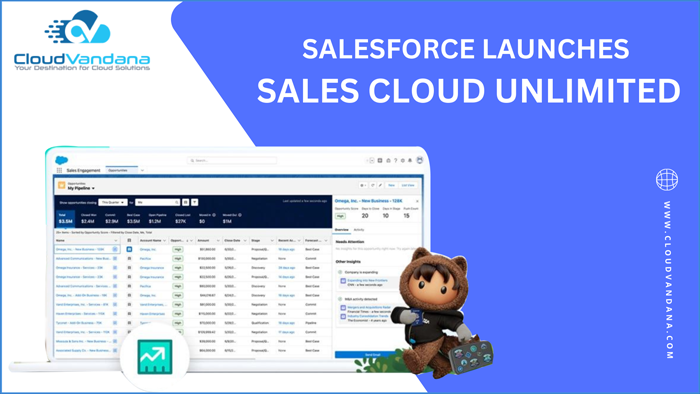
Salesforce, the #1 global CRM brand, has recently announced the lunch of Salesforce Sales Cloud Unlimited, the‘ Unlimited Edition.’ This edition of Sales cloud works as a unified solution for all Sales requirements of businesses. In this blog, CloudVandana will discuss the overview of Sales Cloud Unlimited. Salesforce has always provided unique solutions to businesses to move them forward seamlessly. This CRM platform understands the challenges faced by the organizations to keep switching between numerous platforms and applications to get some repetitive jobs done, so keeping that in mind, the Unlimited edition of Sales Cloud is designed and developed by providing some AI and ML-powered features that are going to make work easier. Let’s look at the details of this Edition. Sales Cloud Unlimited Sales Cloud Unlimited is a unified sales rep platform that combines artificial intelligence automation and analytics. It is an empowering tool that allows sales teams to increase revenue from the outset by speeding up workflow and decreasing costs. Sales Cloud understands the unique needs of every business, so it comes in different editions with different pricing. The editions are Essential Edition, Professional Edition, Enterprise Edition, and the newly launched Unlimited Editions. 1. The essential edition is suitable for small businesses with up to 10 members. The provided services are basic sales management and automated processes to track accounts, customer cases, and many more. 2. Professional Edition is suitable for businesses that have more of a requirement for reporting and forecasting in their work. This Edition allows businesses that have requirements for reporting and forecasting the work. These editions allow businesses to create and track records and quotes. Even those quotes can be customized. 3. Enterprise Edition allows businesses to customize the Sales Cloud platform based on their requirements. The basic services are included in the enterprise edition. 4. Unlimited edition launched recently, which acts as an automated digital factory setup for large organizations, serving each of their requirements. The most important feature of this edition is the admins can access multiple sandboxes for developing and testing purposes, allowing them to try and test various functionalities before adding them into production and pushing them out for customers. Let’s discuss the features- 1. Sales Engagement And Salesforce Inbox They offer a unified selling experience and workflow automation. Through this tool, sales representatives can connect to all customer touchpoints on one platform, letting them act as trusted advisors to the customers. They together offer a unified selling experience as well as workflow automation. With this tool, reps can connect to all customer touchpoints on one platform, which lets them act as trusted advisors to their customers. 2. Built-In AI Solution It delivers millions of real-time recommendations and intelligently embeds them into workflows to help sales representatives with customers in a new way. 3. Embedded Call Coaching This edition is powered by Einstein Conversation Insights, which transcribes conversations and analyzes call details, delivering actionable feedback to help representatives to focus on customer engagements and meet customer needs. 4. New Sales Cloud For Slack It provides seamless integration with Salesforce so that the teams can easily automate deal statuses and maintain records. The Unlimited Edition consists of various versions of revenue intelligence customized according to multiple industries worldwide. These are finance services cloud intelligence, Manufacturing Cloud Intelligence, Consumer Goods Cloud Intelligence, and Energy and Utilities Cloud Intelligence. Are you looking for a reputed Salesforce partner to take care of your Salesforce tasks? Please feel free to schedule a consultation call with CloudVandana and stay ahead of your competitors. Call Now. Request a Free Consultation YOU MIGHT ALSO LIKE



