


Salesforce Managed Services Overview
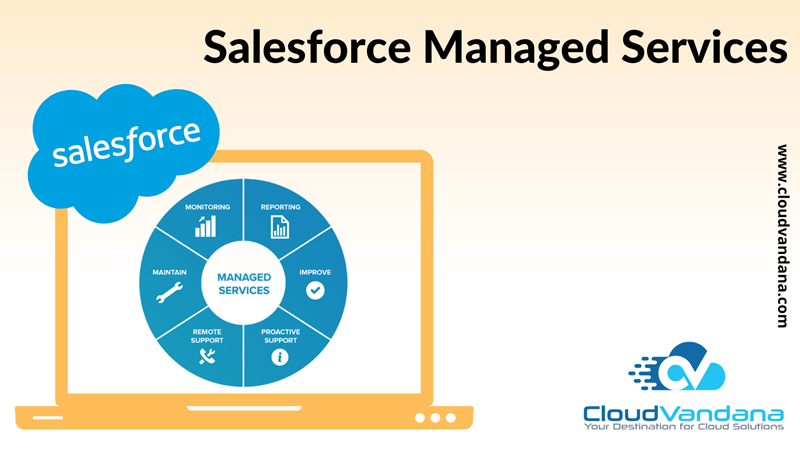
Get the most out of your Salesforce investment with Salesforce managed services by CloudVandana. Our team of experts will help you optimize your platform and streamline your processes. Salesforce is the most powerful and most popular CRM software. It is recognized as the #1 CRM solution across the world. But there is a serious matter of concern. Every software is effective when it is maintained in a constant way. Salesforce Managed Services cover a comprehensive set of activities to ensure seamless Salesforce CRM performance and prevent system issues. Every Salesforce implementation requires continuous monitoring and updating. Salesforce Managed Services keeps the CRM software functioning smoothly. Many businesses hire the services of a professional team that will handle their system issues. Though in some cases, it becomes ineffective as it does not prevent the problems from occurring at the start. Thankfully managed services are capable of taking companies out of the riddle. Salesforce Managed Services is ongoing support to keep the Salesforce CRM in the best of its health. Before the rise of Salesforce Managed Services, companies had only one option to maintain the system when the networking device failed. This system fixed the problem but decreased productivity and revenue. Now, Salesforce Managed Service has brought the whole cramped house into order. Table of Contents Key Activities Of Salesforce Managed Services 1. Consulting 2. Implementation 3. Customization 4. Integration 5. Data Management 6. Training 7. Other Support Why Companies Should Hire A Salesforce Managed Service Provider YOU MIGHT ALSO LIKE Key Activities Of Salesforce Managed Services Salesforce Managed Services is a practical approach to running a business that is powered by Salesforce CRM. Most organizations face issues related to a lack of resources, problems with regular updates, etc. To remove these issues, Salesforce Managed Services come with a complete set of activities, that prevents those issues. Following are the key activities of Salesforce Managed Services. 1. Consulting Consulting comprises a process and business analysis to create a long-duration policy for effective utilization of Salesforce. 2. Implementation Salesforce service providers take the assistance of other Salesforce apps and the cloud to develop new infrastructure in the current Salesforce system. 3. Customization Customization involves the development of reports, dashboards, and setups. 4. Integration Integration focuses on building a connected environment through the integration of Salesforce infrastructure with third parties such as ERP and e-commerce solutions. 5. Data Management Setting up a perfect architecture for data flow and collection that is guided by users’ needs. 6. Training Conduction of training program for availing best practices on the Salesforce platform. 7. Other Support Other support includes bug fixing, checking, and updating the system, and resolving issues that arise with time. Why Companies Should Hire A Salesforce Managed Service Provider Following are the 5 key benefits of hiring a Salesforce Managed Service provider. Do you have any queries about Salesforce Managed Services? Feel free to take a look at www.cloudvandana.com or take a free consultation call with our Salesforce experts to find a suitable solution for your Salesforce investment. Schedule A Call Request a Free Consultation YOU MIGHT ALSO LIKE
5 STEPS FOR A SUCCESSFUL PARDOT IMPLEMENTATION

Pardot or marketing automation is a very important business process in today’s digital world. Pardot is essential for targeted campaigns so that the best leads can be earned and the sales team can draw the maximum revenue and better ROI. Pardot customers can close the deals faster, increase marketing productivity, and a noticeable increase in website leads. Today, in this article, CloudVandana is sharing 5 important steps of Pardot implementation. 1. Technical Setup The technical setup is very important for any implementation. So help from Webmaster and IT admin team is very much needed. They will be responsible for implementing the tracking code on the website, the creation of the vanity tracker domain, and implementing email authentication. A Pardot implementation is a collaborative project. So inputs from the Sales, Marketing, Product, and Operations team are highly appreciated. Salesforce makes the integration a lot easier. Users would need the admin’s help to set up the Pardot app on Salesforce, map the lead and contact fields, add necessary fields and buttons to show Pardot data in Salesforce, and assign permissions to the right people. 2. Journey Map Planning A proper journey map planning should be there before the Pardot implementation. If a user is migrating from one system to another, and a time crunch is there, the user has to make sure that the backups are taken in Pardot. If the user needs to schedule an email campaign or send it right away, the user needs to be sure to prioritize and get them set up right away. Defining steps according to the priority of the Sales and Marketing team is an essential part of a smooth implementation. 3. Database And Assets Team members’ collaboration is very much needed to gather case studies, images, guides, content files, etc. These should be arranged in a nice and organized manner so that users can replicate the same system within Pardot to keep them organized. Hosting files within Pardot is essential. Without this feature, users can’t take advantage of tracking and campaign reporting available within Pardot and Salesforce. 4. Setup Integrations Pardot has a list of connectors that users can integrate very easily with the account. Even if the connector is not listed, Pardot provides an API that can help in connecting with a lot of third-party applications so that users never have to compromise on anything. Testing the functionality of the implementation comes after that. The sales team should check if they are receiving the assignment notifications and the correct prospect information synced from Pardot. The marketing team should check the tracking of the website and the operations team should confirm the email campaign activities. 5. Import Pardot Prospects This is considered the last stage of the implementation. In this stage, the Pardot account will start functioning in the desirable way. This final step is followed by prospects. Admins had already segmented the database in an organized way in the beginning. So at this stage, that database should be imported into Pardot. Users should map fields and add them to the corresponding lists in Pardot. Now the implementation process is over and Pardot is ready for all necessary campaigning. Though the implementation process is quite easy it is always advisable to hire a Salesforce Consultant to make the process efficient and seamless. A minor error can ruin all your efforts. So technically proficient resources of CloudVandana can always help you to make the process hassle-free. They can advise you to align marketing strategies with automation needs so that you can meet your marketing KPIs. Please feel free to take a consultation call with our Salesforce experts for all your Salesforce requirements. Request a Free Consultation YOU MIGHT ALSO LIKE
7 WAYS TO USE DOCUMENT GENERATION WITH SALESFORCE

A document generation App in Salesforce allows the user to generate rich format documents by using Salesforce data for creating PDF or HTML documents based on templates. Companies across the world are using this native document generation app for their business enhancement. In this article, CloudVandana is discussing the 7 ways to use document generation. 1. Sales Proposals Business proposals smoothen the way of opportunities but the time and related to this are high. To make the process easy, uploaded proposals templates can be used to close deals faster than before. With a click, those blue tags will convert into Salesforce data. It will save time as well as costs and can make a huge impact on the sales process. 2. Event Invitations To create lots of customized invitations first, Salesforce provides a brilliant process. Marketers just upload their invitation PDFs to Salesforce and tag them with fields like company details and then mass-generate invitations for all contacts at once. 3. Timesheets Organizations are using Documents and e-signature to calculate the stand-in workforce for temporary staffing. Throughout the week, the timesheets are created and at the end of the week, the timesheets are auto-generated for payroll and stored for record purposes. 4. Audit Reports Compliance officers need to do a lot of paperwork. Document generation helps them to turn the paperwork load into a seamless digital experience. 5. Product Engineering Manufacturers need to document all product changes and enlistment as well as notify all customers about the products. This process can be totally automated with document generation. If the product change is logged in Salesforce, a document with information about the change can be triggered to email itself to all existing customers and prospects. 6. Access Logs Through the access logs, monitor login history becomes easy. Salesforce document generation lets the user create custom access logs with a button click. 7. Attestations Every company should have the ability to serve responsibility. Document generation and e-signature can be the key to maintaining a responsible acquisition process. Procurement managers can click a button from a vendor account that sends a responsible procurement attestation document for the vendor to fill out and sign. Do you have any queries regarding Salesforce document generation? Please feel free to take a consultation with CloudVandana for any Salesforce requirements for your business. Request a Free Consultation YOU MIGHT ALSO LIKE
NEW SALESFORCE FLOW ORCHESTRATOR AND ITS BENEFITS

Salesforce Flow Orchestrator is a new functionality of Salesforce that allows Admins to string a number of flows and business processes together across multiple people. Flow Orchestrator has been built with the existing Flows in mind and allows the user to use them in any new Orchestration. It is a tool by Salesforce that allows the users to orchestrate multi-user, multi-step, and multi-stage Flows. This workflow development tool allows the user to create workflows that then automate a variety of complex processes and approvals into effective, industry-relevant experiences for your users. For creating a new Flow Orchestration, users need to head over to the All+Templates section of the New Flow page. Over there users can see a Flow Orchestrator section with an Auto-launched Orchestration and Record-Triggered Orchestration. Presently, these two ways are there to launch a Flow Orchestration. Users can find Flow Orchestrator within the setup menu rather than clicking on the Flows, users will see another menu called Flow Orchestrator. Though this is available in limited editions of Salesforce. How To Use Flow Orchestrator Creating a new Flow Orchestrator is an easy process by selecting the templates in the menus above. If the users want to add other functionalities to it, then they need to learn a few Stages and Steps. A stage is one or more Steps, grouped together and executed sequentially. A step defines the flow or flows that the user would like to run, who is assigned to the step, notifications, and where the flow should appear. Benefits Of Salesforce Flow Orchestrator After discussing the overview of Salesforce Flow Orchestrator, we will now discuss the benefits of Salesforce Flow Orchestrator. Flow Orchestrator builds and automates common workflows, unifies multiple sources of data, provides guidance through AI-driven recommendations, and spots bottleneck quickly. CloudVandana is providing five top benefits of implementing Einstein Automate’s Flow Orchestrator. 1. Increase Productivity Salesforce Flow Orchestrator provides the technology to automate complex, multi-user processes and approvals to save time on projects. So employees can get more time on other projects. As a result, it enhances the business. 2. Easy Automation Flow orchestrator makes it easy for Salesforce users to automate anything if that is internal workflows for employees, external workflows for customers, or anything in between. 3. No Requirement Of Custom Code Flow Orchestrator offers a centralized workflow to eliminate the need for users to jump between systems by unifying data and processes into a single Flow. This low code solution removes the hurdle to entry for this type of workflow, in which custom codes were required previously. 4. Easily Integrate Data The key to any successful automation is data. So it is important to integrate the necessary data into the workflows that users might want to automate. The main component of Flow Orchestrator is bringing data into Salesforce so that Einstein Automate offers the opportunity to take workflows to the next level. 5. Increase Visibility Flow Orchestrator makes it possible to help the team to be proactive in solving problems. It offers monitoring tools to complete the process. Additionally, it provides the necessary visibility to identify issues before they become too big. Do you have any further queries regarding Salesforce Flow Automation? Please feel free to take a consultation call with CloudVandana and get all the solutions for your Salesforce requirements. Request a Free Consultation YOU MIGHT ALSO LIKE
8 IMPRESSIVE FEATURES OF SALESFORCE WINTER ‘22 RELEASE
As winter approaches the door, there is excitement all around the Salesforce ecosystem. So Salesforce is again here to announce a brand new Salesforce release for us. So with the latest and greatest features, Salesforce is getting prepared. Salesforce Winter ‘22 release is making its way out and they have mentioned a few important dates to keep an eye on. So among the 550pages of Salesforce Winter ‘22 release notes, CloudVandana has come up with 8 top features of this release. So let’s have a look. In-App Guidance for specific Record Types Now users can be absolutely precise on where to show In-App Guidance prompts on a particular object’s page layout from now on. Moving forward, users can decide if they want to display the prompt on an object of all record types or any specific record type. Previously, it was observed that if the prompt is added to an object which has record types and related pages, then it used to show up on all the record pages. Now users can control that with the record-type settings while creating the In-App Guidance prompts. Einstein Search Global search in Salesforce has got smarter this time. With the Einstein search, users have intelligence built-in in the regular record search activity. It is enabled by default and absolutely free. Now einstein offers personalized search results, record previews from the search box, and natural language searches. So users can now type in Salesforce just how one talks to the smart assistance. Dynamic Gauge Charts Dashboard Gauge Charts are used to measure values against a set range. Though those ranges have been static all this while where they need to be clear while setting up the component. Dynamic gauge charts make the users free from the static values associated with goals or targets. Now users can build the gauge charts using report metrics and field values that respond dynamically to any business. Dynamic Interactions Dynamic interaction is a feature that will allow components on a lightning page to talk to each other and that too without any coding. Now anyone will be able to point and click their way through the Lightning App Builder for this experience. When an event occurs in one component on a Lightning page, can automatically update other components on the page. At first, developers create custom components with events. Then admins configure these events by setting up interactions between the components in lightning App Builder. Org-Specific Metrics The lightning framework brings along various factors that may affect the expected page-load time(ETP) for a lightning page at runtime. Now, with org-specific metrics, admins can visualize the users’ performance metrics and recommendations. The Org-specific metrics card shows analyzed data from the last 90 days of use that include the users’ browser speed, number of cores of their computers, etc. With these functionalities, admins can make informed decisions and tweak the Lightning pages for better performance. Include Images in Rich Text Component in the Lightning App Builder Now adding images in the Lightning App Builders Rich Text components becomes easy. This function gives an opportunity to increase the usability of the Rich Text Components. Users can have an image in the Rich Text component that shows ‘VIP Customer’, and ‘Handle with Care’ and have dynamic component visibility based on the Account or Contact’s field values. New Rules-Restriction Rules and Scoping rules With Restriction rules, admins can protect organizational data and boost productivity by allowing the users to see only the records relevant to their job function. These rules can be created to specify the subset of data that the specified groups of users will have access to it. With scoping Rules, the criteria that the admins select, set rules so that the users see only records that are relevant to them. With the help of scoping rules, admins have a mechanism to prevent users from accessing records that contain sensitive or irrelevant information. Pipeline Inspection Pipeline inspection now allows users to save their frequently used pipeline views. This feature saves users’ time in recreating them every time they are looking at the Pipeline inspection views. So these were the highlights of the Salesforce Winter ‘22 release. Do you have any queries for any of the above-mentioned features? Please feel free to take a consultation call from the Salesforce experts of CloudVandana. Stay tuned to us for many more interesting blogs. Request a Free Consultation YOU MIGHT ALSO LIKE
SALESFORCE DATA MIGRATION STRATEGIES
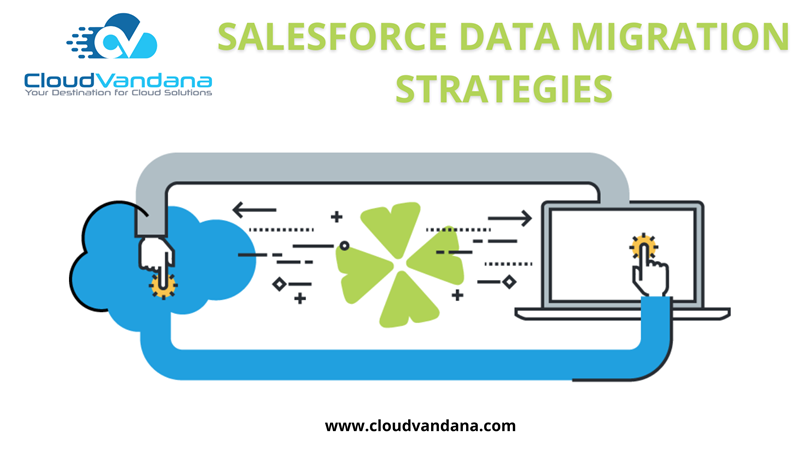
For every business, data migration is a very important task to keep the whole work process updated and seamless. Successful Salesforce data migration is tough and challenging. But the process can be quite easy if a Salesforce professional makes a proper data migration strategy and considers other factors while migrating. Data migration requires a few specific sets of rules along with operations while transferring data from one system to another. Before starting data migration in Salesforce, the professional should keep in mind that Salesforce data migration is based on the accuracy of source data, size of the data, and format. So, creating a data migration strategy will provide a secure and streamlined solution for transition. Salesforce Data Migration Strategies Committing to shareholders While developing strategies, a company should notify the shareholders regarding data migration beforehand. This will allow one to get the backing properly. Shareholders from various departments might have in-depth knowledge and understanding of the data that will be migrated. In addition, they can provide practical ideas which would be relevant to data migration. Creating a data backup Creating a data backup is the most important subject that people should keep in mind. It will be beneficial for restoration, during an emergency. Through this strategy, one can proceed with data migration without worrying about uncertainty. All of the lost files and documents can be easily recovered as the actual data is stored in one place beforehand. Identifying Data Shareholders are familiar with the amount of data that needs to be migrated, besides, they have a clear conception regarding the data storage, configuration settings, identifying well-defined data, and many more. To ensure success through a data migration strategy, the developer should know the requirements of new fields, the value of fields, verification, etc. Preparing Data After going through the identification process, an expert needs to understand the modifications for the next step. For this, one should be equipped with data migration tasks, for future modifications. This will help to ensure an error-free migration. Selecting appropriate tools Selecting an appropriate tool is one of the aspects to initiate the process. So one requires to choose the necessary tool. If an organization needs new modifications which can be managed by incorporating the existing tool. Executing migrating testing For successful Data migration Strategies, people need to understand that there is no point in backing out after the entire data is successfully imported from the old ecosystem to the new one. Before deployment, the company should test the functionality. Allocation of workers A task should not be handled by an entire workforce. Several workers should not be engaged in a single task. A coordinator should be there to distribute the project among the involved workforce. This way, there will not be a glitch in completing the task and the task will be done more efficiently. Data Migration Before migration takes place, it is the organization’s responsibility to notify a Salesforce expert about it. Data needs to be checked repeatedly to ensure that the migration process has been done successfully. So from the above-mentioned strategies, we can say that data migration is a simple process, still, it is advisable to consult a Salesforce expert before planning. Please feel free to take a consultation call with the Salesforce experts of CloudVandana for any Salesforce assistance. Request a Free Consultation YOU MIGHT ALSO LIKE
The Impact of Salesforce Health Cloud on the Healthcare Industry

Salesforce introduced its latest addition Salesforce Health Cloud a few years ago to the cloud family. The Salesforce Health Cloud is a cloud-based software solution that is meant to manage the relationship between the patient and the healthcare industry. Users can have a complete view of the patient with integrated data from medical records and other essential information. Through this solution, organizations can connect to their patients, workers, associates, and collaborators with proper information to increase their protection and well-being. This solution is very beneficial for both small and large healthcare organizations. Data Centralization Salesforce health cloud is a cloud-based software. So it is capable to maintain a centralized data storage space on the cloud. Medical services can be monitored using analytics tools and can be optimized anytime as per the requirements of the patients. Hospitals that do medical research can be benefited from the data stored on the cloud. Patients data is easily accessible from any device anywhere. Now administrators can easily manage the whole process without any hassle. Urgency In the healthcare industry, there is always an urgency in every process. The betterment of any healthcare industry depends on how quickly the healthcare staff conduct services to the patients. Patients feel delighted when they are treated in a speedy way. The healthcare staff who are connected with the patient can access the file remotely. Salesforce Health Cloud makes it easier for urgent and immediate service delivery for healthcare industries. Developing Association Cloud-computing technology can be very beneficial for medical and healthcare professionals. This technology enables doctors to collaborate and treat a patient as a team from a distance. This allows hospitals to look for and get advantages from experts and allow them to offer services to other hospitals without being present at the location. Recent research says that the health cloud will be utilized by most healthcare industries to host patient empowerment tools. 360 Degree View Of The Patient With the help of a 360-degree view, healthcare organizations can obtain the full details of their consumer. Salesforce Health Cloud made it possible. Instead of switching to the various systems to obtain information on patients, customers can view a customized dashboard containing important information. In addition, office staff can also access the relevant information. Doctors or healthcare professionals can quickly monitor a patient’s health history with the help of a 360-degree view. Advanced Approach Salesforce Health Cloud has the potential to boost patient relationships and boost the quality of medical services provided. Salesforce health cloud requires a precise and advanced approach to set up the process properly. It is customized to meet the requirements of the hospital or clinic through the proper customization and additional features. Secure Integration Salesforce Health Cloud can be integrated with EHRs and patient portals, and this integration helps both patients and providers to access health information securely. Health Cloud is considered an important nursing care management tool as patients often reach out to nurses for any kind of requirement. To ensure security, access is enabled among specific users and controlled by the administrator. Patients are ensured that their personal health data is secured and protected. So from the above discussion, we can say that the Salesforce health cloud has revolutionized the healthcare system. It not only provides a platform for patients and healthcare providers but also stores important data to keep a space for innovation and research. Salesforce Health Cloud is at the forefront of modern and digital healthcare. Request a Free Consultation YOU MIGHT ALSO LIKE
SALESFORCE ANNOUNCES EXPANSIVE PARTNERSHIP WITH AWS
Salesforce is recognized as the world’s #CRM. AWS is Amazon Web Services. It is a subsidiary of Amazon providing on-demand cloud computing platforms and APIs to individuals, companies, and governments, on a metered pay-as-you-go basis. Salesforce and AWS are both successful cloud companies in their respective categories. For the last few years, the two companies have had an evolving partnership. Recently, they have announced a new set of integration capabilities that cross the two platforms. Salesforce Announces Partnership With AWS As per Salesforce, these two companies have worked together in the past to provide features like secure sharing between the two services, but they were hearing from customers that they are interested in taking it to the next level so this expanded partnership is the first step towards making it happen. The focus is to unify two platforms, bringing the power of Amazon services with the power of Salesforce services. This expansive partnership has a couple of new features that companies are working on both the platform and application side. In a more specific way, Salesforce is going to virtualize Amazon data inside Salesforce without complicated coding. As a result, Amazon data is virtualized and appears within Salesforce just like its native data. Similarly, Amazon developers are building applications so that Salesforce data can be accessible and have it natively on Amazon. This process can be completed through a connector without a lot of coding. The companies have also announced event-sharing capabilities, which made it easier for both Salesforce and Amazon customers microservices-based applications. These are simple drag-and-drop functions where coding is not required. The companies have also announced plans to access the platforms with a guided setup. The two cloud companies are working on applications to build tools into the service cloud and other Salesforce services using AWS machine learning technology. Amazon’s VP of Global marketing said that this way, developers can create solutions that span the two platforms. According to him, this will unlock so many opportunities for business and create a better customer experience. It is worth noting that Salesforce also has extensive partnerships with other cloud providers, including Google Cloud Platform. Have you checked out our unique connector for Salesforce and Google Drive? Visit https://store.cloudvandana.com/product/cv-files/ or feel free to take a consultation call with CloudVandana experts for any Salesforce requirement. Request a Free Consultation YOU MIGHT ALSO LIKE
5 Effective Ways To Use Salesforce For Customer Retention

Salesforce is considered as the world’s #1 CRM and fits all the business needs and plans. So people across the globe have decided to adopt it. Salesforce has been able to draw visitors to the website, boost the social media presence, improve the networks and gather lots of business cards. Salesforce has helped the marketer to generate leads and converted quality leads into customers. But if customers start to leave the account after few months, something must be wrong somewhere. The reason could be that the rival company is snatching the customers or the organization has a leakage in the process, so customers are not satisfied with the offerings. The requirements and the taste of the customers are ever-changing. So companies need to upgrade their process every time to retain customers. Many companies prefer using Salesforce for closing leads, but this conversion process is very expensive. Depending on the industry, marketers need to select the right process to retain the clients. Today, in this article, CloudVandana is describing five very effective ways to use Salesforce for customer retention. 1. Data Collection Using Customer Data Integration Customer data integration strategy can improve business processes and enable better information sharing among departments. As a result, this improves customer service, CDI services are essential elements of customer relationship management. Organizations use different tools among the groups which give rise to the expanding business storehouses and diminishing proficiency issues. This process can lead to increased sales, better customer service, etc on an ongoing basis. 2. Judicious Use Of Customer Data The sales team collects a lot of leads or customer data over the span of the business. This information can be judiciously used by coordinating and integrating it into Salesforce. Marketers can send a customized and personalized offering using those pieces of information to the clients. Clients will feel special when they will get those personalized offerings. 3. Better Customer Service Customer service is the backbone of every business. Great customer service leaves the customer feeling valued and respected. If the customers are satisfied with the products or offerings, there is a high probability that they will keep a long-term relationship with the company. Salesforce Implementation Service cloud gives a coordinated client benefit stage for this purpose. 4. Recognize The Reason Of Leaving Postponed administrations and poor client boosters are the reasons for the client’s leave. Salesforce Field Service lightning has the propensity to speak with the conveyance drivers progressively which prompts the decrease in postponed conveyances. 5. Recognize And Re-Engage Customers Marketers need to re-engage Inactive subscribers in the email list to increase the open rates and engagement of those subscribers. It is a common fact that the email list degrades annually, so marketers need to look at a huge section to email to re-engage them. Though through Salesforce Enterprise Account, marketers can send 500 mass emails at a time. Marketers also can use an email marketing tool to send bulk emails. Customer Retention is a marketing strategy on which the profit or the revenue of an organization depends. Marketers should calculate the cost involved in the process of getting a new customer than maintaining the existing one. Above mentioned ways will definitely help the organizations to enhance their customer retention as well as revenue. Are you looking for a customized Salesforce solution that will help you to boost your revenue and organizational process? Visit www.cloudvandana.com and take a free consultation call with our Salesforce experts. Request a Free Consultation YOU MIGHT ALSO LIKE
The End of Salesforce DMP: What It Means for Marketers
Salesforce DMP or Salesforce market studio is a customer data marketplace platform that only other platform users can access. Salesforce DMP can also be paired with Data Studio, which gives the audience the chance to sell data and purchase look-alike audiences. Salesforce DMP helps companies provide their customers with more valuable advertising and media experience. This cloud-based platform unifies customer data from all screens and sources into a single view of the individual. This allows the users to analyze the customer preferences, and then activate the data across any delivery channel. But due to some limitations in Salesforce DMP, Salesforce has announced they are sunsetting Audience Studio or DMP, which was purchased only five years ago. Salesforce DMP Limitations It was quite expected that Salesforce will shut off their DMP as some critical limitations were there in the functionality. The offerings of the DMP category seemed to be similar to CDP (Salesforce’s customer data platform). Benefits Of DMPs There are definitely many benefits of using a DMP to empower a programmatic media strategy. Even if any brand’s overall media spending is 20-30%, there may still be ROI derived from the audience management, frequency management, and suppression strategies. There are interesting use cases around third-party and second-party data enrichment to create audiences that complement first-party data sets. But there are huge usage restrictions that prevent mixed data. Use Of DMP Comes To An End From an advisor’s point of view, the DMP only serves media optimization, and that is based on third-party cookies, which is becoming obsolete. DMP products need to evolve into the new post-cookies world. But it will require a fundamental overhaul of the way DMP technology works. CDP For A Successful Transition The right CDP (Salesforce’s customer data platform ), can solve many problems that DMP is unable to perform. CDP enables marketers to capture, unify, segment, and activate all the customer data. It gives marketers a single source of truth so that they can provide a personalized experience to their customers. CDP helps brands to engage with their customers in real-time across a true omnichannel ecosystem. It works in-store, at check-in, in a loyalty program, on a website, etc. Unlike DMP, it works both online and offline together for a seamless experience. In this system, brands, and consumers can control how the data should be used. So it is more future-proof, without relying on third-party cookies. Insights and analytics in a CDP are more precise than DMP. Workflow is designed for customer exploration, dashboarding, and predictive analysis, up to the largest data sets and down to individuals. Using one platform for customer data management means numbers align across teams, plans, and reports. In the final word, CDP powers measurement based around the customer, focusing on behavior and outcomes, so that brands can have a clear view of power adaptation and innovation. Are Looking for a Salesforce Partner to enhance your business process? Feel free to take a consultation call today or visit www.cloudvandana.com for a customized Salesforce solution. Request a Free Consultation YOU MIGHT ALSO LIKE



