Salesforce is often treated like a one-time implementation project.
That is the first mistake.
A business launches Salesforce, trains users, migrates data, creates dashboards, and celebrates go-live. Everything looks clean on day one. But after a few months, reality starts to appear. Users create inconsistent records. Fields multiply. Reports stop matching business conversations. Automations overlap. Old permission sets remain active. Integrations silently fail. Leadership begins to ask why the CRM no longer reflects the actual business.
This is exactly why every company needs a quarterly Salesforce Health Check Checklist.
A Salesforce org is not static. It is a living operational system. Sales processes change. Service teams grow. Marketing campaigns evolve. New products are launched. Employees join, shift roles, or leave. Leadership asks for new reports. Integrations expand. AI enters the roadmap. Without structured review, Salesforce can slowly move from a strategic growth platform to a tangled repository of unreliable data and unmanaged complexity.
A quarterly Salesforce health check helps businesses catch issues before they become expensive. It gives admins, RevOps teams, business leaders, and Salesforce consultants a practical rhythm for reviewing what is working, what is underused, what is risky, and what needs optimization.
This guide covers 15 important things every business should review quarterly to keep Salesforce secure, scalable, user-friendly, and aligned with business outcomes.
- What Is a Salesforce Health Check?
- Why Quarterly Salesforce Health Checks Are Important
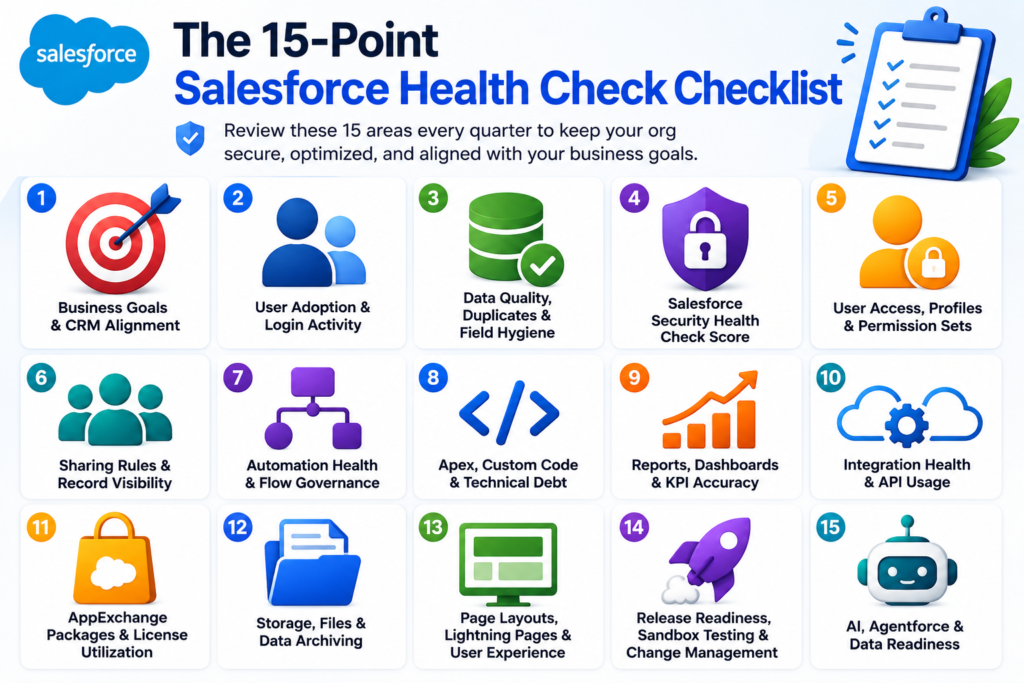
- The 15-Point Salesforce Health Check Checklist
- 1. Review Business Goals and CRM Alignment
- 2. Review User Adoption and Login Activity
- 3. Review Data Quality, Duplicates, and Field Hygiene
- 4. Review Salesforce Security Health Check Score
- 5. Review User Access, Profiles, Permission Sets, and Roles
- 6. Review Sharing Rules and Record Visibility
- 7. Review Automation Health and Flow Governance
- 8. Review Apex, Custom Code, and Technical Debt
- 9. Review Reports, Dashboards, and KPI Accuracy
- 10. Review Integration Health and API Usage
- 11. Review AppExchange Packages and License Utilization
- 12. Review Storage, Files, and Data Archiving
- 13. Review Page Layouts, Lightning Pages, and User Experience
- 14. Review Release Readiness, Sandbox Testing, and Change Management
- 15. Review AI, Agentforce, and Data Readiness
- How to Run a Quarterly Salesforce Health Check
- Common Salesforce Health Check Mistakes to Avoid
- When Should a Business Ask for Expert Salesforce Support?
- How CloudVandana Helps Businesses Improve Salesforce Org Health
- Conclusion
- FAQs
- 1. What is a Salesforce Health Check Checklist?
- 2. How often should a business run a Salesforce health check?
- 3. Is Salesforce Health Check only about security?
- 4. Who should be involved in a Salesforce health check?
- 5. What are the most important areas to review in Salesforce every quarter?
- 6. Why is data quality important in a Salesforce health check?
- 7. How do I know if my Salesforce org is unhealthy?
- 8. What is Salesforce Security Health Check?
- 9. Should Salesforce automations be reviewed quarterly?
- 10. How does a Salesforce health check improve user adoption?
- 11. Is a Salesforce health check useful before implementing AI or Agentforce?
- 12. Can CloudVandana help with Salesforce health checks?
- YOU MIGHT ALSO LIKE
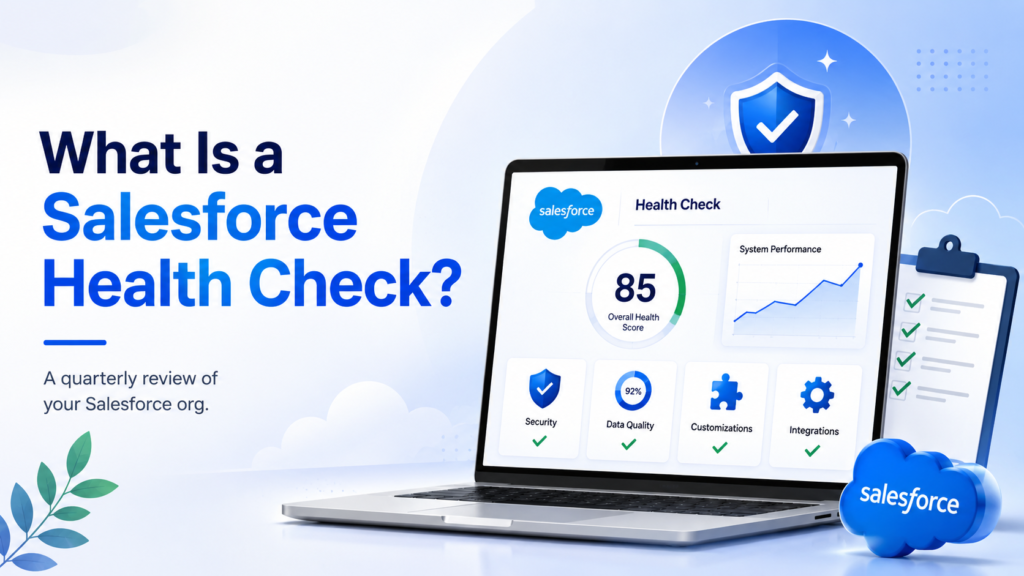
What Is a Salesforce Health Check?
A Salesforce health check is a structured review of your Salesforce org to evaluate its security, data quality, automation, adoption, configuration, integrations, reporting, performance, and scalability.
Many people hear “Salesforce Health Check” and immediately think of the native Security Health Check tool in Salesforce Setup. That tool is important. It helps admins review security settings and compare them with recommended baselines. But a true Salesforce org health check goes further.
It answers deeper business questions.
Is Salesforce helping teams sell, serve, and operate better?
Can leaders trust the reports?
Are users actually using the system?
Are automations making work easier or creating invisible risk?
Is the org ready for new Salesforce releases, AI, Data Cloud, or Agentforce?
Are permissions still appropriate?
Are integrations stable?
Is the system becoming easier to scale or harder to maintain?
A good Salesforce health check blends technical review with business analysis. It does not only ask, “Is the system configured correctly?” It also asks, “Is the system still serving the business well?”
That distinction matters.
Why Quarterly Salesforce Health Checks Are Important
An annual Salesforce audit is useful, but it is often too late.
In fast-moving businesses, one year is enough time for dozens of undocumented changes to accumulate. A quarterly review gives teams a healthier cadence. It is frequent enough to catch issues early, but not so frequent that it becomes administratively exhausting.
Quarterly health checks help businesses:
Improve Salesforce user adoption
Reduce technical debt
Protect sensitive data
Improve reporting accuracy
Clean up duplicate and incomplete records
Optimize automations
Review licenses and third-party apps
Prepare for Salesforce releases
Improve integration reliability
Plan for AI and advanced CRM capabilities
The best Salesforce teams do not wait for something to break. They inspect, refine, and improve the org continuously.
Quarterly reviews create that discipline.
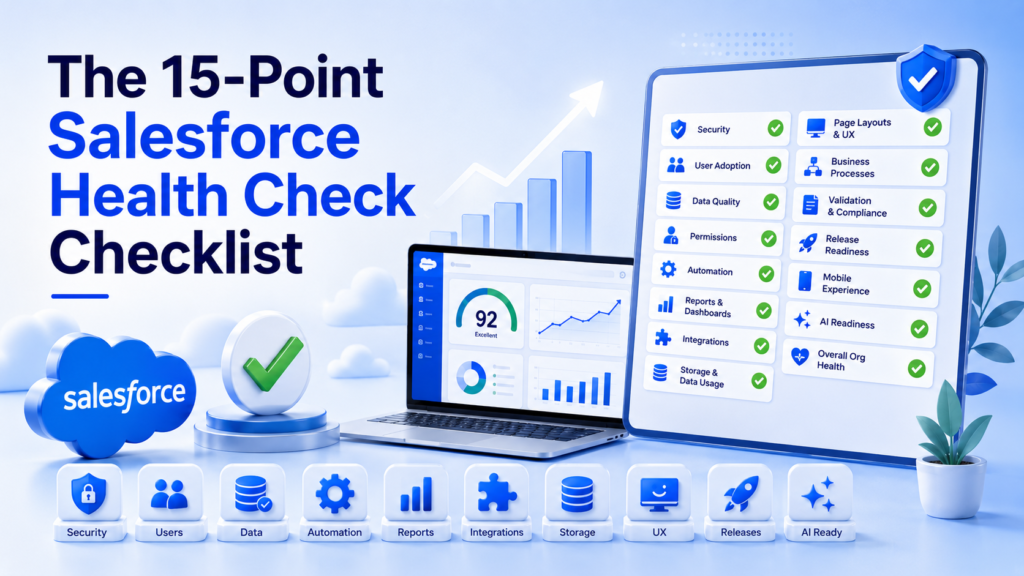
The 15-Point Salesforce Health Check Checklist
1. Review Business Goals and CRM Alignment
The first item in a Salesforce Health Check Checklist should not be technical.
It should be strategic.
Start by reviewing whether Salesforce still supports the business goals it was built to serve. A CRM can be technically functional and still be misaligned with the company’s current priorities. This happens often when businesses grow, enter new markets, launch new service lines, restructure sales teams, or change customer engagement models.
Ask these questions every quarter:
Are the current Salesforce processes aligned with business goals?
Do sales, service, marketing, and operations teams use Salesforce in a consistent way?
Are important business stages reflected accurately in Salesforce?
Are there outdated objects, fields, record types, or processes?
Are leadership dashboards still measuring the right outcomes?
For example, a company may have originally configured Salesforce around direct sales. Later, it may add partner sales, subscription renewals, customer success, and support escalation workflows. If Salesforce does not evolve with that shift, teams begin building workarounds. Spreadsheets return. Slack becomes the real operating system. Reports lose credibility.
A quarterly health check should reconnect Salesforce configuration with business reality.
This is also the right time to review stakeholder expectations. Sales leaders may care about pipeline accuracy. Service leaders may care about response time and case resolution. Finance may care about renewal visibility. Executives may care about forecast confidence. Your Salesforce org should support all of these outcomes without creating chaos for users.
The goal is simple: Salesforce should reflect how the business actually runs today, not how it worked two years ago.
2. Review User Adoption and Login Activity
A healthy Salesforce org is not just configured well. It is used well.
User adoption is one of the clearest indicators of Salesforce health. If users are not logging in, not updating records, or not following standard processes, the CRM becomes a decorative database. It may still exist, but it stops driving business value.
Quarterly adoption review should include:
Login frequency
Inactive users
Role-based adoption patterns
Record creation and update activity
Task and activity logging
Opportunity stage movement
Case update behavior
Use of key fields and required processes
Low adoption is rarely a user problem alone. It is often a system design problem.
Maybe the page layout is too crowded. Maybe reps are asked to fill fields they do not understand. Maybe automations are slow. Maybe dashboards do not help managers coach teams. Maybe users were trained once during go-live and never again.
Adoption issues can also reveal cultural friction. If managers do not use Salesforce in meetings, users will not treat it as the source of truth. If leadership accepts spreadsheet reports instead of Salesforce dashboards, the system loses authority.
During the quarterly health check, identify which teams are using Salesforce consistently and which teams are drifting away. Then investigate why. Do not assume laziness. Look for friction.
A useful question is: “What makes users avoid Salesforce?”
The answer often leads to quick wins. Simplify pages. Remove redundant fields. Add guided paths. Improve validation messages. Create better reports. Automate repetitive updates. Train managers to run pipeline reviews directly from Salesforce.
Adoption improves when Salesforce feels useful, not punitive.
3. Review Data Quality, Duplicates, and Field Hygiene
Data quality is the bloodstream of Salesforce.
When data is clean, teams move confidently. Sales forecasts become more accurate. Service teams respond faster. Marketing segmentation improves. Leadership decisions become sharper. But when data quality declines, everything downstream suffers.
Quarterly data review should include:
Duplicate accounts, contacts, and leads
Incomplete required fields
Inconsistent picklist values
Outdated contacts
Invalid email addresses or phone numbers
Stale opportunities
Unassigned leads
Incorrect account ownership
Unused or redundant fields
Records missing key segmentation data
Duplicate data is especially dangerous because it fragments customer history. One account may have multiple records. One contact may appear under different email variations. One lead may be contacted by multiple reps. The result is confusion, embarrassment, and lost trust.
Field hygiene also matters. Over time, Salesforce orgs accumulate fields that were created for a campaign, report, integration, or one-time executive request. Some fields remain useful. Others become digital sediment. They clutter layouts, confuse users, and reduce reporting clarity.
A quarterly health check should identify fields that are unused, poorly understood, duplicated, or no longer relevant. But cleanup should be careful. Before deleting fields, review dependencies, reports, integrations, automations, historical data, and stakeholder usage.
Data quality should not be treated as an occasional cleanup project. It should become part of CRM governance.
A strong quarterly practice includes assigning data owners, reviewing duplicate rules, standardizing picklists, validating important fields, and creating dashboards that monitor data completeness.
Clean data does not happen by accident. It is engineered through process, ownership, and review.
4. Review Salesforce Security Health Check Score
Security is one of the most important parts of any Salesforce health check.
Salesforce contains sensitive business data: customer information, revenue details, contracts, support cases, pricing, partner data, files, and sometimes regulated industry information. If access controls and security settings are not reviewed regularly, the risk grows silently.
The native Salesforce Security Health Check tool gives admins visibility into important security settings. It compares the org’s configuration against recommended standards or a custom baseline and provides a health score. This makes it a useful quarterly checkpoint.
Review areas such as:
Password policies
Session settings
Login access policies
Multi-factor authentication status
Clickjack protection
Certificate and key management
Network access settings
Connected app policies
Security score changes from the previous quarter
The important thing is not just the score. It is the trend.
Is the score improving or declining?
Were risky settings changed recently?
Do any settings deviate from company policy?
Are there high-risk items that need immediate remediation?
Security review should include collaboration between Salesforce admins, IT, compliance, and business leadership. In regulated industries such as financial services, healthcare, or public sector environments, standard security settings may not be enough. A custom baseline may be needed to reflect internal compliance requirements.
Never use the “fix everything” approach blindly in production. Some security changes can affect integrations, user access, or business processes. Review each setting, test in sandbox where appropriate, and document the reason behind every major change.
A secure Salesforce org is not only about preventing external threats. It is also about ensuring internal access is appropriate, traceable, and governed.
5. Review User Access, Profiles, Permission Sets, and Roles
User access tends to become messy over time.
Employees join. People change roles. Teams reorganize. Temporary access is granted and forgotten. Admin permissions are given for convenience. Permission sets multiply. Profiles become overloaded. Before long, nobody is fully sure who has access to what.
That is a governance problem.
Quarterly access review should include:
Inactive users
Users with admin permissions
Users with “Modify All Data” or “View All Data”
Permission sets assigned outside role requirements
Profile usage
Role hierarchy accuracy
Public groups and queues
Temporary access that should be removed
Integration user permissions
External user access, if Experience Cloud is used
The principle is simple: users should have the access they need to do their work, and nothing more.
This is often called least privilege. In practical terms, it means a sales rep should not have system administrator rights, a service user should not see confidential finance fields unless required, and integration users should not operate with excessive permissions.
Quarterly reviews are also important because Salesforce access models evolve. Many businesses are moving away from profile-heavy permission design toward more modular permission set and permission set group strategies. That is a healthier approach, but only when it is governed.
Access review should not be limited to human users. Integration users deserve special attention. If an integration user has broad access and its credentials are compromised, the business risk can be significant.
Document who owns access decisions. Create an approval process for elevated permissions. Remove access quickly when employees leave or change roles. Review admin users with extra scrutiny.
Good access management protects the business without slowing down productivity.
6. Review Sharing Rules and Record Visibility
Profiles and permission sets define what users can do. Sharing settings define what records users can see.
That distinction is critical.
A Salesforce org may have well-managed object permissions but still expose too much data through role hierarchy, sharing rules, manual sharing, teams, territories, or public groups. Conversely, overly restrictive sharing can prevent users from doing their jobs.
Quarterly visibility review should include:
Organization-wide defaults
Role hierarchy
Sharing rules
Manual sharing
Account teams and opportunity teams
Territory management, if used
Queue ownership
Public group membership
Experience Cloud sharing settings
Guest user access
Record visibility issues often appear as user complaints. A sales manager cannot see team opportunities. A support agent cannot access related account history. A partner sees more data than expected. A finance user cannot review renewal records. These issues can quickly become operational bottlenecks.
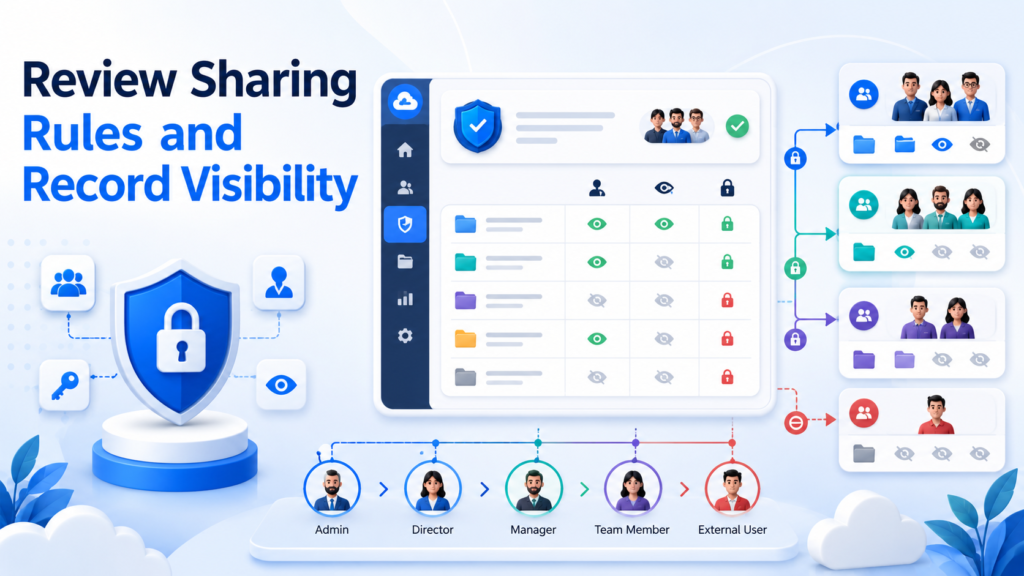
The health check should validate whether sharing rules still match the current business structure.
For example, if territories changed during the quarter, Salesforce visibility may need adjustment. If a new partner channel was added, external sharing rules must be reviewed. If a merger, acquisition, or regional restructuring occurred, role hierarchy may no longer reflect reality.
Do not rely only on assumptions. Test access with real user scenarios.
Can a regional sales manager see only the right accounts?
Can service users access customer context without seeing restricted financial data?
Can executives view cross-functional dashboards?
Can external users access only the intended records?
Record visibility is one of the most sensitive parts of Salesforce architecture. It affects security, user trust, reporting, and collaboration.
A quarterly review helps keep it intentional.
7. Review Automation Health and Flow Governance
Automation is one of Salesforce’s greatest strengths.
It is also one of the easiest places to create hidden complexity.
Salesforce Flow, approval processes, validation rules, scheduled jobs, assignment rules, escalation rules, Apex triggers, and third-party automations can all interact with the same records. When governance is weak, users experience errors, duplicate updates, slow performance, or unpredictable outcomes.
Quarterly automation review should include:
Active flows
Inactive flows
Flow versions
Scheduled flows
Record-triggered flows
Approval processes
Validation rules
Assignment rules
Escalation rules
Duplicate rules
Automation overlap
Error emails and failed interviews
Documentation of business logic
A common problem is automation accretion. One team adds a flow to update a field. Another team adds a validation rule. Later, a developer adds a trigger. Then an integration updates the same record. Each change makes sense individually, but together they create fragility.
During the health check, identify automations that are outdated, redundant, undocumented, or conflicting.
Ask:
Which flows are business-critical?
Which flows have error patterns?
Are old versions cluttering the org?
Are naming conventions clear?
Are automations documented?
Do multiple automations update the same fields?
Are users receiving cryptic error messages?
Salesforce automation should feel invisible to users. It should guide work, reduce manual effort, and improve consistency. If automation creates confusion, it needs refinement.
Quarterly Flow governance is especially important as businesses prepare for AI, Agentforce, and advanced CRM workflows. AI-ready businesses need clean, dependable processes. Poorly governed automation creates unreliable outcomes.
Healthy automation is not just powerful. It is understandable, testable, and maintainable.
8. Review Apex, Custom Code, and Technical Debt
Not every Salesforce org is declarative only.
Many mature organizations use Apex, Lightning Web Components, Visualforce, APIs, custom metadata, batch jobs, and complex integrations. Custom code can be essential for advanced business requirements. But unmanaged custom code can become a long-term liability.
Quarterly technical debt review should include:
Apex test coverage
Failing tests
Deprecated code
Unused classes and triggers
Hard-coded IDs
SOQL query performance
Batch job failures
Scheduled Apex jobs
Lightning component performance
Error logs
Deployment failures
Code documentation
Dependencies between code and configuration
Technical debt often grows quietly. A quick fix is added during a deadline. A developer leaves. Documentation is incomplete. A field is renamed. A trigger still references an old business rule. Everything continues working until one release, one integration change, or one deployment exposes the weakness.
The quarterly health check should identify where the org is becoming harder to change.
This is not only a developer concern. Technical debt affects business agility. When every small change requires fear, investigation, and regression testing, innovation slows down.
A healthy Salesforce org should be extensible. Teams should be able to improve processes without constantly breaking something else.
Review custom code with three questions:
Is it still needed?
Is it performing well?
Is it documented enough for another qualified person to maintain it?
If the answer is no, add it to the remediation backlog.
Technical debt cannot always be eliminated immediately. But it should be visible, prioritized, and reduced over time.
9. Review Reports, Dashboards, and KPI Accuracy
Reports are where Salesforce credibility is either built or destroyed.
If leadership trusts Salesforce dashboards, the CRM becomes the source of truth. If dashboards are inconsistent, outdated, or inaccurate, teams go back to spreadsheets.
Quarterly reporting review should include:
Executive dashboards
Sales pipeline reports
Forecast reports
Lead conversion reports
Campaign attribution reports
Case management dashboards
SLA reports
Customer success reports
Renewal reports
Data filters
Report folder access
Unused reports
Duplicate reports
Dashboard refresh schedules
Many Salesforce orgs suffer from report sprawl. Users create similar reports with slightly different filters. Old dashboards remain active. Fields change, but reports are not updated. Different teams define metrics differently. One dashboard says pipeline is strong. Another says it is weak. Meetings become debates about data instead of decisions.
A quarterly health check should validate KPI definitions.
What counts as a qualified lead?
What counts as an active opportunity?
Which stage should be included in forecast?
How is churn risk measured?
Which cases count toward SLA performance?
What is the official revenue dashboard?
Reports should be tied to business questions. If a report does not help someone make a decision, coach a team, improve a process, or monitor risk, it may not be worth maintaining.
Dashboard design should also be reviewed. A good dashboard is not a collage of charts. It is a decision interface. It should make performance, risk, and next actions easy to understand.
Salesforce reporting health depends on data quality, process clarity, and stakeholder alignment. Review all three.
10. Review Integration Health and API Usage
Most Salesforce orgs do not operate alone.
They connect with marketing platforms, ERP systems, accounting tools, support platforms, data warehouses, document systems, e-commerce platforms, telephony systems, AI tools, and custom applications. These integrations are vital. They are also a common source of hidden risk.
Quarterly integration review should include:
Connected apps
API usage trends
Failed integration jobs
Authentication methods
Integration user access
Data sync delays
Duplicate records created by integrations
Field mapping accuracy
Middleware logs
Webhook failures
External credentials
Named credentials
Data ownership between systems
Integration issues can distort Salesforce data quickly. A broken sync may prevent orders from updating. A mapping issue may overwrite important fields. An expired token may stop lead creation. An over-permissioned connected app may create security concerns.
The health check should answer:
Which systems are connected to Salesforce?
Who owns each integration?
What data flows between systems?
How often does it sync?
How are failures monitored?
Who receives alerts?
What happens when the integration is down?
Integration documentation is essential. Many businesses know that Salesforce is connected to several tools, but only one or two people understand how those connections work. That is operational fragility.
Quarterly review should also evaluate whether integrations still support business needs. Some may be obsolete. Others may need modernization. Some point-to-point connections may need a more scalable architecture as the business grows.
Healthy integrations are secure, observable, documented, and resilient.
11. Review AppExchange Packages and License Utilization
AppExchange apps can extend Salesforce quickly.
They can add document generation, e-signature, data enrichment, project management, CPQ, SMS, file management, backup, DevOps, analytics, and industry-specific capabilities. But installed packages should not be ignored after implementation.
Quarterly package review should include:
Installed managed packages
Package version updates
License usage
Unused apps
User adoption of apps
Security review of connected apps
Impact on page performance
Vendor support status
Overlapping functionality
Renewal dates and costs
Many companies pay for Salesforce licenses and third-party app licenses that are underused. Others keep packages installed long after they stop using them. Some packages remain deeply embedded in automation, fields, objects, and page layouts even when business value is low.
A quarterly health check helps businesses rationalize their Salesforce ecosystem.
Ask:
Which apps are actively used?
Which apps save time or improve outcomes?
Which apps create complexity?
Are there multiple tools solving the same problem?
Are package updates tested before deployment?
Are license assignments accurate?
Do not remove packages casually. Package removal can affect metadata, data, automation, and user workflows. Review dependencies carefully.
The objective is not to minimize apps at all costs. The objective is to keep the Salesforce ecosystem purposeful.
Every installed app should have a clear owner, use case, renewal justification, and support plan.
12. Review Storage, Files, and Data Archiving
Salesforce storage is often overlooked until it becomes a problem.
Data storage and file storage can grow quickly as users upload attachments, create records, sync emails, import data, and integrate external systems. Poor storage management can increase costs, slow operations, and clutter the user experience.
Quarterly storage review should include:
Data storage usage
File storage usage
Large objects or high-volume records
EmailMessage records
Tasks and activities
Old cases
Historical opportunities
Duplicate files
Attachments versus Salesforce Files
File ownership
Archived records
Backup and retention policies
Not all data should remain active forever. Some records are operationally important. Some are needed for reporting. Some must be retained for compliance. Some can be archived. Some should be deleted after review.
A healthy data retention strategy defines what stays in Salesforce, what moves to an archive, what remains accessible through external storage, and what should be removed.
Files deserve special attention. Many businesses upload contracts, presentations, invoices, support screenshots, and customer documents into Salesforce. Over time, files become difficult to manage. Teams may need a better file governance strategy or integration with external storage such as Google Drive, OneDrive, SharePoint, or document management systems.
Quarterly review helps prevent storage chaos.
Ask:
Which objects are consuming the most storage?
Which files are duplicated or obsolete?
Are users following file naming standards?
Are sensitive documents protected?
Is archiving aligned with compliance requirements?
Are backup and recovery processes clear?
Storage health is not just a technical concern. It affects cost, compliance, usability, and long-term scalability.
13. Review Page Layouts, Lightning Pages, and User Experience
User experience is one of the most underrated parts of Salesforce health.
A technically accurate Salesforce org can still frustrate users if pages are cluttered, fields are confusing, buttons are poorly placed, or workflows require too many clicks.
Quarterly UX review should include:
Lightning record pages
Page layouts
Dynamic forms
Compact layouts
Highlights panels
Quick actions
Related lists
Path configuration
Guidance for Success
Mobile usability
Console apps
Navigation menus
Field help text
Validation messages
Salesforce should make work easier. When users open an account, opportunity, case, or lead record, the most important information should be visible quickly. They should not need to scroll endlessly, open multiple tabs, or guess which fields matter.
Page clutter usually appears gradually. A field is added for finance. Another for marketing. Another for service. Another for management. Nobody removes outdated fields. Eventually, the page becomes a labyrinth.
Quarterly review should include direct user feedback.
Ask users:
Which fields do you actually use?
Which fields are confusing?
Which actions take too many clicks?
Which page sections feel unnecessary?
What information do you need first?
What slows you down?
This is where admins and business teams can create immediate value. Better page layouts improve adoption. Clear validation messages reduce frustration. Guided selling paths improve process consistency. Console optimization helps service teams work faster.
A Salesforce health check should always include the human experience.
Because if users dislike the system, the system will never reach its potential.
14. Review Release Readiness, Sandbox Testing, and Change Management
Salesforce evolves continuously.
Major releases bring new features, changes, enhancements, security updates, and sometimes changes that require admin review. Businesses that do not prepare can be surprised by broken automations, changed interfaces, user confusion, or missed opportunities.
Quarterly release readiness review should include:
Upcoming Salesforce release notes
Sandbox preview planning
Regression testing
Critical business process testing
Integration testing
AppExchange package testing
User communication
Training updates
Change logs
Deployment governance
Rollback plans
Known issues monitoring
A sandbox should not be treated as an optional playground. It is a risk reduction environment. Before enabling major features, changing automations, updating packages, or modifying security settings, teams should test in sandbox.
Change management is equally important. Users need to know what is changing, why it matters, and how it affects their work. Even a beneficial change can create resistance if it appears suddenly.
Quarterly review should evaluate whether the Salesforce team has a clear process for change requests.
Who can request changes?
Who approves them?
How are changes prioritized?
Where are requirements documented?
How is testing completed?
How are users informed?
How are post-deployment issues handled?
Poor change management creates entropy. Good change management creates trust.
A healthy Salesforce org should have a release calendar, testing checklist, deployment process, communication plan, and documentation discipline.
This is especially important for businesses with multiple admins, developers, consultants, or business units contributing to the org.
15. Review AI, Agentforce, and Data Readiness
AI is changing what businesses expect from Salesforce.
But AI readiness does not begin with AI tools. It begins with clean data, secure access, clear processes, reliable automation, and well-governed architecture.
Quarterly AI readiness review should include:
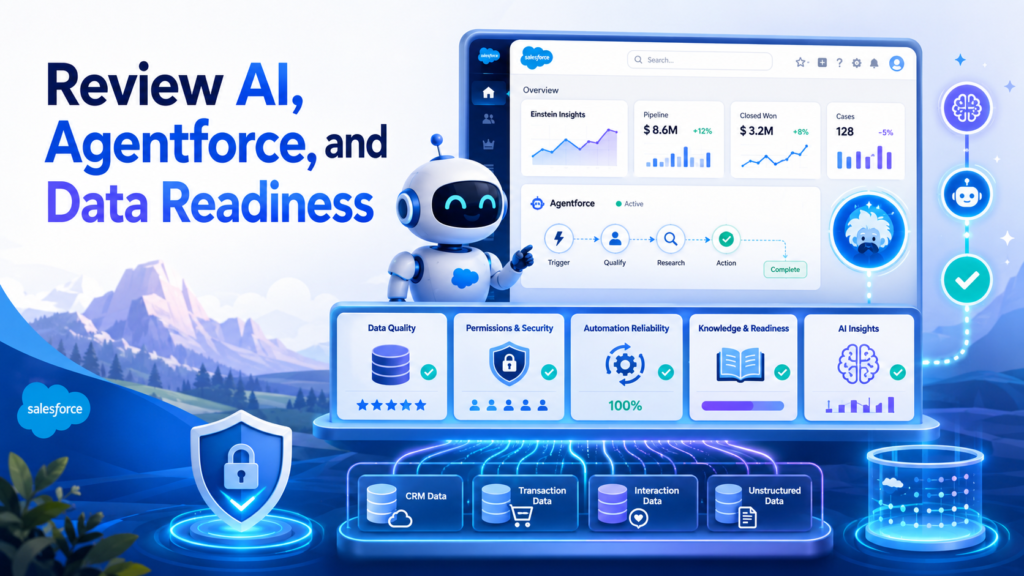
Data completeness
Data consistency
Duplicate management
Knowledge quality
Case history quality
Sales activity quality
Permission model
Sensitive data controls
Automation reliability
Integration readiness
Metadata quality
Prompt and response governance
Agentforce use case readiness
Businesses often want AI outcomes such as smarter lead qualification, automated service responses, predictive insights, sales recommendations, or AI-powered agents. But if Salesforce data is incomplete, duplicated, outdated, or poorly governed, AI outputs will be unreliable.
AI amplifies the quality of the system beneath it.
If the CRM is clean, AI can create meaningful acceleration. If the CRM is chaotic, AI can accelerate confusion.
A quarterly Salesforce health check should identify whether the org is ready for AI-driven capabilities. Review which processes are structured enough for automation, which data sources are trustworthy, which teams have clear use cases, and which security policies must be strengthened before AI is introduced.
Ask:
Do we trust our Salesforce data?
Are customer records complete and current?
Are knowledge articles accurate?
Are permissions properly configured?
Are business processes standardized?
Do we have clear AI use cases?
Do we know which decisions should remain human-controlled?
AI readiness is not a futuristic topic anymore. It belongs in the quarterly Salesforce health check.
Businesses that prepare their org now will be better positioned to adopt Data Cloud, Agentforce, predictive analytics, and intelligent automation with confidence.
How to Run a Quarterly Salesforce Health Check
A checklist is only useful when it becomes a repeatable process.
The best approach is to create a quarterly Salesforce governance rhythm. This should involve Salesforce admins, RevOps, IT, business stakeholders, data owners, and leadership sponsors.
Start by creating a health check calendar. Tie it to business quarters and Salesforce release cycles. Give each review a clear agenda and owner.
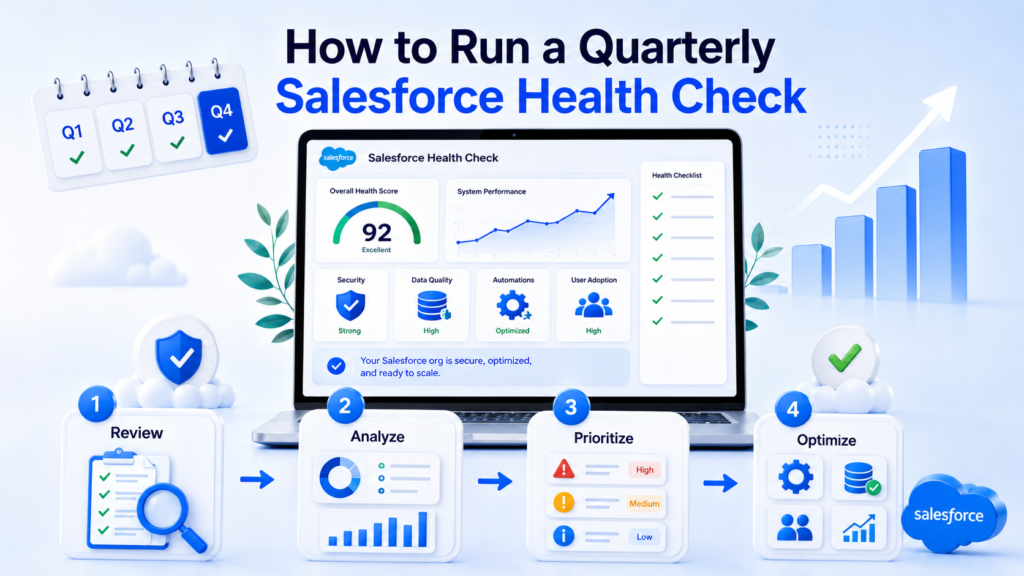
A practical quarterly health check process can look like this:
Week 1: Collect data from Salesforce reports, Health Check, adoption dashboards, integration logs, storage usage, and release notes.
Week 2: Review findings with admins, technical teams, and business owners.
Week 3: Prioritize fixes based on risk, business value, urgency, and effort.
Week 4: Execute quick wins, plan larger improvements, and document next steps.
Every finding should be categorized.
Critical issues need immediate action. Examples include security risks, broken integrations, failing automations, or major reporting inaccuracies.
High-priority issues should be scheduled soon. Examples include duplicate data, poor adoption in a key team, or outdated permission structures.
Medium-priority issues can enter the optimization backlog. Examples include page layout improvements, unused fields, dashboard cleanup, or training refreshers.
Low-priority issues can be monitored or bundled into future enhancements.
The key is documentation. Each quarterly review should produce a clear health check report with findings, owners, recommended actions, and deadlines.
Over time, this creates a valuable historical record. You can see whether the org is improving, where recurring issues appear, and which investments produce measurable impact.
Common Salesforce Health Check Mistakes to Avoid
Many businesses run Salesforce reviews, but not all reviews produce meaningful improvement.
The first mistake is focusing only on technical configuration. Salesforce health is not just about settings. It is about business value, user experience, data trust, and scalability.
The second mistake is ignoring users. Admins and consultants can inspect metadata, but users know where daily friction lives. Their feedback should be part of every quarterly review.
The third mistake is treating all issues equally. Not every problem deserves immediate attention. A broken integration is more urgent than an unused report. A security vulnerability is more important than a cosmetic layout issue.
The fourth mistake is fixing symptoms instead of root causes. If data quality is poor, do not only clean the records. Ask why bad data is entering the system. Is the process unclear? Are fields confusing? Are integrations creating duplicates? Are validation rules missing?
The fifth mistake is failing to document decisions. Without documentation, the same problems return.
A successful Salesforce health check should be structured, collaborative, prioritized, and action-oriented.
When Should a Business Ask for Expert Salesforce Support?
A business should consider expert Salesforce support when the org becomes difficult to manage internally or when business risk is increasing.
Common signs include:
Users no longer trust Salesforce reports
Data quality issues keep returning
Automations fail or conflict
Salesforce feels slow or cluttered
Admins are overwhelmed with requests
Leadership cannot get accurate visibility
Security and access rules are unclear
Integrations fail without clear ownership
The business is preparing for AI, Data Cloud, or Agentforce
The org has grown beyond its original design
Expert Salesforce consultants can bring structure, diagnostic depth, and implementation discipline. They can identify root causes, not just surface-level issues. They can help businesses prioritize what to fix first and what to leave alone.
This matters because Salesforce optimization is not about changing everything. It is about improving the right things in the right sequence.
How CloudVandana Helps Businesses Improve Salesforce Org Health
Salesforce should help your business move faster, serve customers better, and make smarter decisions. But when the org becomes cluttered, inconsistent, or difficult to trust, teams lose confidence.
CloudVandana helps businesses assess, optimize, and scale Salesforce with a practical focus on long-term CRM success.
Our Salesforce experts can help with:
Salesforce health checks
Salesforce implementation review
Security and access audits
Data quality assessment
Duplicate cleanup strategy
Sales Cloud and Service Cloud optimization
Flow and automation review
Apex and custom development review
Integration assessment
Dashboard and reporting improvement
User adoption improvement
Salesforce release readiness
AI, Agentforce, and Data Cloud readiness
Ongoing Salesforce managed services
Whether your business needs a one-time Salesforce audit or continuous optimization support, CloudVandana can help you turn Salesforce into a cleaner, smarter, and more dependable business platform.
If your Salesforce org feels messy, underused, risky, or difficult to scale, now is the right time to review it.
Book a Salesforce Health Check with CloudVandana and discover what is working, what is holding your team back, and what should be improved next.
Conclusion
A Salesforce health check is not just a maintenance task.
It is a business discipline.
Every quarter, your Salesforce org tells a story. User adoption reveals whether teams trust the system. Data quality reveals whether processes are disciplined. Reports reveal whether leadership has clarity. Security settings reveal whether risk is controlled. Automations reveal whether the business is scaling intelligently or accumulating hidden fragility.
The most successful companies do not wait until Salesforce becomes painful. They review it regularly. They clean what needs cleaning. They simplify what has become complicated. They protect what matters. They prepare for what is next.
Salesforce can be a powerful growth engine, but only when it is healthy.
A quarterly Salesforce Health Check Checklist gives your business the structure to keep that engine running smoothly.
If you want expert support reviewing your Salesforce org, CloudVandana is ready to help. From data quality and automation to security, integrations, reporting, and AI readiness, CloudVandana helps businesses build Salesforce environments that users trust and leaders can rely on.
Your Salesforce org should not just function.
It should perform.
FAQs
1. What is a Salesforce Health Check Checklist?
A Salesforce Health Check Checklist is a structured list of items businesses review to evaluate the health of their Salesforce org. It usually includes security, user adoption, data quality, permissions, automation, reports, integrations, storage, release readiness, and scalability.
2. How often should a business run a Salesforce health check?
Businesses should run a Salesforce health check at least once every quarter. Quarterly reviews help identify risks, clean up data, improve adoption, and prepare for Salesforce releases before issues become serious.
3. Is Salesforce Health Check only about security?
No. Salesforce has a native Security Health Check tool, but a complete Salesforce health check covers much more. It should also review data quality, user adoption, automation, reports, integrations, storage, permissions, custom code, and business alignment.
4. Who should be involved in a Salesforce health check?
A Salesforce health check should involve Salesforce admins, business stakeholders, RevOps leaders, IT teams, data owners, security teams, and sometimes external Salesforce consultants. Each group brings a different perspective on org health.
5. What are the most important areas to review in Salesforce every quarter?
The most important areas include security settings, user access, data quality, automation health, reports and dashboards, integrations, storage usage, AppExchange packages, user adoption, and release readiness.
6. Why is data quality important in a Salesforce health check?
Data quality affects reporting, forecasting, marketing segmentation, customer service, automation, and AI readiness. Poor data leads to poor decisions, duplicate work, and reduced trust in Salesforce.
7. How do I know if my Salesforce org is unhealthy?
Common signs include low user adoption, duplicate records, inaccurate reports, failed automations, unclear permissions, slow pages, integration errors, unused fields, cluttered layouts, and leadership relying on spreadsheets instead of Salesforce dashboards.
8. What is Salesforce Security Health Check?
Salesforce Security Health Check is a native tool in Salesforce Setup that helps admins review security settings and compare them against recommended standards or custom baselines. It provides a score that helps identify security risks.
9. Should Salesforce automations be reviewed quarterly?
Yes. Salesforce automations should be reviewed quarterly because flows, validation rules, approval processes, triggers, and integrations can overlap or become outdated. Regular review helps reduce errors and technical debt.
10. How does a Salesforce health check improve user adoption?
A health check can reveal why users avoid Salesforce. It may uncover cluttered layouts, unnecessary fields, confusing processes, poor training, or reports that do not help managers. Fixing these issues makes Salesforce easier and more valuable for users.
11. Is a Salesforce health check useful before implementing AI or Agentforce?
Yes. AI and Agentforce work best when Salesforce data, permissions, processes, and automation are clean and reliable. A health check helps identify readiness gaps before businesses invest in advanced AI capabilities.
12. Can CloudVandana help with Salesforce health checks?
Yes. CloudVandana helps businesses review and optimize Salesforce orgs across security, data quality, automation, integrations, reporting, user adoption, managed services, and AI readiness. A Salesforce health check with CloudVandana can help identify risks, quick wins, and long-term improvement opportunities.

Atul Gupta is CloudVandana’s founder and an 8X Salesforce Certified Professional who works with globally situated businesses to create Custom Salesforce Solutions.
Atul Gupta, a dynamic leader, directs CloudVandana’s Implementation Team, Analytics, and IT functions, ensuring seamless operations and innovative solutions.
YOU MIGHT ALSO LIKE

Financial Services Cloud: A Complete Guide for Banking and Wealth Management
How MuleSoft Connects Salesforce With ERP, Finance and Business Systems

Salesforce Customer 360: Connecting Sales, Service and Marketing Teams

Salesforce and Anthropic Launch Claudeforce: What It Means for the Future of Enterprise AI

Salesforce AIforce: What It Means for the Future of Enterprise Software